
Spotsaas Editorial
Best Tax Software for Self-Employed Individuals in 2026 (Reviewed & Compared)
Why This Blog Matters
Self-employed professionals face more complex tax obligations than W-2 employees. From calculating self-employment tax to tracking deductible expenses and making quarterly IRS payments, the process is demanding without the right tools. This guide cuts through the noise to help you find the best tax software for self-employed individuals in 2026, covering top platforms with side-by-side feature and pricing breakdowns.
What You’ll Learn Here
Compare top-rated tax software solutions including TurboTax, H&R Block, TaxAct, FreeTaxUSA, and Cash App Taxes for self-employed users. Understand how features like expense tracking, mileage logging, quarterly tax estimations, Schedule C support, audit protection, and QuickBooks integration affect your filing experience.
Who Should Read This
Designed for freelancers, gig workers, 1099 contractors, sole proprietors, and small business owners filing taxes for the 2025 tax year. Whether you need a completely free option or a premium tool with live expert access, this guide helps you choose based on your budget, business complexity, and support needs.
Self-employed individuals carry a tax burden that W-2 employees simply do not face. You must calculate and pay both the employer and employee portions of Social Security and Medicare taxes, track every deductible business expense, make quarterly estimated payments to avoid penalties, and navigate Schedule C on your own.
On top of that, 2026 brings real changes to the tax landscape. The One Big Beautiful Bill Act (OBBBA) permanently extends the 2017 tax brackets, raises the standard deduction to $16,100 for single filers, and expands the Qualified Business Income (QBI) deduction that many self-employed filers use. Choosing the right tax software this year is more important than ever.
This guide reviews the best tax software for self-employed individuals in 2026, comparing features, pricing, integrations, and expert support so you can file with confidence and keep more of what you earn.
Quick Summary: Top Tax Software for Self-Employed Filers in 2026
- Self-employed filers need software that supports Schedule C, self-employment tax calculations, and deduction tracking.
- Features like automatic mileage tracking, accounting integrations, and quarterly tax estimates save significant time and money.
- Cloud-based platforms ensure compliance with the latest 2026 IRS rules, including OBBBA changes.
- Pricing ranges from completely free (Cash App Taxes) to premium expert-assisted plans (TurboTax Live Full Service).
- Audit support, accuracy guarantees, and professional access are critical differentiators for complex returns.
What Changed for Self-Employed Filers in 2026
Before picking software, it helps to understand the key 2026 tax changes that directly affect self-employed individuals and small business owners.
The One Big Beautiful Bill Act permanently extends the 2017 TCJA tax brackets, meaning your marginal tax rates do not increase as previously scheduled. The standard deduction rises to $16,100 for single filers and $32,200 for married couples filing jointly. For self-employed individuals who file Schedule C, the Qualified Business Income (QBI) deduction remains in place and continues to allow eligible filers to deduct up to 20% of qualified business income.
Other notable changes include higher 401(k) contribution limits of $24,500, IRA limits rising to $7,500, and expanded HSA contribution caps. Self-employed filers who pay their own health insurance premiums can continue deducting 100% of those premiums. Additionally, a new deduction of up to $25,000 is now available for tip income, which benefits service industry self-employed workers.
The best tax software platforms for 2026 have already been updated to reflect these changes, automatically applying them as you enter your income and expenses.
Must-Have Features in Tax Software for Self-Employed Professionals
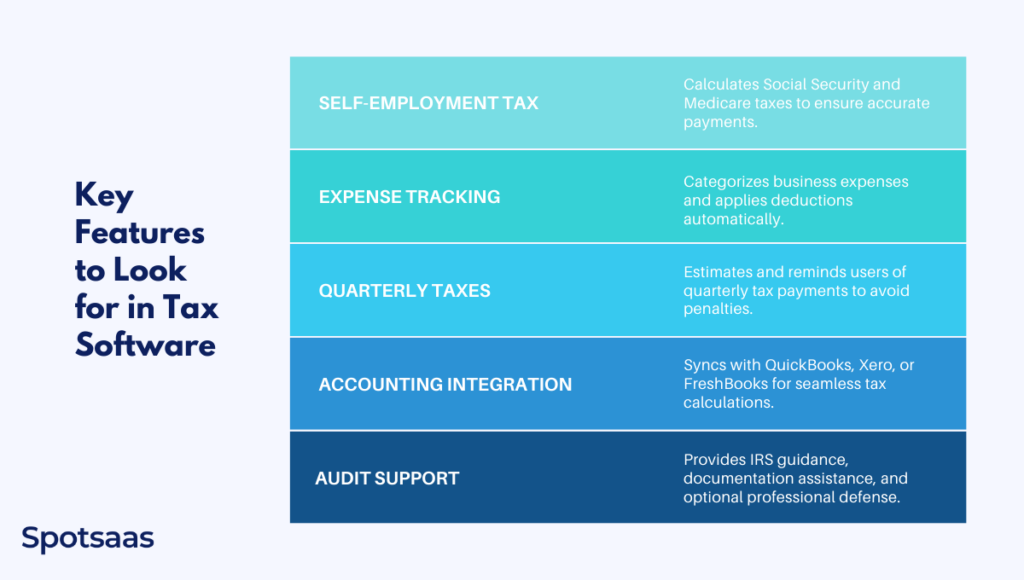
Choosing the right self-employed tax software means looking beyond price. These five features separate average tools from genuinely useful ones for freelancers and sole proprietors.
Automated Self-Employment Tax Calculations
Self-employed individuals must pay both the employer and employee portions of Social Security (12.4%) and Medicare (2.9%) taxes, totaling 15.3% on net earnings. Calculating this manually while also accounting for the 50% deduction you can take for the employer portion is error-prone. Good self-employed tax software handles all of this automatically based on your net Schedule C income.
Schedule C and Business Expense Deduction Tracking
Schedule C is the IRS form that freelancers and sole proprietors use to report business profit or loss. Tax software with strong Schedule C support guides you through each deductible expense category, including home office, vehicle mileage, equipment, supplies, internet, and professional services, ensuring you do not miss savings.
Quarterly Estimated Tax Payment Reminders
Unlike W-2 employees who have taxes withheld automatically, self-employed individuals must make quarterly estimated payments to the IRS. Missing a payment or underpaying results in penalties. Tax software that calculates your quarterly liability and sends reminders for the April 15, June 16, September 15, and January 15 due dates keeps you compliant throughout the year.
QuickBooks, Xero, and Accounting Tool Integrations
Many self-employed professionals use accounting platforms to track income and expenses throughout the year. Tax software that syncs directly with QuickBooks, Xero, or FreshBooks eliminates manual data entry and lets you import your financials automatically, reducing errors and saving hours during filing season.
IRS Audit Support and Accuracy Guarantees
Self-employed filers are statistically more likely to face IRS scrutiny than W-2 employees. Quality tax software includes error-checking before submission, audit support features that guide you through IRS inquiries, and accuracy guarantees that cover penalties resulting from software errors.
SECURE 2.0 Act and Its Impact on Tax Filing
Top-Rated Tax Filing Software for Self-Employed Filers (2026)
| Tax Software | Best For | Key Features |
|---|---|---|
| TurboTax Self-Employed | Comprehensive guided filing | Deduction maximizer, QuickBooks integration, live expert help |
| H&R Block Self-Employed | Freelancers wanting in-person backup | Simple interface, in-person offices, expense tracking |
| TaxAct Self-Employed | Budget-conscious filers needing full features | Affordable, Xpert Assist, $100K accuracy guarantee |
| FreeTaxUSA Self-Employed | Cost-conscious Schedule C filers | Free federal filing, low-cost state returns, audit assistance |
| Cash App Taxes | 100% free with no hidden costs | Free federal and state, audit defense, crypto support |
TurboTax for Self-Employed Individuals
TurboTax
- Pricing: Varies on Filing Options
- State Filing: $39 per state
- Best For: Comprehensive tax guidance
TurboTax is Best For
Freelancers, 1099 contractors, and small business owners who want the most guided, comprehensive experience with the highest chance of catching every deduction. TurboTax Premium is the flagship self-employed plan in 2026, supporting all Schedule C situations including home office, vehicle mileage, equipment, and professional fees.
Pricing and Fees of TurboTax
TurboTax Free Edition
- Cost: $0 Federal, $0 State, $0 to File
- Best For: Simple tax situations (W-2 income only)
TurboTax Live Assisted
- Starting Cost: $39* Federal (State additional)
- Best For: Taxpayers seeking expert assistance while filing
TurboTax Live Full Service
- Starting Cost: $89* Federal (State additional)
- Best For: Individuals preferring a tax expert to handle the entire filing process
(*Prices are subject to change. Starting prices are for federal returns; state returns may incur additional fees. Visit TurboTax’s official website for current pricing.)
Overview of TurboTax
TurboTax is the most widely used tax preparation platform in the US. Its Premium plan is purpose-built for self-employed filers, walking users through Schedule C deductions with interview-style questions that eliminate guesswork. The 2026 edition incorporates OBBBA updates automatically, including the expanded QBI deduction and updated standard deduction thresholds.
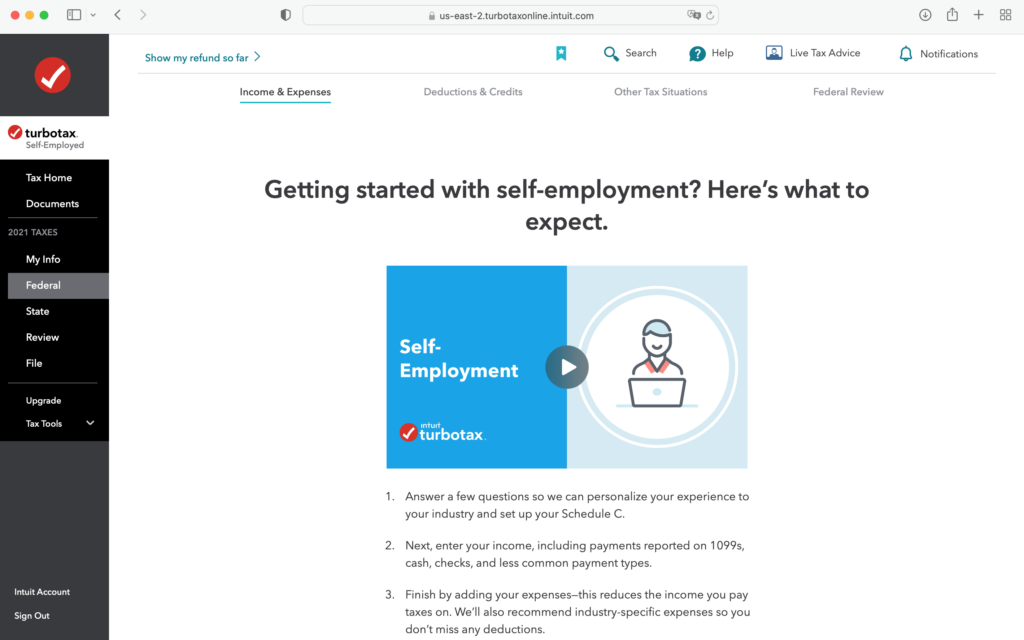
TurboTax also offers a mobile app with receipt scanning, direct QuickBooks import, and real-time refund tracking. The Live Assisted plan connects you to a real CPA or enrolled agent for review before you file, while Full Service has an expert file the return for you entirely.
Why Choose TurboTax
TurboTax is the best option for self-employed filers who want maximum deduction coverage, a user-friendly interface, and the option to escalate to a live expert at any point. The deduction finder proactively scans your financial profile and suggests write-offs many filers miss, including overlooked items like professional development courses, software subscriptions, and health insurance premiums.
Key Features of TurboTax
Audit support and accuracy check
TurboTax automatically scans for potential errors and inconsistencies before submission. It flags issues, provides explanations, and suggests corrections to minimize audit risk. Audit Defense is available as an add-on for complete representation if the IRS contacts you.
Step-by-step tax guidance
TurboTax uses an interview-style workflow where you answer plain-English questions and the software fills in the correct IRS forms. This approach is particularly helpful for first-time self-employed filers who are not familiar with Schedule C, Schedule SE, or Form 1040-ES.
Max refund guarantee
TurboTax guarantees you will receive the maximum refund you are entitled to. If another tax software calculates a larger federal refund using the same inputs, TurboTax will refund your software fees.
Integrations of TurboTax
- Payroll Integrations – QuickBooks Payroll, Gusto, ADP, Paychex, OnPay
- HR Software Integrations – BambooHR, Workday, Zenefits, Rippling
- Accounting and Financial Management – QuickBooks, Xero, NetSuite, Wave
- Investment and Banking – Robinhood, Coinbase, Fidelity, Charles Schwab
Pros and Cons of TurboTax
| Pros | Cons |
|---|---|
| Best guided experience for self-employed filers | Higher pricing for premium features |
| Live CPA access with Assisted and Full Service plans | Extra fees for state filings |
| Strong deduction finder for freelancers | Can upsell aggressively within the workflow |
| QuickBooks integration saves time |
Final Thoughts on TurboTax
TurboTax is the top choice for self-employed individuals who want the most thorough deduction coverage and access to tax professionals. The premium price is justified if you have complex business income, multiple income streams, or want peace of mind through expert review. Simpler freelance situations may find it more expensive than necessary.
H&R Block: Affordable Tax Filing With In-Person Help
H&R Block
- Pricing: Varies on Filing Options
- State Filing: $37 per state
- Best For: In-person and virtual filing
H&R Block is Best For
Self-employed individuals who want a capable online filing experience with the unique advantage of in-person support at over 11,000 physical locations. US News consistently ranks H&R Block as the overall best tax software option for 2026, particularly for freelancers who want offline backup.
Pricing and Fees of H&R Block
H&R Block Free Online
- Cost: $0 Federal, $0 State
- Best For: Simple tax situations
H&R Block Deluxe Online
- Starting Cost: $35 Federal (State additional)
- Best For: Taxpayers with credits and deductions
Assisted Tax Preparation Services
- Starting Cost: $89 plus additional state fee
- Best For: Individuals seeking professional assistance
(*Prices subject to change. Visit H&R Block’s official website for current pricing.)
Overview of H&R Block
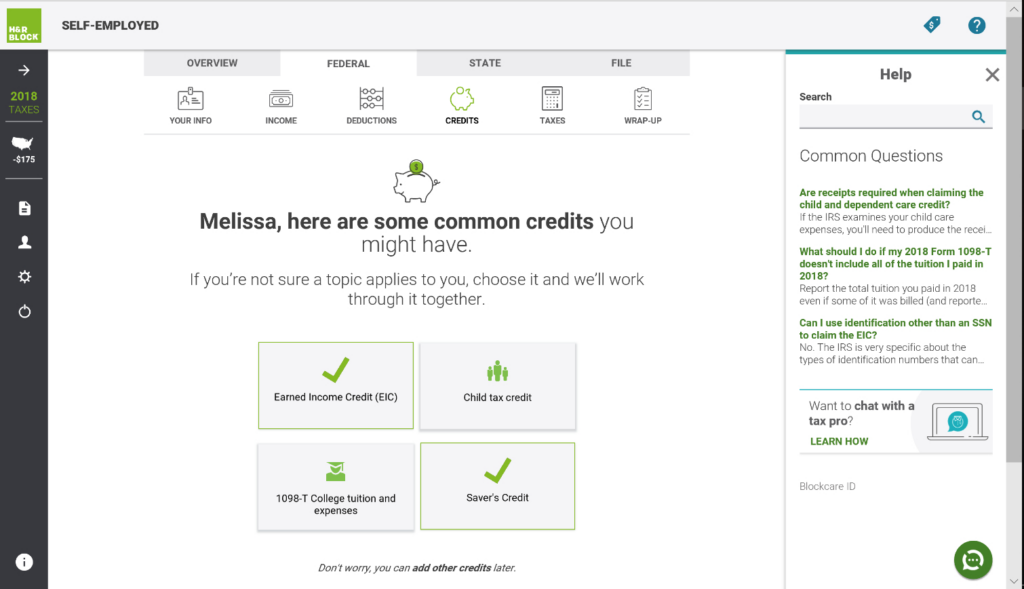
H&R Block delivers a clean online filing experience with dedicated self-employed support through its Self-Employed plan. Like TurboTax, it uses a question-based flow that simplifies Schedule C reporting. What distinguishes H&R Block is its hybrid model: you can start online and finish with an in-person tax professional, or choose fully remote expert assistance through its online platform.
Why Choose H&R Block
H&R Block is the best choice when you want flexible filing options without fully committing to a purely online experience. For freelancers who feel anxious about doing their taxes alone, the ability to visit a local office for review or hand off the return entirely provides genuine peace of mind at a lower price point than TurboTax Live Full Service.
Key Features of H&R Block
Max refund guarantee
H&R Block searches for every eligible deduction and credit, providing real-time refund updates as you progress through your return. It proactively checks for overlooked write-offs including home office and vehicle deductions common among self-employed filers.
Step-by-step guidance
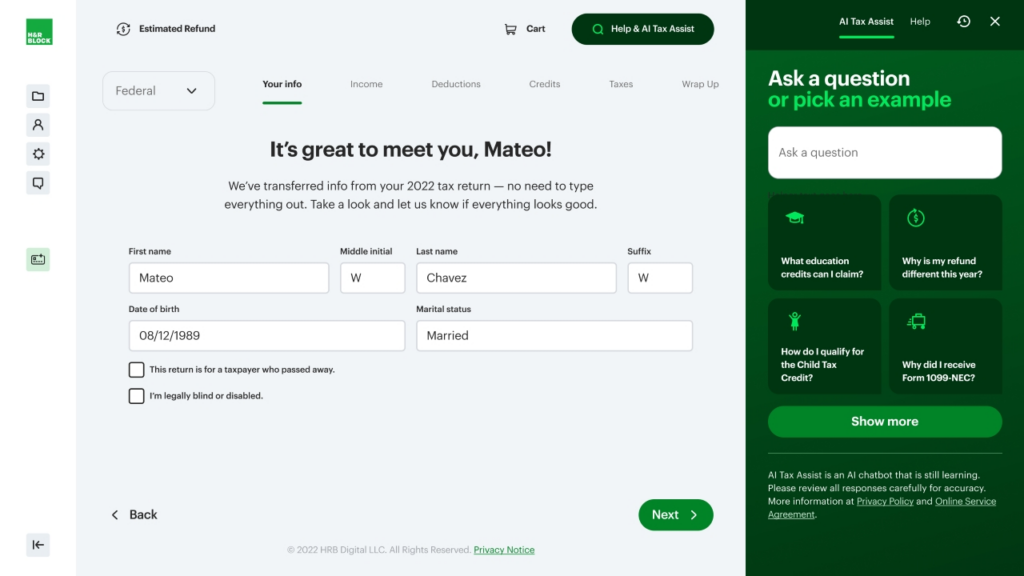
H&R Block uses an intuitive, question-based process that automatically selects the correct forms based on your answers. The platform is well suited to first-time self-employed filers who are not yet familiar with the specific IRS forms involved in freelance tax filing.
Expert tax assistance
Filers get access to tax professionals through live chat, expert review, and full-service filing. In-person help at retail locations nationwide provides an additional layer of support not available from purely online competitors like TurboTax or TaxAct.
Integrations of H&R Block
- Payroll Integrations – ADP, Gusto, Paychex, QuickBooks Payroll, Paycor
- HR Software Integrations – BambooHR, Workday, Zenefits, Rippling
- Accounting and Financial Management – QuickBooks, Xero, NetSuite, Wave
- Investment and Banking – Robinhood, Coinbase, Fidelity, Charles Schwab
Pros and Cons of H&R Block
| Pros | Cons |
|---|---|
| In-person office support unavailable from competitors | Extra fees for advanced features |
| Affordable base pricing for self-employed plans | Limited support for very complex tax situations |
| Strong accuracy and refund guarantee | Upsells for additional services during filing |
| Solid Schedule C support for freelancers |
Final Thoughts on H&R Block
H&R Block is a strong all-around choice for self-employed filers who want the convenience of online filing combined with the option for in-person professional help. It is especially valuable for freelancers who prefer a hybrid experience or who have had prior issues with online-only tools.
How to Choose the Best Tax Software for Your Needs
TaxAct for Freelancers and Small Business Owners
TaxAct
- State Filing: $39.95 per state
- Federal Filing: Free for basic returns
- Best For: Maximizing deductions affordably
TaxAct is Best For
Budget-conscious freelancers and small business owners who want comprehensive Schedule C support and full access to all IRS forms without the higher price tag of TurboTax or H&R Block. TaxAct’s Self-Employed plan covers business income, expenses, home office, mileage, and QBI deduction at a lower cost than most premium competitors.
Pricing and Fees of TaxAct
- Free – $0 federal; $39.95 per state. For simple W-2 and retirement income situations.
- Deluxe – $24.95 federal; $44.95 per state. Adds itemized deductions and HSA support.
- Premier – $34.95 federal; $44.95 per state. Adds investment and rental income support.
- Self-Employed – $64.95 federal; $44.95 per state. Covers Schedule C, home office, mileage, and 1099 income.
(*Prices are subject to change and may vary based on promotions.)
Overview of TaxAct
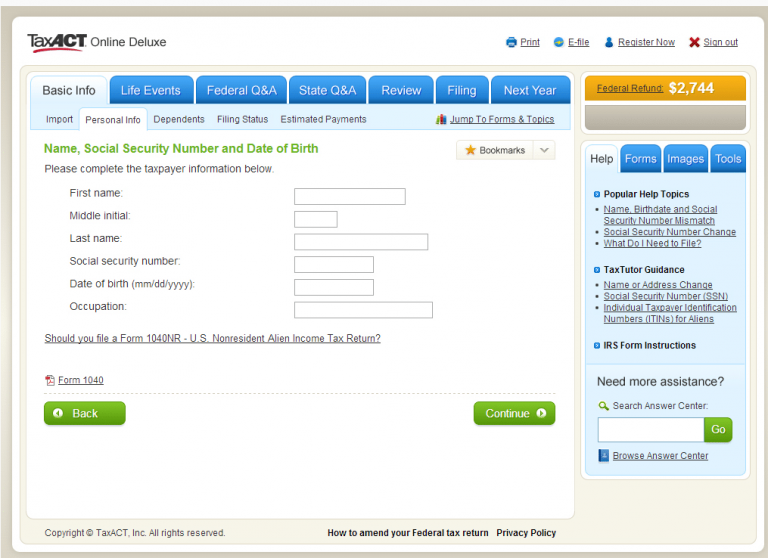
TaxAct gives self-employed filers full access to all major IRS forms and schedules without charging extra for complexity. Its straightforward interface walks users through each section of Schedule C, and the Xpert Assist feature lets users consult a tax professional for personalized guidance without committing to a full-service plan.
Why Choose TaxAct
TaxAct is the best balance of price and functionality for self-employed filers who are comfortable navigating their own taxes but want professional backup available on demand. Its $100,000 Accuracy Guarantee and Xpert Assist feature provide meaningful protection at a fraction of TurboTax’s price.
Key Features of TaxAct
Xpert Assist
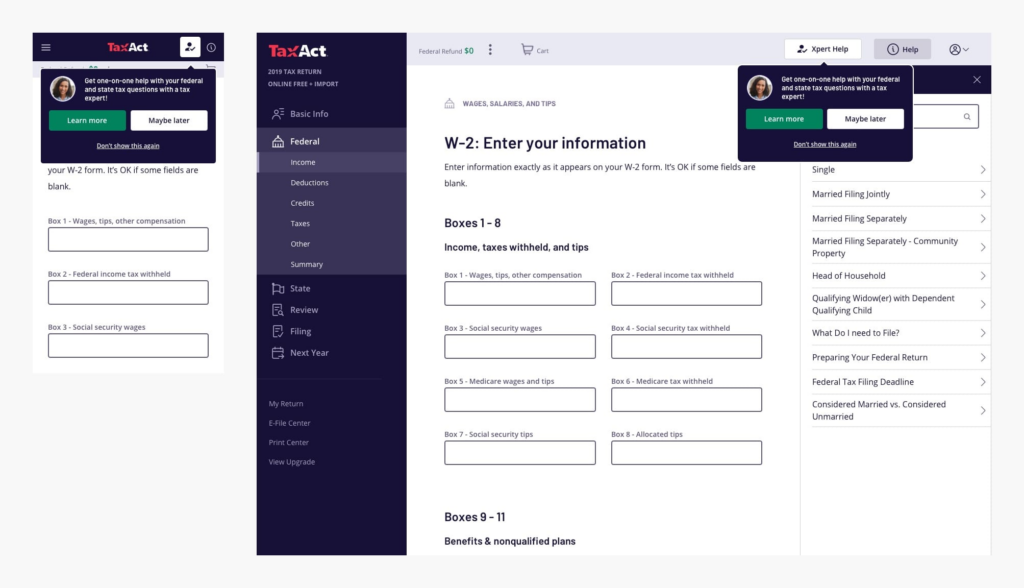
TaxAct’s Xpert Assist connects users with live tax professionals for personalized guidance on complex Schedule C questions. Unlike competitor options that charge a premium for any expert access, Xpert Assist provides on-demand professional review without requiring a plan upgrade to full-service filing.
Comprehensive tax filing
TaxAct supports all major IRS forms and schedules relevant to self-employed filers, including Schedule C, Schedule SE, Schedule F (farming), Form 4562 (depreciation), and Form 8829 (home office). Built-in error checks and deduction scanning help optimize savings before submission.
Maximum refund and $100K accuracy guarantee
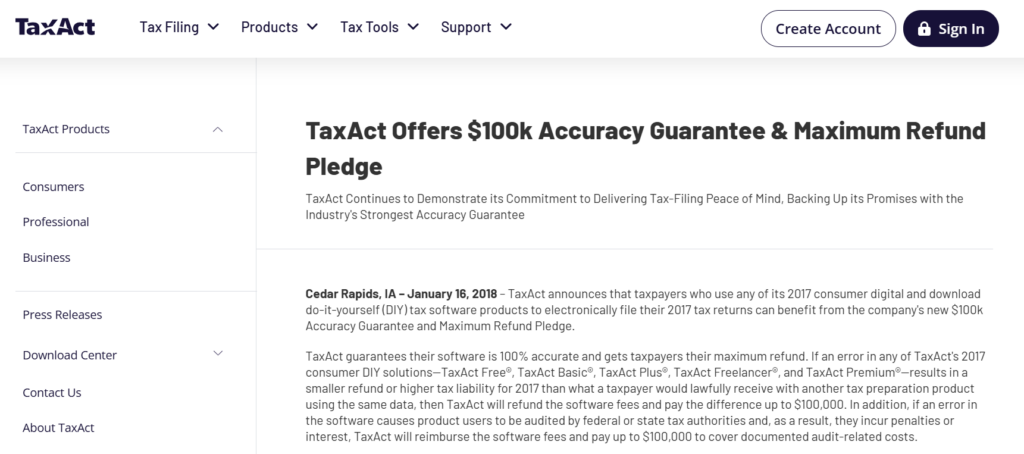
TaxAct guarantees it will find your maximum eligible refund and backs that promise with a $100,000 Accuracy Guarantee that covers penalties and interest caused by a TaxAct calculation error.
Pros and Cons of TaxAct
| Pros | Cons |
|---|---|
| Affordable self-employed plan with full form access | State filing costs extra |
| $100,000 accuracy guarantee is the strongest in this list | Interface less polished than TurboTax |
| Xpert Assist gives professional access without upgrading | Limited integrations compared to TurboTax |
| Supports all Schedule C deduction categories |
Final Thoughts on TaxAct
TaxAct is an excellent value pick for self-employed filers who want all the features they need without paying TurboTax prices. Its accuracy guarantee is best-in-class and the Xpert Assist option bridges the gap between DIY and professional filing when you hit a difficult question.
Tax Filing Deadlines for 2026: Complete Calendar
FreeTaxUSA: Best for Budget-Conscious Self-Employed Filers
FreeTaxUSA
- State Filing: $14.99 per state
- Federal Filing: Free
- Best For: Affordable online tax filing for self-employed
FreeTaxUSA is Best For
Self-employed individuals and freelancers who are comfortable navigating their own taxes and want completely free federal filing regardless of how complex their return is. FreeTaxUSA supports Schedule C and all major self-employment forms at no federal cost, with a very low state filing fee that makes it the most affordable option on this list for most filers.
Pricing and Fees of FreeTaxUSA
- Federal Tax Return – $0.00. All federal forms free for all complexity levels including Schedule C.
- State Tax Return – $14.99 per state.
- Deluxe Edition – $7.99. Adds priority support, unlimited amended returns, and audit assistance.
- Pro Support – $39.99. Includes access to tax specialists via phone, live chat, or screen share.
(*Prices subject to change.)
Overview of FreeTaxUSA
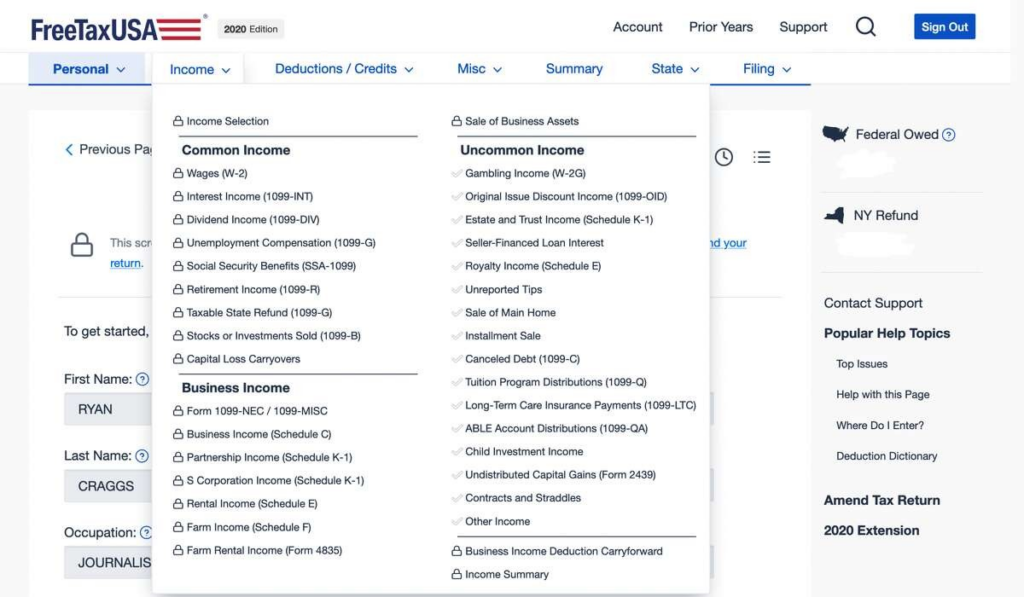
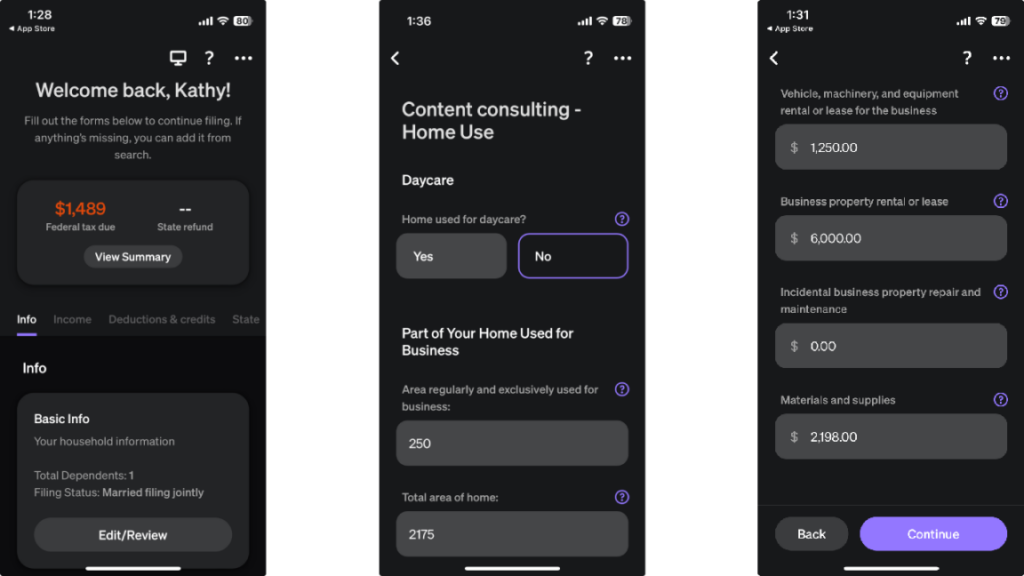
FreeTaxUSA is one of the most underrated options for self-employed tax filers. Unlike competitors that offer free filing only for basic W-2 situations, FreeTaxUSA includes Schedule C support, self-employment tax calculations, home office deductions, and 1099 income reporting in its free federal plan. The interface is more utilitarian than TurboTax but fully functional and accurate.
Why Choose FreeTaxUSA
FreeTaxUSA is the best pick if minimizing filing costs is your top priority. At $0 for federal and $14.99 for state, you can file a complete self-employed return including Schedule C for under $20. The Pro Support add-on at $39.99 gives you access to a tax specialist if needed, making the total still far cheaper than TurboTax Premium with Live Assist.
Key Features of FreeTaxUSA
Comprehensive free federal tax filing
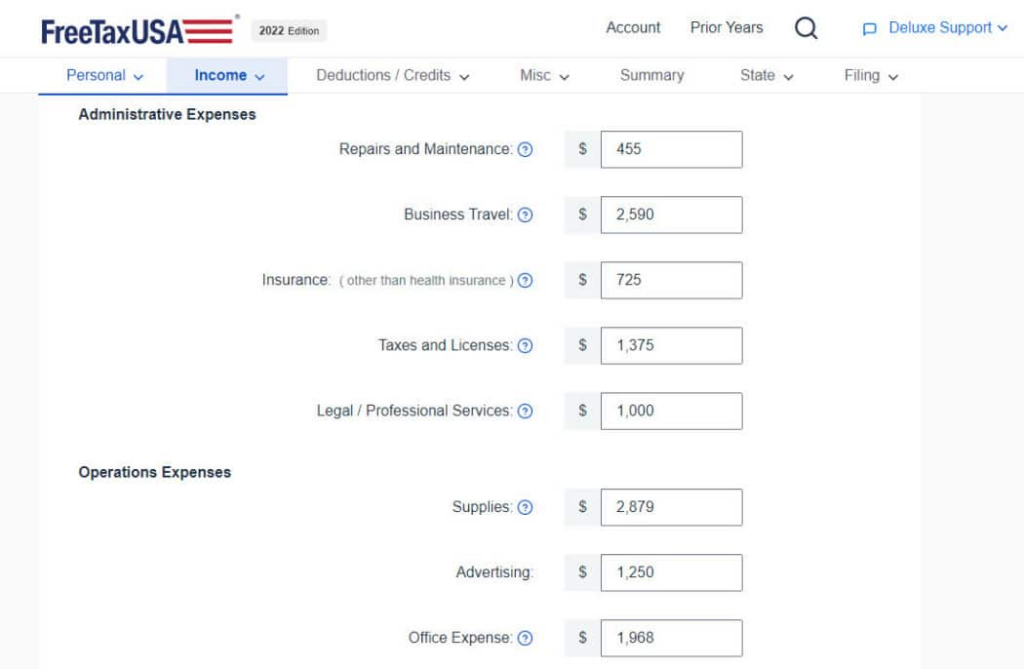
FreeTaxUSA supports all major IRS forms at no charge, including Schedule C, Schedule SE, Form 1040-ES, Form 4562, and Form 8829. This means freelancers, sole proprietors, and 1099 contractors can file a complete federal return without paying anything.
Maximum refund guarantee
FreeTaxUSA scans for every eligible deduction and credit to maximize your refund. The platform automatically identifies self-employment deductions based on your income and expense inputs, applying them to reduce taxable income and calculate the most favorable outcome.
Audit assistance
FreeTaxUSA includes audit assistance in its Deluxe package, providing guidance if the IRS contacts you after filing. This service explains the audit process, helps you understand what documentation to prepare, and provides step-by-step instructions for responding to IRS notices.
Pros and Cons of FreeTaxUSA
| Pros | Cons |
|---|---|
| Free federal filing for all filers including Schedule C | Interface is basic compared to premium competitors |
| State filing at $14.99 is the lowest cost on this list | Limited direct integrations with accounting tools |
| Supports all self-employment IRS forms | No guided deduction finder like TurboTax |
| Pro Support add-on keeps total cost low |
Final Thoughts on FreeTaxUSA
FreeTaxUSA is outstanding value for self-employed filers who know what they are doing and want to minimize filing costs. The lack of a polished deduction-finding experience is a real trade-off compared to TurboTax, but for filers who are already tracking expenses and understand their deductions, this limitation is largely irrelevant.
Cash App Taxes: 100% Free Tax Software for Self-Employed Filers

Cash App Taxes
- State Filing: Free
- Federal Filing: Free
- Best For: Completely free tax filing including self-employed
Cash App Taxes is Best For
Self-employed individuals who want a genuinely free option for both federal and state filing. Unlike many services that advertise free filing but restrict it to simple returns, Cash App Taxes covers federal and state for all users at no cost, including those with self-employment income, investments, and cryptocurrency transactions.
Pricing and Fees of Cash App Taxes
- Federal Tax Return: $0.00 for all complexity levels.
- State Tax Return: $0.00 with no hidden fees.
Cash App Taxes has no paid tiers. All features are completely free with no upsells during the filing process.
Overview of Cash App Taxes
Cash App Taxes is the only major tax software that is completely free for both federal and state returns regardless of complexity. For self-employed filers, it supports Schedule C, self-employment tax, mileage deductions, home office deductions, and 1099 income. It is also one of the few free platforms that supports cryptocurrency transactions, making it valuable for freelancers who receive payment in crypto.
Key Features of Cash App Taxes
Comprehensive tax filing at no cost
Cash App Taxes covers all major IRS forms including Schedule C, Schedule SE, and the forms needed for investment, rental, and crypto income. The step-by-step workflow is clean and accessible, though less guided than TurboTax’s interview-based experience.
Maximum refund guarantee
Cash App Taxes guarantees the highest possible refund based on your inputs. If another tax service produces a higher federal refund using identical information, Cash App will refund any applicable fees (which are zero anyway).
Free audit defense
Cash App Taxes includes free audit defense through Tax Protection Plus, providing professional representation if you receive an IRS notice. This is a feature that competing premium services often charge extra for, making Cash App Taxes exceptional value for this benefit alone.
Pros and Cons of Cash App Taxes
| Pros | Cons |
|---|---|
| 100% free federal and state filing, no exceptions | No live expert assistance or professional support |
| Free audit defense included | Cannot file multiple state returns |
| Supports Schedule C, crypto, and investments | Deduction guidance less comprehensive than TurboTax |
| No upsells during the filing process |
Final Thoughts on Cash App Taxes
Cash App Taxes is the best pick for self-employed filers who want a completely free experience with no trade-offs on core filing features. Its limitation is the absence of professional support, so if you expect to have questions about complex deductions, you will need to research answers independently or pay for a one-time consultation elsewhere.
Top Self-Employed Tax Deductions You Should Not Miss in 2026
Tax software can only help you if you know what deductions to look for. These are the most commonly missed write-offs for self-employed individuals that good tax software will help you claim.
- Home office deduction: Claim a portion of rent or mortgage, utilities, and internet for workspace used exclusively and regularly for business. Both the simplified method ($5 per square foot up to 300 sq ft) and actual expense methods are supported by all platforms reviewed here.
- Vehicle and mileage deduction: Track business miles using the IRS standard mileage rate (67 cents per mile for 2024 tax year) or actual vehicle expenses. Apps like TurboTax support automatic mileage tracking via phone GPS.
- Health insurance premiums: Self-employed individuals can deduct 100% of health insurance premiums paid for themselves, a spouse, and dependents, provided they are not eligible for employer coverage.
- Retirement contributions: SEP IRA contributions of up to 25% of net self-employment income (maximum $69,000 for 2024) and Solo 401(k) contributions are fully deductible and can significantly reduce your taxable income.
- Self-employment tax deduction: You can deduct 50% of the self-employment tax you pay on your income tax return, effectively reducing your adjusted gross income.
- Software and subscriptions: Business software, cloud services, professional memberships, and subscriptions used for your work are deductible business expenses.
- Qualified Business Income (QBI) deduction: Under the OBBBA, many self-employed individuals can deduct up to 20% of qualified business income. The 2026 software platforms automatically calculate whether you qualify based on your income and business type.
Final Verdict: Best Tax Software Picks for Self-Employed Filers in 2026
Each platform on this list serves a different type of self-employed filer. TurboTax is the most comprehensive and best guided option, ideal for filers with complex situations or those who want the highest possible deduction coverage with professional backup. H&R Block offers a strong alternative with the unique advantage of in-person support, making it well suited for freelancers who prefer a hybrid experience.
TaxAct hits the sweet spot of full-featured filing at a substantially lower price, backed by the strongest accuracy guarantee in the group. FreeTaxUSA and Cash App Taxes are both exceptional for filers who are cost-driven and comfortable navigating their own returns, with Cash App Taxes being the only option that charges absolutely nothing for any type of return including state.
Consider your tax situation complexity, willingness to pay for guided help, and whether accounting integrations matter before making your final choice. All five platforms have been updated for 2026 OBBBA tax law changes and will accurately apply the new deductions and thresholds relevant to self-employed filers.
FAQs: Best Tax Software for Self-Employed Individuals in 2026
What is the best tax software for self-employed individuals in 2026?
TurboTax Self-Employed is the most comprehensive option for self-employed filers due to its guided deduction finder, QuickBooks integration, and live CPA access. Hu0026amp;R Block Self-Employed is a strong runner-up with lower pricing and in-person support at 11,000+ locations. For budget-conscious filers, FreeTaxUSA offers free federal filing with full Schedule C support.
Can I file my taxes for free if I am self-employed?
Yes. FreeTaxUSA offers free federal filing for all returns including Schedule C, with state filing at $14.99. Cash App Taxes goes further, offering both federal and state filing at absolutely no cost for self-employed individuals. Neither platform charges hidden fees for self-employment forms.
What features should I look for in tax software as a freelancer?
The most important features for freelancers are Schedule C support, automated self-employment tax calculation, quarterly estimated tax reminders, expense and mileage tracking, and audit protection. Integrations with accounting tools like QuickBooks are valuable if you already use those platforms year-round.
Do I need separate tax software if I own a small business?
If you operate as a sole proprietor or single-member LLC, a self-employed tax plan from TurboTax, Hu0026amp;R Block, TaxAct, or FreeTaxUSA is sufficient. Businesses with employees, multiple owners, or S-corp or C-corp structures may need business-specific tax software or a professional tax preparer instead.
How do I know if I should itemize deductions or take the standard deduction?
In 2026, the standard deduction increased to $16,100 for single filers and $32,200 for married filing jointly under the OBBBA. Most tax software automatically compares both options and applies the more beneficial one. Self-employed individuals with significant business expenses often benefit from Schedule C deductions regardless of whether they itemize personal deductions.
Is TurboTax or FreeTaxUSA better for self-employed filers?
TurboTax is better if you want a guided experience that proactively finds deductions, access to live CPAs, and QuickBooks integration. FreeTaxUSA is better if you already know your deductions and want to minimize filing costs. TurboTax charges more but catches deductions that inexperienced filers often miss. FreeTaxUSA costs far less but requires you to know what to enter.
How to get the biggest tax refund when self-employed?
To maximize your refund as a self-employed filer, claim all eligible deductions including home office, vehicle mileage, health insurance premiums, retirement contributions (SEP IRA or Solo 401k), software subscriptions, and the self-employment tax deduction. Also claim the Qualified Business Income (QBI) deduction if eligible, which lets you deduct up to 20% of net business income.
What are the 2026 tax changes that affect self-employed individuals?
Key 2026 changes from the One Big Beautiful Bill Act include permanently extended 2017 tax brackets, a higher standard deduction ($16,100 for single filers), a continued QBI deduction for eligible self-employed filers, higher 401k contribution limits of $24,500, and a new deduction of up to $25,000 for tip income. All reviewed platforms have been updated to apply these changes automatically.
Do I need to pay quarterly estimated taxes if I am self-employed?
Yes. Self-employed individuals who expect to owe $1,000 or more in taxes must make quarterly estimated payments on April 15, June 16, September 15, and January 15 to avoid IRS underpayment penalties. Tax software like TurboTax and TaxAct calculate your estimated quarterly liability and send reminders for each due date.

- Independent picks for exactly what you just read about
- Matched to your team size & needs
- Vendors don't pay for placement
Step 1 of 4
How big is your team?
We tailor recommendations to companies your size.















Related Articles
Tax Software
TurboTax vs H&R Block: Best Tax Software for Filing Taxes Online in 2026
Continue reading →
401K Providers
IRS Free File 2026: Who Qualifies and How to File Federal Taxes for Free
Continue reading →
Finance & Billing Software
HR Block vs TaxAct: Which Tax Filing Software Should You Trust in 2026?
Continue reading →
Tax Software
TaxSlayer vs FreeTaxUSA (2026): Which Budget Tax Software Saves You More?
Continue reading →