
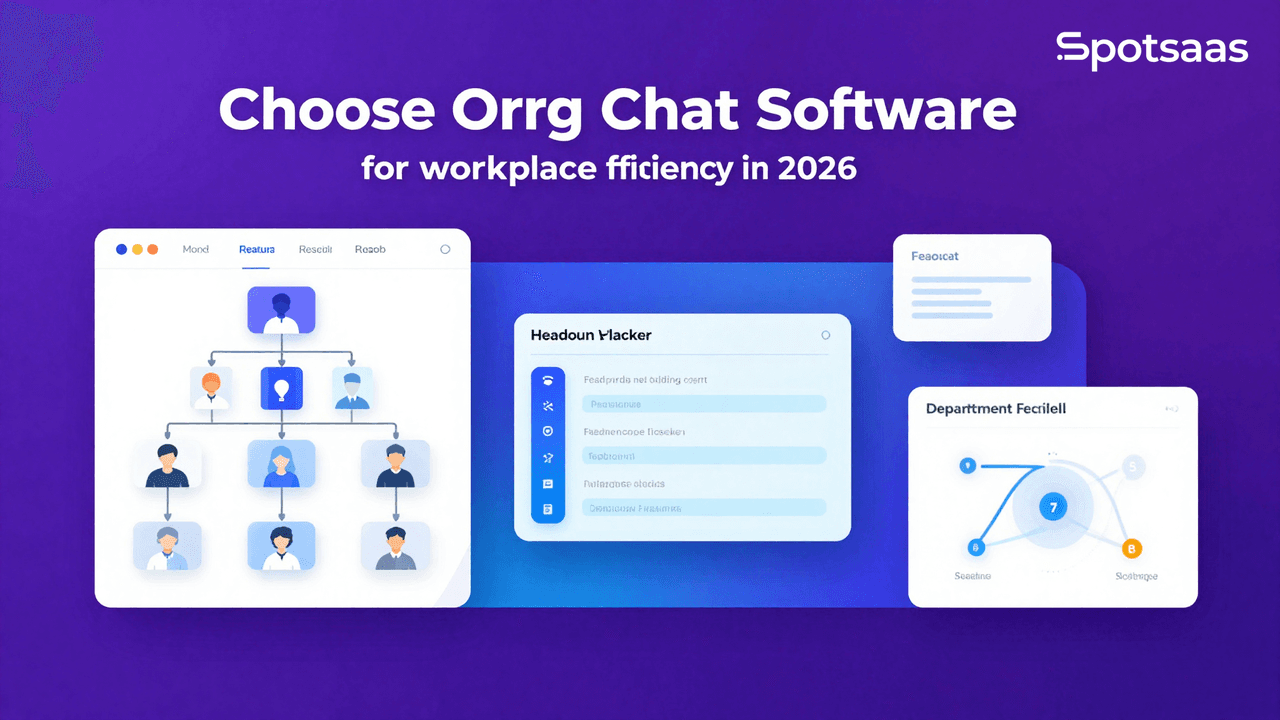
What Is Organizational Chart Software and How Does It Improve Workplace Efficiency?
Organizational chart software simplifies the process of designing and managing org charts, allowing organizations to clearly visualize their structure, roles, and reporting hierarchies. It ensures that updates are quick and easily shared across teams, promoting alignment and transparency.
Beyond chart creation, this software is invaluable for HR management, aiding in workforce planning and role clarity. It also serves as a foundational tool for strategic decision-making. This enables leadership to analyze organizational dynamics and improve collaboration across departments.
Why Should Businesses Use Organizational Chart Software for Better Team Alignment?
Org chart software is a tool that improves the organizational view of the broader HR function and bolsters decision-making. It also improves team understanding of roles and enhances communication, which quickly adapts to change during structural changes or growth.
Improving Organizational Clarity for Better Collaboration
Org chart software provides a microscopic view of team structures and reporting hierarchies. This allows employees and managers to navigate their roles and responsibilities. The clarity that reduces confusion enhances collaboration and strengthens overall workflow efficiency.
Simplifying HR Processes with Organizational Chart Tools
The software has an in-built HR tie-up that makes it easy to handle processes such as handling employee data, taking accountability for open positions, and managing incoming newly hired staff.
By automating repetitive processes and ensuring the maintenance of accurate records, they save time while reducing errors.
Enhancing Communication Across Teams
Org chart tools open avenues for free and flowing lines of communication with collaborative team connections and reporting lines clearly displayed. Clear visibility of roles within the organization will go a long way in creating a connected and informed working environment.
Adapting to Business Changes with Real-Time Org Chart Updates
Adding new hires, restructuring departments, and promoting individuals can be instantly adjusted in org chart software. The dynamic charts ensure the organization’s structure is accurate and reflects real-time changes. This makes it agile.
Supporting Strategic Planning Through Dynamic Visualization
Dynamic visualization tools allow leadership to visualize organizational changes, such as expansion or downsizing. Interactive charts enable decision-makers to analyze different scenarios, mobilize resources, and strategize more meaningfully.
What Are the Key Features of the Best Organizational Chart Software?
Drag-and-drop creation, integrated use with HR systems, and analytics are features of org charting tools. These enable personalized charting, team collaboration, and data-driven productive management of workforces.
Easy Drag-and-Drop Chart Creation
With drag and drop, anybody who needs to create, modify, or change an organization can easily do it without the need to understand anything technical.
The interface is so easy that it lets the user see the tree structure visually while allowing him to add, delete, or soon after when settings change. Its remarkable efficiency in keeping organizational charts remains current as the organization matures.
Customizable Templates for Different Organizational Structures
Customizable templates are an excellent way to jumpstart the process of making a professional org chart to save laborious efforts. Tailored templates ready for use can match the structure of your organization in hierarchical, flat, or matrix setups. In addition, they may invoke the company’s look by ensuring the company logo and colors are emblematic.
Integration with HR and Payroll Systems for Accurate Data
Org chart software is integrated with HR and payroll systems so that organizational data can be consistent and accurate across all platforms. It eliminates redundancy of entry into two areas, which reduces errors. It brings about automatic updates that describe real-time changes like new hires, terminations, role changes, and simplifying flowing processes.
Collaboration Tools for Real-Time Org Chart Updates
Collaboration features enable teams to work together on the same org chart in real time. This improves teamwork and drives better results.
Real-time commentaries, change tracking and shared access make collating feedback and finalizing structures quicker and easier. Such tools, such as mergers, restructuring, or expansion, are pertinent to organizational planning.
Workforce Analytics and Reporting for Better Planning
Advanced analytics will provide trend insights related to workforce parameters, like turnover rates, gender ratio, and succession planning.
Interactive dashboards and detailed reports offer decision-makers a window through which they can find inefficiency indicators and allocate resources. Such a data-driven approach will serve well during strategic workforce planning.
Mobile Access for On-the-Go Organizational Management
This capacity ensures that HR managers and professionals can view or update charts during meetings, on-site visits, or working remotely, thus increasing productivity and accuracy wherever they might be. Mobile compatibility means that org chart software is available for users to access their organizational data via their smartphones or tablets.
Data Security to Protect Sensitive Employee Information
Data security features help keep sensitive employee data secret for adherence to rules like GDPR or HIPAA. Restricted data visibility is through role-based access control to authorized personnel, while encryption guards against breaches.
Like other software, it creates regular updates and backups to add reliability to general systems. Now, users can stay stress-free.
What Are the Benefits of Using Org Chart Software?
This software saves time by automating the processes for creating charts, improves collaboration and decision-making by providing a real-time view and analytics, and tickets are scalable. Therefore, it is suited for growing companies.
Enhancing Employee Understanding Through Visual Org Charts
Org chart software graphically and visually represents the structure of the teams, thus helping employees to understand their workplace within the organization, including which individuals to approach for specific tasks or issues, and facilitating smoother workflows.
Further, those charts are beneficial for newly hired employees to acclimatize fast with an overview of whose work involves teamwork and whose job involves report relations.
Saving Time with Automated Chart Creation and Updates
HR teams now save hours manually updating an organization’s structure thanks to automated tools for chart creation and data syncing. The solutions pull information from integrated systems like HR or payroll software. This ensures accuracy while eliminating repetitive tasks.
Such savings could then go toward implementing strategic ideas such as employee engagement and talent development.
Improving Decision-Making with Real-Time Organizational Insights
Such real-time data from org chart software facilitates better decision-making with insights into current headcount spread and possible skill bundles. This could help managers quickly understand reorganization or a new expansion opportunity. The possibility of creating a simulation of events like reorganizations and workforce reductions also allows leaders to move much more confidently in terms of strategy.
Scaling Organizational Structure Management for Growth
When businesses grow, it’s actually quite devastating, and managing their organizational structure manually may sometimes turn really. Org chart software scales easily, adapting to increasing teams, additional departments, or mergers and acquisitions.
In this way, even as changes are brought about by the system in the long run, it guarantees that it will remain functional and relevant to the new, changing organization without disruptive interruptions during fast growth.
Reducing Costs Through Automated Organizational Updates
Org chart software replaces labor-intensive processes with automated ones, thus reducing dependence on manual updates or third-party design services. Over time, these savings become substantial.
Furthermore, the ability to keep charts up to date without needing outside help guarantees that organizational data is always current without having recurring costs.
Improving Workforce Planning with Org Chart Insights
Tools like org charts offer overall views on how the workforce is distributed. They are, therefore, in a strong position to advise management for underutilized resources, skill shortages, or where to have additional people.
They can then strategize resource allocation and plan for future talent needs. Other features like predictive analytics even improve the capabilities of anticipating challenges and preparing accordingly.
What Types of Organizational Chart Software Are Available?
Cloud-Based Org Chart Software for Remote and Scalable Teams
These features make them particularly useful for IT coordination of remote or dispersed teams. Cloud solutions are scalable and can be integrated with HR systems to keep data updated and accurate.
These tools completely cut out the need for heavy IT infrastructure, thus saving on setup and maintenance costs. The collaborative options embedded facilitate the team members’ updating and sharing of charts.
On-Premise Org Chart Software for Maximum Data Control
On-Premise software is usually installed onto an organization’s local servers and provides total control over the data, with fuller potential security-on-site applications are therefore very suitable to meet the needs of industries such as healthcare or finance, where compliance is essential.
These solutions allow a high level of customization toward the needs of an organization. On the one hand, strong data protection is attained; on the other hand, installation, maintenance, and updating usually require dedicated IT resources.
Customizable Org Chart Tools for Complex Organizational Needs
These tools also offer highly advanced features like role-specific views and layered hierarchies, smoothly integrating with proprietary systems. They shall work for large enterprises but are flexible enough to change to meet any complex organizational requirements.
Although offering such excellent facilities, these solutions mostly do not come cheap, nor are their implementation periods minimal.
Free or Open-Source Org Chart Solutions for Budget-Conscious Teams
Free or open-source packages provide fundamental functionalities for creating and managing an organizational chart. They typically leave a small business or startup with very few budget-free options to consider.
Most rely on the community for support, so customization might require some technical know-how. They are cost-effective, but few have advanced features or integrations and analytics, so they are mainly limited to small applications for growing firms.
How Do You Choose the Right Org Chart Software for Your Organization?
Selecting the right org chart software is essential for visualizing organizational structures, improving communication, and supporting strategic decision-making. Here’s a complete guide to help you choose the best solution for your organization.
Setting Clear Goals for Your Org Chart Software
Establishing clear objectives ensures the selected software aligns with your organization’s needs and strategic goals.
Core Objectives for Your Org Chart Software
Visualizing Organizational Structure
Org chart software simplifies complex hierarchies into visually appealing and easy-to-understand diagrams. This enables employees to grasp reporting relationships and departmental structures at a glance. This improves transparency across the organization.
Improving Communication
Interactive charts make it easier for team members to locate and connect with the right colleagues. This reduces communication delays and building collaboration between departments.
Enhancing Workforce Planning
Org chart tools allow HR and management to visualize the current structure and plan for future scenarios, such as restructuring or succession planning. This ensures that the organization remains agile and responsive.
Simplifying HR Processes
Automating chart creation and updates based on real-time data from HR systems eliminates manual errors. This simplifies HR operations. This allows teams to focus on strategic initiatives.
Supporting Strategic Decision-Making
Advanced analytics and reporting capabilities offer insights into the organization’s structure, allowing leaders to identify strengths, gaps, and opportunities for optimization.
Which Org Chart Software Models Should You Consider?
Different software types cater to various organizational needs. Choosing the right model ensures the tool fits smoothly into your workflows.
Main Types of Org Chart Software
Cloud-Based Org Chart Software Options
Cloud-based tools deliver smooth remote access and instant updates. This makes them the perfect solution for organizations with distributed teams. Their scalability and minimal IT overhead also make them cost-effective.
On-Premise Org Chart Software Solutions
On-premise solutions are best for organizations prioritizing complete data control and requiring heightened security. These tools are ideal for industries like healthcare and finance, where regulatory compliance is critical.
Open-Source Org Chart Software Tools
Open-source software provides flexibility for customization. This allows organizations to tailor features to their unique requirements. However, they may require technical expertise for setup and maintenance.
Enterprise-Level Org Chart Software
Designed for large organizations, enterprise-grade tools offer advanced features such as role-based access, detailed analytics, and support for multi-location operations. These tools efficiently handle complex structures and large-scale deployments.
How Can You Identify Your Data Requirements?
Ensuring that the org chart software integrates directly with existing systems is essential for efficient workflows and accurate data representation.
Ensuring Smooth Data Integration
Integrating HR Systems
Integration with HR platforms ensures that organizational charts reflect real-time changes, such as promotions, new hires, or role updates. This provides an up-to-date view of the structure.
Connecting Payroll Systems
Connecting with payroll systems ensures alignment between organizational roles and compensation data. This improves accuracy and reduces inconsistencies.
Linking Collaboration Tools
Compatibility with tools like Slack, Microsoft Teams, or Google Workspace enhances accessibility. This allows employees to view org charts directly within their communication platforms.
Integrating CRM Systems
Integration with CRM platforms aligns organizational structures with sales and customer service teams. This improves operational efficiency and strategic alignment.
What Features Should You Look for in Org Chart Software?
Selecting software with strong features ensures that it meets the organization’s visualization, planning, and collaboration needs.
Must-Have Core Features
Using Drag-and-Drop Chart Creation
Intuitive interfaces with drag-and-drop functionality make creating and modifying org charts easy. This reduces the need for technical expertise.
Customizing Templates
Pre-designed templates speed up the creation process, allowing organizations to generate charts for specific purposes, such as departmental overviews or project teams.
Enabling Real-Time Updates
Automatic syncing with integrated systems ensures that organizational charts are always up-to-date and reflect the latest changes in the organizational structure.
Offering Multi-Layered Views
Support for detailed views of departments, sub-departments, and custom hierarchies provides a complete understanding of the organization.
Providing Data Export Options
Charts can be exported in various formats, such as PDF, Excel, or PNG, facilitating easy sharing and incorporation into reports or presentations.
Powerful Advanced Features
Creating Interactive Charts
Interactive elements, such as clickable profiles with employee details, enhance usability and build better connections among team members.
Managing Access with Role-Based Permissions
Permissions-based access restricts sensitive data to authorized users. This ensures privacy while maintaining collaboration.
Modeling Scenarios
Tools for visualizing potential structural changes, such as reorganizations or workforce expansion, help in making informed decisions.
Gaining Insights Through Analytics
Detailed metrics, such as employee distribution and span of control, provide useful detail for optimizing organizational structures.
How Do You Assess Reporting and Insights Effectively?
Complete reporting capabilities enable organizations to track structural performance and plan effectively.
Detailed Granular Reporting
Reviewing Employee Metrics
Reports on metrics like headcount, tenure, and role distribution help HR teams assess workforce health and identify areas for improvement.
Tracking Organizational Trends
Tracking trends such as department growth or attrition rates allows organizations to adjust strategies to meet changing needs.
Useful Visualization Tools
Working with Dynamic Dashboards
Dashboards display key metrics in visual formats, making identifying gaps, overlaps, or optimization opportunities easier.
Exporting Reports Easily
Exportable reports in formats like PDF or Excel facilitate collaboration and enable sharing with stakeholders, aiding in decision-making processes.
What Pricing Models and Costs Should You Consider?
Understanding pricing structures ensures the software fits your budget while delivering maximum value.
Understanding Subscription Plans
Monthly or annual subscriptions provide predictable costs and often include regular updates and support. This makes them ideal for small, to medium-sized organizations.
Exploring Per-User Pricing
This model offers a flexible pricing structure based on the number of active users. It is ideal for organizations looking to scale with their growing teams.
Considering Custom Pricing
Tailored plans for large organizations include advanced features, multi-location support, and dedicated customer service. This ensures complete solutions for complex needs.
How Do You Ensure the Software Scales with Your Needs?
Selecting scalable org chart software ensures long-term usability as your organization grows.
Supporting Multi-Location Operations
Multi-location support ensures consistent data management and operational transparency for organizations with multiple branches or global teams.
Handling Increased Headcount
Scalable tools can handle growing employee numbers and evolving structures without compromising performance or usability.
Enhancing Collaboration Features
Integrated team communication and task management tools enhance collaboration. This ensures alignment and efficiency across expanding teams.
How Can You Evaluate Support and Training Effectively?
Complete support and training resources ensure smooth adoption and maximize the benefits of the software.
Strong Customer Support Options
Round-the-clock support minimizes disruptions. This ensures quick resolution of technical or operational issues.
Training and Resource Options
Interactive tutorials, webinars, and certification programs help teams quickly adopt the software and maximize its potential.
How Do the Leading Org Chart Software Options Compare?
Compare products such as Pingboard and Org Chart Now, among others, which feature live collaboration, data syncing, and advanced analytics.
Lucidchart is the best for visualizing charts; Pingboard is for employee engagement, while Org Chart Now is for automatic HR updates and integration.
Compare relevant pricing, scalability, and integrations for the very best fit within your organization for managing workflows and supporting strategic decisions.
| Tool | Pricing | Best For | Key Features | Notable Customers |
|---|---|---|---|---|
| Lucidchart | Starts at $7.95/user | Collaborative diagramming | Drag-and-drop editor, real-time sharing | Amazon, Nike |
| Pingboard | Starts at $49/month | Small to medium businesses | Interactive charts, mobile access | GoPro, BuzzFeed |
| OrgChart Now | Custom Pricing | HR teams | HRIS integration, dynamic org charts | Kellogg’s, Cisco |
| Microsoft Visio | Starts at $5/month | Large enterprises | Extensive integrations, professional design | IBM, Accenture |
| ChartHop | Custom Pricing | Workforce analytics | Data visualization, advanced reporting | 1Password, BetterCloud |
What’s the Final Verdict on Choosing the Best Org Chart Software?
Org chart software is essential for managing and visualizing an organization’s structure. It clarifies a standard view of roles and reporting lines while making collaboration more effective through shared access and updates in real-time, with the potential for better workforce planning using analytics and automation.
To select the right solution for your organization, first understand what it needs. Then, prioritize key features such as integration and scalability and take advantage of free trials to assess their usability. The right software will simplify your organization’s processes. This makes it flexible in the face of changes. In addition, your people will work in a better connected and informed environment.

- Independent picks for exactly what you just read about
- Matched to your team size & needs
- Vendors don't pay for placement
Step 1 of 4
How big is your team?
We tailor recommendations to companies your size.















Related Articles
Buyers guide
Twilio Alternatives 2026: 6 Compared and What They Cost
Continue reading →

Buyers guide
How To Choose The Best Auto Dialer Software For 2026
Continue reading →

Buyers guide
How To Choose The Best Freelance Platforms For 2026
Continue reading →

Buyers guide
How To Choose The Best Audience Response Software For 2026
Continue reading →