

Finding accurate repair manuals for a specific car can be hard. ALLDATA provides comprehensive, authoritative automotive repair knowledge directly from original equipment manufacturers (OEMs).
This guide explains how to use the platform and how it can help you work more efficiently on vehicle diagnostics and repairs, whether you run a shop or maintain your own car.
Key Takeaways
- ALLDATA provides a complete database of OEM mechanical and collision information that helps ensure repairs align with manufacturer standards.
- The platform features detailed diagnostic charts, interactive wiring diagrams, TSBs and recall updates, and mobile accessibility for on-the-go use by technicians.
- Users can access technical data for many vehicles, which improves the accuracy of automotive diagnostics and repairs.
- To use ALLDATA, individuals create an account on the website and navigate an easy-to-use interface to find specific repair information quickly.
- With customizable user profiles, integrated bar code scanner support, advanced search functions, and secure online payment systems, ALLDATA serves both professional mechanics and automobile enthusiasts.
Overview of ALLDATA
ALLDATA is a provider of automotive diagnostic and repair information, with a database of OEM mechanical and collision information for many vehicles. It gives professionals and enthusiasts access to detailed diagnostic and repair information, which makes it a core tool in the automotive industry.
History and Purpose
ALLDATA was built to deliver precise, manufacturer-approved repair information and procedures to the automotive service industry, giving mechanics and technicians broad access through technology.
Its founders knew reliable data was crucial for accurate diagnostics and repairs. Getting the details right the first time also helps with vehicle longevity and safety, which is why the information comes straight from the manufacturer rather than third-party guesses.
The platform changed how professionals accessed tech-assist information by moving away from traditional paper manuals to online databases. Technicians can now retrieve the details they need about almost any car model using devices such as tablets or mobile apps, complete with touchscreen capability and pinch-and-zoom features that make the information easier to read on the job.
The design aimed to simplify workflow and improve productivity in auto repair shop management worldwide, helping every fix meet high-quality standards.
ALLDATA Features
Beyond its origin and mission, ALLDATA is built around a core set of features that meet the needs of technicians and enthusiasts. The platform equips users with the tools they rely on for professional automotive repair, from diagnostic charts to wiring diagrams. The table below summarizes the main ones.
| Feature | Description |
|---|---|
| Comprehensive OEM Information | Access to detailed mechanical repair insights according to manufacturer standards. |
| Detailed Diagnostic Charts | Easy-to-understand charts help quickly identify vehicle problems for accurate repairs. |
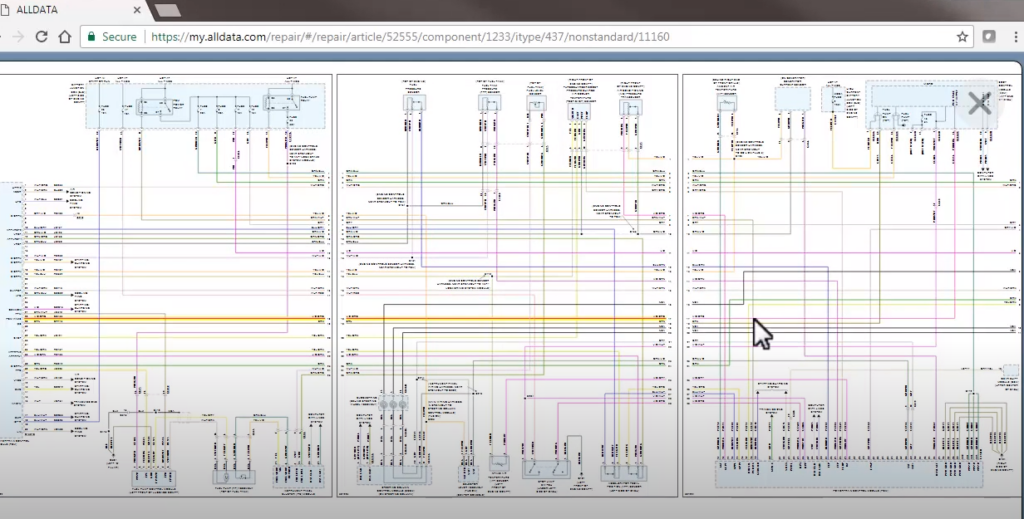
| Interactive Wiring Diagrams | Color-coded and dynamic diagrams for quick tracing of electrical issues. |
| Direct Hit TSBs and Recalls | Updated information on technical service bulletins and recalls for informed repairs. |
| Mobile Accessibility | On-the-go access to repair data adds workplace flexibility. |
| Integrated Bar Code Scanner Support | Speeds up parts identification and inventory management. |
| Advanced Search Functions | Sort through large databases to find specific information quickly. |
| Secure Online Payment Systems | Hassle-free transactions with protection for financial information. |
| Customizable User Profiles | Individual profiles tailored to preferences and workflow for better efficiency. |
ALLDATA Reviews: Benefits of Using ALLDATA
Using ALLDATA gives you reliable OEM mechanical and collision information, along with diagnostic and repair information for a broad set of vehicles. The platform provides resources that support accurate and efficient automotive repairs, which matters most when a job has to be right the first time.
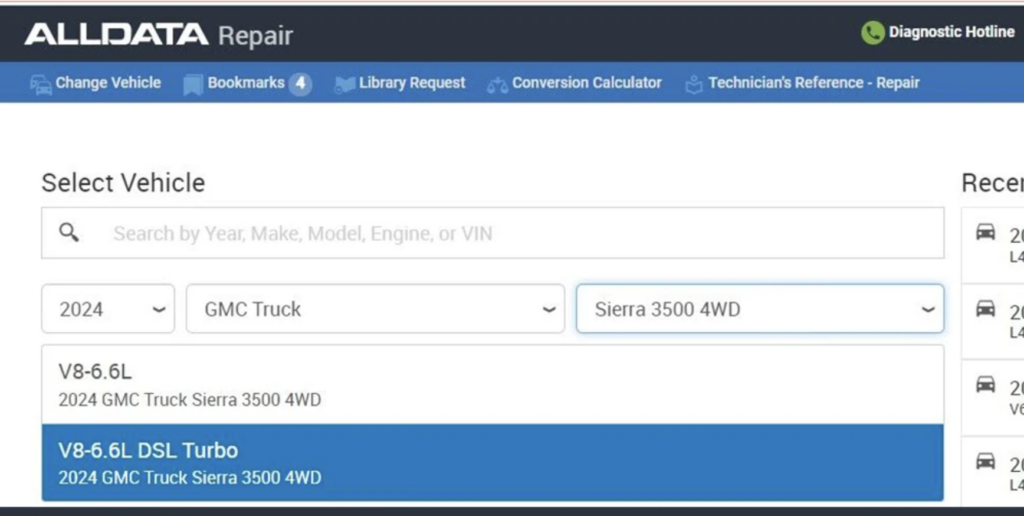
Access to OEM Mechanical and Collision Information
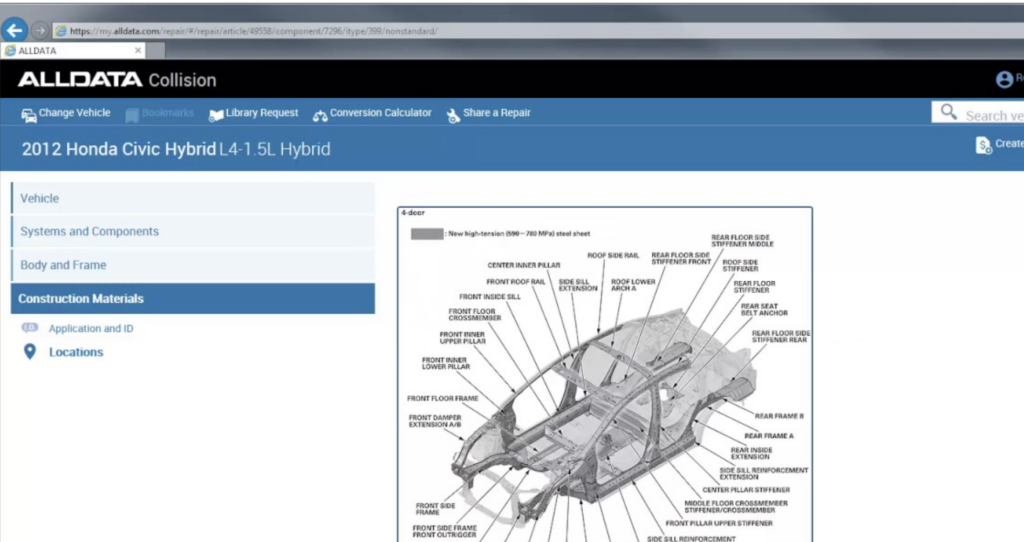
With ALLDATA, you can tap into the same OEM mechanical and collision information that dealerships and manufacturers use. This data helps mechanics get it right the first time, with detailed diagrams, precise repair instructions, and specifications from those who built the vehicle.
Whether the job is routine maintenance or a complex collision repair, this access supports efficiency and accuracy on every task, because the mechanic works from the same reference the vehicle maker uses.
Up-to-date service bulletins and recall notices fit into your repair workflow. Mechanics stay ahead of potential issues with immediate insight into manufacturer-recommended fixes and updates.
This level of detail lets automotive professionals deliver service that meets the exacting standards set by vehicle makers. It helps make sure every car runs as smoothly as intended long after it leaves the shop floor, which reduces repeat visits and comebacks.
Diagnostic and Repair Information for Various Vehicles
ALLDATA makes it simple to access diagnostic and repair information for many vehicles. From domestic to foreign models, it offers comprehensive OEM mechanical and collision data with in-depth detail on each vehicle’s systems.
This covers everything from engine management and transmission control modules to anti-lock brake systems and more, so technicians always have the information they need on hand for accurate diagnostics and repairs across many different systems.
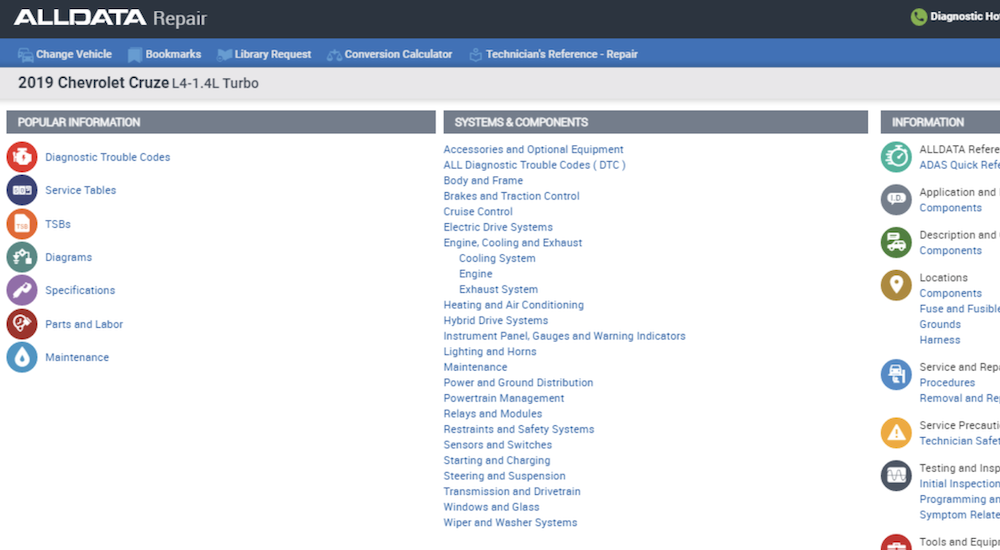
ALLDATA’s database covers many vehicle makes and models, with technical specifications, wiring diagrams, maintenance schedules, service bulletins, diagnostic trouble codes (DTCs), and factory-correct procedures.
With this coverage available in one place, automotive professionals can confidently address any issues or concerns that arise across different vehicles, and they can work more efficiently within their day-to-day operations.
How to Access ALLDATA
To access ALLDATA, start by creating an account on the website. Once you have registered, you can navigate the platform to find the automotive repair information you need.
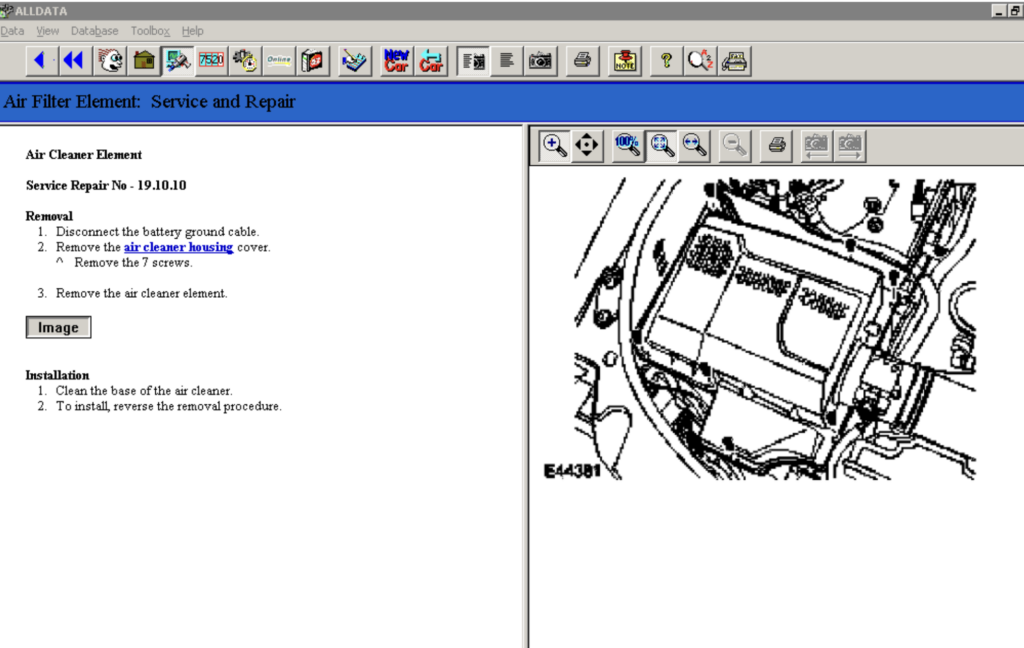
Creating an Account
To create an account with ALLDATA, follow these steps:
- Go to the ALLDATA website.
- Click the “Sign Up” or “Create Account” button.
- Fill in the required information, such as your name, email address, and a secure password.
- Verify your email address by clicking the link sent to your email.
- Once verified, log in to your new account with the credentials you provided.
Navigating Through the Platform
Navigating the platform is simple. This guide helps you make the most of ALLDATA:
| Step | Instruction |
|---|---|
| Create an Account | Provide your details and set up a secure password for full access to the platform. |
| Navigate the Interface | Use the user-friendly interface to move through different sections of automotive repair content. |
| Utilize the Search Function | Quickly locate specific information or explore categories for a broad range of content. |
| Engage with Interactive Features | Get access to wiring diagrams, maintenance schedules, and technical service bulletins within the platform. |
| Stay Updated | Check for notifications or announcements from ALLDATA to stay informed about new additions and updates. |
| Access Support Resources | Use user guides, training videos, and FAQs for help while using the platform. |
Conclusion
ALLDATA provides a wealth of automotive repair information. Users benefit from OEM mechanical and collision data for many vehicles.
Creating an account and then navigating the platform gives access to accurate, up-to-date information that is essential for vehicle maintenance and repairs. Knowing how to access and use ALLDATA matters for professionals in automotive shops, and it matters just as much for individuals who want to maintain or repair their own vehicles.
The comprehensive guide from ALLDATA gives users the knowledge they need to keep vehicles running smoothly over the long term.

- Independent picks for exactly what you just read about
- Matched to your team size & needs
- Vendors don't pay for placement
Step 1 of 4
How big is your team?
We tailor recommendations to companies your size.















Related Articles
Buyers guide
Twilio Alternatives 2026: 6 Compared and What They Cost
Continue reading →
IT Management
RMM Software: 25 Tools Ranked by 1,843 Reviews
Continue reading →

Buyers guide
How To Choose The Best Freelance Platforms For 2026
Continue reading →
Best Tools
SaveFrom.net: Norton Clears It, the Ads Are the Risk
Continue reading →