
8.8
SpotScore

Zoho BugTracker Review: Is It The Right Bug Tracking Software For Your Team?
Best for SMB teams · Mid-market · Enterprise
Free Trial & Free Plan Available
 GDPR
GDPR HIPAA
HIPAAOverview
Pricing
Features
Buyer feedback
Alternatives
Media
Security & Compliance
Support
FAQ
Blogs
Spotsaas Analysis for Zoho BugTracker
Zoho BugTracker at 4.4/5 from 49 reviews and SpotScore 8.8 serves development teams in small to medium-sized businesses that need bug tracking tied to project workflows. The platform's customizable interface and reporting tools replace manual status tracking and reduce time spent on bug triage. Limited marketplace integrations may constrain teams requiring extensive third-party tool connections.
Bug tracking software helps development teams log, prioritize, and resolve software defects. It replaces email-based bug reports and spreadsheets, reducing resolution time and improving code quality visibility across teams.
Quick picks:
What is Zoho BugTracker?
Zoho BugTracker is a free and comprehensive bug tracking software designed for software development teams to take advantage of the best features of defect tracking, release management, and agile project management. It enables teams to build quality right into their products by providing visibility into bugs and enhancements. Bug tracking has never been this fun!
Pricing
Free Trial available
Best For
Suited for small teams, SMBs, and enterprise
Security & Compliance
GDPRHIPAASSO & MFA supported
Data residency:Global
Platform
Web + mobile app (iOS & Android)
Zoho BugTracker Screenshots

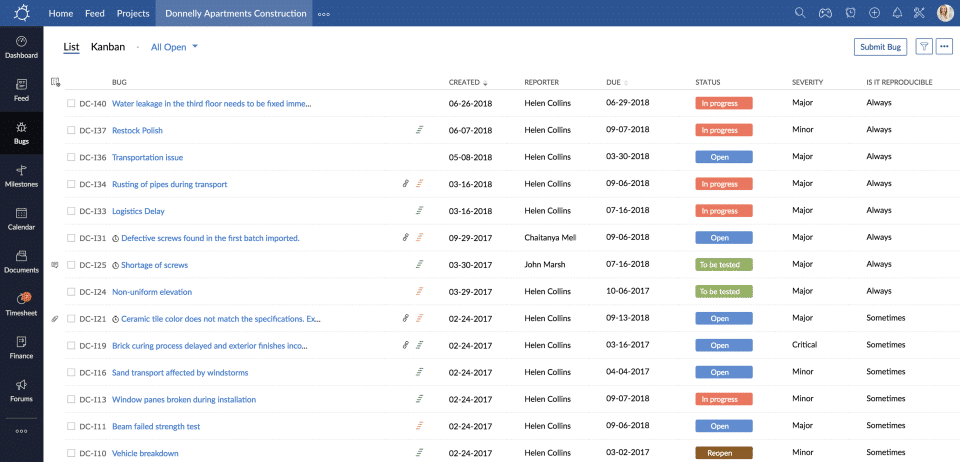
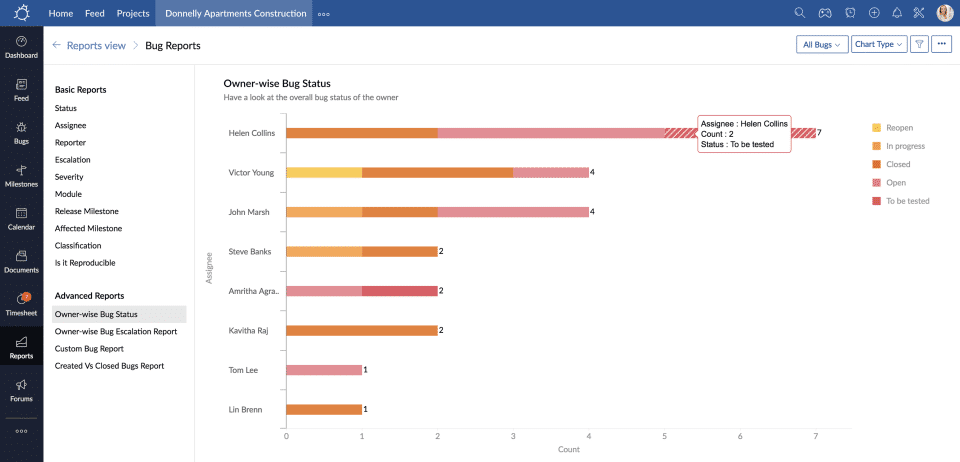
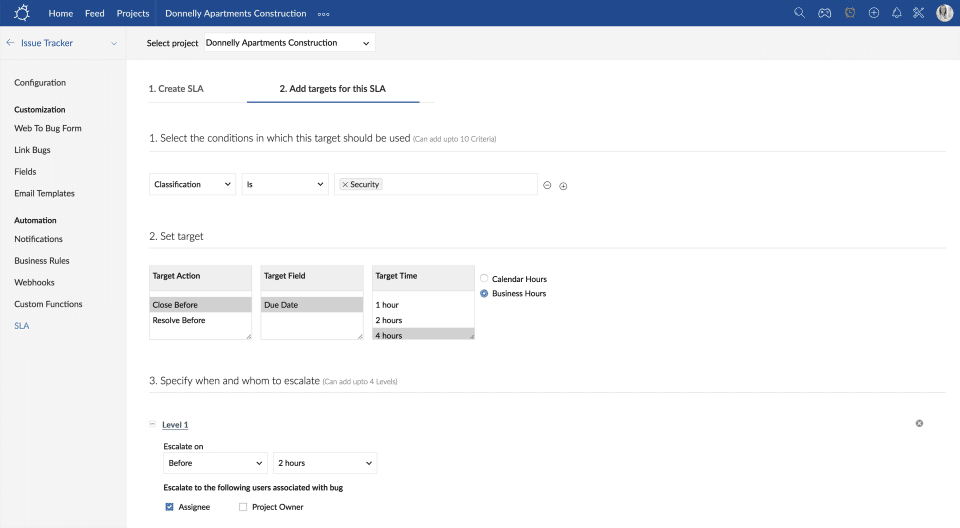
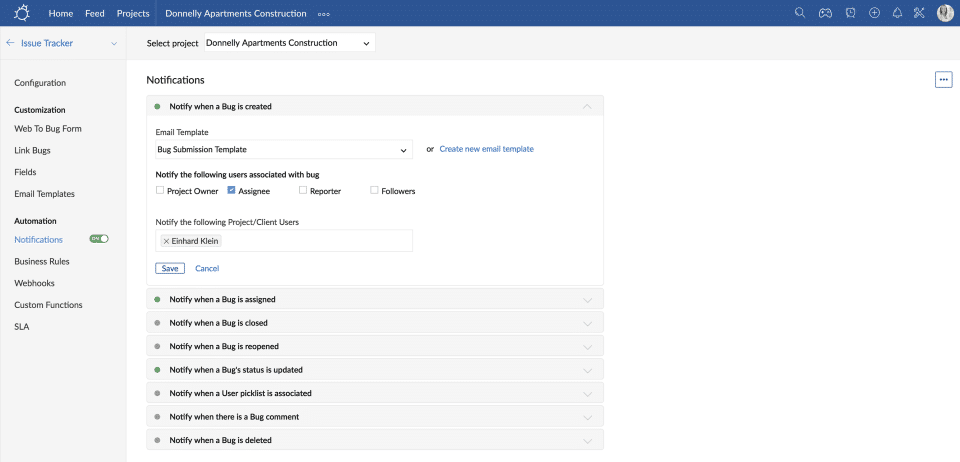
Zoho BugTracker was reviewed internally using user feedback, in-house testing, and market research to assess its performance, reliability, and user experience. Learn how we review products and our evaluation process.

Who should consider Zoho BugTracker
- Use cases
- Software development teams, Agile project management, Quality assurance teams
- Team types
- Developers, QA engineers
- Company size
- Small Business, Medium Business
- Workflow style
- Simple and streamlined
- Setup complexity
- Low
Why teams choose Zoho BugTracker
User-friendly interface that simplifies bug tracking
Customizable features including severity and status settings
Insightful reporting and progress tracking capabilities
Is Zoho BugTracker right for you?
Best for small to medium software teams needing simple, affordable bug tracking.
Choose Zoho BugTracker if
- You are a small or medium business seeking an easy-to-use bug tracker.
- Your team values customizable severity and status settings for bugs.
- You want insightful reporting and progress tracking without complex setup.
Consider alternatives if
- Your enterprise requires extensive third-party integrations and marketplace apps.
- You need advanced mobile application support for on-the-go bug management.
What buyers should know before shortlisting Zoho BugTracker
Zoho Bug Tracker has garnered positive feedback for its user-friendly interface, easy customization options, and seamless bug tracking capabilities. Customers appreciate the simplicity and insight provided by the platform, enabling efficient bug management and progress tracking.
The tool's affordable pricing compared to competitors like Jira is a standout feature, making it a practical choice for startups and small companies. Although some users have suggested improvements such as the need for more storage options and additional integrations, overall, the consensus shows high satisfaction with Zoho Bug Tracker's performance.
Its ability to streamline bug tracking processes, facilitate collaboration among teams, and integrate with other Zoho software like CRM and Projects adds significant value to users. In conclusion, Zoho Bug Tracker stands out as a reliable and feature-rich tool for bug tracking, offering a cost-effective solution for companies seeking efficient project management and bug resolution capabilities.
Its intuitive design and customizable features make it a valuable asset for businesses looking to enhance their bug tracking processes.
Zoho BugTracker pros and cons
- Zoho BugTracker pros
User-friendly interface that simplifies bug tracking
Customizable features including severity and status settings
Insightful reporting and progress tracking capabilities
- Zoho BugTracker cons
Limited marketplace apps and third-party integrations
Challenges with some customization and integration scenarios
Ready to try it?
Get started with Zoho BugTracker
Start your free trial — no credit card required.
Still comparing?
See how it stacks up
Compare Zoho BugTracker side-by-side with top Bug Tracking Software alternatives.



What is the pricing of Zoho BugTracker?
Weighing your options?
Not sure if Zoho BugTracker fits your budget?
Zoho BugTracker reviews and ratings
Buyer sentiment
Overall positive sentiment highlights ease of use, customization, and effective bug tracking, tempered by limitations in integrations and mobile support.
What buyers like
- Ease of use
- Customizability
- Reporting and progress tracking
Common complaints
- Limited integrations
- Lack of mobile app
Are you using Zoho BugTracker?

- See if Zoho BugTracker fits your business
- Real pricing — no sales pressure
- A demo or quick answers, your call
Step 1 of 4
How big is your team?
We tailor recommendations to companies your size.















What are the features of Zoho BugTracker?
The bug-assignment problem is commonly stated as a method of evaluating developers according to their ability to fix a specific bug. Previou…
During software testing, bug tracking is the process of logging and monitoring defects or errors. It's also known as issue tracking or defec…
Before being presented to a human user, an information filtering system removes redundant or undesired information from an data stream using…
It's a way of keeping track of open issues that, depending on their nature, must be resolved within the next task, before the next milestone…
The management, planning, scheduling, and control of a full software build through every stage and environment involved, including testing a…
A report is a type of writing that is organized around identifying and examining issues, events, or results that have occurred in the physic…
Role Management is a key feature that allows users to control and manage individual roles and their permissions within a software or applica…
The systematic process of gathering and classifying data so that it can be located and shown on demand is known as information storage and r…
The technique of managing a task throughout its life cycle is known as task management. Planning, testing, tracking, and reporting are all p…
Ticket management is a means of dealing with issues and requests. Tickets are simple data entities used to track everything that needs to be…
Workflow is a collection of tasks that work together to process a batch of data. A workflow encompasses everything from creating assets to i…
Zoho BugTracker security and data handling
Key compliance certifications and security features for IT and security teams evaluating Zoho BugTracker.
Certifications
Security features
Developer & data
Alternatives to Zoho BugTracker


Zoho BugTracker Support Options
Frequently Asked Questions About Zoho BugTracker
Common questions buyers ask before choosing Zoho BugTracker.
Zoho BugTracker is a Bug Tracking Software. Zoho BugTracker offers Task Management, Ticket Management, Workflow Management, Reports, Role Management and many more functionalities.
Zoho BugTracker is a strong fit if: You are a small or medium business seeking an easy-to-use bug tracker.; Your team values customizable severity and status settings for bugs.. Consider alternatives if: Your enterprise requires extensive third-party integrations and marketplace apps.; You need advanced mobile application support for on-the-go bug management..
Buyers commonly note the following limitations of Zoho BugTracker: Limited marketplace apps and third-party integrations; Challenges with some customization and integration scenarios; Lack of mobile application support.
Some top alternatives to Zoho BugTracker includes Jira, Zoho Projects, FogBugz, The Bug Squasher and Disbug.
Zoho BugTracker offers Free Trial, Freemium, Subscription pricing models
The starting price is not disclosed by Zoho BugTracker. You can visit Zoho BugTracker pricing page to get the latest pricing.
Ready to try it?
Get started with Zoho BugTracker
Start your free trial — no credit card required.
About the reviewer
Rajat Gupta is the founder of Spotsaas. Over the past two years, he has reviewed 2,000+ tools across CRM, HR, AI, and finance — applying hands-on product research and a background in commerce and the CFA program to evaluate software through a business and ROI lens. His goal: help teams make software decisions they won't regret.
Disclaimer: This research has been collated from a variety of authoritative sources. We welcome your feedback at [email protected].