
8.0
SpotScore

Wave AI Note Taker Review: Is It The Right Note Taking Software For Your Team?
Best for SMB teams · Mid-market · Enterprise
Free Trial Available
 HIPAA
HIPAAAdd to compare
Starts from $9 / Weekly when monthly
Overview
Pricing
Features
Buyer feedback
Alternatives
Media
Security & Compliance
Support
FAQ
Blogs
What is Wave AI Note Taker?
Wave AI Note Taker is a mobile app for iOS and Android that records, transcribes, and summarizes audio conversations and phone calls with one tap. It supports unlimited recordings, real-time multilingual transcription, phone call capture, background recording, and Siri Shortcut integration. Summaries can be exported as PDF or shared via URL, making it useful for journalists, doctors, remote teams, and others who need hands-free note capture.
Pricing
Starts from $9 / Weekly when monthly
Free Trial available
Best For
Suited for small teams, SMBs, and enterprise
Security & Compliance
HIPAAData residency:🇺🇸
Platform
Mobile-first — limited web access
Wave AI Note Taker Screenshots
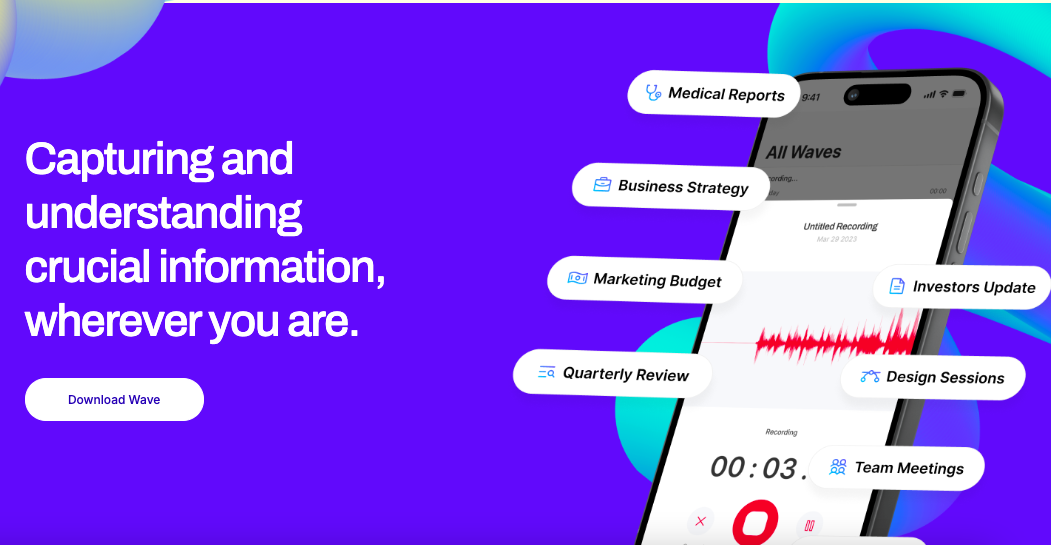


Wave AI Note Taker was reviewed internally using user feedback, in-house testing, and market research to assess its performance, reliability, and user experience. Learn how we review products and our evaluation process.

Who should consider Wave AI Note Taker
- Use cases
- Healthcare, Journalism, Education
- Team types
- Doctors, Journalists
- Company size
- 1–200 Employees
Why teams choose Wave AI Note Taker
Wave’s multilingual transcription engine produces clear and reliable transcripts across various audio qualities and languages.
AI-generated summaries are concise and customizable, making post-call reviews faster and more focused.
With support for background recording and Siri shortcuts, Wave offers a smooth, integrated mobile experience.
Is Wave AI Note Taker right for you?
What buyers should know before choosing Wave AI Note Taker
Wave AI Note Taker stands out as a practical tool for recording, transcribing, and summarizing audio conversations directly from your phone. As a user, I appreciated how effortless it was to capture ideas or meetings on the fly with one-tap recording and background functionality.
The transcription accuracy and AI-generated summaries were surprisingly dependable, even in multilingual contexts. However, the lack of third-party integrations and occasional app glitches slightly limit its appeal for power users or teams.
Overall, Wave is a solid choice for individuals seeking an efficient, on-the-go note-taking assistant without the overhead of traditional productivity tools.
Wave AI Note Taker pros and cons
- Wave AI Note Taker pros
Wave’s multilingual transcription engine produces clear and reliable transcripts across various audio qualities and languages.
AI-generated summaries are concise and customizable, making post-call reviews faster and more focused.
With support for background recording and Siri shortcuts, Wave offers a smooth, integrated mobile experience.
- Wave AI Note Taker cons
Reports of app freezing or failing to load properly, especially on certain iOS devices, can hinder usability.
Unlike competitors, Wave lacks native integrations with major productivity tools such as Google Docs, Zoom, or Microsoft Teams.
Ready to try it?
Get started with Wave AI Note Taker
Start your free trial — no credit card required.
Still comparing?
See how it stacks up
Compare Wave AI Note Taker side-by-side with top Note Taking Software alternatives.


What is the pricing of Wave AI Note Taker?
Wave AI Note Taker Pricing Plans
Weekly
$9
Weekly
Billed Weekly
Unlimited recording time
Unlimited recording length
Record audio or phone calls
Background Recording in iOS
Show more +
Monthly
$22
/month
Billed Monthly
Unlimited recording time
Unlimited recording length
Record audio or phone calls
Background Recording in iOS
Show more +
Annual
$140
/year
Billed Yearly
Unlimited recording time
Unlimited recording length
Record audio or phone calls
Background Recording in iOS
Show more +
Weighing your options?
Not sure if Wave AI Note Taker fits your budget?
Wave AI Note Taker reviews and ratings
What buyers like
- Wave’s multilingual transcription engine produces clear and reliable transcripts across various audio qualities and languages.
- AI-generated summaries are concise and customizable, making post-call reviews faster and more focused.
- With support for background recording and Siri shortcuts, Wave offers a smooth, integrated mobile experience.
Common complaints
- Reports of app freezing or failing to load properly, especially on certain iOS devices, can hinder usability.
- Unlike competitors, Wave lacks native integrations with major productivity tools such as Google Docs, Zoom, or Microsoft Teams.
- Wave is designed primarily for individual users and lacks features needed by teams, like shared editing, folders, or permissions.
Be the first to review Wave AI Note Taker
You'll help thousands of buyers make a smarter decision.

- See if Wave AI Note Taker fits your business
- Real pricing — no sales pressure
- A demo or quick answers, your call
Step 1 of 4
How big is your team?
We tailor recommendations to companies your size.















What are the features of Wave AI Note Taker?
Calendar notifications are a key feature of most software and devices that help users organize and manage their schedules. Simply put, a cal…
The Meetings feature in Wave AI Note Taker centers around its core functionality of capturing, transcribing, and summarizing conversations—w…
Though not a native task management tool, Wave AI Note Taker can support Recurring Tasks indirectly through its summarization features. User…
Share Link is a revolutionary feature that allows users to easily share their files, documents, and other types of content with others. With…
Task tracking in Wave AI Note Taker is an increasingly popular feature that builds on its summarization abilities. While the app doesn't off…
Version Control within Wave AI Note Taker refers to the app's ability to maintain the integrity of recorded content and summaries across mul…
Wave AI Note Taker security and data handling
Key compliance certifications and security features for IT and security teams evaluating Wave AI Note Taker.
Certifications
Developer & data
Alternatives to Wave AI Note Taker


Why buyers keep looking beyond Wave AI Note Taker
Wave does not currently support integrations with tools like Slack, Zoom, Notion, or Google Workspace, which many professionals use for collaborative workflows.
While it offers a web dashboard, actual recording and audio capturing are mobile-centric, which may limit usability for desktop-first users.
There are no built-in team features like shared workspaces, collaborative editing, or task assignment for organizations that need more than just solo-use functionality.
Despite strong mobile performance, users on other platforms like Linux or Windows (without mobile integration) may not find the experience seamless.
Some reviews mention app crashes and a lack of clear customer support channels for troubleshooting, which could affect reliability.
Wave appears to require an internet connection for transcription and summarization, making it less suitable for use in low-connectivity environments.
Wave AI Note Taker Support Options
Frequently Asked Questions About Wave AI Note Taker
Common questions buyers ask before choosing Wave AI Note Taker.
Wave AI Note Taker is a Note Taking Software. Wave AI Note Taker offers Version Control, Task Tracking, Meetings, Share Link, Recurring Tasks and many more functionalities.
Buyers commonly note the following limitations of Wave AI Note Taker: Reports of app freezing or failing to load properly, especially on certain iOS devices, can hinder usability.; Unlike competitors, Wave lacks native integrations with major productivity tools such as Google Docs, Zoom, or Microsoft Teams.; Wave is designed primarily for individual users and lacks features needed by teams, like shared editing, folders, or permissions..
Some top alternatives to Wave AI Note Taker includes Bear, MeetingKing, Standard Notes, FuseBase and Notesnook.
Wave AI Note Taker offers Subscription, Free Trial pricing models
The starting price of Wave AI Note Taker is $9Weekly when monthly
Free buyer scorecard
Evaluate Wave AI Note Taker with the note-taking software buyer scorecard
A weighted note-taking software scorecard to assess Wave AI Note Taker objectively and compare it against the alternatives.
- Weighted criteria you can edit
- Score vendors side-by-side
- Shareable with your buying committee
No file downloads on screen — we email it to you. One-click unsubscribe anytime.
Ready to try it?
Get started with Wave AI Note Taker
Start your free trial — no credit card required.
About the reviewer
Rajat Gupta is the founder of Spotsaas. Over the past two years, he has reviewed 2,000+ tools across CRM, HR, AI, and finance — applying hands-on product research and a background in commerce and the CFA program to evaluate software through a business and ROI lens. His goal: help teams make software decisions they won't regret.
Disclaimer: This research has been collated from a variety of authoritative sources. We welcome your feedback at [email protected].