9.8
SpotScore

SketchUp Review: Is It The Right 3D Modeling Software For Your Team?
Best for SMB teams · Mid-market · Enterprise
Free Trial & Free Plan Available
Starts from $18 / month when monthly, also offers free forever plan
Overview
Pricing
Features
Buyer feedback
Alternatives
Media
Security & Compliance
Support
FAQ
Blogs
Spotsaas Analysis for SketchUp
SketchUp is a 3D modeling software widely used by architects, interior designers, and freelance 3D modelers. With a rating of 4.5/5 from 571 reviews, it is broadly validated as a reliable tool for design professionals.
The software's intuitive interface and highly accurate drawing tools make it easy for users to quickly produce efficient designs. Its user-friendly nature allows even beginners to become productive swiftly, which is a significant advantage for small to medium businesses and individual designers. However, some users may find the extensive features and customizations intimidating, which could be a hurdle for those new to 3D modeling.
Quick facts about SketchUp
What is SketchUp?
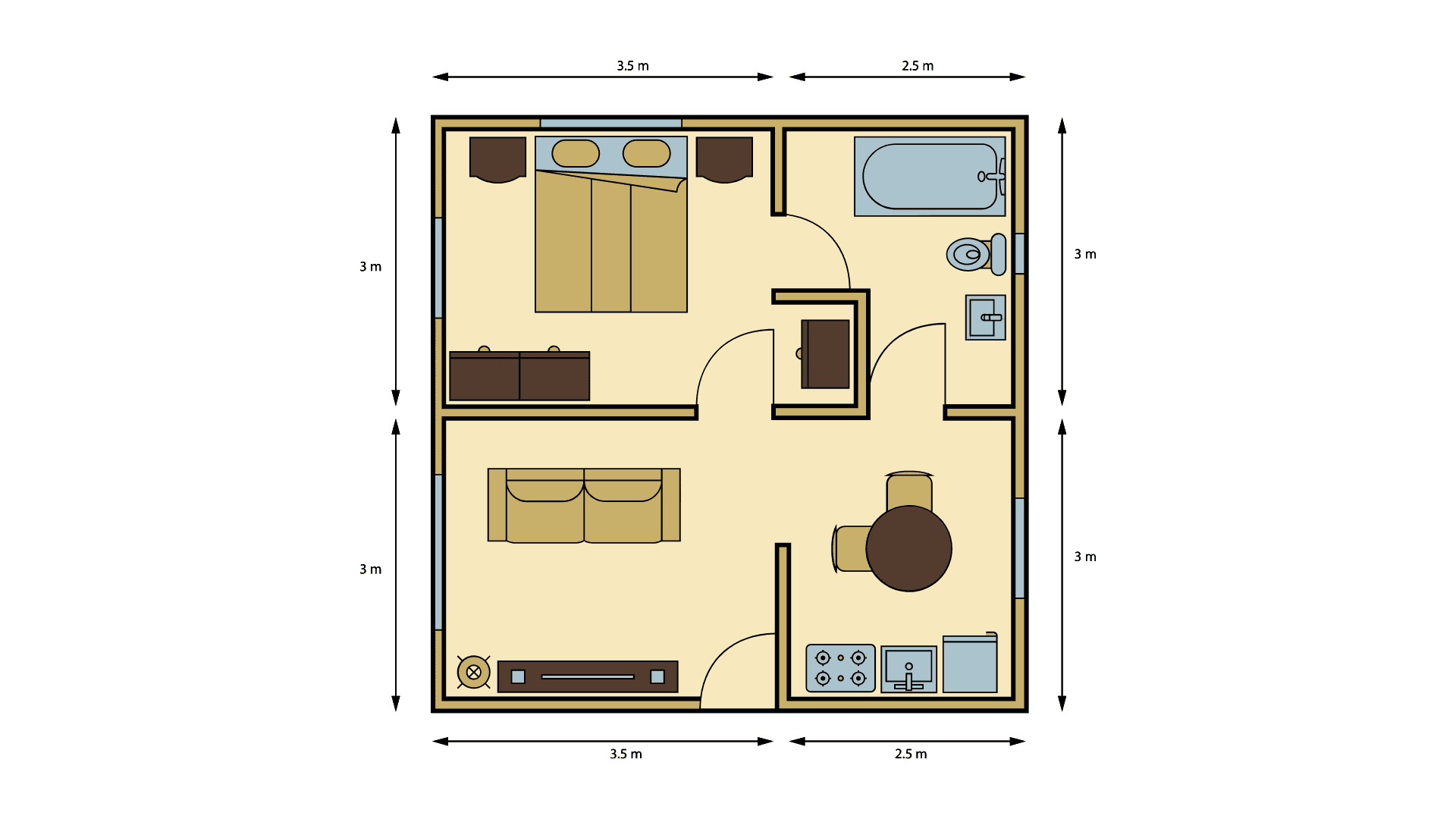
SketchUp is a 3D modeling software that makes it easy to draw, modify, measure, and communicate architectural designs. With SketchUp, individuals can make beautiful 3D models of existing floor plans or buildings. Using a combination of simple tools and intelligent AutoCAD-like behavior, creating perfect geometry is easy. With clean 3D lines, accurate dimensions, realistic illumination views, and materials.
Pricing
Starts from $18 / month when monthly
Free Trial available
Best For
Suited for small teams, SMBs, and enterprise
Security & Compliance
Data residency:Global
Platform
Web-based — no mobile app
Installed - Windows
Installed - Mac
SketchUp Software Demo
SketchUp was reviewed internally using user feedback, in-house testing, and market research to assess its performance, reliability, and user experience. Learn how we review products and our evaluation process.

Who should consider SketchUp
- Use cases
- Architectural design, Interior design, Construction planning
- Team types
- Architects, Interior designers
- Company size
- Individuals, Small to medium businesses
- Workflow style
- Simple and streamlined
- Setup complexity
- Low
Why teams choose SketchUp
Intuitive interface with highly accurate drawing tools enabling quick design work
Easy to learn and user-friendly for beginners, allowing rapid productivity
Seamless integration between 2D Layout and 3D SketchUp models enhancing architectural workflows
Is SketchUp right for you?
Best for architects and designers needing intuitive 3D and 2D modeling integration.
Choose SketchUp if
- You want a simple, user-friendly interface for quick architectural and interior designs.
- You need accurate drawing tools combined with intelligent AutoCAD-like geometry creation.
- You require seamless workflow integration between 2D layouts and 3D models in one platform.
Consider alternatives if
- You need extensive advanced plugins or integrations beyond SketchUp’s limited Marketplace.
- You are a large enterprise requiring highly customizable, process-heavy 3D modeling workflows.
What buyers should know before shortlisting SketchUp
SketchUp's main strength is its learning curve—most users move from basic to productive within days, not weeks. The 3D-to-2D conversion works reliably for architectural drawings and permit sets.
The component library is extensive, which speeds up common tasks like adding doors, windows, and furniture. However, verify in a demo that the software handles your specific geometry type: complex curved surfaces and organic shapes often require workarounds or plugin support that add time.
Integration is a real constraint. SketchUp's native connectors are limited to a few platforms (Revit via plugins, some CAD formats via import/export).
If your workflow depends on live data sync with other tools—structural analysis software, cost estimation platforms, or project management systems—you'll need third-party plugins, which may cost extra and require maintenance as SketchUp updates. Ask the vendor which integrations they officially support for your stack.
Pricing has two traps. The perpetual license model means you own the software but lose access to new features and bug fixes after your subscription ends.
The cloud storage tier (required for collaboration) is separate from the software license and scales with team size. For a team of 5+, budget for both the per-seat license and the annual cloud plan.
Free trials are 30 days—use that time to test file exports in your target format and confirm plugin compatibility with your other tools.
SketchUp pros and cons
- SketchUp pros
Intuitive interface with highly accurate drawing tools enabling quick design work
Easy to learn and user-friendly for beginners, allowing rapid productivity
Seamless integration between 2D Layout and 3D SketchUp models enhancing architectural workflows
- SketchUp cons
Rich feature set and customization options can be intimidating for some users
Limited selection of apps and connectors in the Marketplace restricts advanced functionality
Ready to try it?
Get started with SketchUp
Start your free trial — no credit card required.
Still comparing?
See how it stacks up
Compare SketchUp side-by-side with top 3D Modeling Software alternatives.



What is the pricing of SketchUp?
SketchUp Pricing Plans
Go
$18
/month
Included with Go:
iPad; and web-based 3D modelers (does not include the Desktop 3D modeler app)
Access 4M+ pre-built 3D models
Photoreal Materials
Environments & Live Components
Show more +
Pro
$50
/month
Everything in Go plus:
Desktop 3D modeler
2D design documentation
Quick insights for design research
Access to plugins for extending SketchUp for Desktop functionality
Weighing your options?
Not sure if SketchUp fits your budget?
SketchUp reviews and ratings
Buyer sentiment
Overall, buyers appreciate SketchUp for its ease of use, quick learning curve, and powerful yet intuitive 3D modeling capabilities, though some note limitations in advanced plugin availability.
What buyers like
- Ease of use
- Accuracy of drawing tools
- Integration of 2D and 3D workflows
Common complaints
- Steep learning curve due to feature richness
- Limited Marketplace app selection
Are you using SketchUp?
What users are saying
DB
Dan B
05/25/24
"Start drawing from 0 to 100 in no time flat"
What do you like best about SketchUp? The youtube references and intuitive interface work well with the highly accurate and infinitely detailed ...
Read more
BB
Braeden B
02/16/24
"Quick & powerful"
What do you like best about SketchUp? The design interface is extremely easy to use. I'm able to complete design products very quickly and ...
Read more
MN
Matthew N
02/16/24
"Great software"
What do you like best about SketchUp? The ease of use for a beginner to start a project I love all the features and if I don't have time to build an ...
Read more
SS
stalin s
12/28/23
"Software for Design your Dream Building in 3D Modelling"
What do you like best about SketchUp? One of the best and easy software to Design your Dream Home or Anything in 3D Realistic Modelling and sketching ...
Read more
PE
Paul E
12/23/23
"Fantastic program for designing, presenting, and creating working drawings for building permits"
What do you like best about SketchUp? Easy to learn, intuitive 3D functions, excellent connections between the 2D Layout and the 3D SketchUp models. I ...
Read more
AS
Anas S
12/19/23
"Joyful"
What do you like best about SketchUp? It's user friendly , it's easy ,fast and doesn't take you into the complex 3d geometry thing. just pick the ...
Read more

- See if SketchUp fits your business
- Real pricing — no sales pressure
- A demo or quick answers, your call
Step 1 of 4
How big is your team?
We tailor recommendations to companies your size.















What are the features of SketchUp?
3D animation is a cutting-edge technology that is used to create dynamic and realistic animations in a three-dimensional space. It involves…
3D printing, also known as additive manufacturing, is a process of creating three-dimensional objects from a computer-aided design (CAD) fil…
3D rendering is a computer graphics process of creating three-dimensional images, animations, and models from a 2D or wireframe representati…
A digital library (3D) is a modern technology-based platform that allows users to access and organize a vast collection of digital resources…
Real-time collaboration is a software feature that enables multiple users to work together on a project simultaneously, regardless of their…
Social Network Sharing is a software feature that allows users to easily share content with their connections on various social media platfo…
SketchUp security and data handling
Key compliance certifications and security features for IT and security teams evaluating SketchUp.
Certifications

Developer & data
Alternatives to SketchUp



SketchUp Support Options
Frequently Asked Questions About SketchUp
Common questions buyers ask before choosing SketchUp.
SketchUp is a 3D Modeling Software. SketchUp offers 3D Animation, Social Network Sharing, Digital Library (3D), 3D Rendering, 3D Printing and many more functionalities.
SketchUp is a strong fit if: You want a simple, user-friendly interface for quick architectural and interior designs.; You need accurate drawing tools combined with intelligent AutoCAD-like geometry creation.. Consider alternatives if: You need extensive advanced plugins or integrations beyond SketchUp’s limited Marketplace.; You are a large enterprise requiring highly customizable, process-heavy 3D modeling workflows..
Buyers commonly note the following limitations of SketchUp: Rich feature set and customization options can be intimidating for some users; Limited selection of apps and connectors in the Marketplace restricts advanced functionality; Pricing details are not fully transparent and may require sales engagement.
Some top alternatives to SketchUp includes Vectary, 3D Slash, SelfCAD, Clara.io and Lumion.
SketchUp offers Free Trial, Freemium, Subscription, Quotation Based pricing models
The starting price of SketchUp is $18/month when monthly
Ready to try it?
Get started with SketchUp
Start your free trial — no credit card required.
About the reviewer
Rajat Gupta is the founder of Spotsaas. Over the past two years, he has reviewed 2,000+ tools across CRM, HR, AI, and finance — applying hands-on product research and a background in commerce and the CFA program to evaluate software through a business and ROI lens. His goal: help teams make software decisions they won't regret.
Disclaimer: This research has been collated from a variety of authoritative sources. We welcome your feedback at [email protected].