
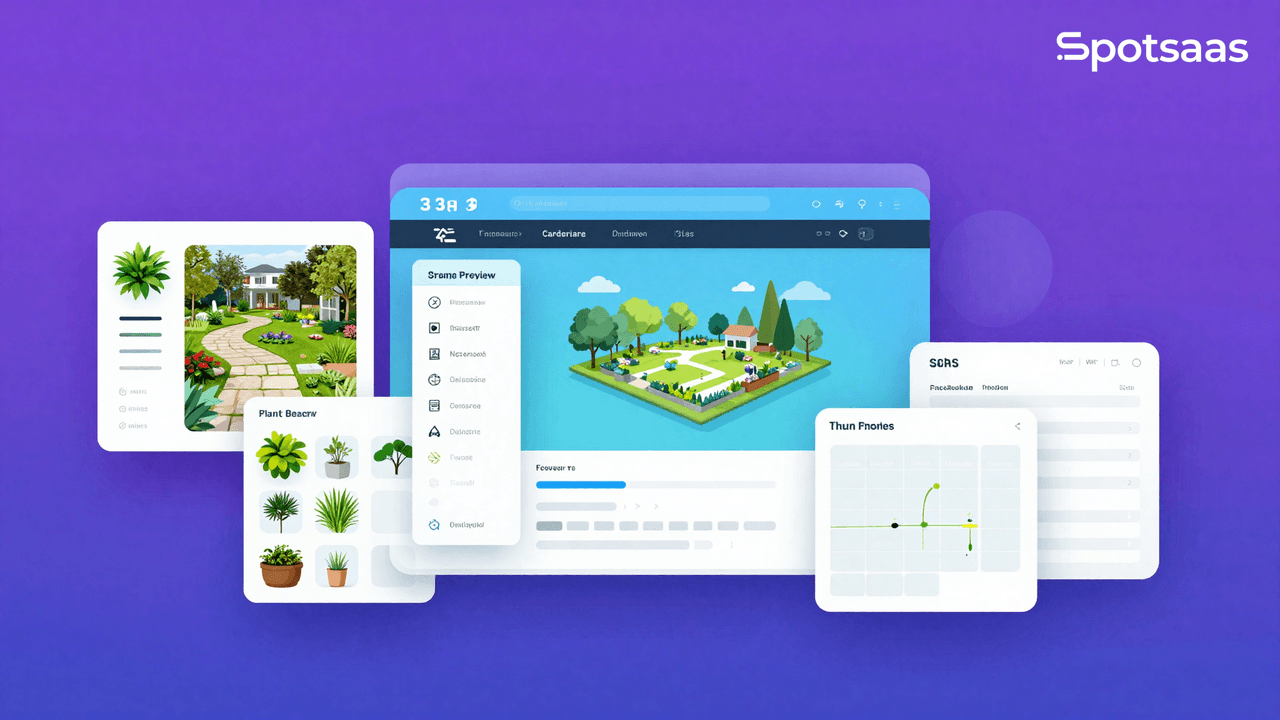
Landscape design software helps architects plan outdoor spaces on a screen instead of on paper. These programs turn rough ideas into visual layouts, so designers can lay out gardens, patios, and larger parklands and see how they fit together before any work begins.
As the technology has improved, the tools have become more realistic and easier to use. Professionals can now draw detailed designs in a few clicks rather than spending hours on manual drafting.
In 2026, several free options match paid ones on quality and features. SketchUp Free is a strong example, with a straightforward interface, while Terragen is known for improving workflow through mobile app support and CAD integration.
If you want detailed 3D views to show clients, Realtime Landscaping Plus is built for exactly that.
Picking the right program comes down to a few practical questions. Does it work well across the devices you use? How much detail can your designs hold? And is there user or company support when you get stuck? With tools that range from VizTerra’s plant and material libraries to Foyr Neo’s more advanced functions, and many free to start, architects have plenty to choose from.
Getting the most out of these tools takes more than downloading them. Tutorials and forums help you learn faster, and testing several programs shows you which one suits each kind of project. A tool that handles a small garden well may not be the best choice for a large development, so trying a few keeps you from forcing every job through the same software.
Key Takeaways
- Clear interfaces and drag-and-drop features in landscape design software make it quick to learn and plan projects.
- Support for smartphones and tablets matters for architects who work on-site or share designs with clients and teammates remotely.
- Visualization tools in free software produce realistic 3D models, giving clients a clear look at a proposed design before it is built.
- An active user community and responsive customer service improve the experience by offering resources, contacts, and feedback that help the tools get better.
- Each program has its own strengths for specific project types; trying several helps you match the right tool to each design challenge.
Criteria for Selecting the Best Free Landscape Design Software
To pick the best free landscape design software, look closely at how usable it is, what it can do, and how well it is supported, so it fits the way architects actually work.
The factors that matter most are a clear interface, support across devices, a feature set that produces realistic designs, and an active community and customer support. Together these make the design process faster and more productive. Weighing all four before you settle on a program saves you from switching tools later, once a project is already underway.
User Interface and Experience
A clear interface is essential for any landscape design software to be useful. Whether you are working on a detailed garden design or a complex irrigation plan, how easily you can move through the tools directly affects how much you get done.
The best free landscape design software includes drag-and-drop editing that lets you try out different elements such as trees, shrubs, and perennials without a steep learning curve.
Good programs also come with large libraries of materials, hardscapes, and plants, so every project can look professional. Knowing how those resources fit into your process makes the software both more capable and faster to work in.
For example, Land F/X plugs into AutoCAD and handles document management while giving you customization options for each project. Interfaces like this make it easier to be both creative and precise when turning a plan into a finished landscape.
Compatibility Across Devices
Landscape design software needs to run on the devices you use, from desktops to phones. Because architects and designers move between the office and the field, working across several devices is a practical requirement, not a luxury.
This lets professionals open projects remotely, update designs on the spot, and work with teammates without being stuck at a desk. Strong programs offer mobile apps or mobile-friendly versions, which matter when you need to make quick changes while on site.
Choosing a program that works the same across platforms keeps your workflow from breaking. Every tool or feature should be as usable on a tablet or phone as it is on a computer.
That flexibility makes designers more productive, since they can try out layouts, present proposals to clients, or inspect sites while managing the whole project in one system.
Before you commit time to learning a new tool, check that it supports the devices you actually use.
Feature Set and Realism
Landscape architects want tools that render their ideas accurately, which is why the feature set and level of realism in free landscape design software matter so much.
These programs ship with large libraries of materials, hardscapes, and a wide plant database. You can try different textures, colors, and elements to build designs that look good and hold up to a real-world reference.
The visualization tools inside these platforms create detailed 3D models, and real-world lighting effects add another layer of accuracy. That helps clients picture the finished result in a way that flat sketches cannot.
Collaboration tools keep team members and clients in sync throughout the design process. Combined with drag-and-drop editing and mobile apps for fieldwork, free landscape design software closes the gap between a concept and a buildable plan without a big budget.
Community and Support
Beyond looks and technical features, a landscape design software with an active community can shape your whole experience. Some platforms offer resources such as access to landscaping materials, direct links to manufacturers, and a network of professional landscapers and contractors.
That kind of network adds to what you can do with the tool and gives you a place to compare notes and learn.
User feedback also plays a real role in improving these tools; the best software takes suggestions from its users and folds them in. Contractor recommendations and honest user reviews add value too, helping newcomers weigh their options with more confidence.
Picking software that encourages this kind of interaction means you are part of a community where help is close at hand.
Top 11 Free Landscape Design Software for 2026
Here is our shortlist of the top 11 free landscape design programs for 2026. Each one gives architects a set of tools to plan and present designs at no cost, so you can find the right fit for your projects and start putting your ideas on screen.
SketchUp Free
SketchUp Free is a common first choice for architects who want to plan a landscape on screen. Its web-based 3D modeling lets you build detailed outdoor spaces with precision, and it runs in a browser.
Users like how approachable Trimble SketchUp for Web is, which makes it usable even if you are new to design software. Because it runs in a browser, you do not have to install anything to get started, which lowers the barrier for a first project.
With SketchUp Free’s tools you can plan and visualize gardens, terrain, and other exterior elements. Start a design from scratch or work from one of the many templates.
This tool covers both the creative and technical sides of the work, giving you a lot of room in landscape architecture without the price tag that usually comes with professional-grade software.
Garden Planner by SmallBluePrinter
Next to SketchUp Free, Garden Planner by SmallBluePrinter is a simpler option for anyone who wants to plan a garden without the complexity of 3D modeling.
This tool has a clear interface that makes it easy for architects and hobbyists to lay out outdoor spaces. Whether you are planning a new flower bed or rethinking a whole backyard, the program walks you through it with tutorials and support.
Garden Planner is known for being simple, but that also means its features are limited and aimed at basic design work. Professional designers may find it too constrained for detailed projects, while people fixing up their own spaces will like how direct it is and how quickly they can learn it.
If you need more advanced capabilities, such as a 3D design option, you may want to look at other programs on this list.
DreamPlan Home Design Software
Moving from the simple layouts of Garden Planner to something more complete, DreamPlan Home Design Software is a flexible pick on our list of top free landscape design tools.
It gives both DIY users and professionals the features to build detailed architectural designs and garden layouts. Its interface makes it easy to try different trees, shrubs, and perennials as you work out a plan.
DreamPlan is about more than looks; it is built to speed up the work for architects and designers. With CAD integration, drone mapping, and support for third-party apps such as accounting and CRM software, it cuts down the time spent on site surveys and drafting.
Whether you are redoing a backyard or planning a large project, DreamPlan turns complex landscaping ideas into workable plans. Because it doubles as a home design tool, it also suits work that combines a building and the grounds around it.
Marshalls Garden Visualiser
Marshalls Garden Visualiser is a solid tool for architects who want to move quickly from concept to a finished design. It cuts down on site surveying and simplifies drafting, so you can spend your time on the design itself.
Its drag-and-drop interface lets you import images and pick from a broad library of materials, hardscapes, and plants.
In the field or the office, the software works across different environments through its mobile apps, so project work keeps moving no matter where you are.
Landscape professionals benefit from real-time updates that help with both workflow and client presentations. The collaboration tools built into the platform improve communication between team members and make decisions easier to reach. When everyone is looking at the same current version of a design, there is less back-and-forth over which draft is the latest.
Showoff.com the Visualizer
Showoff.com the Visualizer gives clients a clear preview of their future outdoor space. This visualization software includes a wide selection of materials and plants, so designers can build detailed, realistic hardscape designs that match what will actually be installed.
In a few clicks you can turn basic drawings into 3D renderings, which makes it easier for clients to picture and sign off on a proposed project.
Use Showoff.com’s large library during the design phase to test different plants and material finishes until you find the right combination for each project.
Its interface leaves room to experiment while keeping results precise, for anything from a private garden to a large public space. The tool also improves how you present work to clients, and those benefits are clear for professionals and enthusiasts alike. Being able to swap plants and finishes on the fly makes it easier to settle on a final look before any material is ordered.
Kerkythea
Next on the list of free landscape design tools is Kerkythea, a strong choice for architects and designers who want photorealistic renderings. It produces detailed renders that bring 3D models to life with real accuracy.
You can use its range of light-simulation options to make designs look as close to reality as possible.
Kerkythea is built for people who care about environmental realism in their projects. Its interface lets you apply materials and textures that copy real surfaces and reflections.
Whether you are working out how sunlight falls on a garden path or the shadows cast by a pergola, the tool gives you the features to get every part of the rendered scene right. That level of light and shadow control is useful when a client wants to see how a space will look at different times of day.
PRO Landscape Home
After Kerkythea’s focus on photorealistic renders, PRO Landscape Home offers a full set of tools for the detailed work of landscape design. It is an approachable program and one of the better free options in 2026, useful both for a homeowner redesigning their yard and for a professional architect who needs stronger design tools.
PRO Landscape Home supports each stage of the process, with CAD integration and features such as simulations and drone mapping. Its functions work well alongside architectural drafting and collaboration, keeping designers, clients, and stakeholders on the same page.
The tool makes site surveys quick and handles project management through third-party integrations such as CRM systems, so the work moves smoothly from concept to completion. That mix of design and project-tracking features means you can run more of a job from one place instead of jumping between programs.
Terragen
Terragen earns a spot in the 2026 roundup of free landscape design software, serving both DIY users and professional landscape architects. It matches many capabilities usually found only in paid tools, so users get advanced features without the cost.
Terragen works with CAD applications as well as simulations and drone mapping. That compatibility simplifies complex design work and makes it easier for architects to build out their plans.
With a broad set of functions, Terragen handles everyday tasks by automating site surveys and drafting. Its drag-and-drop database speeds up projects and improves accuracy through customizable visualization templates.
Mobile apps make it more accessible, and sharing designs with clients is simple thanks to the editing tools inside Terragen. It is an efficient option for architects who want the software to keep pace with their work, whether they are refining a design at their desk or reviewing it on site.
Specialized Landscape Design Tools for Professionals
These specialized landscape design tools add capabilities aimed at professionals, giving your projects more precision and detail and an edge in a competitive field.
VizTerra by Structure Studios
VizTerra by Structure Studios is a strong option for both new and established landscape architects. It converts 2D drawings into interactive 3D designs.
Its interface lets designers build detailed outdoor spaces, backed by a varied library of plants, trees, materials, and furniture to fill out any plan.
Professionals can create detailed landscapes with VizTerra’s tools, and its realistic visuals help with client presentations and project planning. A free trial lets users try the software before deciding.
Free live training sessions are also available, which help users learn the features needed for more advanced projects. That guided start can shorten the time it takes to move from simple layouts to fully detailed 3D designs.
Realtime Landscaping Plus by Idea Spectrum
Realtime Landscaping Plus by Idea Spectrum gives landscape architects and designers a solid set of tools. The software lets users build detailed, realistic 3D visualizations that improve how clients respond to a design.
With its library of materials, hardscapes, and plants, professionals can put designs together quickly and adjust them to fit each project.
Anyone who wants a faster workflow will appreciate how Realtime Landscaping Plus simplifies drafting. Its features also make site surveying more efficient, freeing up time to refine the design.
Whether you are working on a small garden or a large commercial project, this software is a dependable part of a professional landscape designer’s toolkit. Its range means you do not have to switch programs as a project grows in scope.
Foyr Neo
After Idea Spectrum’s Realtime Landscaping Plus, Foyr Neo is a notable pick for professional landscape architects who want advanced design features. Its tools are built for complex projects and cut the hours spent on surveying and drafting.
It is a useful asset for experts building detailed outdoor spaces with precision, and it aims to keep that detail without slowing the work down.
Landscape professionals can use Foyr Neo’s 14-day free trial before moving to its affordable monthly plan. Its mobile apps add flexibility, letting field staff use the main features while away from the office.
The platform makes it easy to create visualization templates, share them, and produce accurate design estimates. Reusing templates across jobs cuts the setup time on each new project and keeps your estimates consistent.
Tips for Maximizing the Use of Free Landscape Design Software
You can get more out of free landscape design software with a few practical habits. These make your work faster and give you a clearer, more accurate picture of an outdoor space as you plan it.
Use Online Tutorials and Forums
Unlock more from your landscape design software by working through online tutorials and forums. These resources hold step-by-step guides, video walkthroughs, and practical tips that help you take a design from a flat blueprint to a 3D visualization.
You can also connect with other users and experts who share advice on everything from choosing plants to handling complex hardscape details.
These platforms put you in touch with professionals and DIY designers alike. You get access to a large set of landscaping materials, fresh ideas for outdoor spaces, and answers to technical problems you run into.
Tutorials often point out hidden features in free tools or faster workflows that save time. Forums add real user experiences and peer support as you work through local landscaping rules or look for reliable contractors, which keeps each project both practical and compliant.
Experiment with Different Software for Varied Projects
Try out several landscape design programs with a willingness to explore. Approach each new tool with some curiosity and you will find that some excel at detailed garden layouts while others are better for larger acreage developments.
Working across different software widens your options, so you can match the right program to each job, from a small DIY project to a large professional plan.
Mix features from different platforms, whether that is drag-and-drop editing or landscape visualization tools. Take advantage of free trials on design software; they let you test advanced features without paying up front.
Use those trials to push your designs further and add solutions that fit the goal at hand, whether that is rendering realistic shadows or choosing the right plants for a space.
Use collaborative design platforms too, since they make teamwork and client communication easier and keep your plan clear from concept through completion.
Use Software Integrations to Enhance Workflow
Connecting landscape design software with CAD tools and simulations makes your workflow faster. These integrations let you move between 3D design and realistic testing without switching tools or breaking your process.
They also link to drone mapping systems, which produce accurate site surveys and save hours of manual work.
Pair your design software with accounting and CRM platforms to handle the business side. LMN’s free plan brings budgeting, customer management, estimating, and time tracking into one system.
This makes job planning easier, improves time management, and keeps costing accurate, which all matter for running a profitable landscape architecture practice.
Conclusion: The Future of Landscape Design Software
As architects move their work onto digital tools, these 11 free programs are useful choices for 2026 and beyond. They give designers a lot of room to plan outdoor spaces creatively and efficiently.
With clear interfaces and full feature sets, they suit both professional designers and DIY users. These tools speed up your workflow and widen what you can take on in your projects.
Landscape architects who put good software to work stand to gain the most from it, since the same tools that speed up drafting also make client presentations sharper.
Choosing the right landscape design software matters for architects and designers. They have to weigh a range of factors, from ease of use to cost. Features like 2D and 3D design are essential for showing clients realistic visuals.
Professionals also value software that supports sustainable landscaping and air-purification benefits.
Each tool in this article was judged against these criteria so you can find the best match for your projects. Whether it is Garden Planner’s simple interface or Foyr Neo’s advanced visualization, the aim is to give you options that improve your design process.
With detailed reviews and feedback to draw on, any architect can make an informed choice without spending a cent.
To see how partnerships can grow your landscape design business, read our guide on partner programs.
FAQs
1. What is landscape design software used for?
Landscape design software helps architects create visual plans for outdoor spaces like gardens, yards, and parks.
2. Can I use free landscape design software professionally?
Yes, there are free landscape design programs that professionals can use to plan and present their designs.
3. Is it easy to learn how to use landscape design software?
Some landscape design software is user-friendly and designed with beginners in mind, but others might take time to master.
4. Does free landscape design software work on all computers?
Most free landscape design tools work on common operating systems, but check the requirements of each program before downloading.
5. Can I save my designs using free landscaping software?
Many free versions of landscaping programs allow you to save your designs so you can edit them later or show them to clients.
Compare alternatives to the tools in this post

- Independent picks for exactly what you just read about
- Matched to your team size & needs
- Vendors don't pay for placement
Step 1 of 4
How big is your team?
We tailor recommendations to companies your size.















Related Articles
Accounting Software
Xero vs QuickBooks 2026: Pricing, Payroll and Who Each Suits
Continue reading →
Accounting Software
FreshBooks vs QuickBooks 2026: Pricing, Clients, Users and Payroll Compared
Continue reading →
Accounting Software
AI for Accounting in 2026: 8 Use Cases, Tools and Controls for Finance Teams
Continue reading →

Accounting Software
Best QuickBooks Alternatives in 2026: 5 Competitors Compared on Price (Including Free)
Continue reading →