
8.2
SpotScore

Pine Review: Is It The Right Note Taking Software For Your Team?
Best for SMB teams · Mid-market
Free Plan Available
Add to compare
Overview
Pricing
Features
Buyer feedback
Alternatives
Media
Support
FAQ
Blogs
What is Pine?
Pine is an intuitive web-app designed to meet your daily journaling needs. From leaving comments, saving bookmarks to uploading files, everything is just a few clicks away. This software also lets you preview media files directly, measure your progress and share content with a single click. Even better, Pine has version control to automate workflow for freelancers, small and medium companies. Simplify your journaling process with Pine now.
Best For
Built for growing teams, from small businesses to mid-market
Pine Screenshots

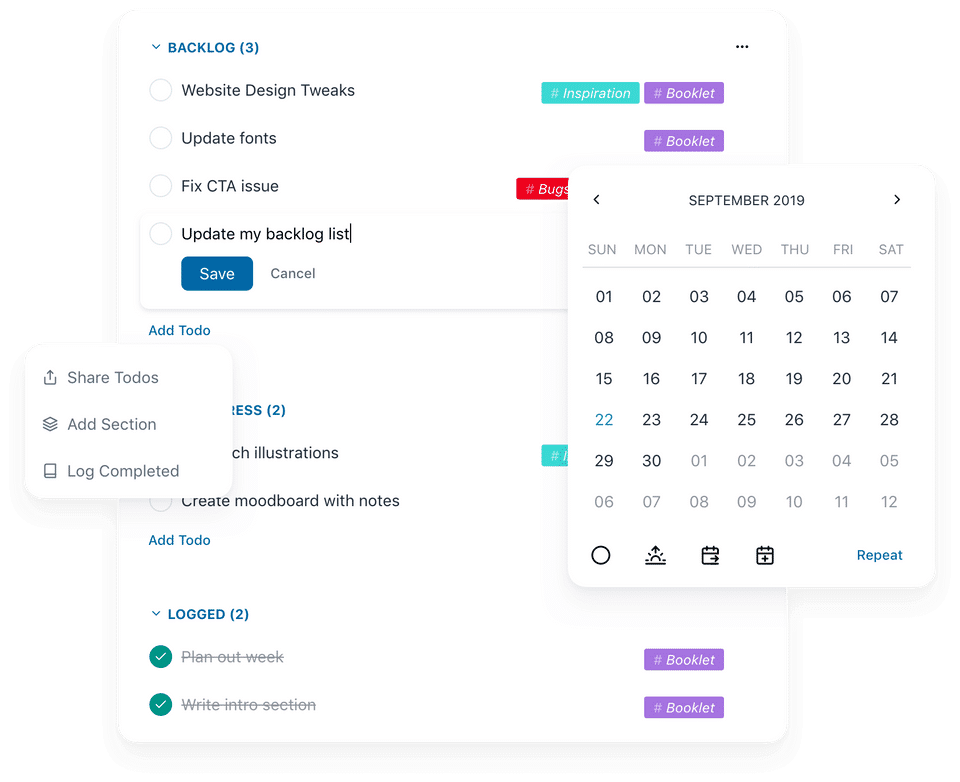
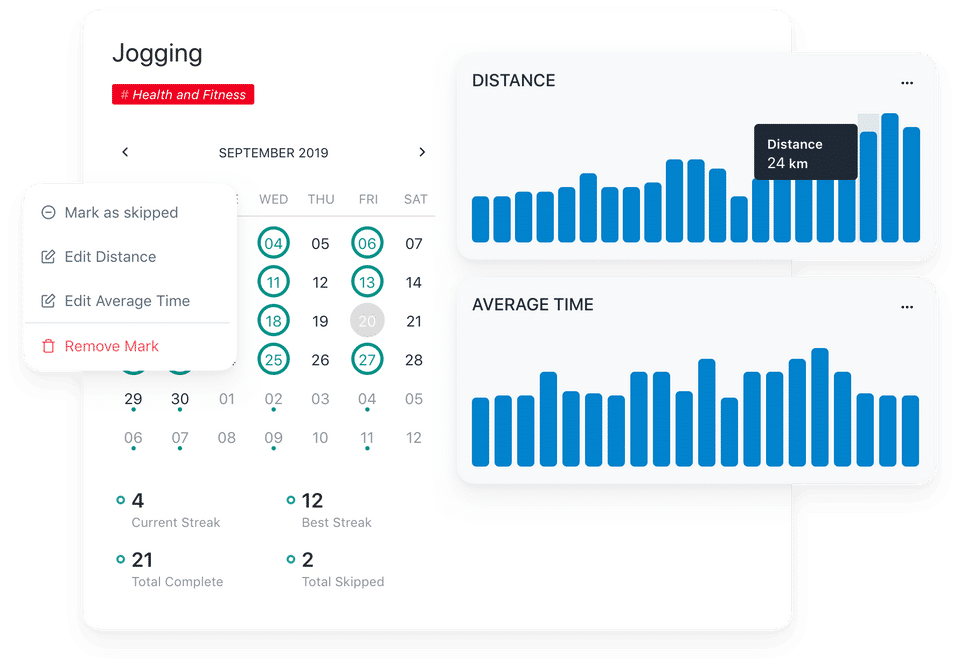
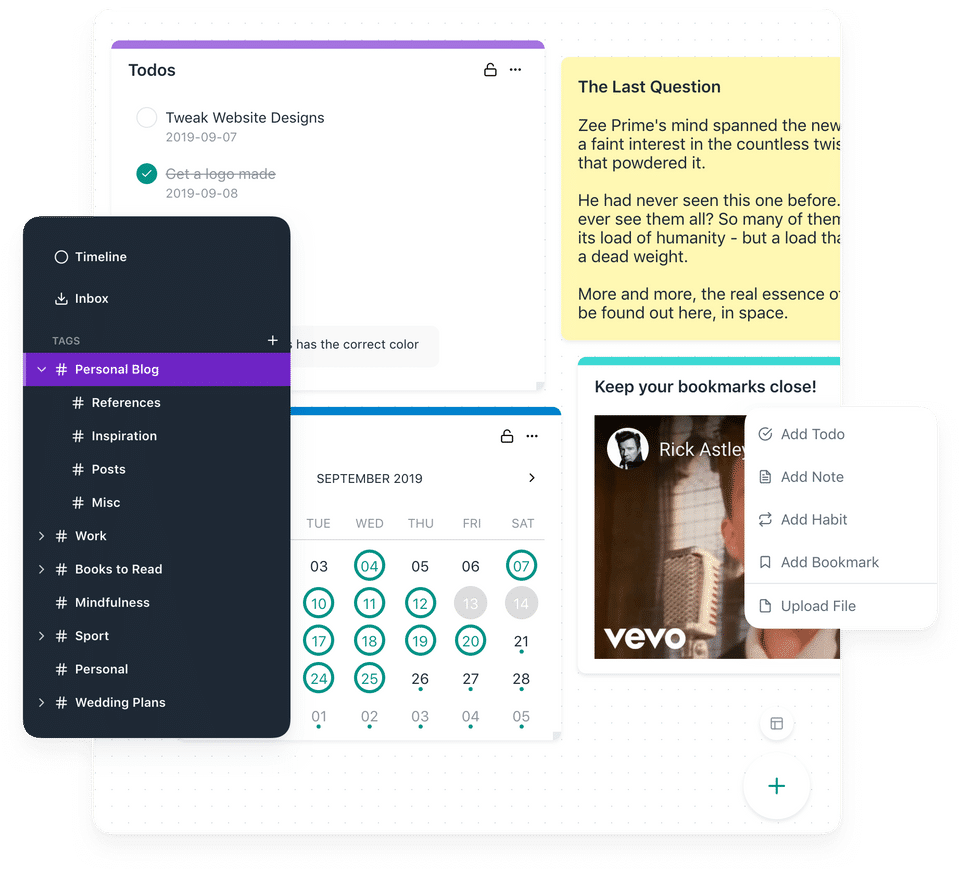
Pine was reviewed internally using user feedback, in-house testing, and market research to assess its performance, reliability, and user experience. Learn how we review products and our evaluation process.

Who should consider Pine
- Team types
- Freelancers / Consultants, Medium Business
Why teams choose Pine
User-friendly design enhances productivity.
Version control streamlines workflow for teams.
Media preview feature saves time during note-taking.
Is Pine right for you?
What buyers should know before choosing Pine
Pine is a user-friendly journaling tool that simplifies the process of note-taking and content sharing. Its version control feature is particularly beneficial for freelancers and small businesses.
Pine pros and cons
- Pine pros
User-friendly design enhances productivity.
Version control streamlines workflow for teams.
Media preview feature saves time during note-taking.
- Pine cons
Limited offline functionality may hinder users.
Customization options are somewhat basic.
Ready to try it?
Get started with Pine
Try the free plan and upgrade when ready.
Still comparing?
See how it stacks up
Compare Pine side-by-side with top Note Taking Software alternatives.


What is the pricing of Pine?
Pine Pricing Plans
Weighing your options?
Not sure if Pine fits your budget?
Pine reviews and ratings
What buyers like
- Intuitive interface
- Version control
- Media preview
Common complaints
- Limited offline capabilities
- No mobile app
- Basic customization options
Be the first to review Pine
You'll help thousands of buyers make a smarter decision.

- See if Pine fits your business
- Real pricing — no sales pressure
- A demo or quick answers, your call
Step 1 of 4
How big is your team?
We tailor recommendations to companies your size.















What are the features of Pine?
Calendar notifications are a key feature of most software and devices that help users organize and manage their schedules. Simply put, a cal…
Real-time collaboration is a software feature that enables multiple users to work together on a project simultaneously, regardless of their…
Recurring tasks are those that repeat themselves on a regular basis. As a project manager, for example, it's typical to have regular reporti…
Share Link is a revolutionary feature that allows users to easily share their files, documents, and other types of content with others. With…
The method involves identifying, monitoring, and progressing the work that has to be done during the day is known as task tracking or task m…
A To-do List is a software feature that helps individuals or teams keep track of tasks and activities that need to be completed. It is a pow…
Version control, often known as source control, tracks and manages changes to digital asset management software code. Version control system…
Alternatives to Pine





Pine Support Options
Frequently Asked Questions About Pine
Common questions buyers ask before choosing Pine.
Pine is a Note Taking Software. Pine offers Recurring Tasks, To-do List, Share Link, Calendar Notification, Real-time Collaboration and many more functionalities.
Buyers commonly note the following limitations of Pine: Limited offline functionality may hinder users.; Customization options are somewhat basic.; Mobile app is currently unavailable..
Some top alternatives to Pine includes Bear, Zoho Notebook, MeetingKing, Nimbus Note and Standard Notes.
Pine offers Freemium pricing model
The starting price is not disclosed by Pine. You can visit Pine pricing page to get the latest pricing.
Free buyer scorecard
Evaluate Pine with the note-taking software buyer scorecard
A weighted note-taking software scorecard to assess Pine objectively and compare it against the alternatives.
- Weighted criteria you can edit
- Score vendors side-by-side
- Shareable with your buying committee
No file downloads on screen — we email it to you. One-click unsubscribe anytime.
Ready to try it?
Get started with Pine
Get started with the free plan — no credit card required.
About the reviewer
Rajat Gupta is the founder of Spotsaas. Over the past two years, he has reviewed 2,000+ tools across CRM, HR, AI, and finance — applying hands-on product research and a background in commerce and the CFA program to evaluate software through a business and ROI lens. His goal: help teams make software decisions they won't regret.
Disclaimer: This research has been collated from a variety of authoritative sources. We welcome your feedback at [email protected].