

Choosing between web apps and mobile apps for your business is a real dilemma. Both platforms have distinct strengths and weaknesses, and picking the wrong one can cost you both time and development budget before you even reach your first users.
This article breaks down the key differences between the two — how each is built, what each is good and bad at, and where the tradeoffs actually show up — so you can make an informed decision based on your specific needs.
Key Takeaways
- Mobile apps are built specifically for mobile devices and require downloading and installation, while web apps are accessed through a web browser without any installation needed.
- Web apps can be accessed from any device with a web browser, making them highly accessible and convenient.
- Native mobile apps offer better performance, speed, and access to device features like GPS, while web apps make it easier to integrate with other websites and services.
Web Apps and Mobile Apps: Understanding the Difference
Mobile apps are built specifically for mobile devices and are downloaded and installed onto a user’s device, while web apps are accessed through a web browser and require no installation.
How are mobile apps built?
Mobile app development begins with a plan, typically involving market research and clear goals for what the app needs to accomplish. Developers then create wireframes and prototypes as a visual guide for the application’s functionality before any real code gets written.
Next comes the user interface (UI) design, which focuses on aesthetics and user experience. Coding follows, where developers write program instructions using different languages depending on whether it’s an iOS or Android app — the two platforms don’t share a common codebase, which is part of why native development takes longer.
Testing comes next to confirm smooth performance and catch bugs before launch. Finally, after meeting the guidelines set by app stores like Google Play or Apple App Store, developers submit the finished product for approval, and only then does it become available for users to download.

How are web apps built?
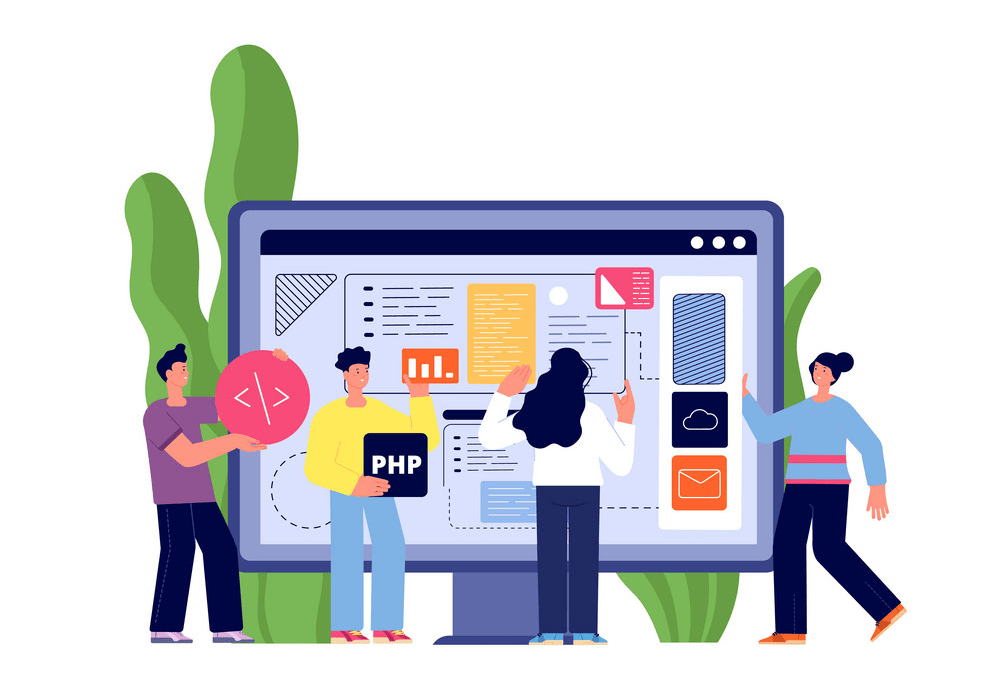
Developing web apps combines various technologies and programming languages. Web apps are typically built using HTML, CSS, and JavaScript. These three components work together to create the user interface, visual design, and functionality of the app — HTML for structure, CSS for styling, and JavaScript for interactivity and logic.
Developers may also use frameworks like React or Angular to streamline the development process and avoid rebuilding common pieces of functionality from scratch each time.
One of the main advantages of web apps is that they are platform-independent. Unlike mobile apps, which are designed specifically for iOS or Android, web apps can be accessed from any device with a web browser.
That makes them highly accessible and convenient for users.
For a web app to function properly, it needs to be hosted on a server so it can be reached over the internet. The server-side code processes requests from users and retrieves data from databases when necessary.
What are progressive web apps?
Progressive web apps combine the best features of both websites and native mobile apps. They’re accessed through a web browser, but offer an app-like experience to users.
Progressive web apps use modern web technologies to deliver fast loading times, offline capabilities, and push notifications. They can also be installed on a device’s home screen, just like a native app.
That means users can access them even without an internet connection. Progressive web apps are platform-independent and don’t require specialized development knowledge, making them a cost-effective option for businesses that want to reach audiences across different devices and platforms.
Pros and Cons of Web Apps and Mobile Apps
Mobile apps have the advantage of accessing device-specific features such as GPS, while web apps are more accessible across different platforms and can work offline in some cases.
Native mobile apps
Native mobile apps are developed specifically for a particular platform, such as iOS or Android. They’re built using programming languages like Swift for iOS and Java or Kotlin for Android.
Native apps have access to a device’s hardware and operating system features, which gives them better performance, speed, and overall user experience. They can also work offline by storing data locally on the device.
Find the Best Mobile Device Management software
However, developing native apps requires specialized knowledge and expertise in platform-specific programming languages, which can increase both development time and cost compared to web apps.

Web apps
Web apps are applications accessed through a web browser on a device, such as a smartphone or computer. They’re built using web technologies like HTML, CSS, and JavaScript and run within the browser itself.
One of the main advantages of web apps is that they can be accessed from any device with an internet connection, making them highly accessible. They also don’t require installation or updates, since they’re hosted online.
That said, web apps may not have all the features and functionality of native mobile apps, and they can sometimes run slower.
Web apps offer a cost-effective option for businesses that want to reach customers across different platforms without investing in platform-specific development. Since web technologies use standardized code, developers can build once and deploy across various devices.
Web apps also allow for easier integration with other websites and services. On the downside, they may lack certain offline capabilities compared to native mobile apps and may not provide access to hardware components like GPS.

FAQs: Common Questions about Web Apps and Mobile Apps
Is a web app better than a mobile app?
Web apps and mobile apps both have their own advantages and disadvantages, so which one is “better” depends on your specific needs and requirements. Web apps are built with standardized code accessed through a web browser, which makes them compatible with a wide range of devices.
They’re also easier to develop and maintain, since they don’t require platform-specific knowledge. Mobile apps, on the other hand, offer stronger performance, offline capabilities, access to device features like GPS, and a smoother overall user experience.
Ultimately, the choice between a web app and a mobile app should come down to factors such as your target audience, the functionality you need, and the development resources available to you.
Is WhatsApp a mobile app or web app?
WhatsApp is a mobile app that lets users send messages, make voice and video calls, and share media files. As a mobile app, it’s built specifically for use on smartphones and tablets.
Users download the WhatsApp application from their device’s app store and install it directly. Once installed, they can access and use WhatsApp without needing a browser or website.
That’s what sets WhatsApp apart from web apps, which require a browser to access.
What is the main disadvantage of web apps?
Web apps have real advantages, but they come with tradeoffs too. One of the biggest drawbacks is that they require an internet connection to function properly. Unlike mobile apps, which can be used offline, web apps depend on a steady connection.
That means if there’s no connectivity, or the connection is slow or unreliable, the performance and usability of web apps can suffer badly. This can be a real problem for users in areas with poor network coverage or anyone without a stable internet connection.
You can also compare analytics tools for mobile apps and web apps to find the best software for your needs.
Conclusion
Choosing between mobile apps and web apps comes down to your specific needs. Mobile apps offer offline capabilities and faster speed, while web apps provide accessibility across platforms.
Both have real advantages and disadvantages, so understanding the differences is crucial to making the right call for your business. In the end, whether you choose a mobile app or a web app depends on factors such as budget, target audience, and the features you need.
Frequently Asked Questions
What are the differences between mobile apps and web apps?
Mobile applications and web applications differ in their development processes, accessibility, security considerations, platform-specific features, and offline access capabilities.
How do I decide between developing a mobile or web app for my business?
Choosing between mobile apps and web apps depends on your business needs. Consider factors like user experience differences, features and functionalities required, target audience’s preferred interface whether it be mobile or web.
Can you compare the performance of mobile apps versus web apps?
The performance comparison of mobile apps against web-apps can vary significantly based on design considerations both in terms of how they are developed (mobile development vs. Web development) as well as their final execution- hybrid Apps running across platforms or native to specific ones.
Are there any advantages or disadvantages to using either type of application?
Indeed! There are pros and cons when it comes to developing both types; from considerations around accessibility—specifically when the app is accessible offline—to concerns over security measures needed within each application’s environment.
Do they offer different user experiences?
Absolutely! The user experience can greatly differ given that each directly reflects its respective technology—the more interactive Mobile Technology may better serve for intimate interfaces while Web Technology potentially affords wider-reach via cross-platform compatibility.

- Independent picks for exactly what you just read about
- Matched to your team size & needs
- Vendors don't pay for placement
Step 1 of 4
How big is your team?
We tailor recommendations to companies your size.















Related Articles
Buyers guide
Twilio Alternatives 2026: 6 Compared and What They Cost
Continue reading →
IT Management
RMM Software: 25 Tools Ranked by 1,843 Reviews
Continue reading →

Buyers guide
How To Choose The Best Freelance Platforms For 2026
Continue reading →

Best Tools
SaveFrom.net: Norton Clears It, the Ads Are the Risk
Continue reading →