
How Does Transcription Software Work?
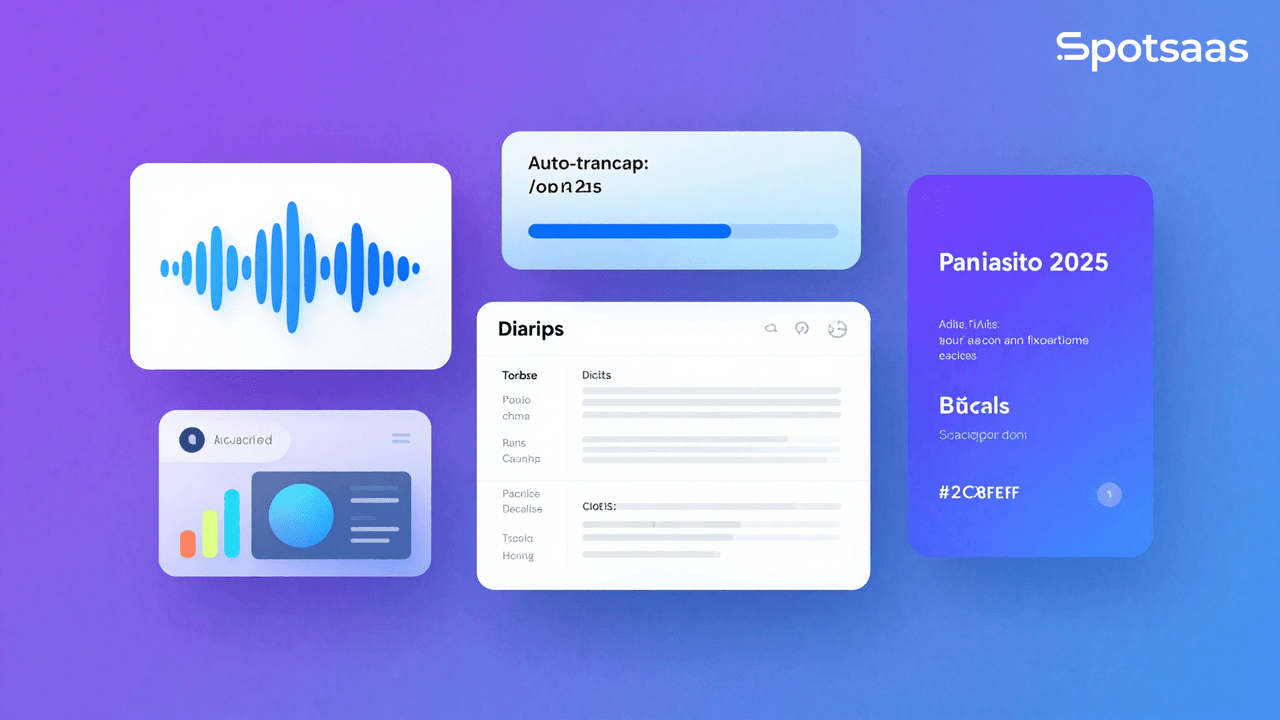
Transcription software is a digital tool that transcribes spoken language into written text, letting businesses, researchers, media professionals, and individuals create accurate audio and video content transcripts. These platforms use artificial intelligence (AI), speech recognition technology, and human-assisted transcription to simplify the conversion of interviews, meetings, lectures, podcasts, and other audio recordings into text. Modern transcription tools offer real-time transcription, speaker differentiation, and editing features. This improves workflow efficiency.
Why Should You Use Transcription Software?
Transcription software eliminates the time-consuming task of transcribing spoken words into text. It now helps businesses, researchers, and content creators handle audio and video files effectively. This improves efficiency, enhances access, and ensures accuracy in documentation.
Faster and more efficient transcription process
Automated transcription tools can process audio files within minutes, drastically reducing the time required for manual transcription. This enables professionals to focus on more critical tasks rather than spending hours transcribing recordings. AI-driven solutions also provide real-time transcription, making them ideal for live events, meetings, and lectures.
Enhanced accuracy through AI and human editing
Advanced transcription software uses AI-driven speech recognition technology to produce highly accurate transcripts. Many of these platforms also offer human proofreading services to further improve accuracy. These tools constantly improve as they learn from user corrections. This ensures better recognition of different accents and speech patterns.
Better accessibility and compliance support
Transcription software helps organizations comply with accessibility regulations by generating video captions and subtitles. This ensures accessible content to deaf people and improves overall user experience. Many industries, including education, media, and government, require transcripts for legal and compliance purposes.
Easier searchability and structured content
Converting speech into text allows users to search for specific keywords. This makes it easier to extract meaningful information. Transcripts help organize and archive content, making research, documentation, and content management more efficient. Businesses and researchers can quickly locate key discussions without reviewing entire audio recordings.
More cost-effective than manual transcription
Hiring professional transcriptionists can be costly, particularly for businesses that need transcription services frequently. Automated transcription software offers a more affordable solution. This reduces costs while maintaining efficiency. Many tools provide different pricing models, including pay-as-you-go and subscription plans, catering to various budget requirements.
Multi-language and industry-specific adaptability
Many transcription tools support multiple languages and specialized terminology for healthcare, legal, and finance industries. This ensures accurate transcriptions for global businesses and professionals working with technical jargon. AI-powered solutions continue improving language recognition and enhancing usability for diverse users worldwide.
Smooth integration with business and media tools
Modern transcription software integrates with video editing platforms, CRM systems, content management software, and note-taking applications. This allows users to simplify workflows, improve collaboration, and enhance productivity. Businesses can easily use transcriptions for content creation, customer support, and knowledge management.
What Are the Key Features of Transcription Software?
Modern transcription tools offer AI-powered speech-to-text conversion, speaker identification, real-time transcription, and multi-language support. They provide smooth editing tools and integration with video and collaboration platforms. Leading options such as Trint, Temi, and Verbit cater to professionals who need fast and reliable transcription services.
Instant automated speech-to-text conversion
AI-powered transcription software converts spoken words into written text instantly, eliminating the need for manual transcription. These tools use speech recognition technology and machine learning to improve accuracy continuously. Automating this process can save users work hours, making it ideal for professionals, businesses, and students. Automated transcription is especially useful for converting interviews, meetings, podcasts, and lectures into text. Many tools also provide real-time transcription. This allows instant access to spoken content.
Identifying speakers and adding timestamps
Advanced transcription software can differentiate multiple speakers within an audio recording and assign timestamps to each dialogue segment. This feature improves readability and helps users track who said what, making it particularly useful for interviews, panel discussions, and business meetings. Speaker identification ensures clear and structured transcripts. This reduces confusion when reviewing conversations. Timestamping allows users to quickly navigate long recordings and locate essential sections easily. Many tools also allow the customization of speaker labels for better organization.
Built-in editing and formatting tools
Most transcription software includes built-in text editors that allow users to refine and format transcripts as needed. These tools let users correct inaccuracies, highlight key points, and add notes. This ensures higher accuracy and readability. Several offer interactive text-audio syncing. This enables users to listen back to parts of the recording when altering it. Some fields that can be used for the final transcript include adjusting the font formatting paragraphs and creating tags for better readability. Some tools also enable collaborative editing; many people can work on a single document.
Support for multiple languages and accents
Many transcription platforms support multiple languages. This makes them suitable for global businesses and international content creators. AI-driven language models enhance transcription accuracy by recognizing accents, dialects, and industry-specific terminology. This feature particularly benefits multi-lingual teams, researchers working with foreign-language content, and businesses catering to international audiences. Some tools also offer real-time translation, converting transcripts into different languages for smooth communication. Continuous updates improve language recognition. This ensures high accuracy across various speech patterns.
Audio and video file compatibility
Transcription software supports audio and video file formats, including MP3, WAV, MP4, and more. This flexibility allows users to transcribe content from different sources, such as phone calls, recorded lectures, and online conferences. High-quality audio compatibility enhances the accuracy of transcriptions. This reduces errors caused by background noise or unclear speech. Some platforms offer noise reduction and speaker enhancement for better transcription quality. Cloud-based services usually automatically store and organize files for easier access and retrieval.
Live transcription in real time
Live transcription software translates speech into text in real time, making it a vital application for webinars, conferences, and meetings. Businesses, educators, and media professionals benefit from instant captions and subtitles that enhance accessibility and engagement. Many tools integrate with virtual meeting platforms like Zoom and Microsoft Teams to provide smooth real-time transcription. This feature is handy for note-taking during discussions. This allows participants to focus on the conversation while the software handles documentation. Some tools even offer live translation. This makes international meetings more efficient.
Subtitling and closed caption generation
Transcription software can automatically generate video subtitles and captions. This ensures better accessibility and viewer engagement. This feature is handy for video content creators, educators, and businesses that publish multimedia content. Captions make videos more inclusive for individuals with hearing impairments and improve comprehension for non-native speakers. Many platforms allow users to edit subtitles, synchronize them with video timestamps, and customize formatting to meet style requirements. Enhanced captioning features make video content searchable. This improves SEO rankings.
Cloud access and collaborative features
Cloud-based transcription solutions store transcripts securely online. This allows users to access them from any device. These platforms enable collaboration by letting multiple team members edit and review transcripts simultaneously. Cloud storage ensures that transcripts are not lost and allows easy sharing and integration with other productivity tools. Many software solutions offer automatic backup and version control. This helps users keep track of changes and revisions. Cloud-based access is particularly beneficial for remote teams, researchers, and content creators managing multiple projects.
Integration with third-party platforms
Many transcription tools integrate smoothly with Zoom, Microsoft Teams, Google Docs, and video editing software. This integration simplifies workflows, allowing users to transcribe meetings, interviews, and lectures directly within their preferred applications. Businesses can use transcription tools alongside CRM software to enhance customer interactions and record conversations. Video editors benefit from automated subtitle generation. This simplifies post-production workflows.
What Are the Benefits of Transcription Software?
Transcription software saves time and improves documentation. This makes the recorded material more searchable. It also increases accessibility by providing captions and transcripts for various audiences. Scribie, Speechmatics, and Descript enable businesses to simplify workflows and create accurate text records easily.
More productivity and time savings
Automated transcription reduces the time spent on manual transcription. Professionals can now focus on more valuable tasks as AI-powered tools process large amounts of audio in minutes. Such tools are suitable for businesses, researchers, and content creators. The tedious transcription work is removed, and users can increase efficiency and meet deadlines faster. Transcription software also helps simplify workflows, especially for journalists, podcasters, and corporate teams handling frequent audio content.
Better documentation and record keeping
Transcribed texts are always available for business meetings, legal processes, and academic research. Written records can be referred back to quickly, with the possibility of less miscommunication and misconceptions. Businesses can ensure a detailed record for compliance, employee training, and decision-making. Researchers find it easier to analyze qualitative data with neatly organized transcripts more effectively. Cloud storage allows historical documents to be accessible in a secure manner.
Improved SEO for content creators
Adding transcriptions to videos, podcasts, and webinars makes it more discoverable. Search engines can better index text-based content, and users can easily find what they want. Transcripts can be repurposed into blogs, articles, or social media posts, increasing the reach of content creators.
Improved accessibility for diverse audiences
Transcriptions make content more inclusive by providing text-based alternatives for audio and video materials. This primarily benefits deaf users, non-native speakers, and individuals who prefer reading over listening. Businesses and educational institutions can use transcripts to comply with accessibility laws and improve the user experience. Subtitles and closed captions enhance comprehension and retention for learners and audiences worldwide.
Higher accuracy and better readability
Modern transcription software combines AI-powered speech recognition with manual editing features to ensure high-quality transcripts. Advanced tools offer speaker identification, timestamping, and formatting options to improve readability. Businesses and professionals can create polished transcripts with minimal effort. This ensures clarity and professionalism. Over time, AI-based solutions continue to improve accuracy by learning from user corrections and feedback.
Scalability for businesses and high-volume use
Transcription software revolutionizes the way we handle audio and video content. This enables you to efficiently process and manage large volumes with ease. Companies, media firms, and research institutions dealing with frequent transcription needs can benefit from scalable solutions. Many enterprise-grade transcription tools offer batch processing, team collaboration, and cloud storage to support large projects. Organizations can customize settings to match industry-specific requirements. This ensures reliable and secure transcription solutions.
What Types of Transcription Software Are Available?
Transcription software offers AI-driven instantaneous transcription and human-assisted higher accuracy. Such platforms are often specialized in different areas, from real-time transcriptions to a focus on serving specific industries, such as real-time transcription; examples include Otter.ai as an AI-driven transcription software tool, Rev provides human-assisted services, and Nuance works on medical-related transcription.
Fully automated AI transcription software
These tools use AI and machine learning to transcribe speech into text instantly. They offer a fast and cost-effective alternative to manual transcription. This makes them ideal for general-purpose use. AI-driven software continuously improves through user feedback. This improves accuracy over time. While AI transcription may require minor editing, it provides an efficient solution for businesses, students, and professionals.
Examples: Otter.ai, Sonix
Human-assisted transcription services
This type of transcription combines AI-generated drafts with human proofreading for maximum accuracy. Professional transcriptionists review and correct transcripts to ensure high precision, making these services ideal for legal, medical, and research fields. While human-assisted transcription is more expensive than AI-only solutions, it guarantees near-perfect accuracy. These services are commonly used for critical business documentation and compliance-sensitive content.
Examples: Rev, Scribie
Real-time transcription for live content
Designed for live events, webinars, and meetings, real-time transcription tools provide instant speech-to-text conversion. They help businesses, educators, and event organizers capture spoken content as it happens. These tools integrate with video conferencing platforms to generate live captions. This improves accessibility. Real-time transcription is valuable for multi-lingual conferences, virtual seminars, and business communication.
Examples: Temi, Trint
Enterprise-grade transcription software
These solutions cater to businesses that require large-scale transcription with advanced security features. They offer team collaboration, bulk processing, and industry-specific customization. Enterprise transcription software is ideal for media companies, law firms, and government institutions. Many platforms provide encryption and compliance with data protection regulations.
Examples: Verbit, Speechmatics
How to Choose the Best Transcription Software
Selecting the best transcription software is essential for individuals and businesses requiring accurate and efficient audio and video file transcription.
The software should offer reliable accuracy, a easy-to-use interface, and features that suit your needs, such as speaker identification, multi-language support, or real-time transcription.
What goals should you set before choosing transcription software?
Achieve accurate transcriptions
The software should be highly accurate in converting spoken words into text. To improve accuracy, look for features like AI-powered transcription, noise reduction, and grammar correction.
Speed up the transcription process
A good transcription software should help reduce the time it takes to transcribe audio or video files. Features like foot pedals, playback speed control, and automated speech recognition can improve transcription speed.
Simplify editing and formatting
Transcription software should allow you to easily edit transcribed text, format it according to specific guidelines, and quickly correct errors.
Enhance collaboration
Collaboration features like shared files, annotations, and cloud storage can enhance teamwork and improve efficiency for teams working on transcripts.
What types of transcription software are available?
Cloud-based transcription software
Cloud-based transcription tools are hosted online. This allows you to access files from anywhere. These tools offer real-time transcription and automatic backups. This makes them ideal for remote teams.
On-premise transcription software
On-premise transcription software is installed on local machines. This gives businesses complete control over their data. Companies with strict security or privacy concerns may prefer this option.
AI-powered transcription software
AI-powered transcription software uses machine learning to improve accuracy and speed. These tools can handle large volumes of audio or video content and are ideal for environments that require frequent transcription.
Human-assisted transcription software
Some software offers human-assisted transcription for high-accuracy and specialized transcriptions (e.g., medical or legal). In this method, an AI transcribes the content, and a professional reviewer makes necessary corrections.
How should your transcription software manage data and integrations?
Speech recognition systems
Integrating transcription software with speech recognition tools improves transcription accuracy and accelerates the process, particularly for automated transcriptions.
File storage systems
Transcription software should integrate with cloud storage platforms like Google Drive or Dropbox. This allows easy access to transcribed files and sharing across teams.
Project management tools
Integrating the software with project management tools can help businesses manage multiple transcription projects, simplify tasks, assign roles, and track progress.
Translation and localization tools
In multi-lingual environments, transcription software should be able to integrate with translation tools. This ensures that transcriptions can be easily translated and localized into different languages.
What features should you look for in transcription software?
Core features
→ Speech-to-text conversion: High accuracy in transcribing different accents, speech speeds, and noisy environments
→ Playback controls: Variable speed, rewind, and fast-forward to simplify the transcription process
→ Text editing tools: Built-in editing functions like spell check, auto-correct, and formatting options
→ Speaker identification: Ability to detect and label multiple speakers for clear conversation breakdown
→ Multi-language support: Supports transcription of content in different languages for international use
Which advanced features enhance transcription performance?
Advanced features
→ Real-time transcription: Transcribes spoken words live during meetings, webinars, or interviews
→ Foot pedal integration: Enables hands-free control for professional manual transcribers
→ Collaboration and cloud access: Allows team-based editing, version control, and shared storage
→ Automated formatting and templates: Generates standardized transcripts based on pre-set rules or formats
→ Security features: Includes encryption, secure access, and permissions for sensitive content
How can reporting and analytics improve transcription outcomes?
Granular reporting
→ Transcription accuracy reports: Evaluate transcription quality and AI performance
→ Productivity and time tracking: Track hours spent per file or per transcriber for workflow management
→ Cost analysis reports: Monitor transcription-related costs, whether in-house or outsourced
Visualization tools
→ Custom dashboards: Show metrics like number of transcripts, average turnaround time, and error rates
→ Exportable reports: Easily generate and share CSV, PDF, or Excel files with teams or clients
What pricing model fits your transcription needs?
Subscription-based pricing
Subscription-based models typically offer access to a suite of transcription features for a monthly or annual fee. This is ideal for businesses or individuals with ongoing transcription needs.
Pay-per-use pricing
Pay-per-use models charge based on the transcription volume. This makes it ideal for businesses or individuals with occasional or seasonal transcription needs.
Custom pricing plans
Custom pricing plans may offer tailored features, enhanced customer support, and bulk transcription services at discounted rates for businesses with large-scale transcription needs.
How do you ensure the software grows with your transcription demands?
High volume transcription
The software should be able to handle large volumes of audio and video files without compromising performance. This ensures efficient transcription even with a high influx of content.
Multi-user support
For businesses or teams, the software should allow multiple users to work on transcriptions simultaneously, with user roles and permissions to manage access to files and features.
Customizable features for growth
Scalable software should offer flexibility to add features such as custom workflows, integration with other tools, and enhanced processing power as your transcription needs grow.
What support and training should the provider offer?
24/7 technical assistance
Transcription software should offer round-the-clock support to assist with technical issues. This ensures that you can resolve problems quickly and maintain workflow efficiency.
Onboarding and tutorials
Onboarding sessions, video tutorials, and knowledge bases should be available to help you and your team get started quickly and understand how to take advantage of all the software’s features.
How does the top transcription software compare?
Choosing the right transcription software depends on accuracy, pricing, and industry needs. Some tools focus on automated transcription, while others offer hybrid AI-human solutions for precision. Popular choices such as Sonix, Temi, Verbit, and Trint provide a range of features to accommodate different transcription requirements.
| Software | Pricing | Key Features | Best For | Customers |
|---|---|---|---|---|
| Otter.ai | Free to $30/month | AI-driven transcription, speaker identification | Business meetings, lectures | Professionals, students |
| Rev | $1.50/min (human) | AI + human transcription, 99% accuracy | Journalists, legal, healthcare | Businesses, media companies |
| Sonix | $10/hour | Multi-language AI transcription, editing tools | Podcasters, content creators | Writers, journalists |
| Trint | $60/month | Real-time transcription, media editing | Media production, reporting | Journalists, video editors |
| Temi | $0.25/min | AI-generated transcripts, quick turnaround | General transcription needs | Businesses, professionals |
| Verbit | Custom Pricing | AI + human-assisted, enterprise-grade security | Legal, education, business | Large enterprises |
| Scribie | $0.80/min | Manual and AI transcription, affordable rates | Freelancers, students | Individuals, small businesses |
| Speechmatics | Custom Pricing | AI-powered transcription, language support | Enterprise solutions | Tech companies, call centers |
Final thoughts on choosing transcription software
Transcription software is valuable for businesses, content creators, researchers, and professionals who need fast, accurate, and efficient speech-to-text conversion. Whether using AI-based automation or human-assisted transcription, these platforms improve productivity, enhance accessibility, and simplify documentation.
Choosing the right transcription software depends on accuracy needs, integration capabilities, security features, and budget considerations. By implementing the best transcription tool, businesses and individuals can optimize workflows, improve accessibility, and enhance content reach.
Related Articles
AI Software
How AI-Powered ATS Tools Boost Diversity in Hiring — Real DEI Use Cases (2026)
Continue reading →
AI Software
5 Powerful AI Features Revolutionizing Hiring Workflows in 2026
Continue reading →
AI Software
How To Choose The Best Image Recognition Software For 2026
Continue reading →
AI Software
Best AI Resume Screening Tools in 2026 to Hire Faster
Continue reading →