
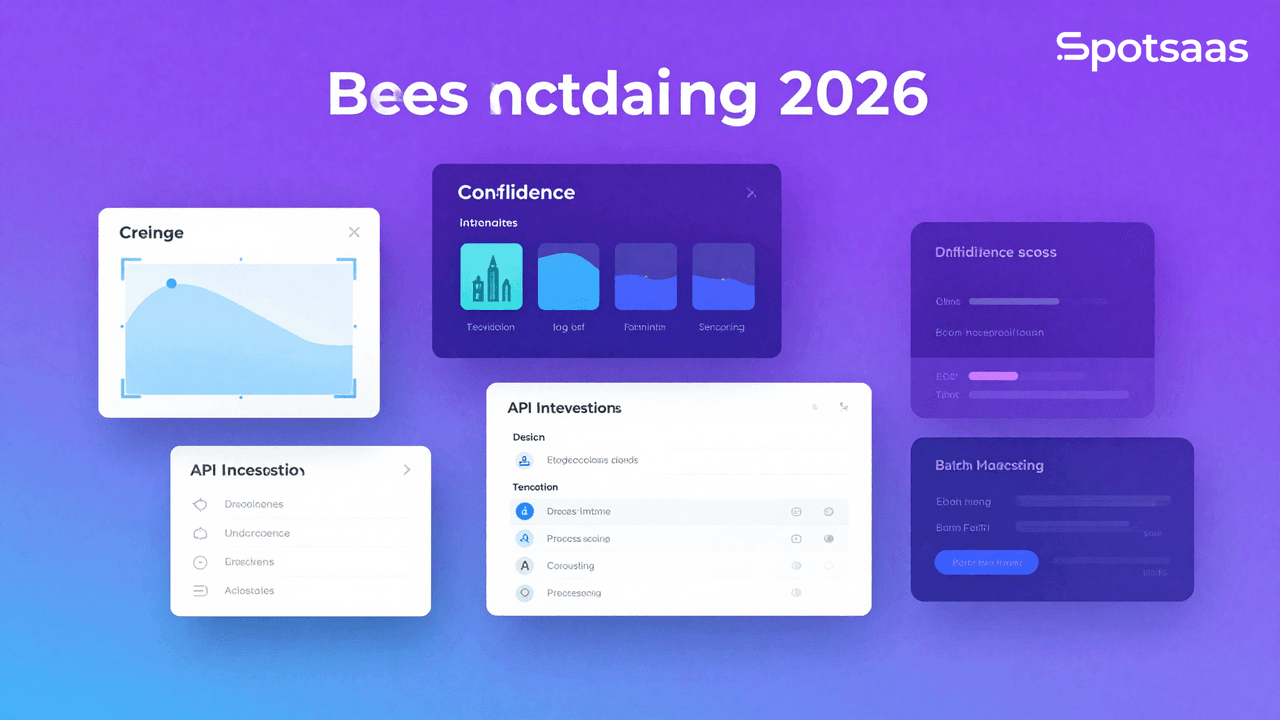
What Is Image Recognition Software and How Is It Used ?
Image recognition software uses artificial intelligence and machine learning to analyze and identify what’s inside an image — objects, people, scenes, and other visual elements — so systems can act on that information automatically.
E-commerce, healthcare, security, and automotive are the industries that rely on it most, using it for facial recognition, product tagging, and reading and analyzing medical scans across their day-to-day operations.
The main draw is that it automates work that used to require someone looking at each image by hand: processes run faster, results come out more accurate, and decisions get made with better information behind them, all without adding extra headcount.
Why Use Image Recognition Software in 2026?
Tasks like tagging and categorizing images used to eat up hours of manual, time-consuming work. Automating them improves accuracy across a range of use cases, from facial recognition to full-scale security monitoring, while giving businesses deeper analytics and better use of the data they already collect.
Automating repetitive image-related tasks
Image recognition software handles tagging, sorting, and classifying objects with little to no manual input required from staff. That alone saves considerable time, which teams can redirect toward other strategic work instead of repetitive image sorting.
Improving accuracy with AI-powered recognition
AI-driven tools help people interpret objects, faces, and patterns more reliably than manual review alone can manage. That means fewer errors creep into decisions, more exactitude in doing the work, and results that stay consistent from one review to the next.
Enhancing security through facial recognition and surveillance
Facial recognition paired with surveillance strengthens security measures by identifying individuals and observing their activity in real time, so organizations can respond to potential threats as they happen rather than piecing things together after the fact.
Supporting business growth with smarter features
Business growth often comes from implementing improvements that make sales easier, such as adding visual search paired with personalized product recommendations for shoppers.
Understanding customer preferences through image data also helps businesses engage different segments more effectively. That willing exchange between insight and personalization generates revenue for most businesses in the long run.
Enabling advanced analytics for better decision-making
Visual data holds insights into customer behavioral patterns, process efficiency, and market trends analysis that other data sources tend to miss. Applying advanced analytics to that data helps businesses qualify themselves for better-informed decisions and build more potent strategies going forward.
What Are the Key Features of Image Recognition Software?
The core features to look for are object detection, facial recognition, and real-time processing, each built to identify visual data quickly and precisely.
Detecting and locating objects with AI precision
AI models can identify and precisely locate objects in images, whether that’s vehicles, logos, animals, or defects on any given product. This makes fully automated, self-managed quality evaluations possible in manufacturing without a person inspecting every item by hand.
Object detection also powers surveillance applications and helps with visual search on e-commerce platforms. Automating that discovery process increases efficiency, cuts error rates, and raises total productivity across the business.
Recognizing faces for security and personalization
Facial recognition verifies and confirms a person’s identity using their unique facial characteristics. It matters most at the application level in high-security settings like restricted-access areas, and in customer-facing scenarios where personalizing the buying experience depends on recognizing who’s in front of the camera.
For instance, hospitality and banking use facial recognition for fully touchless identification.
Classifying images into categories automatically
Machine-learning algorithms organize and group images into specific categories such as landscapes, products, and medical scans. In healthcare, this has become especially useful for organizing and categorizing spinal X-rays or MRIs by type.
The same classification approach also simplifies efficient media management, helping content providers manage large visual asset libraries and retrieve what they need faster than manual sorting ever allowed.
Integrating seamlessly with other business systems
Image recognition works best when its systems and processes are merged with the tools already in place, including CRM, ERP, and data analytics platforms across the business.
For example, integrating image recognition into inventory management gives real-time visibility into stock levels.
Marketing teams benefit too, syncing visual data when they merge it with customer relationship management tools built for personalizing campaigns.
Processing images in real time for instant results
Real-time, instant analysis of images and video streams makes applications like live surveillance, fraud detection, and augmented reality experiences possible in ways manual review never could.
That speed means a faster reaction is taken toward intrusions triggered by suspicious activity, and a smoother, more immersive AR gameplay experience for users. This ability is also helpful in demand-response centers where quick insight is paramount.
Extracting text with optical character recognition (OCR)
OCR extracts and digitizes text from printed documents, images, scanned files, or any other static medium, removing the need for manual data entry from those documents. Logistics operations frequently use it to quickly interpret shipping labels and invoices.
OCR also supports digital transformation in legal and finance by ensuring exact text extraction, which accelerates the pace of inferences that decisions depend on.
What Are the Benefits of Image Recognition Software?
The main benefits are efficiency in operations from automating tasks, reduced costs through higher accuracy, and scalability that can be handled by small to large businesses alike, enabling capable management of a growing image dataset.
Streamlining operations by automating image management
Automating image tagging and sorting is the most straightforward difference this software makes, letting tasks be carried out faster with little human intervention required.
That frees employees to invest their time and expertise into other higher-level activities, which enhances efficiency in the e-commerce, manufacturing, and healthcare industries, tightens deadlines, and improves a business’s overall productivity.
Enhancing customer experience with personalization
User experiences get enriched through personalized product recommendations, visual searches, and other tailored marketing features built around the shopper. Someone might take a quick photo to find the perfect match for an item, which delivers very high satisfaction and conversion rates.
Another way businesses get enriched customer insights is through image analysis, which helps them follow trends and better meet customer needs over time.
Improving security for high-risk environments
Advanced facial recognition technology strengthens surveillance systems and access control wherever it’s deployed, controlling security by identifying individuals who should be within a given area and highlighting unauthorized access in real time.
Think of its effectiveness for financial institutions, airports, and other highly secure areas today, where these advanced detection mechanisms provide a well-informed response to preliminary threats before they escalate.
Scaling to handle growing image datasets
As an image library grows large and expands rapidly, the software adds value only if it can efficiently adapt to that future growth without limiting performance along the way.
By handling various databases, these scalable systems support thousands of e-commerce product images or the most recent forms of surveillance video for real-time management, adapting easily to dynamic workloads and providing constant performance even during peak demand.
Saving costs with automation and efficiency
At the same time, automation significantly reduces the need for manual image work, and the error rate goes down along with it.
Automating these articulated tasks and relying on efficient AI generates substantial savings, since deploying the software reduces the need for a large team of specialized staff. In the end, it comes down to well-calculated resource allocation.
Gaining actionable insights from visual data
Analyzing visual data helps businesses explore trends and patterns, surfacing valuable insights that go on to drive strategic decisions across the organization.
For instance, retailers use image recognition to track in-store customer behavior, using those insights to optimize layout and product placement for better sales outcomes.
Thus, those same visual data insights can also be used to predict future planning based on the results derived during analysis.
What Types of Image Recognition Software Tools Are Available?
Image recognition tools can be distinguished into four broad categories: cloud-based, on-premises, open source, and industry-specific. While adaptable cloud systems offer more flexibility and are not binding, data sensitivity often requires on-premises tools instead.
Cloud-based solutions for accessibility and collaboration
Cloud solutions are available anytime, anywhere, and all innovations can be brought about before integration with other cloud services. They contribute to good distributed team relationships and even allow rapid deployment without the high additional cost that capital infrastructure investments usually require, since vendors provide consistent upgrades and maintenance.
On-premise software for high-security needs
On-premise installations apply locally, keeping the most sensitive image data under local control, which suits environments that aim for rigorous security, such as health and defense industries.
Setting one up takes more customization effort and typically means significant upfront costs and dedicated IT support. It’s the right fit for organizations dealing with low internet coverage or strict compliance mandates.
Open-source tools for customization and cost savings
Open-source image recognition tools are cost-effective and support extensive customization, oriented toward technically developed organizations capable of specific programming work, such as building custom algorithms or connecting the software to proprietary systems already in use.
The tradeoff is that most require a team dedicated to updates and maintenance, even though the software itself is cost-effective.
Industry-specific software for specialized applications
Industry-specific software is built for a single purpose: detecting disease early through medical imaging, labeling retail products for inventory management, or spotting traffic hazards through automotive safety devices.
These solutions address the specific needs of their industry with tailored functions, trading broad applicability for highly skilled performance in a distinct, narrow field.
Hybrid solutions for flexibility and control
When combining these two environments, the potential is almost limitless: flexibility from the cloud can be harmonized with the control exerted by on-premise software to build hybrid software best suited to teams that need to cooperate across the globe.
Businesses can adopt whichever deployment strategy suits their workload or compliance requirements, without being locked into one model.
How Can You Choose the Best Image Recognition Software?
Selecting the right image recognition software comes down to automating visual data analysis, improving accuracy, and streamlining processes across industries. Here’s a framework to help guide that decision.
How Should You Define Your Image Recognition Software Goals?
Setting clear objectives upfront makes sure the software aligns with your business needs and maximizes its value.
Automating Visual Analysis for Faster Processing
Automatic detection of objects, faces, and image patterns cuts down manual effort. That means faster data processing, better accuracy, and more efficiency in tasks ranging from quality checks in manufacturing to fraud detection in banking.
Improving Decision-Making Through Visual Insights
Extracting actionable insights from visual data helps businesses make more informed decisions. Retail companies can analyze customer behavior, for instance, while healthcare providers can use image data for faster diagnosis.
Enhancing Security with Facial and Anomaly Detection
Facial recognition and anomaly detection bolster surveillance systems, giving businesses a way to monitor premises, control access, and catch unauthorized activity in real time.
Streamlining Workflows for Operational Efficiency
Working image recognition into daily operations removes repetitive manual tasks such as document scanning or visual inspections, freeing employee time for higher-value activities that boost overall productivity.
Supporting Scalability for Growing Data Needs
As businesses expand, software has to handle larger datasets and adapt to new technologies. Scalability is what keeps the tool effective as data volumes and operational needs grow.
What Are the Main Types of Image Recognition Software?
Different software models cater to different business needs, so understanding these options helps you land on the most suitable solution.
Cloud-Based Image Recognition for Flexible Access
Cloud solutions let users process and analyze images remotely, making them accessible anywhere. They suit businesses seeking flexibility, quick deployment, and minimal IT infrastructure.
On-Premise Image Recognition for Maximum Data Control
On-premise solutions give complete control over data, which suits industries like healthcare, finance, and defense, where data privacy and security come first.
Open-Source Image Recognition for Customization
Open-source software offers customizability and flexibility, letting businesses modify the tool to meet specific requirements. It’s cost-effective, though it may require technical expertise to deploy and maintain.
AI-Powered Image Recognition for Continuous Learning
AI-driven tools continuously learn and adapt, improving their capabilities over time. They can handle complex tasks like predictive analytics, advanced object detection, and anomaly recognition.
Hybrid Image Recognition for Balanced Security and Flexibility
Hybrid solutions combine cloud and on-premise functionality, offering flexibility for remote access alongside control for sensitive data. They suit businesses that need to balance security and accessibility.
How Can You Understand and Define Your Data Requirements?
Understanding your data requirements makes sure the software integrates well with existing systems and meets operational needs.
IoT and Camera Systems for Real-Time Data Capture
Integration with IoT devices and cameras enables real-time data collection and analysis, which is critical for traffic management, security surveillance, and industrial automation.
Database Connectivity for Historical Image Analysis
The software should integrate with existing databases so historical image data can be stored, retrieved, and processed efficiently, keeping things consistent across business functions.
API Support for Seamless System Integration
APIs allow integration with third-party platforms such as CRMs, analytics tools, and ERP systems, keeping workflows streamlined and data management centralized.
Cloud and Storage Solutions for Scalable Image Management
Cloud or hybrid storage solutions let the software handle large amounts of image data while providing scalable options as the business grows.
How Should You Evaluate the Key Features of Image Recognition Software?
Core Features
Object Detection for Accurate Identification
This feature enables precise object identification in images, useful for applications such as inventory management, autonomous vehicles, and medical imaging.
Facial Recognition for Secure Authentication
Facial recognition provides advanced identification capabilities, making it useful for security, customer authentication, and personalized experiences in retail and hospitality.
Image Classification for Easy Organization
Image classification automates the sorting and categorization of images based on predefined criteria, streamlining workflows in industries such as e-commerce, logistics, and healthcare.
Multi-Format Support for Broad Compatibility
Support for diverse image and video formats keeps the software compatible across various devices, making it easier to work across platforms.
Real-Time Processing for Instant Response
Real-time processing enables immediate responses, essential for time-sensitive applications like fraud detection, surveillance, and interactive customer experiences.
Advanced Features
Predictive Analytics for Proactive Insights
AI-driven predictive analytics offers insight into trends and potential outcomes, helping businesses take proactive measures in operations, marketing, and risk management.
Anomaly Detection for Quality Control
This feature identifies irregular images, helping industries like manufacturing spot defects and maintain quality control.
Augmented Reality Integration for Interactive Experiences
AR integration boosts user engagement by overlaying digital content on real-world images, adding an interactive layer to experiences in retail, education, and entertainment.
Batch Processing for High-Volume Image Tasks
Processing multiple images at once saves time and increases efficiency for large-scale applications such as content moderation or cataloging.
How Should You Assess Reporting and Insights Capabilities?
Performance Metrics for Accuracy Tracking
Metrics like processing speed, accuracy rates, and error detection give valuable feedback on how well the software performs, supporting continuous improvement.
Trend Analysis for Strategic Planning
Trend analysis identifies patterns in visual data, such as customer preferences or recurring issues, helping businesses refine strategies and optimize operations.
Interactive Dashboards for Visual Data Insights
Interactive dashboards display key metrics in an easy-to-understand visual format, such as object detection accuracy and data processing trends.
Exportable Reports for Collaboration and Compliance
Exportable reports in formats like Excel, PDF, or CSV let businesses share insights with stakeholders, improving collaboration and compliance.
What Pricing Models and Cost Factors Should You Consider?
Subscription-Based Plans for Ongoing Updates
A subscription model offers predictable costs and regular updates, ideal for businesses seeking flexibility and continuous support.
Pay-Per-Use Pricing for Variable Workloads
Pay-per-use pricing suits businesses with fluctuating workloads, so they only pay for the resources they actually consume.
One-Time Licensing for Long-Term Ownership
A one-time purchase suits businesses with stable requirements, offering long-term use without recurring fees.
Custom Pricing for Complex Enterprise Needs
Custom plans are tailored for enterprises with complex needs, including advanced features, integrations, and dedicated support.
How Can You Check for Scalability in Image Recognition Software?
Data Volume Handling for Growing Demand
Make sure the software can process increasing amounts of image data without losing speed or accuracy.
Multi-User Support for Collaborative Teams
Support for multiple users with varying access levels makes it easier for departments to collaborate.
Integration Capabilities for Future Expansion
Scalable software should be able to integrate with emerging technologies and platforms so it stays relevant and effective over time.
How Should You Evaluate Support and Training Options?
Customer Support Availability for Fast Resolution
Round-the-clock support keeps issues from turning into extended downtime, protecting operational efficiency.
Training Resources for Effective Implementation
Detailed training materials, including video tutorials and step-by-step guides, help teams use the software effectively from the start.
What Are the Best Image Recognition Software Options and How Do They Compare?
Amazon Rekognition and Google Vision AI are two of the most widely used options, both offering strong facial analysis, OCR, and visual tagging. Comparing pricing, key features, and use cases against your own needs is the fastest way to choose the best fit.
| Tool | Pricing | Best For | Key Features | Notable Customers |
|---|---|---|---|---|
| Amazon Rekognition | Pay-as-you-go | General-purpose recognition | Facial analysis, object detection | Netflix, NASA |
| Google Vision AI | Custom Pricing | AI-powered applications | OCR, visual analysis, API integration | Snap, Twitter |
| IBM Watson Visual | Custom Pricing | Enterprise use | Customizable models, advanced analytics | Visa, Lufthansa |
| Clarifai | Starts at $30/month | Visual search and tagging | AI training, content moderation | OpenAI, Unilever |
| Microsoft Azure CV | Pay-as-you-go | Cloud-based AI tools | Real-time processing, multi-language OCR | Uber, Philips |
Final Verdict on Choosing the Right Image Recognition Software
Image recognition software has a real, measurable impact on productivity, security, and data-driven decision-making, whether it’s automating tasks, engaging customers, or analyzing visual data.
It’s a solid solution for staying competitive as the digital landscape evolves. Piloting and testing a few options against your specific needs is the best way to find one that streamlines operations and supports smarter workflows and a better customer experience.
Related Articles
AI Software
How AI-Powered ATS Tools Boost Diversity in Hiring — Real DEI Use Cases (2026)
Continue reading →

AI Software
5 Powerful AI Features Revolutionizing Hiring Workflows in 2026
Continue reading →

AI Software
Best AI Resume Screening Tools in 2026 to Hire Faster
Continue reading →
AI Software
AI Matching in ATS: What It Is, How It Works and Why It Matters for Hiring
Continue reading →