
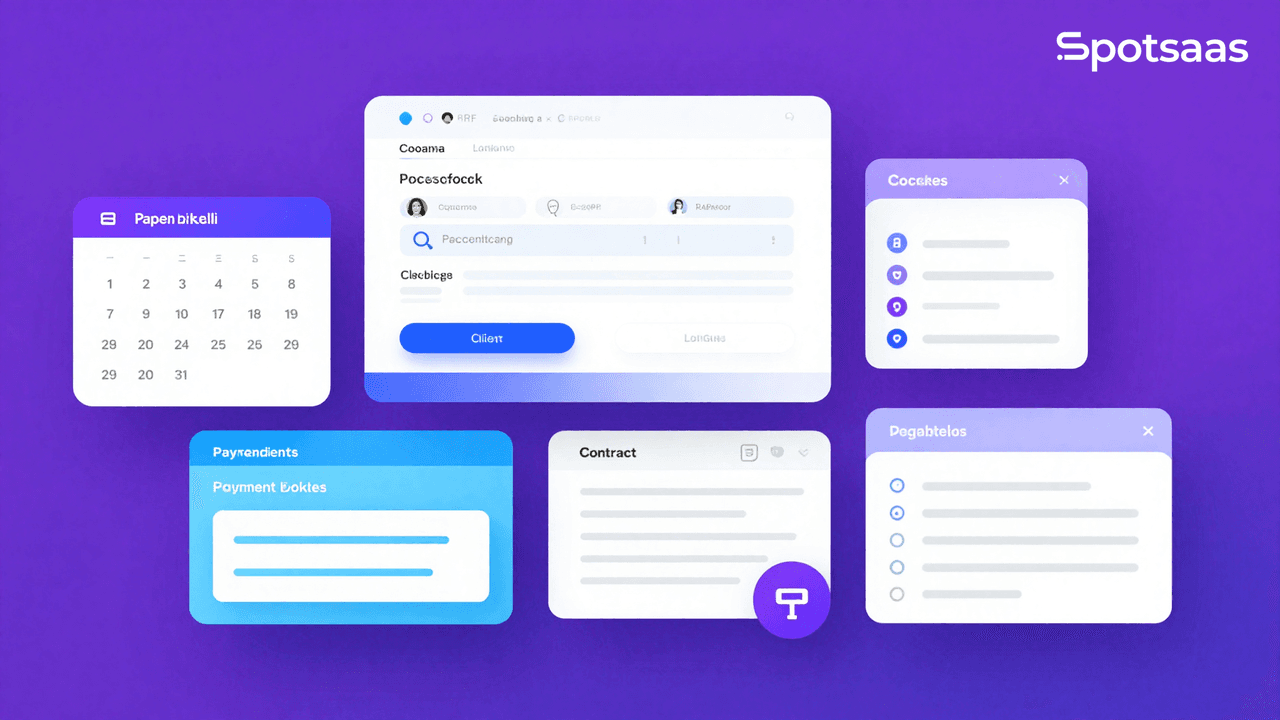
Running a coaching business means juggling a lot at once, including scheduling sessions, handling payments, organizing client information, and taking care of other administrative work. If you are a coach or service-based professional, Paperbell is an all-in-one platform built to handle these tasks in one place. Whether you are just starting out or refining an existing practice, it lets you manage everything from client bookings to payment processing without a stack of separate tools.
This article walks through the features that set Paperbell apart for coaches, its pricing plans, and how it compares with other popular coaching software alternatives. The goal is to give you enough detail to decide whether it is the right tool for your business.
🚨 Why This Blog Matters
Paperbell is an all-in-one coaching platform that handles administrative tasks for coaches and consultants, with scheduling, client management, payment processing, and contract handling. That lets you focus more on your clients and less on logistics.
🧠 What You’ll Learn Here
The blog covers Paperbell’s features, including customizable landing pages, Zoom integration, and digital product sales. It compares Paperbell with alternatives like CoachAccountable and Satori, and looks at its interface and client tracking.
🎯 Who Should Read This
This guide is for coaches, consultants, and service-based professionals who want to tidy up their business operations. Whether you are just starting out or scaling, it shows how Paperbell can support your coaching practice.
What is Paperbell?
Paperbell is a simple but capable coaching software that helps coaches and service-based professionals run their business operations from one place. It brings several essential tools together, letting coaches manage everything from scheduling sessions to accepting payments and building custom coaching packages. Whether you are starting out or scaling up your coaching business, it keeps your work organized so you can stay focused on what matters most, which is helping your clients reach their goals.
Paperbell is built for coaches, consultants, and therapists, so they spend less time on admin and more time with clients.
What Are the Key Features of Paperbell?
Paperbell is a business management tool made specifically for coaches and service-based professionals. It is packed with features that help organize your workflow, cut down administrative work, and keep the experience simple for both you and your clients. Below are the most essential features that make Paperbell stand out in the coaching industry.
1. Automated Scheduling
Managing your schedule is one of the most critical tasks for any coach, and Paperbell makes it straightforward. The automated scheduling feature lets clients book sessions against your real-time availability, which removes the back-and-forth emails or messages about finding the right time. It saves you valuable time and makes sure there are no double bookings or missed appointments.

- Customizable Availability: Set your working hours, holidays, and time zones so clients can only book sessions within those time slots.
- Time Zone Handling: If you work with international clients, Paperbell adjusts for time zone differences, so clients can book sessions at times that work for them.
- Automatic Reminders: Reduce no-shows by sending clients automated reminders before their scheduled sessions.
2. Payment Integration
Paperbell integrates with Stripe and PayPal, two of the most trusted and widely used payment processors. That makes accepting payments for your coaching services fast, straightforward, and secure, so you can get paid without extra manual work.

- One-Time and Recurring Payments: Accept payments for single sessions or set up recurring billing for long-term coaching packages or subscription services.
- Secure Payments: With Stripe and PayPal integrations, all transactions are secure and processed without hassle.
- Smooth Checkout: Clients can pay directly from their booking confirmation page.
3. Coaching Packages
Paperbell lets you create and sell custom coaching packages, which gives you the flexibility to offer different levels of service. Whether it is a one-time session or a full multi-week coaching package, you manage everything from pricing to session length in one spot, without spreadsheets or separate billing tools.

- Flexible Package Options: Set up individual coaching sessions, weekly/monthly packages, or long-term coaching programs.
- Sell Multiple Packages: Create and sell different packages for different client needs, so you can serve a wider audience.
- Discounts and Promotions: Offer discounts or promotions for package deals to attract more clients and increase revenue.
4. Client Management
Paperbell keeps everything in one place, including client data, session notes, and progress tracking. That makes managing your client relationships more efficient and lets you focus on what you do best, which is coaching.
- Client Information: Store client details such as contact information, session history, and preferences.
- Session Tracking: Keep track of each client’s progress by logging their past sessions, goals, and any action items for future sessions.
- Progress Monitoring: Use Paperbell’s dashboard to view both ongoing and completed sessions, so you can always follow up effectively and on time.
5. Zoom Integration
With Zoom integration, Paperbell lets you run virtual coaching sessions without juggling separate apps or sending meeting links by hand. It schedules sessions and generates Zoom links for your online meetings automatically, which saves you time and cuts out a common source of last-minute confusion.
- Integrated Scheduling: Clients can book and then attend your Zoom sessions directly from the Paperbell platform, with no separate setup on their end.
- Easy Access: Clients receive an email with a direct Zoom link for their scheduled session, which makes it easy for them to join without needing any additional steps.
- No Third-Party Apps Needed: All your coaching sessions run through Paperbell, so you never have to leave the platform to set up a Zoom call.
What Is the Pricing Structure for Paperbell?
Paperbell’s pricing offers flexible options for different users. Whether you are just starting or running a growing coaching business, there is a plan for you:
Monthly Plan
- Price: $57/month
- Ideal for: Coaches who want flexibility without a long-term commitment.
Annual Plan
- Price: $570/year (equivalent to $47.50/month)
- Benefit: Save $114 annually compared to the monthly plan.
- Bonus: Includes 2 months free.
Paperbell also offers a free trial so you can test the platform and see how it fits your needs before you pay. There are no setup fees and no hidden charges, so you can scale your coaching business on your own terms and at your own pace.
Benefits of Using Paperbell
Paperbell offers several advantages for coaches and service-based professionals. From saving time to helping grow your revenue, here is how Paperbell can support your coaching business:
Time-Saving Automation
Paperbell automates scheduling and payments, so you spend less time on administrative tasks and more time coaching. With automated reminders and self-serve client booking, managing your schedule takes far less effort than handling every request by email.
Effortless Client Management
Manage all client information and progress in one place. Paperbell’s dashboard lets you track sessions, store client data, and keep everything organized, so you do not have to worry about missed appointments or lost files scattered across different apps.
Revenue Growth
With coaching packages and automated payments, Paperbell helps you grow your revenue. Offering multiple pricing tiers and long-term programs makes it easier to scale your business, raise the average value of each client, and bring in more clients over time.
Easy to Use
No technical skills are required. Paperbell’s simple interface means you can start using it right away, whether you are tech-savvy or a complete beginner. The user-friendly design keeps the focus on coaching your clients rather than on figuring out complicated software.
Professional Appearance
Customize Paperbell’s branding to match your personal or business style. Clients experience a polished, professional platform that reflects your brand, which builds trust and improves your business image every time they book or pay.
What Are the Top Alternatives to Paperbell in 2026?
| Alternative | Overview | Key Features |
|---|---|---|
| Calendly | Best for simple scheduling but lacks client management and payment features. | Simple scheduling, automated reminders, integrates with calendar apps. |
| CoachAccountable | Great for coaches who need detailed tracking and reporting, but might be overwhelming for new users. | Tracking and reporting tools, client accountability, goal setting. |
| Acuity Scheduling | Focuses on scheduling and payments, but lacks the full range of coaching features like custom packages and client management. | Online booking, client management, payment processing, customizable scheduling. |
| HoneyBook | A broader solution for small businesses with a focus on project management, but may not be tailored specifically for coaches. | Client management, invoicing, contracts, and workflow automation for service-based businesses. |
How to Get Started with Paperbell: A Step-by-Step Guide
Getting started with Paperbell is straightforward and user-friendly. Whether you are a beginner or already experienced in coaching, the platform walks you through the setup process step by step. Here is a detailed guide to help you get up and running quickly:

1. Sign Up
The first step is to create an account. Head over to the Paperbell website and sign up for a free account. The sign-up process is quick and simple, with no complicated forms to fill out. Once your account is created, you will be ready to start setting up your coaching business.
- Easy Sign-Up Process: Enter your email address and create a password to get started.
- Free Trial: Paperbell offers a free trial so you can explore the platform and its features before committing to a paid plan.
2. Set Up Your Coaching Packages
Next, you will set up your coaching packages. Paperbell makes it easy to create custom session packages that best fit your services. Whether you offer individual sessions, monthly subscriptions, or long-term coaching programs, you can tailor your offerings to meet your clients’ needs and match the way you like to work.
- Package Customization: Create one-time sessions or recurring packages with your own pricing, session duration, and discounts for bulk bookings.
- Set Package Details: Add a description, pricing, and any other details to make your offerings clear for clients.
3. Integrate Payments
Once your packages are set up, it is time to connect your payment system. Paperbell integrates with popular payment gateways like Stripe and PayPal, so you can accept payments securely and efficiently from clients around the world.
- Stripe/PayPal Integration: Connect your Stripe or PayPal account to start receiving payments for your coaching sessions.
- Secure Payment Processing: Paperbell keeps transactions safe, with automatic invoicing for your clients.
4. Start Scheduling
With your coaching packages and payment systems in place, you can now set your availability and let clients book sessions on their own. Paperbell’s automated scheduling feature saves you time by removing the need for manual back-and-forth over email or chat.
- Set Your Availability: Define your working hours, set your session lengths, and let Paperbell handle the rest of the scheduling for you.
- Client Bookings: Clients can now schedule their own sessions based on your availability, which keeps the whole booking process simple and hassle-free.
5. Get Coaching
Once you have set up everything, you are ready to start coaching. Paperbell’s dashboard gives you a single, centralized view of your sessions, client progress, payments, and more, all in one place. You can manage everything from scheduling to payments and client communication without switching between tools.
- Session Management: Track your upcoming sessions, view each client’s history, and add session notes with ease.
- Virtual Sessions: Use the built-in Zoom integration to schedule and manage your virtual sessions directly from the platform.
- Client Communication: Communicate with clients, send them reminders, and manage any last-minute changes without extra tools.
Best Practices for Using Paperbell
To get the most out of Paperbell, follow these best practices. These tips will help your coaching business run more smoothly, improve client satisfaction, and make your day-to-day workflow more efficient.
1. Automate Your Scheduling
One of the biggest time-savers Paperbell offers is automated scheduling. By letting Paperbell handle this task, you free up valuable time that can be spent on coaching rather than on administrative work.
📅 Automate Your Scheduling
Save time by letting Paperbell handle your scheduling. Clients can book sessions based on your availability, and the platform takes care of the communication.
🔔 Automatic Reminders
Never miss a session. Paperbell sends automatic reminders to clients, reducing no-shows and cancellations.
⏰ Buffer Time
Add buffer time between sessions so you have enough time for preparation or rest without overlapping appointments.
- Let Clients Book Sessions: Set your availability in advance and let clients book their own sessions. Paperbell handles the back-and-forth communication.
- Automatic Reminders: It sends reminders to your clients before scheduled sessions, reducing no-shows and last-minute cancellations.
- Buffer Time: Add buffer time between sessions so you have enough time for preparation or rest without overlapping appointments.
By automating scheduling, you cut down your own workload and make the booking process easier and less stressful for clients.
2. Create Attractive Packages
One of the best ways to increase revenue is to offer well-structured coaching packages. With Paperbell, creating and selling packages is easy.
🎁 Offer Discounted Packages
Create coaching bundles or multi-session packages at a discounted price. This encourages clients to commit to more sessions upfront, which raises your revenue while giving them value.
🔧 Tailor Packages to Client Needs
Customize packages to suit various client goals, whether it is a single session, a monthly plan, or a year-long program. Flexible options increase client satisfaction.
⏳ Limited-Time Offers
Run seasonal promotions or special offers to attract new clients and create urgency. Example: “Buy three sessions, get one free,” a good way to drive sales and keep clients coming back.
- Offer Discounted Packages: Create coaching bundles or multi-session packages at a discounted price. This encourages clients to commit to more sessions upfront, increasing their investment in your services.
- Tailor Packages to Client Needs: Customize packages to fit different client goals, whether it is a single session, a monthly package, or a year-long program. Flexible packages give clients more options and improve their chances of finding what works for them.
- Limited-Time Offers: Run seasonal or special promotions for new clients to create urgency and drive more sales, such as a “buy three sessions, get one free” offer.
Offering well-thought-out packages helps you attract and retain clients while raising your earnings.
3. Integrate with Zoom for Virtual Sessions
These days, many coaches work with clients remotely. Paperbell’s Zoom integration makes virtual sessions easy to set up and manage directly from the platform, without any extra software to install or configure.
🔗 Automatic Zoom Scheduling
When clients book a session, Paperbell automatically generates a Zoom link and sends it to both you and the client. This removes the need to create separate meeting links.
⚡ Smooth Session Transitions
Run your sessions directly through Zoom without switching apps. After each session, Paperbell updates your records automatically, so tracking client progress stays easy.
🌍 Global Coaching
With Zoom integration, you can work with clients anywhere in the world, expanding your reach without the limits of location.
- Automatic Zoom Scheduling: When clients book a session, Paperbell automatically generates a Zoom link and sends it to both you and the client. This saves you from creating meeting links by hand.
- Smooth Session Transitions: Run your sessions directly through Zoom without switching between apps. After a session, Paperbell updates your records automatically, so tracking coaching progress stays easy.
- Global Coaching: With Zoom integration, you can work with clients anywhere in the world, expanding your reach and growing your coaching business.
Integrating with Zoom keeps your virtual coaching sessions running smoothly and without technical friction, so you can focus your attention entirely on the session itself.
4. Track Client Progress
As a coach, tracking your client’s progress is central to effective coaching and to ensuring steady, continuous improvement. Paperbell’s client management tools let you monitor each client’s progress without the need for extra software or separate note-taking apps.
- Session Notes and Follow-Ups: After every session, take detailed notes within Paperbell. This makes it easy to reference past sessions, track client goals, and review what was discussed.
- Progress Tracking: Set milestones for each client, track their growth over time, and adjust your coaching approach as needed. Record achievements, challenges, and next steps to keep clients on track.
- Custom Client Tags: Organize clients by their needs, goals, or package types using client tags. This helps you stay organized and access specific information about any client.
By tracking client progress within Paperbell, you keep an organized workflow and run a personalized, data-driven coaching experience that leads to better outcomes for your clients.
Final Thoughts: Is Paperbell Worth It?
Paperbell is a tool built to run your coaching business, covering everything from scheduling and payments to client management and communication. By automating administrative work, offering flexible pricing options, and integrating with platforms like Zoom, it lets you focus on what truly matters, which is giving real value to your clients.
With its user-friendly interface and useful features, Paperbell is a solid option for coaches who want to grow their business, save time, and maintain a professional image with clients. Whether you are just starting out or scaling an established coaching practice, it can help take your business to the next level.
Frequently Asked Questions
What features does Paperbell offer for coaches?
Paperbell offers scheduling, client management, payment integration, and coaching packages.
Can Paperbell integrate with other tools?
Yes, Paperbell integrates with Zoom, Stripe, and PayPal.
How much does Paperbell cost?
Paperbell offers both free and paid plans, starting at $12/month.
Can Paperbell handle group coaching?
Yes, Paperbell supports group coaching sessions and multiple clients.
How can I cancel my Paperbell subscription?
You can cancel your Paperbell subscription from the account settings.
Compare alternatives to the tools in this post

- Independent picks for exactly what you just read about
- Matched to your team size & needs
- Vendors don't pay for placement
Step 1 of 4
How big is your team?
We tailor recommendations to companies your size.















Related Articles
Applicant Tracking Software
monday.com for HR and Recruiting (2026): Hiring Pipelines, Onboarding and When You Need an ATS
Continue reading →
Project Management
monday.com for Remote Teams (2026): Async Updates, Dashboards and Slack, Zoom and Teams Setup
Continue reading →
Project Management
monday.com for Nonprofits (2026): Programs, Grants, Volunteers and Donor Tracking
Continue reading →
Project Management
monday.com for Construction (2026): What It Covers and Where Procore or Buildertrend Fit Better
Continue reading →