

Want to use AI directly on your Mac without opening a browser tab? MacGPT AI is a chatbot for macOS that lives in your menu bar. This post explains how the app works and how it can make everyday computer tasks simpler and more efficient.
Key Takeaways
- MacGPT AI is a chatbot tool built for macOS users, letting them talk to conversational AI straight from the menu bar.
- The app supports both GPT-4 Turbo and GPT-3 Turbo models, which improve text generation and give users access to advanced features worldwide.
- With one-click copying from the conversation window and flexible pricing, MacGPT brings AI into daily work on the Monterey, Ventura, and Sonoma operating systems.
- Users can talk to the app through voice in ‘Conversation Mode’, speaking directly to ChatGPT Plus using speech recognition technology.
- To get started, download the app from the official website, register an account with your email, confirm it by email, and link your OpenAI API key for full feature access.
Overview of MacGPT AI
MacGPT AI lets macOS users talk to an AI-powered chatbot straight from their menu bar. The application uses natural language processing to turn everyday computing into a back-and-forth conversation with AI, rather than a series of typed commands.
The recent upgrade to version 3.16 added support for both GPT-4 Turbo and GPT-3 Turbo models, which improves text generation. On the GPT-4 Turbo model, the app handles up to 128,000 tokens of input and up to 4,000 tokens of output per exchange, so it can work with long documents and detailed prompts.
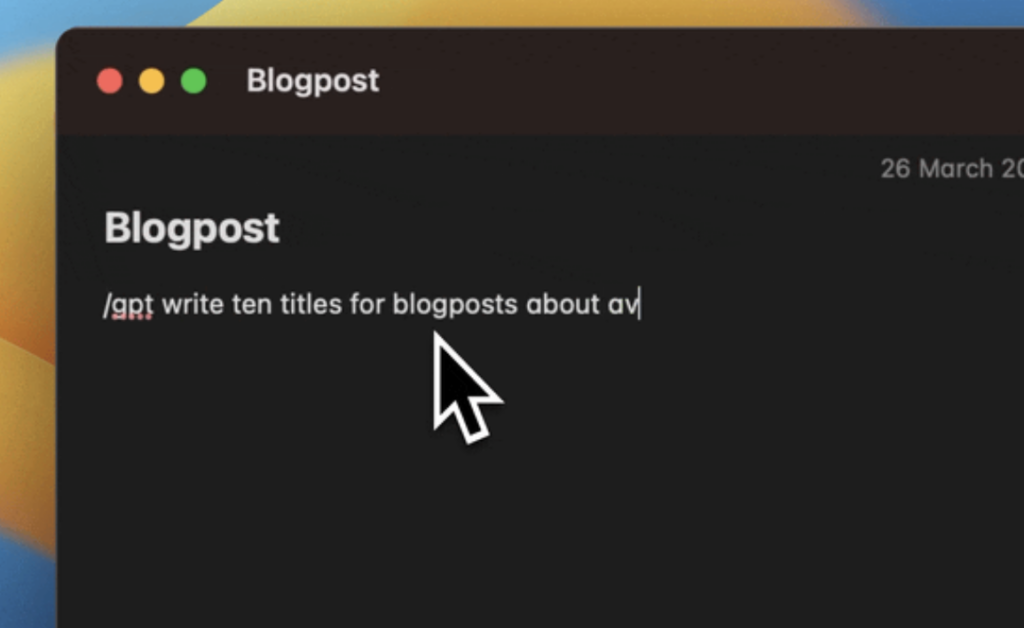
MacGPT is more than a conversation starter; it is a straightforward way into day-to-day digital interaction. You log in with your OpenAI credentials, then start a conversation by clicking the icon in your menu bar. Because the icon stays there while you work in other apps, you can ask a question and get an answer without leaving what you were doing.
At €19, MacGPT is priced well for what it offers. It holds an average rating of 4.7 out of 5 stars across more than two thousand reviews, which reflects steady popularity among users on the macOS Monterey and Ventura platforms.
Check more Understanding ChatBot AI Software: A Revolutionary Chatbot Technology
Features of MacGPT
MacGPT AI includes several core features: global access, easy copying, and conversation mode. Together they let users bring conversational AI into their daily work and get more out of the app.
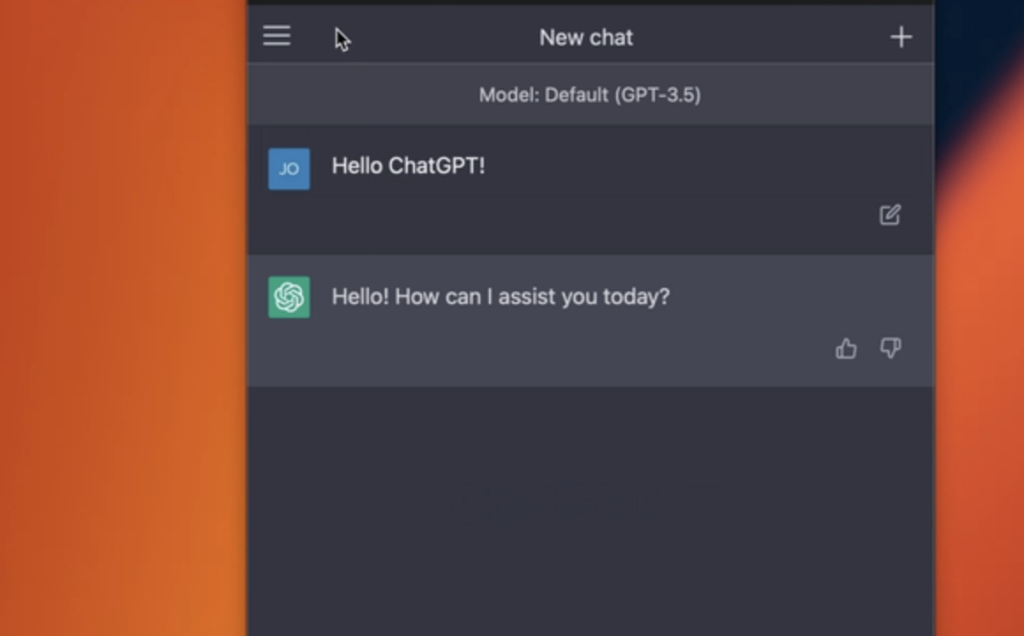
Global Access
MacGPT is available worldwide. This desktop application adds AI to your macOS setup directly from the menu bar, and it works the same wherever you are.
Users anywhere can use the chatbot without extra setup, whether they are working from a café or an airport lounge.
This native macOS app runs on recent operating systems, including Monterey, Ventura, and Sonoma (versions 12.0 and up), so more people can reach its features.
Its plain interface makes the app easy to pick up, and it fits into daily work for users around the world without a learning curve. Since it sits in the menu bar rather than a separate window, AI-assisted productivity and creativity stay within reach the whole time you are on your Mac.
Easy Copying
MacGPT keeps your workflow simple with an interface that lets you copy text straight from the menu bar. ChatGPT stays one click away, so you can paste AI-generated content wherever you need it without extra steps.
Because copying is built in, you spend less time on process and more time moving your ideas from the chat window into your documents, emails, or notes. There is no need to switch windows or reformat text before you paste it where it belongs.
The chat feature also works with ChatGPT Plus. Whether you use free access or pay for premium features, MacGPT offers flexible pricing options to match how you work.
The result is a quicker interaction on repetitive tasks, so you can stay focused on the work that matters.
Next, here is how ‘Conversation Mode’ changes the way you interact with the app.
Conversation Mode
Turn on Conversation Mode to use voice with MacGPT. You can speak to ChatGPT instead of typing, using conversational AI for a hands-free exchange.
This mode also works with ChatGPT Plus, so you can reach premium features by logging in with your credentials.
Conversation Mode gives you a spoken way to work with MacGPT and use its features, which helps when your hands are busy or you prefer talking over typing. Spoken exchanges can also make longer sessions feel more natural, since you can ask follow-up questions out loud instead of retyping each one.
Here is how to get the most from this feature using voice commands and speech recognition.
Check more 8 Ways a Chatbot Software Can Help You Grow Business
Reimagining Home Interactions with AI
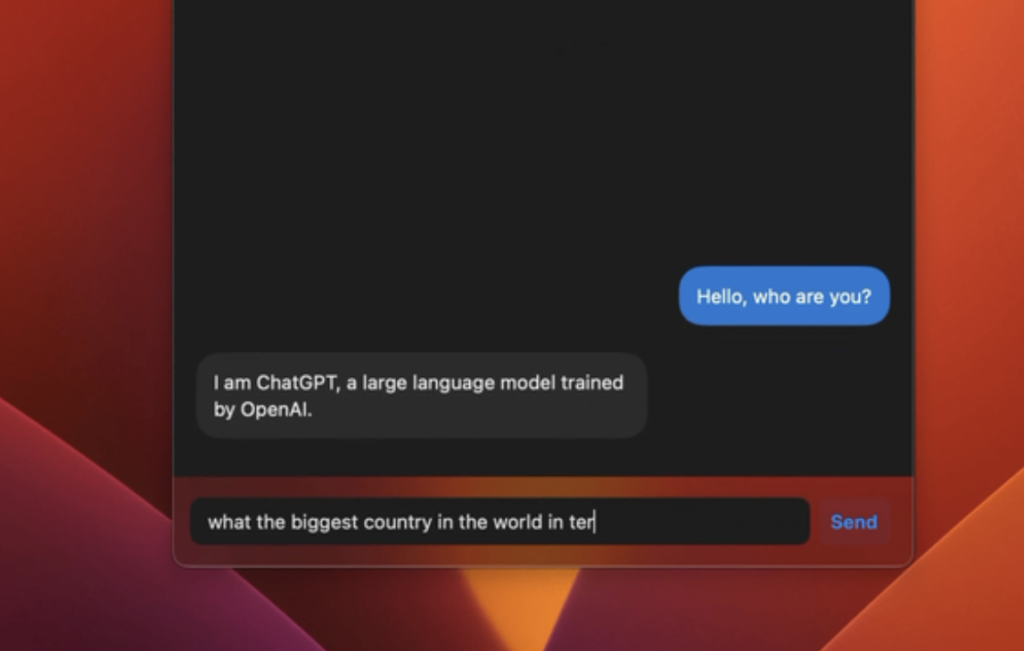
MacGPT changes how you use AI at home. Because it opens ChatGPT from the menu bar, you can bring AI into everyday household tasks without switching apps.
The latest update adds support for the new GPT-4 Turbo and GPT-3 Turbo models, which improves the quality of AI responses at home. MacGPT also runs on several macOS versions, so individuals and families can use it with global access from their own devices.
This approach to home automation lets users handle tasks and improve daily routines with the help of AI. Because the same menu bar access and model support apply at home, families can use MacGPT for everyday questions, drafting, and quick lookups on their own schedule.
Using MacGPT
To use MacGPT, download and register the application, then start your first session. The app gives Mac users AI tools for text-based conversations with a virtual assistant.
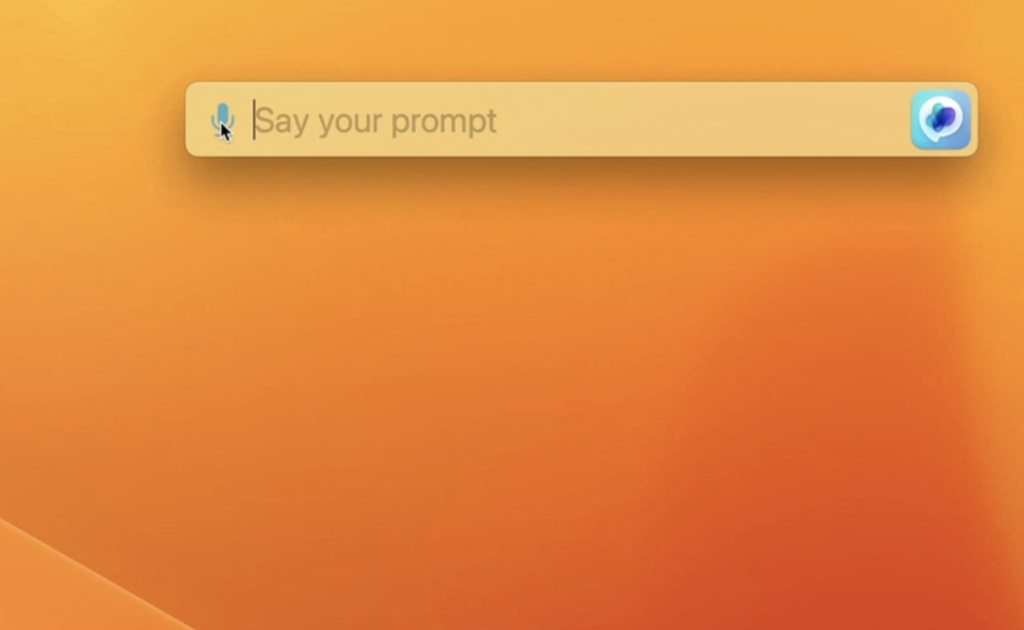
Downloading and Registration
To download and register MacGPT AI, follow these steps:
- Go to the official MacGPT website and click the “Download” button to get the installation file.
- Once the download finishes, open the file and follow the on-screen instructions to install the app.
- After installation, launch the app and select “Sign Up” to create an account with your email address and a secure password.
- Once you register, you will get a confirmation email with instructions to verify your account.
- Add your OpenAI API key to connect it with MacGPT and get full feature access.
Initial User Experience
When you open MacGPT for the first time, you get a clear interface that is easy to move around. The menu bar icon gives quick access to ChatGPT, so you can start a conversation right away.
Logging in with your OpenAI credentials starts a chat session immediately, which keeps those first interactions quick and simple.
In conversation mode, you get an interface that supports natural language processing and answers your questions promptly. With a 4.7 overall rating based on 2,774 ratings, MacGPT has earned positive feedback from over 300,000 users worldwide.
Conclusion
MacGPT AI brings natural language processing and conversational AI to your Mac in one simple application. It is easy to reach from the menu bar and offers a practical way to work with a virtual assistant.
If you want AI tools built for macOS, MacGPT is worth trying today. Between menu bar access, GPT-4 Turbo and GPT-3 Turbo support, one-click copying, and Conversation Mode, it covers the main ways most people want to use AI on a Mac.
(Image Source: MacGPT AI website)

- Independent picks for exactly what you just read about
- Matched to your team size & needs
- Vendors don't pay for placement
Step 1 of 4
How big is your team?
We tailor recommendations to companies your size.















Related Articles

AI Software
How AI-Powered ATS Tools Boost Diversity in Hiring — Real DEI Use Cases (2026)
Continue reading →
AI Software
5 Powerful AI Features Revolutionizing Hiring Workflows in 2026
Continue reading →
AI Software
How To Choose The Best Image Recognition Software For 2026
Continue reading →
AI Software
Best AI Resume Screening Tools in 2026 to Hire Faster
Continue reading →