
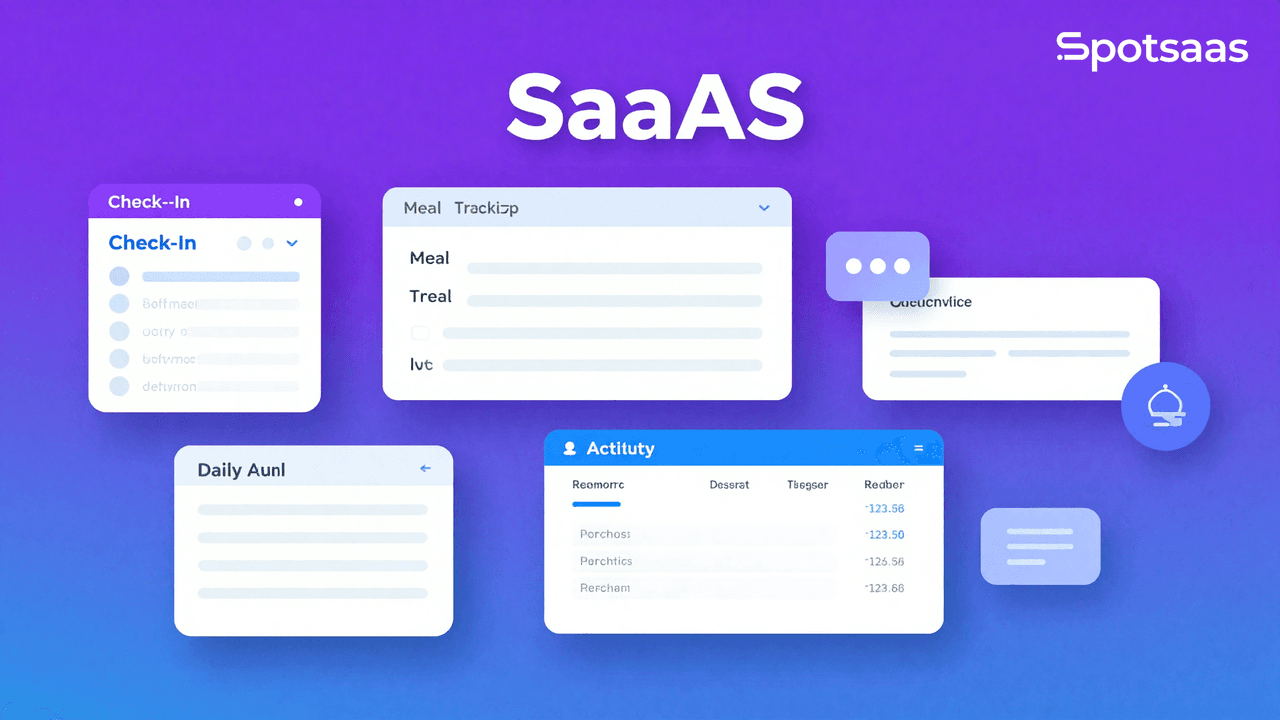
Running a daycare means more than caring for children. It also means managing schedules, logging meals, tracking attendance, handling billing, and keeping parents informed. This is where KidKare comes in, and why many daycare providers and parents rely on it.
Whether you run a home daycare or a small center, KidKare handles much of the daily admin work. It covers tasks such as automated record-keeping and real-time updates to parents, which can make day-to-day operations easier to manage.
What IS KidKare?
Managing a daycare means more than just watching over children , it’s about balancing paperwork, food programs, parent communication, and compliance. That’s where KidKare comes in.
KidKare is a smart, all-in-one daycare management solution that helps providers simplify their day-to-day. From automated billing and meal tracking to attendance logs and real-time parent updates, it’s designed to take the pressure off childcare providers so they can focus on what matters most , the kids.
Whether you’re a home daycare owner, a small childcare center, or even a CACFP participant trying to stay on top of food program records, KidKare adapts to your needs. It’s not just a tool , it’s a time-saver, a communication hub, and a record-keeping assistant rolled into one.
And the best part? You don’t need to be tech-savvy to use it. It’s built for real-world daycare providers, with features that actually make your job easier , not more complicated.

Why Parents Love KidKare: Real-Time Updates and Trust
As a parent, nothing matters more than knowing your child is safe, happy, and well cared for. KidKare helps make that possible by giving families real-time visibility into their child’s day without adding extra work for providers.
Real-Time Updates That Keep Parents Connected
KidKare makes daily communication smooth and stress-free. With just a few taps, providers can send updates, photos, and notes directly to parents.
Parents can easily see:
- What their child ate for breakfast or lunch
- When they napped or had snacks
- Highlights from the day’s activities
- Photos or moments worth remembering
These updates aren’t just helpful , they give parents peace of mind throughout the day.
Simple, Digital Billing and Payments
Gone are the days of chasing down paper invoices or writing checks at pickup. KidKare simplifies the billing process for both providers and families.
Parents can:
- View invoices and balances online
- Make payments digitally
- Set reminders or auto-pay for convenience
It’s secure, fast, and saves everyone time.
Building Confidence Through Transparency
When parents feel informed, they feel confident. KidKare strengthens the provider-parent relationship by keeping everything clear and accessible. No surprises, no confusion , just open communication.
And when trust is strong, it leads to better retention, fewer questions, and a daycare environment where families feel truly connected.

Why Providers Trust KidKare for Daycare Billing and Compliance
Running a daycare requires balancing direct care with compliance, paperwork, and parent communication. KidKare consolidates these responsibilities, freeing up time and reducing the administrative burden that often weighs on providers.
All-in-One Admin Without the Overload
Daycare providers manage multiple roles: bookkeeper, scheduler, communicator, and nutrition tracker. Handling these tasks separately—across spreadsheets, notebooks, and disconnected apps—creates inefficiency and missed details. KidKare brings all of these functions into one platform, eliminating the need to switch between tools.
The software includes attendance tracking, billing and payment processing, meal logging for CACFP compliance, and automated daily reports to parents. Rather than maintaining separate systems, providers access everything from a single dashboard.
With KidKare, providers can:- Automatically track daily attendance
- Generate invoices and receive payments
- Log meals and snacks for CACFP compliance
- Send daily reports to parents with ease
Designed for Real-World Providers
KidKare is built for daycare owners and educators, not IT specialists. Every feature prioritizes simplicity and clarity. Whether you manage a small family daycare or a larger center with multiple staff members, the software scales to fit your operation.
The platform works across devices—phone, tablet, and laptop—so you can update records from the classroom, kitchen, or anywhere else. Since it’s cloud-based, there’s no software to install or system updates to manage.
Even without extensive technical experience, you’ll navigate the interface quickly.
Save Time. Reduce Stress. Stay Organized.
Time is the scarcest resource for any provider. When KidKare automates routine tasks—data entry, sending reminders, and generating reports—you reclaim hours each week. This reduces administrative fatigue and lets you focus on childcare and family relationships.
Providers report feeling more in control of their records, more confident in compliance reporting, and better connected to families. The result is a daycare operation that runs more smoothly and efficiently.
Top Features That Make KidKare a Game-Changer in Daycare Tech
KidKare is built with real providers in mind. It doesn’t overload you with features you don’t need. Instead, it focuses on solving the everyday challenges that matter most, from payments and paperwork to communication and compliance. Here’s what makes it stand out.
Automated Billing and Invoicing
Handling billing manually is time-consuming and prone to small errors that snowball later. KidKare automates the process: providers can create invoices based on schedules, track payments, and send reminders without chasing paperwork. Parents receive bills digitally and can pay online, which speeds things up on their end and simplifies record-keeping on yours. Recurring billing also cuts down on missed payments, giving you steadier finances without having to bring up money in every conversation.

Digital Daily Reports
Parents want to know what their children did each day, but keeping them updated is hard when you’re busy running a daycare. KidKare lets you log naps, meals, activities, and milestones, then send them as a clean digital report to parents. This keeps communication consistent without extra effort on your part. It builds trust and keeps families connected to their child’s day even when they’re not there to see it themselves. For providers, it’s a simple way to add a professional, personal touch that sets them apart.

Meal Planning and CACFP Tracking
Providers participating in the Child and Adult Care Food Program (CACFP) follow strict guidelines. KidKare helps with built-in tools for planning menus, recording meal counts by age group, and generating reports that meet CACFP standards. The system flags mistakes early and keeps you ready in case records are reviewed. This cuts down on manual paperwork each week and supports faster, more accurate reimbursements.
Parent Messaging and Photo Sharing
Good communication is about more than logistics, it’s about connection. KidKare includes built-in messaging so you can send updates, reminders, or quick check-ins to parents directly from the app. You can also share photos so families can see their child learning, playing, or just going about the day. Everything stays secure and private within one platform, so there’s no need for separate apps or messaging channels.

Cloud-Based Access from Anywhere
KidKare is built to fit into your day wherever it happens. Since it’s cloud-based, there’s nothing to download or install. You can check it from your phone while supervising playtime, from a tablet while logging meals, or from your desktop when it’s time to run reports. Everything syncs in real time and is backed up securely, so you can stay organized no matter where you are or how your schedule shifts.
How KidKare Improves the Experience for Families and Parents
Having access to KidKare services and programs presents multiple benefits for families.
- It offers accounting features that simplify financial management tasks such as expense and income tracking. This helps families prepare for tax time.
- KidKare makes meal planning more manageable by providing meal planning assistance.
- The software enables parents to keep track of their child’s attendance at school or daycare. This ensures peace of mind about the child’s safety and routine.
- It assists in monitoring different income sources, including payments from parents, subsidy programs, grants, and Food Program reimbursements.
- By using KidKare’s sponsor software, Sponsor organizations, centres, and homes can ensure compliance and maximize CACFP reimbursements.
- Families with Florida KidCare insurance coverage can avail of a plethora of medical services, including well-child visits, vaccinations, hospital stays, dental care, vision services, and prescriptions at affordable rates.
How KidKare Simplifies CACFP Compliance for Providers
For many childcare providers, especially those running home daycares or small centers, participating in the Child and Adult Care Food Program (CACFP) is an essential part of staying financially stable. It helps cover the cost of providing nutritious meals and snacks for children, while also encouraging healthy food standards. But managing CACFP compliance on paper or through generic software often becomes a time-consuming chore.
That’s where KidKare steps in. It simplifies the entire process from daily logging to monthly reporting, so providers can stay focused on serving children while still meeting every requirement of the program.
Simplified Meal Entry and Menu Planning
With KidKare, entering meal information is quick and intuitive. Instead of scribbling notes or flipping through paper records, providers can log meals directly from their phone, tablet, or desktop. The system allows you to select from a list of pre-approved foods, match them to the right food groups, and assign them to specific age categories. It helps ensure that the meals you serve meet the nutrition and portion standards required by CACFP.
Planning menus ahead of time also becomes much easier. You can create weekly or monthly menus within the system, reuse templates from past meal plans, and quickly make adjustments without starting from scratch. This saves time and ensures consistency and accuracy across the board.

Real-Time Error Checks and Smart Flags
Even experienced providers can miss small details that affect claim accuracy. KidKare reduces that risk by reviewing data in real time as it’s entered. The system checks for missing meal components, incorrect serving sizes, and potential conflicts between meal times and attendance records.
If something looks off, it lets you know immediately. This helps catch and correct mistakes before they affect your reimbursement. Rather than spending hours double-checking everything at the end of the month, you can trust that your records are already clean and accurate.
Fast, Audit-Ready Reports
Preparing for monthly submissions or surprise audits no longer needs to be stressful. KidKare generates detailed reports based on the information you’ve entered throughout the month. These reports are formatted to align with CACFP guidelines. This makes them easier to submit to sponsors or regulatory agencies.
You can generate participation reports, meal count summaries, and attendance logs in just a few clicks. All of your data is stored securely in the cloud, which means you can access your records any time you need them. Whether you’re working with a sponsor or submitting directly, you’ll always be ready with everything in one place.
Designed for Reimbursement Success
KidKare isn’t just about compliance. It’s built to help you succeed within CACFP. By making the process easier to manage and reducing the risk of errors, it increases the chances that your claims will be accepted the first time. That translates into more reliable reimbursements and fewer delays.
The platform supports your work behind the scenes so you can spend less time filling out forms and more time engaging with the children in your care. Providers using KidKare often find that they can handle CACFP responsibilities faster and more confidently. This gives them room to grow and sustain their programs with ease.
Is KidKare Affordable? Pricing for Home Providers & Centers
When you’re running a daycare, every dollar counts. The right software should help you save time and reduce stress without breaking your budget , and that’s exactly what KidKare delivers.
KidKare offers pricing plans designed to fit the needs of both solo home providers and growing childcare centers. You won’t find hidden fees or complicated tiers. Everything is built with clarity and flexibility in mind.

Here’s a quick look at KidKare’s pricing structure:
- Solo Providers: Plans typically start $12 per month, making it one of the most affordable daycare software options available
- Childcare Centers: Tiered pricing is available depending on your size and staff needs
- Free Trial: You can explore all features with a no-risk free trial , no credit card required
- No Contracts: Everything is billed month-to-month, so you’re never locked into a long-term plan
Pricing shown is approximate; check vendor websites for current rates.
KidKare is especially popular among home daycare owners because it offers serious value without a high monthly cost. Whether you’re tracking CACFP meals, managing billing, or staying in touch with parents, the software pays for itself in time saved each week.
Compared to manual tracking or higher-priced systems, KidKare strikes a smart balance between affordability and powerful functionality.
KidKare vs Alternatives: Which Daycare App Wins in 2026?
Choosing the right daycare management software depends on what your program needs most , and what your budget allows. KidKare, Brightwheel, and HiMama are three of the most recognized tools in the space. Each brings something to the table, but not all platforms are built with home providers or CACFP participation in mind.
Here’s a quick comparison to help you evaluate your options.
table.daycare-comparison {
width: 100%;
border-collapse: collapse;
font-family: Arial, sans-serif;
}
table.daycare-comparison th, table.daycare-comparison td {
border: 1px solid #ddd;
padding: 12px;
text-align: center;
}
table.daycare-comparison thead {
background-color: #4A90E2;
}
table.daycare-comparison th {
background-color: #4A90E2;
color: #ffffff;
font-weight: bold;
}
table.daycare-comparison td:first-child {
text-align: left;
font-weight: bold;
background-color: #f9f9f9;
}
| Feature | KidKare | Brightwheel | HiMama | Procare |
|---|---|---|---|---|
| CACFP Tracking | ✅ Yes | ❌ No | ❌ No | ❌ No |
| Pricing for Small Providers | 👍 Affordable | 💸 Premium | 💸 Premium | 💸 Premium |
| Parent Communication | ✅ Built-in | ✅ Built-in | ✅ Built-in | ✅ Built-in |
| Mobile Access | ✅ Cloud + Mobile App | ✅ Mobile App | ✅ Mobile App | ✅ Mobile App |
How to Get Started with KidKare in Under 10 Minutes
Making the switch to a daycare management system doesn’t have to be overwhelming. In fact, getting started with KidKare is one of the easiest parts of running your business. It’s built to support providers from day one , even if you’ve never used software like this before.
Whether you’re a solo home provider or managing a growing team, the onboarding process is fast, straightforward, and backed by helpful support.

Step-by-Step Setup
1. Visit KidKare.com
Head over to the KidKare website. Right on the homepage, you’ll see a clear option to start your free trial. No hidden steps or technical forms , just a quick click to get moving.
2. Choose Your Provider Type
KidKare offers a tailored experience depending on your setup. You’ll be asked whether you’re a home daycare provider or running a childcare center. This ensures that the platform activates the tools and features most relevant to how you operate , whether that’s CACFP tracking, automated invoicing, or multi-staff access.
3. Create Your Account
Setting up your account only takes a few minutes. You’ll enter your name, email, and basic business information , no credit card required. The system then walks you through the next steps with simple prompts. If you can navigate a website, you can confidently set up your KidKare account.
4. Explore Your Dashboard
Once inside the platform, you’ll land on your main dashboard. This is your command center. From here, you can start logging attendance, creating invoices, setting up food programs, and messaging parents. Every section is labeled clearly and built with ease of use in mind.
Even if you’re new to digital systems, you’ll find KidKare’s layout intuitive. Many providers say they feel comfortable navigating it after just a short walk-through.
5. Use Built-In Training and Support
KidKare comes with an entire library of tutorials, guides, and help articles to support you as you learn the ropes. You’ll also have access to live customer support if you need help with setup, billing, CACFP features, or anything else.
Whether you prefer to read, watch, or ask , there’s help available on your terms.
Final Thoughts: Why KidKare Is Worth It
Running a daycare involves managing many moving parts at once, and having the right tools makes a real difference. KidKare reduces the burden of paperwork so staff can focus on the kids and families they serve.
If you’re looking for a solution that simplifies daily operations without adding cost or complexity, KidKare fits that need. It functions less like a standalone tool and more like a support system that helps providers save time, stay organized, and manage growth with confidence.
KidKare FAQs: Your Top Questions Answered
Is KidKare only for home daycare providers?
No. While it’s very popular with home providers, KidKare also supports small childcare centers with tools that scale to fit different program sizes.
Does KidKare support CACFP tracking?
Yes. It includes built-in features for logging meals, planning menus, and generating reports that align with CACFP guidelines. This makes compliance much easier.
How much does KidKare cost?
Pricing starts around $12.50 per month for solo providers. Tiered options are available for larger programs, with no contracts or hidden fees.
Can I use KidKare on my phone or tablet?
Yes. KidKare is cloud-based and works smoothly on mobile devices, tablets, and desktops, so you can manage your daycare from anywhere.
Is it easy to set up and learn?
Yes. The platform is designed to be intuitive, even for first-time users, with helpful tutorials and support to guide you every step of the way.
Compare alternatives to the tools in this post

- Independent picks for exactly what you just read about
- Matched to your team size & needs
- Vendors don't pay for placement
Step 1 of 4
How big is your team?
We tailor recommendations to companies your size.















Related Articles

Buyers guide
How To Choose The Best Online Learning Platform For 2026
Continue reading →

Education Software
Best LMS Software in 2026: Complete Guide for Every Team Size
Continue reading →
Buyers guide
How To Choose The Best Assessment Software For 2026
Continue reading →
Buyers guide
How To Choose The Best Online Course Providers For 2026
Continue reading →