

Working with a capable AI system can feel confusing when you don’t know where to start or how to structure your prompts. FlowGPT AI was built by a San Francisco-based company to reduce that friction, and it has been developing the platform since 2023.
This post walks through what FlowGPT AI does and how to apply it, so your everyday digital interactions become quicker and easier to manage. It covers what the platform is, how it runs behind the scenes, the practical tools it ships with, and the creative work it can take on, so you can decide where it fits your own tasks.
Key Takeaways
- FlowGPT AI is a platform from a San Francisco-based company that simplifies how people work with digital systems. It uses machine learning and language processing to build user experiences suited to each task.
- The technology includes a visual interface for ChatGPT that lets you design chatbots without writing code, plus a multi-threaded conversation flow that keeps several chats running at the same time.
- It ships with practical tools: a resume editor for stronger job applications, an essay generator for written content, and a coding wizard that helps automate programming work.
- Beyond those functional uses, FlowGPT AI supports creative work such as storytelling, poetry, character development in writing projects, and music lyric writing.
- With over 2 million users worldwide using it across fields from productivity to creativity, FlowGPT AI shows how far practical artificial intelligence has come.
What is FlowGPT AI?
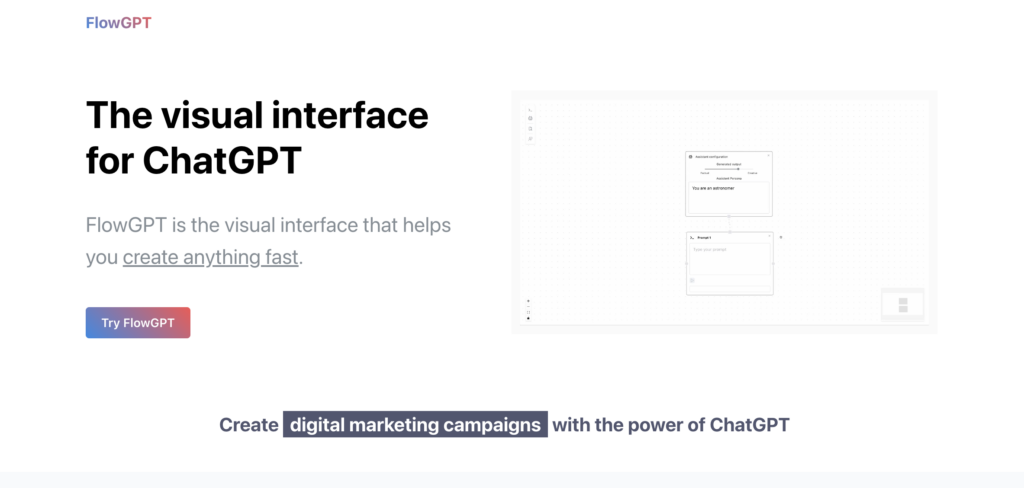
FlowGPT AI pairs machine learning with natural language processing to change how people work with digital systems. The tool lets users apply intelligent automation to a wide range of jobs, from writing messages to generating code.
It does more than simulate conversation. FlowGPT AI adds cognitive computing capabilities that read data, follow context, and return results shaped around what a specific user is trying to do. Because it tracks context, the output adjusts to the task in front of it rather than returning the same generic answer each time.
Every action the AI takes is built around the same goal: keeping each interaction personal and fast. Whether you want to automate your social media management or need help designing marketing content, the platform works as a ready assistant.
With over 100,000 GPTs available, it covers many fields, including productivity and design, with few restrictions on what you can build. Next, here is a closer look at how FlowGPT AI runs under the surface.
How FlowGPT AI works
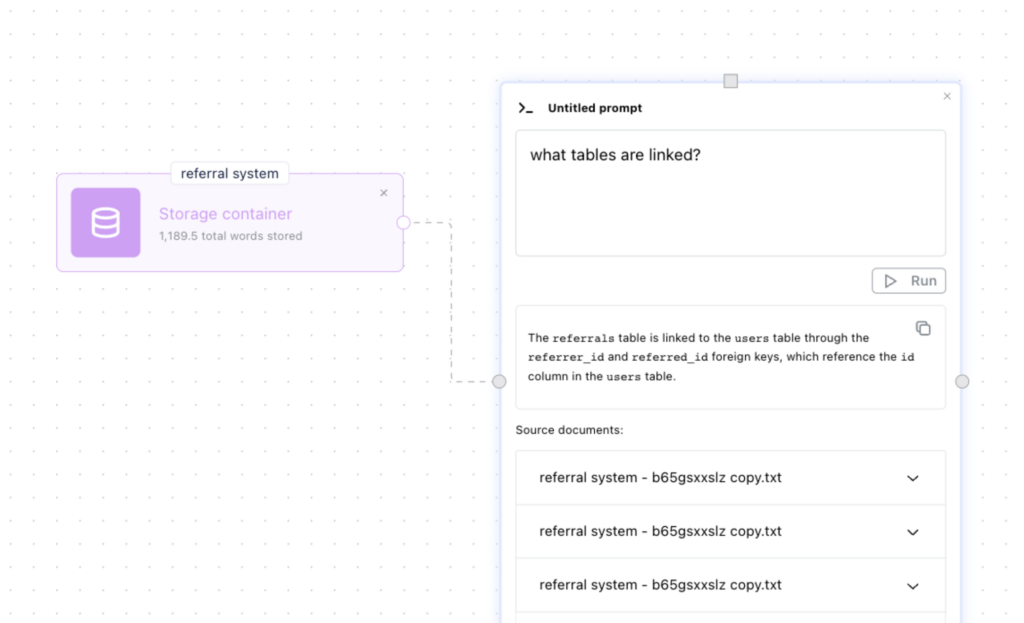
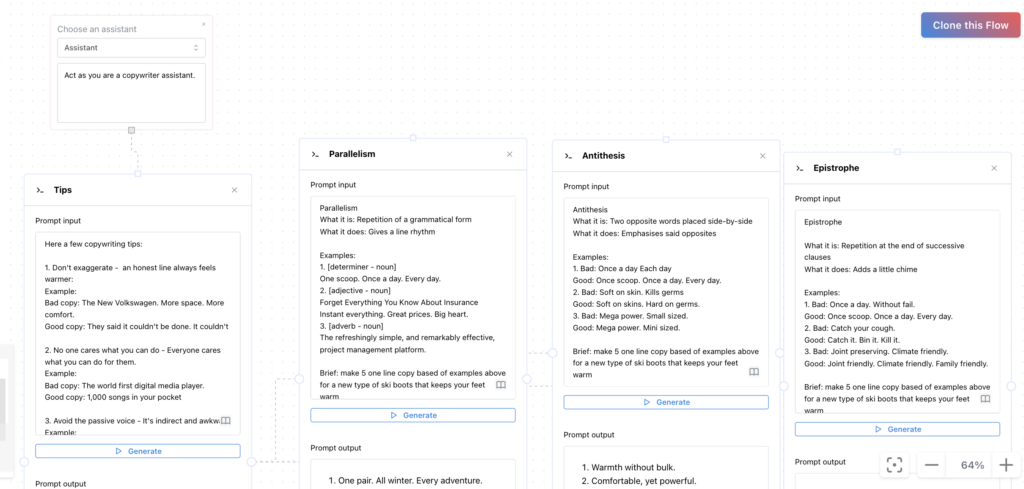
FlowGPT AI runs on a visual interface for ChatGPT that supports multi-threaded visual conversations. From this interface you generate prompts and lay out the structure of a conversation, which gives you more control over how a chat unfolds.
Visual interface for ChatGPT
The visual interface turns the work of coding chatbots into a drag-and-drop process. Instead of writing scripts, you place and connect blocks on screen to build your own AI chatbot without touching a single line of code.
This user-friendly platform handles both sides of the work: it speeds up how you build a bot and changes how you interact with ChatGPT day to day, keeping the whole process approachable for non-developers.
Through workshops and hackathons, community members get hands-on experience with these interactive tools and push AI integration forward together. At events such as “How To Make Perfect GPTs,” attendees learn to put the technology to practical use, whether they are building a friendly virtual assistant or mapping out longer conversation flows for customer service.
This kind of no-code development environment lets people who are new to AI start building conversational experiences that used to require trained developers.
Multi-threaded visual conversation flow
The next piece is the multi-threaded visual conversation flow. This feature changes how you manage dialogue by letting several conversations run at the same time rather than one after another.
FlowGPT AI keeps each thread, or independent line of communication, separate and on topic while they all run in parallel. You can switch between threads without losing the point of any one of them, and each conversation stays coherent as it progresses. That means one thread can handle a support question while another drafts content, and neither one bleeds into the other.
The platform handles automated messaging by using natural language processing to hold and advance many conversations at once. Visual chat flow charts break down complex exchanges, so users can follow the path of a chat and jump between topics without losing context.
This multitasking turns communication automation into a practical tool for both businesses and individuals. It supports interactive chats that move between different subjects quickly and keep each one accurate.
Applications of FlowGPT AI
FlowGPT AI covers a range of practical jobs. It works as a resume editor, generates essays, and helps with coding. These uses make it a handy tool for cutting down daily work and improving the chat experience.
Resume editor
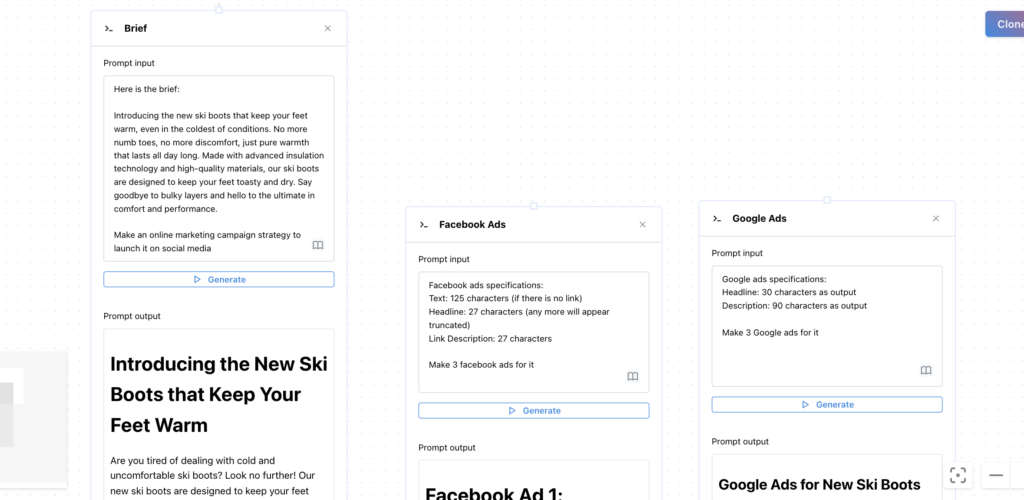
The resume editor from FlowGPT helps you write a clear, professional resume. Its AI-powered features give you the tools to build a CV that gets a recruiter’s attention.
The AI works to make your document read well and stand out among other applicants. As part of FlowGPT’s ongoing work on GPT technology, the global user base of over 2 million users from 100+ countries draws on this same tool.
Whether you need a straightforward document builder or a resume generator that sharpens your wording, FlowGPT’s resume editor is set up for the job. It goes past basic formatting and lets you use current AI to shape a stronger professional document.
Discover Enhance Your Resume Writing with Resume Worded AI Software
Essay generator
The essay generator is a writing tool that produces content automatically for different needs. Using natural language generation, this AI writing assistant helps you put together well-structured, coherent essays without starting from a blank page.
The essay generator can support academic, professional, and personal writing by producing content that holds to a high standard. This no-code writing tool also helps anyone who wants professional writing support or a hand with creative pieces. You give it a topic and a few details, and it returns a draft you can edit rather than a blank page to fill from scratch.
The essay generator is a strong part of FlowGPT’s set of tools for practical AI writing. It shows the platform’s focus on making written material faster to produce across different genres and industries.
Discover Revolutionize Essay Writing with Charley AI: The Ultimate Essay Generation Tool
Coding wizard
The “Coding wizard” feature in FlowGPT AI helps you simplify programming tasks and move through code faster. Its algorithms can automate repetitive coding work, offer suggestions for code optimization, and generate snippets for common programming challenges.
This use shows how artificial intelligence can reshape software development and give programmers more speed and room to experiment.
Used as a “Coding wizard,” FlowGPT AI acts as a virtual assistant that reads complex programming languages, spots patterns in a codebase, and flags syntax errors in real time as you write.
Creative Potential of FlowGPT AI Explored
FlowGPT AI also does well on creative work, producing varied content across several formats. Its language generation opens up a wide range of options, from writing full stories to composing poetry and drafting imaginative dialogue.
Through its AI and natural language processing, FlowGPT AI can prompt new ideas and back up a writer’s own creative work at each stage. It can suggest an opening line, offer alternatives when a passage stalls, or expand a rough idea into a fuller draft the writer then shapes.
Its use goes past plain text generation. It can help writers with character development, build dynamic plotlines for interactive storytelling platforms, and compose original music lyrics.
That range makes FlowGPT AI a flexible tool for artists, writers, developers, and other creators across industries who want fresh, technology-backed ways to work.
Conclusion
FlowGPT AI moves conversational AI forward with a visual interface for ChatGPT that is easy to work in. Its multi-threaded conversation flow opens up a range of uses, including resume editing, essay generation, and coding help.
Its creative range is broad and keeps growing across different fields. As AI tools continue to advance, FlowGPT AI shows the real progress being made in artificial intelligence and natural language processing, and gives everyday users a way to put that progress to work.
Frequently Asked Questions
What is FlowGPT AI?
FlowGPT AI is an advanced natural language processing model designed to understand and generate human-like text based on the input it receives.
How does FlowGPT AI work?
FlowGPT AI works by analyzing and processing large amounts of textual data, learning patterns and structures, and using this information to generate coherent and contextually relevant responses.
Can I use FlowGPT AI for generating content?
Yes, FlowGPT AI can be used for generating a wide range of content including articles, stories, product descriptions, or even code snippets based on the provided input.
Is it possible to train my own version of FlowGPT AI?
Yes, with proper technical knowledge and resources, it is possible to fine-tune or retrain specific aspects of the FlowGPT AI model for specialized applications or domains.
What are some common applications of FlowGPT AI?
Common applications of FlowGPT AI include chatbots development, content creation assistance, language translation services enhancement, and personalized user experience in online platforms.
Related Articles

AI Software
How AI-Powered ATS Tools Boost Diversity in Hiring — Real DEI Use Cases (2026)
Continue reading →
AI Software
5 Powerful AI Features Revolutionizing Hiring Workflows in 2026
Continue reading →
AI Software
How To Choose The Best Image Recognition Software For 2026
Continue reading →
AI Software
Best AI Resume Screening Tools in 2026 to Hire Faster
Continue reading →