
Easybib: Comparing the Latest Pricing, Features, and Alternatives for Bibliography and Grammar Tools in 2026

Keeping track of your sources and getting the grammar right is a large part of academic writing. Citations and clean grammar can decide whether an academic paper reads as credible or careless. This post looks at EasyBib, its 2026 features and pricing, and how it compares with other citation and grammar tools.
The tools covered below can speed up the writing process and tighten the final draft, and each one takes a slightly different approach. Here is what each one does and where it fits best.
Key Takeaways
- EasyBib supports citation styles including APA, MLA, and Chicago, plus plagiarism checking and grammar corrections to keep writing accurate.
- Pricing for EasyBib starts at $9.95 per month with different subscription options available; it adds tools such as expert checks and paper grading services.
- Users can pick free basic versions or various premium plans across different bibliography and grammar tools to match their budget and needs.
- Alternatives to EasyBib include NoodleTools, MyBib, BibGuru, Cite This for Me, and Zotero, each with its own features such as collaboration tools or browser extensions.
- Future advances in AI technology are expected to improve these tools with more accurate plagiarism detection and more personalized user experiences.
What is EasyBib?
EasyBib is a widely used bibliography and citation tool that helps users build accurate citations in styles such as APA, MLA, and Chicago. It also includes grammar and plagiarism checking to support academic integrity and cleaner writing.
EasyBib Features
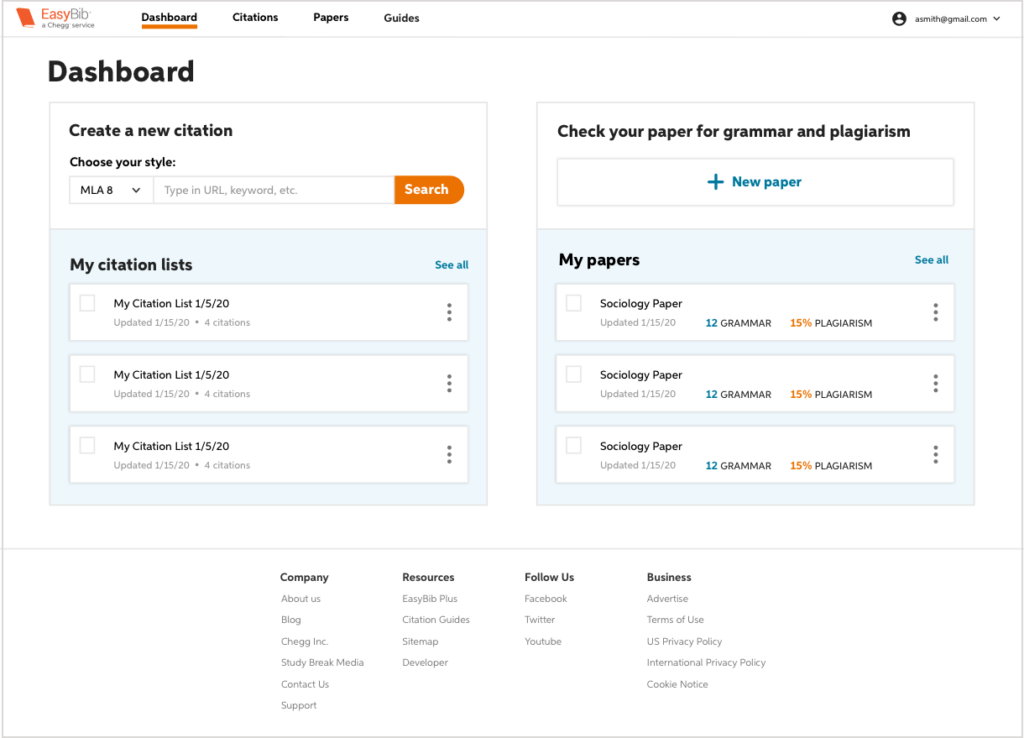
EasyBib is a bibliography and grammar tool built for everyday academic writing and the modern writer. It handles the citation process through a host of features that are geared toward accuracy and ease of use.
- Auto-Citation Generation: Enter a title, keyword, or URL and the tool fills in the data fields and formats the citation in APA, MLA, Chicago, or other styles.
- Plagiarism Checker: Scans text against billions of web pages to confirm originality and reduce the risk of unintentional plagiarism.
- Grammar and Spell Checker: Reviews documents for grammar mistakes, spelling errors, punctuation issues, and sentence structure problems.
- Expert Check: A paid proofreading option where experts review a paper for advanced writing issues before final submission.
- Citation Guides: Detailed instructions on how to cite sources so users understand each citation format.
- Paper Grader: An automated grading service that scores papers on several criteria to indicate the grade a writer might expect.
- Note-Taking Feature: Lets users track their research inside the platform by saving notes and key quotes from sources.
- Annotated Bibliography Maker: Lets writers build annotated bibliographies with summaries or evaluations next to each citation.
EasyBib Pricing
EasyBib has several pricing plans that cater to different users. You can start with a basic free version that includes standard citation styles and grammar checks, which is enough for many students and casual writers.
Users who need more tools can move to a premium subscription. These paid tiers add advanced capabilities such as plagiarism detection and an expanded set of citation styles, which help make sure writing meets academic standards.
The cost structure is designed to be flexible, so individuals or institutions can select packages that align with their budgets and their needs. Monthly and annual subscriptions are both available, and discounts often apply for longer commitments.
Subscribers also get dedicated customer support, so help is available for any citing or grammar questions that come up while writing.
User Reviews and Feedback on EasyBib
Many EasyBib users value the tool’s ability to generate citations quickly and accurately across styles like APA, MLA, and Chicago. Students find it particularly useful for managing references in term papers, and educators use it as a teaching aid for proper citation methods.
Reviews often point out how user-friendly the interface is, which makes the task of building bibliographies feel far less daunting than it can be when doing it by hand or from scratch.
Feedback also points to areas where EasyBib could improve. Some users have reported occasional glitches when importing multiple references at once or during integration with word processors.
Even so, ongoing updates tend to fix these issues quickly. Users like the plagiarism detection feature but suggest that more guidance on avoiding plagiarism would help them learn more.
Top Alternatives to EasyBib
Here are the main alternatives to EasyBib, including NoodleTools, MyBib, BibGuru, Cite This for Me, and Zotero. Each one takes its own approach, so comparing them side by side can help you find the bibliography and grammar tool that best fits your needs.
NoodleTools
NoodleTools provides a comprehensive set of tools for managing citations, organizing research materials, and building bibliographies in one place. Users can generate accurate citations in a variety of formats, such as APA, MLA, and Chicago styles.
The platform also helps users analyze sources and draw connections between them, which supports a more efficient research process from start to finish. NoodleTools is known for its clear interface and collaboration features, which make it suitable for students, researchers, and educators alike.
Built-in note-taking lets users gather information from many different sources while keeping track of the original context of each one. By handling the citation process and offering strong organizational tools, NoodleTools lets users focus on the content itself rather than getting slowed down by formatting details or source management.
MyBib
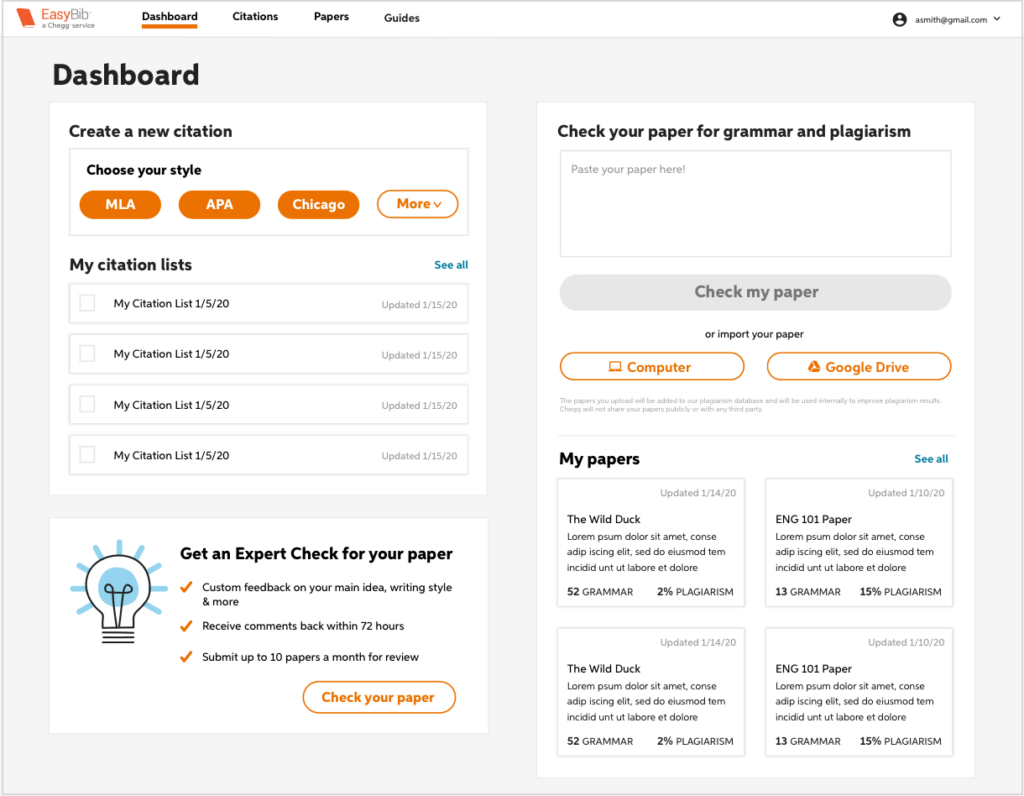
MyBib lets users build bibliographies and citations in styles such as APA, MLA, and Chicago. It has a clear interface with easy navigation for generating accurate references.
The design is intuitive and straightforward, so MyBib speeds up the citation process and saves valuable time for students, researchers, writers, and educators who need to produce well-formatted bibliography entries.
The platform also includes a plagiarism detection feature that checks content against millions of web pages and academic papers to confirm originality. That makes MyBib an all-in-one tool not only for creating citations but also for maintaining academic integrity.
BibGuru
BibGuru is a bibliography and grammar tool that offers an all-in-one option for writers and researchers. With a clear interface and useful features, it helps with creating citations, proofreading content, and detecting plagiarism.
BibGuru supports several citation styles such as APA, MLA, and Chicago citation formats, which makes it a versatile choice for educational institutions or individual users who need accurate reference generation.
Built to speed up the writing process, BibGuru serves as a useful resource by pairing a citation generator with powerful proofreading tools. Its focus on writing quality makes it a solid companion for anyone who wants to produce polished and well-cited work.
Cite This for Me
Cite This for Me offers a straightforward way to generate accurate citations for many different sources. The tool is easy to use, and it lets you create citations in a range of styles, including APA, MLA, and Chicago.
Its interface simplifies the process of building bibliographies and keeps the citation format aligned with academic requirements. Cite This for Me also has a browser extension, which lets you generate citations while you are researching online.
For anyone who wants an efficient and reliable way to generate citations across different sources and styles, Cite This for Me is a strong option. Its focus on simplicity and accuracy takes much of the difficulty out of formatting references to specific guidelines.
Zotero
Zotero is a versatile, easy-to-use bibliography management tool with a wide feature set and compatibility with many citation styles. Through its intuitive interface, users can organize their research materials, generate citations, and collaborate with others on group projects without much of a learning curve.
Zotero also integrates with web browsers like Chrome and Firefox, so users can capture information directly from websites into their personal library as they browse. Its broad set of features makes it a good choice for researchers, students, writers, and educators who want a full reference management solution in one place.
Comparative Analysis: EasyBib vs Alternative Tools
To pick the right bibliography and grammar tool, it helps to compare EasyBib with the alternatives. This section looks at the features and pricing of each tool so you can make an informed choice.
Comparing Features
Comparing the features of these tools helps you find the best fit for academic or professional work. The table below lists the major features of EasyBib next to its alternatives.
| Feature | EasyBib | NoodleTools | MyBib | BibGuru | Cite This for Me | Zotero |
|---|---|---|---|---|---|---|
| Citation Styles | APA, MLA, Chicago, and more | Multiple styles with collaboration options | Free APA, MLA, Chicago | Thousands of styles | APA, MLA, Harvard, Chicago, and more | Over 10,000 available styles |
| Plagiarism Checker | Included in subscription | Available | Not available | Not available | Included in premium subscription | Not available |
| Grammar Checker | Available | Integrated tools for feedback | Not available | Not available | Available | Not available |
| Note-taking Capability | Not available | Advanced note cards | Basic note-taking | Not available | Basic note-taking | Integrated notes function |
| Collaboration Tools | Limited | Extensive collaboration features | Limited | Limited | Limited | Group libraries, shared collections |
| Browser Extension | Available | Available | Available | Not available | Available | Available |
| Mobile App | Available | Not available | Available | Not available | Available | Not available |
| Data Import | Manual entry, import | Manual entry, databases | Barcode scanner, import | Manual entry | Manual entry, import | Import from databases, ISBNs, DOIs |
| Language Support | English | English | English | English, German | English | Multi-language support |
The table shows what each tool does in the key areas that affect writing, research, and citation work. Use it as a guide while you look for a resource that fits how you work and keeps your output efficient and accurate.
Comparing Pricing
For bibliography and grammar tools, pricing matters when users pick the right fit. It helps to weigh the value EasyBib offers against its competitors. The table below sets out the costs of EasyBib and several alternative citation tools as of 2026.
| Tool | Basic/Free Plan | Premium Plan | Additional Features |
|---|---|---|---|
| EasyBib | Free citations in MLA format | $9.95/month | APA, Chicago/Turabian styles, plagiarism checker |
| NoodleTools | Limited free plan | Individual: $15/year; School: Varied | Collaboration tools, teacher feedback |
| MyBib | Free | N/A | Ads-free experience, no premium plan necessary |
| BibGuru | Free | N/A | Fast citation generator, auto citation |
| Cite This for Me | Basic citation assistance | $9.99/month | Advanced citation options, plagiarism checker |
| Zotero | Free | Storage plans starting at $20/year | Research organization, browser integration |
This comparative view shows pricing as a varied but important factor to consider. Users should weigh not only the initial cost but also the richness of features included within the premium plans. The next section covers how to match a tool to your needs so you can choose the bibliography and grammar tool that fits your academic or professional work best.
How to Choose the Best Bibliography and Grammar Tool
When choosing the best bibliography and grammar tool for your needs, weigh how well it fits your writing style and research needs, its pricing options, how easy the interface is to use, how effective its features are, and what its user reviews say.
Taken together, these factors help you pick a tool that supports and enhances your writing and research process effectively over time.
Compatibility with Your Needs
Start by considering your own specific requirements. Check whether the tool supports the citation styles you commonly use and offers features that match the way you write and research.
Look at how easily you can move through the platform and whether it provides a clear interface that supports your workflow. Make sure the pricing structure fits within your budget while still giving you useful features for writing and content creation.
Positive user reviews can also offer insight into how well a tool fits real needs, which helps you make an informed decision and choose the option best suited to your writing.
Pricing
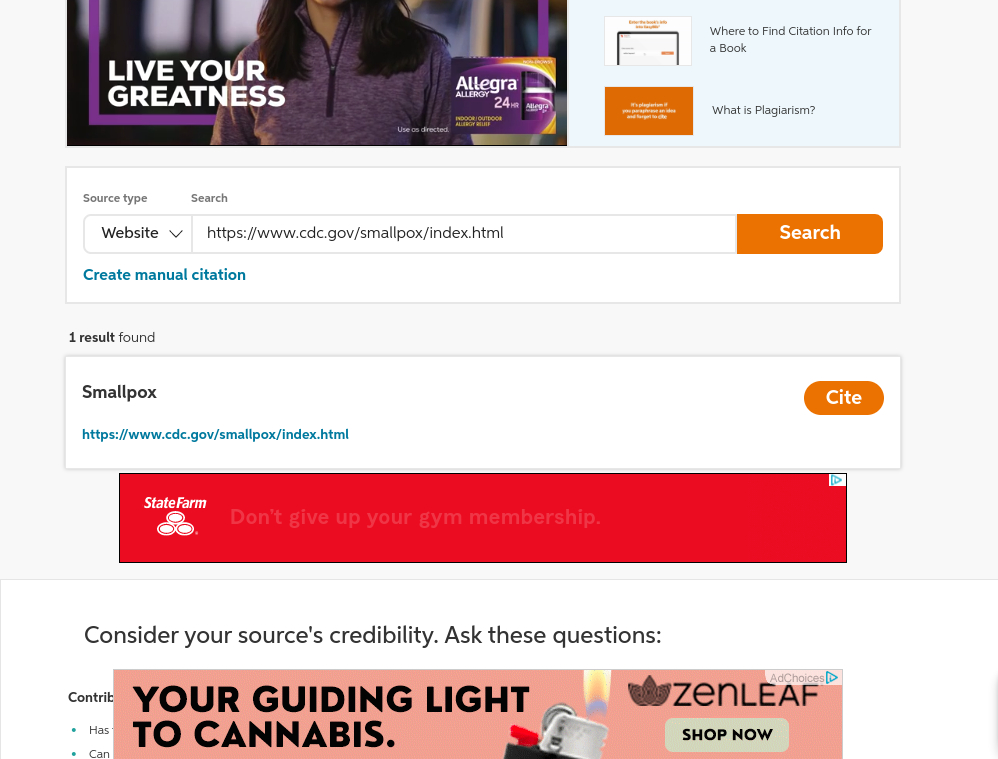
To get the most out of a bibliography and grammar tool, it helps to look closely at the pricing structure before you commit. Some tools offer a free trial or basic features at no cost, while others require a paid subscription.
The pricing model ranges from monthly or annual subscriptions to one-time purchases. Check which option fits your budget and how you plan to use the tool before you decide.
When you weigh pricing, factor in any extra costs for premium features or add-ons that expand what the tool can do. Making sure the tool offers value for money matters most in an educational or professional setting where budgets are tight.
User-friendly Interface
EasyBib prides itself on a clear interface that is easy to move through. The intuitive design means that both beginners and experienced researchers can reach the bibliography and grammar tools without any trouble.
Users can quickly enter their sources, pick the citation styles they need, and then generate accurate references without any confusion along the way.
The interface also gives helpful prompts and tips for anyone who is unfamiliar with certain features, which makes it easy to understand how to get the most out of the platform. That keeps the overall experience positive by reducing frustration and making it quicker to build citations and bibliographies from start to finish.
Effective Features
Beyond a clear interface, the features themselves are what set bibliography and grammar tools apart. These tools handle several tasks aimed at speeding up research and writing, which makes them useful for users across many different fields.
Bibliography and grammar tools often include sophisticated plagiarism detection, so users can protect academic integrity by easily identifying and correcting potential instances of unintentional plagiarism.
They also provide comprehensive citation style support, giving users a wide range of formatting options such as APA, MLA, and Chicago citation styles, among others. Integration with word processing software is another key feature, since it lets users edit their work within familiar platforms rather than switching back and forth.
Positive User Reviews
EasyBib has positive user reviews for its clear interface and quick citation generation. Users like how easy it is to create accurate citations in styles including APA, MLA, and Chicago.
The plagiarism detection feature has also drawn praise for helping users maintain academic integrity in their writing. On top of that, a free trial lets users experience what EasyBib can do before committing to a paid plan.
The positive feedback from users points to EasyBib’s reliability as a comprehensive bibliography and grammar tool that serves students, researchers, and writers alike.
These favorable reviews support EasyBib’s reputation as a trusted resource within educational institutions and among individuals who are looking for reliable writing help.
AI and Bibliography and Grammar Tools: The Future?
The future of bibliography and grammar tools is set to be shaped heavily by artificial intelligence (AI). Here are some of the trends worth watching for in the years ahead:
1. AI-powered plagiarism detection: AI algorithms will detect plagiarized content more accurately, which helps users keep their work original.
2. Enhanced citation suggestions: Advanced AI will give better recommendations for citing sources based on context and specific citation styles.
3. Interactive writing aids: AI-driven writing assistants will get more intuitive and give real-time feedback and suggestions for improving style and grammar.
4. Customizable user experiences: AI will support personalized settings tuned to individual preferences for a more efficient workflow.
Taken together, these changes point to a real step forward in what bibliography and grammar tools can do, with AI speeding up the writing process for users across many different industries.
Top Four Bibliography and Grammar Tools for Different Needs
For researchers, students, writers, and teachers looking for the best bibliography and grammar tools in 2026, here is a short list of top recommendations to suit a range of specific needs.
Read on to find the right tool for your particular writing and research endeavors, whatever field you happen to work in and whatever kind of project you are tackling.
Best for Researchers: EndNote
EndNote is a strong fit for researchers thanks to its advanced citation management features. Users can organize their references, create bibliographies in various citation styles, and collaborate with other researchers on shared work.
With comprehensive database integration and PDF annotation capabilities, EndNote gives researchers one central place to manage their sources and documents efficiently.
Researchers benefit from EndNote’s large library of citation styles and strong search functions that make it easier to find the relevant literature they need. Its interface supports quick access to saved references and works well with word processing software, which makes it a useful asset for scholars engaged in demanding academic work.
Best for Students: RefWorks
RefWorks is well suited to the needs of students. With an intuitive user interface and integration with academic databases, it makes it easy for students to organize their research materials and build accurate citations in various citation styles such as APA, MLA, and Chicago.
Because it is a cloud-based platform, students can reach their references from anywhere, which makes collaboration on projects much easier to manage.
RefWorks lets peers work together by sharing folders or libraries with each other easily. That is particularly useful for group projects where collective research is required from several people.
Best for Writers: Grammarly
Grammarly is a strong pick for writers thanks to its comprehensive grammar and writing assistance. It gives real-time suggestions that improve sentence structure, vocabulary usage, and overall readability as you write.
Its plagiarism detection feature helps writers make sure their content stays original, which makes it a valuable asset for academic papers, articles, or any other form of professional writing.
Grammarly works across many writing platforms, so writers can improve their work in different formats without switching tools. It also gives detailed explanations for each suggested change, which helps writers understand and learn from their mistakes while they sharpen their craft.
Best for Teachers: Turnitin
For teachers, Turnitin is a useful tool for assessing students’ work. Its comprehensive plagiarism detection system helps educators uphold academic integrity and confirm originality in student submissions.
Turnitin also offers feedback and grading features that speed up the assessment process, so teachers can provide constructive comments and evaluate assignments more efficiently.
With a clear interface and advanced features, Turnitin helps educators teach students about proper citation practices and research skills while supporting a culture of academic honesty.
Conclusion
Weighing EasyBib against its alternatives is a key step in choosing the best bibliography and grammar tool for the job. Understanding user needs, pricing, features, and a clear interface are the main factors in making an informed decision.
Watching future AI advances in these tools matters too, since the world of writing and editing changes quickly. Knowing the top four bibliography and grammar tools for different needs can help educators, students, researchers, and writers do their best work in their respective fields.
Working through these options carefully helps users make well-informed choices that meet their own specific requirements and support their long-term goals.
(Image credit: Easybib)
Frequently Asked Questions
1. What are the features of Easybib’s latest version in 2026?
Easybib’s latest version in 2026 includes advanced citation and bibliography tools, improved grammar checking, better integration with popular writing platforms, and expanded database coverage.
2. How does Easybib’s pricing compare to other bibliography and grammar tools?
Easybib offers competitive pricing compared to other bibliography and grammar tools, with subscription options for individual users, educational institutions, and businesses.
3. Are there alternatives to Easybib for bibliography and grammar tools?
Yes, several alternatives to Easybib exist such as Citation Machine, BibMe, RefWorks, Zotero, and Mendeley, which offer similar functions for creating citations and managing references.
4. Can I access Easybib on different devices?
Yes, you can access EasyBib on various devices including desktop computers or laptops through web browsers as well as via mobile applications available for both iOS and Android platforms.
5. Does EasyBib provide any additional features apart from bibliographic support?
Yes, you can access EasyBib on various devices including desktop computers or laptops through web browsers as well as via mobile applications available for both iOS and Android platforms.

- Independent picks for exactly what you just read about
- Matched to your team size & needs
- Vendors don't pay for placement
Step 1 of 4
How big is your team?
We tailor recommendations to companies your size.















Related Articles
Buyers guide
How To Choose The Best Online Learning Platform For 2026
Continue reading →
Buyers guide
How To Choose The Best Restaurant Takeout and Delivery Software For 2026
Continue reading →
Applicant Tracking Software
Best ATS for Retail and Hospitality Hiring in 2026: 5 Tools for High-Volume Recruiting
Continue reading →
Buyers guide
How To Choose The Best Alumni Management Software For 2026
Continue reading →