

Designing a website can feel like a lot to manage at first. A clearly structured, well-designed website matters for any business, because it shapes how visitors read your brand and whether they stay or leave. This article breaks down “website anatomy”: the essential elements that make up a web page, why each one matters, and how to put them to work effectively across the pages you build.
Key Takeaways
- The header of a website is the first point of interaction for users and contributes to user experience and brand recognition.
- The CTA button is the gateway for users to take desired actions on your website, raising conversion rates and driving business goals.
- The hero section is the first thing users see when they visit your site, and it should be visually appealing with a clear headline that engages visitors.
- The footer provides additional information and navigational links at the bottom of a web page, making it easier for visitors to find what they are looking for.
Essential Elements of a Web Page
The header, CTA button, hero section, footer, slider, search bar, menu, breadcrumbs, form, cards, video content, progress indicator and favicon are all key elements of a well-designed web page.
Header
The header of a website is the first point of interaction for users. It often holds essential elements like the company logo, navigation menu, and sometimes a search bar.
A well-designed header supports the user experience by offering straightforward site navigation from the top of every page. It also works as a branding tool: because it stays visible as visitors move from page to page, it reinforces brand recognition and gives the site a consistent frame. A cluttered header, by contrast, makes it harder for people to see where to go next.
CTA Button
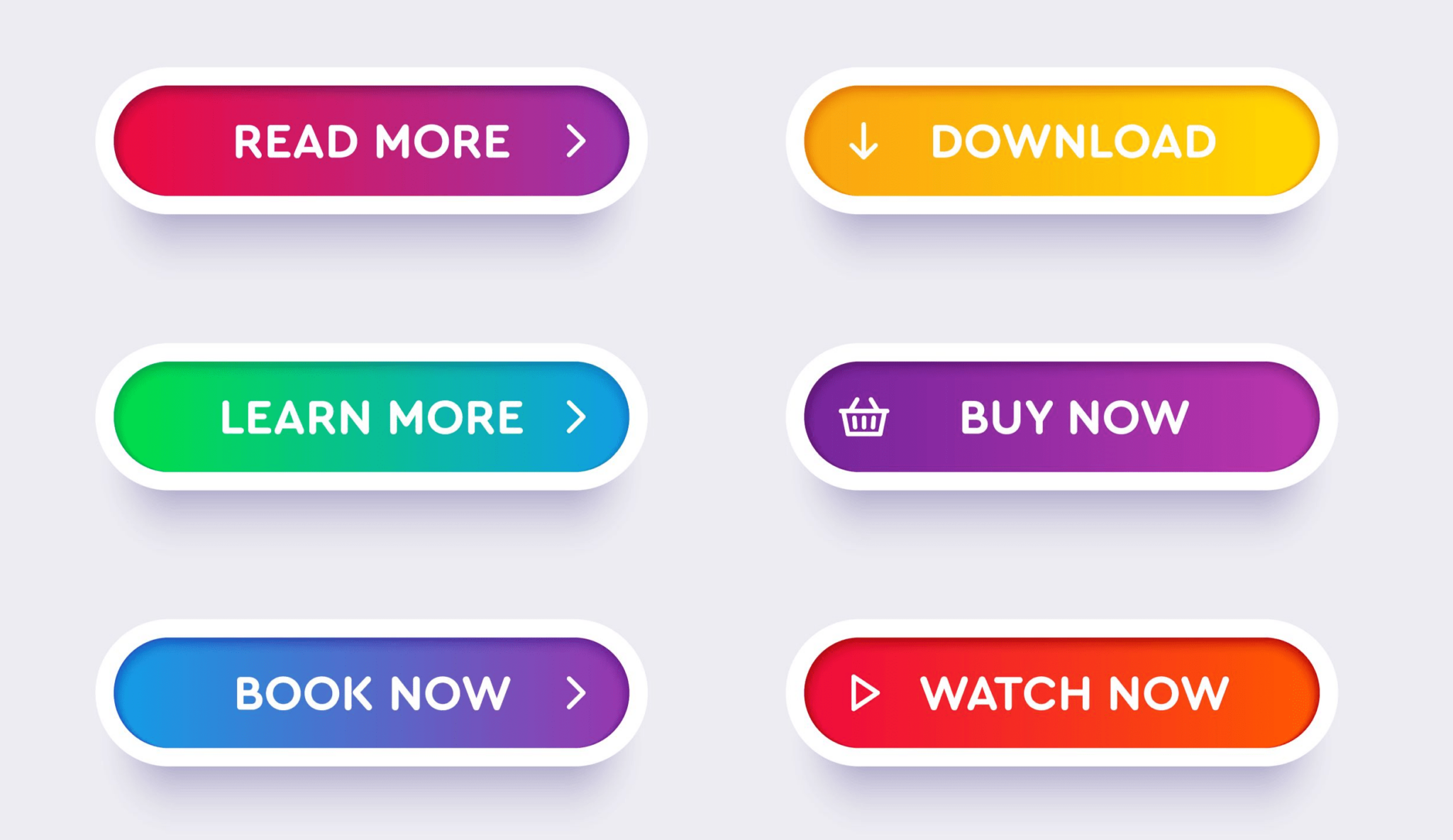
The CTA button, or Call-to-Action button, is a key element of a web page. It is the gateway for users to take a desired action on your website, such as making a purchase, subscribing to a newsletter, or signing up for a service.
Place the CTA button in a prominent location and design it to attract attention. With clear, persuasive language and plain instructions, you can guide users toward the action you want them to take.
Effective CTAs can raise conversion rates and help drive business goals.
To build high-performing CTAs, weigh factors such as color contrast against the background, size and placement on the page, wording that creates urgency or excitement, and overall usability.
Testing different variations of your CTA buttons through A/B testing also helps you tune their performance, since small changes in wording or color can shift how many people click. Give each web page its own CTA button tailored to its specific goal or objective, rather than repeating the same generic prompt everywhere.
Hero Section
The hero section of a website is the first thing users see when they visit your site. It usually includes a large, attention-grabbing image or video, along with a clear, concise headline that states the main message of your website.
The hero section introduces your brand and sets the tone for the rest of the site. It should be visually appealing and capture visitors’ attention right away, prompting them to explore further.
A strong call-to-action button in this section also guides users toward the actions you want on your website, right at the moment they form a first impression. With an impactful hero section that pairs a clear headline with a supporting visual, you can engage visitors and leave a lasting impression before they scroll.
Footer
The footer is an important element of a web page that sits at the bottom. It provides additional information and navigational links, letting users reach important pages such as the privacy policy, terms and conditions, and contact information.
The footer often carries social media icons for easy sharing, and it can include copyright information or a site map. Because it appears at the end of every page, it acts as a second layer of navigation for people who read all the way down. A well-designed footer makes it easier for visitors to find what they need without scrolling back up the page.
Slider
A slider is a dynamic element that displays several images or pieces of content in a single area on your website. It adds visual interest to your web page and makes it more engaging for visitors.
Sliders often appear on homepage banners or as featured elements within a page. With a slider, you can showcase different products, promotions, or important messages in an interactive, eye-catching way.
Because it moves between slides automatically or with user interaction, the slider captures attention and conveys information quickly. Keep the number of slides reasonable and give each one a clear purpose, so the rotation informs visitors rather than distracting them.
Search
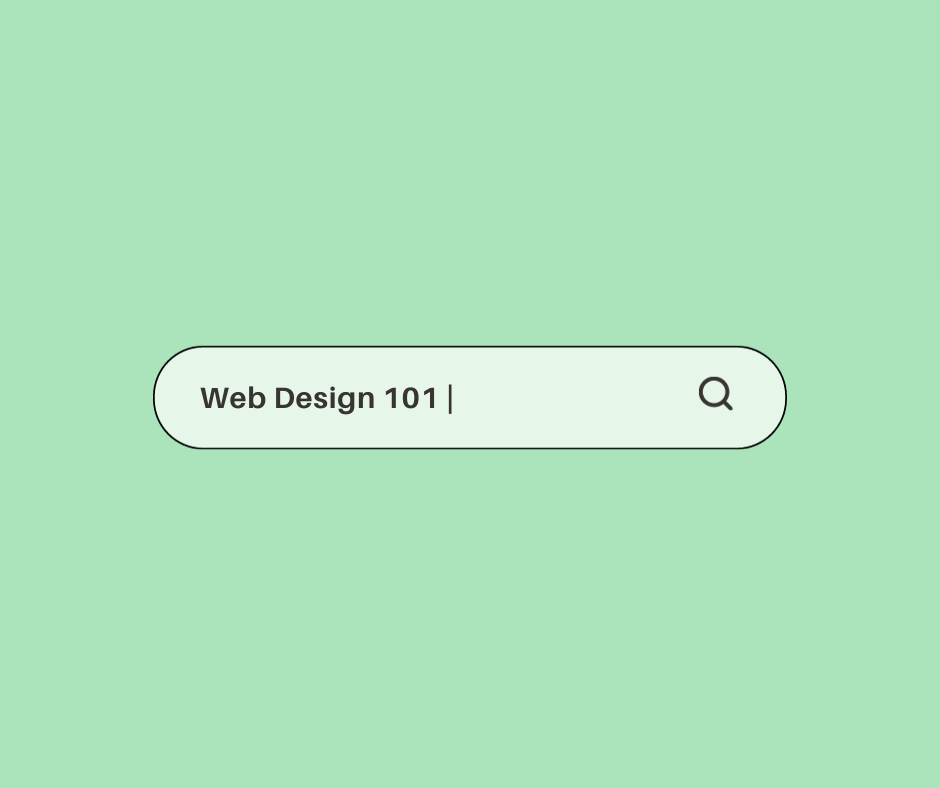
Search functionality is a key element of any website. It lets users find specific information or products quickly and easily. With a search bar, visitors enter keywords or phrases related to what they are looking for.
The website then shows relevant results, making it easy for users to move through the site and locate the content they need. A good search feature improves the browsing experience and increases engagement on your website.
Place your search function prominently and make sure it returns accurate results, so visitors find what they need efficiently. Search matters most on sites with large catalogs or deep content, where scanning a menu alone would take too long.
Menu
The menu is a key element of a web page that gives users easy navigation across the website. It usually sits at the top or side of the page and lists clickable links to the site’s various sections or pages.
The menu lets visitors quickly find and reach different parts of the website, so exploring and gathering information stays convenient. Group related pages under sensible labels, and keep the top-level items short so the menu stays readable. With an intuitive, well-designed menu, users can move through your site and find what they are looking for efficiently.
Breadcrumbs
Breadcrumbs are a useful navigational tool that shows users where they are within a website. They usually appear near the top of a web page and trace the path a user took to reach the current page.
Breadcrumbs are clickable links, starting with the homepage and stepping through each level of navigation. They let users jump back to earlier pages or higher-level sections of the website with a single click.
Breadcrumbs also give users context, helping them see where they sit within the overall site structure and how the current page relates to broader categories. Whether the site is an e-commerce store with many product levels or a content-heavy website with nested topics, breadcrumbs make navigation more intuitive.
Form
Forms are an essential element of a web page that lets users interact and provide information. They serve many purposes, such as signing up for newsletters, making purchases, or submitting inquiries.
A well-designed form is easy to fill out, with clear instructions and error messages where needed. Keep the form fields concise and relevant so you do not overwhelm users.
When you use forms well within your website architecture, you improve user engagement and collect useful data from your visitors. Ask only for the information you actually need, since every extra field gives someone another reason to abandon the form.
Cards
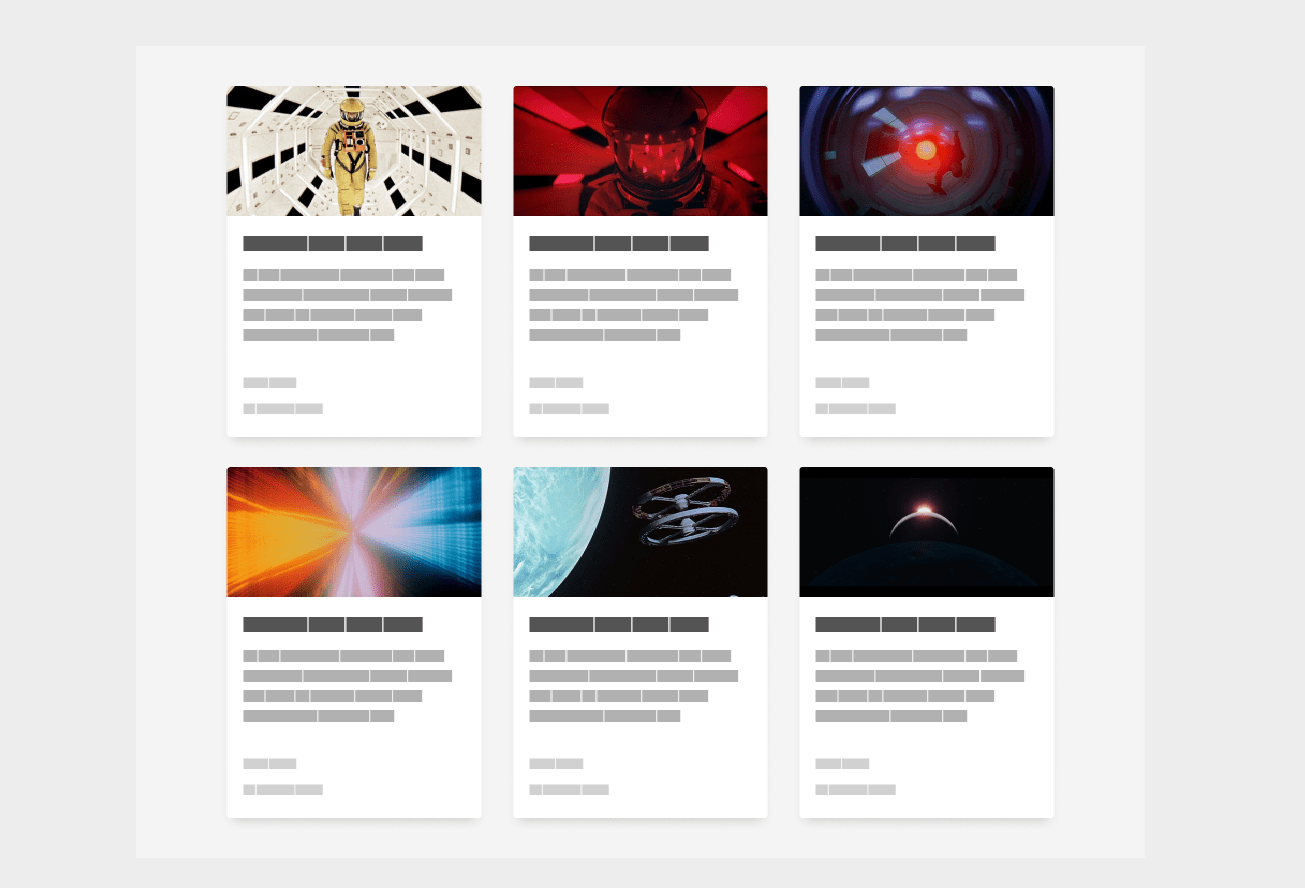
Cards are a popular web design element found on many websites today. These small rectangular containers present information or content in an organized, visually clear way.
A card usually holds an image or graphic, along with a title, a short description, and sometimes extra details or links. Cards can stack or sit side by side to form a grid-like layout.
Their main advantage is easy scanning and navigation, so users find the information they need quickly. With a clean, modern look, cards have become a common part of website design that supports user engagement.
Cards also give you flexibility in how you present content. They can hold anything from blog posts and product listings to event announcements and social media updates.
That range makes them suitable for many industries, from e-commerce sites showing products to news outlets highlighting articles. Used well, cards catch users’ attention and give them bite-sized pieces of information that are easy to digest.
Video
Video is a strong element that can improve the overall experience on a website. It lets businesses engage their audience through visual storytelling and conveys information in a more dynamic, interactive way.
Whether it is a product demo, a tutorial, or a promotional clip, video on your web pages can capture attention and hold interest. Video can also support SEO by increasing the time people spend on your site.
By adding relevant keywords to video titles, descriptions, and tags, you improve your website’s visibility in search engine results. Embedding videos from popular platforms like YouTube or Vimeo also makes it easier for visitors to view and share your content across different channels, and it offloads the hosting so your own pages stay quick to load.
Progress Indicator
A progress indicator is a visual element on a web page that shows the user how far they are through a task or process. It gives feedback and keeps users informed about the progress they have made.
By showing relevant details, such as a percentage or step-by-step updates, a progress indicator reduces uncertainty and keeps users engaged.
Guiding users through complex tasks like form submissions or multi-step checkouts, progress indicators support smoother navigation and more efficient interactions on websites. When people can see how many steps remain, they are more likely to finish rather than give up partway through.
Favicon
A favicon, short for favorite icon, is a small icon that appears next to the web page title in the browser tab. It stands in for your website and helps users pick out your site among multiple open tabs.
Favicon images are usually square-shaped and can be made with software or online generators. Adding a favicon makes your site look more professional and branded, and it helps users recognize it when they have many tabs open or return to a bookmarked page.
Tags
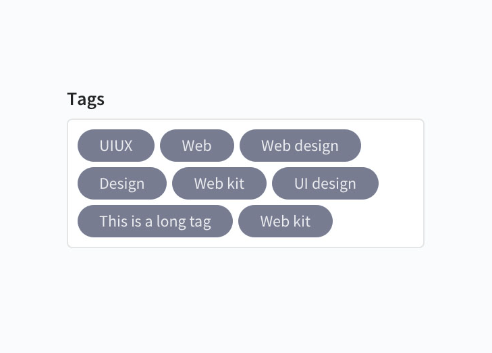
Tags play a key role in organizing and categorizing content on a website. They act as labels that let users move through different topics or types of information. With tags, site owners give visitors an efficient way to find the specific content they are interested in.
Tags also help search engines read the relevance and context of web pages, which can improve a website’s visibility in search results. Used correctly, tags support site navigation and make it easier for both users and search engines to understand how a website’s content is structured and organized.
For implementation, keep tags concise and descriptive so users can tell at a glance what each tag represents. Use consistent tagging conventions across the website to keep things clear and avoid confusion, and avoid creating too many overlapping tags that split related content into scattered pieces.
Build websites easily with various Website Builder Software. Find more here.
Importance of Website Architecture
Website architecture organizes and structures a website, supporting easy navigation, a clear content hierarchy, and a strong user experience.
Information architecture
Information architecture is a key part of website design that focuses on organizing and structuring content so users can navigate it and find what they need.
It covers how information should be categorized, labeled, and presented so the experience stays clear. By planning the information architecture of a website carefully, businesses can improve usability, support search engine optimization (SEO), and attract and retain more visitors.
Good information architecture lets users locate the information they want without feeling overwhelmed or lost within the website’s structure. It also makes a site easier to grow, since new pages have a clear place to live. That leads to better engagement, more conversions, and higher overall satisfaction for users.
Website architecture
Website architecture is the structure and organization of a website. It covers how the different components, such as content, navigation, and visual design, are arranged and connected into one coherent user experience.
Custom web design lets you tailor this structure to the specific goals and audience of a business, improving both usability and impact.
A well-designed website architecture helps users find the information they need and move through pages easily. It also supports search engine optimization (SEO) by letting search engines crawl and index your site effectively.
Follow best practices in website architecture and you can build a high-performing website that engages users and drives conversions.
Schemas and Document type definition
Schemas and Document Type Definition (DTD) are key parts of website architecture. A schema is a blueprint or framework that defines the structure and organization of data on a web page.
It sets guidelines for how different elements should be structured, so search engines can read and interpret the content more accurately. A DTD, in turn, defines the rules and syntax for a specific markup language like HTML or XML.
Recent web development statistics point to the growing role of structured data in improving both SEO performance and site maintenance efficiency.
With schemas and DTDs, web developers keep their code consistent, which makes sites easier to maintain and update over time. Consistent structure also reduces the risk of rendering errors across browsers. These tools produce well-structured pages with clear hierarchies, which helps both user experience and search engine optimization (SEO).
Structural markup of a website
Structural markup is an essential part of website design that helps organize and structure the content on a web page. It uses HTML tags to identify the sections of a page, such as headings, paragraphs, lists, and images.
Applied correctly, structural markup lets search engines and screen readers read the hierarchy and relationships between the elements on the page.
That improves accessibility and makes content easier for users to navigate and understand. So whether you are building a blog or an eCommerce site, proper structural markup is central to a well-organized, user-friendly website experience.
Components and scripting
Components and scripting both play a key role in website architecture. Components are the different elements that make up a web page, such as forms, cards, videos, and progress indicators.
These components help organize and present information to users. Scripting, in contrast, uses programming languages like HTML, CSS, and JavaScript to add interactivity to the website.
Bring components and scripting together in your website design and you support user engagement and a more dynamic online experience for visitors. Reusable components also keep a site consistent, since the same card or form behaves the same way wherever it appears.
The web browser
The web browser is a key part of website architecture, since it sits between the user and the internet. It lets users reach and navigate websites by interpreting HTML, CSS, and the other programming languages used to build web pages.
Through the web browser, users view content, interact with forms or buttons, watch videos, and move between different pages on a website. Browsers also handle functions like bookmarking pages, saving passwords, and managing cookies.
Without a reliable web browser, websites would not be accessible or functional for users.
Content
Content is a key element of any web page. It is the text, images, videos, and other media that carry the information on a website. Well-structured, engaging content plays a central part in attracting and keeping visitors.
It should be concise, relevant, and easy to understand. Strong content communicates your message and drives user engagement. By placing keywords with intent, you can also improve your website’s search engine ranking.
Keep your content updated regularly so it stays accurate and relevant for your audience.
Beyond text, visual elements like images and videos capture users’ attention quickly. Visuals improve the overall look of a page while conveying information efficiently.
Use high-resolution product images or graphics that match your brand identity, and compress them so they load without slowing the page. Videos can give engaging demonstrations or explanations of the products or services on your website, which often communicate more than text alone.

Navigation
A website’s navigation helps users find information quickly and easily. It usually includes menus, links, and search bars that let visitors explore different sections of the site.
A well-designed navigation system lets users move between pages easily, improving the browsing experience. By sorting content into logical categories and labeling menu items clearly, sites make it easier for users to locate the information they want.
Good navigation encourages engagement and raises user satisfaction, which leads to higher conversion rates on a website. Poor navigation has the opposite effect: when people cannot find what they came for, they tend to leave for a competitor’s site.
Visual and web design
Visual and web design shape an engaging, effective website. Visual elements such as color schemes, typography, and images establish the overall look and feel of the site.
That produces a visually appealing design and improves the experience by guiding visitors’ attention to important information. Web design also focuses on usability, keeping the layout intuitive and easy to navigate.
With responsive design techniques, websites adapt across different devices, giving users a consistent experience however they reach the site. Since much traffic now comes from phones, a layout that reflows cleanly on small screens is no longer optional.
Website Architecture Best Practices
Build a simple top-level navigation so users can browse easily and intuitively.
Create a simple top-level navigation
A simple top-level navigation is central to good website architecture. It is the main menu that appears at the top of every page, letting users move through the different sections of your site.
Keep it simple and intuitive to improve the user experience and help visitors find what they are looking for. Use clear, concise labels for each menu item so they accurately represent the content or services they link to.
Avoid cluttering the navigation with too many options; stick to the most important pages or categories. Use drop-down menus where needed to organize subpages within broader sections.
Well-designed top-level navigation improves usability and lets visitors reach the information they need on your website quickly.
Improve your website’s architecture with UXtweak by analyzing how users interact with your current navigation system and spotting any pain points or areas where you can make improvements.
Improve your website’s architecture with UXtweak
Improve your website’s architecture with UXtweak. The tool helps you refine the structure and design of your website. It lets you analyze user behavior, gather insights through heatmaps and session recordings, and make data-driven decisions that improve site navigation, content organization, and overall functionality.
With UXtweak, you can keep your website visually appealing, easy to navigate, and tuned for high performance.
Website architecture diagram
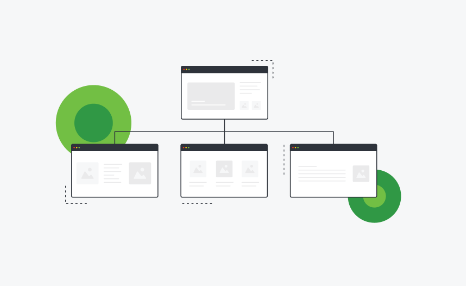
A website architecture diagram is a visual representation of the structure and organization of a website. It gives a clear overview of how the different pages, sections, and components connect to each other.
By using boxes or shapes for each page or component and lines for their relationships, the diagram helps developers and designers see how information flows on the site.
This is useful when planning or redesigning a website, since it supports efficient decisions about content hierarchy, navigation menus, and user flow before any code is written. It also gives everyone on the team a shared reference for how the site fits together. A well-designed website architecture diagram helps make sure users can navigate the site and find what they need quickly.
Conclusion
Understanding the anatomy of a website is central to building a high-performing, user-friendly web page. From the header to the footer, each element helps organize content, guide navigation, and improve visual appeal.
With sound website architecture and design principles, you can tune your site’s functionality and give visitors a strong experience. So take the time to review your website’s structure and make sure every component works together.
Frequently Asked Questions
What is website anatomy?
Website anatomy refers to the structure or layout of a web page, which includes elements like header design, footer design, and website navigation.
What are some important components in website anatomy?
Some key components in website anatomy include webpage elements such as headers and footers, page hierarchy for easy navigation, and functionality aspects managed through a content management system.
How can understanding website anatomy help improve my site?
Understanding website anatomy helps you build a high-performing website by tuning its design elements for better usability and overall user experience.
Can website optimization be influenced by the web page’s anatomy?
Yes. A well-structured web page that makes good use of its anatomical features raises user engagement and improves search engine rankings.

- Independent picks for exactly what you just read about
- Matched to your team size & needs
- Vendors don't pay for placement
Step 1 of 4
How big is your team?
We tailor recommendations to companies your size.















Related Articles
Accounting Software
Xero vs QuickBooks 2026: Pricing, Payroll and Who Each Suits
Continue reading →
Accounting Software
FreshBooks vs QuickBooks 2026: Pricing, Clients, Users and Payroll Compared
Continue reading →
Accounting Software
AI for Accounting in 2026: 8 Use Cases, Tools and Controls for Finance Teams
Continue reading →

Accounting Software
Best QuickBooks alternatives in 2026: 5 competitors compared on price (including free)
Continue reading →