

Classkick is a digital tool that connects teachers and students through instant feedback. With over 10 million users, it lets teachers create or upload content that meets the needs of every learner in their class. The tool centers on the role feedback plays in education, helping students see their own mistakes and stay engaged throughout the learning process.
Classkick works across devices, which fits well in classrooms that already run on technology day to day. It supports important educational standards and gives teachers a way to build personalized lessons that match each individual student’s needs and pace.
Key Takeaways
- Classkick lets teachers give real-time feedback on assignments, helping students learn quickly.
- Teachers can build engaging lessons with multimedia features that promote active participation.
- Students can ask peers for help anonymously, which encourages teamwork and a supportive learning environment.
- Teachers can personalize lessons to fit each student’s learning style and needs.
- Teachers can track student progress as they work, allowing for timely support and adjustments to lessons.
- Classkick offers a free plan with limited features and paid plans with more extensive options, making it accessible across a range of budgets.
Classkick Overview: A Digital Formative Assessment Tool
Classkick is a digital formative assessment tool that strengthens classroom learning through real-time feedback and ongoing interaction between teachers and students. It lets educators create, upload, and customize lessons that engage students in a more interactive, personalized way.
The platform treats feedback as central to learning, letting educators give clear, specific guidance directly on a student’s work. This instant feedback keeps students engaged and builds an environment where real learning can take hold over time.
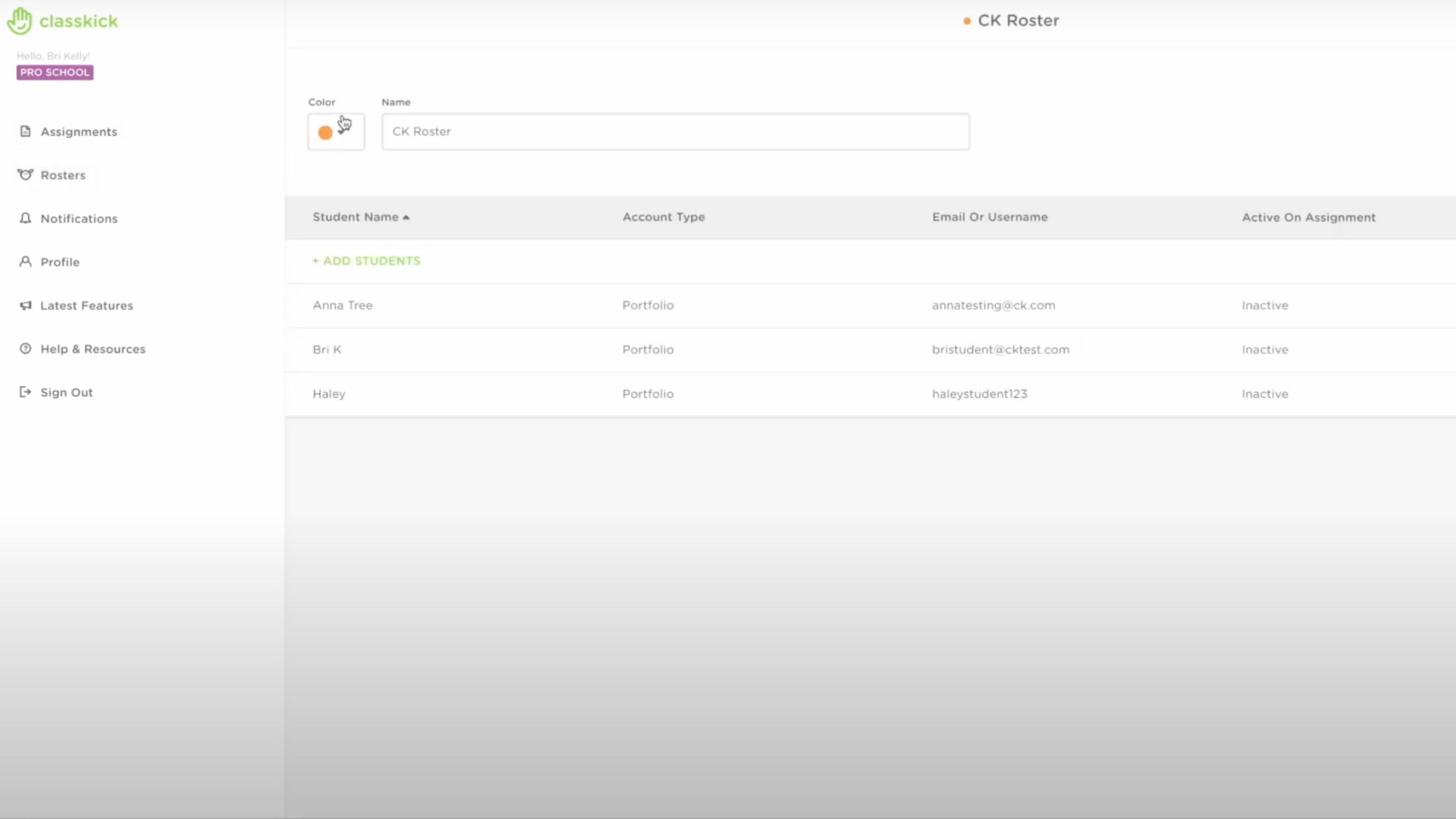
Teachers have access to a range of tools in Classkick for grading and leaving detailed comments, which supports personalized lessons, guided practice, and ongoing check-ins with students who need extra attention.
Students can ask peers for help anonymously, which encourages teamwork without the fear of embarrassment. The platform runs smoothly across devices like iPads, Chromebooks, and computers, making it a good fit for modern classrooms that use technology.
Classkick also aligns with important educational standards, like the ISTE Empowered Learner guidelines, and fits into Dr. Ruben Puentedura’s SAMR model, which underscores its role in genuinely improving learning through the use of technology.
How Classkick Works
Teachers prep an assignment, students work on it from their devices, and teachers and peers provide instant feedback. The process runs smoothly and allows for real-time interaction between students and educators.
Teachers Prep an Assignment
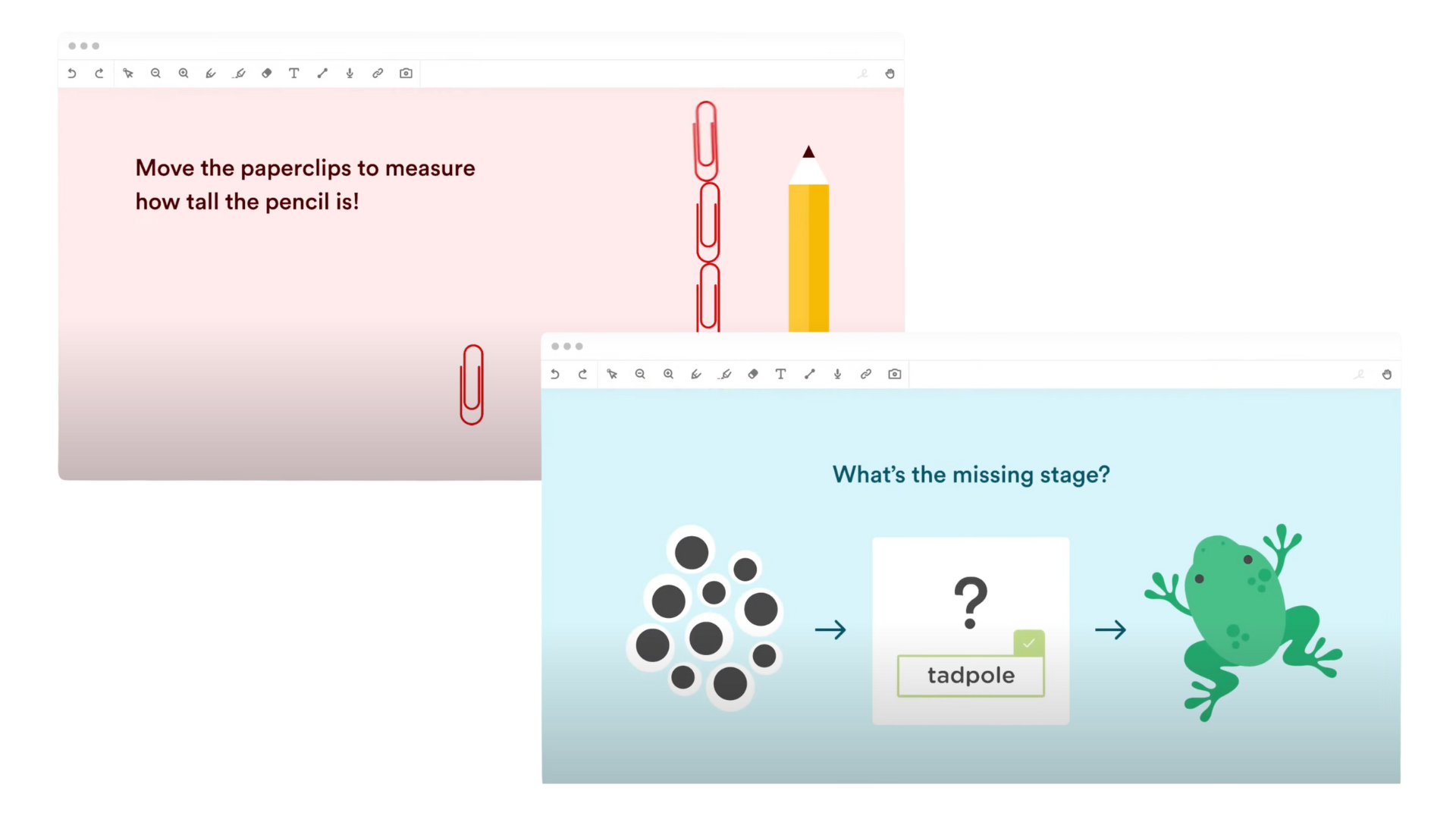
Building a lesson starts with teachers using Classkick to customize their instructional materials. This assessment tool lets educators upload original content or use interactive features like drawings and videos, so they can design lessons that genuinely connect with their students.
For instance, a history assignment could come alive with audio clips of key speeches, or a science project might include step-by-step video demonstrations. These multimedia options are just a glimpse of what teachers can build into their lessons.
As educators bring in their own resources, such as text explanations or challenging puzzles, they create an environment that lifts student interest and participation.
The personalized approach means no two assignments look alike: each activity is built to address specific learning goals and match individual student needs.
Students Work on Their Devices
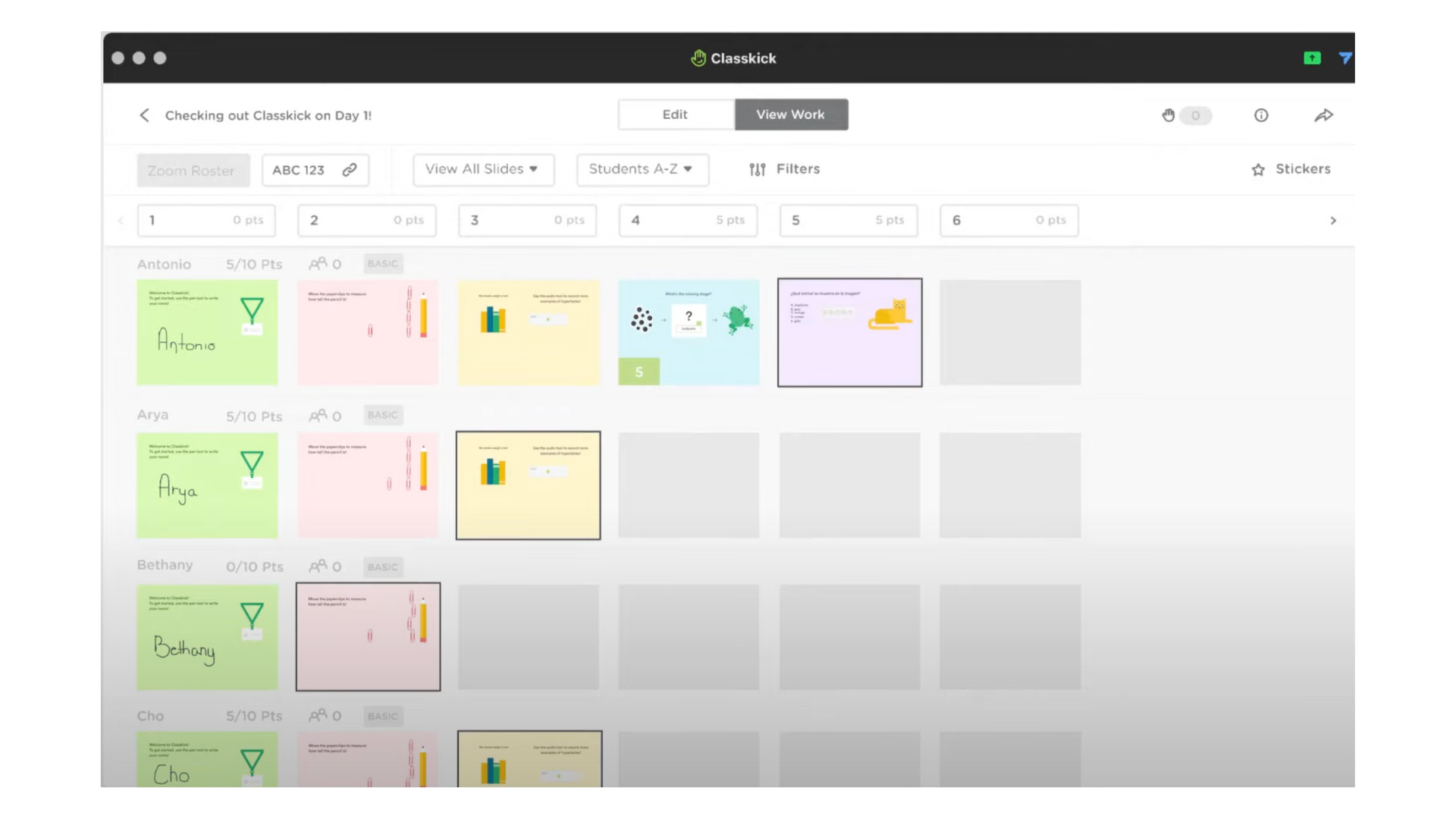
Once the assignment is set up, students dive into their work using whatever device they have, whether a tablet, laptop, or desktop computer. Classkick changes how learning happens by offering an interactive digital space where students actively engage with the material.
They navigate through tasks using tools that let them draw, type, or insert images directly onto their digital canvas. If they run into a challenge or need clarification, students can ask peers for help anonymously within the platform.
Working on their own devices also lets teachers and classmates see each student’s progress in real time, without waiting until an assignment is fully turned in. This virtual classroom environment supports collaborative learning while giving each student room to work at their own pace and follow their own path.
Assignments become more engaging as students click on links, listen to audio snippets from their teacher, or watch educational videos embedded in the lessons.
Teachers and Peers Provide Instant Feedback
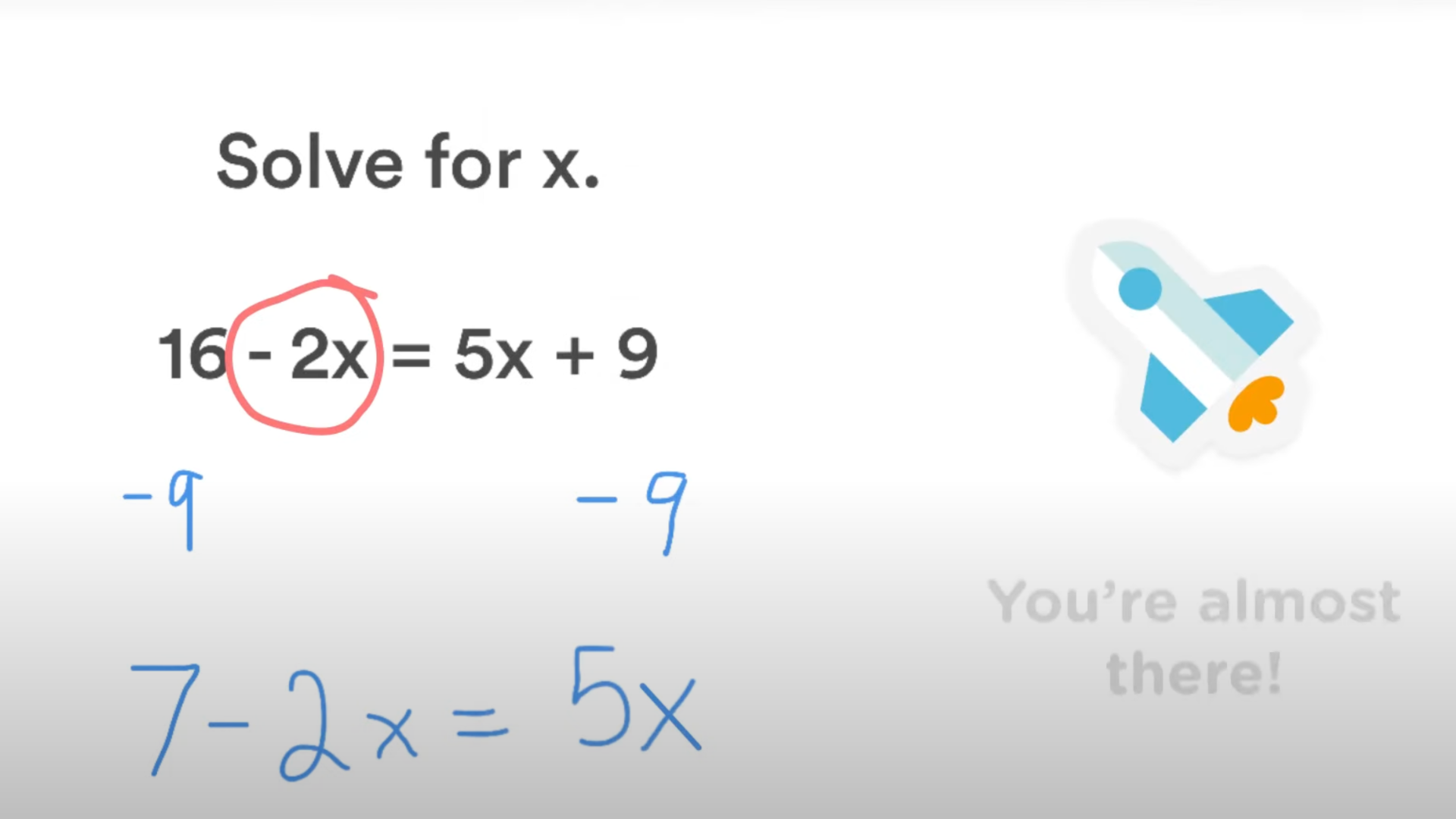
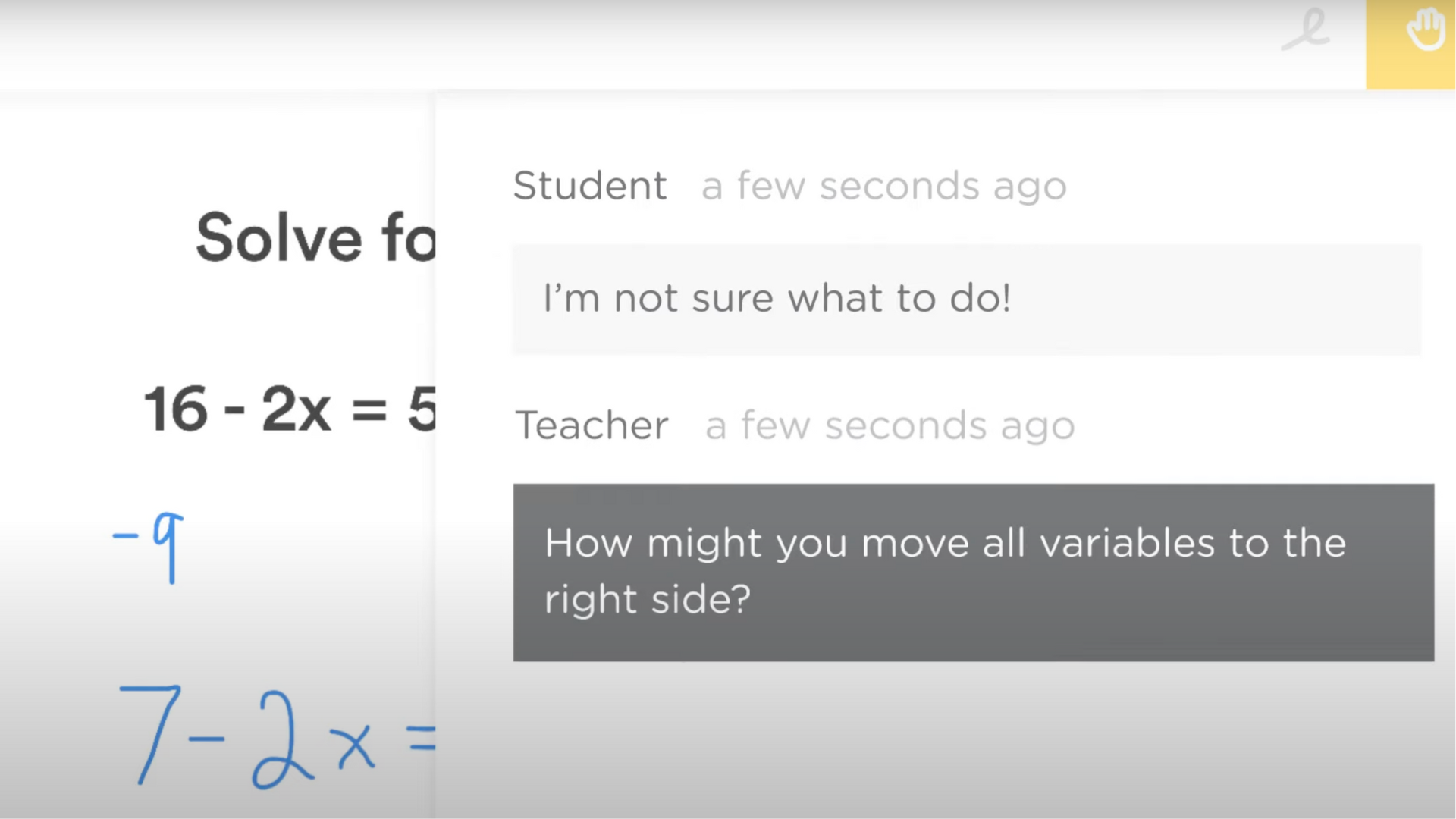
Teachers and classmates play a key role in giving students quick feedback on Classkick. Educators see how students are doing in real time as they work, which helps them spot who needs extra help and understand how each student is working through their assignments.
At the same time, students get immediate feedback and support from their peers, which builds a team learning atmosphere whether they’re in the classroom or learning online.
Because Classkick makes it easy for teachers to assess students regardless of how they’re learning, it’s especially useful for remote learning. This ongoing evaluation helps track student progress and makes sure everyone gets support right away.
Classkick Pricing Plans
Classkick offers a free plan that lets teachers get started at no cost. This plan includes up to 20 assignments per teacher, a whole-class view, and the ability to give and receive feedback from both teachers and peers.
For those wanting more from the platform, Classkick’s Pro Plan is available for $33.25 per month. It includes everything in the Basic Plan, plus unlimited assignments, the ability to export student grades and work, and AI content generation.
For schools and districts, Classkick offers a Pro School/Pro District option that requires a custom quote. This plan includes everything in the Pro Plan, along with dedicated support, a success manager, and customized training for teachers. It also adds a district dashboard, reporting tools, and integrations with Google and Clever.
| Plan | Price | Core Features |
|---|---|---|
| Basic | $0 | 20 assignments per teacher Whole-class view Teacher & peer feedback |
| Pro | $33.25/mo | Unlimited assignments Export student grades and work AI content generation |
| Pro School / Pro District | Get Quote | Everything in Pro Teacher, plus: Dedicated support & success manager Custom professional development District dashboard and reporting Integrations (Google, Clever) |
Benefits of Classkick in Education
Classkick offers real-time monitoring and interaction, personalized lessons, and support for student development, making it a valuable tool for educators looking to lift student engagement and improve learning outcomes.
Real-time Monitoring and Interaction
Teachers using Classkick get real-time monitoring and interaction with their students. Through the platform, they can watch students’ progress as they work through assignments.
Teachers can see what each student is doing as it happens, which helps them give quick feedback and support exactly when it’s needed. It builds an interactive learning environment where students feel involved, shaped by the active teaching style Classkick encourages.
Teachers can also oversee classroom interaction in real time, which supports collaborative learning and helps make sure every student is actively taking part in the digital classroom experience.
The real-time assessment side of Classkick lets educators adjust their lessons to individual or group needs, delivering personalized instruction that matches the range of learning requirements across their students.
Personalized Lessons
Personalized lessons focus on each student’s own learning style and needs, letting teachers adapt instruction to individual strengths and weaknesses. With Classkick, educators can build custom content, assign tailored tasks, and adjust their teaching methods to match what different students need. This keeps support available to every learner.
Classkick lets educators offer adaptive teaching matched to each student’s abilities. Using this digital formative assessment tool, teachers can provide instruction that supports different learning paces and preferences, which in turn lifts engagement and achievement in the classroom.
Empowerment of Student Development
Classkick does more than improve learning experiences: it also gives students more ownership over their own development and progress. With instant feedback and personalized lessons, students get the tools they need to actively engage with their own education, rather than just sitting through it.
Bringing this technology into the classroom creates space for creative learning that boosts student engagement, which can carry through to better performance on state tests. Using Classkick in the classroom lets teachers build an environment that supports educational innovation and gives each student the backing they need for their own growth.
Classkick Reviews
Classkick is a popular tool that helps teachers build engaging lessons and gives students a way to learn actively rather than passively. Many teachers and students have shared their experiences with Classkick over time. Here’s a look at the pros and cons to help you decide if it’s the right fit for your classroom.
Pros of Classkick:
- Easy to Use: Classkick has a simple design, making it easy for both teachers and students to navigate.
- Instant Feedback: Teachers can give immediate feedback on assignments, which helps students understand their mistakes right away and learn from them.
- Interactive Learning: Classkick lets teachers build engaging lessons with different types of activities.
- Collaboration: Students can help each other with assignments, which encourages learning from peers and builds a supportive classroom environment.
- Customizable Content: Teachers can create and adjust lessons to fit the needs of their students.
Cons of Classkick:
- Limited Free Features: The free plan only allows for a few assignments, so teachers with larger classes or more activities may need to upgrade to a paid plan.
- Learning Curve: While it’s generally easy to use, some teachers may need time to learn all the features and how to best use them in their teaching.
- Pricing for Pro Features: The cost of upgrading to access more features may be a concern for some teachers or schools with tight budgets.
Integrating Classkick with Other Formative Assessment Tools
Bringing Classkick together with other assessment tools makes learning more interactive and enjoyable for students in the classroom. Teachers can mix instructional materials and multimedia resources from different platforms to build a richer, more varied learning environment.
This combination lets teachers deliver personalized instruction, which lifts student engagement and meets each student’s own needs. By pairing teacher-made content with digital learning tools, educators can offer a wider range of assessment methods.
Conclusion
Using digital tools like Classkick for assessments helps increase student engagement and personalize learning. Teachers can quickly track student progress, give feedback, and adjust lessons to support each student’s growth.
With the ability to interact in real time and draw on a range of educational resources, teachers can better help students reach their learning goals, wherever those students happen to be working from. Adding Classkick to their teaching methods lets educators improve the classroom experience with technology built to support learning.
(Image Source: the Classkick platform)
Frequently Asked Questions
How can I use Classkick for digital formative assessment?
You can use Classkick to create interactive assignments, provide real-time feedback, and monitor student progress.
Can I access Classkick on different devices?
Yes, you can access Classkick on various devices such as tablets, computers, and smartphones with internet connectivity.
What are the benefits of using digital formative assessment tools like Classkick in education?
Digital formative assessment tools like Classkick facilitate personalized learning, immediate feedback for students, and easy tracking of student performance over time.
Is it necessary for students to have specific technical skills to use Classkick?
No specific technical skills are required for students to use Classkick; it’s designed to be user-friendly and intuitive for all learners.
How does utilizing digital formative assessment tools benefit teachers in the classroom?
Utilizing digital formative assessment tools like Classkick allows teachers to gain insight into individual student understanding while efficiently managing and assessing a variety of assignments.

- Independent picks for exactly what you just read about
- Matched to your team size & needs
- Vendors don't pay for placement
Step 1 of 4
How big is your team?
We tailor recommendations to companies your size.















Related Articles

Buyers guide
How To Choose The Best Online Learning Platform For 2026
Continue reading →
Buyers guide
How To Choose The Best Restaurant Takeout and Delivery Software For 2026
Continue reading →
Applicant Tracking Software
Best ATS for Retail and Hospitality Hiring in 2026: 5 Tools for High-Volume Recruiting
Continue reading →
Buyers guide
How To Choose The Best Alumni Management Software For 2026
Continue reading →