


Managing construction projects means balancing strict deadlines against intricate designs, and the paperwork that ties them together often becomes the bottleneck. Bluebeam software has become a common answer for construction professionals who need to keep that balance without drowning in document handoffs, revision emails, and out-of-date plan sets.
Its set of tools points to a few clear methods for improving efficiency and keeping communication clear across a project’s lifecycle, from the first design draft to the final punch list. Below is a practical look at how Bluebeam supports workflows, how each role on a project team uses it, and why many teams choose it over paper-and-email routines.
Key Takeaways
- Bluebeam software supports project efficiency in construction, with tools for PDF creation, editing, and collaborative reviews.
- Its cloud-based system improves communication between stakeholders by sharing updates instantly and keeping data consistent across devices.
- The platform contributes to time and cost savings through better-organized workflows, letting professionals handle documents faster and make quick decisions on site.
- Firms such as AECOM and CannonDesign show Bluebeam’s part in completing projects by improving collaboration among architects, engineers, contractors, and subcontractors.
- With over 3 million users worldwide, Bluebeam offers a dependable option for raising productivity across every phase of construction.
Bluebeam Software: Overview
(Image credit: Bluebeam)
Bluebeam is a software company focused on the construction industry, with a user base of over 3 million professionals worldwide. Its suite is built for the architecture, engineering, and construction (AEC) sectors, and it aims to keep project workflows organized rather than scattered across email and file folders.
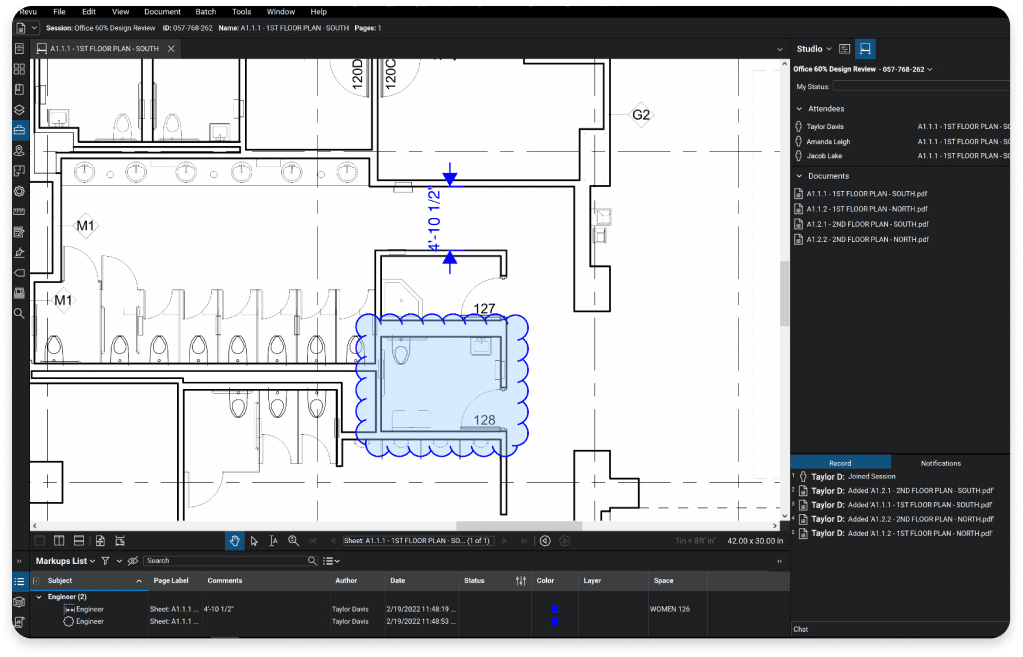
The software does more than create and edit PDFs. It works as a central hub for project documents, where collaborative reviews are gathered in one place and kept simple to run. Instead of chasing the latest markup across inboxes, teams review the same set of files together and see one another’s comments in context.
Bluebeam uses a cloud-based model so teams can securely reach project data from anywhere, whether they are at a desk or on the job site. Users can add markups and annotations directly on project documents, which makes it easier for team members to communicate and work together on the same set of files without duplicating effort.
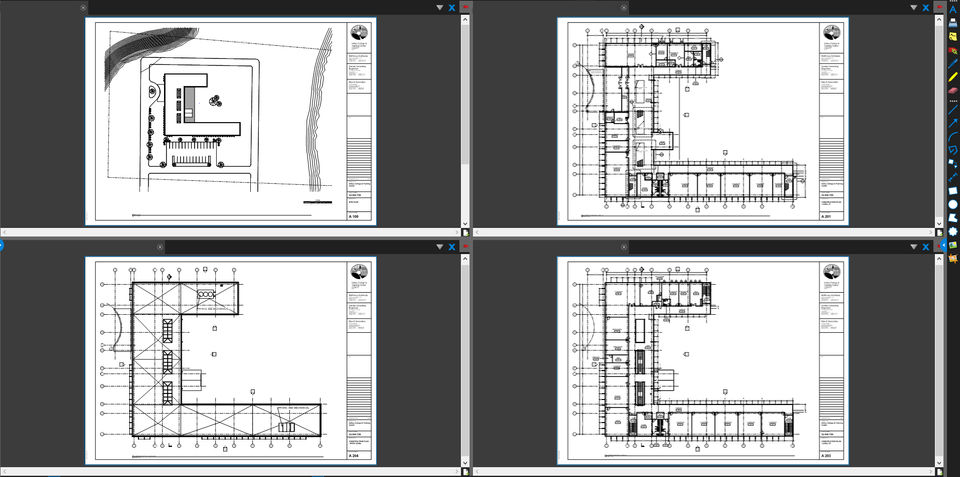
The platform’s ability to manage large volumes of PDFs across the full project lifecycle helps coordinate every stakeholder involved, from architects drafting initial designs to subcontractors finishing a build.
Benefits of Bluebeam for Construction Professionals
Bluebeam gives construction professionals clearer communication and better design quality, stronger data integrity, and time and cost efficiency. Together these benefits keep project workflows moving from start to finish and lift productivity for architects, engineers, general contractors, and subcontractors.
(Image credit: Bluebeam)
Improve Communication and Design Quality
Good project collaboration depends on clear communication. Bluebeam supports that with industry-standard markup and measurement tools that let professionals convey detailed design information with precision.
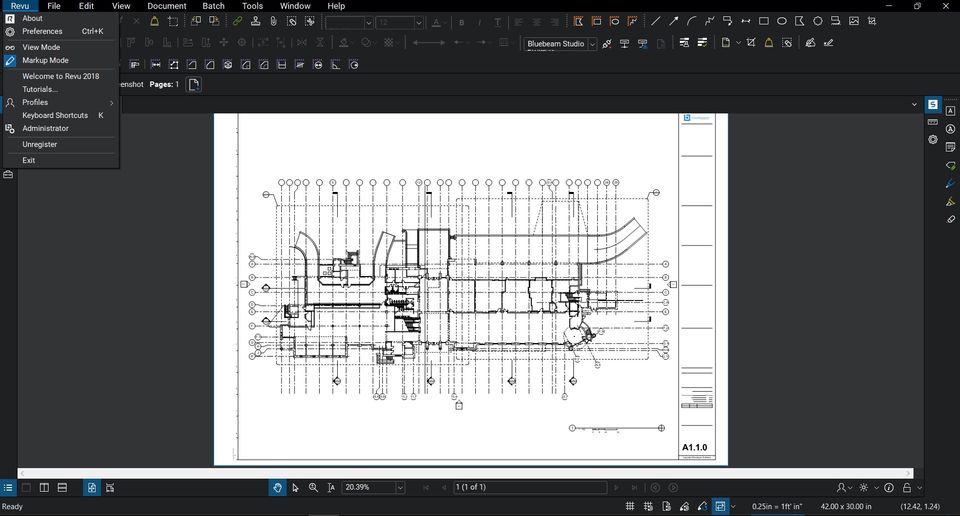
The marking tools let users annotate and highlight important details on project documents, so the key points come through clearly instead of getting lost in a long document.
Because the software manages documents in one shared system, changes made to construction plans reach every team member right away. That cuts down on the misunderstandings and errors that come from out-of-date copies, where one crew builds from a plan that a colleague has already revised.
Users can customize tool sets to fit the specific needs of architects, engineers, and contractors. This tailored setup means each stakeholder can contribute in the way that suits their role, using the markups and measurements that matter most to the work they do rather than a one-size-fits-all toolbar.
Real-time data sharing through Bluebeam’s cloud removes the delays that come with manual handoffs or scattered email threads. Design updates flow to the whole team quickly, which directly improves the quality and accuracy of the final structure.
Utilize SAIA for the Advancement and Promotion of Safety in the Scaffold and Access Industry
(Image credit: Bluebeam)
Enhance Documents and Data Integrity
Bluebeam holds data integrity to a high standard for construction teams. Every measurement, markup, and annotation added to a project plan is preserved exactly as it was entered.
That accuracy matters because those details inform critical decisions during construction. With Bluebeam’s tools, teams can trust that the information they exchange is both current and correct.
Bluebeam’s integration options reinforce that trust. By connecting with external apps and automating routine steps, the software keeps updates and files in sync across different devices and platforms.
This connectivity lowers the risk of data loss or miscommunication, giving projects a reliable foundation to build on. When files stay in sync across the tools a team already uses, there are fewer gaps where a measurement or an approval can slip through unnoticed.
(Image credit: Bluebeam)
Save Time and Money
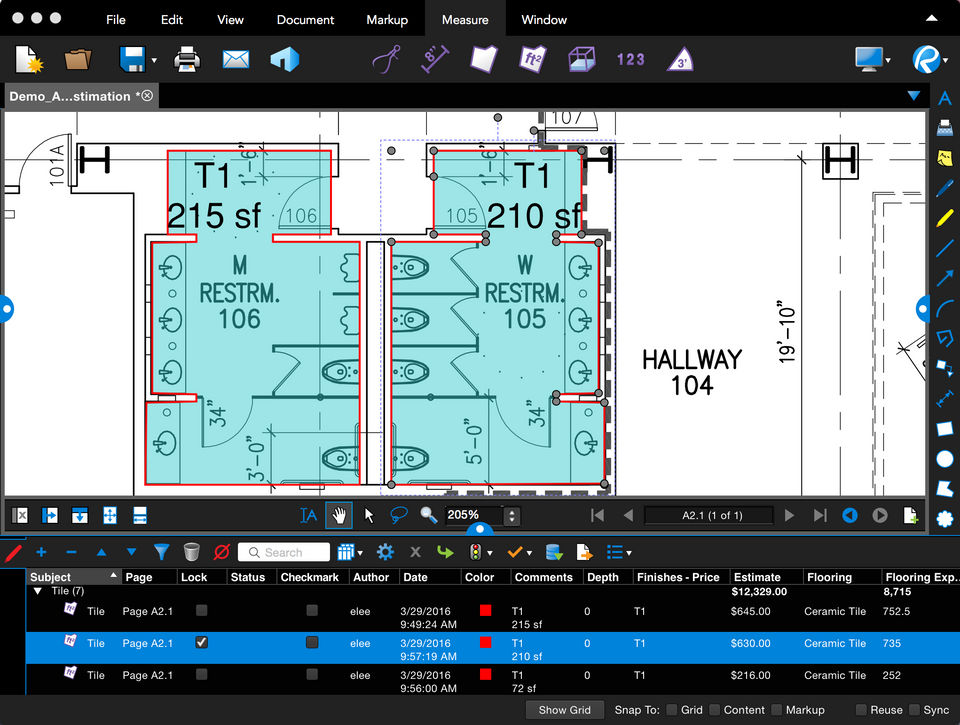
With data kept accurate, construction professionals can turn to time and cost efficiency. Bluebeam Revu offers PDF creation, multi-format uploads, smart markup, real-time tracking of annotations, and on-the-go reporting, and together these features cut down the hours spent on document work.
Bluebeam helps teams get more done in less time through communication and collaboration features, including real-time collaboration between the office and the field. That means fewer project delays and fewer costly mistakes.
Using Bluebeam raises productivity and also contributes to real cost savings. Speeding up document tasks and decision-making shortens project timelines while lowering day-to-day operating expenses.
By standardizing workflows and document management, Bluebeam helps construction teams keep their work consistent and accurate from one project to the next. Professionals can also build their skills through Bluebeam University training courses.
Practical Applications of Bluebeam in Construction
Architects, engineers, general contractors, and subcontractors can all use Bluebeam’s collaborative features and design review tools to keep their processes organized and improve efficiency.
The sections below look at how each of these roles puts Bluebeam software to work.
Architects
Bluebeam is a common choice for architects at firms such as AECOM, CannonDesign, Perkins & Will, Arup, and Rossetti. Its interface and tools help architects keep their workflows organized and work more closely with other project partners.
From creating accurate floor plans to annotating design drawings with precision, Bluebeam lets architects work more efficiently while holding a high standard of design quality.
Its mark-up features and integration with CAD software let architects communicate their intent clearly and make sure every detail is captured accurately.
Mastering 3D Design with Tinkercad: A Beginner’s Guide to Online CAD Modeling
Engineers
Bluebeam helps engineers keep the design and review process organized. With its markup and collaboration tools, engineers can communicate project requirements, flag design flaws before they reach the field, and coordinate clearly with the other construction professionals working on the same drawings.
Bluebeam’s platform lets engineers hold a high standard of precision while speeding up their workflows for better productivity and project outcomes.
General Contractors
General contractors also gain a lot from Bluebeam. They oversee construction projects and coordinate the many trades that bring a build together.
With Bluebeam, general contractors can coordinate communication across team members, track project progress more closely, and keep every stakeholder connected throughout the job.
The platform lets general contractors keep accurate records, share updated plans with subcontractors, and document work on-site in real time, which leads to smoother project execution and better overall efficiency. With a single up-to-date set of documents, the contractor spends less time reconciling versions and more time keeping the schedule on track.
Subcontractors
Bluebeam’s cloud tools help subcontractors keep communication clear and design quality high. Subcontractors can connect their office and field operations, giving them one dependable source of truth that is easy to reach.
Customer testimonials point to the time-saving benefits and added efficiency Bluebeam brings to daily work. The tool gives subcontractors what they need to work faster, collaborate well with the general contractor and other trades, and deliver quality results on construction jobs without waiting on paper plans to arrive.
Bluebeam’s customizable features fit the specific needs of subcontractors, so they can handle complex projects while keeping their focus on precision and accuracy.

Conclusion
Bluebeam gives construction professionals stronger communication, better design quality, and dependable data integrity. It keeps work organized for architects, engineers, general contractors, and subcontractors across every project stage.
Putting Bluebeam’s practical uses to work lets teams collaborate efficiently and raise productivity throughout the construction lifecycle. With over 3 million users worldwide and a full set of resources on hand, construction professionals have a solid tool for improving efficiency.
Customer stories point to successful projects built with Bluebeam, including the Doss Elementary School and the South Carolina DOT Design-Build Group. These real examples show how teams organized their workflows and reached strong results with the software.
Those same stories make the software’s benefits concrete, showing how it improves communication, raises design quality, and supports overall project efficiency on real jobs rather than in theory.
Seen together, these examples give construction professionals a clear picture of what Bluebeam adds in practice, and a practical reason to consider it for their own projects.
Frequently Asked Questions
What is Bluebeam software and how does it benefit construction professionals?
Bluebeam gives construction professionals digital workflows and detailed markup tools to manage project documents and keep the design review process organized.
Can Bluebeam software help with project management for construction projects?
Yes. Bluebeam supports project management with tools that let teams collaborate in real time from different locations.
How do collaboration tools in Bluebeam software contribute to maximizing efficiency?
The collaboration tools remove communication hurdles, letting team members share feedback instantly on one shared platform.
Does using this software improve the overall document handling during a project’s lifecycle?
Yes. Bluebeam turns traditional methods into an agile document management system, keeping records accurate throughout the life of the construction project.

- Independent picks for exactly what you just read about
- Matched to your team size & needs
- Vendors don't pay for placement
Step 1 of 4
How big is your team?
We tailor recommendations to companies your size.















Related Articles
AI Software
AI in Construction (2026): 8 Use Cases, Tools and Risks for Contractors
Continue reading →

Construction Software
Best Construction Time Tracking Software and Time Clock Apps: Best Time Tracking Solutions for 2026
Continue reading →

Construction Software
Best HR Software for Construction Companies in 2026: Streamline Workforce & Compliance
Continue reading →
Buyers guide
Best Equipment Rental Software in 2026: 8 Tools for Tracking and Utilization
Continue reading →