
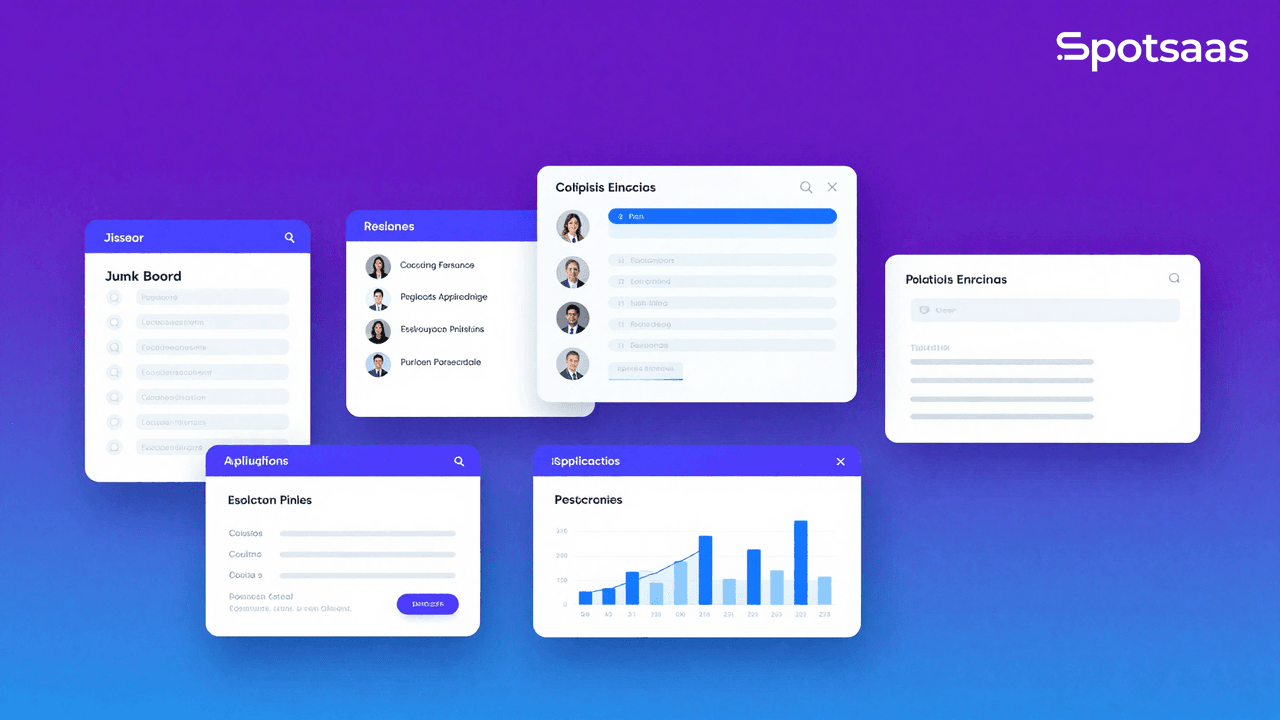
What Is Job Board Software and How Does It Work?
Job board software lets a business, recruiting agency, or community network post, edit, and refine job postings. These platforms also help candidates find relevant job listings and apply conveniently for the roles they actually want, whether that’s through a general job board, a niche portal, or a standalone career site.
Job board software automates the posting, tracking, and engagement side of job applications, streamlining the recruitment workflow for organizations hiring employees. That automation is what separates a modern job board from a plain listings page.
Why Should Businesses Use Job Board Software in 2026?
Job board software simplifies recruitment through centralized job posting, automated applicant tracking, and stronger candidate engagement. It increases job visibility, sharpens hiring efficiency, and offers data-driven insights for better decisions. These platforms help businesses attract top talent while cutting hiring costs and time-to-fill. The sections below cover the specific ways this plays out day to day.
Centralized job posting and management
Companies can manage multiple job listings from one dashboard, cutting the time spent posting manually across different sites. Job board software keeps all job openings updated, categorized, and easily searchable by candidates, which streamlines recruitment and keeps postings consistent across every channel a company uses.
Automated applicant tracking
Most job board platforms integrate with applicant tracking systems (ATS), letting recruiters track applications, review candidate profiles, and communicate with potential hires without switching between tools. This automation improves hiring efficiency and cuts delays in processing applications, leading to faster and more consistent hiring decisions.
Increased visibility for job listings
Job board software is often optimized for search engines, so postings rank higher on Google Jobs and other search platforms. Some software also syndicates listings across multiple boards, widening visibility and pulling in more qualified candidates by expanding the reach of each posting well beyond a company’s own careers page.
Enhanced candidate experience
A well-structured job board lets candidates search for jobs easily, filter opportunities by criteria such as experience level and industry, and apply in just a few clicks. User-friendly interfaces improve candidate engagement, raising application rates and cutting drop-offs during the application process itself.
Data-driven hiring decisions
These platforms also include analytics tools that track job posting performance, application rates, and candidate demographics. Recruiters can use this to refine hiring strategies, fix weak job descriptions, and optimize recruitment campaigns over time, making the whole process more data-driven and strategic.
Custom branding and personalization
Job portals can be branded with logos and colors matching an organization’s identity, creating a consistent employer brand experience. This matters for companies that want to showcase their work culture and values, helping them attract stronger talent and stand out from competitors in a crowded hiring market.
What Are the Key Features of Job Board Software?
Essential features include job posting management, resume databases, ATS integration, AI-powered job matching, and candidate communication tools. Employer branding, analytics, and reporting round things out, supported by adjustable job portal systems, SEO, and job board syndication. Each of these features is broken down below.
Job posting and management
Employers can create, update, and manage job postings with details like job descriptions, qualifications, salary expectations, and application deadlines. These postings can be made public or shared selectively with candidates of a specific experience level, industry, or location. Many platforms offer scheduling, so postings publish automatically at prime times, and recruiters can quickly edit or withdraw listings once an opening changes or closes. This keeps recruiters in control with minimal ongoing effort.
Resume database and search
A searchable resume database lets recruiters proactively find candidates based on skills, experience, education, and other filters, instead of waiting for applications to arrive. This means hiring teams can reach out directly to qualified candidates, improving recruitment efficiency. Many platforms support keyword-based searches and AI-powered recommendations for better matching, with advanced filtering that helps employers quickly identify the most relevant profiles. This speeds up hiring and cuts time spent screening unqualified resumes.
Application tracking system (ATS) integration
Full ATS integration lets recruiters manage the entire hiring process in one system, tracking applications, reviewing resumes, scheduling interviews, and monitoring applicant status without switching tools. This cuts manual data entry and keeps the hiring workflow smooth. Many ATS integrations also include automated email responses and interview scheduling, which strengthens communication. Centralizing candidate management this way saves time and makes sure no applicant gets overlooked.
Customizable job portals
Organizations can build fully branded job portals that match their corporate identity, down to logos, colors, and messaging. A well-branded career page strengthens employer credibility and improves the candidate experience. Some platforms allow custom application workflows, letting businesses tailor the hiring process to their needs, and custom portals often integrate directly with company websites for a seamless application experience. This matters for businesses trying to attract top talent while keeping a strong employer brand.
AI-powered job matching
AI-driven job matching analyzes candidates’ resumes, skills, and preferences to recommend the most relevant opportunities. This saves employers time on screening, since it filters out unqualified applicants and surfaces the strongest ones. AI-powered recommendations raise the chances of a successful hire because the candidate is better aligned with the role from the start. Some platforms also offer predictive analytics to flag which applicants are most likely to accept an offer.
SEO and job board syndication
Job board software optimizes postings for search engines so they rank better on sites like Google Jobs, widening reach and attracting more candidates. Many applications also syndicate listings across job boards, career pages, and popular social networks to extend that reach further. Some send jobs to relevant platforms automatically, saving employers the manual work. Together, these features strengthen recruitment marketing and help companies reach more diverse candidate pools.
Candidate communication tools
Built-in messaging, email automation, and chatbots let recruiters engage with candidates without extra effort, sending interview invitations, answering questions, and providing live status updates. Automated notifications keep applicants engaged throughout the hiring process. Some platforms also support video interviews and pre-screening tests, making recruitment more straightforward. Better communication translates into a better candidate experience and higher application completion rates.
Reporting and analytics
Real-time analytics give recruiters insight into job posts and applicants, including application rates and hiring trends. Recruiters can use metrics like job views, candidate engagement, and conversion rates to sharpen hiring strategy, optimize job descriptions, improve targeting, and spot recruitment bottlenecks. Many platforms also offer predictive analytics for forecasting hiring needs and workforce planning, helping recruiters make decisions based on actual data rather than guesswork.
What Are the Benefits of Job Board Software?
Automated workflows and AI-driven recommendations bring companies faster hiring, stronger candidate quality, and higher engagement. Recruitment becomes more cost-effective and less dependent on third-party agencies. Scalability lets businesses handle a growing need to hire as they expand. The next five sections walk through each of these benefits.
Hiring gets fast and efficient
Automation in job postings, resume filtering, and AI-powered job matching speeds up the hiring process. Recruiters can identify the best candidates quickly instead of manually reviewing every application. Automated workflows streamline interview scheduling and candidate communication, cutting delays, while AI-driven recommendations further improve efficiency by surfacing the best-fit candidates. The result is a shorter time-to-fill and faster hiring turnaround overall.
Better candidate quality
Job board software makes sure the most relevant applicants reach the shortlist by applying advanced filtering, AI-based matching, and applicant tracking together. This keeps recruiters from getting buried under unqualified applications. Employers can predetermine the experience level or skills required as criteria to narrow the applicant pool further, leaving recruiters to focus on high-potential candidates instead of sorting through irrelevant resumes. That, in turn, sharpens hiring decisions and improves retention.
Greater employer and candidate engagement
Interactive portals with real-time messaging, automated notifications, and application tracking keep candidates updated throughout the hiring process. More communication and more frequent updates cut down on candidate drop-off.
Employers can also use chatbots and auto-responses to answer the most common applicant questions, improving the overall applicant experience. Some platforms also offer candidate relationship management tools to keep promising candidates in mind for future openings. Stronger engagement leads to better hiring and a more solid employer brand.
Free recruitment
Job board software also cuts spending on expensive third-party recruitment agencies and costly postings across multiple boards. Employers can manage job listings in-house, cutting recruitment costs while keeping control over the hiring process. Most platforms offer tiered pricing, letting businesses pick plans that suit their hiring needs, and automated features also reduce the workforce required for resume screening and interview scheduling. Optimizing recruitment costs this way helps companies use their resources better and improve hiring ROI.
Scalability for growing businesses
Job boards work for any business size, from start-ups to large enterprises. They handle a growing number of job posts and applications, letting organizations scale without a heavy new investment in resources. Many sites offer customizable workflows to manage different positions and locations, and cloud-based solutions give recruiters easy access whether hiring is local or global. That scalability makes job board software a long-term fit for businesses whose workforce needs keep evolving.
What Types of Job Board Software Are Available in 2026?
Standalone job board software
These platforms are built for businesses, recruitment companies, or communities to host their job postings independently. They allow full customization, branding, and monetization, which makes them a good fit for niche markets or private job boards. Employers can build their own hiring ecosystem without relying on third-party job sites, and advanced features like AI-driven job matching and resume databases help improve recruitment efficiency across that self-hosted ecosystem.
Example: SmartJobBoard and JobBoard.io
Applicant tracking system (ATS) with job board features
This category combines job posting with end-to-end hiring management, including resume filtering, interview scheduling, and applicant data tracking. It helps recruiters handle applications more efficiently and in a more compliance-based way. With ATS-driven job boards, workflows get automated, cutting the administrative overhead of these tasks. Most solutions also integrate with HR software for smoother onboarding once someone is hired.
Niche job board software
These platforms serve specific industries, such as technology, healthcare, or remote work, with tailored filters and job categories. They attract highly qualified candidates by offering industry-specific listings and employer branding tools. Niche job boards often include targeted resume searches and AI-powered recommendations to improve job-candidate matches, catering to specialized skill sets and roles for noticeably better hiring outcomes.
Example: Stack Overflow Jobs (Tech) and Health eCareers (Healthcare)
Enterprise-class recruitment boards
Built for large enterprises with high recruitment volumes, these systems offer features at a larger scale, including AI-powered recruiting, automated workflows, and international job posting. An enterprise recruitment board is meant to integrate with other HRMS systems to streamline hiring across locations. They handle high-volume applicant tracking, compliance reporting, and workforce planning, which suits multinational companies and recruitment agencies running high-volume recruitment.
Examples: iCIMS and Bullhorn
Community and membership-based job boards
Universities, professional associations, and networking groups use these to connect members with job opportunities. These sites offer exclusive job listings, career resources, and networking tools built for specific communities, typically featuring member-only postings, career counseling, and employer collaboration features. Community-driven job boards help maintain a strong professional network while supporting career development, giving members a trusted channel that a general job board can’t replicate.
How to Choose the Best Job Board Software
Selecting the best job board software matters a lot for businesses creating or managing a job portal. It shapes how efficiently you post job listings and handle candidate applications, and it affects the platform’s scalability and user experience. The sections below walk through the goals, software types, data requirements, features, reporting, pricing, scalability, and support worth weighing before you commit.
A well-chosen job board solution should automate job posting, simplify candidate search, manage applications efficiently, and strengthen recruitment overall, without adding extra steps for either employers or job seekers.
What Goals Should You Define Before Choosing Job Board Software?
Defining Job Board Software Goals
To select the best software for your needs, start by defining clear goals. What are you trying to achieve with your job board? Whether you’re a staffing agency, a niche job board, or a large recruitment portal, your goals determine which features and functionality you actually need from the software. The four goals below cover the areas worth thinking through first.
Simplify Job Posting & Candidate Search
The software should streamline the process for both employers and job seekers. Employers should be able to post jobs quickly with the relevant details, while job seekers should be able to filter through categories, search by keywords, and apply efficiently.
Automate Job Matching & Notifications
Automated job matching can meaningfully improve the platform’s efficiency. Matching job seekers automatically with relevant job postings reduces manual effort and speeds up recruitment.
Real-time notifications also keep users engaged by alerting them to job openings or relevant applications.
Ensure Scalability & Flexibility
As your job board grows, it needs to handle more job listings, user accounts, and applications without performance issues. Scalable software supports that growth by offering flexible features that adapt to your business’s changing needs.
Enhance User Experience & Interface
An easy-to-use, intuitive interface matters for engaging both employers and candidates. The software should offer easy navigation, quick access to information, and a smooth application process, since good UX design directly raises satisfaction.
What Types of Job Board Software Are Available?
Preferred Job Board Software Models
Different job board software types address different business requirements. Understanding the strengths and weaknesses of each model matters for making an informed decision that actually moves your business forward. The four main models are cloud-based, on-premise, niche, and white-label solutions.
Cloud-Based Job Board Solutions
Cloud-based job board software is hosted on remote servers, so you can access your platform from anywhere with an internet connection. This works well for businesses wanting a hassle-free experience with automatic updates and scalability, with no need for in-house IT infrastructure. It’s often more cost-effective and supports real-time collaboration.
On-Premise Job Board Software
For businesses with strict data security or compliance requirements, on-premise solutions give complete control over the job board platform and its data.
You host and manage the software on your own servers, which gives you flexibility to customize the platform as needed, though it requires more maintenance and support resources.
Niche Job Board Solutions
Niche job board solutions are tailored for specific industries or sectors, such as healthcare, tech, or remote work.
These platforms provide specialized features aligned with the needs of a particular industry, offering personalized job listings, templates, and support that cater to a targeted audience, which can result in higher engagement and better job matches.
White-Label Job Board Software
White-label solutions let businesses customize the job board platform with their own branding, logos, and design elements. It’s a solid option for those who want a job board built from scratch without developing the software themselves.
What Data Requirements Should Job Board Software Meet?
Job board software needs to integrate smoothly with your organization’s other tools and systems to give an efficient, seamless user experience. That typically means connecting cleanly with applicant tracking systems, payment gateways, CRM systems, and email marketing tools.
Applicant Tracking Systems (ATS)
Integrating job board software with an Applicant Tracking System like Greenhouse or Workable helps streamline recruitment, letting employers manage job applications more efficiently and track candidates throughout the hiring process.
Payment Gateways
Integrating payment gateways such as PayPal, Stripe, or credit card processors ensures seamless transactions if your job board offers paid job postings, subscriptions, or premium listings. A smooth payment process improves the user experience and boosts retention.
CRM Systems
Integration with CRM tools helps track employer relationships, manage communications, and store data in one central location. It also lets businesses manage leads and monitor engagement with the companies using your platform.
Email Marketing Tools
Integrating email marketing tools like Mailchimp lets you automate communication with job seekers and employers, sending newsletters, job alerts, and promotional emails that improve engagement and retention.
What Key Features Should You Look for in Job Board Software?
The right job board software should have the features necessary to streamline recruitment for both employers and candidates. Key features improve functionality, save time, and enhance usability, splitting into a core set most job boards need and a more advanced set that matters as recruitment volume grows.
Core Features
→ Job Posting & Search – Employers can share job listings easily, and job seekers can explore positions using filters like title, location, salary, and company.
→ Resume Database Access – Employers get access to a resume database, letting them efficiently find top candidates and improve hiring quality.
→ Candidate Profiles – Candidates can create detailed profiles with resumes, skills, work experience, and educational background.
→ Customizable Job Listings – Employers can create customized listings with logos, detailed descriptions, and deadlines for a more professional look.
→ Real-Time Job Alerts – Automated alerts inform job seekers of new openings and notify employers about candidate applications.
Advanced Features
→ AI-Powered Job Matching – Algorithms analyze candidate profiles and job descriptions to deliver smarter matches, saving recruiters time.
→ Employer Branding Tools – Employers can customize listings with company branding to stand out and attract better candidates.
→ Social Media Integration – Job postings can be shared across LinkedIn, Twitter, and Facebook to increase reach and visibility.
→ Interview Scheduling & Video Calls – Integrated scheduling and video tools simplify interviews for both employers and candidates.
→ Analytics & Reporting – Built-in analytics track job performance, user activity, and revenue to support data-driven decisions.
How Can Reporting and Insights Improve Job Board Performance?
Detailed insights and reports are essential for monitoring how well your job board is performing against its goals. That means granular reporting on postings, candidate sources, and revenue, paired with visualization tools that make the numbers easy to act on.
Granular Reporting
→ Job Posting Performance – Tracking views, applications, and hires helps employers optimize postings and improve engagement.
→ Candidate Source Analytics – Measuring traffic sources (organic, ads, social) supports better marketing strategies and user acquisition.
→ Revenue & Subscription Tracking – Monitoring revenue streams like paid listings and subscriptions helps optimize pricing and profitability.
Visualization Tools
→ Custom Dashboards – Dashboards present real-time data on active jobs, user activity, and conversions for quick analysis.
→ Exportable Reports – Exporting reports in CSV, PDF, or Excel allows deeper analysis and easy sharing with stakeholders.
What Are the Pricing Models and Cost Considerations?
Choosing a cost-effective pricing model helps businesses scale and stay profitable without overspending on features they don’t need. The four common structures are pay-per-post, subscription-based, commission-based, and custom pricing plans for larger organizations.
Pay-Per-Post Pricing
This model charges employers for each job listing posted on the platform. It suits businesses with occasional posting needs and offers flexibility in pricing.
Subscription-Based Pricing
A subscription model allows unlimited job postings for a fixed monthly or annual fee, suited to businesses with steady hiring demands.
Commission-Based Pricing
This model charges a percentage of the hiring fee or salary once an employer successfully hires a candidate. It’s often used for specialized boards.
Custom Pricing Plans
Larger businesses may opt for custom pricing, which can include branding, advanced analytics, or premium support.
Why Should You Check for Scalability in Job Board Software?
As your job board platform expands, the software needs to scale effectively to accommodate more users, job postings, and applications. That comes down to handling high-volume postings, supporting multiple sites, and keeping branding and workflows flexible as requirements shift.
High-Volume Job Postings
The platform should support high volumes of job postings and applications without compromising performance.
Multi-Site Support
If you plan to manage multiple job boards, multi-site support lets you create separate boards with unique settings and configurations.
Custom Branding & Flexibility
Scalable solutions should offer customization options for branding, UI, and workflows as your business evolves.
How Important Are Support and Training for Job Board Software?
Efficient customer support and training help users get the most out of the platform and troubleshoot issues quickly. That means both responsive customer support and solid training resources for new users.
Customer Support
Job board software should provide reliable support to handle technical issues and keep the platform running.
Training Resources
Guides, tutorials, and training sessions help employers and candidates learn the platform quickly and effectively.
Which Job Board Software Options Compare Best in 2026?
Here are some of the best job board software tools, filtered by key features and target users. These platforms cater to various business needs, from general job postings to hiring in specialized industries. Features like AI-powered matching, ATS integration, and branding options help employers optimize recruitment while scaling. The table below lists each option’s best-fit use case, standout features, starting pricing, and whether a free trial is available.
| Software | Best For | Key Features | Pricing | Free Trial |
|---|---|---|---|---|
| SmartJobBoard | Custom Job Board Creation |
|
Custom Pricing | Yes |
| JobBoard.io | Standalone Job Boards |
|
Starts at $249/month | Yes |
| Workable | ATS & Job Posting |
|
Starts at $149/month | Yes |
| Breezy HR | End-to-End Hiring |
|
Starts at $189/month | Yes |
| Stack Overflow Jobs | Tech Industry Hiring |
|
Custom Pricing | No |
| Health eCareers | Healthcare Recruitment |
|
Custom Pricing | No |
| iCIMS | Enterprise Hiring |
|
Custom Pricing | Yes |
| Bullhorn | Staffing Agencies |
|
Custom Pricing | No |
| YM Careers | Association Job Boards |
|
Custom Pricing | No |
| Handshake | University Job Boards |
|
Custom Pricing | No |
Final Verdict on Choosing Job Board Software
Job board software plays a central role in streamlining the hiring process by automating job posts, tracking applications, and boosting candidate engagement. These platforms let organizations attract the best talent efficiently while cutting the workload on recruiting teams, freeing them to spend more time on the candidates who matter most.
From general recruitment to specific industries and high-volume hiring, job board software helps organizations run smooth, scalable, and cost-effective hiring processes, no matter how many openings they’re filling at once.
With features like AI-powered job matching, applicant tracking, and custom branding, it supports a more structured and efficient recruitment process. Investing in the right job board solution increases employer exposure, improves candidate quality, and speeds up hiring timelines, whether you’re running a standalone board, an ATS-driven system, a niche platform, or an enterprise-class recruitment board.
Compare alternatives to the tools in this post
Related Articles
Applicant Tracking Software
ATS Tools for Small Teams: Hire Faster and Smarter with Less Effort
Continue reading →
Applicant Tracking Software
How Collaborative ATS Tools Improve Internal Hiring Communication
Continue reading →
Applicant Tracking Software
Best Tools for Cross-Functional Hiring Across Teams and Departments
Continue reading →
Applicant Tracking Software
ATS Pricing in 2026: Full Cost Breakdown by Team Size, Features and Plans
Continue reading →