
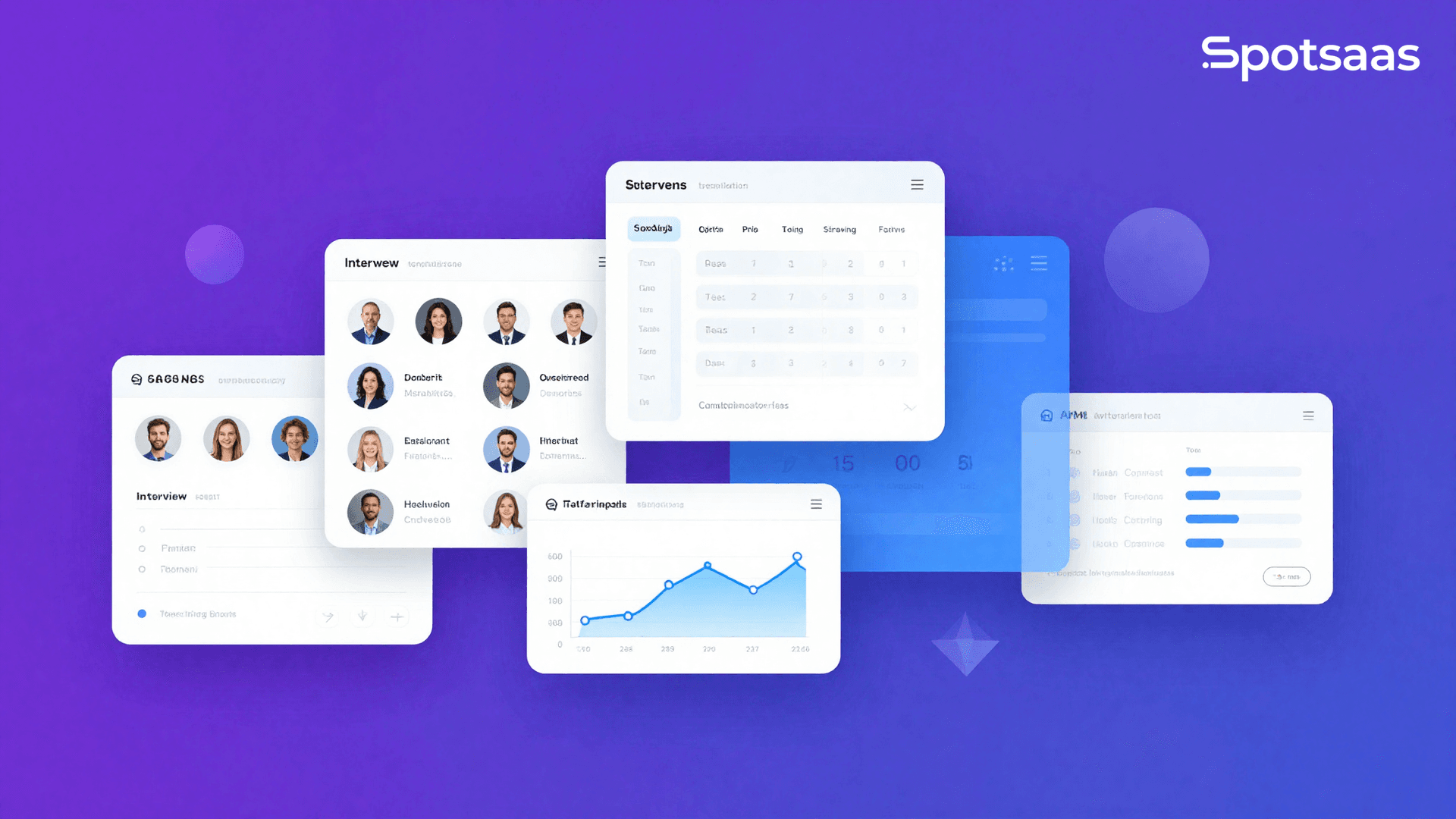
When your entire hiring operation runs through a shared inbox and a color-coded spreadsheet, great candidates slip through the cracks before you even realize it. ATS tools for small teams solve this by replacing fragmented, manual recruitment with a single automated system that tracks every applicant, schedules interviews, and keeps your whole team aligned.
Whether you are a founder, an office manager doubling as HR, or a two-person people team, the right ATS transforms how you hire — faster, smarter, and with far less effort.
Why This Blog Matters
This guide matters because ATS tools for small teams help replace messy hiring workflows built on shared inboxes, spreadsheets, and manual follow-ups. Without a structured applicant tracking system, small businesses risk slower hiring, inconsistent candidate communication, and losing strong applicants before the team can respond. The right ATS gives lean teams a practical way to hire faster and with more control.
What You Will Learn Here
This piece explains what ATS software is, why it matters for small teams, and which features have the biggest day-to-day impact, including centralized applicant pipelines, job board posting, automated candidate communication, resume parsing, interview scheduling, and collaborative scorecards. It compares tools like Greenhouse, Lever, Workable, Breezy HR, JazzHR, Recruitee, and Zoho Recruit, while also covering setup steps, common buying mistakes, free ATS options, candidate experience improvements, and the key metrics small businesses should track after implementation.
Who Should Read This
Built for founders, office managers, HR generalists, small business owners, and lean people teams that want a simple, affordable, and scalable way to manage recruiting using ATS tools for small teams in 2026.
What Are ATS Tools and Why Do Small Teams Need Them?
Quick Answer: ATS tools (Applicant Tracking Systems) are software platforms that centralize and automate the entire hiring process — from job posting and resume screening to interview scheduling and offer letters. Small teams need them because manual recruitment creates chaos, inconsistency, and candidate drop-off that costs you top talent before you can even respond.
An Applicant Tracking System is a centralized hub where every job application is received, sorted, evaluated, and advanced through your hiring pipeline. For enterprise teams, the value is volume management. For small teams, the value is structure — replacing sticky notes, email chains, and disconnected spreadsheets with a single searchable workflow everyone can access.
Small teams rarely have a dedicated recruiter. A founder may handle sourcing. A department head manages interviews. An office manager sends offer letters. Without a shared system, no one has full visibility, and candidates experience inconsistent communication — a signal that drives top applicants toward better-organized competitors.
The right ATS brings every team member onto one platform, automates repetitive steps, and creates a hiring process that looks and feels professional regardless of your company size.
How Big Is the Hiring Problem for Small Teams in 2026?
Recruitment inefficiency is not a minor inconvenience for small teams — it is a competitive disadvantage. The statistics below frame the scale of the problem and explain why ATS adoption has become a strategic priority for lean hiring operations.
- According to LinkedIn Talent Solutions (2026), 83% of talent professionals say talent acquisition has become more complex over the past three years, with small businesses feeling the pressure most acutely due to limited HR bandwidth and fewer dedicated recruiting resources.
- According to Jobvite’s Recruiting Benchmark Report (2026), companies using an ATS reduce time-to-hire by up to 40% compared to teams managing recruitment without dedicated software.
- According to Glassdoor (2026), 58% of job seekers have declined an offer or withdrawn from a process due to a poor candidate experience — something automated communication and structured pipelines directly prevent.
- According to the Society for Human Resource Management (2026), the cost of a bad hire can reach up to 50% of that employee’s annual salary, making structured, consistent screening far more valuable than speed alone.
These numbers are not abstract. For a five-person company hiring two roles simultaneously, a 36-day delay or a single bad hire can derail an entire quarter. ATS tools exist precisely to prevent that outcome.
What Features Should Small Teams Look for in an ATS?
Not every ATS is built for lean teams. Enterprise platforms are often overbuilt, expensive, and require dedicated administrators to manage. Small teams need a specific feature set that delivers maximum impact without unnecessary complexity.
The core features every small team should prioritize when evaluating ATS tools are listed below.
- Centralized applicant pipeline: A single view of every candidate across every open role, with drag-and-drop stage management.
- One-click job posting: The ability to publish to multiple job boards — Indeed, LinkedIn, Glassdoor — from one interface without logging in to each separately.
- Automated candidate communication: Pre-built email templates that trigger automatically at each stage so candidates always know where they stand.
- Resume parsing: Automatic extraction of candidate data from uploaded resumes to eliminate manual data entry.
- Interview scheduling integration: Calendar sync with Google Calendar or Outlook so interviewers can self-schedule without back-and-forth emails.
- Collaborative scorecards: Structured feedback forms that every interviewer completes so hiring decisions are based on consistent criteria, not gut feeling.
- Reporting and analytics: Basic dashboards showing time-to-hire, source effectiveness, and pipeline conversion rates.
- Mobile accessibility: The ability to review candidates and leave feedback from a phone, critical for founders and managers who are rarely at a desk.
According to Dr. John Sullivan, Head of the HR Management Program at San Francisco State University, the biggest mistake small businesses make when selecting recruiting software is prioritizing features they might need over features they will use every single day.
Which ATS Tools Are Best for Small Teams in 2026?
The table below compares the top-rated ATS platforms specifically suited for small and mid-size teams. Evaluation criteria include ease of setup, pricing transparency, core feature depth, and scalability for growing organizations.
| ATS Tool | Best For | Starting Price | Free Plan | Key Strengths | Limitations |
|---|---|---|---|---|---|
| Greenhouse | Fast-growing small teams with structured hiring | Custom pricing | No | Deep interview kits, scorecards, integrations | Pricing not transparent; may be costly for micro-teams |
| Lever | Teams combining ATS and CRM sourcing | Custom pricing | No | Built-in talent CRM, pipeline visibility | Learning curve for non-recruiters |
| Workable | Small teams posting to multiple job boards | $189/month | No (15-day trial) | One-click multi-board posting, AI screening | Reporting features limited on lower tiers |
| Breezy HR | Early-stage teams needing a free starting point | Free (Bootstrap) | Yes | Visual pipeline, free tier available, easy setup | Automation limited on free plan |
| JazzHR | Budget-conscious small businesses | $75/month | No (21-day trial) | Affordable, unlimited jobs on all plans | UI feels dated compared to newer platforms |
| Recruitee | Collaborative teams involving many stakeholders | $199/month | No (18-day trial) | Strong collaboration tools, career site builder | Steeper learning curve for small generalist teams |
| Zoho Recruit | Teams already using Zoho ecosystem | Free (1 active job) | Yes | Deep Zoho integrations, flexible customization | Interface complexity increases with feature use |
Pricing and features are accurate as of 2026. Always verify current pricing directly on each vendor’s official website before purchasing.
How Do You Set Up an ATS for a Small Team? A Step-by-Step Process
Getting an ATS live and running does not require an IT department or a dedicated HRIS administrator. Most modern ATS platforms designed for small teams can be fully operational within a single business day if set up correctly.
- Define your hiring stages before you log in. Map your current process on paper first — application received, phone screen, hiring manager interview, final interview, offer, hired. Knowing your stages before configuring the system prevents rebuilding it twice.
- Create your first job post inside the platform. Write your job description directly in the ATS editor. Include the role, responsibilities, requirements, and compensation range. Most platforms auto-format this for job board distribution.
- Connect your job boards. Authorize integrations with Indeed, LinkedIn, and any niche boards relevant to your industry. One-click distribution from the ATS saves hours per role.
- Build your email templates. Write templates for application received, screening invitation, interview confirmation, rejection, and offer letter. These templates run automatically when you move a candidate between stages.
- Invite your team. Add every person who will touch the hiring process — co-founders, department leads, executive assistants. Assign role-based permissions so reviewers see only what they need.
- Create a scorecard for each role. Define three to five criteria you will evaluate every candidate against. Structured scorecards reduce bias and make debrief conversations faster and more objective.
- Sync your calendar. Connect Google Calendar or Outlook so interview availability is visible and candidates can self-schedule through a booking link without any email back-and-forth.
- Run a test application. Submit a test application through your public job posting URL and trace it through every stage. Confirm all automated emails send correctly and that your team receives the right notifications.
- Go live and monitor your pipeline weekly. Set a recurring 15-minute weekly review of your ATS dashboard to check pipeline velocity, identify bottlenecks, and ensure no candidate is sitting at a stage without activity for more than 48 hours.
According to Lou Adler, CEO of The Adler Group and author of Hire With Your Head, the teams that get the most value from ATS software are those who configure the system around a clearly defined hiring process before they launch — not after they are already flooded with applications.
What Makes ATS Tools Different for Small Teams Versus Enterprise?
Enterprise ATS platforms are engineered for volume — thousands of applications per month, dozens of active requisitions, dedicated recruiting operations teams, and complex compliance requirements across multiple regions. That architecture creates real friction for small teams.
Small teams need speed over sophistication. A five-person company hiring two roles per quarter does not need an AI-powered sourcing engine or a 14-step approval workflow. It needs a clean pipeline view, automated emails, and calendar sync that actually works.
The pricing model is also fundamentally different. Enterprise ATS platforms price per seat, per module, or by annual contract with six-figure minimums. Small-team ATS platforms typically price per job slot, per month, with no long-term commitment required and free trials that allow genuine evaluation before purchase.
The support model matters too. Enterprise platforms route support through account managers and SLAs. The best small-team ATS platforms offer live chat, self-service help centers, and onboarding videos that let a non-technical founder get set up without waiting for a sales demo.
Three Mistakes Small Teams Make When Choosing an ATS
The wrong ATS does not just waste money — it creates more work than it eliminates. These are the most common selection mistakes small teams make, and how to avoid each one.
- Choosing based on feature lists instead of daily workflows. A platform with 200 features sounds impressive until you realize your team uses six of them. Evaluate ATS tools by walking through your actual hiring process in a live trial, not by comparing feature comparison PDFs.
- Underestimating setup and adoption time. Every ATS requires configuration — stages, templates, integrations, permissions. Budget at least one full business day for initial setup and plan for a two-week adoption curve before your team uses the system consistently.
- Selecting a platform you will outgrow in six months. If you are at ten employees today but plan to be at fifty in eighteen months, choose an ATS that scales with you. Migrating candidate data from one system to another mid-growth is painful and disruptive.
How ATS Tools Improve Candidate Experience for Small Teams
Candidate experience is not just a large-company problem. According to Talent Board’s Candidate Experience Research (2026), 72% of candidates share their negative recruiting experiences online or with their professional network — a reputation risk that disproportionately impacts small businesses who rely on referrals and employer brand.
ATS tools improve candidate experience in three direct ways. First, automated acknowledgment emails confirm receipt of every application within minutes, eliminating the silence that causes candidates to assume they were ignored. Second, stage-triggered communication keeps candidates informed at every transition without requiring manual effort from your team. Third, self-scheduling links replace the multi-email coordination loop that frustrates candidates and delays interviews by three to five days on average.
A structured, communicative hiring process signals organizational competence. For small teams competing against larger, better-resourced employers for the same candidates, that signal is a meaningful competitive advantage.
ATS Tools With Free Plans Worth Trying in 2026
Budget constraints are real for small teams. Several ATS platforms offer genuine free tiers that deliver meaningful value without requiring a credit card. These are the options worth exploring if you are not ready to commit to a paid subscription.
- Breezy HR Bootstrap Plan: Free forever with one active position, visual drag-and-drop pipeline, and basic email communication. Visit breezy.hr to explore the free plan details.
- Zoho Recruit Free Plan: Free with one active job requisition, full pipeline management, resume parsing, and integration with Zoho CRM. Visit zoho.com/recruit to review free plan limitations.
- Freshteam by Freshworks: Offers a free tier for teams under a certain headcount threshold with job posting, applicant tracking, and basic reporting included.
Free plans are an excellent way to validate whether an ATS workflow fits your team’s habits before committing to a monthly subscription. Most paid plans become cost-effective the moment they save your team more than two hours per open role per month.
How to Evaluate Whether Your ATS Is Actually Working
Deploying an ATS is not a one-time decision. You need to measure whether the system is delivering the outcomes it was adopted to produce. These are the four metrics every small team should track after going live with an ATS.
- Time-to-fill: The number of days from when a job is opened to when an offer is accepted. Your baseline is your pre-ATS average. Target a 20–40% reduction within the first three months.
- Application-to-interview conversion rate: The percentage of applicants who advance to a screening call. If this rate is below 10%, your job descriptions may be attracting mismatched candidates or your screening criteria need adjustment.
- Interview-to-offer ratio: How many final-round interviews result in an offer. A ratio above 3:1 suggests your earlier screening stages are not filtering effectively.
- Candidate source quality: Which job boards and sourcing channels produce the candidates who actually get hired. Most ATS platforms track this automatically. Use it to concentrate your posting budget on channels that convert.
Review these metrics monthly for the first quarter after launch. After that, a quarterly review is sufficient unless you see a sudden spike in time-to-fill or a drop in pipeline conversion.
Workable vs Breezy HR vs JazzHR: Which Is Right for Your Small Team?
These three platforms consistently appear at the top of small-team ATS evaluations. Here is a direct comparison to help you determine the best fit based on your team’s specific situation.
| Criteria | Workable | Breezy HR | JazzHR |
|---|---|---|---|
| Setup time | Under 2 hours | Under 1 hour | Under 2 hours |
| Free plan available | No (15-day trial) | Yes | No (21-day trial) |
| Job board integrations | 200+ boards | 50+ boards | 100+ boards |
| AI screening tools | Yes | Limited | No |
| Mobile app | Yes | Yes | Yes |
| Starting price | $189/month | Free / $157/month paid | $75/month |
| Best for | Teams posting to many boards with AI support needs | Early-stage teams wanting a free start | Budget-conscious teams hiring steadily |
For teams hiring fewer than five roles per year with a tight budget, Breezy HR’s free plan or JazzHR’s entry tier offers the best value. For teams posting to multiple job boards simultaneously and wanting AI-assisted screening, Workable is worth the higher investment. Explore Workable’s full feature set at workable.com.
Frequently Asked Questions About ATS Tools for Small Teams
What is an ATS tool and how does it work for small teams?
An ATS (Applicant Tracking System) is software that centralizes your hiring process. It collects applications, parses resumes, tracks candidates through pipeline stages, automates communication, and coordinates interviews. For small teams, it replaces manual email and spreadsheet coordination with a single shared system everyone can access and update in real time.
Is an ATS worth it for a company with fewer than 10 employees?
Yes, especially if you are actively hiring. Even one open role managed through email and spreadsheets creates coordination overhead, inconsistent candidate communication, and visibility gaps. An ATS with a free or low-cost plan delivers professional hiring infrastructure without significant cost, making it worth adopting well before you reach ten employees.
What is the best free ATS for small teams in 2026?
Breezy HR and Zoho Recruit both offer functional free plans. Breezy HR’s Bootstrap plan allows one active position with pipeline management and candidate communication. Zoho Recruit’s free tier includes resume parsing and one active requisition. Both are genuine free options, not just trial periods, making them ideal starting points for budget-constrained teams.
How long does it take to set up an ATS for a small team?
Most modern ATS platforms designed for small teams can be fully configured within two to four hours. That includes creating pipeline stages, writing email templates, connecting job boards, and inviting team members. Platforms like Breezy HR and JazzHR are specifically designed for non-technical users and require no developer involvement to launch.
Can an ATS help reduce time-to-hire?
Yes. According to Jobvite’s Recruiting Benchmark Report (2026), companies using an ATS reduce time-to-hire by up to 40% compared to manual recruitment. The primary drivers are automated job board posting, instant application acknowledgment, self-scheduling interview links, and structured pipeline stages that prevent candidates from stalling without follow-up.
Do ATS tools integrate with LinkedIn and Indeed?
Yes. The majority of modern ATS platforms integrate directly with LinkedIn, Indeed, Glassdoor, and dozens of niche job boards. These integrations allow one-click job posting from inside the ATS and automatic import of applications into your pipeline, eliminating the need to log in to each job board separately to manage candidates.
How much does an ATS cost for a small business?
ATS pricing for small teams ranges from free to approximately $300 per month depending on features and job volume. JazzHR starts at $75 per month. Workable starts at $189 per month. Breezy HR and Zoho Recruit offer free tiers. Most paid plans are priced per job slot or per month with no long-term contract, making them low-risk to trial. Vendor-published rate, checked August 2026.
What happens to candidate data stored in an ATS?
Candidate data is stored securely within the ATS platform and subject to the vendor’s data retention and privacy policies, including GDPR compliance for European applicants. Reputable platforms allow you to set automatic data deletion timelines, give candidates access to their own data upon request, and export your data if you switch providers.
Can one person manage an ATS without recruiting experience?
Absolutely. ATS platforms designed for small teams are built for founders, office managers, and generalist operators without formal recruiting backgrounds. The best platforms include onboarding guides, pre-built email templates, default pipeline stages, and live chat support so a first-time user can manage a complete hiring process confidently from day one.
How do I migrate from spreadsheets to an ATS without losing candidate data?
Export your spreadsheet as a CSV file and check whether your chosen ATS accepts bulk candidate imports. Most platforms do. For active candidates, manually re-enter the most recent pipeline stage and notes. Schedule the migration during a low-activity hiring period and run both systems in parallel for one week to confirm nothing is missed before decommissioning the spreadsheet entirely.
Start Hiring Smarter with the Right ATS for Your Team
The right ATS tool does not just organize your hiring — it gives your small team the same recruiting infrastructure that larger companies use to move faster, communicate better, and consistently select stronger candidates. Every day you spend managing hiring through email threads and spreadsheets is a day a well-organized competitor is moving through their pipeline while yours stalls.
The platforms covered in this guide range from completely free to under $200 per month — a cost that pays for itself the moment your next great hire accepts an offer two weeks earlier than they would have otherwise. The setup investment is hours, not days. The return compounds with every role you fill.
Explore and compare the top-rated ATS tools for small teams on Spotsaas to find the platform that fits your team size, budget, and hiring goals. Read verified user reviews, compare feature sets side by side, and make a confident decision backed by real data from teams just like yours.
Compare alternatives to the tools in this post
Related Articles
Applicant Tracking Software
monday.com for HR and Recruiting (2026): Hiring Pipelines, Onboarding and When You Need an ATS
Continue reading →
AI Software
AI Recruiting Tools in 2026: 7 Use Cases, Risks and How to Choose
Continue reading →
Applicant Tracking Software
How Collaborative ATS Tools Improve Internal Hiring Communication
Continue reading →
Applicant Tracking Software
Best Tools for Cross-Functional Hiring Across Teams and Departments
Continue reading →