


Working from home has become the norm for many of us in recent times. The global pandemic forced companies to adopt remote work policies almost overnight, and employees and managers alike have had to adapt to this new way of working.
With the right remote work software, though, working virtually can be just as productive and efficient as working from an office. In fact, according to a recent study, 83% of employees believe that working from home improves their work-life balance, which is a strong argument for building a proper remote toolkit rather than stitching one together ad hoc.
So if you’re looking to maximize your productivity while working from home, here are the 5 best remote work software picks, spanning five different categories, to help you get the job done.
Remote Work Software: 5 Major Categories For Simplifying Remote Working
Project Management
Project management software can help simplify remote work in several ways:
- Regardless of where members of the team are located, it offers a central location for project information and communication.
- It can be used to keep track of deadlines, milestones, and progress, so the team stays on top of its goals and completes assignments on time.
- Team collaboration can be streamlined with such software.
Leading Project Management Tool To Use While Working Virtually
Smartsheet
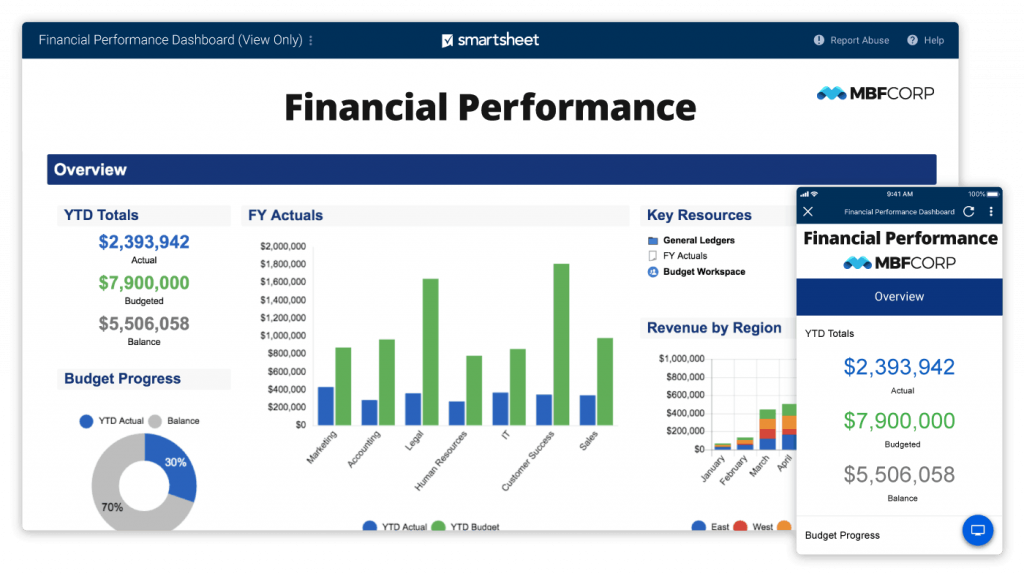
Smartsheet is a cloud-based project management tool that allows businesses to streamline their workflows, collaborate in real-time, and improve their overall productivity.
It offers a user-friendly interface that lets users create and manage projects, track progress, and automate repetitive tasks. Smartsheet can be customized to fit the needs of any project, which makes it a versatile solution for teams of all sizes and industries.
Smartsheet Features
- Team management
- Workflow automation
- Content management
- Portfolio management at scale
- Secure request management
- Integrations
- Streamlined business apps
- Governance & administration
- Intelligent workflows
- Resource management
- Digital asset management
Smartsheet Pricing
- The free version of Smartsheet offers features like: up to 2 editors, 2 sheets, Gantt, Grid, Card, Calendar views, dashboards and reports, 500 MB attachment storage, 100 automations per month, login with Microsoft 365, Google Workspace, or Apple ID, and Help & Learning Center and Community support.
- The two paid plans, Pro & Business, start at $7 per user/month & go up to $25 per user/month.
For a detailed view of Smartsheet pricing plans & features, visit the pricing page here.
Smartsheet Pros & Cons
| Pros | Cons |
|---|---|
| Advanced automation features | Lacks advances reporting |
| Clean user interface | Time consuming learning curve |
| Real-time updates |
Want to learn more about Project Management tools & their top alternatives? Here is a detailed blog by team Spotsaas:
Communication
Communication software can help simplify remote work in several ways.
First off, it gives remote employees a dependable and effective way to stay in touch and interact in real time, regardless of where they are.
Second, communication software can lessen the need for juggling many separate channels and tools, such as email, phone calls, and messaging apps.
Third, team members can work together more effectively thanks to communication software. They can talk in real time and exchange files, suggestions, and updates, which speeds up decision-making and improves workflow.
Leading Communication Tool To Use While Working Remotely
Slack
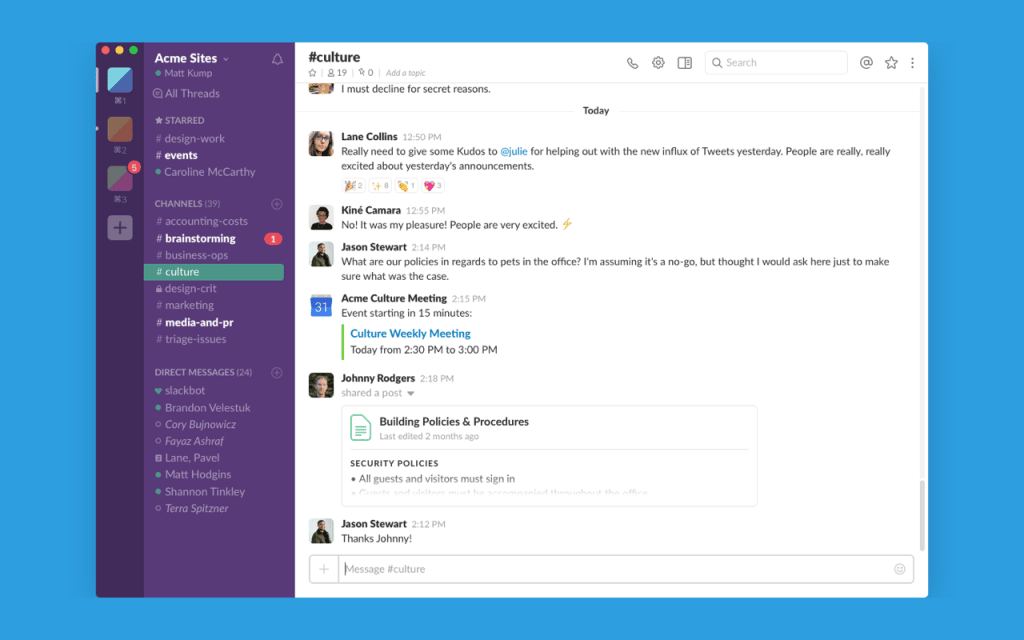
Slack is a cloud-based communication tool for remote team collaboration in real-time. It offers a centralized platform for communication, letting team members send messages, share files, and organize conversations in dedicated channels.
Slack also integrates with a wide range of other tools and applications, such as Google Drive, Trello, and Zoom, making it a versatile solution for teams of all sizes and industries.
Slack Features
- Channels
- Slack Connect
- Huddles
- Messaging
- Clips
- Accessibility
- Apps and integrations
- Workflow builder
- Search
- File sharing
Slack Pricing
- The free trial version of Slack offers features like access to the most recent 90 days of message history, 10 integrations with other apps like Google Drive, Office 365 and many more, and one-on-one audio and video conversations with screen sharing.
- The paid plans start at $2.67 per month & go up to $5 per month.
For a detailed view of Slack pricing plans & features, visit the pricing page here.
Slack Pros & Cons
| Pros | Cons |
|---|---|
| Message scheduling feature | Lacks sync to ATS or email or even LinkedIn |
| Real time notifications | Ability for shared workspace |
| Easy to use interface |
Sharing
Sharing tools can be incredibly helpful in remote working conditions or work-from-home settings by enabling teams to collaborate and communicate effectively. Here are some ways in which sharing tools can assist:
- Digital whiteboard tools, like Miro or Mural, allow remote teams to collaborate visually, brainstorm ideas, and create mind maps together.
- Virtual meetings and communication can be simplified with such tools.
- Overall project coordination through data sharing can be optimized, since it simplifies remote access management.
Leading Sharing Tool To Use While Working Remotely
Airtable
Airtable is a cloud-based sharing software that combines the power of a spreadsheet with the versatility of a database. It is a collaborative tool that lets teams manage remote access to data in a visually appealing and intuitive way.
Airtable is designed to be user-friendly and customizable, making it a flexible tool that can be adapted to fit a variety of use cases, from project management to content creation, CRM, and more.

Airtable Features
- Interface Designer
- Views
- Automations
- Sync
- Reporting
Airtable Pricing
- The free trial version of Airtable offers unlimited bases, up to 5 creators or editors, unlimited commenter & read-only users, Interface Designer, 1 extension per base, 1 sync integration, 1,200 records per base & 2GB of attachments per base.
- The two paid plans, Plus & Pro, start at $10 per seat/month & go up to $20 per seat/month with some advanced features.
For a detailed view of Airtable pricing plans & features, visit the pricing page here.
Airtable Pros & Cons
| Pros | Cons |
|---|---|
| Visually appealing design | Difficult integration |
| Rich functionality | Flaky customization |
| User-friendly interface | Difficult to understand automation |
Team Collaboration
Team collaboration software is a type of software that enables people to work together and communicate effectively as a group, regardless of where each person is physically located.
Here are some ways in which team collaboration software can come in handy during work from home:
- Video Conferencing: With team collaboration software, team members can participate in video conferences and virtual meetings.
- File Sharing: Team collaboration software can be used to share files, documents, and other information, ensuring best remote access management.
- Task Management: Team collaboration software can help to manage tasks and projects, assign tasks to team members, and track progress.
Leading Team Collaboration Tool To Use While Working Remotely
Asana
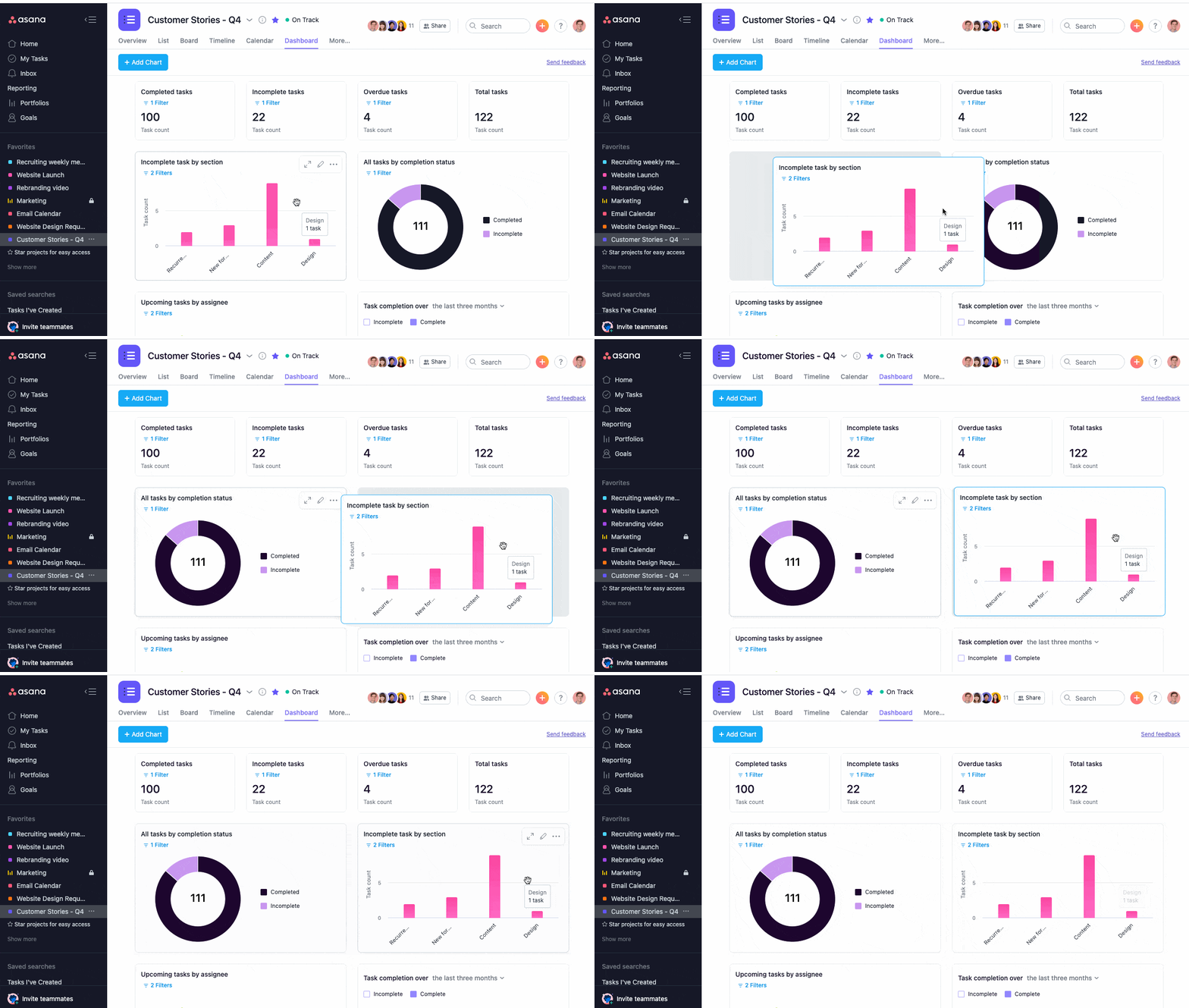
Asana is a team collaboration tool designed to help teams coordinate and manage their work effectively. It provides a platform for teams to collaborate on tasks, projects, and goals, with a focus on improving communication, organization, and productivity.
Asana is used by teams of all sizes and across different industries, from small startups to large enterprises. With its user-friendly interface and extensive features, Asana makes it easy for teams to stay on top of their work, track progress, and achieve their goals remotely.
Asana Features
- Workflow Builder
- Timeline
- Boards
- Calendar
- App Integrations
- Reporting
- Goals
- Forms
- Automation
- Workload
- Desktop and Mobile Apps
Asana Pricing
- The free version of Asana offers features like collaborating with up to 15 teammates, viewing projects with List, Board, and Calendar views, tracking ownership and deadlines with assignees and due dates, connecting your favorite apps with 200+ free integrations, and unlimited tasks, projects, messages, file storage (100MB), and activity log.
- The paid plans for using Asana start at US$10.99 and go up to US$24.99.
For a detailed view of Asana pricing plans & features, visit the pricing page here.
Asana Pros & Cons
| Pros | Cons |
|---|---|
| Intuitive and user-friendly interface | Expensive |
| Highly customizable | Weak Reporting & Analytics |
Time-Tracking
Time tracking tools can be very helpful for people who work from home. Here are a few ways they can be useful:
- Increased productivity
- Improved time management
- Better work-life balance
- Accurate billing
- Performance evaluation
Leading Time Tracking Tool To Use While Working Remotely
Clockify
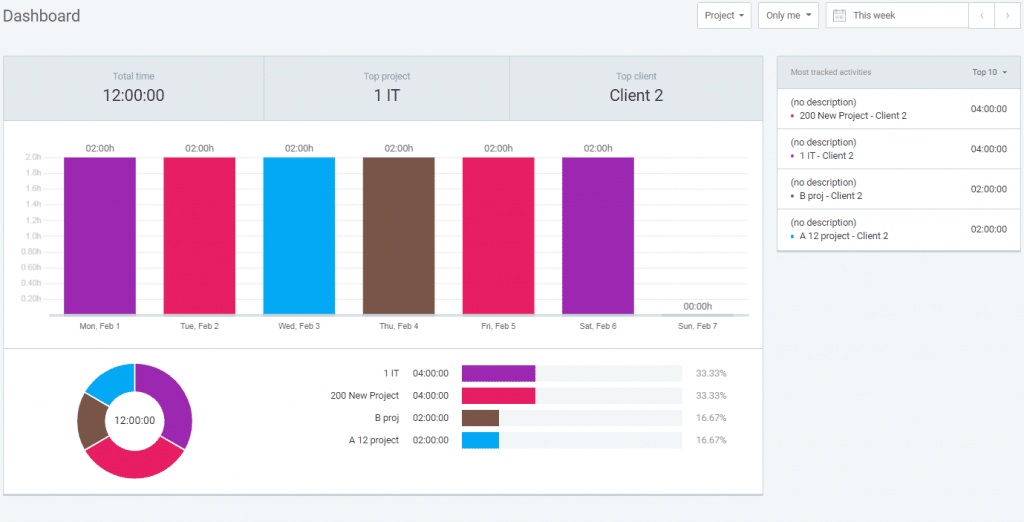
Clockify is a time tracking tool that helps individuals and teams keep track of their time spent on various tasks and projects. It’s available in both a free and paid version: the free version includes basic features, while the paid version offers additional features such as invoicing, time rounding, and custom branding.
Overall, Clockify is a user-friendly time tracking tool that can help individuals and teams improve their productivity and time management.
Clockify Features
TIMEKEEPING
- Timesheet
- Kiosk
- Calendar
- Apps
- Integrations
- Time Tracker
REPORTING
- Dashboard
- Reports
- Activity
- Projects
Clockify Pricing
Users can try Clockify for free with features like:
- Unlimited tracking
- Time tracker
- Timesheet
- Kiosk
- Auto tracker
- Calendar
- Apps
- Pomodoro timer
- Idle detection & reminders
- Tracking integrations
Clockify offers 4 major paid plans: Basic, Standard, Pro, & Enterprise. These plans start at $3.99 USD and go up to $11.99 USD.
For a detailed view of Clockify pricing plans & features, visit the pricing page here.
Clockify Pros & Cons
| Pros | Cons |
|---|---|
| Access control | Dull UI |
| Offers detailed work report | Buggy mobile apps |
| Seamless integration |
Conclusion
| Product Name | Category | Free Trial | Pricing |
|---|---|---|---|
| Smartsheet | Project Management | Yes | Starts at $7 per user/month & go up to $25 per user/month |
| Slack | Communication | Yes | Starts at $2.67 per month & goes up to $5 per month. |
| Asana | Team Collaboration | Yes | Starts at US$10.99 and goes up to US$24.99 |
| Airtable | Sharing | Yes | Starts at $10 per seat/month & goes up to $20 per seat/month |
| Clockify | Time Tracking | Yes | Start at $3.99 USD and go up to $11.99 USD. |
Working from home has become the new normal in 2023 for many people, and software like this has become essential to staying productive, organized, and connected while working virtually.
The 5 tools we’ve covered in this blog, including Smartsheet for project management, Airtable for sharing, Asana for team collaboration, Slack for communication, and Clockify for time tracking, are just a few examples of the many useful tools available to remote workers.
By using these remote work tools to manage projects, communicate with team members, track time, and collaborate on documents, you can stay organized and focused, even when working from home or remotely, without losing the visibility a shared office used to give you for free.
So whether you’re a freelancer, an entrepreneur, or part of a larger remote team, make sure to explore the remote tools available to you and find the ones that work best for your workflow.
Do you also wish to learn tips & tricks to improve WFH culture at your workplace? Here is a detailed blog by team Spotsaas:
How to manage hybrid work culture with the usage of software?
Read More
Learn How to Automate Mobile & Web Push Notifications in 2023- Exciting Read!
Work From Home Or Anywhere: Top 30 Companies For Remote Jobs In 2023
Related reading: monday.com for Remote Teams (2026): Async Updates, Dashboards and Slack, Zoom and Teams Setup
Frequently Asked Questions (FAQs)
What tools are required for work form home?
To manage work from home seamlessly, you require one tools from each of the category: 1- Project Management 2- Time Tracking 3- Sharing 4- Communication 5- Team Collaboration
What is a remote platform or tool?
A remote platform is a digital tool or service that enables people to work, collaborate, and communicate with each other over the internet from different physical locations. Remote platforms are typically used by individuals or teams who work remotely or from different locations, and need to stay connected and coordinate their work.
Best Free remote work tools?
Leading work from home platforms like Zoom, Slack, Clockify, Asana, and Others offer a Free Trial version to first time users.
Is remote working now a trend in 2026?
Yes, before the pandemic, remote work was still a relatively small portion of the workforce, with around 3.4% of workers in the US working from home at least half the time. However, a report by Upwork found that by the end of 2021, 36.2 million Americans will be working remotely, representing 22% of the workforce. Seeing this trend, it is likely that remote work is going to be a trend in 2023 as well.
Is zoom a remote working tool?
Yes, Zoom is a popular remote working tool that allows users to conduct virtual meetings, webinars, and online conferences. With its video and audio conferencing features, screen sharing, and chat capabilities, Zoom has become an essential tool for remote teams to communicate and collaborate in real-time, especially during the COVID-19 pandemic.
Compare alternatives to the tools in this post

- Independent picks for exactly what you just read about
- Matched to your team size & needs
- Vendors don't pay for placement
Step 1 of 4
How big is your team?
We tailor recommendations to companies your size.















Related Articles

Buyers guide
How To Choose The Best Online Learning Platform For 2026
Continue reading →

Education Software
Best LMS Software in 2026: Complete Guide for Every Team Size
Continue reading →

Education Software
Legends of Learning: 2,000+ K-8 Games, Free Teacher Plan
Continue reading →
Education Software
ThinkWave Educator 2026 Review: Gradebook, School Management Software, and Support Overview
Continue reading →