9.3
SpotScore

SmartDraw Review: Is It The Right Diagramming Software For Your Team?
Best for SMB teams · Mid-market · Enterprise
Starts from $5.95 / Month
Overview
Pricing
Features
Buyer feedback
Alternatives
Media
Security & Compliance
Support
FAQ
Blogs
Spotsaas Analysis for SmartDraw
SmartDraw at 3.9/5 from 309 reviews and SpotScore 9.3 serves educators, trainers, and operations managers in small to medium businesses who need to create flowcharts and process diagrams. The platform's drag-and-drop editor and template library reduce the time required to produce diagrams without design experience. A key limitation is that it can consume significant system resources, causing performance issues on older hardware.
Diagramming software enables teams to visualize workflows, organizational structures, and system architectures. SmartDraw replaces manual drawing tools and reduces the cycle time for creating and sharing diagrams across departments.
Quick picks:
What is SmartDraw?
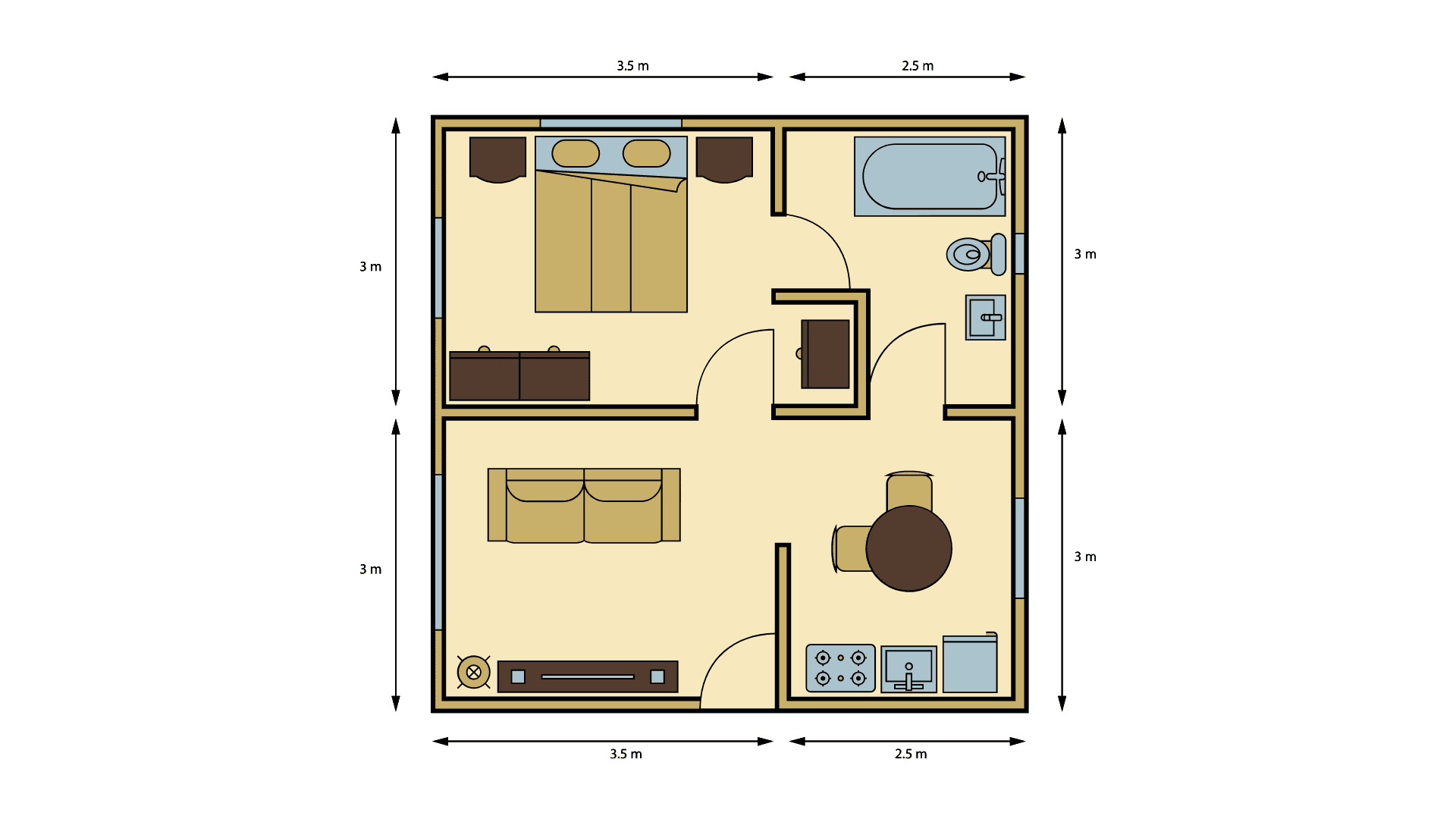
SmartDraw is easy-to-use, beginner friendly diagramming software that develops logical thinking and learning skills for lower grades to higher grades. It's an economical choice for schools and districts with limited funds that want to enrich their students' education. SmartDraw includes hundreds of pre-drawn shapes and symbols for flowcharts, organizational charts, floor plans, network drawing and more.
Pricing
Starts from $5.95 / Month
Best For
Suited for small teams, SMBs, and enterprise
Security & Compliance
Data residency:🇺🇸
Platform
Web-based — no mobile app
Installed - Windows
Installed - Mac
SmartDraw Software Demo
SmartDraw was reviewed internally using user feedback, in-house testing, and market research to assess its performance, reliability, and user experience. Learn how we review products and our evaluation process.

Who should consider SmartDraw
- Use cases
- Educational institutions (schools and districts), Small to medium business process mapping, Facilities and network planning
- Team types
- Educators and trainers, Business analysts
- Company size
- Small Business, Medium Business
- Workflow style
- Simple and streamlined
- Setup complexity
- Medium
Why teams choose SmartDraw
User-friendly interface with drag-and-drop and extensive template library
Supports a wide variety of diagram types including flowcharts, floor plans, and network diagrams
Economical choice suitable for budget-conscious educational institutions
Is SmartDraw right for you?
Best for budget-friendly, easy diagramming in education and SMBs.
Choose SmartDraw if
- You need a simple, drag-and-drop interface with extensive templates.
- You represent a school or small to medium business with limited funds.
- You require versatile diagram types like flowcharts, floor plans, and network diagrams.
Consider alternatives if
- Your team needs advanced customization and specialized design capabilities.
- You require robust, real-time multi-user collaboration features.
What buyers should know before shortlisting SmartDraw
SmartDraw receives high praise from users for its user-friendly interface and versatile functionality. Users appreciate the ease of creating complex diagrams and flowcharts, aided by a wide range of templates and symbols.
The software's efficiency in creating schematics and streamlining workflows stands out as a key benefit according to many reviews. While some users mention occasional issues like uneditable templates and resource-intensive performance, overall feedback remains overwhelmingly positive.
The affordability of SmartDraw compared to other tools and the extensive template library are highlighted as major strengths. Additionally, seamless integration with Google Workspace and cloud storage capabilities enhance collaboration and workflow efficiency.
SmartDraw's intuitive platform proves valuable for various applications, from CAD designs to organization charts, making it an indispensable asset for many organizations. Some minor drawbacks, such as limited customization options and occasional difficulties with icon search, are noted but do not overshadow the software's overall effectiveness and value.
SmartDraw pros and cons
- SmartDraw pros
User-friendly interface with drag-and-drop and extensive template library
Supports a wide variety of diagram types including flowcharts, floor plans, and network diagrams
Economical choice suitable for budget-conscious educational institutions
- SmartDraw cons
Resource-intensive, causing slower performance on less powerful computers
Limited customization options for advanced design needs
Ready to try it?
Get started with SmartDraw
Connect with the team for a personalised demo.
Still comparing?
See how it stacks up
Compare SmartDraw side-by-side with top Diagramming Software alternatives.



What is the pricing of SmartDraw?
SmartDraw Pricing Plans
Single User
$9.95
/Month
4,500+ templates and 34,000+ symbols
Integration with Microsoft Office, Google Workspace, and the Atlassian stack including Confluence and Jira
Save and open diagrams from Dropbox, Google Drive, Box, and OneDrive
Visio import and export
Multiple Users
$5.95
/Month
Team administrative controls
Document retention and control
Ability to consolidate accounts
Premium support
Enterprise
Intelligent Formatting
Professional Results
Integrates With the Tools
Breadth of Content
Import and Export Visio
Show more +
Weighing your options?
Not sure if SmartDraw fits your budget?
SmartDraw reviews and ratings
Buyer sentiment
Overall positive sentiment highlights ease of use and template variety, tempered by performance issues and limited collaboration features.
What buyers like
- Ease of use
- Extensive template library
- Versatility across diagram types
Common complaints
- Performance on low-end hardware
- Lack of collaboration features
Are you using SmartDraw?
What users are saying
AU
Anonymous User
02/01/24
"User friendly and SO helpful!"
What do you like best about SmartDraw? Org & flow charts are my favorite tools! What do you dislike about SmartDraw? Templates not being editable or ...
Read more
AU
Anonymous User
12/21/23
"Great For School"
What do you like best about SmartDraw? I can draw along with my professor as we work on projects. What do you dislike about SmartDraw? Nothing that I ...
Read more
AM
Alan M
12/15/23
"Great tool, easy to use"
What do you like best about SmartDraw? The system works great and helps me create useful schematics without being overly complicated What do you ...
Read more
KJ
Keagan J
12/14/23
"Great cad experience, easy to work with"
What do you like best about SmartDraw? Easy to use. A lot of different other applications to choose from as well. What do you dislike about ...
Read more
AU
Anonymous User
12/13/23
"Excellent Value for your money and easy to use."
What do you like best about SmartDraw? I find Smartdraw to be very user friendly with most users able to just step in and begin diagramming with ...
Read more
MS
Malachi S
12/11/23
"Essential Tool for Our Growing Company"
What do you like best about SmartDraw? We've been relying on SmartDraw daily, and it has become an indispensable asset for our fast-paced and ...
Read more

- See if SmartDraw fits your business
- Real pricing — no sales pressure
- A demo or quick answers, your call
Step 1 of 4
How big is your team?
We tailor recommendations to companies your size.















What are the features of SmartDraw?
Data Import-Export is a software feature that plays a key role in improving the functionality and usability of any software. It allows users…
Diagram templates are pre-built designs that enable users to quickly and easily create professional-looking diagrams for various purposes. T…
Drag and drop allows users to choose an object or a portion of text and move it to the desired location by dragging or "dropping" it. It can…
A flowchart is a visual representation of the specific steps or processes involved in completing a task or solving a problem. It is a powerf…
For developers, software features are essential components that are designed to make their work easier and more efficient. These features ar…
A mind map is a visual representation of ideas and concepts that are interconnected and organized in a hierarchical structure. It is a power…
Multi-User Collaboration refers to the process of more than one user on the same account working together to achieve a common goal. Multi-Us…
Organizational charting is a powerful software tool that allows businesses to visually represent their company's structure and hierarchy. It…
SmartDraw security and data handling
Key compliance certifications and security features for IT and security teams evaluating SmartDraw.
Developer & data
Alternatives to SmartDraw





SmartDraw Support Options
Frequently Asked Questions About SmartDraw
Common questions buyers ask before choosing SmartDraw.
SmartDraw is a Diagramming Software. SmartDraw offers Diagram Templates, Organizational Charting, Mind Map, Flowchart, Data Import-Export and many more functionalities.
SmartDraw is a strong fit if: You need a simple, drag-and-drop interface with extensive templates.; You represent a school or small to medium business with limited funds.. Consider alternatives if: Your team needs advanced customization and specialized design capabilities.; You require robust, real-time multi-user collaboration features..
Buyers commonly note the following limitations of SmartDraw: Resource-intensive, causing slower performance on less powerful computers; Limited customization options for advanced design needs; Lacks multi-user collaboration features.
Some top alternatives to SmartDraw includes Miro, FigJam, Floorplanner, Gliffy and yEd Graph Editor.
SmartDraw offers Subscription, Quotation Based pricing models
The starting price of SmartDraw is $5.95/Month
Ready to try it?
Get started with SmartDraw
Get connected with the team for a personalised demo.
About the reviewer
Rajat Gupta is the founder of Spotsaas. Over the past two years, he has reviewed 2,000+ tools across CRM, HR, AI, and finance — applying hands-on product research and a background in commerce and the CFA program to evaluate software through a business and ROI lens. His goal: help teams make software decisions they won't regret.
Disclaimer: This research has been collated from a variety of authoritative sources. We welcome your feedback at [email protected].