
7.8
SpotScore

Evaluate Review: Is It The Right Survey/ User Feedback Software For Your Team?
Best for SMB teams · Mid-market
Add to compare
Starts from $18 / Quarter
Overview
Pricing
Features
Buyer feedback
Alternatives
Media
Security & Compliance
Support
FAQ
Blogs
What is Evaluate?
Evaluate is a lightweight survey and form tool used by small business owners and freelancers who need to set up online feedback collection quickly with built-in progress tracking. It prioritizes qualitative input through open-ended question formats over analytics dashboards, making it a practical fit for simple customer feedback loops that do not require advanced reporting.
Pricing
Starts from $18 / Quarter
Best For
Built for growing teams, from small businesses to mid-market
Security & Compliance
Data residency:🇺🇸
Evaluate Screenshots

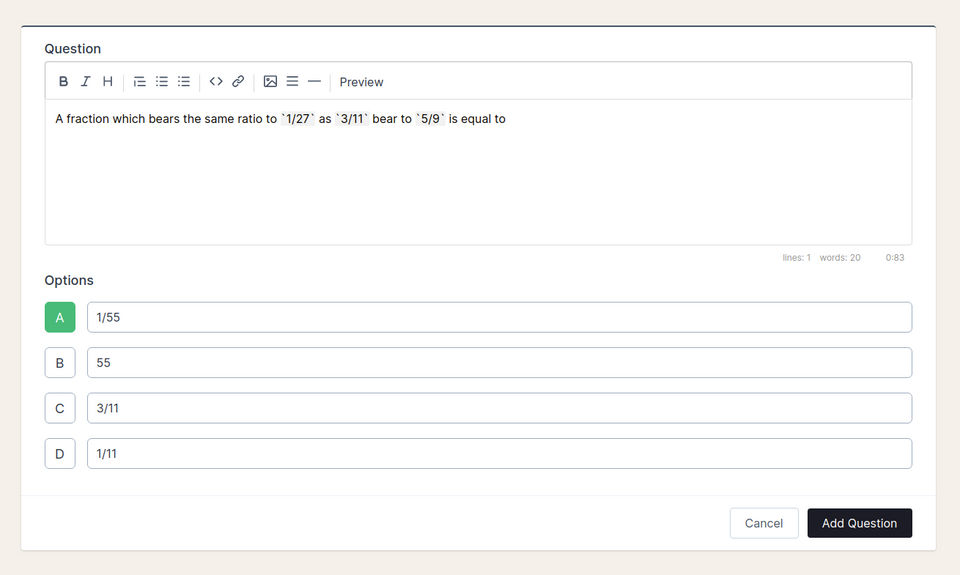
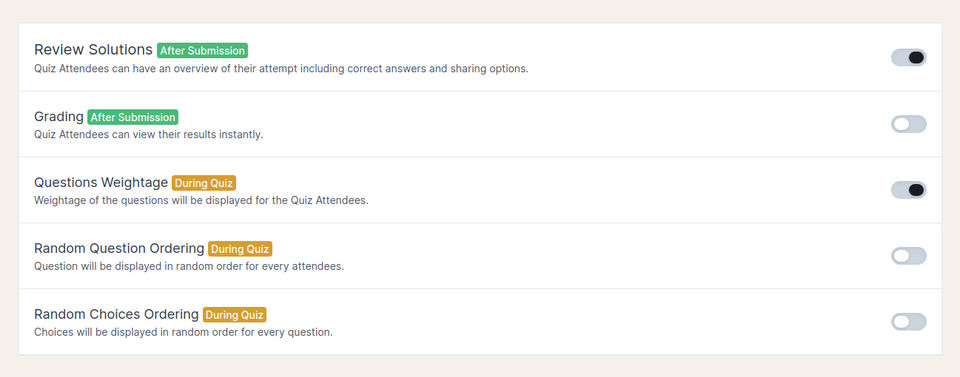
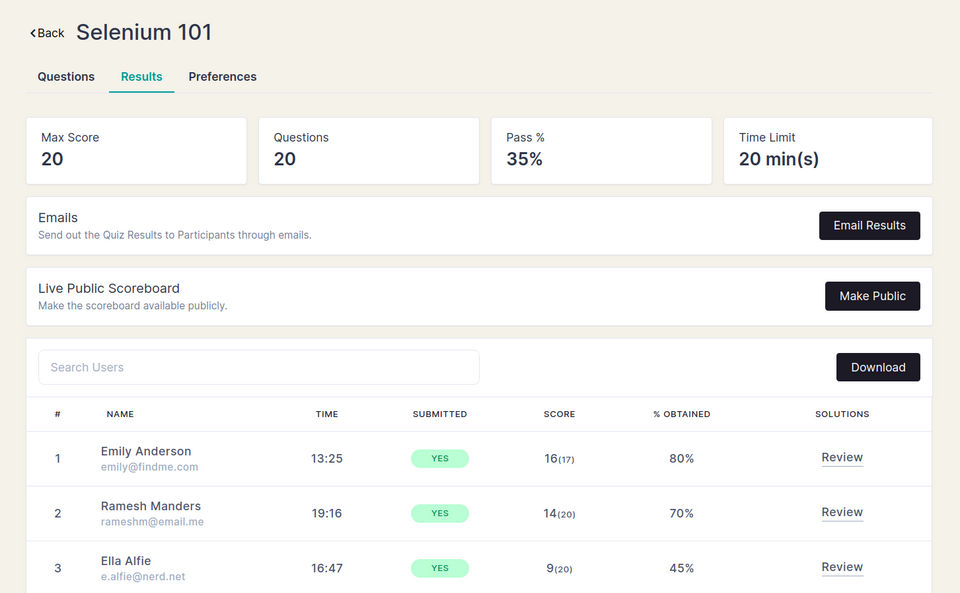
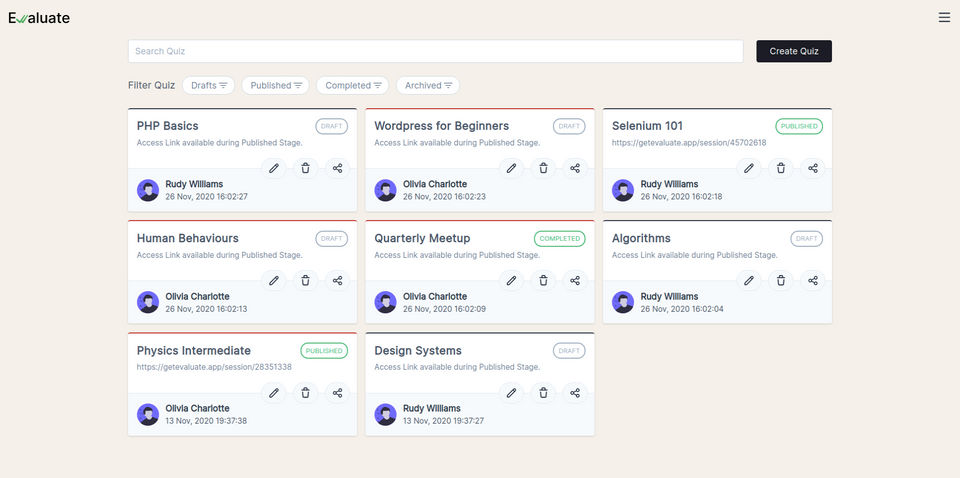
Evaluate was reviewed internally using user feedback, in-house testing, and market research to assess its performance, reliability, and user experience. Learn how we review products and our evaluation process.

Who should consider Evaluate
- Team types
- Individuals, Medium Business
Why teams choose Evaluate
Quick setup for immediate use.
Focus on qualitative data enhances insights.
User-friendly design for easy navigation.
Is Evaluate right for you?
What buyers should know before shortlisting Evaluate
Evaluate is designed for users looking to quickly set up and conduct online surveys. Its focus on qualitative data collection and progress tracking makes it a useful tool for those needing straightforward feedback solutions.
Evaluate pros and cons
- Evaluate pros
Quick setup for immediate use.
Focus on qualitative data enhances insights.
User-friendly design for easy navigation.
- Evaluate cons
May lack depth in reporting features.
Limited advanced survey options.
Ready to try it?
Get started with Evaluate
Connect with the team for a personalised demo.
Still comparing?
See how it stacks up
Compare Evaluate side-by-side with top Survey/ User Feedback Software alternatives.


What is the pricing of Evaluate?
Evaluate Pricing Plans
Weighing your options?
Not sure if Evaluate fits your budget?
Evaluate reviews and ratings
What buyers like
- Quick setup
- Qualitative data collection
- Progress tracking
Common complaints
- Limited advanced features
- Basic reporting
- No offline access
Be the first to review Evaluate
You'll help thousands of buyers make a smarter decision.

- See if Evaluate fits your business
- Real pricing — no sales pressure
- A demo or quick answers, your call
Step 1 of 4
How big is your team?
We tailor recommendations to companies your size.















What are the features of Evaluate?
360-degree feedback is a valuable software feature that allows organizations to gather feedback on an employee's performance from a variety…
Researchers can use data analysis tools to make sense of the information they have gathered. It gives them the ability to report findings an…
Using email distribution lists, resource sharing, collaboration, research, and community engagement are all made easier. This strategy is co…
Kiosk Survey is a powerful tool designed to gather data and feedback from customers or visitors in a quick and efficient manner. It is a sof…
Mobile surveys are a versatile software feature that is designed to simplify the process of gathering data and feedback from individuals on…
Multiple choice (MC), objective response (OR), or MCQ (Multiple Choice Question) is a type of accurate assessment in which respondents are r…
An online survey is a questionnaire that the target audience completes via the Internet. Most online surveys are built as Web forms with a d…
A question library is a feature that allows users to create and organize a collection of questions. It is designed to streamline the process…
Evaluate security and data handling
Key compliance certifications and security features for IT and security teams evaluating Evaluate.
Certifications

Developer & data
Alternatives to Evaluate



Evaluate Support Options
Frequently Asked Questions About Evaluate
Common questions buyers ask before choosing Evaluate.
Evaluate is a Survey/ User Feedback Software. Evaluate offers Question Library, Online Survey, Multiple Question Types, Mobile Survey, Kiosk Survey and many more functionalities.
Buyers commonly note the following limitations of Evaluate: May lack depth in reporting features.; Limited advanced survey options..
Some top alternatives to Evaluate includes SurveyMonkey, QuestionPro, SurveySparrow, Wyzerr and UserFace.
Evaluate offers One-time license pricing model
The starting price of Evaluate is $18/Quarter
Ready to try it?
Get started with Evaluate
Get connected with the team for a personalised demo.
About the reviewer
Rajat Gupta is the founder of Spotsaas. Over the past two years, he has reviewed 2,000+ tools across CRM, HR, AI, and finance — applying hands-on product research and a background in commerce and the CFA program to evaluate software through a business and ROI lens. His goal: help teams make software decisions they won't regret.
Disclaimer: This research has been collated from a variety of authoritative sources. We welcome your feedback at [email protected].