

Convertio Review: Is It The Right File Converter Software For Your Team?
Best for SMB teams · Mid-market · Enterprise
 GDPR
GDPRAdd to compare
Starts from $6.99 / Month when yearly
Integrates with
 Dropbox Business
 Google Drive
 Zapier
 Integromat
Overview
Pricing
Features
Buyer feedback
Alternatives
Integrations
Media
Security & Compliance
Support
FAQ
Blogs
What is Convertio?
Convertio is a browser-based file conversion platform designed to help individuals and teams quickly and securely convert files across over 300 formats, including video, audio, image, document, and presentation types. Built for content creators, educators, marketing teams, developers, and everyday users, Convertio simplifies tasks like changing file types, compressing videos, adding subtitles, extracting text via OCR, and editing media like GIFs or videos. The platform runs entirely in the cloud, eliminating the need for downloads or installation, and supports advanced settings like codec selection, resolution tweaks, and aspect ratio adjustments. Developers can integrate its robust conversion functionality through an API, making it suitable for automation in larger workflows. While not directly integrated with platforms like Meta or Google, Convertio seamlessly supports files destined for use across web, social, and mobile channels.
Pricing
Starts from $6.99 / Month when yearly
Best For
Suited for small teams, SMBs, and enterprise
Security & Compliance
GDPRData residency:Global
Convertio Screenshots
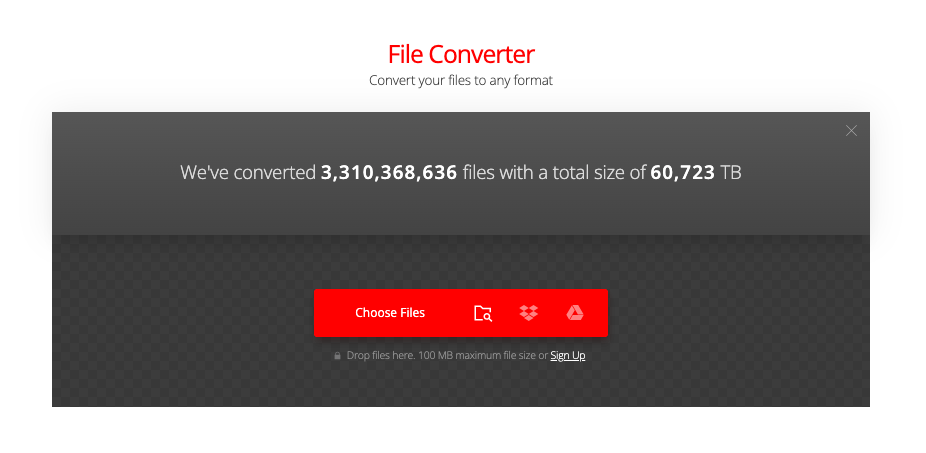

Convertio was reviewed internally using user feedback, in-house testing, and market research to assess its performance, reliability, and user experience. Learn how we review products and our evaluation process.

Who should consider Convertio
- Use cases
- Marketing, Education, Media & Entertainment
- Team types
- Content Creators, Digital Marketers
- Company size
- 1-50 employees, 51-200 employees
- Workflow style
- Simple and streamlined
- Setup complexity
- Low
Why teams choose Convertio
Fast and high-quality file conversions
User-friendly and intuitive interface
Supports over 300 file formats with 25,600+ conversion variations
Is Convertio right for you?
Best for fast, easy browser-based file conversions across 300+ formats.
Choose Convertio if
- You need quick, high-quality conversions without software installation.
- You want a simple, intuitive interface for non-technical users.
- You require broad format support for diverse media and document types.
Consider alternatives if
- You need advanced customization or enterprise-grade conversion features.
- You require integrations with other software or workflow automation tools.
What buyers should know before choosing Convertio
Convertio is a browser-based file converter that handles 300+ formats without requiring software installation. Before shortlisting, verify that your file types are supported—while coverage is broad, some specialized formats (CAD files, certain video codecs) may not convert.
Check the file size limits on your plan: the free tier caps at 100 MB per file, while paid plans go to 500 MB. If you need batch processing or API access for automation, those features require a paid subscription.
The platform stores uploaded files temporarily on servers, which matters if you handle sensitive documents—Convertio deletes files after 24 hours, but confirm this meets your compliance requirements before converting confidential data. Test the output quality with your actual file types during a trial, as conversion quality varies by format.
Customer support is email-based with typical response times of 24–48 hours, so if you need immediate help, factor that into your decision. Pricing is straightforward: free tier with limitations, or monthly/annual plans starting around $10/month.
Watch for auto-renewal on subscriptions if you only need occasional conversions. The tool integrates with cloud storage (Google Drive, Dropbox, OneDrive) but not with most business software—if you need Zapier or API connections for workflow automation, you'll need the paid plan.
Test integration with your existing tools before committing.
Convertio pros and cons
- Convertio pros
Fast and high-quality file conversions
User-friendly and intuitive interface
Supports over 300 file formats with 25,600+ conversion variations
- Convertio cons
Limited advanced features or customization options
No marketplace for additional apps or connectors
Ready to try it?
Get started with Convertio
Connect with the team for a personalised demo.
Still comparing?
See how it stacks up
Compare Convertio side-by-side with top File Converter Software alternatives.


What is the pricing of Convertio?
Convertio Pricing Plans
Lite
$11.99
/Month
1 GB maximum file size
1,000 credits/month
50 concurrent conversions
Unlimited conversion minutes per day
Ad-free pages
Basic
$22.99
/Month
3 GB maximum file size
3,000 credits/month
100 concurrent conversions
Unlimited conversion minutes per day
Ad-free pages
Pro
$44.99
/Month
10 GB maximum file size
10,000 credits/month
Unlimited concurrent conversions
Unlimited conversion minutes per day
Ad-free pages
Custom
$54
/Month+
20 GB maximum file size
Up to 1,000,000 credits/month
Unlimited concurrent conversions
Priority support
Weighing your options?
Not sure if Convertio fits your budget?
Convertio reviews and ratings
Buyer sentiment
Users overwhelmingly praise Convertio for its speed, ease of use, and extensive format support, with minor complaints about limited advanced features.
What buyers like
- Ease of use
- Conversion speed
- Format versatility
Common complaints
- Lack of advanced features
- Limited integrations
Are you using Convertio?

- See if Convertio fits your business
- Real pricing — no sales pressure
- A demo or quick answers, your call
Step 1 of 4
How big is your team?
We tailor recommendations to companies your size.















What are the features of Convertio?
Convertio uses cloud storage to process file conversions directly in your browser without using your device's resources. While it doesn't fu…
Convertio provides a customizable conversion experience by allowing users to configure output settings specific to each file type. Whether a…
Convertio supports secure file processing using encrypted connections (HTTPS) during uploads and downloads. Although it doesn't offer end-to…
File type conversion is the core function of Convertio, supporting over 25,600 conversion variations across 300+ file formats including vide…
Convertio provides a developer-friendly API that allows seamless integration of its file conversion capabilities into third-party apps and c…
PDF (Portable Document Format) conversion is a software feature that allows users to convert various types of documents, such as text, image…
Convertio stores files temporarily during conversion using encrypted, isolated storage. Files are automatically deleted after 24 hours. This…
Convertio security and data handling
Key compliance certifications and security features for IT and security teams evaluating Convertio.
Certifications

Security features
Developer & data
Alternatives to Convertio





Why buyers keep looking beyond Convertio
Users who need to convert large volumes of files simultaneously often turn to other platforms offering more robust batch conversion features and queue management options.
Convertio lacks direct integrations with major productivity and collaboration tools such as Google Workspace, Dropbox, or Slack, which some competitors provide for more seamless workflow automation.
With a 100 MB file size limit for free users, those working with large media files often opt for platforms with more generous or unrestricted limits.
Convertio operates exclusively in the cloud, which can be a limitation for users who need offline access or who work in environments with restricted internet access.
While Convertio includes some media editing options, creative professionals may prefer tools with more advanced video or audio editing capabilities built-in.
Users looking for highly customizable pipelines or conditional conversion flows might find Convertio’s user interface too simple compared to enterprise-level alternatives.
Convertio Integrations

Convertio Support Options
Frequently Asked Questions About Convertio
Common questions buyers ask before choosing Convertio.
Convertio is a File Converter Software. Convertio offers Cloud Storage, Customizability, Encryption, File Type Conversion, For Developers and many more functionalities.
Convertio is a strong fit if: You need quick, high-quality conversions without software installation.; You want a simple, intuitive interface for non-technical users.. Consider alternatives if: You need advanced customization or enterprise-grade conversion features.; You require integrations with other software or workflow automation tools..
Buyers commonly note the following limitations of Convertio: Limited advanced features or customization options; No marketplace for additional apps or connectors; Potential restrictions on file size or usage in free tier.
Some top alternatives to Convertio includes CloudConvert, Zamzar, PDFShift, PDF4me and ZonePDF.
Convertio offers Subscription pricing model
Yes, Convertio can integrate with Dropbox Business, Google Drive, Zapier, Integromat and many more.You can find more integration for Convertio here
The starting price of Convertio is $6.99/Month when yearly
Ready to try it?
Get started with Convertio
Get connected with the team for a personalised demo.
About the reviewer
Rajat Gupta is the founder of Spotsaas. Over the past two years, he has reviewed 2,000+ tools across CRM, HR, AI, and finance — applying hands-on product research and a background in commerce and the CFA program to evaluate software through a business and ROI lens. His goal: help teams make software decisions they won't regret.
Disclaimer: This research has been collated from a variety of authoritative sources. We welcome your feedback at [email protected].