

Blurweb App Review: Is It The Right Screen Recording Software For Your Team?
Best for SMB teams · Mid-market
 SOC 2
SOC 2Add to compare
Starts from $29 / One-Time Payment
Overview
Pricing
Features
Buyer feedback
Alternatives
Media
Security & Compliance
Support
FAQ
Blogs
What is Blurweb App?
Blurweb App is a must-have platform to protect confidential information while capturing real-time video or screen sharing. Intuitive tools like headings, paragraphs, videos or image enable users to conveniently control blur intensity to optimize workflows. It's a perfect solution for businesses, big or small, since it offers secure compatibility with Chrome, FireFox and Safari. Get your copy now and see why Blurweb App is the best way to monitor your information.
Pricing
Starts from $29 / One-Time Payment
Best For
Built for growing teams, from small businesses to mid-market
Security & Compliance
SOC 2SSO & MFA supported
Data residency:🇺🇸
Blurweb App Screenshots

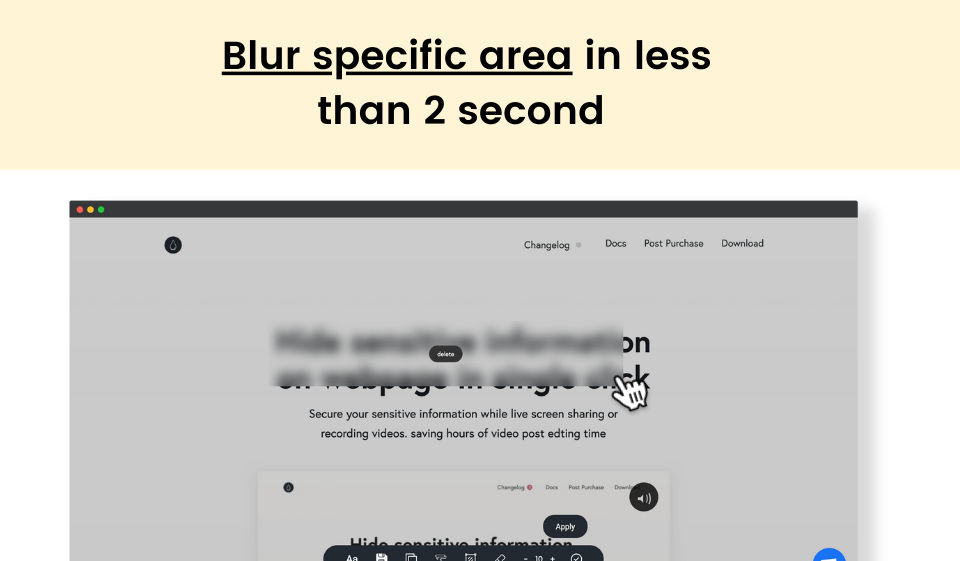
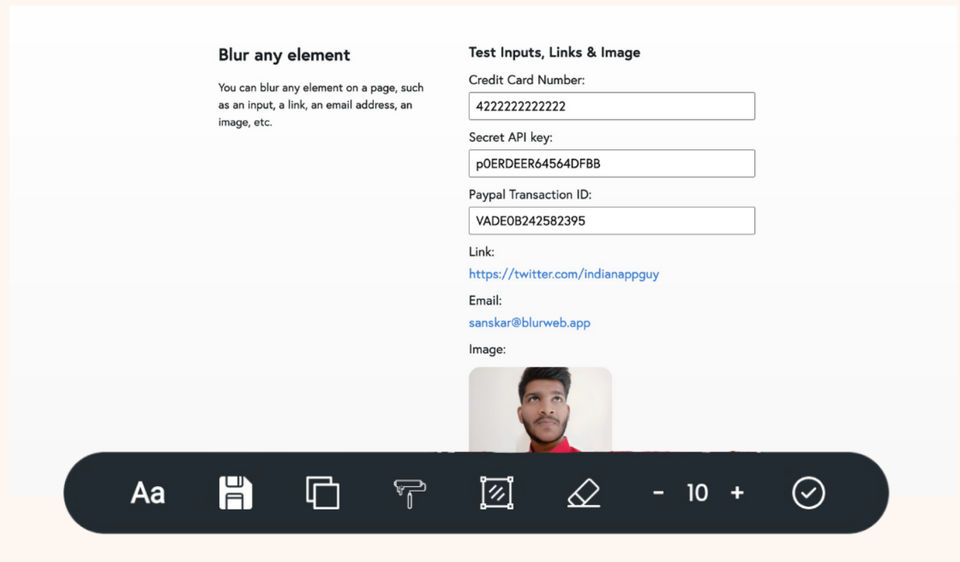
Blurweb App was reviewed internally using user feedback, in-house testing, and market research to assess its performance, reliability, and user experience. Learn how we review products and our evaluation process.

Who should consider Blurweb App
- Team types
- Individuals, Medium Business
Why teams choose Blurweb App
Strong focus on data security
Easy-to-use interface for quick recordings
Compatible with multiple browsers
Is Blurweb App right for you?
What buyers should know before choosing Blurweb App
Blurweb App provides a secure solution for screen recording while ensuring sensitive information remains protected. Its intuitive controls make it easy for users to manage blur effects effectively.
Blurweb App pros and cons
- Blurweb App pros
Strong focus on data security
Easy-to-use interface for quick recordings
Compatible with multiple browsers
- Blurweb App cons
Limited editing capabilities post-recording
May require additional tools for comprehensive editing
Ready to try it?
Get started with Blurweb App
Connect with the team for a personalised demo.
Still comparing?
See how it stacks up
Compare Blurweb App side-by-side with top Screen Recording Software alternatives.



What is the pricing of Blurweb App?
Blurweb App Pricing Plans
Professional
$29
One-Time Payment
3 Active browsers/devices
Includes Chrome Extension and Firefox Addon
Includes Safari Extension (coming soon)
Works with Zoom, Loom & Google Meet, Berrycast and More
Bussiness
$87
One-Time Payment
10 Active browsers/devices
Protect your business from leaking sensitive information by your employees
Includes Chrome Extension and Firefox Addon
Includes Safari Extension (coming soon)
Works with Zoom, Loom & Google Meet, Berrycast and more
Show more +
Weighing your options?
Not sure if Blurweb App fits your budget?
Blurweb App reviews and ratings
What buyers like
- Protects confidential information
- Intuitive blur controls
- Compatible with major browsers
Common complaints
- Limited editing features
- May not support all file types
- Requires internet connection
Be the first to review Blurweb App
You'll help thousands of buyers make a smarter decision.

- See if Blurweb App fits your business
- Real pricing — no sales pressure
- A demo or quick answers, your call
Step 1 of 4
How big is your team?
We tailor recommendations to companies your size.















What are the features of Blurweb App?
Cross browser support is a crucial feature of software that allows it to function effectively on different web browsers. It ensures that the…
Information Governance is the systematic management and control of information within an organization, covering both structured and unstruct…
Workflow is a collection of tasks that work together to process a batch of data. A workflow encompasses everything from creating assets to i…
Blurweb App security and data handling
Key compliance certifications and security features for IT and security teams evaluating Blurweb App.
Certifications

Security features
Developer & data
Alternatives to Blurweb App





Blurweb App Support Options
Frequently Asked Questions About Blurweb App
Common questions buyers ask before choosing Blurweb App.
Blurweb App is a Screen Recording Software. Blurweb App offers Information Governance, Workflow Management and many more functionalities.
Buyers commonly note the following limitations of Blurweb App: Limited editing capabilities post-recording; May require additional tools for comprehensive editing.
Some top alternatives to Blurweb App includes Snagit, Loom, Screen Studio, Camtasia and Vmaker.
Blurweb App offers One-time license pricing model
The starting price of Blurweb App is $29One-Time Payment
Ready to try it?
Get started with Blurweb App
Get connected with the team for a personalised demo.
About the reviewer
Rajat Gupta is the founder of Spotsaas. Over the past two years, he has reviewed 2,000+ tools across CRM, HR, AI, and finance — applying hands-on product research and a background in commerce and the CFA program to evaluate software through a business and ROI lens. His goal: help teams make software decisions they won't regret.
Disclaimer: This research has been collated from a variety of authoritative sources. We welcome your feedback at [email protected].