

Turning video ideas into finished clips can be frustrating. Wondershare Filmora won the 2022 Microsoft Store App Award for its work in audio and video editing.
This guide explains how the software’s editing tools make the creative process simpler and take the difficulty out of complex editing tasks.
Key Takeaways
- Wondershare Filmora is an award-winning video editor that makes creative work simpler, with AI-powered tools such as smart cutout and audio denoise for easier editing.
- With cross-platform support, a library of effects, a straightforward design, and professional functions, users can produce high-quality videos at any skill level.
- The SAIA feature in Filmora 12 uses artificial intelligence to automate complex tasks and support creativity while keeping the software easy to use.
- Users get access to a global community and support network as they create spokesperson videos with a range of templates and advanced keyframe control.
- With Wondershare Video Editing Software, creators can remove watermarks for a cleaner experience and join millions of users who rely on the software’s features.
Simplifying Creativity with Wondershare Video Editing Software
Wondershare Video Editing Software includes a wide range of features that make the creative process simpler and help users turn ideas into finished videos. Its AI-powered video editing tools let creators expand what they make and improve the quality of their content with less effort.
Overview of Wondershare Features
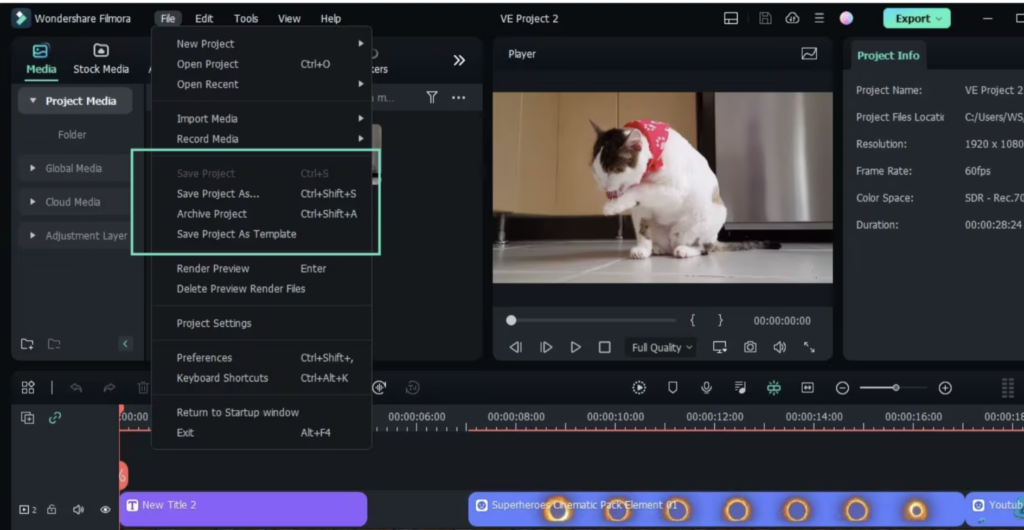
Wondershare Video Editing Software gives creators a broad set of tools. Its features support creative work across several operating systems, so the software fits into different setups.
| Features | Description |
| Cross-Platform Capabilities | Users revel in the flexibility to work with Wondershare Filmora on various operating systems, ensuring their creative flow isn’t hindered by device limitations. |
|---|---|
| Rich Resource Library | Dive into an expansive vault of video effects, graphics, and sounds that fuel imagination and add pizzazz to any project. |
| AI-Powered Tools | Embrace efficiency with smart tools like audio denoise and smart cutout which automate complex editing tasks, allowing you to focus on the story you’re telling. |
| Intuitive UX/UI Design | Engage with an interface designed for ease-of-use. Even beginners find navigating through editing functions straightforward and enjoyable. |
| Professional Editing Functions | Harness the power of pro features such as enhanced keyframes, draw masks, and adjustment layers to refine videos with precision. |
| Global Presence | Join a worldwide community of creators who trust Wondershare’s robust software backed by a dedicated team from over 6 international offices to make video magic. |
Mastering Video Editing with PowerDirector: Tips and Tricks for Beginners and Pros
Expanding Creativity with AI-Powered Video Editor
Artificial intelligence gives your video projects more range. AI-powered video editors like Wondershare Filmora use smart technology to handle complex editing tasks, so content creators can spend their attention on the craft of the work rather than the mechanics.
Tasks that once took real effort, such as color grading or stabilization, can run with a single click. With those tools available, you spend less time on technical problems and more time turning creative ideas into finished clips.
Filmora’s advanced features add depth to every project. You get a large set of video resources that support storytelling without cluttering the user interface or complicating the user experience.
That balance between capability and ease of use is one reason Filmora 12 earned the 2022 Microsoft Store App Awards for Audio and Video Creativity, a sign of how it pairs technology with creative work.
Unlock options that once felt out of reach, thanks to AI-assisted performance built for creators who want to move fast.
7 Video Editing Tools to Replace Wideo in Your Creative Toolbox
Experience with Wondershare: Creating Diverse Spokesperson Videos
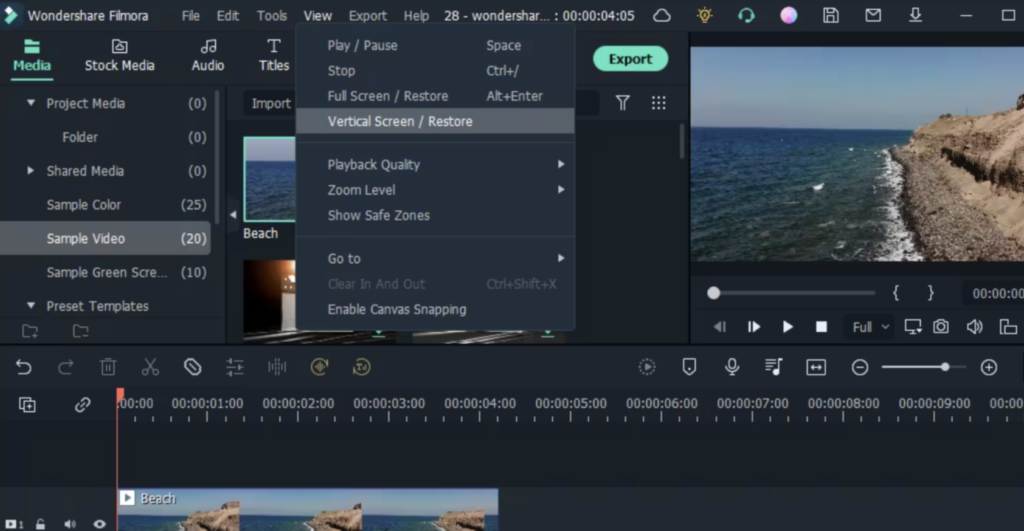
Making spokesperson videos with Wondershare has changed how content creators handle the job. The application’s user-friendly interface removes much of the complexity from video production, so users can produce engaging, professional-looking spokesperson footage quickly.
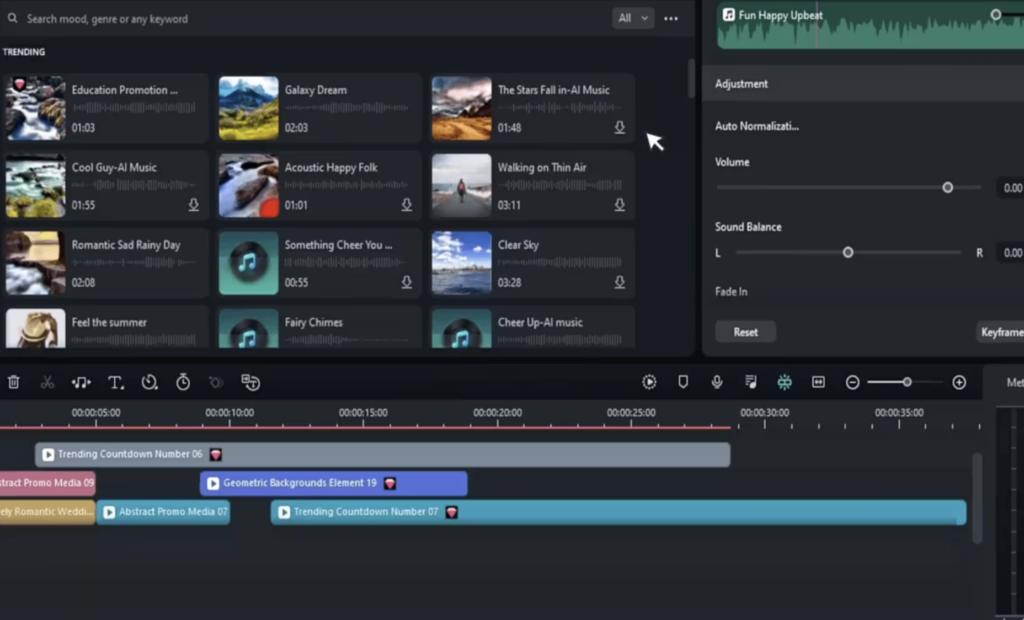
With a rich resource library on hand, including a range of templates and customizable elements, creators can make videos that match their brand or message.
Using advanced editing features such as enhanced keyframes and draw mask tools, users control every part of their video. That control means whether you want a clean corporate look or something more dynamic, Wondershare can produce it without demanding deep technical skills.
AI technology like smart cutout keeps editing precise, while audio stretch functions hold the timing between visuals and soundtrack in sync, which matters for spokesperson videos that need to hold an audience.
Best Free Alternatives to PicMonkey for Photo Editing and Design
Wondershare Filmora: The Ultimate AI Video Editor
Wondershare Filmora brings AI into video editing through software that is broad in scope and easy to use, which makes the creative process simpler. Its SAIA technology gives content creators a fresh approach to video editing that supports both creativity and productivity.
SAIA: Simplifying Video Editing and Enhancing Creativity
SAIA, a feature of Wondershare Filmora 12, changes how video editing works by putting artificial intelligence to work on the tedious parts. The technology simplifies the process and gives users a direct path to turn creative ideas into finished video.
With SAIA’s smart cutout tool and audio denoise capabilities, advanced editing features are more accessible than before. The clear user interface adds to that, putting professional-level editing within reach of every creator.
The workflow stays smooth as SAIA handles complex tasks such as precise clip adjustments and detailed sound enhancements. By bringing AI into video editing tools, Wondershare Filmora 12 raises what creators can make while keeping the platform easy to use, so strong results come together quickly.
Conclusion
Wondershare Video Editing Software gives creators a practical tool for content creation and filmmaking. You get smoother editing, advanced AI features, and rich media resources in one place.
Upgrade to remove watermarks and produce cinematic video across several platforms. Millions of users worldwide already build their creative work with Wondershare Filmora.
(Image Credit: Wondershare Filmora)
Frequently Asked Questions

- Independent picks for exactly what you just read about
- Matched to your team size & needs
- Vendors don't pay for placement
Step 1 of 4
How big is your team?
We tailor recommendations to companies your size.















Related Articles

Accounting Software
How To Choose The Best Procure-to-Pay Software For 2026
Continue reading →

Accounting Software
Best QuickBooks Alternatives in 2026: Top Accounting Software Options
Continue reading →

Accounting Software
How To Choose The Best Interior Design Software For 2026
Continue reading →

Accounting Software
Free Design Tools: Say Goodbye to Boring Invitations in 2026
Continue reading →