
Spotsaas Editorial
What is QR code? How to Scan and How to Make Your Own in 2026
Those small squares packed with black and white patterns that you see in stores, on business cards, and on event flyers are QR codes. They act as handy keys that open the door to digital information.
Masahiro Hara invented them back in 1994 to track car parts, and these clever codes have since grown far beyond the auto industry. They now carry everything from website links to contact details right inside their tiny grids, up to 406 bytes of data.
QR codes come in two main types: static ones that anyone can create for free, and dynamic ones that add extra features like editing the code even after printing. You do not need any special equipment to read one; most modern smartphones already have a built-in scanner ready to go.
An Android device running version 8 or above, or any iOS device, can scan a code by simply opening the camera.
Scanning is only the start, and creating your own can be even more useful. With tools like Bitly’s QR Code Generator, which comes in both free and paid PRO versions, you can craft personalized codes that suit all sorts of needs.
Want to add a code to your social media profile or make it simpler for customers to connect with you? There is a custom QR solution for that, whatever the use case.
From promoting quick app downloads to making menus contactless without any physical contact, there are many creative ways these small squares change how we interact with digital content every day.
Key Takeaways
- QR codes are advanced barcodes that store data two-dimensionally, so they can hold more information than traditional one-dimensional barcodes.
- You can scan QR codes using a smartphone’s camera app on both Android and iOS devices; newer models have built-in scanning, while older phones may need a downloadable app.
- You can create your own QR code with online generators like Bitly’s QR Code Generator, which offers customization options such as adding logos or changing colors to match your branding.
- Dynamic QR codes let you edit the content they link to even after the code is created, and they provide tracking analytics useful for monitoring marketing campaign performance.
- Practical uses of QR codes include lifting social media engagement, sharing information without physical contact, and prompting mobile app downloads by linking straight to a download page.
Understanding QR Codes: The Basics

A QR code packs data into an intricate pattern that a smartphone camera can read in a moment with a quick point and snap. Learning how these digital keys work opens up a lot of options for exchanging information quickly and putting useful content in front of people.
What is a QR code?
A QR code works like an advanced barcode. Picture the classic stripes on every item at the grocery store, but now arranged as squares filled with an array of smaller black and white squares.
Unlike traditional barcodes that hold information in a straight line, QR codes store it two-dimensionally, which significantly boosts their byte capacity. That powerful design means they can carry all sorts of data, from website links to contact details and much more besides.
Developed by Masahiro Hara for Denso Wave in 1994, these matrix barcodes quickly became useful for tracking parts through car manufacturing because of their large storage capacity and quick readability.
Today’s smartphones have turned them into everyday tools for reaching online content quickly. You will find QR codes on advertisements, business cards, and even menus, anywhere there is a need to bridge the physical world with digital information and let people cross over in a single scan.
How do QR codes work?
Think of your smartphone as a sharp detective. It looks at the QR code’s black and white squares, which are a sophisticated type of digital barcode. Each pattern represents a different piece of information, much like characters in an alphabet.
Your phone’s camera decodes these patterns and translates them into data that apps can understand, whether it is a link to a website, someone’s contact details, or even Wi-Fi login credentials that connect you automatically.
Reading the pattern is only part one of the job. What happens next is where the real work occurs. Once the code is scanned, the encoded data appears on your screen because advanced algorithms in the mobile device process it behind the scenes.
When you scan a QR code, your device processes the data almost instantly using error correction methods that keep it accurate even if the code is damaged or partly obscured. This connects the physical world with digital information at high speed.
Why were QR codes created?
QR codes were created out of a need for speed and efficiency in data tracking. Japanese engineer Masahiro Hara developed the technology in 1994 to make it easier to track vehicle parts through manufacturing stages at Denso Wave, his employer.
Unlike traditional barcodes that could hold only a limited amount of information read horizontally, QR codes used a two-dimensional format that let them store much more data.
The arrival of QR codes marked a significant step forward for digital communication because they made it possible to encode a variety of data types that mobile devices can easily scan. These coded squares solved the problem of slow data retrieval that companies faced with conventional barcodes by offering quick response times, which is exactly where the name “Quick Response” code comes from.
Their wide use across many sectors today shows their lasting value for fast, effective access to and sharing of information.
The Anatomy of QR Codes
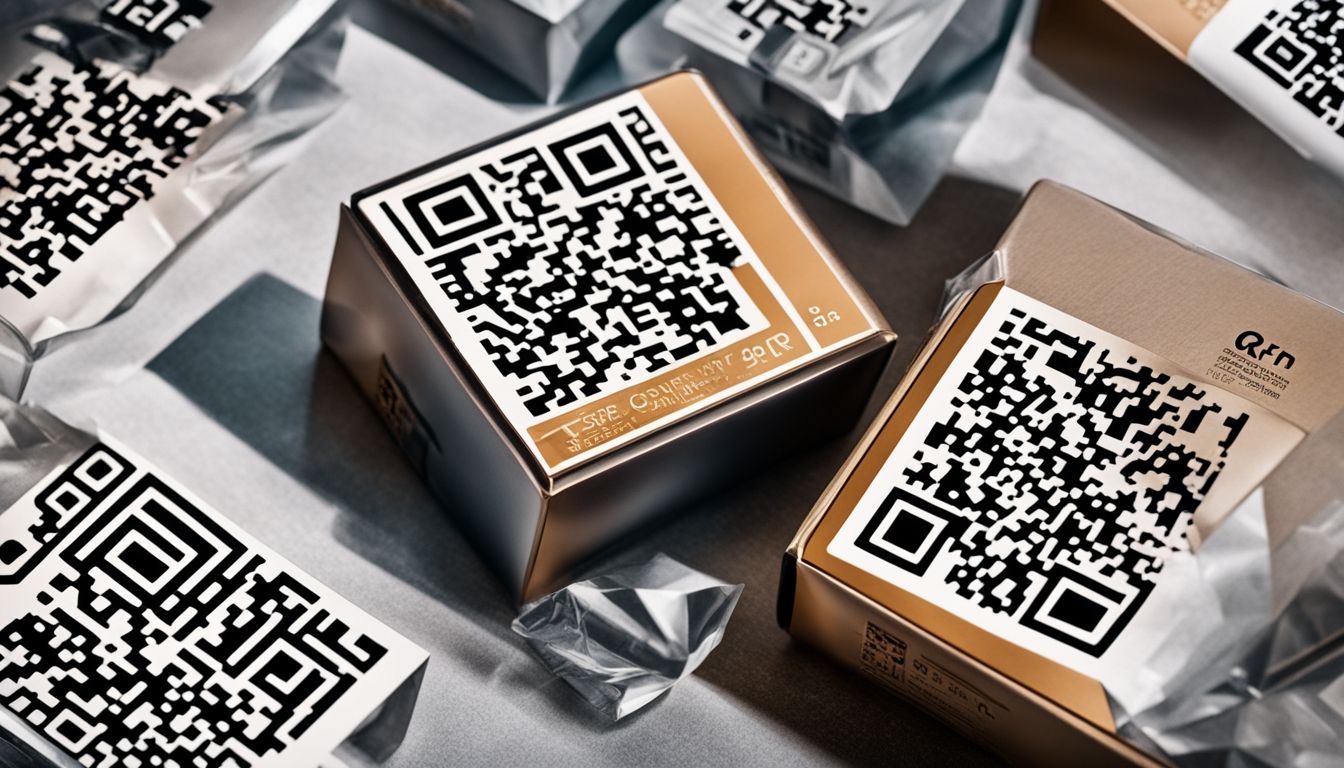
Inside a QR code, intricate patterns encode data in a compact and accessible form. Understanding this structure is key to both using the codes you already come across and building tailored ones of your own, the kind that connect physical and digital spaces for your audience and close the gap between the two.
Differentiating between Static and Dynamic QR codes
Static and dynamic QR codes serve different purposes, depending on your needs. A static QR code is like a snapshot; it holds fixed information such as URLs, contact details, or plain text that stays the same.
Once created, you cannot change the data it contains. These types of QR codes are often free and work well for one-time events or permanent labels where the information will not need updating.
Dynamic QR codes, on the other hand, are more flexible and are designed for ongoing campaigns. They let you edit the destination URL without needing to reprint a new code, which helps keep your marketing fresh and up to date over time.
With dynamic QR codes you can track scans and gather valuable metrics that help you measure campaign performance effectively. You can also include your company logo to make them visually distinctive, and they stay editable with a PRO version subscription.
If engagement tracking or frequent updates are part of your strategy, dynamic QR codes are worth the investment.
Scanning QR Codes: A Step-by-Step Guide
Learning to scan a QR code is easier than you might think, and it is a skill that instantly connects you to a world of digital content with a simple tap or snap. Whether you are handling an Android or iOS device, this guide walks you through the straightforward steps to turn your smartphone into a capable QR code reader, putting information at your fingertips in seconds.
Scanning with Android Devices
Scanning QR codes with an Android device is quick and simple. You do not need any special skills, just your phone’s camera or a downloaded app.
- Open the Camera app on your device.
- Almost all modern Android phones have built-in QR code scanning in their cameras.
- Point the camera at the QR code.
- Make sure the entire code is visible on your screen so the scanner can read it.
- Wait for the device to recognize the QR code.
- Once detected, a notification usually appears at the top of your screen.
- Tap the notification to open the content linked to the QR code.
- This could take you to a website, show a message, or start downloading an app.
- Visit the Google Play Store and download a trusted QR code reader app.
- Look for apps with high ratings and positive reviews for best results.
- Launch the barcode scanning app after installation.
- Allow any permissions the app needs to use your camera.
- Open the app and point it at the QR code until it scans successfully.
- The information or link tied to that QR code should then appear within the app.
Scanning with iOS Devices
Just as Android devices have their own methods, Apple products offer their own simple way to interact with these digital codes. Owners of iPhones and iPads appreciate the ease with which they can access information through QR code scanning, using either their built-in camera or third-party apps.
- Open your iOS device’s camera app. This is the simplest method and works on most iPhones and iPads without any extra software.
- Point your device at the QR code you want to scan. Make sure the whole code fits within the camera’s viewfinder.
- Hold steady for a moment. Your iOS device will recognize the QR code and a notification should appear at the top of your screen.
- Tap the notification to open the link tied to the QR code.
- If automatic scanning is not working, look for and tap the QR code icon in your camera app, if available, to turn it on.
- For devices that do not support this feature directly in the camera app, download a reputable third-party iOS QR code reader from the App Store.
- When using third-party apps, open them and follow their instructions to scan a QR code, much as you would with your camera app.
- After scanning, some apps let you save the data for later or share the content directly from within the app.
Crafting Your Own QR Code
You can share personalized data by creating your own QR code, a process that pairs simplicity with customization to open up digital engagement and connectivity. Mastering this skill puts instant information exchange in your hands. Unlock is one example of a tool built around that kind of connection.
Whether it is for business promotion, event access, or a personal project, a tailored QR code puts instant information exchange right in your hands.
Selecting the Right QR Code Generator
When you are ready to create a QR code, the generator you pick matters. Look for a service with options like URL, vCard, or WiFi connectivity to match your specific needs.
A reliable QR code creator should let you customize the design so you can add your brand’s colors and logos and make the code stand out.
A platform such as Bitly’s QR Code Generator, especially its PRO version, will improve your ability to track performance through scan metrics. This feature is critical if you are running campaigns and need clear insight into how well they are working.
With that data, you can adjust your strategy in real time based on how people actually interact with your custom QR codes. Choose carefully; the right generator helps you share information and also paves the way for successful promotions and strategic decisions grounded in measurable results.
Customizing Your QR Code: Types and Uses
Customizing a QR code is about more than function; it is also a chance to infuse it with your brand’s identity. Whether you want to share a website link or hand over your contact details instantly, tailored QR codes can make a significant difference in how people respond.
- Use Bitly’s free QR Code Generator for a range of customization options so your code fits your branding.
- Generate specialized QR codes for specific actions, such as directing users to URLs, offering easy vCard downloads, sending emails or SMS directly, or conveying plain text messages.
- Turn your QR code into a visual extension of your company by adding logos and matching the color scheme to your brand guidelines.
- Use the PRO version of a QR code generator to adjust your design even after printing.
- Apply custom designs to stand out and draw more engagement; personalized codes can improve the customer experience and lift brand recognition.
- Track campaign success with the tracking and measurement metrics in the PRO versions of QR code generators.
Tips for Effective QR Code Design
Make your QR code stand out by adding your brand’s colors and logo. This makes the code more visually appealing and reinforces your identity in the market.
Choose a QR code generator with customization options so your design stands out. The Bitly QR Code Generator, for example, offers several pricing plans with a range of creative tools for this purpose.
Track how well your campaign is performing through analytics. The PRO version of the QR Code Generator lets you monitor scans and gather data on how consumers engage.
Use these metrics to fine-tune your marketing strategy so every scan adds real value to your digital marketing efforts, while keeping an elegant, clean design within the compact space of the barcode technology.
Innovative Uses for QR Codes
QR codes go beyond simple convenience and open up creative options across many different industries. They act as a digital key that connects consumers instantly with online resources, supports richer and more immersive experiences, and simplifies transactions in ways that once seemed like the stuff of science fiction.
Enhancing Social Media Engagement
Lifting user engagement on social media platforms can make a real difference for businesses and content creators alike. Adding QR codes to your posts is a strong and direct way to link followers straight to promotional content, exclusive deals, or extra information they might want.
This connection sparks curiosity and also encourages users to interact with your brand beyond the confines of the social network itself, giving them a reason to follow up and learn more.
With advanced QR code generators, you can track scan data for useful insight into campaign performance and audience preferences. That analytics makes it easier to tailor future content.
You will know what resonates with your audience, so you can adjust your strategy for greater impact. Next up: sharing information more efficiently.
Simplifying Information Distribution
Just as QR codes lift social media interaction, they also change how we distribute information. These handy barcodes offer a quick way to pass along large amounts of data with a single, simple mobile scan.
On business cards, flyers, or product labels, a QR code can instantly connect consumers to extra resources, websites, or exclusive content without cluttering the design with text.
QR code technology matters for interactive advertising and plays a role in modern marketing. It lets businesses pass along information and track engagement statistics.
This contactless method meets today’s hygiene standards and also supports more dynamic consumer engagement through immediate access to digital content. It gives people everything they need at their fingertips, which simplifies data sharing while keeping the experience engaging for users on the other end.
Encouraging App Downloads
After making information sharing efficient, the next step is boosting app downloads. QR codes work well in mobile app promotion, giving tech-savvy users who want quick access a fast way to reach the apps they are after.
Place a well-designed QR code in your promotional campaigns and you give potential users a direct, frictionless path straight to your app’s download page. This simplifies the process and improves customer engagement by fitting digital marketing neatly into their mobile-driven routines.
Use QR codes at events or embed them in advertisements to offer exclusive content or coupon codes, a practical tool for direct mobile advertising. By tapping into this resource, businesses open up many chances for mobile engagement, prompting customers to act right away, download an app, and connect with brands directly on their own personal devices.
Think of it as a digital handshake where convenience meets modern marketing.
Conclusion: Embracing the QR Code Revolution
QR codes make sharing information as simple as a single camera snap. You can scan these digital keys to reach menus, websites, or apps right from your smartphone, with no extra tools required.
You can also create your own QR codes for personal or business use and open up many possibilities along the way. Give it a try and change how you connect with people and convey information in this high-tech era.
If you are interested in adding a technological touch to your home, check out our guide on the 10 best free kitchen design software of 2024.
FAQs
1. What is a QR code?
A QR code is a square-shaped barcode that stores information and can be scanned with a smartphone or QR scanner.
2. How do I scan a QR code with my phone?
To scan a QR code, open your camera app, point it at the code, and your phone will read the information automatically.
3. Can I make my own QR code for free?
Yes, many websites let you create your own QR codes for free by entering the information you want to share.
4. Does scanning a QR code use data?
Scanning a QR code does not usually use data unless it leads to an online resource or website that requires internet access.
5. Are all smartphones able to scan QR codes?
Most modern smartphones can scan QR codes through their camera apps without needing extra software.
Related Articles

Expert Interviews
SaaS Talks with Carole Winqwist, CMO at GitGuardian – Inside Their Unique Marketing Strategy
Continue reading →

Finance & Billing Software
Best Invoice Home Software for Freelancers & Businesses 2026
Continue reading →

AI Software
How AI Is Revolutionizing Modern Security Infrastructure
Continue reading →

Buyers guide
How To Choose The Best Software Development Analytics Tools For 2026
Continue reading →