

Turning complex data into clear visuals is a challenge for many professionals who need to communicate a message effectively. Venngage Design Tools helps with that, giving users a capable platform to build infographics and reports.
This article walks through creating visual content with Venngage’s design features, so you can produce infographics that hold your audience’s attention. It covers the basics of the platform, the steps for building a design, and the main features that set the tool apart, so you have a clear path from a blank page to a finished, shareable graphic.
Key Takeaways
- Venngage features thousands of professional templates and a user-friendly editor, useful for creating infographics and reports without prior design experience.
- With over 40,000 icons and access to more than 3 million free stock photos, this software lets users add high-quality visuals to their designs.
- Custom brand kits are available on Venngage, so you can keep consistent branding across all communications while collaborating with team members in the editor.
- Designs created in Venngage can be downloaded or shared in various formats such as PNG, PDF or PowerPoint, giving you flexibility for different uses and audiences.
- Venngage’s platform supports inclusivity with alt text options and color contrast ratios, making it a strong option for businesses that prioritize accessible visual content.
The Basics of Venngage Design Tools
Venngage Design Tools break the graphic design process into simple, user-friendly steps. With these tools, you can start designing without any previous experience.
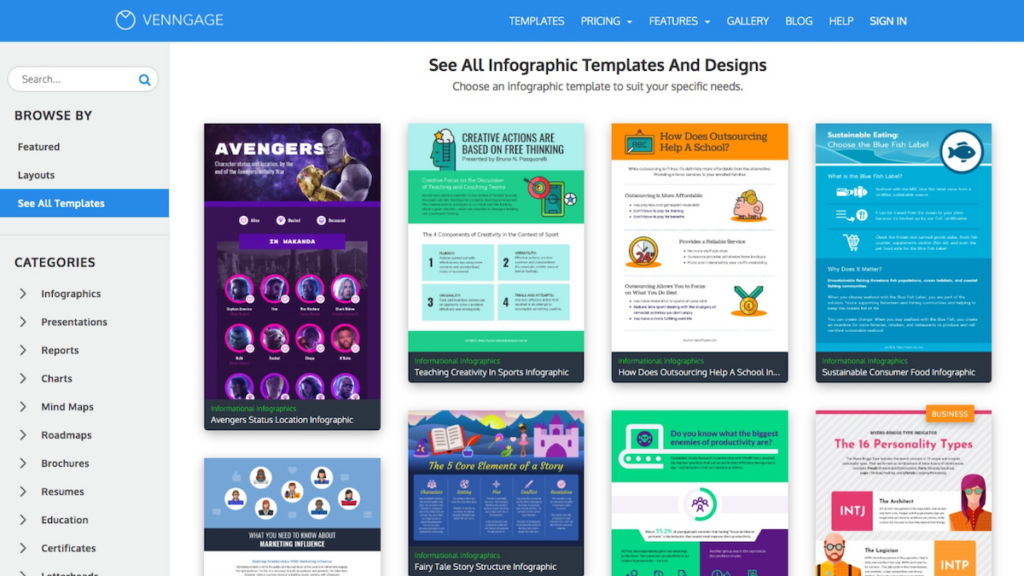
The platform includes a large illustration library and a selection of over three million free stock photos. That range of visual assets helps you turn data visualization and visual communication ideas into finished designs.
Venngage’s built-in features support collaborative design and make teamwork straightforward. From setting brand colors and fonts to inserting dynamic charts, the editor keeps things accessible for all users. Team members can view and edit the same project, so a design can move from draft to final without switching between separate tools.
You can start creating infographics or detailed reports right away, with customer support on hand to help. Whether you need presentations or informative diagrams, Venngage gives you the tools for visual creation.
Design Tips: How to Create Infographics with Venngage
To create infographics with Venngage, start by selecting from thousands of professional templates or designing from scratch in the user-friendly editor. Once you’re satisfied with your design, download it or share it with others.
Selecting from Thousands of Professional Templates
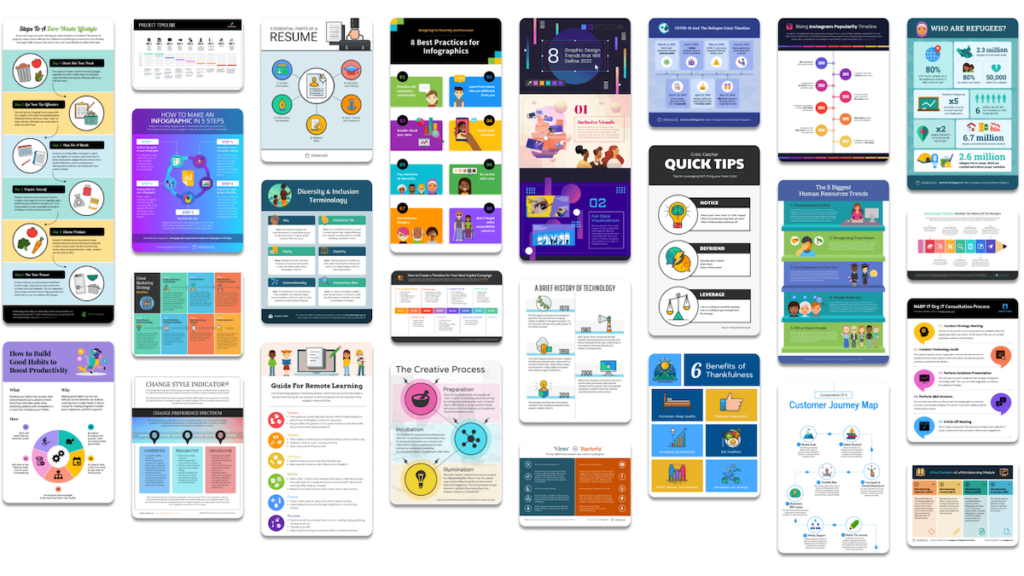
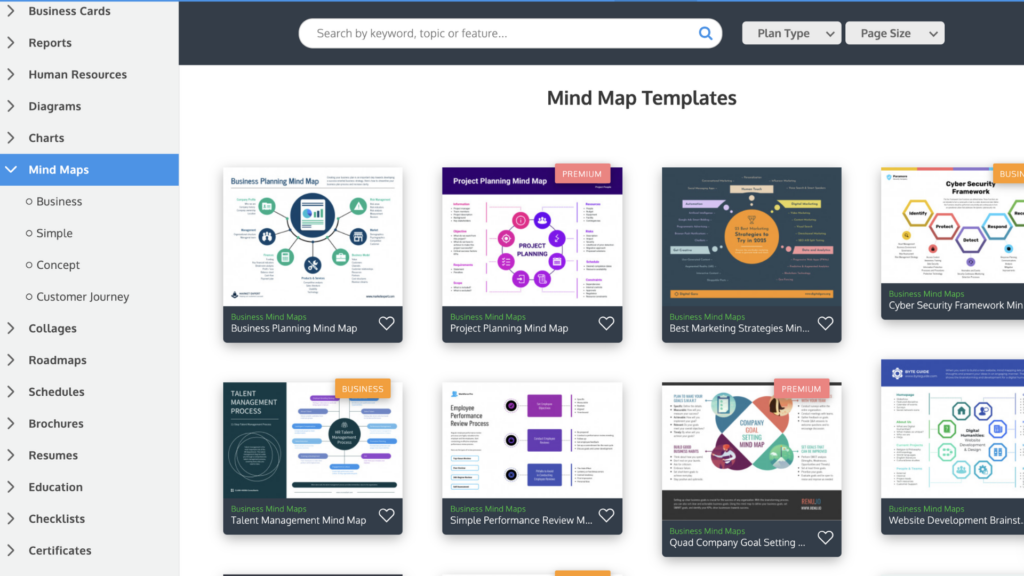
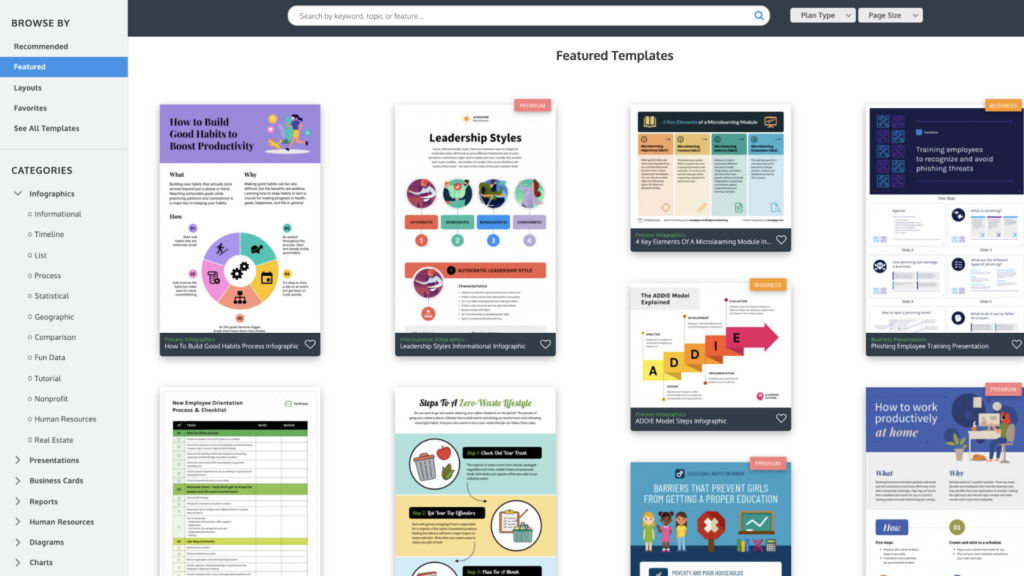
Venngage gives you thousands of professional templates for infographics and reports. The selection covers various industries and purposes, from data-rich presentations to diagrams.
Each template is built so your final design has clean lines, readable text layouts, and space for visuals.
These ready-made foundations take the guesswork out of design proportion and layout, since the spacing and structure are already set. Personalize each one by dragging and dropping icons from a collection of over 40,000, or add images from a library of millions of free stock photos, and adjust the text and colors to match what you want to say.
Custom brand kits keep consistency across your visual communication, so designs stay both polished and brand-aligned every time. Because the kit stores your colors, fonts, and logos, you do not have to reset them for each new project. Teams can collaborate directly within the editor to select and adjust templates together.
With priority support available, moving from template selection to a finished infographic stays straightforward, and help is on hand if you get stuck at any step along the way.
Designing in the User-Friendly Editor
Create your visual content with Venngage’s editor, built for ease and efficiency. Whether you’re arranging diagrams or improving reports, the interface guides you step by step.
Tools to adjust fonts, colors, and shapes are all within reach. This makes it easy to turn raw data into infographics without prior design experience.
Add icons from a large library to highlight key points, or use the brand kit to keep designs consistent across everything you make. The editor supports every level of work, from quick edits to intricate visuals, so your presentations capture attention and convey information clearly. You can start with a simple layout and build up detail as the design takes shape.
Downloading or Sharing Your Design
Once your infographic or report is finished, you can share it. Venngage makes it easy to download and export your design in various formats like PNG, PDF, or PowerPoint.
Choose the file format that suits your needs and present professional-looking visuals to your audience. If you’re a Business user, you can download designs directly in PowerPoint format to drop into presentations.
Venngage also makes sharing visual content straightforward. Whether you’re collaborating with team members on a project or sending finished designs to clients or stakeholders, sharing your work is simple. You can pass along a design for review or hand off the final version, all from the same place where you built it.
Best Free Alternatives to PicMonkey for Photo Editing and Design
Key Features of Venngage Design Tools
Venngage offers an accessible editor and a wide range of templates for your design needs. With diverse icons, free stock photos, branding options, and export capabilities, the platform makes it easy to create infographics and reports.
Here are the features that make Venngage a strong option for visual communication design tools.
Accessible Editor and Infographic Templates
The editor in Venngage Design Tools provides easy and accessible features for non-designers to create professional infographics and reports. With thousands of templates available, users can quickly select a design that suits their needs without starting from scratch.
The user-friendly editor simplifies the design process with straightforward controls that work for all skill levels. This lets people create strong designs without extensive graphic design knowledge.
Venngage also offers customizable brand kits, so users keep branding consistent across their designs. Teams can work together within the editor, which keeps projects moving and communication efficient, since everyone edits the same file rather than trading versions back and forth.
These features make Venngage a good choice for anyone who needs to produce visual content on a regular basis, from one-off reports to ongoing sets of branded graphics.
Diverse Icons and Free Stock Photos
Venngage’s design tools include a large collection of diverse icons and illustrations, with over 40,000 options to choose from. With 2000+ diverse icons available, users can find inclusive, varied graphics for any project.
Venngage also provides access to more than 3 million free stock photos from Pixabay and Pexels, giving you an extensive library of high-quality images for design projects.
Together, these icons and free stock photos let users create infographics and reports that stand out, without hunting down assets from a separate source or paying for extra images.
Branding and Collaboration
Build a cohesive brand identity and keep it consistent with Venngage’s custom design tools. Use the platform’s branding features to set brand guidelines so your designs match your company’s visual standards.
Collaborate with your team on design customization while staying within brand guidelines. This supports efficient visual communication across projects and reinforces a strong brand identity.
Get more from teamwork with Venngage’s team collaboration features. With 24/5 priority support available through chat, phone, or email, questions get addressed quickly while you create infographics and reports.
Export to PNG, PDF, or PowerPoint
Exporting your designs with Venngage Design Tools is simple. In a few clicks, you can share your creations in PNG, PDF, or PowerPoint formats. Here are the export options available:
| Export Option | Description |
|---|---|
| PNG | Export your designs in high-quality PNG format for use on websites, social media, or for embedding in presentations. |
| Download your designs as PDF files to easily share and distribute them while preserving the layout and formatting. | |
| PowerPoint | Business users can also benefit from exporting their designs directly to PowerPoint, making it simple to incorporate infographics into presentations. |
| Image Export | Easily save individual elements of your design as separate image files for versatile usage. |
| Document Export | Save your entire design as a document file to maintain its integrity across different platforms. |
| Presentation Export | Create polished presentations by exporting your work to PowerPoint format. |
Also read PDF Candy Reviews: Free PDF Tool
Why Choose Venngage?
Venngage Design Tools offers benefits that make it a valuable choice for creating visual content. With its user-friendly interface and extensive template library, users can create professional infographics and reports regardless of design experience.
The platform also provides diverse icons, illustrations, and over 3 million free stock photos from trusted sources like Pixabay and Pexels, giving you high-quality visuals for any project.
Venngage’s collaboration features let teams work on designs together, while custom brand kits keep branding consistent across visual communications.
The tool’s accessibility features support inclusive design with alt text options, color contrast ratios, and accessible tables and charts. Used by companies like Cisco and The New York Times, Venngage suits businesses looking for capable graphic design tools with practical benefits.
Conclusion
Creating infographics and reports with Venngage design tools is accessible to all skill levels. Users can select from thousands of professional templates or start from scratch in the user-friendly editor.
They can download or share their designs, or collaborate with a team on the same project. With diverse icons, free stock photos, branding options, and the ability to export to various formats like PNG, PDF, or PowerPoint, Venngage offers a capable platform for visual storytelling and business communication, whether the end result is a report, a presentation, or a graphic for the web.
(Image Credit: Venngage)
Frequently Asked Questions
What are the key features of Venngage Design Tools for creating infographics and reports?
Venngage Design Tools offer a wide range of customizable templates, icons, charts, and graphs to create visually compelling infographics and reports.
Can I use Venngage for free?
Yes, you can access basic design features in Venngage for free with limited templates and graphics. Paid plans provide advanced options and access to premium content.
How do I import my own data into Venngage for creating infographics or reports?
You can import your data in various formats such as Excel sheets or Google Sheets directly into Venngage to create informative visualizations.
Are there any design limitations when using Venngage tools for creating infographics or reports?
With Venngage, you have extensive design flexibility including color schemes, fonts, layouts, and custom branding options to suit your unique visualization needs.
Can I collaborate with others while using Venngage to create infographics or reports?
Yes, collaborative features allow teams to work together on projects by sharing designs within the platform itself without needing additional software integration.

- Independent picks for exactly what you just read about
- Matched to your team size & needs
- Vendors don't pay for placement
Step 1 of 4
How big is your team?
We tailor recommendations to companies your size.















Related Articles
Accounting Software
How To Choose The Best Procure-to-Pay Software For 2026
Continue reading →

Accounting Software
Best QuickBooks Alternatives in 2026: Top Accounting Software Options
Continue reading →
Accounting Software
How To Choose The Best Interior Design Software For 2026
Continue reading →
Accounting Software
Free Design Tools: Say Goodbye to Boring Invitations in 2026
Continue reading →