
Tired of the limitations and high costs of Microsoft Excel? You’re not alone. Many individuals and organizations are looking for viable alternatives that offer more flexibility, better features, and cost-effectiveness for their day-to-day spreadsheet work.
This post walks through the top 11 Excel competitors, detailing their key features, pros, cons, and pricing, so you have what you need to compare them side by side.
Key Takeaways
- Excel alternatives offer more flexibility, enhanced features, and cost-effectiveness compared to Microsoft Excel.
- Some limitations of Excel include limited customization options, limited reporting features for big data sets, and high cost.
- Top 11 Excel alternatives include Airtable, Apple Numbers, Google Sheets, Zoho Sheet, Apache OpenOffice Calc, LibreOffice Calc, WPS Office, Quip, Hancom Office, FreeOffice PlanMaker, and Gnumeric.
- Key features of these alternatives include project management capabilities and team collaboration features, plus a range of functionalities for data analysis and reporting.
Why You May Need an Excel Alternative

Excel alternatives can offer a wide range of benefits, including enhanced customization options, advanced reporting features, and more cost-effective pricing for teams of any size.
Limited customization options
Excel puts limits on how much you can change. It’s hard to move things around and make a sheet look just right. You might not be able to use colors, fonts, or lines the way you want, which can make your work dull and may slow you down.
Some other apps on this list let you customize far more parts of your page than Excel does, from layout to formatting to how the underlying data gets displayed.
Limited reporting features
Excel can fall short in the area of reporting. It has a hard time dealing with big data sets, which can lead to slow processing speeds or even crashes. Real-time reports are also a challenge for Excel users, since you cannot update data in real time.
Many top Excel alternatives do have better reporting tools. Airtable and Google Sheets, for example, let you build dynamic reports from your data sets with ease, and they handle large amounts of data better than Excel does.
High cost
Excel carries a high price tag, which makes it hard for small firms and people without a lot of money to use it. They can run into trouble simply because they cannot afford this tool from Microsoft.
That cost can shut some users out of a tool that otherwise handles data analysis, spreadsheet functions, and formulas well. There are software options that are free or lower in cost, and some of these can do things even better than Excel.
Alternatives such as Google Sheets or Apple Numbers let you handle data analysis without breaking the bank, which is exactly why they show up so often on lists like this one.
Top 11 Excel Alternatives & Competitors
Here are the top 11 Excel alternatives and competitors worth considering as spreadsheet software: Airtable, Apple Numbers, Google Sheets, Zoho Sheet, Apache OpenOffice Calc, LibreOffice Calc, WPS Office, Quip, Hancom Office, FreeOffice PlanMaker, and Gnumeric. Each is covered below.
Airtable
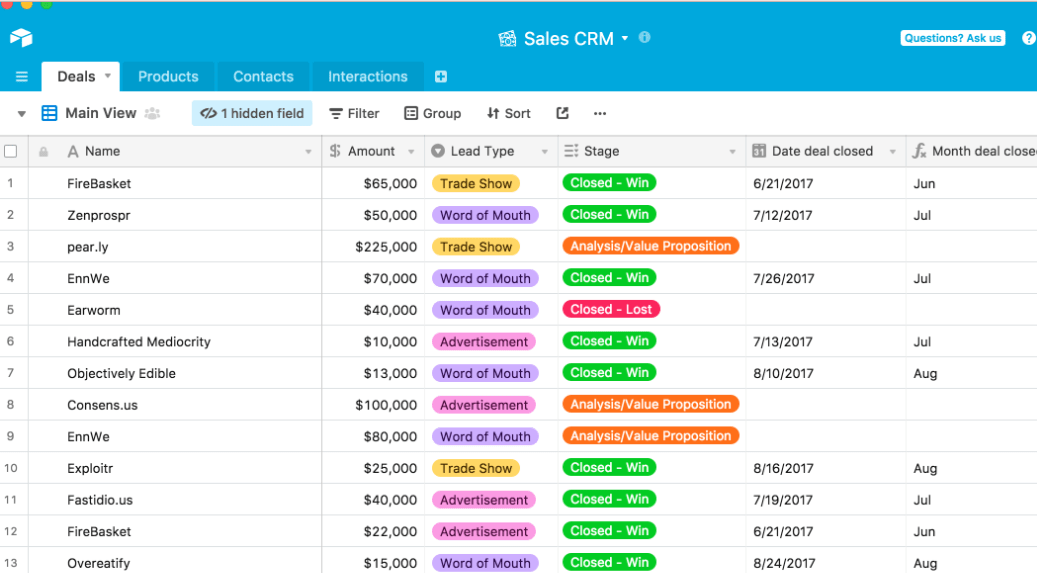
Airtable is generally considered the best overall Excel alternative, offering a wide range of features and benefits. With Airtable, you can build spreadsheets, manage data, and analyze information effectively.
It provides project management capabilities, team collaboration features, and data analysis tools. You can also integrate Airtable with other software and use it for customer relationship management.
The cloud-based platform gives you easy access to your data from anywhere. Overall, Airtable is a powerful tool that can improve work productivity and save time when working with spreadsheets.
Apple Numbers
Apple Numbers is one of the top Excel alternatives, offering data analysis, calculation, and data visualization. It’s known for its user-friendly interface and intuitive design, making it easy to use even for beginners.
It also allows real-time collaboration with team members, which is great for projects that need multiple people working on the same spreadsheet at once. Additionally, Apple Numbers integrates well with other Apple software and devices, giving you a smooth experience across different devices.
Whether you’re building tables, charts, or financial models, Apple Numbers has the tools you need to organize and analyze your data effectively.
Google Sheets
Google Sheets is a cloud-based spreadsheet software that is considered one of the top alternatives to Microsoft Excel. It offers similar features and functionality, making it easy for users familiar with Excel to switch over.
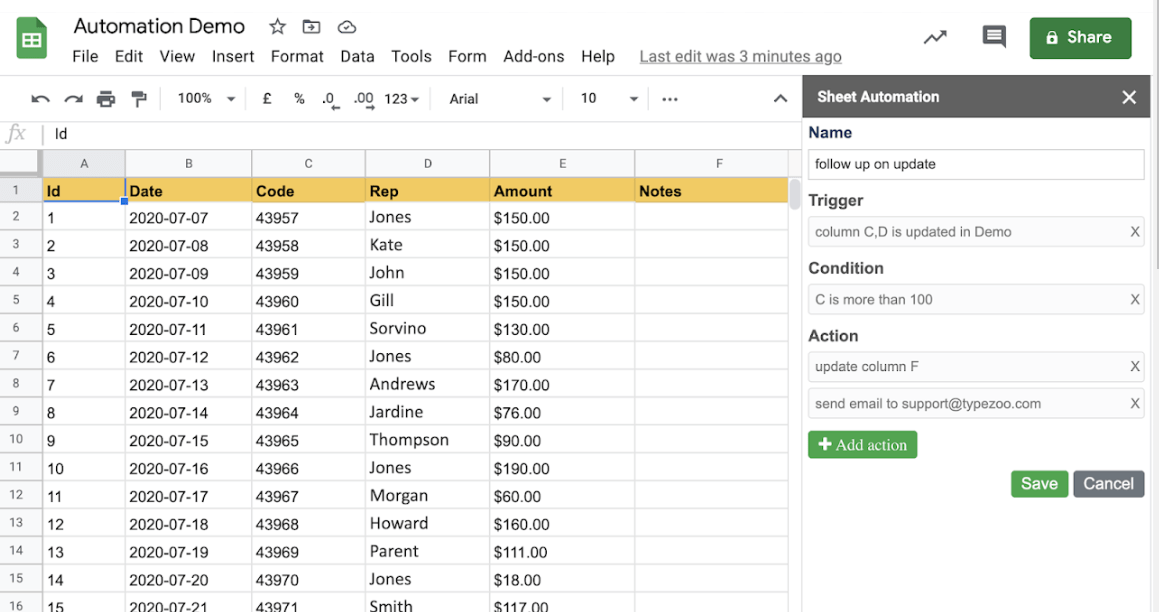
Google Sheets lets you perform calculations, create tables and charts, and organize data effectively. It also offers collaboration capabilities, so multiple users can work on the same sheet simultaneously.
With its integration options, you can connect your data with other Google services like Docs and Slides. It also offers real-time updates and automatic saving, so your work stays up to date and secure.
Zoho Sheet
Zoho Sheet is one of the top Microsoft Excel alternatives. It offers features and functionality similar to Excel, which makes it a strong option for data analysis, calculation, and spreadsheet management.
With Zoho Sheet, you can create and manipulate tables, charts, and formulas easily. It also provides collaboration capabilities that let users work together on spreadsheets in real time.
Zoho Sheet is also fully cloud-based, so you can access your spreadsheets from anywhere with an internet connection, making it a powerful yet user-friendly alternative to Excel.
Apache OpenOffice Calc
Apache OpenOffice Calc is one of the top Excel alternatives. It’s spreadsheet software that lets users perform calculations, manage data, and create tables and charts.
With Apache OpenOffice Calc, users can organize and analyze data without needing expensive software. It offers similar features to Microsoft Excel but at no cost, making it a strong option for those on a budget.
LibreOffice Calc
LibreOffice Calc is one of the top Microsoft Excel alternatives. It offers similar features and functionality to Excel, making it a good option for those looking to switch away from Excel.
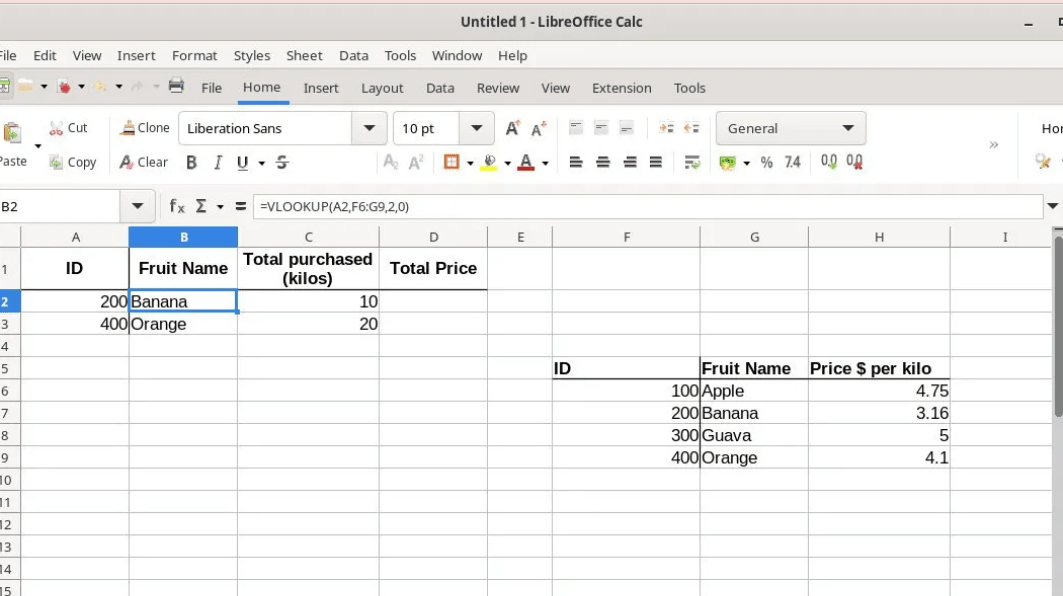
LibreOffice Calc lets users perform calculations, build spreadsheets, and analyze data effectively. It also supports formulas, functions, tables, and charts for data manipulation and organization.
One advantage of LibreOffice Calc is that it’s free to use, which helps those on a budget. It’s also compatible with multiple operating systems, including Windows, macOS, and Linux, which makes it accessible to a wide range of users.
WPS Office
WPS Office is one of the top Excel alternatives. It offers features like data analysis, calculation, and data management to help users create comprehensive spreadsheets. With WPS Office, you can organize and visualize your data using tables and charts.
Collaboration is made easy with its team collaboration features. It also supports integration with other software, allowing for smoother workflow automation. WPS Office provides a user-friendly interface similar to Microsoft Excel, making it easy for users to transition from Excel to this alternative.
Quip
Quip is another Excel alternative and competitor. It offers features like data analysis, collaboration, and work management. With Quip, you can build spreadsheets, manage data effectively, and collaborate with your team in real time.
It also has integration options that let you connect with other tools and systems. Although it doesn’t have all of Excel’s advanced features, Quip is a cloud-based solution that can improve your work productivity and save time.
Hancom Office
Hancom Office is one of the top Microsoft Excel alternatives and competitors. It offers features similar to Excel, such as spreadsheet creation, data analysis, and calculation functions.
Hancom Office also allows for collaboration among team members, which makes it easier to work on projects together. With its cloud-based capabilities, users can access their spreadsheets from anywhere, increasing work productivity.
Hancom Office is a cost-effective solution compared to Excel and offers different pricing plans to suit various budgets. Whether you need to manage data, create charts or tables, or perform financial modeling, Hancom Office can be a valuable tool for your business needs.
FreeOffice PlanMaker
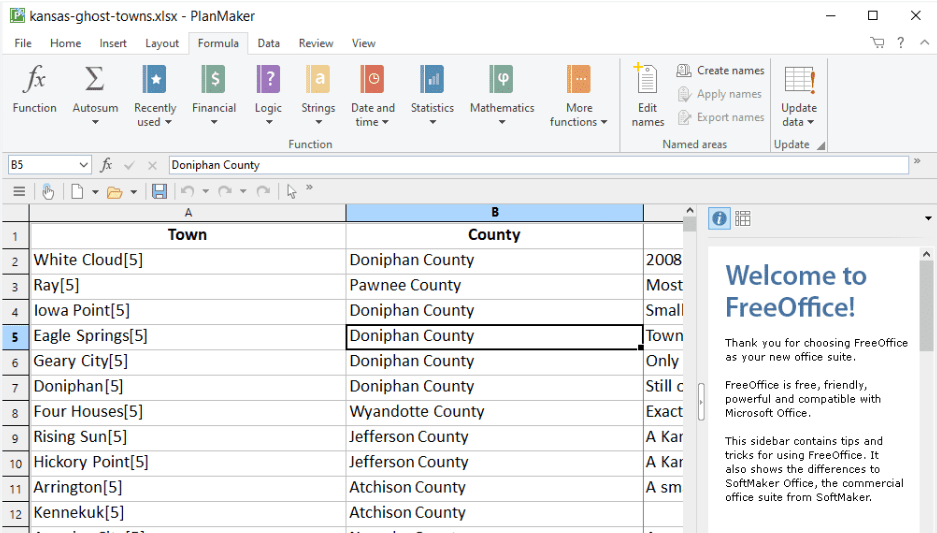
FreeOffice PlanMaker is one of the top Excel alternatives. It offers a wide range of features that can help with spreadsheet management and data analysis tasks. With FreeOffice PlanMaker, you can build complex calculations and use various formulas to manipulate your data effectively.
It also provides tools for creating tables, charts, and visualizing data in a clear and organized manner. Additionally, FreeOffice PlanMaker offers compatibility with Microsoft Excel files, so you can open and work on existing spreadsheets without any issues.
Whether you’re a business professional or a student, FreeOffice PlanMaker can be a good option for improving your productivity and getting your work done efficiently.
Gnumeric
Gnumeric is one of the top Excel alternatives. It’s spreadsheet software that offers features like data analysis, calculation, and data management. With Gnumeric, you can create tables, charts, and run various functions and formulas just like in Microsoft Excel.
It also provides tools for data entry, manipulation, organization, and visualization. While Gnumeric may not have as many collaboration options or integration capabilities as other alternatives listed in this article, it’s a reliable choice for those looking for a straightforward spreadsheet tool with powerful calculation and data analysis capabilities.
Key Features and Pros of Each Alternative
Each alternative offers unique features and benefits that cater to different needs. From project management capabilities to collaboration features and integration options, these alternatives provide a range of functionalities for data analysis, reporting, customer relationship management, and overall work productivity.
Project management capabilities
The top Excel alternatives also offer strong project management capabilities. With these alternatives, you can track tasks, set deadlines, assign resources, and collaborate with team members easily.
They provide features like task lists, Gantt charts, kanban boards, and progress tracking tools to help you stay organized and manage your projects effectively. Whether you’re working on a small team or a large-scale project, these alternatives have the tools to streamline your project management process.
Team collaboration features
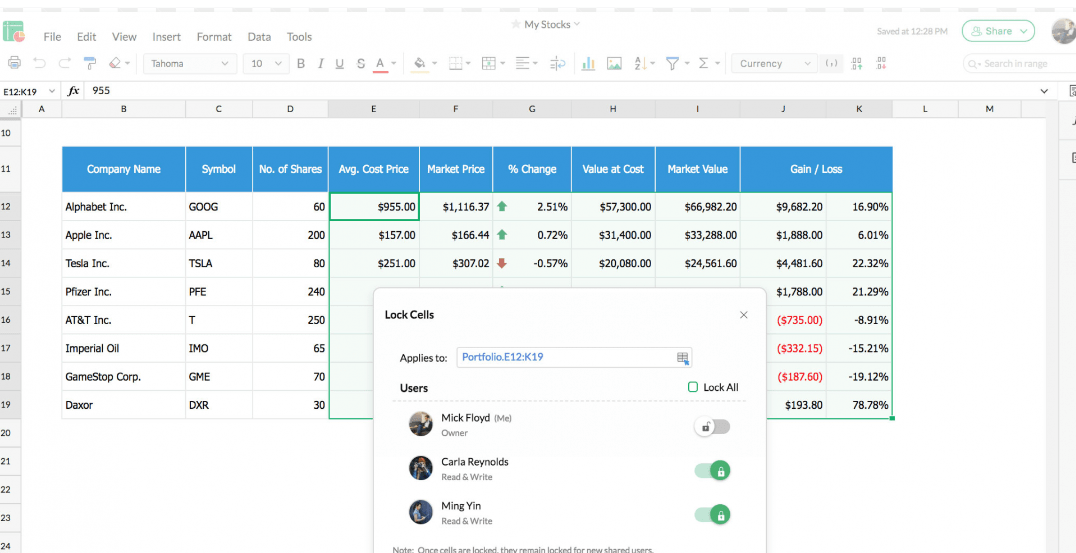
The top Excel alternatives also offer solid team collaboration features. This means multiple people can work on the same spreadsheet at the same time, making it easy to collaborate and share information with colleagues.
Airtable and Google Sheets, for example, allow real-time collaboration, where changes made by one person are instantly visible to others. Zoho Sheet and Smartsheet also have robust collaboration features like commenting, task assignment, and notifications.
These collaboration tools can improve teamwork and streamline communication among team members working on spreadsheets together, which matters if you’re looking for an Excel alternative that supports effective teamwork.
Integration options
The top Excel alternatives offer integration options that help users streamline their workflows and collaborate more efficiently. These integration options let users connect their spreadsheets with other software, such as project management tools, customer relationship management (CRM) systems, and business intelligence platforms.
By integrating with these tools, users can import and export data, automate repetitive tasks, and keep their data up to date across different platforms. This makes it easier for teams to work together, share information seamlessly, and improve overall productivity.
Whether you need to sync your spreadsheet with a CRM system or import data from a project management tool, the Excel alternatives mentioned in this article provide flexible integration options to meet your needs.
Data analysis and reporting capabilities
The top Excel alternatives offer solid data analysis and reporting capabilities. With these alternatives, you can perform calculations, use formulas and functions, manage and organize data in tables and charts, and create visualizations for better understanding.
They also provide features for financial modeling and business intelligence. You can analyze data effectively using tools like filters, sorting options, pivot tables, and conditional formatting.
These alternatives also let you generate reports with customizable templates and automate report generation processes, whether you need basic or advanced data analysis features.
Customer relationship management
Customer relationship management (CRM) is an important feature to consider when looking for alternatives to Microsoft Excel. With CRM capabilities, you can better manage your customer data and interactions.
This lets you track and organize customer information, such as contact details, purchase history, and communication records. Using CRM tools within the alternative spreadsheet software mentioned in this article can improve your customer relationships and overall business productivity.
End-to-end work management
End-to-end work management is an important feature offered by some of the top Excel alternatives. With it, you can handle every aspect of your projects and tasks within a single platform.
That means you can create and assign tasks, set deadlines, track progress, collaborate with team members, and generate reports all in one place. It helps streamline workflows and keeps everyone involved in a project on the same page.
Whether you’re managing a small team or working on complex projects, this feature can meaningfully improve efficiency and productivity. If you’re looking for an Excel alternative with comprehensive work management capabilities, consider options like Airtable, Smartsheet, Zoho Sheets, or ClickUp, among others mentioned in this article.
Potential Limitations of Each Alternative
Each alternative to Microsoft Excel has its own potential limitations that are worth considering before you make a final decision. Airtable, for example, may have limited functionality for complex calculations and formulas compared to Excel.
Apple Numbers lacks some advanced features, like data analysis tools and business intelligence software. Google Sheets, although similar to Excel in many ways, can sometimes run into compatibility issues when importing or exporting files.
Gnumeric is another alternative that may face challenges with large datasets and complex calculations. LibreOffice Calc may not have as seamless integration options with other applications compared to Excel.
Additionally, WPS Office may not offer as extensive project management capabilities as Excel does.
Quip might not provide all the features needed for sophisticated financial modeling tasks. Hancom Office could have limitations in terms of data visualization tools and charts compared to Excel’s robust offerings.
FreeOffice PlanMaker might lack the advanced collaboration features found in Google Sheets or Smartsheet.
Lastly, while Gnumeric offers powerful calculation capabilities, it may not be well suited for creating visually appealing spreadsheets or organizing data as effectively as Excel does.
Weighing these potential limitations carefully can help you make an informed choice when selecting the right alternative to Microsoft Excel for your specific needs and budget.
Conclusion: Choosing the Right Excel Alternative for Your Needs and Budget
In conclusion, with the top 11 Excel alternatives and competitors covered here, you have plenty of options to choose from. Each alternative has its own set of features and advantages that can help improve your productivity and save time throughout your workday.
Whether you need advanced data analysis tools, collaboration capabilities, or budget-friendly options, there’s an alternative on this list that suits your needs and budget. Take the time to explore these alternatives thoroughly and find the one that works best for you and your team.
Frequently Asked Questions
What are some alternatives to Excel that I can use?
Some popular alternatives to Excel include Google Sheets, Apple Numbers, Zoho Sheet, and LibreOffice Calc.
What are the advantages of using an alternative to Excel?
Using an alternative to Excel can offer features like collaboration in real-time, cloud-based storage for easy access from any device, and compatibility with different operating systems.
Are there any drawbacks to using an alternative to Excel?
Some drawbacks of using alternatives to Excel may include a learning curve if you’re used to the Microsoft Office interface, limited advanced features compared to Excel’s extensive functionality, and potential compatibility issues when sharing files with others who use Excel.
How much do these alternatives cost?
The pricing for alternatives to Excel varies depending on the software provider and the plan you choose. Some options have free versions or offer subscription plans with different levels of functionality.
Can I import my existing spreadsheets from Excel into these alternatives?
Yes, most alternative spreadsheet programs allow you to import your existing spreadsheets from Excel by either uploading the file or through a built-in import function.

- Independent picks for exactly what you just read about
- Matched to your team size & needs
- Vendors don't pay for placement
Step 1 of 4
How big is your team?
We tailor recommendations to companies your size.















Related Articles

Buyers guide
How To Choose The Best Online Learning Platform For 2026
Continue reading →

Education Software
Best LMS Software in 2026: Complete Guide for Every Team Size
Continue reading →

Education Software
Legends of Learning: 2,000+ K-8 Games, Free Teacher Plan
Continue reading →

Education Software
ThinkWave Educator 2026 Review: Gradebook, School Management Software, and Support Overview
Continue reading →