
Empower K-12 Student Growth with Otus – A Teacher’s Review for Rest and Reset in 2026

K-12 teachers are asked to manage a wide range of learning needs inside a single classroom. Otus is a K-12 education platform that pulls several of those jobs together, using technology to help teachers plan, assess, and support students in one place.
This article looks at how Otus handles classroom management, assessment, and student engagement, and what that means for both educators and learners.
Key Takeaways
- Otus is an all-in-one platform that combines learning management, data warehousing, and classroom tools for K-12 education.
- It supports personalized instruction using real-time analytics and standards-based assessments.
- Teachers use one interface for lesson planning, grading, and tracking student progress, which cuts down on tool-switching.
- Real-time feedback and communication give students immediate support inside the classroom.
- Otus helps educators make data-informed decisions that tailor instruction to individual student needs.
Understanding Otus – Awarded Educational Technology
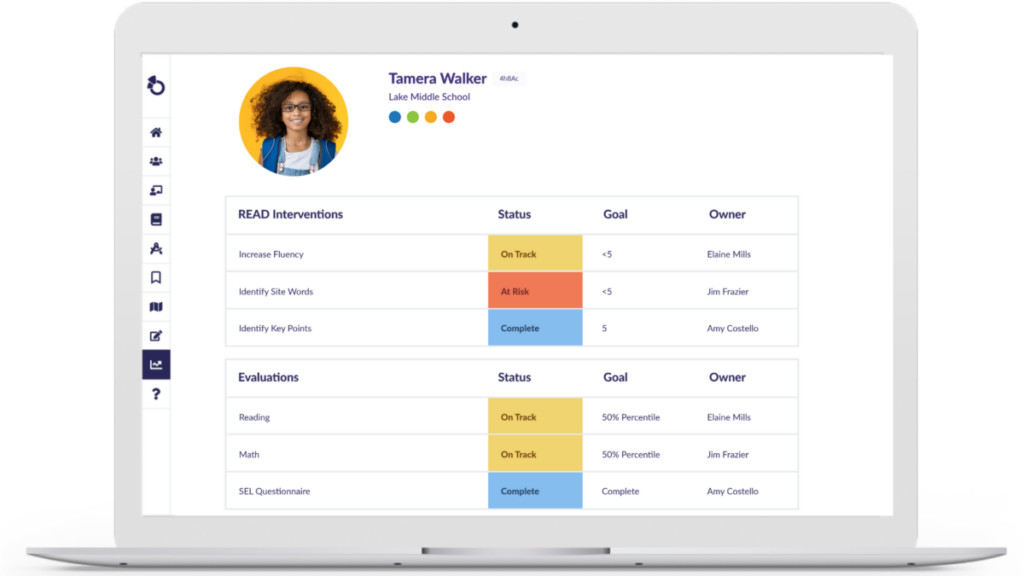
Otus is built as a comprehensive solution for K-12 schools. It is more than a learning management system: Otus combines classroom organization, curriculum management, and grade management into a single platform.
It pairs those features with data integration capabilities, so teachers can base instruction on evidence rather than guesswork.
Teachers who want to simplify their workflow find Otus useful because its design also supports professional training and real-time communication between everyone involved in a student’s learning.
The platform includes student assessment tools and an available support team, which helps explain why it has caught on with educators focused on improving the day-to-day classroom experience. Because assessment, grading, and communication sit in the same platform, teachers spend less time moving information between systems and more time acting on it.
For teachers committed to sharpening their methods, the Certified Educator program within Otus adds value by recognizing a high standard of skill in using edtech tools.
Key Features of Otus
Otus is an all-in-one K-12 student growth platform with a learning management system, a data warehouse, and classroom management tools. Together, these let teachers track student progress, analyze data, and run their classrooms with less friction. Each part is designed to feed the others, so a grade recorded in the LMS becomes part of the data a teacher reviews later. The sections below break down what each of those three components does.
Learning Management System
The Learning Management System (LMS) in Otus moves the classroom into a digital space and organizes lesson planning, grading, and resource sharing. Teachers can upload assignments, arrange their instructional content, and align these resources with educational standards.
The integrated gradebook simplifies tracking student performance by recording grades automatically as students finish tasks online. Keeping all teaching materials in one location saves teachers from hunting across folders and apps.
Students get personalized learning paths through Otus’s analytics tools, which evaluate academic progress in real time. That means instruction can be tailored to each learner’s needs rather than delivered one-size-fits-all.
A teacher can spot gaps in knowledge quickly and adjust lessons the same day. In short, Otus’s LMS puts data behind teaching decisions, using that information to shape instruction around each student’s progress.
Data Warehouse
Otus’s data warehouse feature is where student information lives. Teachers can store instructional data securely, follow each learner’s progress, and adjust their teaching strategies to match.
This centralized system makes data analysis more straightforward, so educators can make informed decisions using complete learning analytics rather than scattered notes.
Otus’s data integration capabilities also let teachers pull in third-party resources that add to the learning materials already in the platform. Rather than keeping outside content separate, teachers can bring it into the same place where they track progress and grade work.
Because Otus balances skill development with creative learning, student performance is not only measured but genuinely improved through the personalized insights the tool provides.
Classroom Management Tools
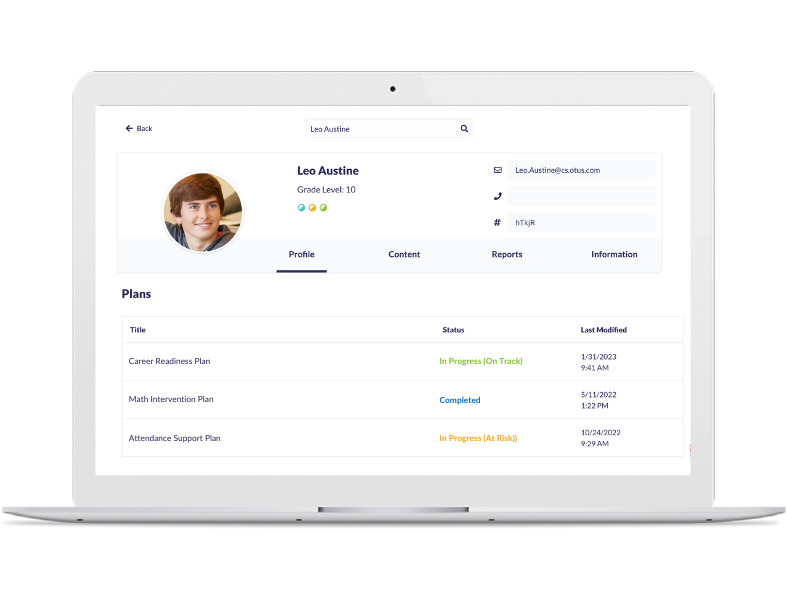
For classroom management, Otus gives educators tools to organize their daily tasks. Features like seating charts, behavior tracking, and assignment scheduling help teachers keep a structured learning environment and protect instructional time.
Otus also gives teachers real-time insight into student engagement and progress, which supports early intervention for students who need it.
On the organization side, Otus equips teachers with instructional strategies that put student engagement first. Its interface and feature set make it a dependable tool for day-to-day classroom management, from taking attendance patterns into account to keeping assignments on schedule across multiple classes.
The Role of Otus in K-12 Education
Otus plays an important role in K-12 education by supporting data-driven differentiated instruction and helping students build skills. It gives educators one platform to work from for creating standards-based assessments, reviewing student data, applying instructional strategies, and managing the classroom.
- Educators can use Otus to gather student data, adjust instructional strategies, and deliver personalized learning experiences.
- The platform supports differentiated learning by letting teachers adapt instruction to each student’s needs and progress.
- Otus gives educators tools for effective classroom management and a setting that supports stronger learning outcomes.
- With its focus on standards-based learning, Otus helps students build essential skills while leaving room for creativity.
Benefits of Using Otus in K-12 Education
Otus offers several benefits for K-12 education: standards-based assessments, progress monitoring, real-time feedback and communication, and everyday ease of use.
These features help educators track student growth and give personalized support that raises academic achievement.
Standards-Based Assessments
Teachers using Otus can create and grade standards-based assessments without much overhead. The platform produces detailed reports, so educators can watch student performance against specific educational standards.
Teachers can shape assessments to individualize learning and focus on targeted skill practice, using data-driven insights to make instructional decisions.
Otus also leans on student data to guide standards-based instruction, helping educators line up their teaching with curriculum mapping and differentiated instruction while keeping the experience personal for each student.
Progress Monitoring
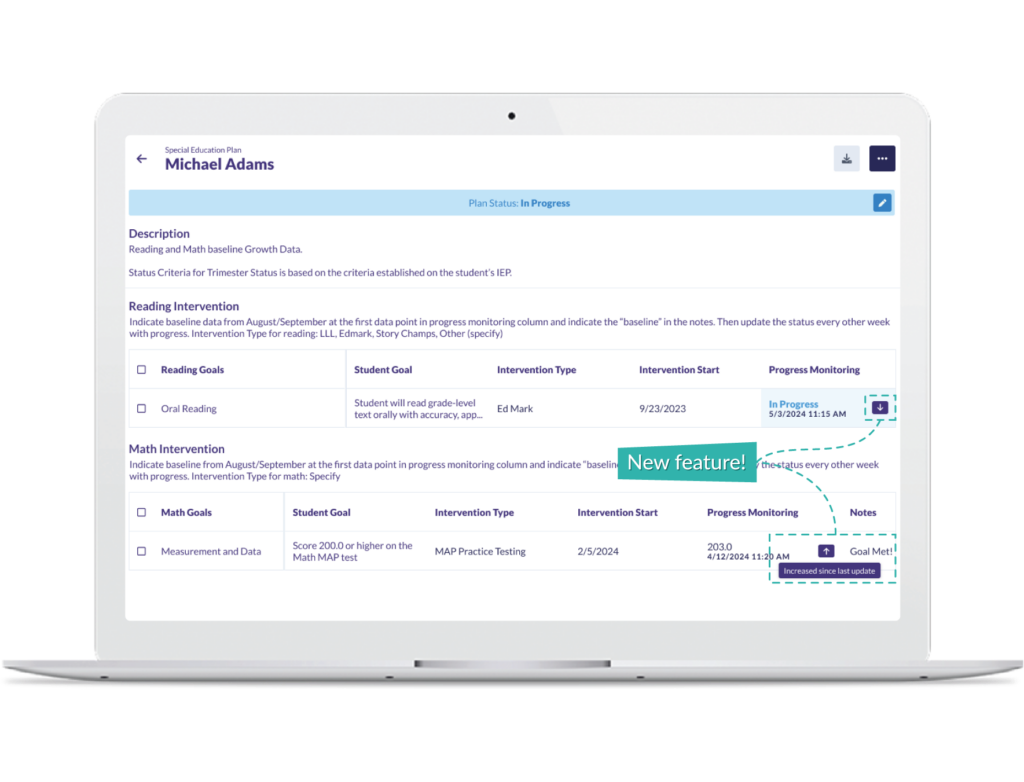
Otus gives educators strong progress monitoring, letting them track student performance and growth over time. Using the platform’s data-driven insights, teachers can find where students need extra support or enrichment and adjust instruction to fit.
With standards-based assessments and academic progress tracking, educators get a full picture of each student’s academic path while making data-informed instructional decisions.
Otus also gives teachers real-time classroom analytics and formative assessment tools, so gaps in learning surface quickly and intervention can happen right away.
This personalized approach improves teacher effectiveness and builds a supportive setting where students get targeted feedback for steady improvement.
With Otus’s progress monitoring, educators are better positioned to guide students toward their full academic potential.
Real-Time Feedback and Communication
Students and teachers both benefit from real-time feedback in Otus, which gives an immediate read on progress. It supports live communication in the classroom, so questions and concerns get answered right away.
Interactive discussions are easy to run, which encourages timely assessment, quick grading, and personalized feedback. When a student submits work, the teacher can respond while the material is still fresh rather than days later.
Because communication is continuous, teachers can shape instruction around each student’s specific needs. The result is a more engaging experience and stronger student-teacher collaboration.
Ease of Use and Convenience
Otus has an intuitive interface that educators can move through without much training. The user-friendly design handles tasks like creating and managing assignments, grading student work, and reaching educational resources.
Students get a straightforward experience too, since they can open course materials and turn in assignments easily. That convenience lets educators spend more time teaching and less on administrative work.
Otus’s all-in-one approach also means educators have everything in one place, from lesson planning to assessment tools. Having that full set of functions together saves time that would otherwise go to juggling separate apps for different classroom needs.
The Impact of Otus on Student Growth
Otus supports student growth through personalized learning and individualized instruction. It gives educators real-time data analysis, so they can shape instructional strategies around each student’s needs.
By showing a full view of student progress and performance, Otus helps teachers spot areas for improvement and put targeted interventions in place.
Educators using Otus have reported meaningful gains in student achievement and academic growth. With timely insight into assessment data, teachers can adjust their approach, which improves both teacher effectiveness and classroom management.
In the end, Otus plays a central part in producing positive educational outcomes by giving every learner a better shot at success. Because the same data that informs instruction also informs intervention, teachers can catch students who are falling behind earlier and support students who are ready to move ahead.
Conclusion
Teachers can use Otus to create standards-based assessments, monitor student progress in real time, and stay in close communication with students and parents.
Thanks to its user-friendly interface, Otus is convenient and easy to use, which supports personalized learning. Its impact on K-12 education shows up in the way it drives academic achievement through targeted skill practice and individualized assessments. Teachers get the reporting they need to prove progress, and students get instruction shaped around where they actually are.
Bringing educational technology like Otus into the classroom supports student growth while making classroom management simpler for teachers who would otherwise spread the same work across several disconnected tools.
(Image credit: Otus)
Frequently Asked Questions
What are the benefits of using Otus in K-12 education?
Otus offers features such as grade books, assessments, and analytics to help teachers track student progress and personalize learning.
How does Otus support student learning in K-12 education?
Otus supports student learning by providing a platform for interactive assignments, communication tools, and access to educational resources.
Can parents track their child’s progress using Otus in K-12 education?
Yes, parents can monitor their child’s academic performance through Otus’ parent portal, which provides insights into grades, assignments, and teacher feedback.
Is training required to use Otus effectively in K-12 education?
While basic navigation is intuitive, some professional development may be beneficial for educators to use all the features of Otus effectively.
How does Otus benefit school administrators in K-12 education?
Otus helps school administrators by offering data-driven insights into student performance and engagement while streamlining administrative tasks like scheduling and reporting.
Compare alternatives to the tools in this post

- Independent picks for exactly what you just read about
- Matched to your team size & needs
- Vendors don't pay for placement
Step 1 of 4
How big is your team?
We tailor recommendations to companies your size.















Related Articles
Buyers guide
How To Choose The Best Online Learning Platform For 2026
Continue reading →
Education Software
Best LMS Software in 2026: Complete Guide for Every Team Size
Continue reading →
Education Software
Legends of Learning: 2,000+ K-8 Games, Free Teacher Plan
Continue reading →
Education Software
ThinkWave Educator 2026 Review: Gradebook, School Management Software, and Support Overview
Continue reading →