

Engaging every student in the classroom can feel difficult, but it does not have to be. Nearpod improves class participation by turning passive listening into active learning.
This article looks at how Nearpod’s interactive software changes lessons and holds students’ attention. Here is what it offers, how teachers use it in the classroom, and why students respond to it.
Key Takeaways
- Nearpod changes traditional lessons with interactive slides, VR field trips, and live assessments that actively involve students in learning.
- The platform works for any teaching environment (classroom, remote, or hybrid) and integrates easily with LMSs to keep engagement high wherever students are.
- Teachers value how Nearpod’s real-time insights into student understanding let them adjust instruction on the spot for better outcomes.
- Students engage through gamified quizzes, matching pairs games, and virtual reality experiences included in Nearpod’s features.
- With its range of activities and compatibility with tools like Google Slides and PowerPoint, Nearpod makes lessons more interactive.
Understanding Nearpod: An Overview
Nearpod is a platform built to improve classroom engagement. It works as an all-in-one tool for interactive student learning experiences, and it is designed to fit a wide range of classroom environments and teaching styles instead of a single setup.
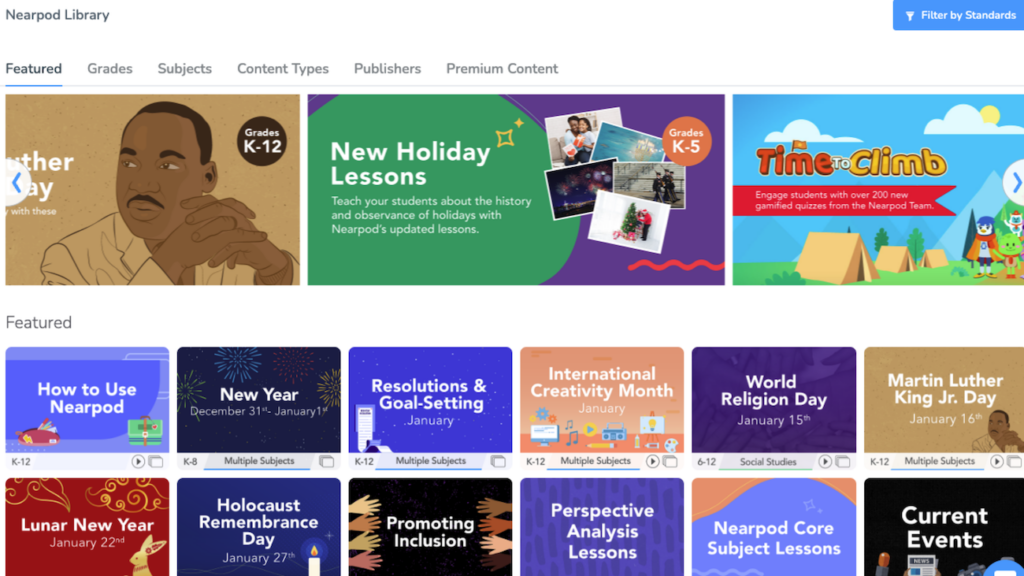
At its core, Nearpod supports active participation and gives educators a full set of tools for building interactive presentations. These presentations go beyond passive information delivery, so students take part in the lesson instead of just watching it.
Nearpod blends traditional slide presentations with features like virtual reality (VR) field trips, collaborative boards, and PhET simulations.
The software turns static lessons into interactive sessions where students can explore new concepts through VR explorations or express their understanding on shared collaborative boards, instead of only reading through slides.
Teachers get real-time feedback tools such as quizzes and polls, which work as formative assessments and prompt student voice and critical thinking through open-ended questions.
With this approach, Nearpod supports deeper learning connections and makes sure every student’s voice is valued within a digital space, while following privacy policies that are closely aligned with responsible digital citizenship practices.
Benefits of Using Nearpod in the Classroom
Using Nearpod in the classroom gives real-time insights into student understanding and allows flexibility between in-person, remote, or hybrid teaching. The interactive slides, videos, and activities keep students engaged and support their learning.
Real-time insights into student understanding
Teachers gain real-time insights into student understanding with Nearpod’s assessment features. While leading a lesson on fractions, you can see who understands it and who needs more help, in the moment of teaching.
This instant feedback lets educators adjust their lessons as they go, reteach a point when needed, and target the specific areas where students may be struggling instead of waiting for a later test.
Nearpod combines interactive slides, VR field trips, draw-it responses, open-ended questions, and timed challenges like Time to Climb. Gamification elements keep students interested while teachers track progress through live reports.
Engaging every learner becomes easier when you tailor your approach using direct evidence from their interactions and answers, so you can act on what students actually show you rather than guesswork.
Flexibility between classroom, distance learning, or hybrid teaching
Beyond the real-time insights it provides, Nearpod’s versatile platform also fits different teaching environments. Whether you’re in a traditional classroom, running remote learning, or using a hybrid model that combines both, Nearpod simplifies the experience.
It integrates with various resources and Learning Management Systems (LMS), simplifying lesson assignments and management.
With this flexibility, educators can adjust their delivery method to best suit students’ needs, no matter where they are learning from. This adaptability makes it easier for teachers to keep engagement high without lowering the quality of instruction as classroom conditions and schedules change.
Nearpod is a bridge that connects educators and students through technology integration, whether they are miles apart or together in one room.
Interactive slides, videos, and activities
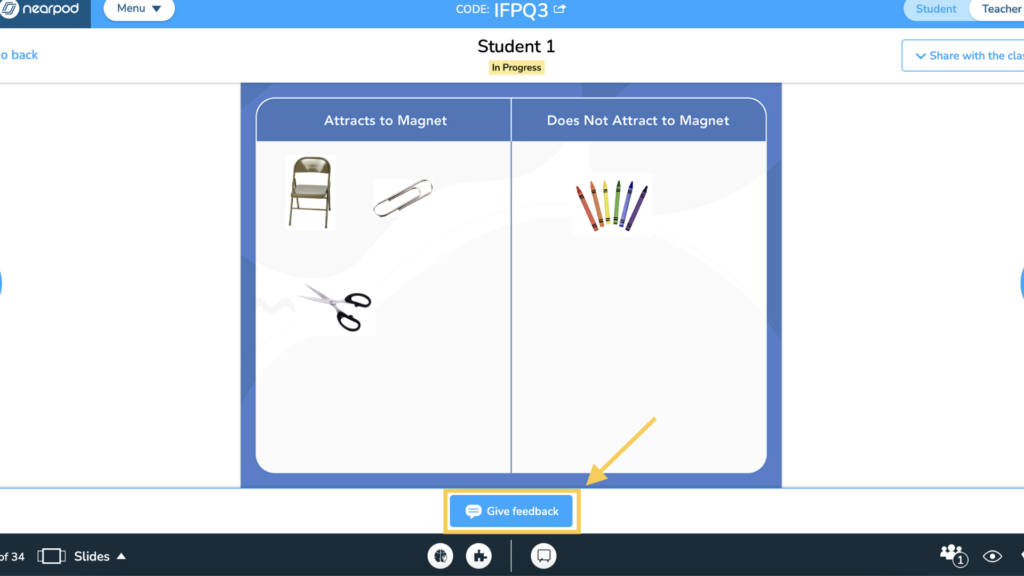
With Nearpod, teachers can add interactive slides, videos, and activities into their lessons. This supports engaging content delivery that holds students’ attention and encourages active participation. Here are some of the key features of interactive slides, videos, and activities on Nearpod:
| Feature | Description |
|---|---|
| Interactive Slides | Nearpod enables teachers to transform traditional slide-based presentations into interactive experiences by incorporating formative assessments, simulations, and dynamic media. This ensures that students remain actively involved throughout the lesson. |
| Engaging Videos | Nearpod offers active video experiences with built-in interactive questions, allowing educators to reinforce learning objectives and gauge student comprehension in real time. |
| Gamification and Activities | In addition to videos and slides, Nearpod provides gamification elements such as Time to Climb, Matching Pairs, Draw It, and Drag & Drop activities. These interactive components add an element of fun while promoting active learning within the classroom environment. |
Nearpod’s Integration with Other Tools
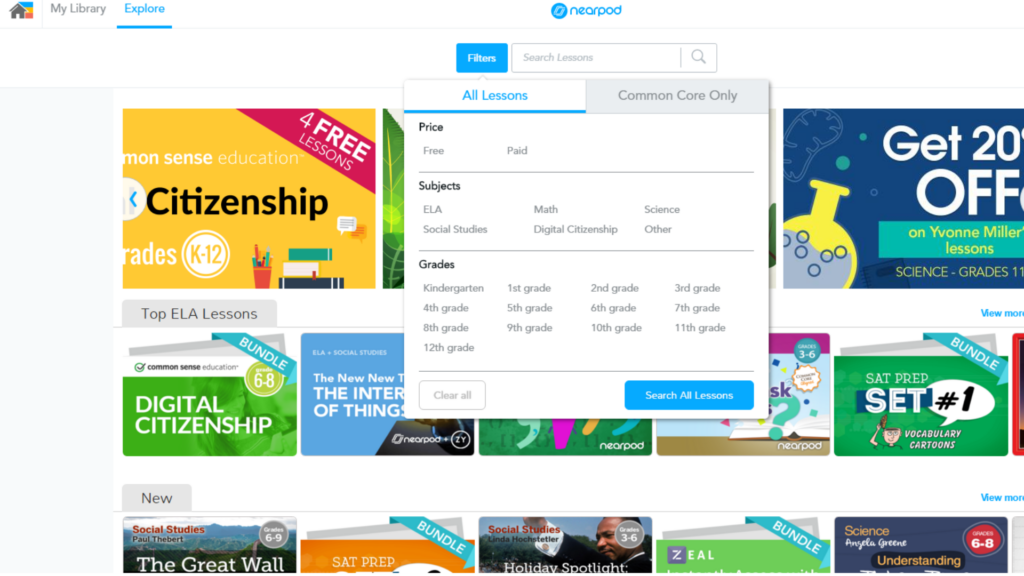
Nearpod integrates with existing PowerPoint, Google Slides, and videos, so teachers can add interactive features to presentations they already have. It also works in direct compatibility with online learning management systems, which makes for a smooth move from planning into classroom activities.
On top of that, Nearpod’s partnerships with trusted brands provide access to quality educational content from sources like PBS Kids, iCivics, and Common Sense, which adds to the platform’s range and helps teachers deliver engaging lessons across various subjects.
Schools and districts can get more from Nearpod through licensing options that give teachers unlimited access to resources and dedicated support. This helps educators improve their instruction while giving students richer learning experiences.
Student and Teacher Feedback on Nearpod
Students and teachers praise Nearpod for its interactive features that keep learners engaged throughout lessons. They value the platform’s ability to collect real-time data on student understanding, which allows immediate feedback and personalized instruction.
Teachers find it useful for gauging student comprehension, while students enjoy the dynamic media components that support their learning. Many educators are also satisfied with how Nearpod integrates with other tools and resources, simplifying lesson management.
The user-friendly interface of Nearpod is often highlighted in feedback from both students and teachers. They appreciate how intuitive the platform is, along with the variety of engaging activities available within it.
Taken together, this positive feedback suggests that Nearpod improves classroom engagement for students while simplifying day-to-day teaching methods for educators.
Enhancing Engagement with Quizzes and Assessments
- Nearpod’s interactive quizzes and assessments encourage active participation and instant feedback, leading to a deeper understanding of the lesson material.
- The platform offers a variety of question types, including multiple-choice, open-ended, and polls, catering to different learning styles and allowing for comprehensive assessment.
- With real-time data insights, teachers can adapt their instruction based on student responses, creating a personalized learning experience for each student.
- Students can take part in self-paced activities such as virtual reality field trips or 3D simulations, which offer learning experiences beyond traditional methods.
- Nearpod’s gamified approach to quizzes and assessments motivates students to actively participate while building their critical thinking and problem-solving skills.
Conclusion
To increase classroom engagement with Nearpod, educators can use its interactive features and real-time insights to gauge student understanding. The option to add formative assessments, simulations, and dynamic media gives room to tailor instruction on the fly in various learning environments.
By using its partnerships with established brands and an extensive library, teachers can add engaging content to their lessons without building everything from scratch. In the end, Nearpod’s full set of tools helps teachers raise student engagement and improve learning outcomes across many different educational settings. Nearpod has a free version as well as a paid one.
Nearpod suits teachers who want more interaction in their lessons.
(Image Credit: Nearpod)
Frequently Asked Questions
What makes Nearpod a powerful tool for student engagement?
Nearpod turns lessons into interactive presentations that hold students’ attention through open-ended questions, multimedia content like BBC videos and Microsoft Sways, and integration with Google Workspace applications.
Does Nearpod offer resources compatible with different subjects?
Yes. With Nearpod’s extensive lesson library, educators can find ready-to-use material for a variety of subjects, from social studies to math concepts like decimals.
How do I access educational content on Nearpod?
Educators can subscribe to gain full access to the educational materials available on Nearpod, including lesson plans and webinars.
Is privacy maintained when using Nearpod in my classroom?
Nearpod follows a strict privacy policy that protects student data during interactive sessions.
Can I use Nearpod on multiple devices?
Yes. Whether you’re on an iPhone or using platforms such as iTunes or Google Workspace applications, you can use Nearpod across various devices.

- Independent picks for exactly what you just read about
- Matched to your team size & needs
- Vendors don't pay for placement
Step 1 of 4
How big is your team?
We tailor recommendations to companies your size.















Related Articles
Buyers guide
How To Choose The Best Online Learning Platform For 2026
Continue reading →
Education Software
Best LMS Software in 2026: Complete Guide for Every Team Size
Continue reading →
Education Software
Legends of Learning: 2,000+ K-8 Games, Free Teacher Plan
Continue reading →
Education Software
ThinkWave Educator 2026 Review: Gradebook, School Management Software, and Support Overview
Continue reading →