
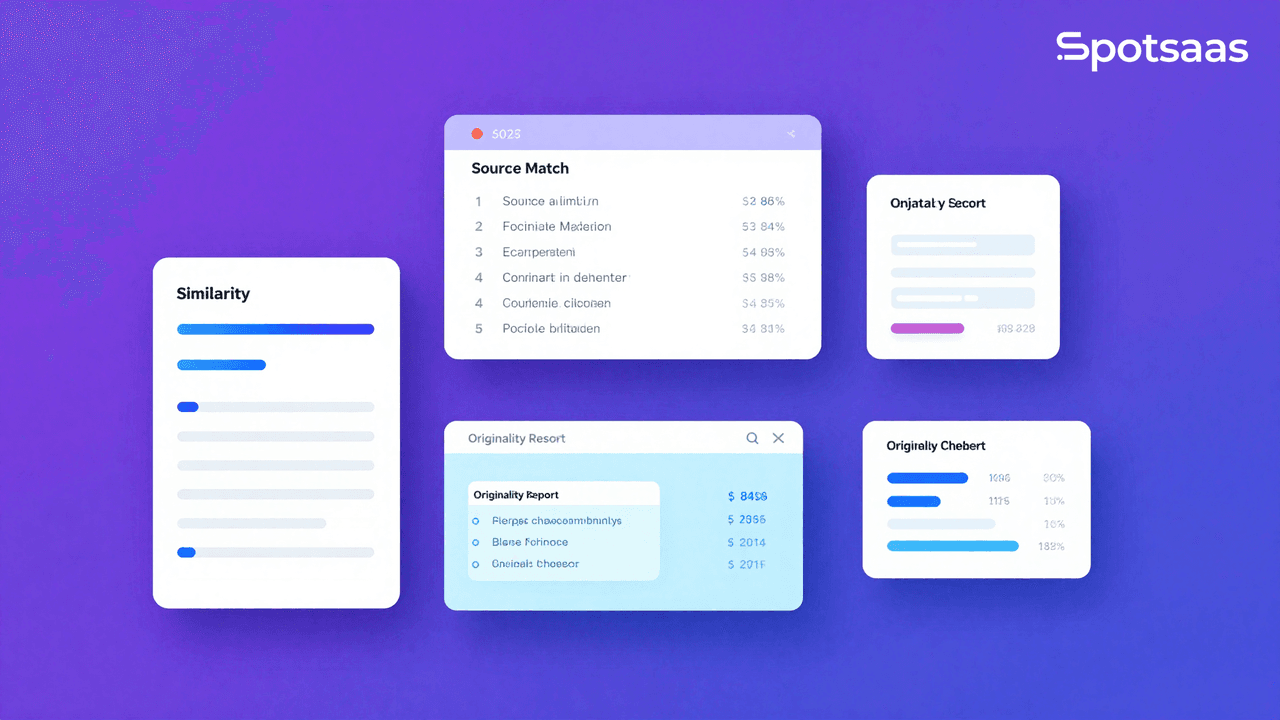
Why to use Plagiarism Checker Software?
Plagiarism checker software scans text against databases like websites, academic journals, and books to check originality. It detects copied or paraphrased content, helping users avoid plagiarism while keeping their work credible.
These tools matter for producing original work, whether research papers, blogs, or corporate reports. With intellectual property rights carrying real weight in modern organizations, plagiarism checkers protect originality and give writers and professionals a way to verify their own work before it goes out.
The need for this kind of check has grown alongside how much content gets published every day. Students submit papers across multiple courses, marketing teams publish blog posts and landing pages on tight deadlines, and researchers circulate drafts before publication. In each of these cases, a plagiarism check is a fast, low-effort way to catch unintentional overlap with existing material before anyone else does.
What Are The Reasons to Use Plagiarism Checker Software In 2026?
Anyone who wants to avoid papers being flagged for intentional or accidental plagiarism should use a plagiarism checker. It confirms that your material has not been copied from other sources.
Ensuring Originality in Content
Plagiarism checkers search large document repositories, web page contents, and other databases and sources. This lets you review every duplicate section the program flags.
From there, the user can decide whether to paraphrase or add proper citation. Preserving your own voice goes hand in hand with protecting the ownership and originality of your ideas, especially in competitive markets where duplicate content is common.
Maintaining Trust and Credibility
Plagiarism is a real problem for businesses, teachers, and learners. It damages a business’s reputation and erodes the trust between learners and educators.
Running a plagiarism check prevents violations of ethical standards and helps build a positive company image. The checks tell clients, readers, and collaborators that the work is accountable to originality principles, which is a straightforward way to strengthen trust.
Avoiding Legal Complications
Using content without permission can lead to fines, legal suits, and damage to an organization’s or individual’s reputation. Plagiarism-checking policies act as a preventive measure that flags materials that might not be legally sound.
Through these tools, organizations reduce disputes tied to attribution. This keeps organizations from getting bogged down in copyright and fair-use questions later. For researchers and businesses, this helps limit risk and supports ethical work practices.
Improving the Quality of Writing
Plagiarism detection tools also help users spot overused phrases or weak argumentation in their own writing. The revision suggestions improve both the quality and depth of the content. For writers, these tools act as another layer of protection against putting out low-quality work.
Enhancing Search Engine Performance
Duplicate content lowers the value of a site in a search engine’s eyes. Many plagiarism checkers also flag overused words and phrases that work against current SEO practices.
Tools that push for more original material can help improve a site’s position on search results pages and bring in more organic traffic and brand mentions. Original material also tends to hold a reader’s attention longer, which supports long-term traffic.
What Are Core Features of Plagiarism Checker Software?
Looking at the functions below, it’s clear that plagiarism-checking tools are built to serve students, educators, professionals, and companies alike.
The best tools combine precision, ease of use, and interoperability to help analyze content and verify authenticity.
Comprehensive Database Comparison
Sophisticated plagiarism detection tools scan submitted text against large databases of websites, academic papers, books, and other proprietary documents. This broad scope improves detection rates.
A strong database also lets tools flag cases where paraphrasing or closely similar content has been used, adding another layer of originality checking.
Instant and Real-Time Detection
Most tools return a plagiarism check within seconds. Real-time detection benefits writers and businesses that need to move through a lot of content quickly. It cuts down on the wait between submitting material and getting it published or approved.
Assistance With Proper Citation
Some plagiarism detection tools identify the sections of a text that need citation and suggest the correct formatting in APA, MLA, or Chicago style.
This feature prevents accidental use of uncredited material and helps users meet academic and professional standards. It’s especially useful for researchers and students working with a large number of references.
Broad File Compatibility
Support for formats like .docx, .pdf, and .txt means users can compare documents created in different applications without converting them first.
Batch uploads also give teams an efficient way to process large volumes of content at once.
Detailed Reporting and Source Linking
Most plagiarism checkers produce detailed reports, including the match percentage, exact matches, and links to the original sources. These reports help users identify and resolve problems quickly. Downloadable, shareable reports also make it easier to work with team members or instructors.
Integration With Popular Platforms
Plagiarism checkers that connect with an LMS, CMS, or other writing platform make content verification part of the normal workflow. Connecting the tool to something like Google Docs or WordPress lets users check content directly, without the extra step of copying and pasting.
What Are Major Benefits of Using Plagiarism Detection Tools?
Plagiarism detection software benefits individuals, companies, and organizations alike. It helps users produce original content, protect their professional standing, and keep review processes moving.
Supporting Academic Standards
Text-comparison software is a core part of how educational institutions operate. It catches accidental plagiarism and supports integrity in research work. Students can turn in original papers, and educators can confirm that submitted work is genuinely the student’s own. This protects the reputation of both the student and the institution.
Enhancing Brand Identity and Trust
In content-driven industries, credibility carries a lot of weight.
Staying free of plagiarism lets businesses maintain their integrity and professionalism without the risk of copyright issues. Original content also matters when building branded and marketing material.
Accelerating Review and Approval Workflows
Content teams typically juggle multiple deliverables, so anything that can be automated should be. Plagiarism-detection software makes content easier to review, so teams don’t spend as much time re-checking it by hand. Compatibility with CMS and writing tools adds to this advantage by removing friction from everyday work.
Avoiding Duplicate Content Penalties
Duplicate content lowers a website’s standing on search results pages. Plagiarism checkers make it easier to catch and fix these issues before search engines penalize the site. This, in turn, helps raise the site’s rank, reach the right audience, and improve engagement.
Encouraging Continuous Learning
Plagiarism detection tools also work as teaching tools, since they point out where and how content should have been cited. Users learn how to cite correctly, paraphrase better, and understand copyright more clearly. That pays off in the quality of written work across a team over time.
Which Types of Plagiarism Detection Tools Should You Know About?
Plagiarism check tools vary depending on their intended use and the end user’s needs, from amateur bloggers to large corporations. Picking the wrong category usually means paying extra for features you won’t use, or getting stuck with a database that’s too shallow for the kind of content you regularly check.
Free Online Scanners
Free, browser-based tools such as SmallSEOTools or Grammarly’s free plagiarism check let anyone verify text against common sources. They rely on smaller databases, though, and catch fewer duplicated records than paid tools.
These are fine for personal use or occasional checks where the result doesn’t need to hold up for a university or business assignment. They tend to be less flexible and less reliable for more complex work.
Paid and Professional Platforms
For more advanced needs, tools like Copyscape and Turnitin add features such as source search, bulk checking, and compatibility with other programs. These handle high volumes of content and keep the data secure.
Those extras, along with added support and customization, are why professional writers, agencies, and offices tend to prefer them.
Academic Research Checkers
Tools built specifically for education, like iThenticate and PlagScan, are strong at matching assignments against research papers, theses, and other proprietary materials to check for academic plagiarism.
They also give detailed feedback to students and let institutions keep records of submissions for future reference.
SEO-Focused Detection Tools
Siteliner and Quetext are built for marketers and SEOs. They find duplicated content on the web and suggest how to rewrite the affected sections.
This helps protect a site’s search rank and avoid penalties for content that overlaps with other sources online. Some of these tools also offer competitor analysis and content recommendations.
What Is the Best Plagiarism Detection Software Available Today?
The table below compares plagiarism checker tools by pricing, primary features, and notable customers.
It’s meant to help you see which tool fits your needs, whether academic, professional, or SEO-focused.
| Tool | Pricing | Best For | Key Features | Notable Customers |
|---|---|---|---|---|
| Turnitin | Custom Pricing | Academic institutions | Extensive database, citation checks | Harvard, Oxford |
| Copyscape | Pay-per-use starting at $0.03 | Content creators, businesses | Web-based scanning, duplicate web detection | Medium, The Guardian |
| Grammarly | Free/$12 per month | Writers and bloggers | Basic checks, integration with writing tools | HubSpot, Upwork |
| Ithenticate | Custom Pricing | Researchers and academics | Research comparison, journal database access | Nature, Elsevier |
| Quetext | Starts at $9.99/month | SEO professionals | DeepSearch technology, advanced content checks | SEO teams, freelancers |
How to Choose the Best Plagiarism Checker Software
Choosing the right plagiarism checker software comes down to originality, credibility, and how well it fits your content review process. Here’s what to look at when narrowing down your options.
It helps to walk through this as a short checklist rather than picking the first tool that comes up in a search. Start with your goals, then look at how the software is delivered (cloud, on-premise, or open-source), then check whether it plugs into the tools your team already uses.
Defining Your Goals
Knowing what you actually need makes it easier to pick software that fits your workflow.
Key Objectives
→ Ensure Content Originality
Plagiarism checker tools flag copied or heavily borrowed content. They help protect the integrity of academic, professional, or creative work by confirming it’s authentic.
→ Improve Accuracy
Good plagiarism checkers pick up on nuanced similarities, like paraphrased content or closely related phrases, so you’re not left guessing about what needs a second look.
→ Save Time
For educators, businesses, or writers working through high volumes of content, automated tools remove the need for manual cross-referencing while still checking thoroughly.
→ Support Multiple Formats
Support for Word, PDF, and plain text files means less friction when uploading and reviewing content, whether it’s an academic paper or a business report.
→ Fit Your Workflow
Tools that connect with platforms like Google Docs or Microsoft Word slot into your existing process instead of disrupting it, which makes real-time checking easier.
Exploring Software Models
Different types of plagiarism software fit different needs. Choose the model that matches how you actually work.
Types of Plagiarism Checker Software
→ Cloud-Based Plagiarism Checkers
Cloud-based tools give instant access from anywhere. They suit individuals or teams who want a quick setup without extra installations.
→ On-Premise Plagiarism Checkers
On-premise solutions fit organizations handling sensitive or proprietary data. Full control over installation and customization helps meet strict compliance requirements.
→ Open-Source Plagiarism Checkers
Open-source tools can be customized to match specific workflows. Developers or institutions with particular needs can tailor the features directly.
→ Enterprise-Grade Plagiarism Checkers
Built for large-scale operations, these tools handle high document volumes, support team collaboration, and provide detailed analytics. They fit academic institutions or enterprises managing large amounts of content.
Reviewing Data Requirements and Integration
Choosing software with strong data handling and integration capabilities makes for smoother, more efficient plagiarism checks.
Integration and Reporting Features
→ Word Processing and CMS Integration
Direct integration with Google Docs, Microsoft Word, or CMS tools like WordPress allows real-time plagiarism checks without breaking your workflow.
→ LMS Integration for Educators
For educators, plagiarism checkers built into LMS platforms like Moodle or Blackboard simplify the submission and review process.
→ Detailed Reporting for Smarter Reviews
Reports with highlights, source links, and comparison summaries help users address overlaps and keep content quality consistent.
What Features Should You Look for in a Plagiarism Checker?
A good plagiarism checker should make detection simple, keep accuracy high, and turn results into something you can actually act on.
Core and Advanced Features
→ Comprehensive Database
A large database means checks run against billions of web pages, research articles, and private repositories.
→ Multiple Language Support
Support for various languages covers global academic and professional use cases.
→ File Upload Options
Document checks work across formats such as Word, PDF, and TXT.
→ Source Highlighting and Batch Processing
Makes overlap detection easier and speeds things up for high-volume users.
→ AI-Powered Detection and Customizable Settings
Advanced tools detect paraphrasing and let users set their own similarity thresholds for more precise reporting.
How Can Reporting Improve Your Review Process?
Detailed reports matter for understanding and addressing plagiarism effectively.
Reporting Insights and Visualization Tools
→ Source Categorization and Progress Tracking
Break down matched sources by type and track originality improvements over time.
→ Interactive Dashboards and Exportable Reports
Help visualize data, spot issues at a glance, and make sharing across teams easier.
How to Evaluate Pricing and Scalability Options
Plagiarism checkers come with flexible pricing models to fit individual and organizational needs.
Cost Models and Scalability Considerations
→ Pay-Per-Use and Subscription Plans
Choose based on how often you’ll use it. Occasional users benefit from pay-per-use, while regular users get more value from a subscription.
→ Custom Pricing and High-Volume Processing
Tailored plans support enterprises that need bulk uploads and heavier document processing.
→ Multi-User Access and Data Security
Look for encryption and secure handling that support team collaboration without compromising privacy.
How to Ensure Effective Support and Training
Solid support and thorough training resources make adoption easier and help teams get more value out of the tool.
Getting Help and Learning to Use the Tool
→ 24/7 Assistance
Look for tools that offer ongoing customer support through chat, email, or phone.
→ Tutorials and Guides
Onboarding materials help users get the most out of the tool’s capabilities from day one.
Working through this framework should help you land on plagiarism checker software that fits your needs, whether the goal is originality, productivity, or academic integrity. Try a few free trials or demos before committing, so you can see how each one fits your actual workflow.
Final Thoughts on Plagiarism Checker Software
Plagiarism checker software matters across nearly every domain where original, credible, high-quality content counts. It protects the output of scholarly work, supports brand identity, and encourages the right approach to doing business.
When choosing a tool, prioritize database coverage, the depth of its detection features, and its cost structure. Trying out a few different tools also helps you judge ease of use and how well each one fits into your existing workflow.
Beyond catching duplication, these tools support accountability and push content quality higher. The right choice makes the work more professional, more ethical, and more clearly your own.
Whichever tool you land on, treat the plagiarism report as a starting point for review, not a final verdict on its own. A high match percentage isn’t automatically a problem: quoted material, standard industry terminology, and properly cited sources will often show up as matches too. The value of the software is in surfacing those sections quickly, so a person can look at each one and make the final call. That human step still matters, no matter how advanced the underlying detection engine gets. It’s also worth revisiting your choice periodically rather than treating it as a one-time decision — as the tool’s database grows and its detection methods improve, a checker that felt limited a year ago may now cover the sources that actually matter for your work.

- Independent picks for exactly what you just read about
- Matched to your team size & needs
- Vendors don't pay for placement
Step 1 of 4
How big is your team?
We tailor recommendations to companies your size.















Related Articles
Best Tools
SaveFrom.Net Review (2026): Is It Safe, Legal & Worth Using?
Continue reading →
Buyers guide
How to Choose Healthcare Software: A Complete Buyer’s Guide (2026)
Continue reading →
Buyers guide
How to Automate HR Processes: A Practical Guide for 2026
Continue reading →
Applicant Tracking Software
How to Set Up an ATS: Step-by-Step Implementation Guide (2026)
Continue reading →