

Choosing between GitLab and GitHub matters as much as selecting the right tools for a project’s success. As developers look for the best platform for version control and collaboration, the distinct features of these two platforms are worth understanding.
This article compares the two in plain terms, laying out their features side by side so you get a clear comparison that guides you toward an informed decision suited to your needs. Read on to see which platform fits the way you build and ship software.
Key Takeaways
- GitLab and GitHub both provide essential version control, collaboration tools, and CI/CD integration for software development.
- GitLab offers a complete DevOps platform with extensive built-in features for software project management through to security, making it suitable for companies of all sizes; GitHub focuses on community and collaboration in open-source projects with a large marketplace for third-party apps.
- Both platforms have free plans that include unlimited repositories, which are great for individual developers or small teams, but they differ in enterprise-level services and pricing.
- Continuous integration is deeply built into GitLab’s service, while GitHub relies more on third-party integrations available through its marketplace.
- Choosing between GitLab and GitHub means weighing each platform’s features against your team’s specific needs, including cost and workflow compatibility.
Understanding Git and Cloud-Based Repositories
Git acts like a time machine for developers, letting them track every change they make to their code. It is an open-source version control system that makes it easy for teams to work together on software development projects.
Every change is recorded, so if something goes wrong, you can go back and recover earlier versions of your work. This level of source code management supports collaboration without the fear of overwriting someone else’s contributions or losing important progress.
Web-based repositories take this a step further by storing this information online instead of on a single computer or server. They help with code management and with sharing local file changes to a remote repository, so the current state of a project is available to everyone who needs it rather than sitting on one machine.
With cloud storage and repository management tools like GitLab and GitHub, multiple coders can work on different parts of the same project at the same time. Code hosting on these platforms is straightforward: upload your project, share it with teammates, and everything is lined up for DevOps practices.
GitLab Software Development Solution: An Overview
GitLab is a cloud-based platform that offers version control, repository hosting, and code collaboration for software development teams. It provides customizable options for self-hosting and personal servers, making it a versatile choice for different company sizes and industries.
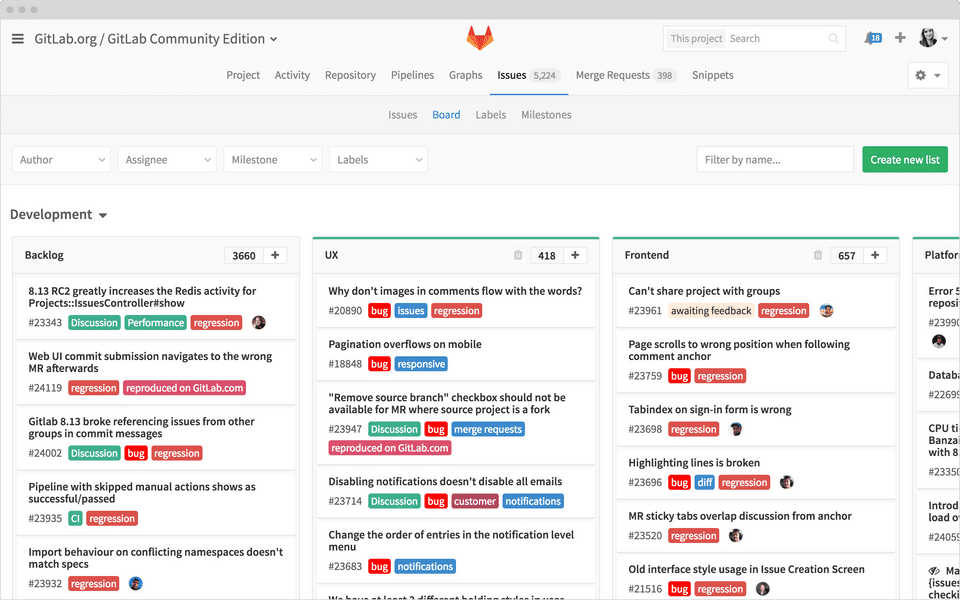
(Image Credit: GitLab)
Key Features of GitLab
GitLab is an all-in-one DevOps platform that supports a smooth software development experience. Its suite of tools covers everything from project management to security in development.
| Key Features of GitLab | Description |
|---|---|
| Version Control and Git Functionality | Provides powerful tools to manage projects of any size, with features like branch management and file locking. |
| Software Development Made Agile | Implements agile methodology through issue boards that can be customized for sprints, backlogs, and other agile practices. |
| Collaboration on Another Level | Offers merge requests for code reviews that improve collaboration among team members. |
| Continuous Integration Built In | Users access CI/CD pipelines directly within the platform for automating steps in the software delivery process. |
| Prioritizing Security in Development | Integrates static and dynamic security testing into the development lifecycle to identify vulnerabilities early on. |
| Simplified Project Management Tools | Features like epics, milestones, and labels help developers track progress and organize work effectively. |
| DevOps Tools Centralized | Brings together issue tracking, CI/CD, monitoring, and Kubernetes in one interface. |
| Remote Work Solutions Ready to Use | GitLab accommodates remote teams with features supporting asynchronous work and communication. |
| Enterprise Solutions Tailored for Growth | Provides scalable options for large organizations, including performance insights and advanced search capabilities. |
GitHub Software Development Solution: An Insight
GitHub is a widely used platform for version control and collaboration, with a strong emphasis on open-source development. It offers features for software development, code review, and project management.
Highlighting Features of GitHub
GitHub offers a wide set of features for project management and collaboration. It is built for developers, with strong tools for source control and code sharing.
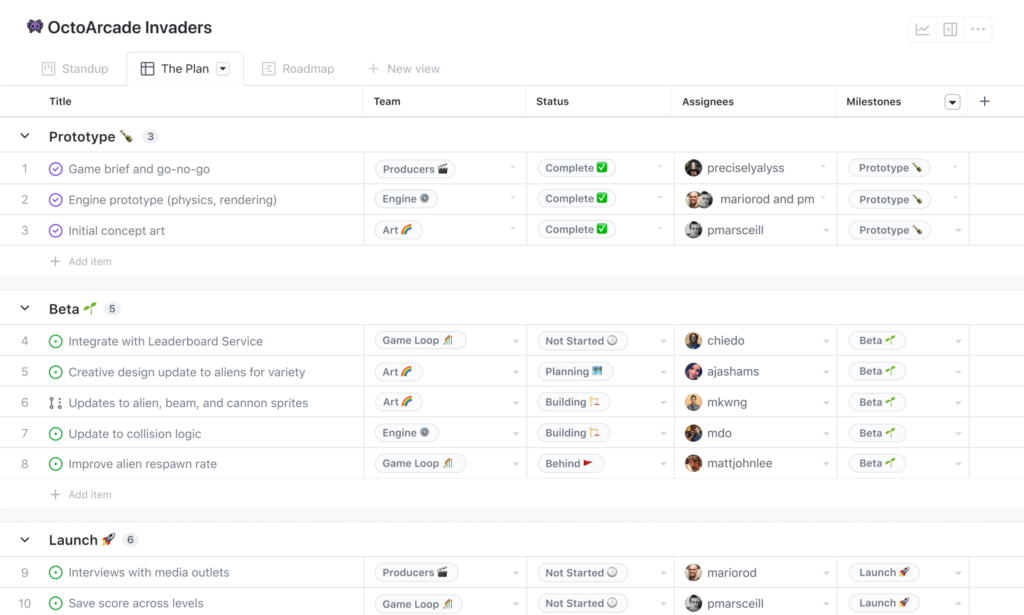
(Image Credit: GitHub)
| Features of GitHub | Description |
|---|---|
| Source Control Mastery | GitHub excels at allowing teams to manage changes to code over time. It uses Git, an efficient version control system, so every modification is tracked and reversible. |
| Enhanced Collaboration | The platform makes it easy for multiple developers to work on the same project without conflicts. Features like pull requests and merges let contributors review and discuss changes before they become part of the main codebase. |
| Project Management Tools | Organize your work with issues, labels, milestones, and open-source projects. These tools help break down complex developments into manageable tasks. |
| Issue Tracking System | Keep track of bugs and feature requests with GitHub’s issue-tracking capabilities. Assign issues to teammates, label them for easy searchability, and track work through to resolution. |
| Integrated Code Review Processes | Peer review is smooth, with line-by-line comments, file-by-file scrutiny, and discussions attached directly to the code. |
| Unmatched Repository Hosting | Host personal or public repositories on GitHub’s secure platform. Share your code with the world or keep it private among team members if you choose. |
| Continuous Integration Support | Integrate smoothly with various continuous integration services that run tests and check your code automatically whenever there’s a commit. |
| Diverse Marketplace | Explore GitHub Marketplace for apps that add to development workflows or improve productivity within the GitHub environment. |
GitLab vs GitHub: Similarities
Both GitLab and GitHub share core functionality, such as version control, software development, collaboration, code hosting, source code management, continuous integration, issue tracking, and repository management.
Both platforms are Git repositories that offer strong features for developers and teams to manage and collaborate on their Git projects.
Alongside these fundamental similarities, both GitLab and GitHub provide essential project management tools along with collaboration and code review capabilities as part of their free versions.
This lets users start working on their projects without any initial financial commitment. These shared features make both platforms valuable options for businesses that want to simplify their development workflows.
The next section is a detailed comparison of the specific features offered by GitLab and GitHub, so you can see where they overlap and where they part ways.
Comparing GitLab vs GitHub Features
Here is a detailed comparison of GitLab vs GitHub plans and features, including version control, collaboration tools, project management, and more. Understanding the key differences between the two platforms helps you make an informed decision for your development needs.
Version Control and Git Functionality
Both GitLab and GitHub offer strong version control systems that let developers collaborate, manage changes, and track revisions. These platforms provide thorough tools for source code management, so teams can work concurrently on projects without the risk of overlapping or conflicting changes.
With features such as branching, merging, and pull requests, developers keep a clear record of modifications while protecting the integrity of the codebase. Both also integrate with various DevOps tools and continuous integration and continuous delivery (CI/CD) pipelines across the software development life cycle.
The Git functionality in both GitLab and GitHub gives easy access to distributed version control capabilities that are important for efficient collaboration within remote or distributed teams, where members often work in different locations and time zones and still need to stay in sync.
Developers can clone repositories onto their local machines for offline work and then synchronize changes across different branches once they are back online. Tracking project history alongside a clear interface adds to productivity in software development workflows, since teams can see who changed what and revert to an earlier point when they need to.
Collaboration, Code, and Project Management
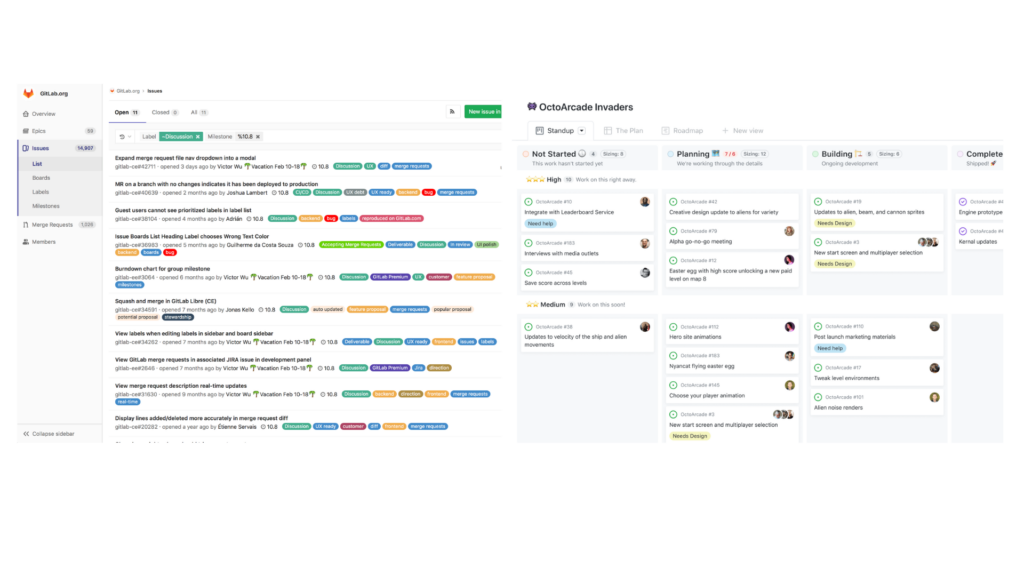
For collaboration, both GitLab and GitHub offer powerful tools that let developers work together. With features such as merge requests, issue tracking, and wikis, teams can collaborate on code development, project management, and issue resolution.
The platforms also support agile practices with tools for continuous integration and deployment automation, which keeps the flow from code change to tested, deployed software moving without a lot of manual handoffs.
Version control plays a key role too: all team members work with the latest codebase and can track changes made to the software.
Free Plan and Unlimited Repositories
Both offer free plans with the added benefit of unlimited repositories, making them accessible to individual developers and small teams without budget constraints.
This lets users store a large number of projects, with version control, collaboration, and code management in a single platform. Even with these strong free plans and unlimited repositories, both platforms limit advanced management features such as security measures and compliance regulations.
Still, the free tier is a good starting point for new projects or smaller-scale development, and teams can move to a paid plan later if they need the advanced security and compliance features.
GitLab also offers the unique advantage of self-hosting on private GitLab servers even with its free plan, which appeals to teams that want to keep their code on their own infrastructure. GitHub’s self-hosting option, by contrast, is only available for enterprise plans.
Differences between GitHub and GitLab
While there are many similarities between GitLab and GitHub, their distinguishing features set them apart. From the approach to continuous integration to the platform model versus marketplace, understanding these differences helps users decide which platform best suits their needs.
Continuous Integration
Continuous integration is a key part of modern software development, letting developers merge code changes into a shared repository frequently. With GitLab, this process is efficient through its built-in continuous integration and delivery features.
The platform handles the automation of testing, building, and deploying code changes, so new work is integrated quickly into the existing codebase.
GitLab’s continuous integration covers many stages of the development pipeline, from running tests to deploying applications, so much of the work that would otherwise be manual happens automatically as code moves toward release.
With these processes built into the platform, developers keep a steady cadence in their workflow while maintaining code quality. This focus on agile collaboration leads to faster time-to-market for software releases and better project efficiency.
Complete Platform vs Marketplace
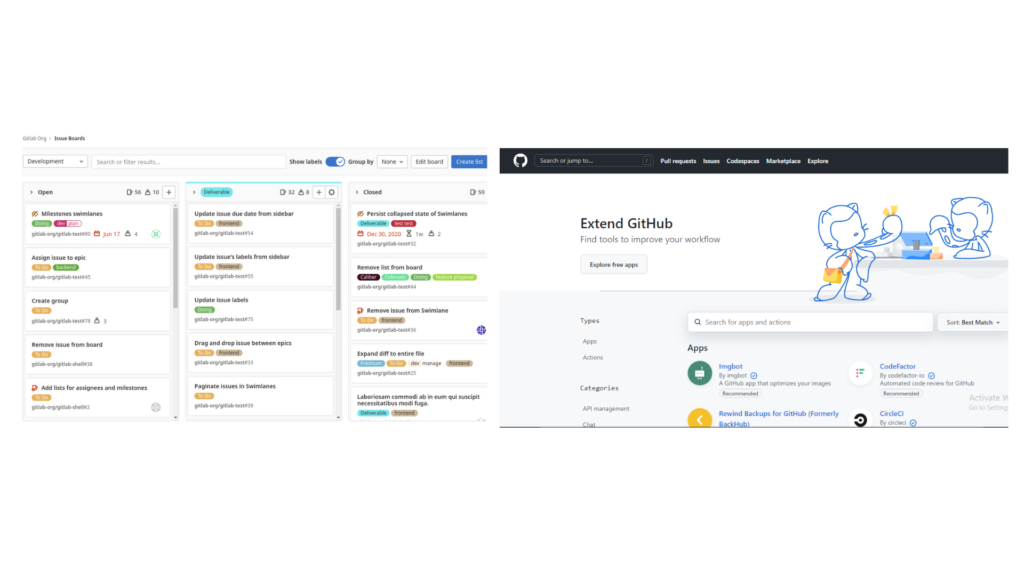
GitLab positions itself as a complete platform, covering a broad range of capabilities for software development, from version control and project management to deployment automation.
This breadth lets teams move between different stages of the development process within a single integrated environment. GitHub, by contrast, positions itself as a marketplace, providing tools and services for specific needs through its strong ecosystem of third-party integrations and applications.
While GitLab provides an all-inclusive solution with built-in features suitable for diverse industries such as finance, public sector, and education, GitHub’s marketplace model lets users tailor their experience by choosing from a wide array of specialized tools to meet their requirements.
Pricing: GitHub Enterprise Vs. GitLab Ultimate
When evaluating the top tiers of both platforms, pricing is a pivotal factor for organizations choosing between GitLab Ultimate and GitHub Enterprise. Here is a look at their costs:
| Service | Pricing Structure | Key Inclusions |
|---|---|---|
| GitLab Ultimate | $99 per user/month |
|
| GitHub Enterprise | $21 per user/month (starting price) |
|
Differences in pricing between the two services are substantial. GitHub offers a more accessible entry point for enterprise-level plans, while GitLab’s Ultimate plan sits at a premium, reflecting its all-inclusive approach. Weigh the specific offerings against your project’s budget and needs. GitLab’s advanced features command a higher investment, but they also provide a fuller suite of tools for complex workflows. GitHub’s more economical enterprise solution can be a cost-effective choice, especially once additional marketplace tools and third-party applications are considered. The right choice depends on the trade-offs between functionality and cost, and how they align with organizational priorities.
Final Verdict: GitHub vs GitLab?
After weighing the features, pricing plans, and specific needs of each platform, choosing between GitHub and GitLab depends on factors such as the scope of software development projects, individual or team preferences, and integration requirements.
While GitLab offers a comprehensive DevSecOps platform with tailored solutions for different company sizes and industries under its GitLab Ultimate and GitLab Premium plans, GitHub is known for its user-friendly interface and smooth integrations with third-party tools.
It is worth evaluating how each platform aligns with your goals in version control, collaboration, software development processes, and overall project management before you make a choice, since the platform you pick will shape day-to-day work for your whole team.
Choosing between GitLab and GitHub involves aspects such as agile project management capabilities, continuous integration practices, and scalability based on company growth projections.
Onboarding new team members is also worth accounting for when deciding which platform best supports your organization’s long-term work in software development, as a platform your team learns quickly pays off over time.
Conclusion
When comparing GitLab and GitHub, consider the specific needs of your team or organization. Both platforms offer strong version control and repository hosting capabilities.
GitLab stands out with its comprehensive DevOps platform and self-hosting options, while GitHub offers a user-friendly interface and an extensive marketplace with various integrations.
The decision between GitLab and GitHub depends on the development approaches, collaboration needs, and project management requirements of your team or company.
If you are also weighing your options for website creation tools, see our detailed comparison of Wix vs Squarespace to help make your decision.
Frequently Asked Questions
What are the key differences between GitLab vs GitHub?
GitLab and GitHub differ in hosting options, integrated tools, and collaboration features.
How do GitLab and GitHub differ in their pricing models?
GitLab offers a range of plans including a free tier, whereas GitHub provides free public repositories but charges for private repositories.
Can I use GitLab or GitHub for both personal and business projects?
Both platforms support personal and business projects with varying degrees of access control based on the selected plan.
Which platform is better for issue tracking – GitLab or GitHub?
GitLab includes an integrated issue tracker, while GitHub uses a separate feature called “Issues” within its platform.
Are there any notable security differences between GitLab vs GitHub?
Both platforms prioritize security, though they may vary in the specific security protocols or features offered as part of their services.
Compare alternatives to the tools in this post

- Independent picks for exactly what you just read about
- Matched to your team size & needs
- Vendors don't pay for placement
Step 1 of 4
How big is your team?
We tailor recommendations to companies your size.















Related Articles
AI Software
AI Accounts Payable Software in 2026: How AI Invoice Processing Works and 8 Tools Compared
Continue reading →

Expert Interviews
SaaS Talks with Carole Winqwist, CMO at GitGuardian – Inside Their Unique Marketing Strategy
Continue reading →

Buyers guide
How To Choose The Best Subscription Management Software For 2026
Continue reading →

Finance & Billing Software
Best Invoice Home Software for Freelancers & Businesses 2026
Continue reading →