
BuildFire is a mobile app development platform that allows anyone to create and manage apps easily, without needing to know how to code. With a easy-to-use interface and quick development options, BuildFire is a great choice for businesses and individuals who want to build custom apps efficiently.
The platform supports multiple devices and offers a range of features that make app creation straightforward and enjoyable. Additionally, BuildFire provides various pricing plans to suit different needs and budgets. This ensures that users can find an option that works for them.
Key Takeaways
- BuildFire’s easy-to-use interface makes app creation simple, even for those with no coding experience.
- The platform allows for quick app development and deployment. This enables users to launch their apps rapidly.
- Users can customize their apps with a range of features and functionalities. This makes it suitable for both businesses and personal projects.
- BuildFire offers multiple support channels, a knowledge base, and community forums to assist users throughout their app development journey.
Features of BuildFire
BuildFire is a mobile app development platform that lets users build and manage apps without writing any code. Its interface is built around ease of use, giving both businesses and individual creators a straightforward way to put together custom mobile apps without needing coding experience or a technical background.
Easy-to-use interface and ease of use
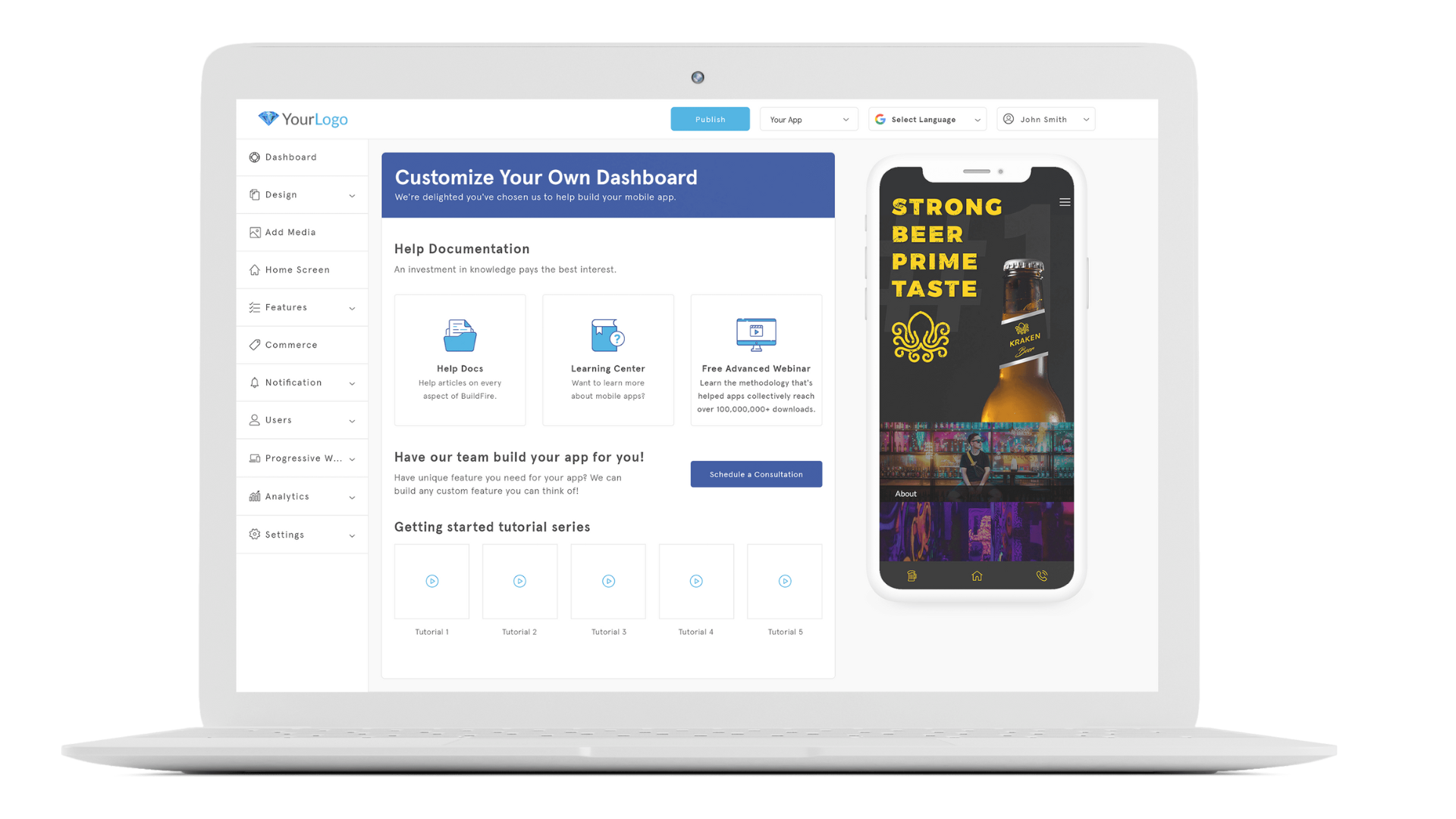
The platform’s interface guides you with clear instructions, simplified tools, and a straightforward layout, so the pieces of an app fit together the way you’d expect them to and the development process stays on track from start to finish.
Even if you’ve never written a line of code, you can still design an application by working through the dashboard, which lays out each step clearly as you go and shows you what to do next.
Accessibility stands at the core of BuildFire’s platform – it’s built for users who need efficiency without giving up functionality. Drag-and-drop features and pre-built components make creating custom apps quick, and building with them stays enjoyable rather than tedious.
Changes appear in real time as you make them, so you can confirm that every element on the screen matches your vision right from the start rather than finding out after the fact.
Rapid development and deployment capabilities
BuildFire is built around a swift development process, letting creators bring their custom mobile apps to life rapidly instead of over months of build time. Because the platform simplifies the process, you don’t need extensive coding knowledge or an IT department working around the clock to get an app running.
Deploying your app is just as quick and hassle-free. BuildFire’s hybrid model uses familiar web technologies like HTML5, CSS3, and Javascript within native components. This fusion keeps ongoing maintenance simple and keeps your app working smoothly across both iOS and Android devices, all without sacrificing quality or performance along the way.
Flexibility in app creation for businesses and individuals
With BuildFire, businesses and individuals get real flexibility in how they build mobile apps. The click-and-edit interface lets you put together app features and functions without needing coding knowledge.
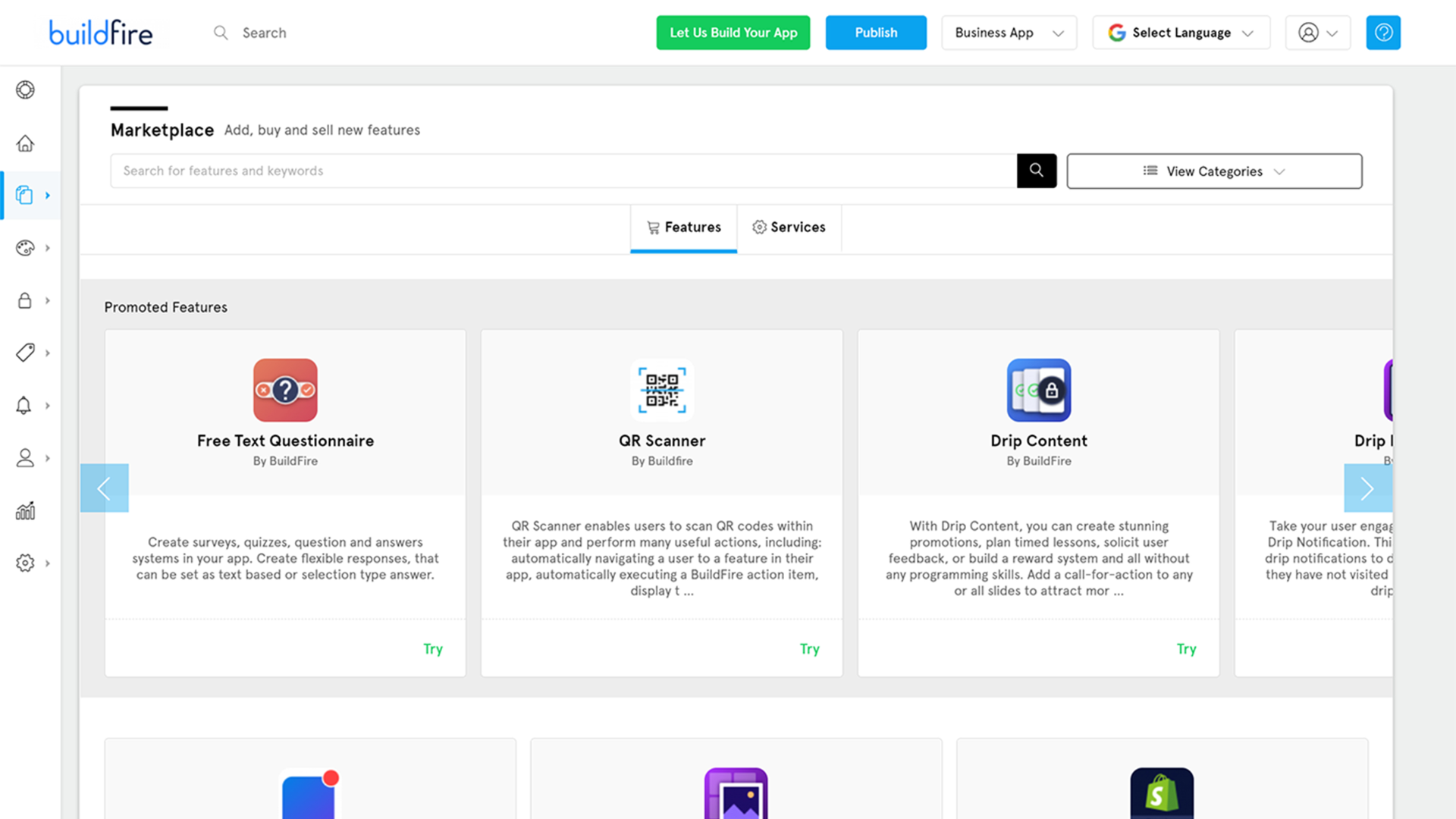
Whether a business needs custom functionality for its operations or an individual creator wants unique features, BuildFire lets users build out their app ideas directly through the platform.
The open development portal adds to this flexibility by letting users add custom functionality tailored to their specific requirements. Organizations can also combine off-the-shelf features with personalized options, which cuts down the time and cost typically associated with traditional app development.
Support and Resources Available with BuildFire
BuildFire offers multiple support channels, including email and live chat, to assist users with any questions or issues that may arise.
In addition to direct support, BuildFire has a complete knowledge base filled with articles, tutorials, and guides. This resource allows users to find answers to common questions at their convenience. Users can explore topics related to app design, functionality, and best practices for maximizing their app’s potential.
BuildFire also engages with its users through forums and community groups, where users can share tips and experiences. This sense of community enhances the overall customer experience. This makes it easier for users to learn from one another.
BuildFire Pricing Plans
BuildFire offers several pricing plans to cater to different needs. This allows businesses to choose the best option for their mobile app development and management.
BuildFire App Development Platform
If you want to build your own app, this package is made for you:
The MVP Plan costs $100 per month, billed annually. It includes support for Android and iOS apps, as well as Progressive Web Apps (PWAs). Features include standard push notifications, user management, and app download analytics.
For $159 per month, the Growth Plan provides the basics needed for a business app. This plan allows for 25,000 downloads per month and includes all the premium features from the MVP.
The Starter Plan is available for $299 per month. This plan includes additional capabilities to enhance your app, supporting up to 50,000 downloads per month.
The Standard Plan is at $499 per month and offers premium support and advanced features to maximize your app’s value.
BuildFire provides a 14-day free trial to help you build your app. After the trial, you will need to choose one of the paid plans to publish your app on app stores. Regular subscription payments cover ongoing maintenance, updates, and customer support.
BuildFire Plus Professional Services
If you want BuildFire’s expert team to help you build and maintain your mobile app, please check below:
The Premium Plan costs $5,000 and includes professional app design with up to two revisions, support for a small app with up to 15 screens, and up to one month of professional services.
For $10,000, the Signature Plan offers more extensive features. This plan includes professional app design with up to three revisions and supports a medium app with up to 25 screens.
The Enterprise Plan, at $15,000, supports a large app with up to 50 screens and includes up to three months of professional services.
BuildFire offers a 14-day free trial. After the trial, businesses must choose a paid subscription to publish their apps on the App Store and Google Play. Regular subscription fees cover ongoing maintenance, updates, and support.
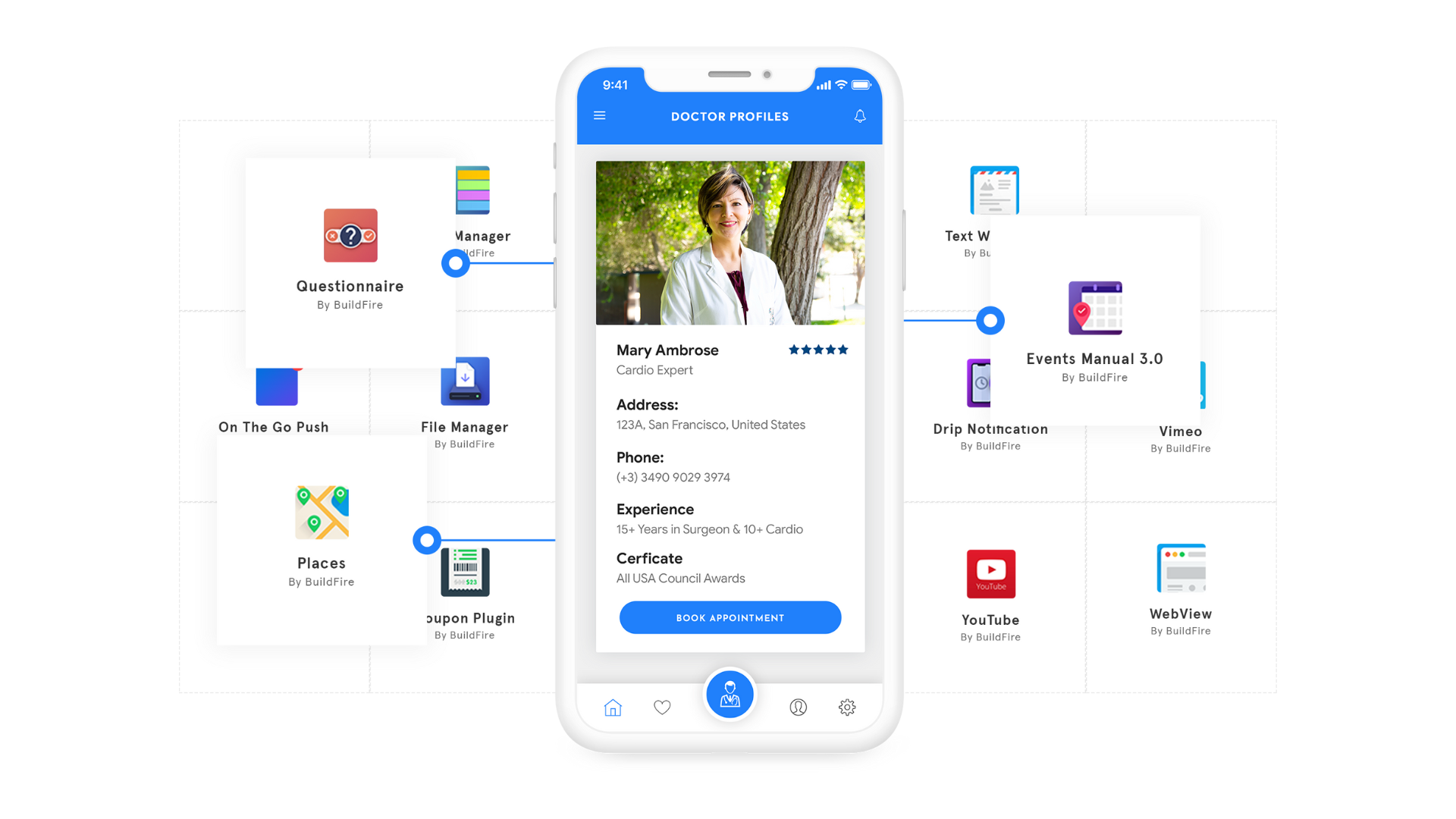
BuildFire Alternatives: Compare BuildFire and Other App Development Platforms
BuildFire is a popular platform that helps users create mobile apps without needing to code. However, some users may want to explore other options. Now, we will look at alternatives to BuildFire that can help you build your app.
| Platform | Price | Key Features |
|---|---|---|
| BuildFire | Starting at $100/month (billed annually), free trial available | Various plans, no coding required, multiple device support |
| Appy Pie | Starting at $16/app/month, free trial available | Drag-and-drop interface, cloud-based storage, and app analytics |
| AppSheet | Starting at $5/user/month | Google Sheets integration, automation, and multi-platform support |
| Adalo | Starting at $50/month, free plan available | Custom databases, user authentication, and design tools |
| Thunkable | Starting at $59/month, free trial available | Live testing, API integration, and cross-platform publishing |
| GoodBarber | Starting at $50/month, a free plan available | Beautiful templates, push notifications, and analytics |
When choosing the right app builder, consider your specific needs, budget, and the features you want for your app. Exploring these options can help you find the best fit for your project and achieve your app development goals.
A comparison between BuildFire and Appy Pie
Both of these tools allow users to create apps without any coding skills. This comparison will look at their key features, pricing, and support options to help you decide which one is better for your needs.
| Feature | BuildFire | Appy Pie |
|---|---|---|
| App Builder | No coding needed, easy to use. | No coding needed, simple drag-and-drop. |
| Platforms Supported | iOS, Android, and Progressive Web Apps | iOS, Android, and Progressive Web Apps |
| Pricing | Starting at $100/month (billed annually), free trial available | Starting at $16/app/month, free trial available |
| Templates | A wide variety of templates available | Many templates to choose from |
| Custom Features | Custom plugins can be added. | Limited custom features available |
| Integrations | Integrates with various tools like Zapier | Supports integration with third-party apps |
| User Management | User tagging and management features | Basic user management features |
| Analytics | Advanced analytics and tracking. | Basic app analytics available |
| Push Notifications | Custom push notifications and user segments. | Basic push notifications available |
| Support | Email and chat support | Email, chat, and phone support |
BuildFire offers more advanced features and customization options, while Appy Pie is more affordable and easy-to-use. Depending on your needs and budget, one of these platforms could be the perfect fit for you.
Conclusion
BuildFire is a flexible mobile app development platform that makes it easy to create strong apps. Its easy-to-use interface and quick setup help it stand out from other choices.
With open-source plugins and support for iOS, Android, and PWA, BuildFire allows for endless customization for both businesses and individuals. When looking at app development platforms, considering options like BuildFire can give users a budget-friendly solution for their specific needs.
(Image Source: BuildFire)
Frequently Asked Questions
What is BuildFire?
BuildFire is a mobile app development platform that enables businesses to create and manage custom mobile apps without requiring extensive coding knowledge.
How much does BuildFire cost?
The pricing for BuildFire varies based on the chosen plan, ranging from basic to enterprise level. It’s best to visit their website for the latest pricing information.
What are the key features of BuildFire?
BuildFire offers features such as customizable templates, push notifications, analytics, user management, in-app purchases, and integration with various plugins and third-party tools.
Can I use alternatives to BuildFire?
Yes, there are alternative mobile app development platforms available such as Appy Pie, Adalo, Thunkable, and GoodBarber which offer similar functionalities to suit different business needs.
Do I need coding skills to use BuildFire?
No coding skills are required to utilize most of the features within the BuildFire platform due to its easy-to-use interface and intuitive drag-and-drop functionality.
Compare alternatives to the tools in this post

- Independent picks for exactly what you just read about
- Matched to your team size & needs
- Vendors don't pay for placement
Step 1 of 4
How big is your team?
We tailor recommendations to companies your size.















Related Articles
AI Software
AI Accounts Payable Software in 2026: How AI Invoice Processing Works and 8 Tools Compared
Continue reading →

Expert Interviews
SaaS Talks with Carole Winqwist, CMO at GitGuardian – Inside Their Unique Marketing Strategy
Continue reading →
Buyers guide
How to choose the best subscription management software for 2026
Continue reading →
Finance & Billing Software
Best Invoice Home Software for Freelancers & Businesses 2026
Continue reading →