

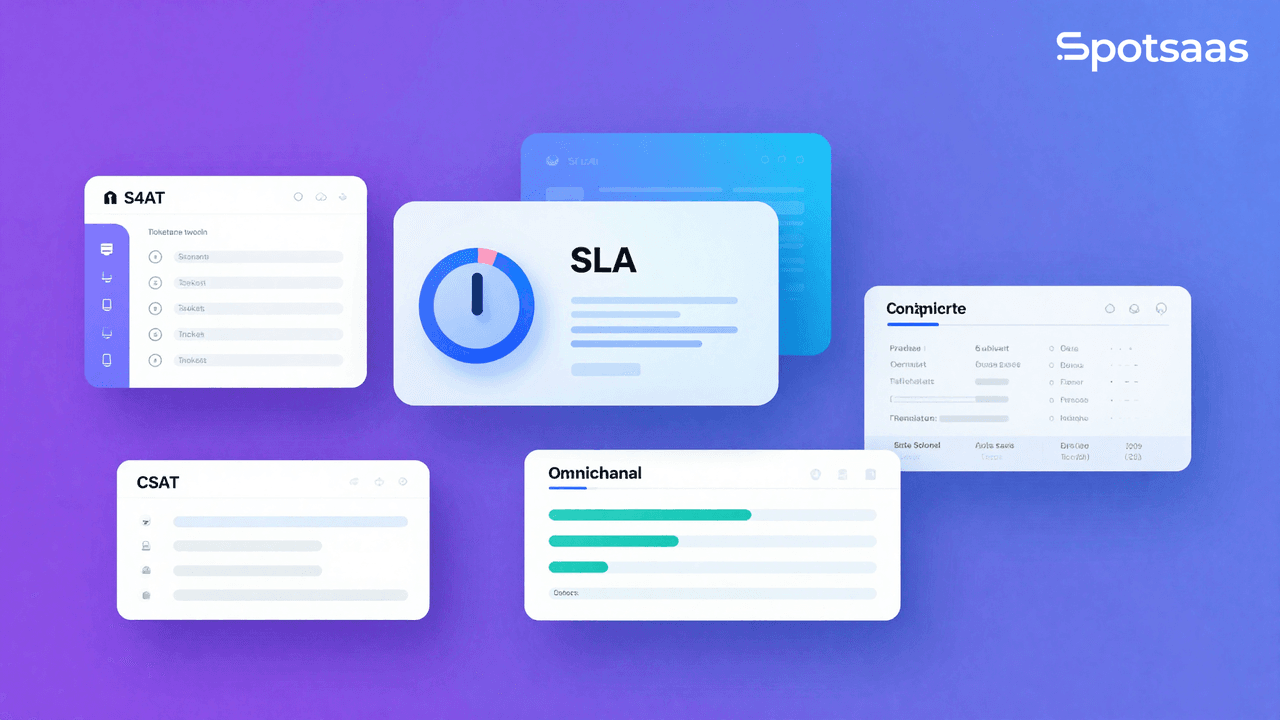
Choosing the right help desk software matters for any business that manages support requests. The right tool streamlines support operations and lifts customer satisfaction, while the wrong one adds friction agents have to work around every day. Here’s a rundown of the best options in this category.
What is Help Desk Software?
Help desk software is a tool designed to help businesses manage customer and employee support requests.
It centralizes support requests into a single system, making them easy to track and resolve quickly.
These tools typically include features like ticketing systems, knowledge bases, communication channels (email, chat, phone), automation, reporting, and analytics.
Many modern help desk systems also offer self-service options like portals and chatbots. The goal is to improve the efficiency and quality of support, raising both agent and customer satisfaction, while keeping resolution times short even as ticket volume grows.
List of Best Help Desk Software
Here are our top picks for the best help desk software. Each entry covers pricing, key features, strengths, and weaknesses.
- Zendesk
- Freshdesk
- LiveAgent
- HubSpot Service Hub
- Zoho Desk
- Salesforce Service Cloud
- Jira Service Management
- ServiceNow
- Intercom
- Help Scout
What is Zendesk?
Zendesk is a cloud-based customer service platform that helps businesses of all sizes deliver consistent, personalized support across multiple channels. With Zendesk, support agents can manage customer interactions from various channels in a single workspace.
Zendesk Features
- Unified customer view: Agents have a complete picture of a customer’s history, context, and previous interactions for personalized support.
- Omnichannel support: Zendesk manages interactions across multiple channels — email, live chat, phone, social media, and self-service portals — within a single platform.
- Intelligent routing and queuing: Automatically routes tickets to the most appropriate agent based on skill, availability, and past interactions.
- Self-service tools: Customers can independently find answers via a knowledge base, community forums, and AI-powered chatbots.
- Detailed reporting and analytics: In-depth insights into support team performance, customer satisfaction, and trends.
Zendesk Pros
- Extensive features to handle complex support operations
- Highly customizable workflows and automation
- Strong omnichannel support that keeps customer conversations connected across channels
- Marketplace with 1000+ integrations
Zendesk Cons
- Pricier than many alternatives
- Configuration can be complex for some users
Zendesk Pricing
Zendesk pricing starts at $19/month per agent (billed annually) for the basic Support plan. The comprehensive “Suite” plans that include all channels range from $55 to $115 per agent/month. Enterprise options are available for large, complex operations.
What is Freshdesk?
Freshdesk is an intuitive and scalable helpdesk software designed to help businesses efficiently manage and resolve customer support tickets. It provides a unified workspace for agents, automation features, and various collaboration tools.
Freshdesk Features
- Intuitive ticketing: Freshdesk makes it easy to create, manage, and prioritize support tickets.
- Omnichannel support: Manage customer queries from email, phone, chat, social media, and more in one central hub.
- Collaborative features: Tools like shared inboxes and collision detection help agents work together efficiently to resolve issues.
- Automation: Set up automated workflows, rules, and triggers to streamline support processes.
- Reporting and analytics: Monitor key helpdesk metrics and generate reports to measure support team performance.
Freshdesk Pros
- Easy to set up and use
- Free tier available for small teams
- Wide range of integrations and a feature-rich marketplace
- Good balance of features and affordability
Freshdesk Cons
- Advanced features limited to higher-tier plans
- Some users report limitations in customization
Freshdesk Pricing
Freshdesk has a free plan for basic ticketing and email support. Paid plans start at $15/agent/month (billed annually) for the “Growth” tier, with “Pro” at $49/agent/month and “Enterprise” at $79/agent/month.
What is LiveAgent?
LiveAgent is an all-in-one help desk solution that specializes in bringing multiple communication channels into a unified ticketing system. It’s known for its speed, capable live chat, and being a cost-effective option for businesses seeking comprehensive customer support features.
LiveAgent Features
- Universal Inbox: Consolidates all communications (emails, social messages, live chat transcripts, calls, and more) in one place.
- Fastest live chat widget: LiveAgent runs what’s benchmarked as the fastest live chat widget in the industry, keeping customer conversations happening in real time.
- Integrated call center: Includes features like IVR, automatic call routing, and call recording.
- Customer portal: Offers a knowledge base, FAQ section, and community forums.
- Automation and gamification: Streamlines workflows and motivates support agents with gamification elements.
LiveAgent Pros
- Rich feature set that includes a built-in call center
- Competitively priced for the features offered
- Excellent live chat performance
LiveAgent Cons
- Interface may feel slightly dated to some
- Reporting could go deeper
LiveAgent Pricing
LiveAgent offers a free plan. Paid plans start at $9/agent/month (Small), with Medium at $29/agent/month, Large at $49/agent/month, and Enterprise at $69/agent/month. A free trial is also available.
What is HubSpot Service Hub?
HubSpot Service Hub is a customer service software platform that’s part of HubSpot’s broader CRM ecosystem. It provides tools for ticketing, customer feedback, knowledge bases, and more. Its tight integration with HubSpot CRM makes it a strong choice for businesses that want to align their sales and support teams.
HubSpot Service Hub Features
- Ticketing: Manage and resolve customer issues efficiently with a dedicated ticketing system.
- Live chat and chatbots: Engage customers in real time, and use chatbots to automate responses.
- Knowledge base: Empower customers and agents with a self-service resource.
- Customer feedback: Gather and track CSAT, NPS, and CES scores to understand your customers.
- HubSpot CRM Integration: Direct access to customer data and the ability to align service with marketing and sales.
HubSpot Service Hub Pros
- Seamless integration with HubSpot CRM
- Free plan available for basic needs
- Unified platform for marketing, sales, and service
HubSpot Service Hub Cons
- Can become expensive as you scale and need more features/contacts
- May have more features than small businesses need
HubSpot Service Hub Pricing
HubSpot Service Hub has a free tier. Paid plans start at $15/user/month (Starter), with Professional at $90/user/month and Enterprise at $130/user/month.
What is Zoho Desk?
Zoho Desk is a context-aware help desk software that focuses on giving support agents the information they need to resolve customer issues quickly and effectively. It’s part of the larger Zoho ecosystem, making it a good fit for businesses already using other Zoho products.
Zoho Desk Features
- Contextual AI: Zia, Zoho’s AI assistant, provides agents with customer sentiment analysis, ticket tag suggestions, and anomaly detection.
- Omnichannel support: Support customers via email, phone, live chat, social media, and a self-service portal.
- Workflow automation: Automate repetitive tasks, ticket assignment, and follow-up actions.
- Zoho ecosystem integration: Connects seamlessly with other Zoho applications.
- Advanced reporting: Gain detailed insights into support operations and customer satisfaction.
Zoho Desk Pros
- Strong integration within the Zoho ecosystem
- AI-powered features to improve agent productivity
- Affordable pricing for the features offered
- Free tier available for up to 3 agents
Zoho Desk Cons
- Interface can be slightly complex to navigate
- Some advanced features are locked to higher tiers
Zoho Desk Pricing
Zoho Desk has a free plan for up to 3 agents. Paid plans start at $14/agent/month (Express), with Standard at $23/agent/month, Professional at $40/agent/month, and Enterprise at $52/agent/month.
What is Salesforce Service Cloud?
Salesforce Service Cloud is an enterprise-grade customer service platform built on the Salesforce CRM. It’s designed to help organizations deliver personalized customer support at scale, across multiple channels, with AI-powered insights and automation.
Salesforce Service Cloud Features
- Case management: Comprehensive tools for tracking and resolving customer issues.
- Einstein AI: Leverage AI for agent productivity, automated responses, and predictive analytics.
- Omni-channel routing: Intelligently route work to the right agent or bot across all channels.
- Field service management: Extend support to field technicians for on-site services.
- Deep Salesforce integration: Seamless connectivity with Sales Cloud and other Salesforce products for a 360-degree customer view.
Salesforce Service Cloud Pros
- Incredibly powerful and highly customizable
- Excellent Salesforce ecosystem integration
- Strong AI features
Salesforce Service Cloud Cons
- High cost, making it less accessible for small businesses
- Steep learning curve and complex implementation
Salesforce Service Cloud Pricing
Salesforce Service Cloud plans start at $25/user/month (Starter Suite), with the Enterprise plan at $165/user/month and Unlimited at $330/user/month. Custom pricing for Unlimited+ is also available.
What is Jira Service Management?
Jira Service Management (formerly Jira Service Desk) is an IT Service Management (ITSM) solution developed by Atlassian. It’s built on Jira’s project management capabilities and is particularly well-suited for IT teams following ITIL practices.
Jira Service Management Features
- ITSM features: Built-in support for incident management, change management, problem management, and service requests based on ITIL best practices.
- Request management: A customizable service portal and queue management for handling support requests.
- AI-powered features: Intelligent features for classification, routing, and resolution suggestions.
- Asset and configuration management: Track and manage IT assets and configurations.
- Atlassian ecosystem integration: Deep integration with Jira Software, Confluence, and other Atlassian tools.
Jira Service Management Pros
- Excellent for IT teams and ITSM workflows
- Free plan available for up to 3 agents
- Strong Atlassian ecosystem integration
Jira Service Management Cons
- Can be overkill for non-IT support use cases
- Steeper learning curve compared to simpler help desks
Jira Service Management Pricing
Jira Service Management has a free plan for up to 3 agents. Paid plans are Standard at $17.65/agent/month, Premium at $44.27/agent/month, and Enterprise pricing is available.
What is ServiceNow?
ServiceNow is an enterprise-level cloud platform that provides IT service management (ITSM) and a wide range of other business process automation capabilities. It’s used by some of the world’s largest organizations to digitize and automate workflows across IT, HR, customer service, and more.
ServiceNow Features
- Comprehensive ITSM: Full suite of ITSM capabilities including incident, problem, change, and asset management.
- AI and machine learning: Advanced AI features for predictive intelligence, virtual agents, and performance analytics.
- Enterprise workflow automation: Automate complex business processes across departments.
- Low-code development: Tools for building custom applications and workflows without extensive coding.
- Employee and customer portals: Self-service options to reduce agent workload.
ServiceNow Pros
- Incredibly powerful and highly scalable for enterprises
- Extensive workflow automation capabilities
- Large partner and integration ecosystem
ServiceNow Cons
- Extremely high cost, best suited for large enterprises
- Very complex to implement and administer
ServiceNow Pricing
ServiceNow does not publicly list its pricing; it’s enterprise-level and based on custom contracts. That said, it’s generally considered one of the most expensive options in the market, with costs typically running into tens or hundreds of thousands of dollars per year.
What is Intercom?
Intercom is a conversational customer engagement platform that combines live chat, a help desk, and automation to help businesses build stronger relationships with their customers. It’s particularly popular with tech companies and SaaS businesses for its focus on personalized, messaging-driven customer experiences.
Intercom Features
- Conversational messaging: Live chat and messaging are at the core of Intercom, enabling real-time customer communication via a customizable messenger.
- Shared inbox: A collaborative inbox for managing all customer conversations.
- AI-powered bot (Fin): An advanced AI agent that can resolve a high percentage of customer queries automatically.
- Product tours and proactive support: Engage users in-app to guide them and prevent issues before they arise.
- Help center: A fully integrated knowledge base accessible within the Intercom Messenger.
Intercom Pros
- Best-in-class live chat and conversational support
- Powerful AI features (Fin) for automated support
- Excellent for SaaS and tech companies focused on in-product engagement
Intercom Cons
- Can be expensive, especially for smaller businesses
- Complex pricing structure
Intercom Pricing
Intercom’s pricing starts at $29/seat/month (Essential), with the Advanced plan at $85/seat/month and Expert at $132/seat/month. There is also usage-based pricing for the Fin AI agent on top of this.
What is Help Scout?
Help Scout is a customer support platform built to make customer service feel personal and human rather than automated and transactional. It uses email-like inboxes as its core interface, keeping the experience familiar while offering powerful helpdesk features.
Help Scout Features
- Shared inbox: Manage all customer email and live chat conversations in a shared inbox that feels like a regular email client.
- Docs knowledge base: Build a beautiful, searchable self-service knowledge base.
- Beacon: An embeddable widget that provides live chat, knowledge base search, and email contact in one.
- AI features: AI-powered assistance for drafting replies, summarizing conversations, and expanding on bullet points.
- Reporting: Track team performance, conversation volume, and customer satisfaction.
Help Scout Pros
- Simple, clean interface that’s easy to learn
- Focused on human-centric customer support
- Good value for what it offers
Help Scout Cons
- Fewer advanced features compared to Zendesk or Freshdesk
- Not ideal for complex ITSM or enterprise needs
Help Scout Pricing
Help Scout plans start at $50/month for up to 3 users (Standard), $75/month for Plus (with more features), and Pro plan pricing is available on request. Additional users are charged per seat.
How to Choose the Right Help Desk Software
There are a few factors worth weighing when choosing the right help desk software for your business.
Business size and scale
Consider the size of your support team and expected growth. Some platforms, like ServiceNow and Salesforce Service Cloud, are built for large enterprises, while others, like Help Scout and Freshdesk’s free tier, cater to smaller businesses. Make sure the software can scale with you without becoming prohibitively expensive.
Support channels needed
Think about how your customers prefer to contact you. If phone support is essential, LiveAgent’s built-in call center is a big advantage. If live chat is your primary focus, Intercom excels. If you mainly handle email-based support, Help Scout’s inbox-centric approach might be ideal.
Existing tech stack and integrations
Evaluate how well the help desk integrates with the tools you already use. If your business is deeply embedded in the Salesforce ecosystem, Service Cloud is a natural fit. If you use many Zoho products, Zoho Desk makes sense. Atlassian shops will find Jira Service Management invaluable.
Budget
Help desk software costs vary widely. Start by setting a clear budget per agent per month and look for options that fit within it. Factor in the cost of add-ons, the number of agents, and any annual versus monthly billing discounts too — those can shift the real cost significantly beyond the base price.
Feature requirements
Make a list of the features you genuinely need (a knowledge base, specific automation rules, SLA management, particular reporting) and the ones that are just nice to have. Use this list to narrow down your options and focus on the tools that check the most boxes.
Ease of use
A help desk that agents find difficult to use will lead to inefficiency and frustration. Look for platforms with an intuitive interface, good onboarding resources, and responsive customer support for when you need help.
What Features Should I Look for in Help Desk Software?
When evaluating help desk software, there are several core features worth prioritizing.
Ticketing system
At its core, help desk software needs a solid ticketing system to log, track, assign, and resolve every customer issue. Look for features like ticket prioritization, status tracking, collision detection, and internal notes for agent collaboration.
Multi-channel support
Your customers want to reach you through their preferred channel, whether that’s email, live chat, phone, or social media. A good help desk will consolidate all of these channels into a single inbox, so agents don’t have to switch between different platforms.
Automation
Automation is crucial for scaling support operations. Look for features like automatic ticket routing, assignment rules, automated responses for common questions, and the ability to create triggers for specific events (e.g., a ticket hasn’t been responded to in X hours).
Knowledge base
A self-service knowledge base empowers customers to find answers on their own, which reduces the volume of incoming support tickets. This becomes essential the moment a support team starts growing.
Reporting and analytics
Data-driven decision making is critical in support. Look for reporting features that track key metrics like first response time, resolution time, ticket volume, customer satisfaction (CSAT), and agent performance.
Integrations
The best help desk software will integrate with your existing tools, such as CRM systems, project management tools, e-commerce platforms, and communication apps. This lets you build a seamless workflow across your entire business stack, instead of forcing agents to copy information between separate systems.
Conclusion
Choosing the best help desk software is a decision that can meaningfully impact your customer satisfaction and support team’s efficiency. From enterprise-grade solutions like Salesforce Service Cloud and ServiceNow to user-friendly options like Freshdesk and Help Scout, there’s a tool for every business size and need.
Carefully evaluate your requirements, budget, and existing tech stack before making a decision. Most of these platforms offer free trials or free tiers, so take advantage of those to test the software with your own team and ticket types before committing to a paid plan.
Related Help Desk and Customer Support Resources
- Best Customer Support Software in 2026 — compare the top platforms across every support category
- What Is Help Desk Software? — definitions, key features, and how to choose
- Best Customer Support Ticketing Systems — 10 platforms compared by price and features
- Best Zendesk Alternatives — 15 options that are cheaper, simpler, or more powerful
- Best Freshdesk Alternatives — top Freshdesk competitors compared
- Best Intercom Alternatives — affordable options for live chat and customer messaging
- Help Desk Software for Startups — lightweight tools for early-stage teams

- Independent picks for exactly what you just read about
- Matched to your team size & needs
- Vendors don't pay for placement
Step 1 of 4
How big is your team?
We tailor recommendations to companies your size.















Related Articles
Best Tools
SaveFrom.Net Review (2026): Is It Safe, Legal & Worth Using?
Continue reading →
Best Tools
HR and Payroll Software Buyers: 150K Journey Analysis (2026)
Continue reading →
Best Tools
The Ultimate Guide to Wrapping Text in PowerPoint: Say Goodbye to Boring Presentations!
Continue reading →
Best Tools
Best Email Marketing Software in 2026: Top 7 Tools to Boost Revenue
Continue reading →