
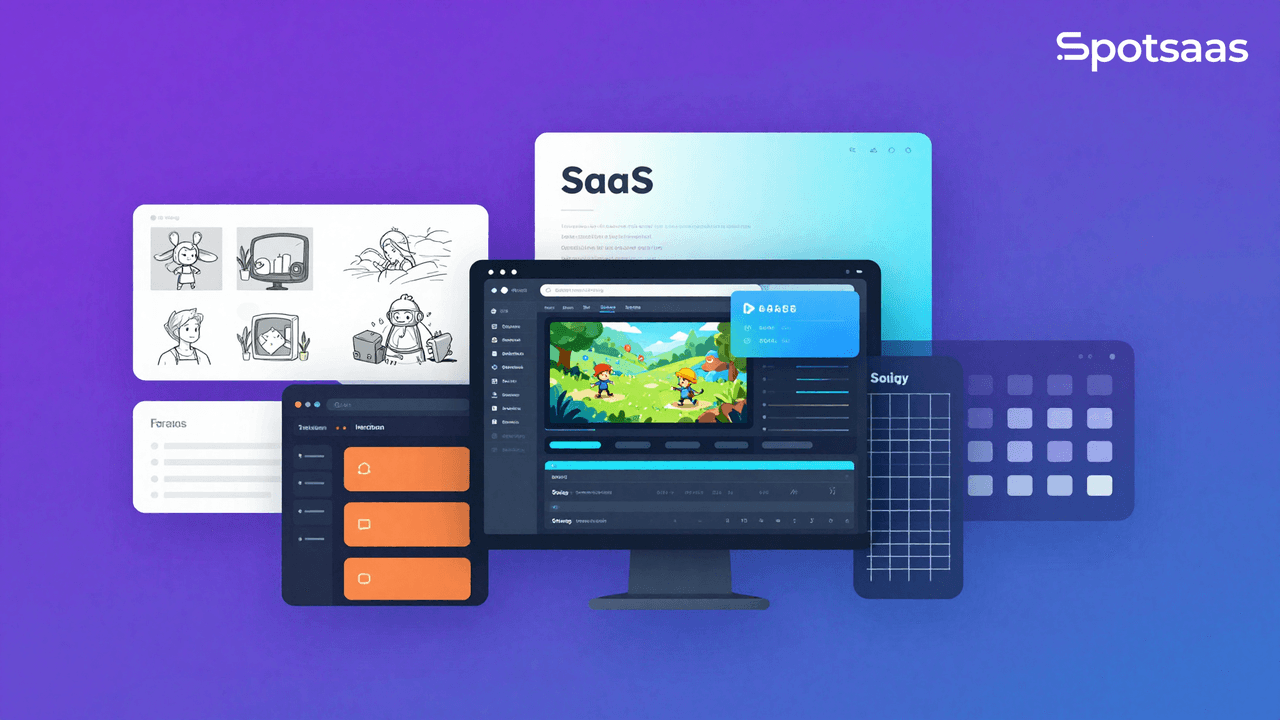
Concept art is an essential part of designing independent (indie) games, yet finding the right tool can be a challenge. The software you pick shapes how quickly you work and how your ideas look on screen. The right digital software improves a game’s visual appeal and how well it functions.
This article is a guide to strong concept art tools built for indie game designers.
Key Takeaways
- Concept art tools like Photoshop, Painter, Sketchbook Pro, Maya, and ZBrush help indie game designers build detailed, immersive digital worlds.
- These tools cover many features, from customizable brushes and precise editing to industry-standard 3D modeling and animation, along with the ability to mimic traditional art techniques.
- When choosing a concept art tool, weigh your desired art style and output, your budget, your skill level with the software, and how well it fits your other tools and workflows.
- Used well, these tools let indie game designers turn their ideas into finished visuals for their games.
How Concept Art Tools Help Indie Game Designers
Concept art tools give indie game design a foundation for building detailed, immersive digital worlds. Software like Photoshop or ZBrush supports creativity and keeps the concept art workflow moving.
This technology helps with visual problem-solving during the early stages of development. Designers can communicate ideas clearly to the rest of the team, and they can work out problems on the canvas before those problems reach the programming stage, where fixes cost more time.
From sketching initial designs with tools like Sketchbook Pro to building detailed 3D models in Maya or 3DS Max Design, these programs cover the range of tasks in designing game components.
With a full set of brushes and customization options across different platforms, artists can produce many art styles for their games, from vibrant illustrations to realistic textures, based on the output they want and the mood each scene calls for.
Character design software also lets developers give their characters personality, shaping the fine details that connect with players.
Professional-grade concept art tools do not always cost a lot. Some affordable or free alternatives, including Blender and GIMP, produce high-quality artwork that suits indie games and keeps a small studio within its budget.
Careful use of these tools, along with checking that they fit your other workflows, improves efficiency and helps shape a distinct gaming experience.
Top 5 Concept Art Tools for Indie Game Designers
The top five concept art tools for indie game designers are Photoshop, Painter, Sketchbook Pro, Maya, and ZBrush.
Photoshop
Photoshop is a top choice among concept art tools. Its versatility and strong editing make it a staple for indie game designers. Digital painting is straightforward with Photoshop’s customizable brushes and color adjustments.
It also supports 3D modeling, which helps when you create dimensional elements within game design. Photoshop lets game artists draw, paint, retouch images, or build detailed illustrations from scratch, all inside one program rather than switching between several.
Because it works with other software, Photoshop fits into many workflows. Its layering features and filter effects handle demanding artwork with ease.
Painter
Corel’s Painter is a strong tool for digital artists, and it is built to emulate traditional art techniques. It carries a deep set of brushes and customization options that support your artistic vision and let you match the medium to the scene you are drawing.
Painter makes creating game concept art an intuitive process. Its realistic take on effects like paper texture, lighting, and shadows sets it apart from its peers.
Game designers find this software vital for crafting immersive experiences for their audience, especially when a project needs a warm, illustrated look rather than a clean digital one. For creating organic characters or environments with a hand-painted feel, few tools match Painter in the market today.
It delivers high-quality results and encourages you to explore the styles and techniques that define the visual identity of indie games.
Sketchbook Pro
Sketchbook Pro is a user-friendly concept art tool focused on sketching. Its clear interface and capable drawing tools let indie game designers turn ideas into art quickly.
It offers a variety of brushes and customization options, so artists can create detailed illustrations without a heavy setup. Whether you are a beginner or an experienced artist, Sketchbook Pro gives you the tools to make strong concept art for your games and to iterate on those sketches fast.
Maya
Maya is an industry-standard 3D modeling and animation tool that indie game designers can rely on for creating strong concept art. Its capable features let artists build their ideas in a digital environment.
Whether you design characters, environments, or objects for your game, Maya provides a versatile platform with tools and options to match your artistic vision at every step. Its interface is accessible for beginners while offering advanced functions for experienced users, so the same program can grow with you as your skills improve.
As one of the top concept art tools available, Maya helps indie game designers push their work further and build immersive gaming experiences.
ZBrush
ZBrush is specialized software for digital sculpting, which makes it a strong tool for concept art in the gaming industry. Its capable, intuitive interface lets indie game designers build complex 3D models and characters without a steep learning curve, and it handles high detail counts that would slow down other programs.
Features such as DynaMesh and ZRemesher let artists generate clean topology quickly and refine their designs without starting over. ZBrush also provides many brushes and customization options that give artists full control over their work at every stage of a sculpt.
Whether you are adding intricate details or exploring different textures, ZBrush gives you the tools to render your concepts in fine detail.
Key Features and Comparison of Each Tool
Each of these concept art tools serves a different part of indie game design, and comparing them side by side makes the right pick clearer. Photoshop is known for its versatility and strong editing, while Painter focuses on mimicking traditional art techniques.
Sketchbook Pro has a user-friendly interface built for sketching, Maya is an industry-standard tool for 3D modeling and animation, and ZBrush specializes in digital sculpting.
Versatility and powerful editing capabilities (Photoshop)
Photoshop is widely regarded as one of the top concept art tools for indie game designers because of its versatility and strong editing. Artists have a broad set of tools and features on hand for creating digital artwork.
From brushes and customizable options to layers and blending modes, Photoshop supports unique, professional-looking concept art. Its editing tools let artists make precise adjustments, add special effects, or rework a piece entirely.
Whether you are sketching ideas, painting detailed illustrations, or designing intricate textures, Photoshop remains a first pick for indie game designers who want flexibility and advanced editing in a single tool.
Mimicking traditional art techniques (Painter)
Painter is a concept art tool that excels at mimicking traditional art techniques. With its broad variety of brushes and customizable options, it lets indie game designers create digital work that closely resembles traditional paintings, down to the way pigment sits on the surface.
Whether you want to emulate the texture and feel of different brush strokes or replicate the blending and layering of oil paints, Painter provides the tools to reach those realistic results.
This makes it a strong choice for artists who want to bring a classic, painterly touch to their digital work while keeping the flexibility that a digital canvas provides.
User-friendly interface and focus on sketching (Sketchbook Pro)
Sketchbook Pro stands out for its user-friendly interface and its emphasis on sketching. The clear design lets artists move through the software and reach its tools and features without feeling overwhelmed.
Sketchbook Pro also offers many brushes built for sketching, so indie game designers can capture their ideas and concepts on the digital canvas quickly and keep their momentum going during a session.
Whether you are a beginner or an experienced artist, Sketchbook Pro gives you a smooth drawing experience with responsive pen pressure sensitivity and customizable brush settings. It suits the early stages of game development.
Industry-standard 3D modeling and animation (Maya)
Maya is a standard choice for industry-standard 3D modeling and animation. Its tools let indie game designers build characters, environments, and objects in fine detail, and the results hold up next to work from larger studios.
With Maya, you can create realistic animations, fluid character movement, and intricate 3D models that improve the visual experience of your game. Whether you design characters or build immersive environments, Maya provides the tools and features to move your game design forward.
Specialized in digital sculpting (ZBrush)
ZBrush is a concept art tool that specializes in digital sculpting. Its capable features and intuitive interface let indie game designers build intricate 3D models without much friction.
Whether you are designing characters, creatures, or objects for your game, ZBrush provides the tools for detailed sculpting and texture painting. Its brush system and customizable brushes give artists full control over their work.
With ZBrush, you can sculpt realistic or fantastical elements that improve the visual appeal of your game, from armor and props to full creatures, and carry that detail through to the final model.
Considerations for Choosing the Right Concept Art Tool
When deciding on the right concept art tool, indie game designers should weigh several factors together: their desired art style and output, their budget, their skill level with the software, and how well it fits their other tools and workflows. Balancing these points up front saves time and money later in the project.
Art style and desired output
Art style and desired output shape the choice of concept art tool for indie game designers. Different tools suit specific art styles and visual effects, so it helps to define your artistic vision before you choose.
If you want realistic, detailed artwork, tools like Photoshop or ZBrush, with their strong editing and digital sculpting features, are a good fit for that level of finish.
If you prefer a more traditional look or want to mimic traditional art techniques, software like Painter may be the better option. Also consider how the tool matches your desired output format.
For 2D illustrations or character designs, software like Sketchbook Pro provides an intuitive interface and a sketching focus that fits your workflow. Knowing your art style preferences and desired output helps you pick the most suitable concept art tool for your indie game design work.
Budget and cost
Choosing the right concept art tool also means weighing budget and cost. Different tools carry different price points, and it helps to find one that fits your finances.
Some software has a higher upfront cost or requires subscription fees, while others offer free versions or more affordable alternatives that still cover the basics. By reviewing your budget and comparing the costs of different concept art tools against what each one delivers, you can find the best value without giving up functionality or quality.
Skill level and familiarity with the software
The right skill level and familiarity with concept art software matters for indie game designers. It lets them get the most from the tools and create strong artwork for their games.
Whether you are a beginner or an experienced artist, choose software that matches your skill level and offers an intuitive interface you can learn at a reasonable pace. Familiarity with the software keeps your workflow moving and frees you to create without technical hurdles getting in the way of the art itself.
Consider your expertise and comfort level when selecting concept art tools for game design.
Compatibility with other tools and workflows
Concept art is often one step in the larger game development process. Indie game designers should choose concept art tools that work with the other tools and workflows they already use.
This lets their artwork move smoothly into the overall game development pipeline instead of stalling at a file-format problem. Whether they share files with 3D modelers or import sketches into animation software, compatibility supports efficient collaboration across the team and saves time that a small studio cannot spare.
Software that works well alongside popular industry-standard tools also helps indie game designers reach a wider set of resources and use existing community support and tutorials. That shared knowledge base shortens the learning curve and gives you somewhere to turn when a problem comes up mid-project.
Conclusion
Indie game designers have a wide set of concept art tools to choose from. Whether it is Photoshop for versatile editing, Painter for mimicking traditional art techniques, or Maya for industry-standard 3D modeling and animation, each tool has features that suit different artistic needs.
When selecting the right concept art tool, weigh your desired art style, budget, skill level, and compatibility with other software. Used well, these tools let indie game designers turn their ideas into finished visuals for their games.
FAQs
What are concept art tools for indie game designers?
Concept art tools for indie game designers are software or applications built to help them create visual representations of their ideas, characters, environments, and gameplay mechanics.
What is the importance of concept art in game design?
Concept art plays a key role in game design because it helps visualize and communicate the creative vision of the game to team members, investors, or potential players.
Are there free concept art tools available for indie game designers?
Yes. Free concept art tools such as Krita and GIMP give indie game designers a broad set of painting and drawing features at no cost.
Which paid concept art tools are recommended for indie game designers?
Paid concept art tools like Photoshop and Procreate are often recommended for indie game designers because of their extensive features, user-friendly interfaces, and compatibility with industry standards.
Can I use traditional mediums like pencils or paints instead of digital concept art tools?
Yes, you can use traditional mediums like pencils or paints for concept art if they match your artistic style. Digital concept art tools do give you more flexibility, including undo and redo and easy experimentation with different colors or textures.

- Independent picks for exactly what you just read about
- Matched to your team size & needs
- Vendors don't pay for placement
Step 1 of 4
How big is your team?
We tailor recommendations to companies your size.















Related Articles
Accounting Software
How To Choose The Best Procure-to-Pay Software For 2026
Continue reading →

Accounting Software
Best QuickBooks Alternatives in 2026: Top Accounting Software Options
Continue reading →
Accounting Software
How To Choose The Best Interior Design Software For 2026
Continue reading →
Accounting Software
Free Design Tools: Say Goodbye to Boring Invitations in 2026
Continue reading →