
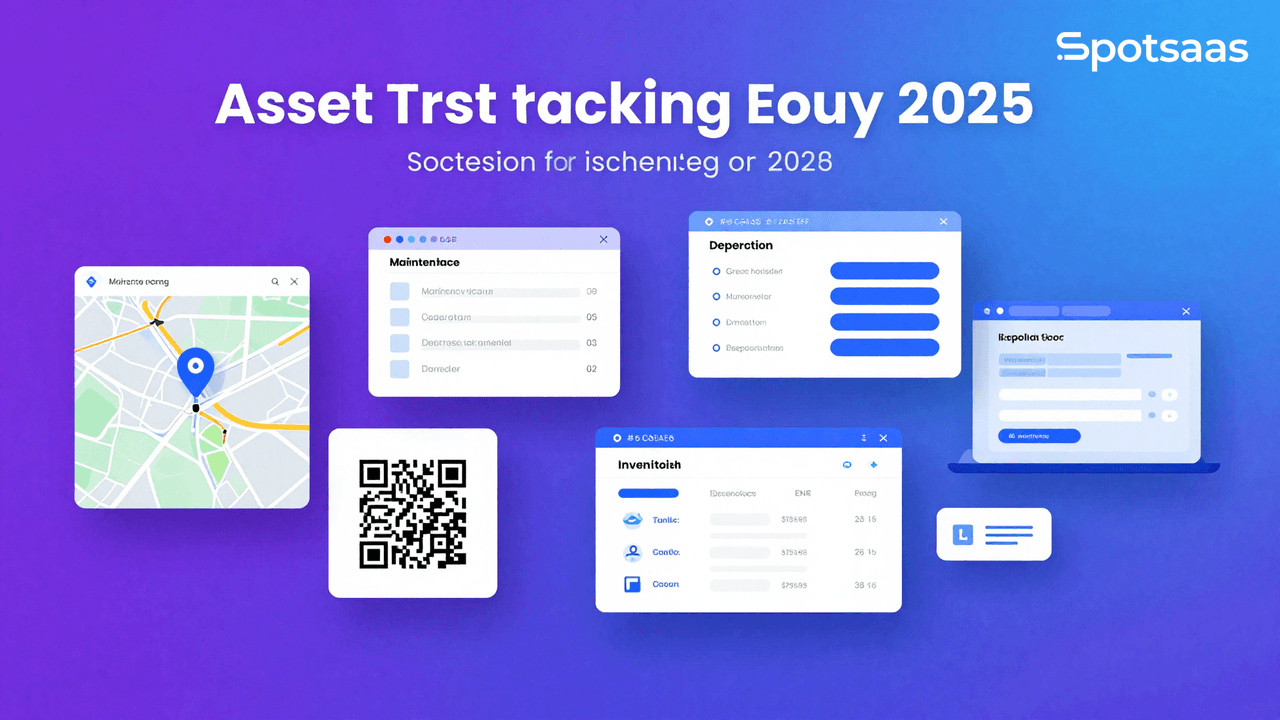
What Is Asset Tracking Software and Why Does Your Business Need It?
Asset tracking software is a digital solution that tracks the physical and digital assets within an organization. It gives businesses streamlined management of their holdings, real-time visibility, automatic tracking, and reporting in one place, replacing the spreadsheets and manual logs that many teams still rely on.
It has become a standard tool across logistics, health care, manufacturing, and information technology, where it helps protect assets from theft, optimizes how they’re used, and improves work efficiency.
Asset tracking software works with technologies like RFID, GPS, barcodes, and IoT sensors to sharpen tracking accuracy and automate the process. It also supports maintenance scheduling, asset lifecycle management, and compliance with industry standards.
Why Should You Use Asset Tracking Software?
Asset tracking software lets businesses track the assets in their organization efficiently, cutting loss, improving utilization, and supporting compliance. It increases visibility into automated processes, tightens operations against theft or misplacement, and helps different industries make cost-effective decisions while raising productivity. The sections below break down the specific ways it does that.
Improving visibility across your organization
Asset tracking software provides real-time updates on asset locations, movements, and usage, cutting the risk of misplacement or loss. Accurate tracking lets businesses optimize resource allocation and keep assets where they’re actually needed, which leads to better planning and operational control.
Increasing efficiency through automation
Automating asset tracking removes time-consuming manual data entry and cuts errors. The software streamlines check-in/checkout, making asset management faster and more consistent, which saves organizations time and improves workflow accuracy.
Preventing theft and minimizing losses
Continuous asset monitoring lets businesses spot unauthorized movements and get instant alerts on potential security breaches. These proactive measures prevent theft and financial losses, and they let organizations enforce stricter access controls on assets.
Smarter decisions through better utilization
The software surfaces insights into asset performance, maintenance needs, and depreciation trends. Businesses can use this data to schedule preventive maintenance, extend asset lifespans, and make sharper investment decisions, with proper utilization boosting both productivity and cost efficiency.
Staying compliant with industry standards
Asset tracking software keeps accurate, up-to-date records of assets. Automated record-keeping cuts human error and makes reporting simpler, which matters for organizations that have to meet strict regulatory standards.
What Are the Must-Have Features of Asset Tracking Software?
Key features include live monitoring, automated check-in/checkout, barcode and QR code scanning, and maintenance scheduling. Cloud access lets users reach all of this privately, while customized reports and analytics surface asset insights. Integration with ERP and accounting systems keeps the data flowing properly between systems, so nothing has to be re-entered by hand.
Real-time asset monitoring explained
Asset tracking software enables real-time tracking of asset locations, movements, and usage using GPS, RFID, or barcode scanning. Businesses can track assets from remote locations, cutting the chances of loss or theft, which increases visibility and lets assets get used more effectively for better decision-making and resource optimization.
Automated check-in and checkout
This software streamlines asset allocation by recording check-in and checkout automatically. Employees can log asset usage easily, cutting misplacement and unauthorized use. This reduces reliance on manual effort, saving time and energy when tracing assets.
Barcode and QR code scanning
Every asset gets a unique barcode or QR tag, which makes speedy identification and monitoring possible. Assets can be registered, and their history updated or audited, just by scanning the code. Combined with maintenance scheduling, this simplifies asset-tracking processes while cutting human error, leading to a more organized asset management process.
Maintenance scheduling for long-term asset health
Automated maintenance alerts ensure timely servicing, cutting down on unexpected breakdowns. This lets businesses monitor maintenance history and schedule preventive steps to extend the lifespan of assets, reducing downtime and repair costs while maximizing reliability.
Cloud-based access for modern asset management
With cloud-based asset tracking, organizations can reach their asset data from anywhere and from any device. That’s especially useful for businesses with multiple locations or remote teams: it strengthens data security, improves access, and allows real-time updates that keep collaboration and asset management running smoothly.
Custom reports and analytics for smarter insights
The software generates detailed reports on asset performance, depreciation, maintenance schedules, and usage trends. Businesses can use this information to optimize resource allocation and improve budgeting through data-driven decisions. Customizable reports support compliance with financial and regulatory standards and give a full view of asset health.
Integration with ERP and accounting systems
This synchronizes asset data automatically with ERP, accounting, and inventory management tools for a more efficient workflow. It eliminates duplicate data entry, reduces error rates, and keeps business operations consistent, simplifying asset tracking, procurement, and financial reporting along the way.
What Are the Benefits of Asset Tracking Software?
Asset tracking software cuts asset loss, raises efficiency, and optimizes resource allocation. It automates tracking, reduces errors, and prevents theft through real-time monitoring. The software also tightens maintenance schedules, leading to cost savings and longer asset lifespans, and it supports compliance by keeping accurate records ready for audits. The four sections below cover each of these benefits in more detail.
Preventing loss and protecting your assets
Monitoring asset movements in real time prevents theft and helps business owners catch unauthorized movement. Instant alerts on possible security threats mean administrators can act quickly, so business assets stay accounted for, financial losses stay lower, and assets are better secured overall.
Automating workflows to increase productivity
Automated asset tracking removes the time-consuming record-keeping that once fell on employees, freeing them to focus on core tasks. Ready access to asset data improves workflow efficiency and decision-making, which lifts overall business productivity through faster asset retrieval and more optimized operations.
Making smarter use of available resources
Real-time usage data helps businesses avoid both underusing and overusing equipment. Proper asset usage prevents bottlenecks in day-to-day operations, which keeps costs down and improves utilization since assets end up where they’re actually needed.
Cutting costs with better maintenance and planning
Avoiding unnecessary purchases and optimizing maintenance schedules cuts costs directly. So does avoiding asset misplacement and tracking depreciation accurately. Over time this adds up to real financial savings, better budget management, less wastage, and an improved return on investment.
Ensuring audit readiness and compliance
Asset records need to be maintained to meet financial reporting and regulatory requirements. Asset tracking software helps businesses comply with industry standards by automating documentation and audit trails, which simplifies compliance, cuts the risk of penalties, and improves transparency in asset management.
What Types of Asset Tracking Software Are Available?
Asset tracking software comes in barcode-based, RFID-based, GPS-based, cloud-based, and fixed asset tracking varieties. Barcode and RFID systems strengthen inventory management, while GPS tracks mobile assets. Cloud-based solutions give remote access, and fixed asset tracking helps manage long-term assets. The right type depends on your business needs and operational scale, and many businesses end up combining more than one of these approaches.
Cost-effective barcode-based tracking
This system assigns assets unique barcodes or QR codes and allows rapid, low-cost scanning for identification and tracking. It suits companies that want a simple, inexpensive, efficient solution for inventory and asset management, letting organizations keep accurate records without investing in expensive infrastructure.
RFID for high-volume operations
RFID technology tracks several assets simultaneously without needing direct line-of-sight scanning. Large operations, such as a warehouse or a manufacturing facility, benefit from this by improving asset management efficiency and accuracy. RFID lets an organization carry out asset audits and inventory checks faster, saving labor.
GPS tracking for mobile assets
GPS tracking makes real-time monitoring of mobile assets like vehicles, shipping containers, and construction equipment possible. This improves logistics management with real-time location updates, strengthens security, and prevents unauthorized movement. It also helps optimize routes to cut fuel costs and improve fleet efficiency.
Cloud-based asset tracking in action
With cloud-based solutions, companies can track and manage distributed assets in real time, keeping asset data updated across locations without interruption. This supports better collaboration and decision-making among remote and global teams, and it strengthens data security while reducing dependence on physical storage.
Managing fixed assets for long-term value
This system is built for businesses managing long-term physical assets like machinery, IT equipment, and infrastructure. It tracks and manages depreciation accurately, helping companies maintain reliable asset records and optimize their investments over time, while supporting compliance with financial regulations and accurate financial reporting.
How to Choose the Best Asset Tracking Software
Selecting the right asset-tracking software matters for improving operational efficiency, reducing loss, and optimizing asset utilization. Here’s a detailed guide on choosing the best software for your business needs, covering goals, software types, data requirements, features, reporting, pricing, scalability, and support.
What Goals Should You Set for Asset Tracking Software?
Identifying the goals you want to achieve with asset tracking software helps you select a solution that actually aligns with your business needs.
Optimize Asset Utilization
Asset tracking software provides real-time data on asset locations, usage, and status, letting businesses optimize their operations. This helps identify underused or misplaced assets and ensures all resources get used efficiently.
Reduce Asset Loss
The software cuts theft, loss, and misplacement risk through continuous monitoring. Alerts and notifications can be set for unauthorized movements or irregular usage patterns, reducing financial loss.
Improve Maintenance Scheduling
The software helps schedule preventive maintenance by tracking asset usage and performance data. This keeps equipment in good condition, reduces downtime, and extends asset lifespan.
Enhance Operational Efficiency
Streamlining asset management processes saves businesses time and resources. Automated data entry, location tracking, and reporting cut manual tasks, freeing employees to focus on more strategic work.
Ensure Regulatory Compliance
Businesses must keep accurate records of asset usage, location, and maintenance to comply with industry standards and regulations. This matters especially for sectors like healthcare, logistics, and manufacturing.
What Types of Asset Tracking Software Should You Consider?
Understanding the different types of asset-tracking software helps you choose the one that best fits your operational environment.
Cloud-Based Asset Tracking Software
Cloud-based solutions offer flexibility by allowing access from any location with an internet connection. They suit businesses with multiple sites or remote operations, offering real-time updates and automatic data backups.
On-Premise Asset Tracking Software
On-premise software is installed on local servers, giving more control over data security and customization. It suits businesses with strict data security requirements or limited internet access.
Mobile Asset Tracking Software
Mobile asset tracking solutions offer on-the-go tracking through smartphones and tablets. They work well for field operations, letting employees update asset information and check statuses from anywhere.
RFID and Barcode Tracking Software
These solutions use RFID tags or barcodes to track assets, providing quick scanning and real-time updates on asset movement. They suit industries with a high volume of assets, like retail, manufacturing, and logistics.
How Should You Approach Data Requirements for Asset Tracking?
Knowing how the software handles data integration, management, and security matters for smooth implementation and operation.
ERP and Accounting Systems
Integration with ERP (Enterprise Resource Planning) and accounting systems keeps asset data synchronized across all departments. This helps with budgeting, financial reporting, and asset lifecycle management.
GPS and IoT Devices
Asset tracking software that integrates with GPS and IoT devices offers real-time location tracking and status updates, which benefits businesses managing a large fleet or equipment across multiple locations.
Inventory Management Systems
Integration with inventory management systems helps businesses maintain accurate stock levels and monitor asset conditions, ensuring efficient asset utilization and reducing inventory costs.
Reporting and Analytics Tools
Advanced reporting features let businesses analyze asset usage patterns, maintenance needs, and lifecycle costs. Integration with analytics tools supports data-driven decisions to optimize operations.
What Features Matter Most in Asset Tracking Software?
The right asset-tracking software should include the features that actually support your operational needs. These break down into core features that most businesses need from day one, and advanced features that matter more as your asset base grows or gets more complex.
Core Features
Real-Time Location Tracking
Real-time tracking of assets lets businesses monitor their exact location at any time. This matters for logistics, construction, and industries with mobile equipment.
Automated Alerts and Notifications
Automated alerts notify users of irregularities, such as unauthorized movement, overdue maintenance, or approaching asset expiration dates, helping prevent losses and ensure timely action.
Customizable Dashboards
Customizable dashboards give a comprehensive view of asset statuses, usage patterns, and key metrics, letting businesses tailor the interface to their specific needs and preferences.
Maintenance Management
Maintenance management features track asset performance and schedule routine maintenance, which minimizes downtime, reduces repair costs, and extends the lifespan of assets.
Check-In/Checkout Functionality
This feature lets employees check assets in and out, ensuring accountability and tracking usage history. It’s useful for tools and equipment shared across teams.
Advanced Features
Integration with IoT Sensors
IoT sensors provide data on asset conditions, including temperature, humidity, and vibration, in real time. This is useful for industries that need environmental monitoring, such as food storage or pharmaceuticals.
Role-Based Access Control
Access control based on roles ensures that only authorized personnel can access data or perform specific tasks, strengthening security and compliance.
Asset Lifecycle Management
This feature analyzes asset lifecycle costs and replacement planning from acquisition to disposal, helping businesses optimize their asset investments.
Advanced Reporting and Analytics
Advanced reporting tools offer in-depth analysis of asset utilization, costs, and performance. Businesses can generate custom reports to identify inefficiencies and areas for improvement.
How Can Asset Tracking Reports Improve Operations?
An asset management system needs to be capable of generating and analyzing reports to actually be effective. That comes down to two things: granular reporting on utilization and maintenance, and visualization tools that make those reports usable at a glance.
Granular Reporting
Asset Utilization Reports
Reports detailing asset usage patterns help identify underutilized assets and optimize resource allocation, while also showing how assets contribute to business goals.
Maintenance Reports
Maintenance reports track asset performance and repair history, helping businesses plan preventive maintenance and identify assets nearing the end of their useful life.
Visualization Tools
Interactive Dashboards
Dashboards visualize data on asset location, condition, and usage, giving real-time insights so managers can make informed decisions quickly.
Exportable Reports
Exportable reports make data sharing across departments easier and support decision-making. They can be generated in formats like Excel, PDF, or CSV.
What Pricing Models Should You Consider?
Evaluating pricing models helps businesses choose software that fits their budget while still offering the best value. The three common structures are subscription plans, per-asset pricing, and custom pricing for larger deployments.
Subscription Plans
Subscription-based pricing provides access to the software for a monthly or annual fee, suiting businesses that want flexibility and lower upfront costs.
Per-Asset Pricing
In per-asset pricing, businesses pay based on the number of tracked assets, which fits companies with a limited number of high-value assets.
Custom Pricing
Custom pricing plans are tailored to the specific needs of large enterprises, often including advanced features, dedicated support, and integration services.
Is the Software Scalable as Your Business Grows?
Scalability determines whether the software can adjust to your business’s growth, accommodating more assets, users, and functionality.
Multi-Location Support
Support for multiple locations lets businesses track assets across different sites or branches, which matters for expanding businesses with distributed operations.
Increased Asset Volume
The software should handle a growing volume of assets as the business expands without compromising performance. Scalability matters for long-term efficiency.
Integration Capabilities
Software that integrates with other business systems keeps data flowing smoothly as the business expands, supporting efficiency and reducing operational silos.
What Kind of Support and Training Should You Expect?
Customer Support
Round-the-clock support ensures technical issues get resolved quickly, minimizing disruptions to business operations.
Training Resources
Comprehensive onboarding programs and tutorials help staff learn the software quickly, reducing the learning curve and improving user adoption.
How Do the Top Asset Tracking Software Solutions Compare?
Different asset-tracking software solutions come with different features, pricing, and scalability, so comparing the available options directly is the best way to find the right one. That includes ease of use, integration capabilities, the tracking technology used (RFID, GPS, barcode), and cloud-based accessibility.
Comparing top solutions helps businesses identify the best fit for their industry requirements, budget, and long-term growth goals, and a detailed comparison ensures the best functionality and return on investment. The table below lays out how each option positions itself, from IT and equipment tracking through financial and compliance tracking, along with starting pricing and the customers each vendor names.
| Tool | Pricing | Best For | Key Features | Notable Customers |
|---|---|---|---|---|
| EZOfficeInventory | Starts at $35/month | IT & Equipment Tracking | Barcode scanning, asset lifecycle management | Amazon, Intel |
| Asset Panda | Custom Pricing | Enterprise Asset Management | Cloud-based tracking, custom workflows | NASA, Coca-Cola |
| UpKeep | Starts at $45/user | Maintenance & Asset Tracking | Work order automation, preventive maintenance | Siemens, Marriott |
| Sage Fixed Assets | Custom Pricing | Financial & Compliance Tracking | Asset depreciation tracking, tax compliance | Deloitte, Verizon |
| GoCodes | Starts at $500/year | QR Code & GPS Tracking | Mobile app, GPS asset location tracking | PepsiCo, Honda |
Final Verdict on Choosing Asset Tracking Software
Asset tracking software is central to streamlining asset management, reducing losses, and optimizing asset utilization. Through real-time monitoring, automation, and integration capabilities, businesses can improve efficiency, save costs, and ensure compliance.
The right tool depends on tracking technology, scalability, and integration needs. Investing in asset-tracking software supports smoother asset management, better decision-making, and long-term operational success, whether you’re a small operation tracking a handful of high-value assets or an enterprise managing equipment across multiple sites.
Compare alternatives to the tools in this post

- Independent picks for exactly what you just read about
- Matched to your team size & needs
- Vendors don't pay for placement
Step 1 of 4
How big is your team?
We tailor recommendations to companies your size.















Related Articles
Fleet Management Software
RAM Tracking vs Azuga: 2026 GPS Fleet Management Software Comparison
Continue reading →
Fleet Management Software
15 Best Fleet Management Software in 2026
Continue reading →
Fleet Management Software
Samsara vs Verizon Connect – Which Fleet Management Software Is Best for Your Business in 2026?
Continue reading →
Fleet Management Software
Best Samsara Alternatives for Fleet Tracking Software in 2026
Continue reading →