
Webcam Toy Review: Is It The Right Photo Management Software For Your Team?
Best for SMB teams
Add to compare
Overview
Features
Buyer feedback
Alternatives
Media
FAQ
Blogs
What is Webcam Toy?
Webcam Toy is a free browser-based tool that lets you take creative photos using your webcam with dozens of fun visual effects and filters. Users can preview effects live, snap selfies instantly, and save or share their photos without installing any app or signing up. With more than 80 quirky styles — from retro and vintage to glitch and mirror modes — it turns ordinary webcam pictures into entertaining and artistic snapshots in seconds.
Best For
Best suited for small teams and solo users
Webcam Toy Screenshots
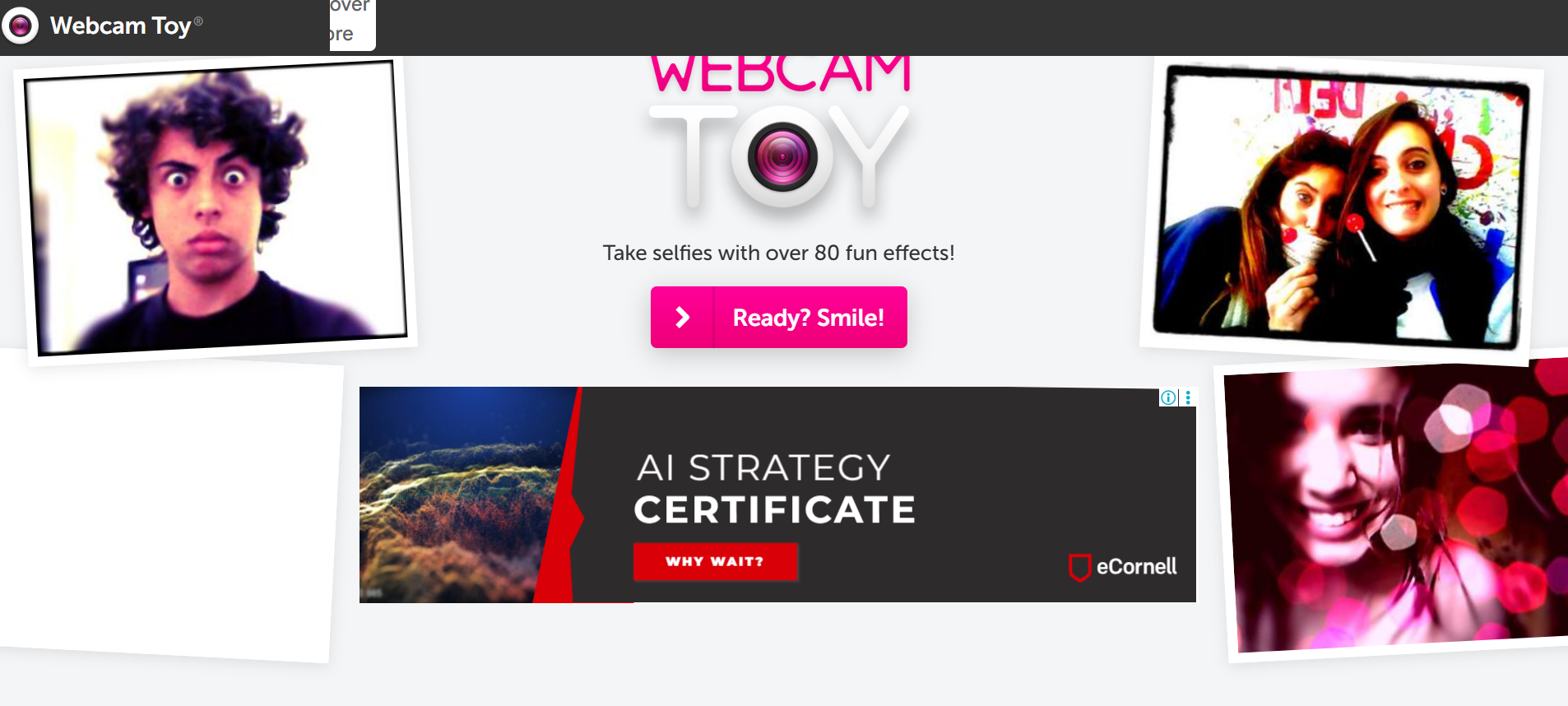
Webcam Toy was reviewed internally using user feedback, in-house testing, and market research to assess its performance, reliability, and user experience. Learn how we review products and our evaluation process.

Who should consider Webcam Toy
- Use cases
- Education, Social Media Content Creation, Digital Creativity and Entertainment
- Team types
- Students, Content Creators
- Company size
- 1-50 employees, Individuals and Freelancers
- Workflow style
- Simple and streamlined
- Setup complexity
- Low
Why teams choose Webcam Toy
Completely free with no payment or signup required
Extremely simple, beginner-friendly interface usable by all ages
Live preview of over 80 real-time visual effects before capturing photos
Is Webcam Toy right for you?
Best for quick, fun webcam photos with live quirky effects and no setup.
Choose Webcam Toy if
- You need a free, no-installation tool for instant webcam selfies with effects.
- You want a simple, beginner-friendly interface suitable for all ages and skill levels.
- You seek a wide variety of real-time visual filters for creative social media content.
Consider alternatives if
- You require advanced photo editing features like cropping, retouching, or layering.
- You need integrated sharing, cloud sync, or workflow automation for professional use.
What buyers should know before choosing Webcam Toy
Webcam Toy is a simple, browser-based photo booth that turns your webcam into a creative snapshot tool without downloads, accounts, or technical setup. It’s designed for casual users, students, and social sharers who want fun photo effects like retro filters, mirror modes, glitch looks, and animated styles in real time.
Because it runs entirely in the browser and uses webcam permissions, it works on any device with a camera and modern web browser. While Webcam Toy isn’t a professional photography or editing platform, its ease of use and instant results make it ideal for quick selfies, playful content creation, or in-browser entertainment.
Its minimalist design and extensive effect library let users capture imaginative photos without fuss.
Webcam Toy pros and cons
- Webcam Toy pros
Completely free with no payment or signup required
Extremely simple, beginner-friendly interface usable by all ages
Live preview of over 80 real-time visual effects before capturing photos
- Webcam Toy cons
No native sharing, cloud sync, or API access; manual download/upload required
Lacks photo editing features like cropping, retouching, or layering
Ready to try it?
Get started with Webcam Toy
Connect with the team for a personalised demo.
Still comparing?
See how it stacks up
Compare Webcam Toy side-by-side with top Photo Management Software alternatives.



What is the pricing of Webcam Toy?
Weighing your options?
Not sure if Webcam Toy fits your budget?
Webcam Toy reviews and ratings
Buyer sentiment
Users appreciate Webcam Toy for its ease of use, fun real-time effects, and completely free access, though they note its lack of advanced editing and sharing features.
What buyers like
- Ease of use
- Variety of real-time effects
- Free access with no signup
Common complaints
- Lack of editing tools
- No native sharing or cloud integration
Be the first to review Webcam Toy
You'll help thousands of buyers make a smarter decision.

- See if Webcam Toy fits your business
- Real pricing — no sales pressure
- A demo or quick answers, your call
Step 1 of 4
How big is your team?
We tailor recommendations to companies your size.















What are the features of Webcam Toy?
Camera management lets users control and organize their security cameras from a central location. You can add, remove, or adjust the setting…
Converting a file from one format to another is known as a file conversion. This is especially useful if you ever work with files that aren'…
Image editor is a versatile software tool that allows users to edit, enhance, and manipulate images in a variety of ways. It provides a rang…
Image optimization reduces the file size of an image without compromising its quality by removing unnecessary data while retaining important…
Image processing is the use of computer algorithms to manipulate or analyze digital images. The process typically involves acquiring an imag…
Templates are pre-designed formats or layouts that are used as a starting point for creating various documents or designs. They serve as a f…
Webcam protection is a crucial feature of any software that ensures the safety and privacy of your webcam. It is designed to prevent unautho…
Alternatives to Webcam Toy





Why buyers keep looking beyond Webcam Toy
The quality of Webcam Toy photos depends heavily on the user’s webcam hardware. Users with high-quality cameras or professional lighting setups often choose professional capture apps that let them control resolution, exposure, and advanced camera settings.
Because Webcam Toy doesn’t offer native social or cloud integrations, users who want automatic uploading, cloud storage sync, or direct posting to platforms like YouTube, Instagram, or Google Drive might opt for alternatives like Canva, Instagram Camera effects, or dedicated mobile apps.
Webcam Toy only produces still images. Creators who need video recording, GIF exports, or live motion capture will prefer tools like OBS Studio, Snap Camera, or Loom, which support dynamic content and richer output formats.
Webcam Toy is limited to simple photo capture and effects. Users who want features like cropping, layering, color correction, retouching, or professional editing workflows typically choose dedicated photo or video editors such as Adobe Photoshop, Lightroom, or Canva.
Frequently Asked Questions About Webcam Toy
Common questions buyers ask before choosing Webcam Toy.
Webcam Toy is a Photo Management Software. Webcam Toy offers Templates, Image Optimization, Image Editor, Image Processing, File Type Conversion and many more functionalities.
Webcam Toy is a strong fit if: You need a free, no-installation tool for instant webcam selfies with effects.; You want a simple, beginner-friendly interface suitable for all ages and skill levels.. Consider alternatives if: You require advanced photo editing features like cropping, retouching, or layering.; You need integrated sharing, cloud sync, or workflow automation for professional use..
Buyers commonly note the following limitations of Webcam Toy: No native sharing, cloud sync, or API access; manual download/upload required; Lacks photo editing features like cropping, retouching, or layering; Does not support video recording, GIFs, or animations.
Some top alternatives to Webcam Toy includes SmugMug, ShootProof, Zenfolio, PhotoDeck and TheDream.ai.
Webcam Toy offers pricing model
The starting price is not disclosed by Webcam Toy. You can visit Webcam Toy pricing page to get the latest pricing.
Ready to try it?
Get started with Webcam Toy
Get connected with the team for a personalised demo.
About the reviewer
Rajat Gupta is the founder of Spotsaas. Over the past two years, he has reviewed 2,000+ tools across CRM, HR, AI, and finance — applying hands-on product research and a background in commerce and the CFA program to evaluate software through a business and ROI lens. His goal: help teams make software decisions they won't regret.
Disclaimer: This research has been collated from a variety of authoritative sources. We welcome your feedback at [email protected].