

Juicebox Review: Is It The Right Presentation Software For Your Team?
Best for SMB teams · Mid-market
Free Plan Available
Add to compare
Overview
Pricing
Features
Buyer feedback
Alternatives
Media
Security & Compliance
Support
FAQ
Blogs
What is Juicebox?
Juicebox is the perfect tool to create data-rich presentations quickly and professionally. It is designed for consultants and information workers, utilizing a user-friendly interface and a powerful, data-driven storytelling structure. No coding or design skills are required to make an interactive and visually appealing output. Juicebox also enables users to easily share their presentations with their chosen audience, providing them with an engaging flow of innovative information to capture attention. This platform is suitable for organizations regardless of the size or the
Best For
Built for growing teams, from small businesses to mid-market
Security & Compliance
Data residency:🇺🇸
Juicebox Screenshots

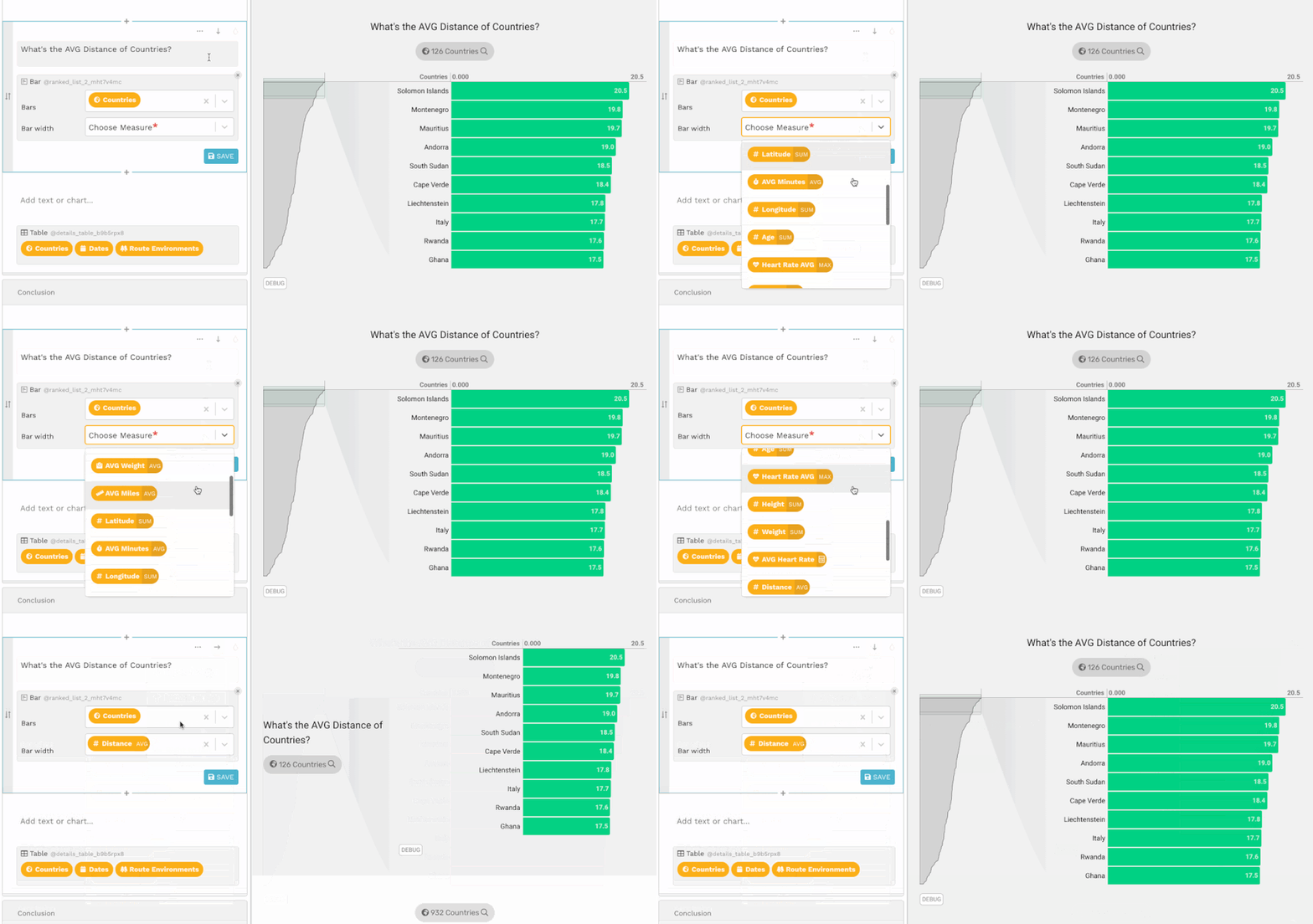
Juicebox was reviewed internally using user feedback, in-house testing, and market research to assess its performance, reliability, and user experience. Learn how we review products and our evaluation process.

Who should consider Juicebox
- Team types
- Individuals, Medium Business
Why teams choose Juicebox
Facilitates the creation of data-rich presentations without design skills.
User-friendly interface enhances accessibility for all users.
Interactive features engage audiences effectively.
Is Juicebox right for you?
What buyers should know before choosing Juicebox
Juicebox is a powerful presentation tool that enables users to create engaging, data-driven presentations quickly. Its intuitive interface makes it accessible for professionals without design skills, allowing for effective communication of complex information.
Juicebox pros and cons
- Juicebox pros
Facilitates the creation of data-rich presentations without design skills.
User-friendly interface enhances accessibility for all users.
Interactive features engage audiences effectively.
- Juicebox cons
Limited customization may not meet all user needs.
Basic templates may not suit all presentation styles.
Ready to try it?
Get started with Juicebox
Try the free plan and upgrade when ready.
Still comparing?
See how it stacks up
Compare Juicebox side-by-side with top Presentation Software alternatives.



What is the pricing of Juicebox?
Juicebox Pricing Plans
Weighing your options?
Not sure if Juicebox fits your budget?
Juicebox reviews and ratings
Buyer sentiment
Buyer sentiment is very strong across 2 reviews, with consistently positive feedback.
What buyers like
- Data-rich presentations
- User-friendly interface
- No coding skills needed
Common complaints
- Limited customization options
- Basic templates only
- Not suitable for complex presentations
Are you using Juicebox?

- See if Juicebox fits your business
- Real pricing — no sales pressure
- A demo or quick answers, your call
Step 1 of 4
How big is your team?
We tailor recommendations to companies your size.















What are the features of Juicebox?
Cleaning, converting, and modeling data to discover relevant information for business decision-making is what data analysis is all about. Da…
Drag and drop allows users to choose an object or a portion of text and move it to the desired location by dragging or "dropping" it. It can…
A mobile-friendly website is easy to use on a mobile device, especially one with a small screen like a smartphone. A mobile-friendly site ap…
Presentation tools are digital tools that allow you to present data or files using graphics, text, audio, or video. These tools assist you i…
Reporting and visualization are crucial components of software that allow users to gain valuable insights and make informed decisions throug…
Juicebox security and data handling
Key compliance certifications and security features for IT and security teams evaluating Juicebox.
Certifications

Developer & data
Alternatives to Juicebox



Juicebox Support Options
Frequently Asked Questions About Juicebox
Common questions buyers ask before choosing Juicebox.
Juicebox is a Presentation Software. Juicebox offers Mobile Friendly, Reporting and Visualization, Presentation Tools, Drag and Drop and many more functionalities.
Buyers commonly note the following limitations of Juicebox: Limited customization may not meet all user needs.; Basic templates may not suit all presentation styles.; Not ideal for highly complex presentations..
Some top alternatives to Juicebox includes ProPresenter, Microsoft PowerPoint, Vizzlo, Shufflrr and Storydoc.
Juicebox offers Freemium pricing model
The starting price is not disclosed by Juicebox. You can visit Juicebox pricing page to get the latest pricing.
Ready to try it?
Get started with Juicebox
Get started with the free plan — no credit card required.
About the reviewer
Rajat Gupta is the founder of Spotsaas. Over the past two years, he has reviewed 2,000+ tools across CRM, HR, AI, and finance — applying hands-on product research and a background in commerce and the CFA program to evaluate software through a business and ROI lens. His goal: help teams make software decisions they won't regret.
Disclaimer: This research has been collated from a variety of authoritative sources. We welcome your feedback at [email protected].