
ParentLocker vs FamilyID Comparison

ParentLocker
Starting at Contact for pricing
- Large Enterprises
- Medium Business
ParentLocker is an all-in-one school management platform designed to simplify daily operations and enhance communication between schools, parents, and students. Built for K–12 administrators, teachers, and staff, the pla…

FamilyID
Starting at $30 /Month
- Free Trial
- Large Enterprises
- Medium Business
FamilyID is the best school management software for schools of all sizes. Once a student or family registers for an account and logs in, their data can be tracked throughout the years. FamilyID allows the school to focus…
SpotSaaS Analysis
ParentLockerFamilyID
ParentLocker is a comprehensive management platform tailored for K–12 schools, while FamilyID offers a more focused solution for family engagement in educational settings. Ideal buyers for ParentLocker include school administrators and IT managers at medium to large educational institutions, whereas FamilyID is suited for schools looking for a cost-effective tool to enhance family communication and event registration.
- All-in-one management platform for K–12 schools - Centralized system for admissions, attendance, grades, and payments - Streamlined parent-teacher communication - Suitable for medium to large educational institutions - Ideal for school administrators and IT managers - Supports various school types including private and charter schools
- Focused on family engagement in education - Cost-effective solution at $30 - Enhances communication for school events - Simplifies registration processes for families - Suitable for schools seeking budget-friendly options - Not specifically tailored to school size or type
ParentLocker vs FamilyID — at a glance
| Feature | ParentLocker | FamilyID |
|---|---|---|
| Rating | 4.5 / 5 | 4.5 / 5 |
| Reviews | 98 | 157 |
| Starting price | Contact for pricing | $30 /Month |
| Free trial | No | Yes |
| Free version | No | No |
| Best for | Large Enterprises, Medium Business | Large Enterprises, Medium Business, Small Business |
| Category | School Management Software | School Management Software |
| Platforms | SaaS/Web/Cloud, Mobile - Android, Mobile - iOS | SaaS/Web/Cloud |
| API | — | — |
| Support modes | Business Hours, Online | Business Hours, Online |
| Certifications | — | GDPR |
| Data residency | US | US |
Key differences between ParentLocker and FamilyID
- Pricing: FamilyID starts at $30 /Month. ParentLocker pricing is not publicly listed.
- Free trial: FamilyID offers a free trial; ParentLocker does not.
- Deployment: ParentLocker supports SaaS/Web/Cloud, Mobile - Android, Mobile - iOS; FamilyID supports SaaS/Web/Cloud.
ParentLocker vs FamilyID — find the better fit before you commit.
Which tool fits your team best
Which is actually cheaper for your team size
Where each product wins, per real buyers
Most School Management Software tools look identical on paper. This comparison cuts to the differences that matter — pricing structure, team fit, and what real buyers found after signing up.
Biggest differences
Features
Pricing
Buying details
Security
Buyer feedback
Integrations
Product tour
Other options
Talk to an expert Talk to an expert |
Free PDF comparison
Download this ParentLocker vs FamilyID comparison
Get the full side-by-side as a PDF — these picks plus the top School Management Software tools, with verified ratings, pricing and features.
- Side-by-side on pricing, features & ratings
- Plus the category top 10, scored & ranked
- Emailed to you — no on-screen download
No file downloads on screen — we email it to you. One-click unsubscribe anytime.
Biggest differences
Start here before you go deeper into features.
Best for K–12 schools seeking an all-in-one, easy-to-use management platform.
- You need a centralized system for admissions, attendance, grades, and payments.
- Your school prioritizes streamlined parent-teacher communication and conference scheduling.
- You want minimal training time with an intuitive interface for staff and families.
- Your institution requires advanced LMS features or deep course management tools.
- You depend on integrations with third-party platforms like Google Classroom or Zoom.
Large Enterprises, Medium Business, Small Business
ParentLocker typically suits Large Enterprises and Medium Business. FamilyID tends to fit Large Enterprises and Medium Business better. The right choice depends on your team size, workflow, and whether a free trial matters.
Description | ParentLocker is an all-in-one school management platform designed to simplify daily operations and enhance communication between schools, parents, and students. Built for K–12 ... Read More about ParentLocker | FamilyID is the best school management software for schools of all sizes. Once a student or family registers for an account and logs in, their data can be tracked throughout the years. ... Read More about FamilyID |
|---|---|---|
Entry Level Pricing |
|
|
Free Trial Availability |
|
|
Spotsaas ScoreWhat's this? ↗ | 8.6/10 | 7.5/10 |
User RatingsBased on verified Spotsaas reviews | ||
Best Company Size | Medium BusinessLarge Enterprises | — |
Get pricing help | Get pricing help |
Where each option fits best
See where each product is strongest, which teams it fits, and what causes buyers to keep looking — before you commit.
Based on buyer reviews and verified product data collected by Spotsaas.
Key strengths
- Unified Data Management: All modules—from SIS to gradebooks—are fully integrated, ensuring that data entered in one place automatically syncs across the entire platform.
- Enhanced Parent Engagement: Built-in tools like the parent portal and easy-to-use conference scheduling improve communication between schools and families, promoting stronger relationships.
- Minimal Training Required: Designed with simplicity in mind, ParentLocker’s intuitive interface allows teachers, admins, and parents to quickly learn and use the system with little to no onboarding time.
No key benefits available yet.
Best fit
- 10–500+ Employees
- K–12 Education, Private Schools, Charter Schools, Faith-Based Schools, International Schools
- School Administrators, Admissions Officers, IT Managers, Teachers, Parent Engagement Coordinators, Academic Directors, Office Managers
No best-fit guidance available yet.
Reasons buyers look elsewhere
- Schools using other education tools (e.g., Google Classroom, Zoom) may prefer platforms with API access or built-in integrations to create a more connected digital learning environment.
- Institutions looking for detailed learning content creation, quizzes, grading rubrics, or multimedia content support might turn to platforms with a stronger LMS focus.
- Some schools may need more advanced analytics or customizable data visualizations, which are better supported by specialized education data tools.
No alternatives guidance available yet.
Software Demo
Demo |
|---|
Need a second opinion?
Get shortlist help from a software advisor
Share your priorities, budget, and team needs, and we’ll help you narrow the options and understand the tradeoffs before you talk to vendors.

- Independent advice — matched to your business
- Understand the tradeoffs before you talk to vendors
- Free 15-min call with a software advisor.
Step 1 of 4
How big is your team?
We tailor recommendations to companies your size.















How do ParentLocker and FamilyID Compare on Features?
Total Features | 18 Features | 6 Features |
|---|---|---|
Unique Features | No unique features | No unique features |
Get Quote | Get Quote |
Compare ParentLocker and FamilyID on pricing
Review starting price, plan structure, and free-trial access side by side so you can see which option fits your budget and buying process.
Pricing Option | ||
|---|---|---|
Starting From |
|
|
Pricing Plans |
|
|
Pricing Page | 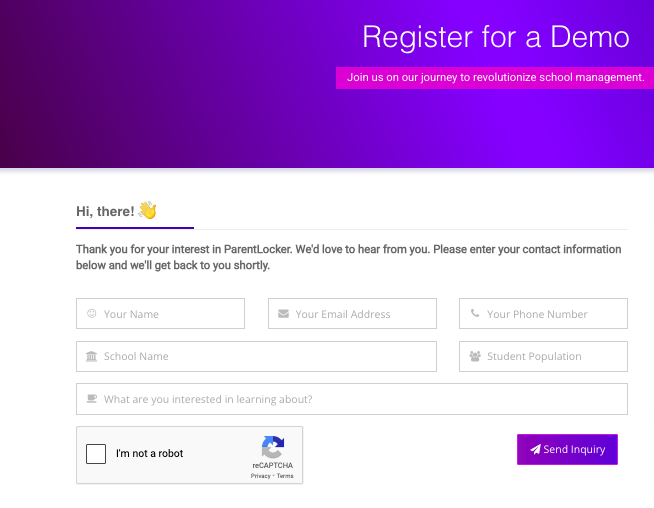 |  |
Other Details
Organization Types supported |
|
|
|---|---|---|
Platforms Supported |
|
|
Modes of support |
|
|
API Support |
|
|
Get help choosing | Get help choosing |
Security & Compliance
Certifications, data handling, and security controls for IT and compliance evaluators.
HIPAA | ✗ No | ✗ No |
|---|---|---|
GDPR | — | ✓ Yes |
Data Residency | 🇺🇸 US | 🇺🇸 US |
ParentLocker User Reviews & Rating Comparison
User Ratings | 4.5 (based on 98 reviews) | |
|---|---|---|
Rating Distribution | ||
Spotsaas Editor’s POV generated by AI | Buyer sentiment Users appreciate ParentLocker’s intuitive interface and comprehensive feature set that simplifies school operations and enhances parent engagement, though some desire better third-party integrations and deeper LMS capabilities. What buyers like
Common complaints
| Buyer sentiment Buyer sentiment is very strong across 3 reviews, with consistently positive feedback. What buyers like
Common complaints
|
Pros and Cons |
|
|
Positive Reviews | No reviews available for the product | No reviews available for the product |
Media and Screenshots
Screenshots |  4 Screenshots |  1 Screenshots |
|---|---|---|
Videos |  1 Videos |  1 Videos |
Top Alternatives to ParentLocker and FamilyID in 2026

Add another option to compare side by side
Search by product name to compare pricing, fit, and buyer feedback in one view.Compare similar software options


Related Blogs and Articles for School Management Software




Disclaimer: This research has been collated from a variety of authoritative sources. We welcome your feedback at [email protected].
Frequently asked questions
- Which is better, ParentLocker or FamilyID?
- ParentLocker and FamilyID are closely matched with equal user ratings of 4.5. The right choice depends on your team size, budget, and specific School Management Software needs.
- Do ParentLocker and FamilyID offer a free trial?
- FamilyID offers a free trial. ParentLocker does not.
- What is the starting price of ParentLocker vs FamilyID?
- ParentLocker starts at Contact for pricing. FamilyID starts at $30 /Month.
- What are the top alternatives to ParentLocker?
- Top alternatives to ParentLocker include Skyward School Management, SAF School Management Software, Attendance Online, PowerSchool, Schoollog.
- What are the top alternatives to FamilyID?
- Top alternatives to FamilyID include SAF School Management Software, Attendance Online, Reportcard, UC-School, School EdTech.