
Make-A-Video vs GliaStudio vs D-ID Creative Reality Studio Comparison

Make-A-Video
Starting at Contact for pricing
- Large Enterprises
- Small Business
Experience the future of video creation with Make-A-Video, where AI transforms text into captivating visual content. Say goodbye to hours of laborious video editing - our innovative system allows you to effortlessly gene…

GliaStudio
Starting at Contact for pricing
- Free Trial
- Medium Business
- Small Business
Discover GliaStudio, a cutting-edge platform that leverages the power of AI to transform your storytelling capabilities. Enhance your videos with ease using this revolutionary tool, catered towards professionals seeking…

D-ID Creative Reality Studio
Starting at Contact for pricing
- Free Trial
- Large Enterprises
- Small Business
The Creative Reality™ Studio by D-ID provides generative AI tools to produce stunning videos featuring digital people. Utilizing D-ID’s advanced deep-learning face animation technology, LLM-based text generation, and tex…
Make-A-Video vs GliaStudio vs D-ID Creative Reality Studio — at a glance
| Feature | Make-A-Video | GliaStudio | D-ID Creative Reality Studio |
|---|---|---|---|
| Rating | — | — | — |
| Reviews | — | — | — |
| Starting price | Contact for pricing | Contact for pricing | Contact for pricing |
| Free trial | No | Yes | Yes |
| Free version | No | No | No |
| Best for | Large Enterprises, Small Business, Medium Business | Medium Business, Small Business, Individuals | Large Enterprises, Small Business, Medium Business |
| Category | AI Video Generator Software | AI Video Generator Software | AI Video Generator Software |
| Platforms | Browser Based (Cloud) | Browser Based (Cloud) | SaaS/Web/Cloud, Mobile - Android, Mobile - iOS |
| API | — | — | Available |
| Support modes | Online | Online | Online |
| Certifications | — | — | GDPR |
| Data residency | US | US | Global |
Key differences between Make-A-Video and GliaStudio
- Free trial: GliaStudio offers a free trial; Make-A-Video does not.
- Target audience: Make-A-Video is built for Large Enterprises and Small Business, while GliaStudio targets Medium Business and Small Business.
- Deployment: Make-A-Video supports Browser Based (Cloud); GliaStudio supports Browser Based (Cloud).
Compare Make-A-Video vs GliaStudio vs D-ID Creative Reality Studio — and walk away knowing which one fits.
Which tool fits your team best
Which is actually cheaper for your team size
Where each product wins, per real buyers
Most AI Video Generator Software tools look identical on paper. This comparison cuts to the differences that matter — pricing structure, team fit, and what real buyers found after signing up.
Biggest differences
Features
Pricing
Buying details
Security
Buyer feedback
Integrations
Product tour
Other options
Talk to an expert Talk to an expert | Talk to an expert Talk to an expert | Talk to an expert Talk to an expert |
Biggest differences
Start here before you go deeper into features.
Large Enterprises, Small Business, Medium Business
Best for streamlined AI-driven video creation with collaboration and analytics.
- You need an easy-to-use platform for automated video production without manual editing.
- Your team values real-time collaboration across locations to enhance workflow efficiency.
- You want integrated analytics to monitor project performance and team productivity.
- You require advanced, highly customizable video editing features for complex workflows.
- You need transparent, fixed pricing details to support clear budgeting decisions.
Best for creating AI-driven animated videos with minimal setup and cost.
- You want to transform static images into lifelike animated videos easily.
- Your team includes content creators or marketing managers seeking streamlined video tools.
- You need cost-effective video production without complex workflows or heavy customization.
- Your projects require highly customized or enterprise-grade video production workflows.
- Your team lacks experience or interest in AI-driven video content creation.
Make-A-Video typically suits Large Enterprises and Small Business. GliaStudio tends to fit Medium Business and Small Business better. The right choice depends on your team size, workflow, and whether a free trial matters.
Description | Experience the future of video creation with Make-A-Video, where AI transforms text into captivating visual content. Say goodbye to hours of laborious video editing - our innovative system ... Read More about Make-A-Video | Discover GliaStudio, a cutting-edge platform that leverages the power of AI to transform your storytelling capabilities. Enhance your videos with ease using this revolutionary tool, catered ... Read More about GliaStudio | The Creative Reality™ Studio by D-ID provides generative AI tools to produce stunning videos featuring digital people. Utilizing D-ID’s advanced deep-learning face animation technology, ... Read More about D-ID Creative Reality Studio |
|---|---|---|---|
Free Trial Availability |
| ||
Spotsaas ScoreWhat's this? ↗ | Not Available | 7.7/10 | 7.9/10 |
Best Company Size | — | 50 to 500 employeesSmall Business | 50 to 500 employeesLarge Enterprises |
Get pricing help | Get pricing help | Get pricing help |
Where each option fits best
See where each product is strongest, which teams it fits, and what causes buyers to keep looking — before you commit.
Based on buyer reviews and verified product data collected by Spotsaas.
Key strengths
No key benefits available yet.
- Streamlined Collaboration: GliaStudio enhances teamwork by enabling real-time collaboration, allowing your team to work together seamlessly, regardless of location. You’ll find that sharing ideas and feedback becomes effortless.
- User-Friendly Interface: With an intuitive design, even those who aren't tech-savvy can navigate GliaStudio with ease. This means less time on training and more time on productive tasks, making it a win-win for everyone involved.
- Powerful Analytics Tools: Gain valuable insights into project performance and team productivity with GliaStudio's robust analytics features. As a manager, you’ll appreciate having the data you need at your fingertips to make informed decisions.
- Transformative Visual Storytelling: D-ID Creative Reality Studio enables users to craft engaging narratives by bringing static images to life, captivating audiences with lifelike animations that enhance communication and storytelling.
- User-Friendly Interface: Designed with accessibility in mind, the platform allows both seasoned professionals and novices to easily navigate its features, fostering creativity without the need for extensive technical expertise.
- Cost-Effective Solutions: By leveraging D-ID's advanced AI technology, organizations can significantly reduce production costs associated with video creation while maintaining high-quality outputs that resonate with viewers.
Best fit
No best-fit guidance available yet.
- 50 to 500 employees
- Marketing Technology, SaaS, Consulting, E-commerce, and Education Technology
- Marketing Managers, Content Creators, Digital Strategists, Product Managers, and UX/UI Designers
- 50 to 500 employees
- Marketing Technology, Advertising, Entertainment, E-learning, Healthcare, and Media
- Content Creators, Marketing Managers, Digital Strategists, Video Producers, and Creative Directors
Reasons buyers look elsewhere
No alternatives guidance available yet.
- Users might seek alternatives to GliaStudio if they require more advanced features for specific industries, such as enhanced customization options or integrations that better fit their unique operational workflows.
- Cost considerations can lead users to explore alternatives, particularly if they find more budget-friendly solutions that still meet their essential needs without compromising on quality or functionality.
- Some users may experience limitations in customer support or resources with GliaStudio, prompting them to look for alternatives that offer more robust assistance and community engagement to ensure smooth usage.
- Users might seek alternatives if they require more customizable features for avatar creation, enabling them to tailor the digital experience to better suit their specific branding or personal preferences.
- Some users may find D-ID Creative Reality Studio's pricing structure less competitive compared to other platforms, prompting them to explore cost-effective solutions that offer similar capabilities without compromising quality.
- Those who prioritize user-friendly interfaces may consider alternatives that provide a more intuitive design and simpler navigation, making it easier for less tech-savvy individuals to create engaging content.
Software Demo
Demo |  Make-A-Video has not given any software demo yet If you're the owner of this profile, add your demo.Contact us |
|---|
Need a second opinion?
Get shortlist help from a software advisor
Share your priorities, budget, and team needs, and we’ll help you narrow the options and understand the tradeoffs before you talk to vendors.
How do Make-A-Video, GliaStudio and D-ID Creative Reality Studio Compare on Features?
Total Features | 3 Features | 10 Features | 3 Features |
|---|---|---|---|
Unique Features | No unique features | No unique features | No unique features |
Get Quote | Get Quote | Get Quote |
Compare Make-A-Video, GliaStudio and D-ID Creative Reality Studio on pricing
Review starting price, plan structure, and free-trial access side by side so you can see which option fits your budget and buying process.
Pricing Option | |||
|---|---|---|---|
Pricing Plans |
|
|
|
Pricing Page | Pricing information not available |  |  |
Other Details
Organization Types supported |
|
|
|
|---|---|---|---|
Platforms Supported |
|
|
|
Modes of support |
|
|
|
API Support |
|
|
|
Get help choosing | Get help choosing | Get help choosing |
Security & Compliance
Certifications, data handling, and security controls for IT and compliance evaluators.
HIPAA | ✗ No | — | ✗ No |
|---|---|---|---|
GDPR | — | — | ✓ Yes |
Data Residency | 🇺🇸 US | 🇺🇸 US | 🌐 Global |
List of Customers
Customers | No Customers information available. |  TikTok  kkbox  YOUKU | No Customers information available. |
|---|
Media and Screenshots
Screenshots | No screenshots available. | No screenshots available. | 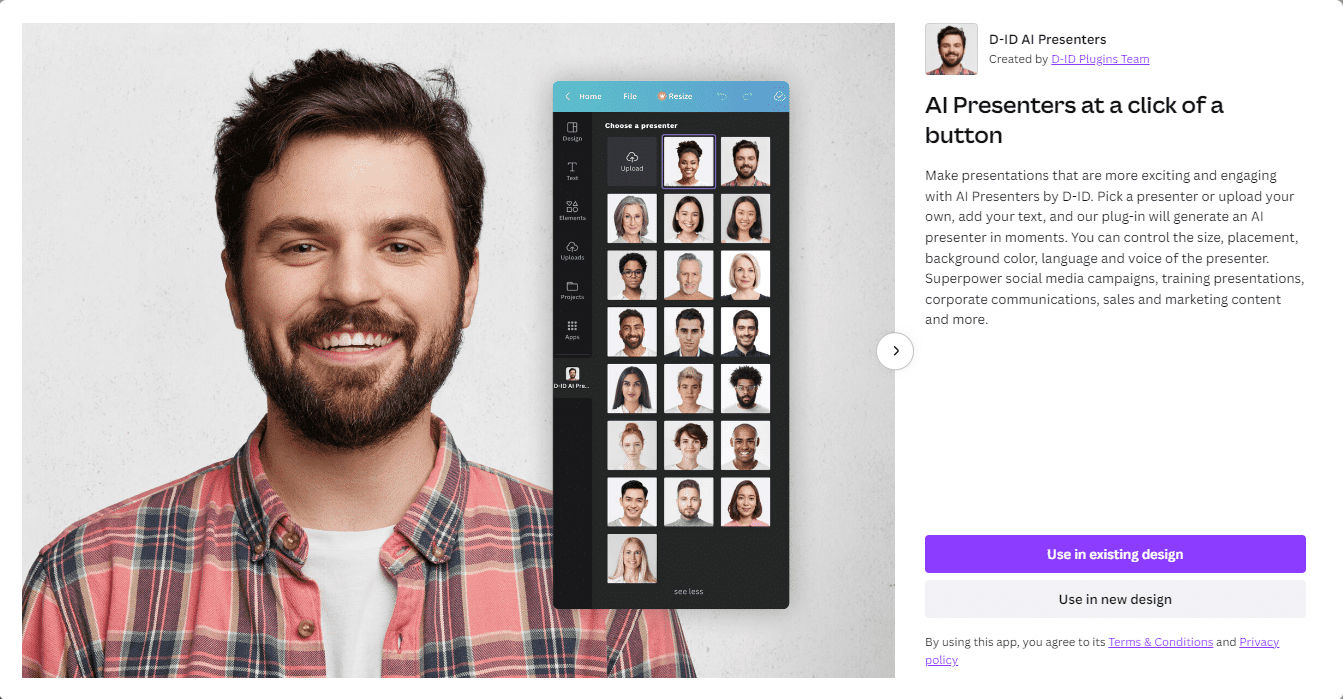 2 Screenshots |
|---|---|---|---|
Videos | No videos available. |  1 Videos |  1 Videos |
Alternatives


Add another option to compare side by side
Search by product name to compare pricing, fit, and buyer feedback in one view.Compare similar software options



Related Blogs and Articles for Ai Video Generator Software

Disclaimer: This research has been collated from a variety of authoritative sources. We welcome your feedback at [email protected].
Frequently asked questions
- Which is better, Make-A-Video or GliaStudio?
- Make-A-Video and GliaStudio are closely matched with equal user ratings of -1.0. The right choice depends on your team size, budget, and specific AI Video Generator Software needs.
- Do Make-A-Video and GliaStudio offer a free trial?
- GliaStudio offers a free trial. Make-A-Video does not.
- What is the starting price of Make-A-Video vs GliaStudio?
- Make-A-Video starts at Contact for pricing. GliaStudio starts at Contact for pricing.
- What are the top alternatives to Make-A-Video?
- Top alternatives to Make-A-Video include Sora, GliaStudio, Record Once, X-Me, Flickify.
- What are the top alternatives to GliaStudio?
- Top alternatives to GliaStudio include X-Me, Flickify, Atlabs, Invideo AI, Sora.