
Dust vs Microsoft Copilot Studio Comparison

Dust
Starting at Contact for pricing
- Large Enterprises
- Small Business
Dust is an AI agent builder that lets teams deploy AI assistants customized to their data and workflows. Setup takes minutes rather than weeks, with controls to manage data access and tailor agent behavior to specific te…

Microsoft Copilot Studio
Starting at $30 /month
- Free Trial
- Large Enterprises
- Medium Business
Microsoft Copilot Studio empowers users to create expert AI agents tailored to specific needs, whether for individuals, teams, or entire organizations. Leveraging low-code tools and generative AI, this platform allows us…
Dust vs Microsoft Copilot Studio — at a glance
| Feature | Dust | Microsoft Copilot Studio |
|---|---|---|
| Rating | — | — |
| Reviews | — | — |
| Starting price | Contact for pricing | $30 /month |
| Free trial | No | Yes |
| Free version | No | No |
| Best for | Large Enterprises, Small Business, Medium Business | Large Enterprises, Medium Business, Small Business |
| Category | AI Agent Builder | AI Agent Builder |
| Platforms | Browser Based (Cloud) | SaaS/Web/Cloud |
| API | — | — |
| Support modes | Online | — |
| Data residency | US | Global |
Key differences between Dust and Microsoft Copilot Studio
- Pricing: Microsoft Copilot Studio starts at $30 /month. Dust pricing is not publicly listed.
- Free trial: Microsoft Copilot Studio offers a free trial; Dust does not.
- Deployment: Dust supports Browser Based (Cloud); Microsoft Copilot Studio supports SaaS/Web/Cloud.
Dust vs Microsoft Copilot Studio — find the better fit before you commit.
Which tool fits your team best
Which is actually cheaper for your team size
Where each product wins, per real buyers
Most AI Agent Builder tools look identical on paper. This comparison cuts to the differences that matter — pricing structure, team fit, and what real buyers found after signing up.
Biggest differences
Features
Pricing
Buying details
Security
Buyer feedback
Integrations
Product tour
Other options
Talk to an expert Talk to an expert | Talk to an expert Talk to an expert |
Free PDF comparison
Download this Dust vs Microsoft Copilot Studio comparison
Get the full side-by-side as a PDF — these picks plus the top AI Agent Builder tools, with verified ratings, pricing and features.
- Side-by-side on pricing, features & ratings
- Plus the category top 10, scored & ranked
- Emailed to you — no on-screen download
No file downloads on screen — we email it to you. One-click unsubscribe anytime.
Dust vs Microsoft Copilot Studio: Biggest differences
Start here before you go deeper into features.
Best for building custom AI agents integrated with enterprise workflows.
- You need AI assistants tailored specifically to your company’s data and processes.
- Your team requires seamless integration with tools like Slack, Google Drive, and GitHub.
- Advanced analytics such as semantic search and SQL query execution are critical.
- Your organization is a very small team or startup with fewer than 50 employees.
- You lack existing digital workflows or enterprise tools to integrate with.
Best for building customizable AI agents with low-code workflow integration.
- You need scalable AI agents for teams or large enterprises.
- You want to empower non-developers with low-code AI agent creation.
- You require seamless integration of AI agents into existing workflows.
- Your workflows are very simple and do not need AI integration.
- Your organization has strict data privacy needs without compliance resources.
Dust: Best for building custom AI agents integrated with enterprise workflows. Microsoft Copilot Studio: Best for building customizable AI agents with low-code workflow integration.
Description | Dust is an AI agent builder that lets teams deploy AI assistants customized to their data and workflows. Setup takes minutes rather than weeks, with controls to manage data access and ... Read More about Dust | Microsoft Copilot Studio empowers users to create expert AI agents tailored to specific needs, whether for individuals, teams, or entire organizations. Leveraging low-code tools and ... Read More about Microsoft Copilot Studio |
|---|---|---|
Entry Level Pricing |
|
|
Free Trial Availability |
| |
Best Company Size | 50-5000 employeesMedium Business | 50-500 employeesLarge Enterprises |
Get pricing help | Get pricing help |
Where each option fits best
See where each product is strongest, which teams it fits, and what causes buyers to keep looking — before you commit.
Based on buyer reviews and verified product data collected by Spotsaas.
Key strengths
- Custom AI Agents: Dust lets you build AI assistants designed for your company's data and workflows, improving productivity across departments.
- Smooth Integrations: The platform connects with existing enterprise tools like Slack, Google Drive, and GitHub, allowing quick adoption without disrupting current processes.
- Advanced Analytical Capabilities: Dust offers features like semantic search, data visualization, and SQL query execution, letting teams get actionable insights from their data.
- Improved Productivity: With Microsoft Copilot Studio, teams can speed up their workflows using AI-generated suggestions, allowing them to focus on strategic tasks rather than repetitive ones. This improves overall efficiency.
- Intuitive Collaboration: The platform builds smooth teamwork by integrating real-time insights and personalized recommendations. I've seen firsthand how this can transform project management, making it easier for teams to align and achieve their goals.
- Customizable Solutions: Microsoft Copilot Studio lets users design the AI's output to fit their specific industry needs. This adaptability confirms that both administrators and executives can get maximum value from the tool without unnecessary complexity.
Best fit
- 50–5000 employees
- Software Development, IT Services, Customer Support, Marketing, Sales, Human Resources, Data Analytics
- Software Engineers, Data Analysts, Marketing Managers, Sales Representatives, Customer Support Agents, HR Managers, Product Managers
- 50-500 employees
- Martech, Revtech, Fintech, Sales Automation, SaaS, Consulting
- Sales Managers, Account Executives, Business Development Representatives, CRM Administrators
Reasons buyers look elsewhere
- While Dust offers no-code customization, some users may find the initial setup and agent creation process challenging without prior experience in AI tools.
- Dust's extensive features and integrations may be more suitable for larger organizations, potentially leading to unnecessary complexity for smaller teams with simpler needs.
- As a cloud-based platform, Dust requires a stable internet connection, which could be a limitation in regions with unreliable internet access.
- Users may seek alternatives due to cost concerns, as Microsoft Copilot Studio can be expensive for small businesses or individual users who need budget-friendly solutions without sacrificing functionality.
- Some users might find that alternative tools offer better integration with their existing software ecosystems, allowing for smoother workflows and enhanced productivity tailored to their specific needs.
- Those who prioritize customization may look for alternatives that provide more flexible features or user-friendly interfaces, enabling them to tailor the tool to fit unique project requirements and personal preferences.
Software Demo
Demo |
|---|
Need a second opinion?
Get decision help from a software advisor
Share your priorities, budget, and team needs, and we’ll help you narrow the options and understand the tradeoffs before you talk to vendors.

- Independent advice — matched to your business
- Understand the tradeoffs before you talk to vendors
- Free 15-min call with a software advisor.
Step 1 of 4
How big is your team?
We tailor recommendations to companies your size.















How do Dust and Microsoft Copilot Studio Compare on Features?
Total Features | 5 Features | 12 Features |
|---|---|---|
Unique Features | No unique features | No unique features |
Get Quote | Get Quote |
Compare Dust and Microsoft Copilot Studio on pricing
Review starting price, plan structure, and free-trial access side by side so you can see which option fits your budget and buying process.
Pricing Option | ||
|---|---|---|
Starting From |
|
|
Pricing Plans |
|
|
Pricing Page |  |  |
Dust vs Microsoft Copilot Studio: Other Details
Organization Types supported | ||
|---|---|---|
Platforms Supported |
|
|
Modes of support |
|
|
API Support |
|
|
Get help choosing | Get help choosing |
Dust vs Microsoft Copilot Studio Security & Compliance
Certifications, data handling, and security controls for IT and compliance evaluators.
Data Residency | 🇺🇸 US | 🌐 Global |
|---|
Dust User Reviews & Rating Comparison
Spotsaas Editor’s POV generated by AI | Buyer sentiment No publicly available user reviews or ratings to summarize buyer sentiment. What buyers like
Common complaints
| Buyer sentiment Buyers appreciate the platform's ease of use and integration capabilities but note a learning curve and concerns around data privacy and AI model quality. What buyers like
Common complaints
|
|---|---|---|
Pros and Cons |
|
|
Dust and Microsoft Copilot Studio Customers
Customers |  PayFit  qonto  Pennylane |  PayPal |
|---|
Media and Screenshots
Screenshots | 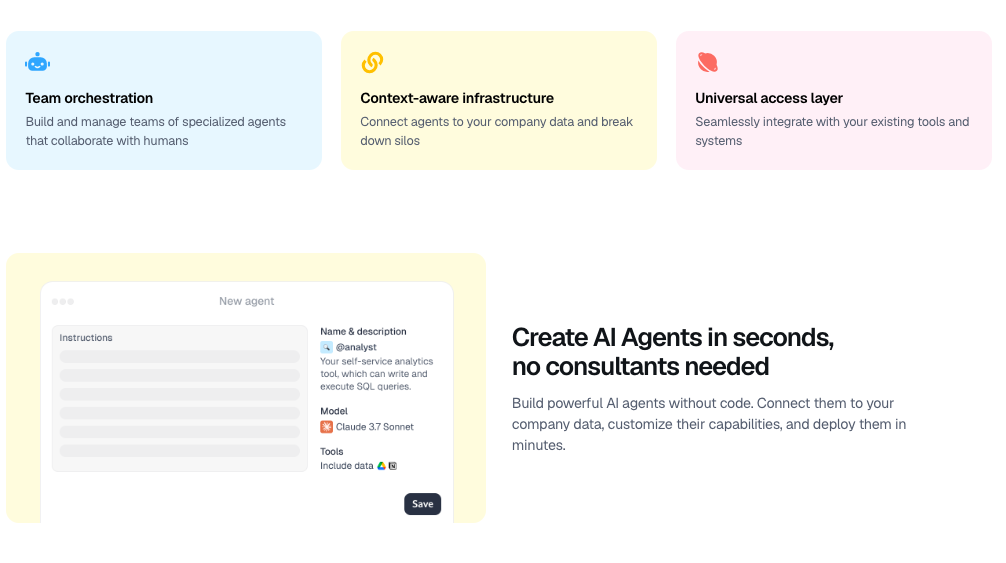 4 Screenshots |  4 Screenshots |
|---|---|---|
Videos |  1 Videos |  1 Videos |
Top Alternatives to Dust and Microsoft Copilot Studio in 2026

Add another option to compare side by side
Search by product name to compare pricing, fit, and buyer feedback in one view.Compare similar software options




Disclaimer: This research has been collated from a variety of authoritative sources. We welcome your feedback at [email protected].
Frequently asked questions
- Which is better, Dust or Microsoft Copilot Studio?
- Dust and Microsoft Copilot Studio are closely matched with equal user ratings of -1.0. The right choice depends on your team size, budget, and specific AI Agent Builder needs.
- Do Dust and Microsoft Copilot Studio offer a free trial?
- Microsoft Copilot Studio offers a free trial. Dust does not.
- What is the starting price of Dust vs Microsoft Copilot Studio?
- Dust starts at Contact for pricing. Microsoft Copilot Studio starts at $30 /month.
- What are the top alternatives to Dust?
- Top alternatives to Dust include Phygital+, WideBot, Salesforce Agentforce, CloudApper AI, Lindy.
- What are the top alternatives to Microsoft Copilot Studio?
- Top alternatives to Microsoft Copilot Studio include IBM watsonx.ai, Phygital+, Agentspace, Vertex AI, Salesforce Agentforce.