
Spotsaas Editorial
Webroot Antivirus Review 2026: The Importance Of Antivirus Software In Cybersecurity Measures

Cyber threats are a daily fact of online life, and personal information is a frequent target. Webroot Antivirus aims to defend against those threats while keeping scans fast and its impact on your system small.
This article walks through what Webroot protects against and how it works, so you can decide whether it fits the way you use your devices. Read on to see how it helps keep your online activity safer.
Key Takeaways
- Webroot Antivirus protects your devices by using behavior-based analysis and cloud-based security to block threats as they appear.
- The software combines virus, phishing, spyware, and malware defense while keeping system performance fast, with little effect on how the device runs.
- Its plain, easy-to-navigate interface makes the security features usable for people at any skill level.
- Webroot’s email security includes defenses against malware and phishing, plus a rollback feature that can reverse ransomware attacks.
- Customers stay with Webroot for its award-winning tools, which cover a wide range of threats without slowing down devices.
Overview of Webroot Inc.
Webroot Inc. is a long-running cybersecurity company known for its focus on protecting digital devices. Founded in 1997, it built its reputation early by providing internet security for both consumers and businesses.
Webroot’s antivirus software reflects the kind of security measures that matter when threats can arrive with almost any click.
The product line is built to pair strong threat detection with light system use, so protection runs without dragging the machine down. With features like real-time threat identification and malicious website blocking, Webroot works to keep your devices safe while leaving day-to-day performance intact. In practice, that means the software checks threats as they arrive and blocks unsafe sites without asking you to wait for long scans or heavy background processes.
That balance between protection and speed is a large part of why businesses and consumers trust Webroot to secure their online activity against threats that keep changing.
Features of Webroot Antivirus Software
Webroot Antivirus covers virus and identity protection, real-time threat identification and blocking, and email security. These features together make it a capable tool for defending against cyber threats.
Virus and Identity Protection
Keeping your personal information secure is a priority online, and Webroot Antivirus handles it through its Identity Shield feature, which protects your identity while you surf, shop, and bank.
It guards against keyloggers and screens out phishing attempts, so cybercriminals have a harder time reaching your sensitive data.
Your browsing should stay clear of viruses and malware. To that end, Webroot provides real-time protection, scanning files and blocking harmful software before it can cause damage.
With those antiphishing measures running, you can click links and open emails with more confidence that Webroot is watching for problems.
Threat Protection
Webroot Antivirus handles online threat protection with behavior-based analysis. Rather than waiting for attacks to land, it scans for unusual activity and looks for dangers early.
This proactive approach keeps users a step ahead, blocking malicious URLs and phishing attempts before they can do harm.
The cloud-based security software quickly assesses unknown programs, running them through a checkpoint system that flags threats in real time. Its firewall does more than filter traffic: it acts as a gatekeeper, separating safe applications from unsafe ones and watching closely over any it has not yet cleared.
That constant monitoring helps keep your device uncompromised, guarding against malware and cyberattacks so you can work with fewer worries.
Email Security Features
Email security is a core part of Webroot Antivirus, with protection covering malware detection, phishing prevention, and URL filtering. Using cloud-based security and behavioral analysis, Webroot monitors and detects email-borne threats to help stop breaches.
The journal and rollback system feature adds another layer of defense by reversing the effects of encrypting ransomware. That gives users a way to recover from an attack rather than simply losing their files. Instead of hoping a backup exists, the rollback can undo the damage a ransomware infection has already started, which is one of the harder problems for antivirus software to address.
These features improve email security and make the wider setup safer to use. By combining behavior-based detection, malicious URL blocking, vulnerability scans, and real-time threat identification for email, and by using cloud-based analytics to judge unknown programs, the software takes a many-sided approach to cybersecurity.
Webroot Antivirus and Cybersecurity
Webroot Antivirus plays a central role in cybersecurity, defending against viruses, malware, phishing, and spyware, and identifying and blocking threats in real time.
The sections below explain how Webroot fits into a broader set of online security measures.
Protection against viruses, malware, phishing, and spyware
Webroot Antivirus defends against viruses, malware, phishing, and spyware to help protect your digital environment. It provides:
- Virus protection that detected 95% of malware samples in hands-on tests.
- Malware defense with real-time threat identification and blocking.
- Phishing prevention through email security and flagging of unsafe links and search results.
- Spyware detection that rounds out protection against malicious software.
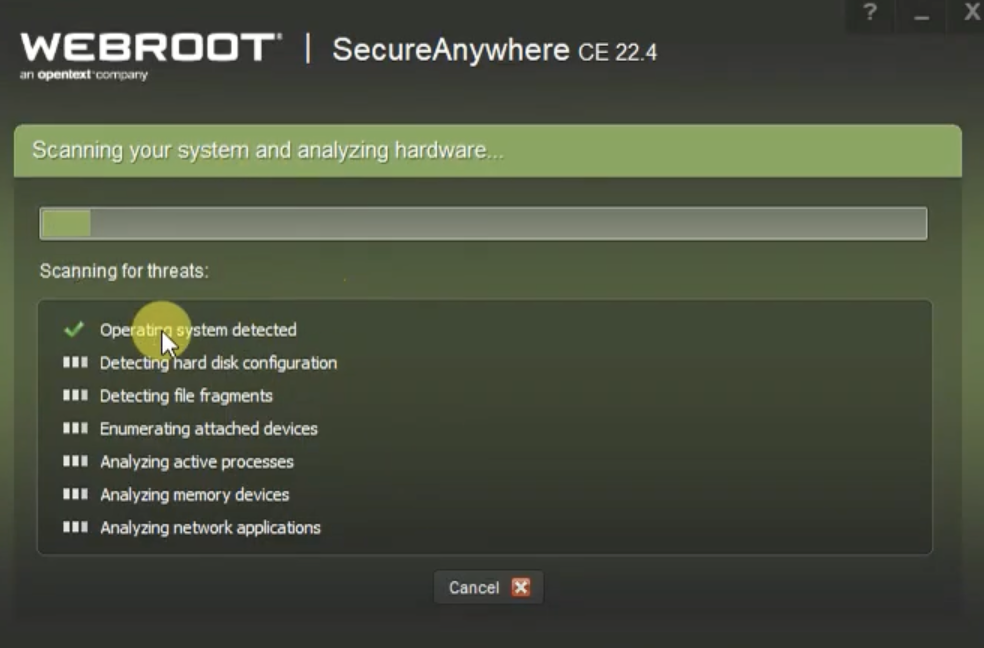
Real-time threat identification and blocking
Webroot Antivirus uses behavior-based malware detection, real-time URL blocking, and phishing prevention to spot and stop threats as they occur. This approach catches malicious content and halts it before it can damage your system or expose sensitive information.
By watching for threats continuously, Webroot keeps its protection current and responds to new problems as they surface rather than after the fact. This ongoing monitoring means the software does not depend only on a fixed list of known threats; it also reacts to behavior it has not seen before, which matters as attacks change over time.
Real-time identification and blocking give Webroot a strong defense against cyberattacks. Because it can detect and block malicious URLs, phishing attempts, and file-encrypting malware as they happen, it helps protect your devices from threats that keep evolving.
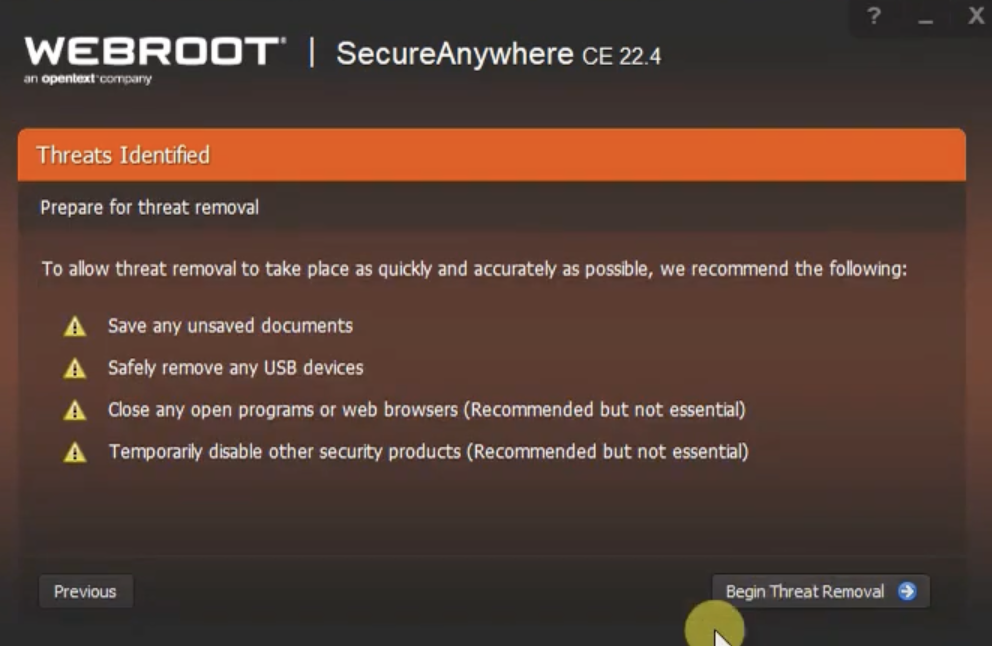
Identifying unsafe links and search results
Webroot Antivirus flags and blocks unsafe links and search results. Through behavior-based malware detection, it can recognize malicious links, unsafe search results, phishing websites, and suspicious URLs in real time.
This proactive approach adds an extra layer of security, keeping users from wandering onto harmful websites or falling for cyber threats.
With its focus on online safety, Webroot lets users browse more confidently, since the antivirus keeps watch for risks. Building these checks into their security setup gives both individuals and businesses a safer online experience.
Identity Guard Review: How To Choose The Best Identity Protection Service
Benefits of Webroot Antivirus in Cybersecurity Measures
The software strengthens device protection. Webroot Antivirus defends all your devices against viruses, malware, and other online threats, helping keep both business and personal data safe. It also improves internet security for consumers and businesses: with real-time threat identification and blocking, Webroot gives individuals and organizations a more secure online experience against cyber threats.
Enhanced Device Protection
Webroot Antivirus improves device protection against a wide range of threats, including viruses, malware, phishing attempts, and identity theft. Through behavior-based security and real-time threat identification, it shields your devices from malicious software and unsafe online activity.
Webroot’s added features, such as malicious URL blocking and a vulnerability scan, extend that protection by spotting potential risks and stopping them before they cause harm.
Because it runs with efficient system performance, Webroot Antivirus protects without cutting into the speed or usability of your devices. You can browse the internet knowing your machines are guarded against threats while still running well.
Improved Internet Security for Consumers and Businesses
Webroot Antivirus improves online security with protection against viruses, malware, and phishing scams. Businesses and consumers benefit from a virus scan that puts little strain on system performance.
With behavior-based threat detection and malicious website blocking, Webroot keeps safety measures in place for calmer browsing. Its vulnerability assessment adds another line of defense and supports better internet security across devices for individuals and organizations alike.
The efficient scanning in Webroot Antivirus raises the level of internet security for both consumers and businesses. Because it uses so few resources, the software can run behavior-based detection to block malicious websites and stop phishing scams without getting in the way.
Efficient and Fast System Performance
Efficient, fast system performance matters as much as protection itself. Webroot provides cybersecurity measures without dragging down the speed or usability of your devices.
By relying on lightweight, resource-friendly protection, Webroot limits system slowdowns while still guarding against online threats.
Webroot’s technology allows for quick threat identification and blocking, so your device keeps performing well without giving up security. Its malware prevention protects the system without weighing it down, allowing effective virus scanning and removal of potential threats while the machine stays responsive.
Webroot Customer Reviews and Recognition
Webroot customer reviews offer useful insight into how other users experience the software and can help you make a more informed decision about your own cybersecurity.
Webroot Antivirus has been recognized for its award-winning tools and its easy-to-use interface, which make it a common pick for consumers and businesses. Backed by positive customer reviews, Webroot remains a trusted name among top antivirus options.
Award-winning solutions
Webroot Antivirus has been recognized for its efficient cybersecurity tools. With its fast scan, small footprint, and light use of system resources, it has earned praise for providing strong protection that does not slow devices down.
Its coverage against viruses, malware, phishing, and spyware has helped it build a reputation as an award-winning antivirus among consumers and industry experts.
Users often point to how lightweight Webroot Antivirus is while it still identifies threats in real time and blocks them effectively. Recognition from customers and security analysts alike reflects how well it delivers cybersecurity that suits the demands of everyday digital use.
User-friendly interface
Webroot Antivirus has a clear, easy-to-use interface that works for all users. Its simple, uncluttered design makes the software easy to navigate, so users can reach its security features and online protection without hunting for them.
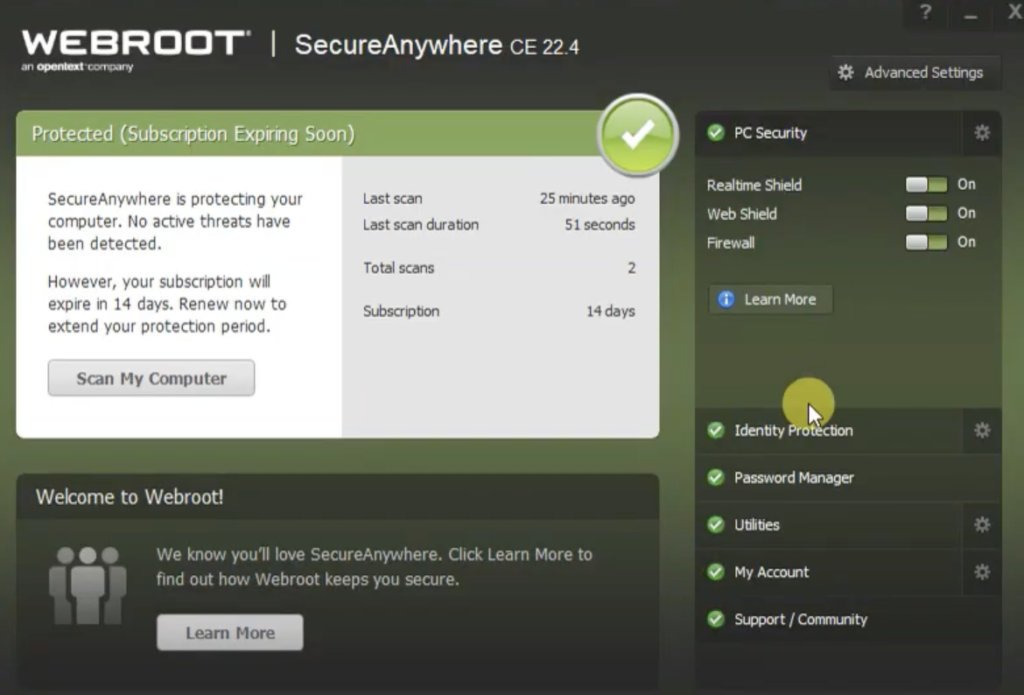
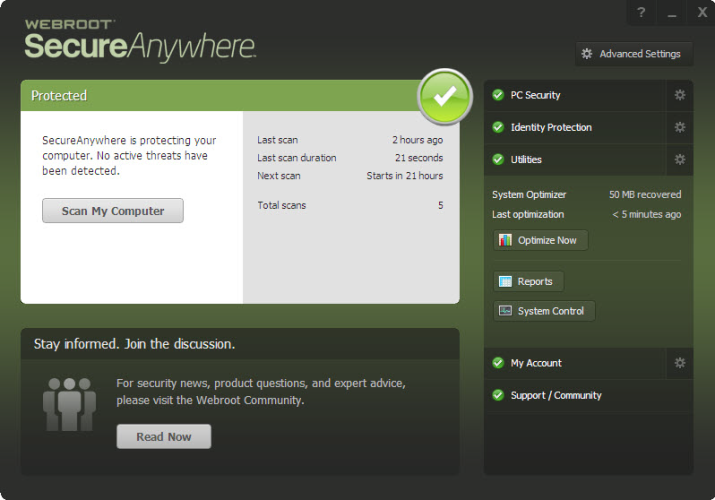
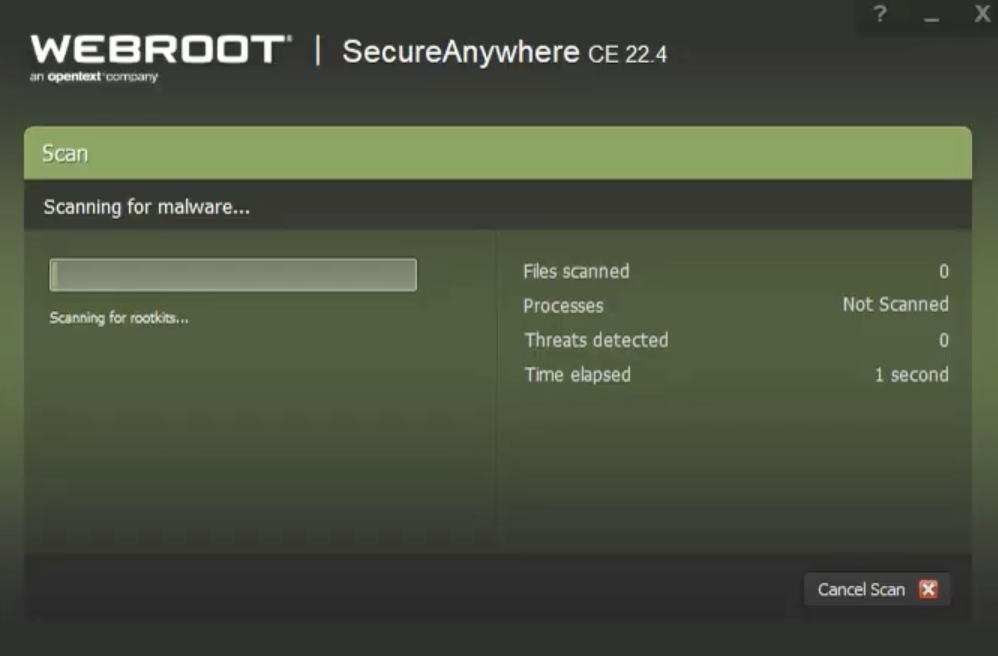
The main window shows recent scan statistics and offers an on-demand scan option, letting users check their system’s security status at a glance.
Beyond the friendly design, Webroot Antivirus also supports manual program protection, where users can add programs to a list for extra security. Some users have found this step a little awkward to complete, but the interface as a whole stays simple and easy to use for everyone, so the occasional rough edge does not get in the way of everyday use.
Conclusion
Webroot Antivirus provides solid protection against a range of cyber threats. Alongside antivirus coverage, Webroot also includes antivirus and anti-malware defenses, aiming to cover your digital devices broadly. The software adds real-time threat identification and efficient system performance to improve internet security for consumers and businesses. With its easy-to-use interface and cloud-based security measures, Webroot is a useful tool for staying safe online across different platforms.
Webroot could be the option you need to protect your devices and personal information from cyber threats. With several plans available, including the Antivirus plan, Webroot Internet Security Plus, and Webroot Internet Security Complete, you can pick the one that fits your needs and budget.
While Webroot is a decent antivirus solution, it is worth weighing your own needs and preferences before you choose cybersecurity software. When comparing antivirus brands, look at factors such as performance, features, and pricing to find the option that fits you best.
(Image Source: the Webroot official website)
Frequently Asked Questions
Why is Webroot Antivirus important for cybersecurity?
Webroot Antivirus helps protect against viruses, malware, and cyber threats to keep your devices and data secure.
Can Webroot Antivirus prevent identity theft?
Yes, Webroot Antivirus can help prevent identity theft by safeguarding personal information and detecting fraudulent activities.
How does Webroot Antivirus contribute to safe browsing?
Webroot Antivirus ensures safe browsing by blocking malicious websites and warning users about potential online dangers.
Is Webroot Antivirus compatible with different operating systems?
Yes, Webroot Antivirus is compatible with various operating systems including Windows and Mac, Android, and iOS devices.
Does Webroot Antivirus offer real-time protection?
Absolutely! With real-time protection features, Webroot constantly monitors for threats and takes immediate action to defend your devices.
Related Articles

Cybersecurity
Best GDPR Compliance Software in 2026: Tools for Data Privacy Teams
Continue reading →
Cybersecurity
What Is Identity and Access Management (IAM)? A Plain-English Guide
Continue reading →

Cybersecurity
GDPR Compliance Checklist 2026: 15 Steps to Get (and Stay) Compliant
Continue reading →

Cybersecurity
Best Identity and Access Management Software (IAM) in 2026
Continue reading →