

Finding the right image for a project can be difficult, especially if you are not a professional designer. Stockimg.ai is an app built to help with exactly that, using AI image generation and a simple interface to speed up content creation.
This review walks through how Stockimg.ai works and how you can use it to generate high-quality images that match your needs, without a steep learning curve.
Key Takeaways
- Stockimg.ai is an AI-powered app that makes it easier to create custom images such as logos, wallpapers, illustrations, and posters.
- The app generates high-quality visuals quickly, with the option to upscale them to 4x resolution for extra clarity and detail.
- Users can guide the design by picking from different AI models such as portrait or Disney style and describing what they want for personalized results.
- Stockimg.ai includes data privacy features to protect user creations, including encryption of data in transit and support for data deletion requests.
- The platform is well received, holding an average user rating of 4.6 stars from over 3.96K reviews.
Overview of Stockimg AI
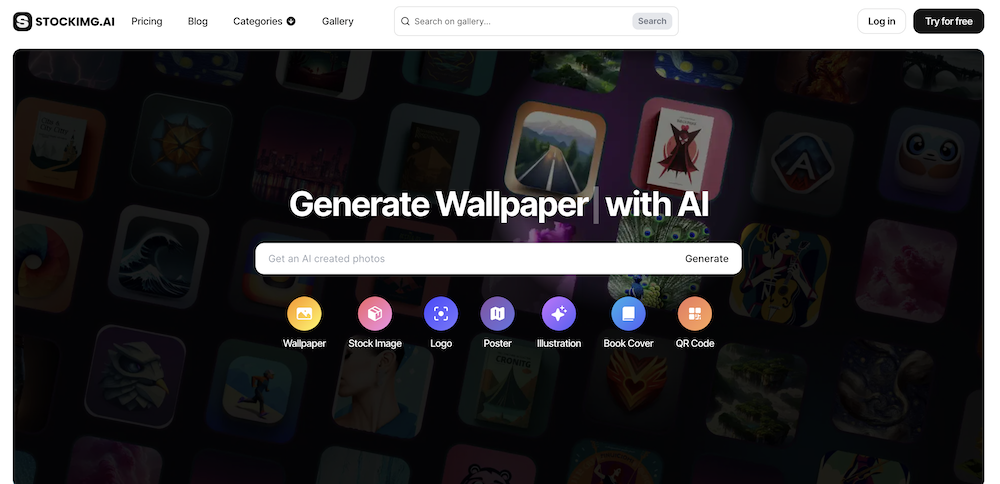
Stockimg.ai uses artificial intelligence to turn your ideas into finished images across a broad set of categories, from wallpapers and professional logos to illustrations and posters. The goal is to make image creation approachable for anyone, whether or not they have design training, so a marketer, a small business owner, or a hobbyist can all produce usable graphics.
The app has a straightforward interface that lets both beginners and experienced designers produce work without needing expert-level graphic design skills.
Making a custom image follows a short process: select a category, enter the details you want in the image, click generate, and let the AI produce the result. Because each request is generated from your own description, you get a fresh image built around your prompt instead of a reused stock template, and you can run the prompt again if the first result is not quite right.
The tool pairs this generation step with high-resolution output that is ready to share or use personally, and it protects your data with security measures such as encryption in transit.
Given the positive user ratings, it is easy to see why this tool appeals to creators who want quality graphics without a lot of friction.
Features of Stockimg AI Tool
Stockimg.ai combines AI-powered image generation with a broad set of design options, including logo generation, illustration, wallpaper design, and poster creation. Users can create high-quality custom assets for their digital media in one place.
Use Stockimg AI for AI-powered image generation
The core feature is AI-powered image generation from a text description. Describe the scene, character, or design you have in mind, and the app produces it for you.
With a few clicks, Stockimg.ai’s AI models turn your words into images. You can choose styles such as portrait for lifelike renderings, Disney for a playful look, papercut for bold silhouettes, or analogue for a more classic feel.
Each result is tailored to your prompt. GPU-enabled processing keeps generation fast, so you usually get a result within seconds, and 4x upscaling sharpens the detail when you need a larger file.
Stockimg.ai also puts data safety first: your creations stay yours, without unwanted sharing or misuse. With the basics of image generation covered, the next step is the wider set of design options that support your creative work.
Wide range of design capabilities
Image generation is only the starting point. Stockimg.ai adds a range of design options that cover different needs and visual styles.
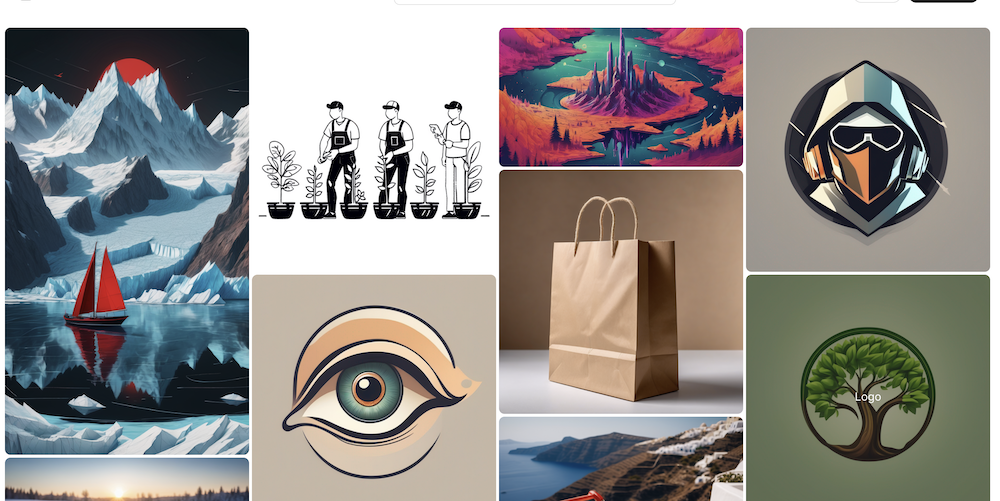
You can pick from many categories, including wallpapers, clean logos, detailed illustrations, arts, and professional-looking posters, which makes the tool useful for both personal projects and business assets.
That range means whether you are branding a business or decorating a digital space, there is an AI model suited to the job.
The unique AI models, such as portrait, Disney style, papercut art, and analog effects, give you room to personalize each image to your taste.
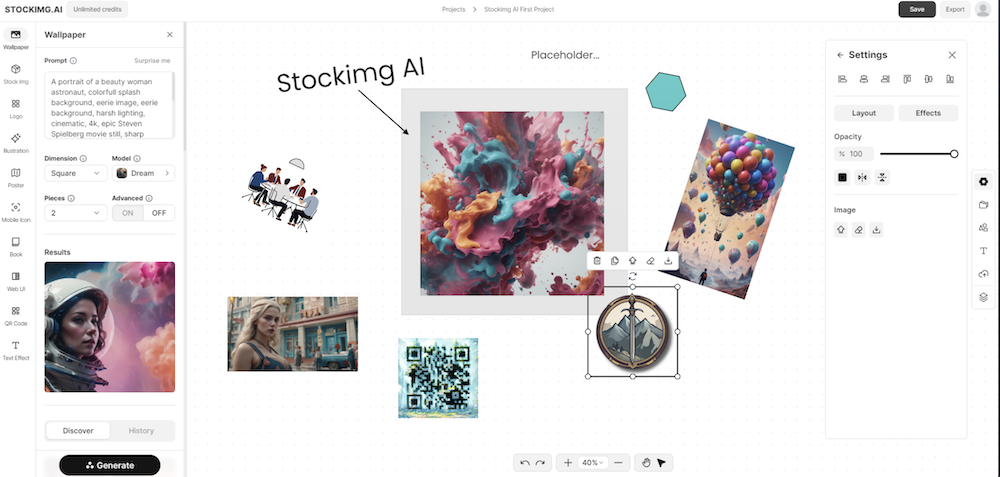
You stay in control by choosing a category and a model and then describing what you want, which effectively directs how the app draws the image. Once you click generate, the app builds a custom image around your prompt in full detail, with the option of high-resolution output for extra clarity.
Sharing your work is simple thanks to an easy download feature, so it is quick to save a finished image and pass it along.
Read more Use Postermywall to Create Professional Marketing Graphics and Videos Easily
Benefits of Using Stockimg.ai
Stockimg AI covers a many image needs, giving users the flexibility to work across categories such as wallpapers, logos, illustrations, arts, and posters.
With access to several AI models, including portrait, Disney, papercut, and analog designs, users can give their creations distinct styles that fit a specific vision.
The app’s simple interface lets users describe the image they want and generate a tailored visual within seconds, which keeps the whole process quick even when you are iterating on several versions of an idea.
Stockimg AI also lets users enhance their work by upscaling it to 4x resolution. That keeps images clear and sharp when they are shared with others or downloaded for personal use.
Alongside the creative side, the app takes data safety seriously by encrypting data in transit and offering options to request data deletion. User ratings averaging 4.6 stars from over 3.96K reviews back up the platform’s reliability in meeting user needs.

Conclusion
Stockimg.ai gives you a fast way to create images, logos, posters, and illustrations using AI technology. It is a practical option for adding high-quality custom assets to your digital content when you want a professional, polished look.
If you want to try AI-powered image generation, Stockimg.ai lets you turn a written idea into a finished image with just a few clicks. Between the choice of AI models, the 4x upscaling, and the data privacy options, it is worth a look for most content creators who need graphics on a regular basis.
Related Articles
AI Software
How Can SaaS Companies Use Legal AI to Move Enterprise Deals Forward?
Continue reading →
AI Software
Fireflies vs Otter 2026: Pricing, Limits and Which to Pick
Continue reading →
AI Software
AI in Finance: 12 Use Cases for Corporate Finance Teams in 2026
Continue reading →
AI Software
Copilot vs ChatGPT for Business (2026): Price, Security and Use Cases
Continue reading →