

Are you tired of sifting through online survey tools that do not meet your research needs? Inworks Inquery Survey Server is built for feedback collection, and it is made for complex and high-precision tasks rather than basic questionnaires.
This guide walks through its main features, from building sophisticated surveys to gathering usable data with less effort. Read on to change how you approach online surveys.
Key takeaways
- Inworks Inquery Survey Server is a feature-rich tool for creating complex and customizable online surveys with an easy-to-use interface.
- It prioritizes data security and complies with GDPR regulations, providing encrypted SSL transfers and secure storage to protect user information.
- The platform supports team collaboration through role – based permissions and handles multilingual surveys for global reach.
- Real-time analysis features turn survey responses into usable insights without requiring in-depth technical skills.
- Getting started involves simple steps: account creation, project setup, designing the survey with Viper or HTML/CSS customization, launching it, and monitoring feedback.
Understanding Inworks Inquery survey server
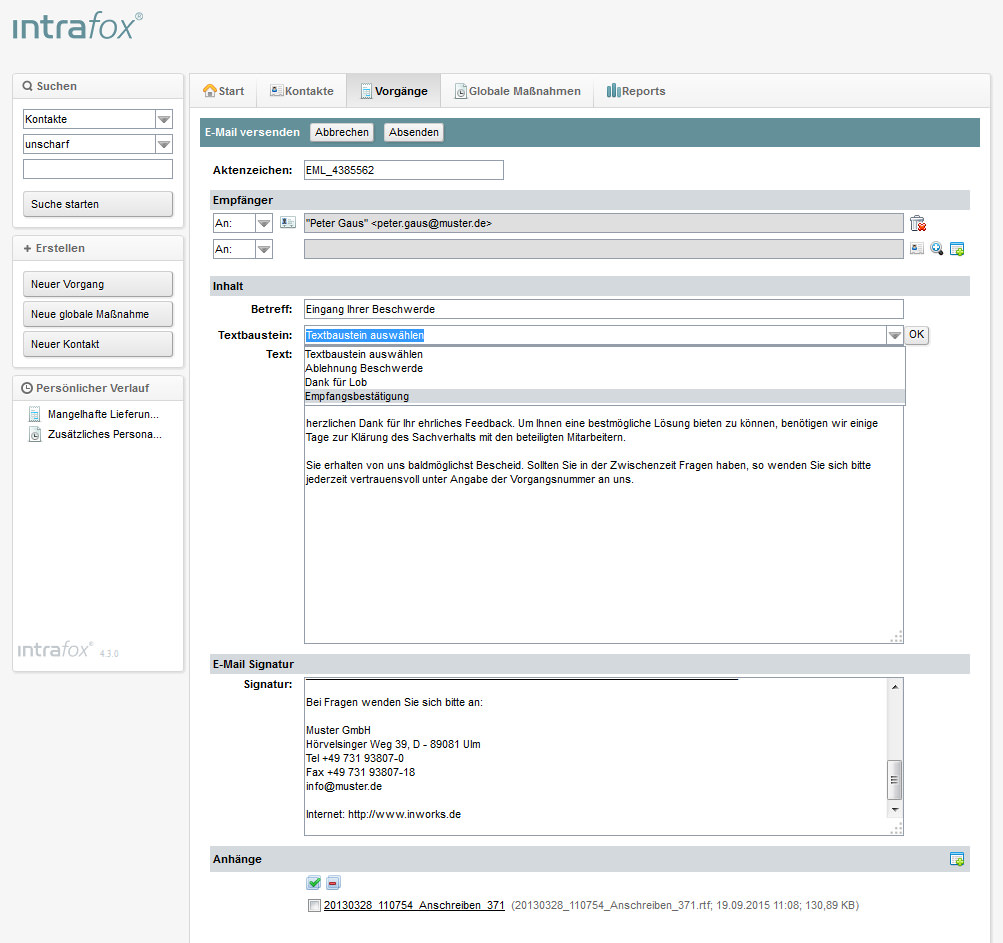
Inworks Inquery Survey Server is a feedback management system built to handle complex survey tasks. This German-based platform adds strong security protocols and GDPR compliance, so user data stays protected under strict privacy regulations.
Its web-based survey tools let users create and distribute surveys without extensive programming knowledge, thanks to the Viper programming interface.
Companies that want a flexible way to gather insights will find the server’s 360-degree feedback tools effective. These tools support a full evaluation from multiple perspectives within an organization, so feedback is not limited to a single source.
For projects that need confidentiality, such as employee reviews or sensitive research, the server’s anonymous survey capabilities protect participant privacy while keeping the data intact and reliable.
The Software as a Service model gives users ongoing access to current features without large investments in IT infrastructure, and without the burden of ongoing maintenance on their own systems.
Features and benefits of using Inworks Inquery survey server
Inworks Inquery Survey Server helps you create, manage, and analyze online surveys. It also protects respondent privacy through data security and GDPR compliance.
Ease of use and functionality
Getting the most out of a survey tool should not come with a steep learning curve. Inworks Inquery Survey Server stands out for its user-friendly interface, which lets users set up detailed feedback projects quickly and without friction.
You do not need deep technical knowledge to begin. You can build customizable surveys with the Viper programming interface, or adjust the designs with HTML/CSS so they match your brand identity.
That level of customization means your survey looks and works exactly the way you want it to, whether you are collecting customer feedback or running a piece of complex research.
The web-based platform also supports team collaboration through role-based permissions, so only authorized staff can reach sensitive data or specific functions.
Multilingual support lets your surveys work across different cultures and regions without language barriers, so respondents can answer in the language they know best. As responses come in, the real-time analysis features give you immediate insight into the data, turning raw information into usable intelligence quickly.
Security measures and compliance matter before you trust any platform with your data. Here is how Inworks Inquery Survey Server handles those concerns in practice.
Data security and GDPR compliance
Inworks Inquery Survey Server protects your survey data with strict security protocols at every stage. Hosted in Germany, it operates under stringent privacy regulations that are aligned with GDPR compliance standards, so your data stays within a well-regulated environment.
Every piece of information is protected through encrypted SSL data transfer and secure storage. Confidential survey results stay private and are handled with care.
The server also includes an advanced permission system and strong password management practices, so only authorized personnel can reach sensitive data. Secure data management is central to how Inworks Inquery handles confidentiality, and it gives you control over who can view or change your survey information.
With encryption in place for both stored and transferred data, you get peace of mind knowing each respondent’s details are kept away from unauthorized access.
How to get started with Inworks Inquery survey server
To get started with Inquery Survey Server, you can follow these straightforward steps:
- Create an account on the platform, providing details such as email and password.
- Set up your project, specifying the type of survey, target audience, and other relevant parameters.
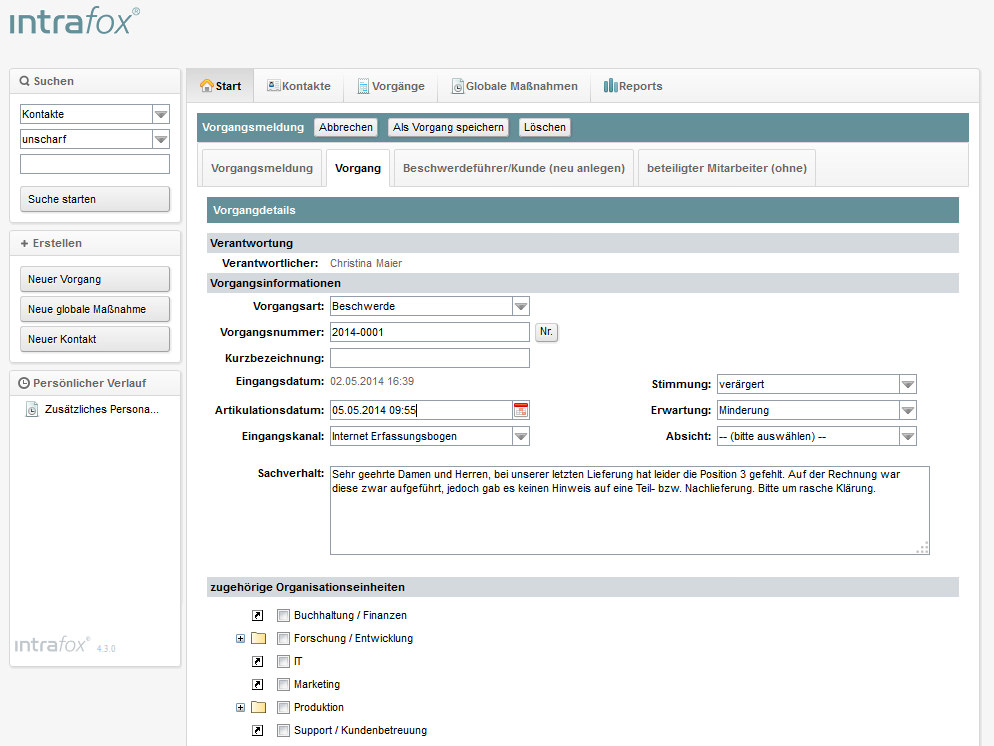
- Design your survey using the interface, customizing question types and layout to meet your requirements.
- Use the security features in Inquery Survey Server to ensure data protection and GDPR compliance.
- Launch your survey and monitor real – time responses, using the platform for insightful analysis.
Conclusion
Inworks Inquery Survey Server lets you run complex feedback projects without hassle. It is a highly flexible and GDPR-compliant tool based in Germany, so data security and privacy are built in from the start.
The server’s web-based solutions, Viper programming interface, and extensive security features cover a wide range of survey administration needs. Use the Inquery Survey Server for its comprehensive filtering options, real-time evaluation capabilities, and integrated programming interface that automates complex feedback processes end to end.
Expert support is available for intricate project requirements, so working through this guide can help you get more out of your online surveys and run them with more confidence.
For detailed insights and survey strategies for your hospitality business, visit LGC Hospitality Services.

- Independent picks for exactly what you just read about
- Matched to your team size & needs
- Vendors don't pay for placement
Step 1 of 4
How big is your team?
We tailor recommendations to companies your size.















Related Articles
AI Software
Is Square Up POS the Right Point of Sale System for Your Business in 2026?
Continue reading →
Finance & Billing Software
Payment Processing Software: A Detailed Guide for Merchants
Continue reading →
Finance & Billing Software
Payment Gateway Software: A Complete Guide for You
Continue reading →
Finance & Billing Software
Benefits of ProPay for Secure Credit Card Payments
Continue reading →