

Hypefury is a social media automation tool built for creators and businesses that want to grow their audience on Twitter. It brings tweet and thread scheduling, evergreen content recycling, engagement analytics, and automated direct messaging together in one dashboard. The platform fits solo entrepreneurs as well as larger teams that need to keep a steady posting cadence without spending hours inside the app each day.
Pricing runs from a free version with basic functionality up to Standard and Premium plans that add tools such as Instagram integration and sales automation through Gumroad. Every plan comes with a 7-day trial that asks for no credit card, so you can test the service before you pay. This review walks through Hypefury’s features, plans, engagement tools, main competitors, and the pros and cons worth weighing before you sign up.
Key takeaways
- Hypefury specializes in Twitter management, with features like tweet scheduling, thread previews, evergreen content recycling, engagement analytics, and automated direct messaging to build your social media presence.
- Pricing ranges from a free version with basic functionality to Standard and Premium plans that provide advanced tools such as Instagram integration and sales automation through Gumroad.
- You can test Hypefury’s capabilities with a 7-day trial on any plan without entering credit card details, so exploration carries no risk.
- The platform sets itself apart from competitors by targeting audience growth on Twitter while also supporting other social media platforms including Facebook and Instagram.
- Users praise it for ease of use and efficient automation, but should note limitations like tweet length restrictions that come from Twitter’s API constraints.
Hypefury features
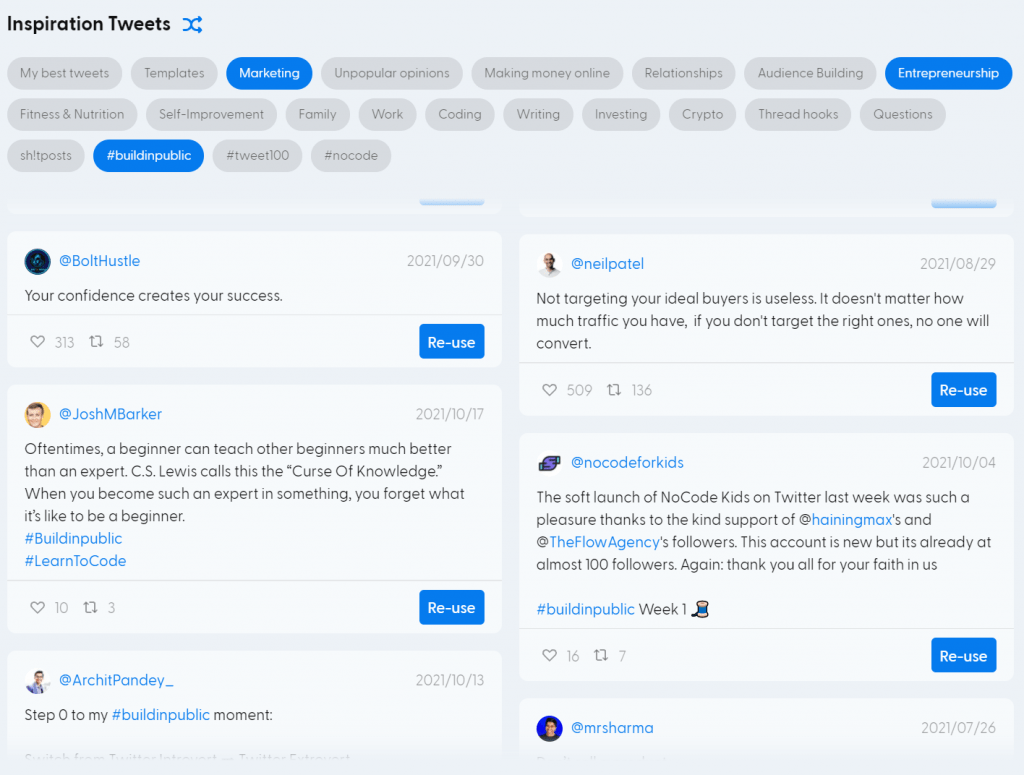
Hypefury bundles a set of tools that help you manage social media through automation and analytics. Each feature covers a specific part of the workflow, from planning content in advance to measuring how it performs, so you can post on a schedule and still keep track of what reaches your audience. The features work together rather than in isolation, which lets you plan content, publish it at the right time, and engage followers from the same place. The result is a way to stay active and connect with your audience without checking the app throughout the day.
Scheduling tweets and social media posts
Hypefury lets you schedule unlimited tweets and threads so content planning gets easier. You write messages in advance and set them to post at the times when your audience is most likely to engage.
This feature supports social media management and makes sure your content still reaches followers during off-hours or on busy days when you cannot post live.
The real-time thread preview helps with content creation. You can compose a series of tweets and see how they will read in the timeline before they go live, which gives you a chance to fine-tune the message and its impact.
When writer’s block sets in, the platform offers prompts and can generate tweets ready to schedule through its quote generator. Managing your output this way keeps visibility up and lets you stay in regular contact with your audience. Because you can queue a batch of tweets and threads at once, a single planning session can cover several days of posting, which frees up time for the rest of your work while your account keeps running.
Evergreen content recycling
Evergreen Content Recycling puts your best posts back to work. It identifies the tweets and updates that resonate most with audiences and uses analytics to make sure these proven performers reach new followers.
With this feature you do more than share content once; you amplify strong messages across up to 30 social media accounts.
Recycling evergreen content keeps your brand present without constant reinvention. The platform reposts high-quality tweets by scheduling retweets automatically, so timeless insights and useful ideas get attention again rather than disappearing after one run.
This approach saves time while your account stays active online. Instead of writing new posts from scratch to fill quiet periods, you let past content that already worked circulate again, so a strong tweet can reach followers who missed it the first time.
Engagement analytics
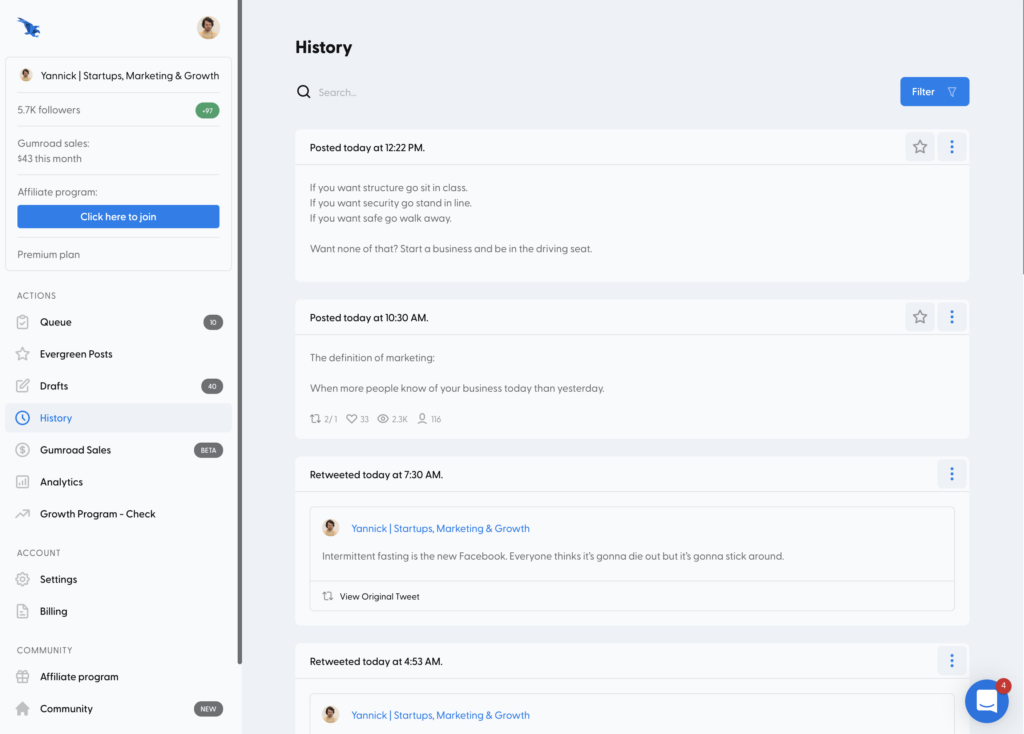
Knowing how your audience behaves matters for social media results, and Hypefury’s engagement analytics give you the data to sharpen your strategy. The Premium plan tracks likes, retweets, and impressions on Twitter, metrics that show how well your content is working.
These numbers let you see which posts land with followers so you can adjust future tweets accordingly.
Hypefury presents these performance indicators in a clear, readable format. With that data on hand, tuning your social media management becomes an informed decision instead of guesswork.
You can tell when to schedule reposts for the most reach and how to tailor direct messaging campaigns so they generate real interactions with your audience. Over time, the record of likes, retweets, and impressions builds a picture of which topics and formats hold your followers’ attention, which makes each round of content more deliberate than the last.
Automatic direct messaging
Hypefury handles part of your outreach with automatic direct messaging. You can set up scheduled DMs to greet new followers or send thank-you messages right away, with no manual work after the initial setup.
The tool can reach hundreds of contacts on your behalf, which keeps your networking going around the clock without you sending each message by hand.
DM automation means fewer missed chances to engage and shorter response times. Hypefury’s Premium plan includes this feature, so building and keeping relationships on Twitter takes less effort.
Whether you send automated outreach or nurture leads, these direct message tools help you grow your audience and stay visible in a fast-moving digital market. Since the messages fire on their own once configured, you can welcome new followers or follow up with contacts at scale, which would otherwise take steady manual effort each day.
Content calendar and inspiration panel
Beyond direct messaging, Hypefury also covers content organization and creative stimulation. The content calendar simplifies scheduling with a clear interface for planning posts in advance.
With this visual planner, you can manage tweet scheduling and Instagram updates in one place and keep your posting consistent.
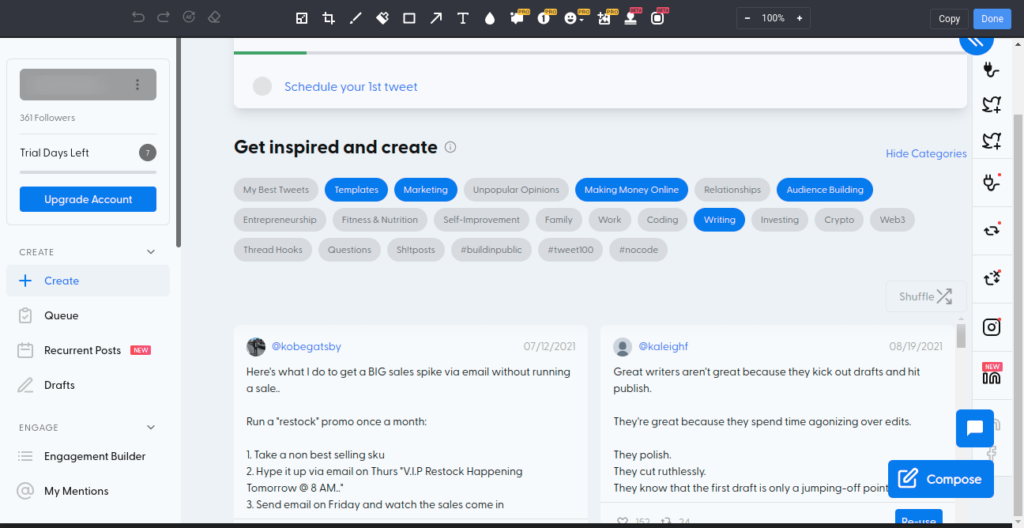
The Inspiration Panel gives creators fresh ideas by suggesting angles based on trending topics and content with viral potential. Paired with the calendar, it helps with content curation and lines up your posting schedule with peak engagement windows.
Together these tools make posting easier to plan and organize. Seeing your planned posts laid out on a calendar makes gaps and overlaps easy to spot, and the idea suggestions mean you rarely start a posting session with a blank slate.
Hypefury pricing plans
The cost of a tool like Hypefury matters for businesses that watch what they spend on social media management. Hypefury’s pricing plans cover different needs and budgets, from a basic free version to Standard and Premium options, each with its own set of features aimed at improving your online presence at a reasonable cost.
Free version availability
Hypefury lets you start with social media automation at no charge. The free version is more than a teaser; it lets you connect one Twitter account and use viral tweets, thread hooks, and tweet templates.
It works well as a starting point for individuals or small businesses that want to build an online presence without paying upfront.
Trying Hypefury does not require payment first. You can sign up for any plan and use a 7-day trial that asks for no credit card details, so you can judge the tool before you commit.
If your needs change, switching plans is straightforward, so the platform can scale as your business grows. You can begin on the free version to learn the basics, then move up to a paid tier once you need scheduled automation, more connected accounts, or the analytics that come with the higher plans.
Standard and premium plan offerings
Hypefury’s tiered pricing lets businesses pick a service level that matches their strategy and budget. Both the Standard and Premium plans offer a set of tools aimed at improving online presence and engagement.
- Free Version Availability: Use the basic functions at no cost and get a feel for Hypefury’s capabilities during the 7-day trial period.
- Standard Plan Inclusions: This plan builds on the free version with more features. Users get scheduled tweets, social media post automation, direct messaging, and content calendar access. It suits smaller businesses or individual entrepreneurs and keeps costs low while adding real value.
- Premium Plan Benefits: The most complete option includes everything in the Standard plan plus premium features such as Instagram and Facebook integration, analytics for data tracking, and sales automation tools that work with Gumroad.
- Exclusive Features With Premium: Premium subscribers get advanced options like automatic reposting of evergreen content and detailed engagement analytics covering likes, retweets, and impressions on Twitter.
- Trial Period Across Plans: Both the Standard and Premium plans come with a no-commitment 7-day free trial that does not require credit card details upfront.
How Hypefury enhances social media engagement
Hypefury’s toolset helps social media users raise engagement across platforms with features like automated retweets and planned tweet sequencing. These tools give your content more visibility and keep interaction with your audience steady.
Auto retweets and follow-up tweets
Auto Retweets and Follow-Up Tweets are two features Hypefury uses to raise your engagement. They are part of a set of tools that automate your Twitter strategy and increase your visibility.
- Boost Visibility: Auto retweeting puts your content back in followers’ timelines.
- Maintain Momentum: Schedule follow-up tweets to keep a conversation going after the first post so you stay relevant and interact with your audience.
- Increased Interaction: Well-timed retweets can bring more likes, shares, and comments, which broadens your reach.
- Smart Scheduling: Set the best times for auto retweets and follow-ups based on when your audience is most active, using the Twitter analytics Hypefury provides.
- Efficient Engagement: With automation in place, your profile stays active while you focus on other business tasks.
- Custom Campaigns: Build specific campaigns for auto retweets and follow-ups to target different follower segments or cover different topics.
- Performance Tracking: Watch how auto retweets and follow-up tweets perform with Hypefury’s impressions tracking.
- Combined Use: Run these features alongside tweet thread scheduling for fuller Twitter management.
Quote generator for quick content
Hypefury makes it easier to write engaging posts with its quote generator. Content creators can curate and schedule inspirational quotes, which saves time and keeps their presence consistent.
The tool draws from viral tweets across 14 niches and offers templates that have already caught an audience’s interest. That lets you produce fresh content quickly that fits your followers.
The platform ties this quote generation into tweet scheduling, which supports your wider social media plan. With these features, you can keep your Twitter feed active without constant manual input.
Whether you use the free plan or the fuller Premium option, quick content creation is available for updating your corporate Twitter handle. Pulling from formats that have already performed gives you a starting point when ideas run low, and scheduling those quotes ahead keeps the feed moving even on days when you do not sit down to write.
Comparing Hypefury with other social media tools
The social media management market is crowded with tools competing for attention, yet Hypefury stands apart with features aimed at active users. To sort through the options, a close comparison shows how Hypefury measures up against other well-known platforms and helps you make an informed choice for your Twitter strategy and beyond.
Hypefury vs. tweet hunter
Hypefury covers a range of needs with its Free, Standard, and Premium pricing plans. It offers features from tweet scheduling to analytics that track likes, retweets, and impressions on Twitter.
This mix makes Hypefury a flexible tool for businesses that want to grow their online presence. With support for Twitter, Instagram, and Facebook, it keeps your posting consistent across channels.
Tweet Hunter comes up short here because it lacks comparable features and the specific analytics Hypefury offers. Businesses that need multi-platform support may find Tweet Hunter limiting.
Hypefury’s feature set shows an edge with tools like engagement analytics and automatic direct messaging, which change how companies interact with their audience and measure results online.
Hypefury vs. typefully
After Tweet Hunter, it helps to see how Hypefury compares with Typefully. Both tools handle Twitter management and content scheduling, but they take different paths.
With its analytics and automatic reposting of top tweets, Hypefury aims to keep your best content visible and drive engagement. Typefully focuses on writing tweet threads and offers a distraction-free space that many writers like for its simplicity and focus on text.
Hypefury goes past Twitter alone by integrating with Instagram, Facebook, LinkedIn, and Gumroad for sales automation, which makes it a fit for people who manage several parts of their social media strategy at once.
It supports delayed responsive tweeting and CSV uploads, which lets you plan ahead without being tied to real-time posting. Typefully sticks to improving your Twitter presence through cleaner drafting but does not offer the broader platform support or the advanced features in Hypefury’s Premium plan.
Choose based on whether you want an all-in-one tool or something built just for tweeting. If most of your work happens on Twitter and you value a clean writing space, Typefully may be enough. If you also post to Instagram, Facebook, and LinkedIn and want to sell through Gumroad, Hypefury covers more of that ground in one place.
Hypefury vs. hootsuite
Hypefury and Hootsuite cover different sides of social media management. If your goal is audience growth on Twitter, Hypefury’s tools like viral tweet inspiration and the quote generator may suit your strategy.
It helps you keep a steady online presence with features that keep content fresh. Hootsuite offers a wider set of services that span over 35 networks for posting, monitoring, and analytics.
When you choose between them, weigh the scale and range of your social media needs. Do you value targeted functionality or do you need broad platform coverage? Hypefury appeals more for its Twitter focus and pricing that suits smaller businesses or individual entrepreneurs who want to make an impact on platforms like Twitter, Instagram, and Facebook.
For larger organizations that need control across many channels with support options such as 24/7 helpdesk assistance and staff training programs, Hootsuite is a strong contender. Its wider network coverage and team features fit companies that manage many accounts, while Hypefury keeps its edge for creators and small teams focused on Twitter growth.
Pros and cons of using Hypefury
Assessing Hypefury means looking at its strengths, such as stronger social media engagement through automation, alongside drawbacks like platform limitations.
This balanced view helps you make a decision that fits your own digital marketing strategy and goals.
Advantages of Hypefury for social media automation
Hypefury takes over your social media scheduling so you can plan tweets and posts with ease. Its system lets you map out a series of messages ahead of time, which keeps your presence steady even when you are busy with other work.
This automation covers content creation and backs up your engagement strategy without constant manual input.
With Hypefury’s analytics on hand, measuring the impact of each tweet is straightforward. You can track likes, retweets, and impressions to see what works best with your audience.
For those who want to make money directly from Twitter, sales automation through Gumroad is built in, so you can promote and sell products alongside your regular posts. Switching plans or choosing annual billing also brings notable cost savings, which helps budget-conscious corporate users who want flexibility in their social media management. Taken together, the scheduling, analytics, and sales features cover planning, measurement, and revenue from a single account.
Limitations and considerations
Hypefury offers features that suit active social media marketers, but there are limits worth noting before you add it to your workflow.
One key drawback is that it cannot schedule long posts on Twitter, which may be a dealbreaker for people who rely on detailed content to hold their audience. This restriction comes from Twitter’s API constraints, so not every function can be automated.
As you weigh Hypefury for your business, think about how often you use long-form narratives in your social media strategy. Power users who want to optimize every tweet or post with detailed analytics and automated engagement tools may find real value here despite this limit.
Casual or lighter users may decide the platform may not warrant the added cost against their less frequent use or simpler needs. Weighing these factors will guide a sound decision about whether Hypefury belongs in your digital marketing toolkit.
Hypefury reviews and expert opinions
User feedback and professional insight both matter when you judge Hypefury as a social media tool. Users point to its easy interface and useful features that help content creators with efficient scheduling and features that lift engagement.
Testimonials and feedback from current users
Hypefury has drawn attention for its scheduling and automation capabilities. Current users often praise these features, though some have flagged performance issues.
- Customer testimonials often point to the intuitive design that simplifies social media management.
- Ease of use comes up again and again in feedback, with many users noting the straightforward interface saves time.
- Reviews and ratings from various professionals show a high level of satisfaction with Hypefury’s service.
- Scheduling and automation earn particular praise for keeping an account active without manual work.
- Some users note performance issues, including occasional lag, which mark areas where Hypefury could improve.
- Limits on posting frequency come up as a concern for those who run high-volume accounts.
- Despite these issues, the overall experience is reported as positive, which encourages others to try Hypefury.
- Expert reviews suggest watching for updates and new features that may address current limitations.
Hypefury alternatives and how they compare
Several strong tools serve as alternatives to Hypefury. These platforms offer different features and pricing that may suit certain business needs better. The table below shows the best alternatives to Hypefury and how they compare with each other.
| Tool | Key features | Price range | Platform support | User interface |
|---|---|---|---|---|
| Tweet Hunter | AI-powered tweet creation, advanced analytics, threaded tweets | $49 – $99 per month | Intuitive | |
| Typefully | Clean writing experience, thread scheduling, analytics | Free – $10 per month | Minimalist | |
| Hootsuite | Complete platform integration, bulk scheduling, team features | $29 – $599 per month | Twitter, Facebook, Instagram, LinkedIn, and more | Feature-rich |
| Buffer | Content publishing, engagement data, team collaboration | $15 – $99 per month | Twitter, Facebook, Instagram, LinkedIn, and more | Easy-to-use |
| LateS | Content planning, visual Instagram planner, analytics | $15 – $40 per month | Twitter, Facebook, Instagram, LinkedIn, and more | Visual & Interactive |
Each of these platforms brings features that cover different parts of a social media strategy, from analytics to content creation. As you review these alternatives, consider how they fit your goals for audience growth and engagement. Next, we look at user experiences and expert opinions on Hypefury and its alternatives.
Conclusion and recommendations
Hypefury supports your social media strategy with a clear Twitter focus and multi-platform reach, which makes it a capable tool for online engagement.
Look at its plans to match your business needs, from free trials to premium options. Compare its features against other tools on the market and try its social media management for yourself.
With that information, you can make a decision that improves your brand’s digital presence. For creators and small teams that spend most of their effort on Twitter, the free trial is a low-risk way to see whether the scheduling and automation earn a place in your routine before you pay for a plan.
(Image Credit: Hypefury)
FAQs
1. What is Hypefury?
Hypefury is a social media automation tool that helps schedule posts, grow your audience, and increase engagement on platforms like Twitter.
2. How does Hypefury help with Twitter growth?
Hypefury automates posting and retweets to keep your account active and reach more people.
3. What features does Hypefury offer?
Hypefury offers features like tweet scheduling, evergreen content recycling, performance analytics, and automatic reposting of popular tweets.
4. How much does it cost to use Hypefury?
Prices for Hypefury vary, starting from a basic free plan up to premium plans that usually carry monthly subscription fees based on the features included.
5. Are there any good alternatives to Hypefury?
Yes, some popular alternatives include Buffer, TweetDeck, and SocialBee, which offer similar scheduling and automation services for social media management.

- Independent picks for exactly what you just read about
- Matched to your team size & needs
- Vendors don't pay for placement
Step 1 of 4
How big is your team?
We tailor recommendations to companies your size.















Related Articles

Best Tools
Best Social Media Management Tools in 2026: Top Platforms for Scheduling, Analytics, and Engagement
Continue reading →

SaaS Insights
Best Social Media Management Software in 2026: Complete Guide for Every Team Size
Continue reading →

Social Media Tools
FastMoss Review 2026: Features, Pricing, and TikTok Shop Analytics Guide
Continue reading →

Best Tools
Best Social Media Management Tools for 2026: Top Picks for Smarter Campaigns
Continue reading →