
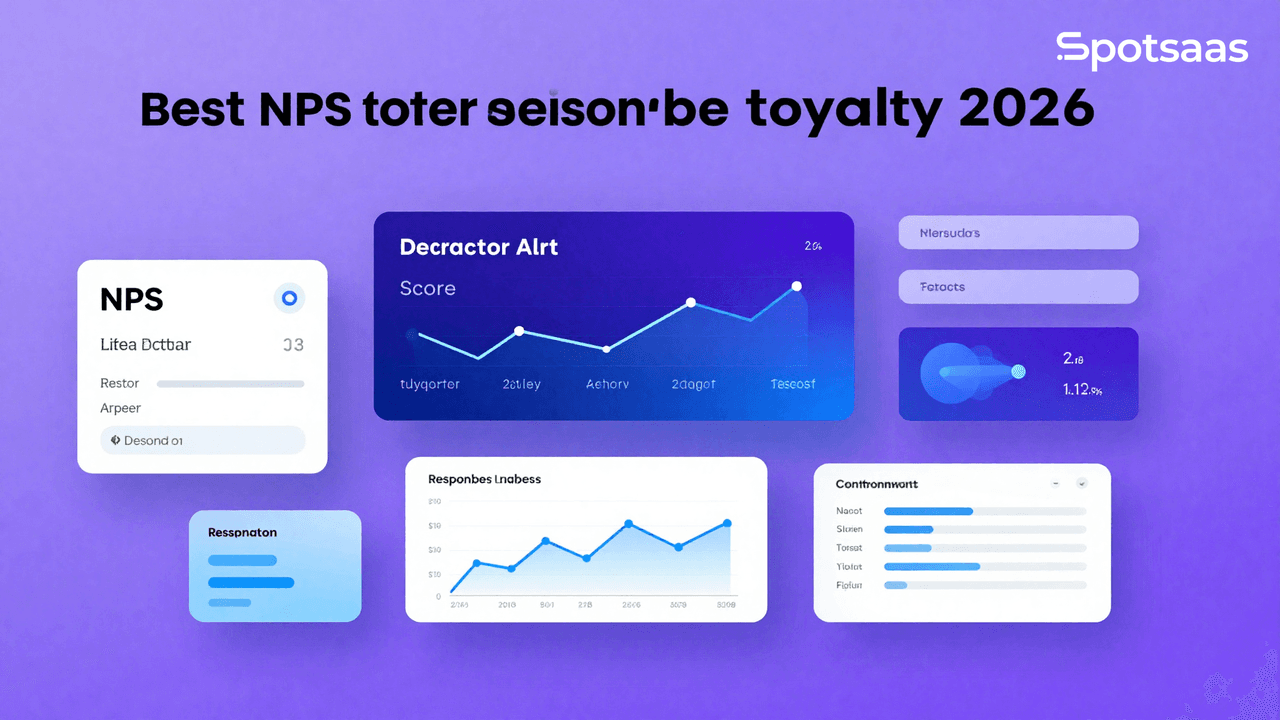
What is NPS software and how does it work?
NPS software measures how customers feel about your business and how loyal they are, using one core question: how likely are they to recommend your product, service, or brand to others? It speeds up the work of creating, distributing, and analyzing NPS surveys, turning the responses into concrete ideas for improving the customer experience and building loyalty.
On its own, a single NPS number doesn’t tell you much. What makes the software useful is everything built around that number: the automated distribution, the segmentation, the alerts on low scores, and the reporting that turns hundreds or thousands of responses into a handful of decisions your team can actually act on.
Why should you use Net Promoter Score (NPS) software?
Getting deep insights from NPS data
NPS software helps teams understand the nuance behind customer feedback that a plain survey format alone can’t capture. It highlights the specific areas that need attention, so teams know what to improve rather than guessing. That feedback can then be used to build targeted campaigns that improve the customer experience.
Identifying detractors and creating loyalty loops
NPS tools make it easy to spot dissatisfied customers, known as detractors. That makes it easier to find pain points and build personalized experiences that strengthen loyalty.
Turning promoters into brand advocates
Promoters — the customers who give your brand the highest scores — tend to be the most vocal ones. NPS platforms let you track these loyal customers and their engagement over time. Encouraging them to refer others is one of the most effective ways to generate word-of-mouth growth.
Making feedback easier to manage
The software automates collecting and managing feedback from sources like email, SMS, and in-app surveys. That cuts down on manual work, reduces mistakes, and keeps follow-up communication consistent.
Acting on feedback with real-time visibility
NPS tools provide dashboards and reports that turn open-ended written feedback into usable data. That lets teams see what’s actually working for customer experience and build customer-centered strategies around it, instead of relying on gut feel.
What are the key benefits of using NPS software?
Spotting churn risks before they escalate
NPS software lets businesses catch dissatisfied customers (detractors) early and address their issues before they escalate. Resolving problems quickly reduces customer defection and builds long-term loyalty.
Strengthening loyalty through promoters
Identifying promoters — delighted customers likely to endorse your brand — lets you build relationships with them and generate referrals. That strengthens the customer relationship and drives organic growth through word-of-mouth.
Using NPS insights to drive business improvement
The NPS survey platform shows customer sentiment based on data and pinpoints specific areas for improvement. These insights help prioritize the changes that matter most, improving products, services, and support.
Monitoring feedback in real-time
Real-time reporting lets companies check NPS scores and feedback as it comes in. Seeing a trend or shift in customer opinion as it develops means faster reactions to problems, which keeps satisfaction levels high.
Simplifying the feedback cycle
NPS software with automated survey distribution and response collection simplifies feedback across multiple channels — email, SMS, or in-app notifications. That cuts down on time, reduces manual work, and keeps communication with customers steady.
Turning loyalty into a competitive advantage
A high NPS score signals the strength of customer loyalty, which can set you apart in a competitive market. Monitoring and improving NPS keeps your company customer-centric and positions it as a reliable brand in your sector.
Aligning teams with integrated data
Businesses that combine NPS data with CRM, marketing, or support platforms get a single view of customer feedback. That makes decisions across departments more data-driven, so teams work from the same picture instead of separate, conflicting ones.
What are the most important features of NPS software?
Customizing surveys to match your brand identity
Customizable surveys let businesses design feedback forms that match their brand identity — adding logos, choosing brand colors, and writing specific questions rather than using a generic template. That personal touch builds trust and improves response rates. Testing different survey versions also helps keep questions relevant to your specific business goals and the type of interaction or buyer relationship involved.
Improving survey delivery with automated workflows
Automated workflows handle repeat survey distribution by sending them out at set points — after a purchase or a customer service call, for example, or on a regular schedule to track sentiment over time. That speeds up the process and cuts down on manual mistakes.
Automation can also handle the small follow-up tasks: sending a thank-you email to respondents, or flagging a low score so the customer support team gets pulled in immediately, saving time and improving the efficiency of the whole process.
Tracking performance with real-time reporting
Real-time reporting lets businesses pull data instantly instead of waiting for a survey campaign to close out. The dashboard updates as responses come in, so teams can spot trends and patterns immediately — a sudden uptick in negative comments can be addressed before it gets worse. That same real-time visibility also helps managers stay on top of pivotal moments like product launches, so they can respond quickly when something goes wrong.
Analyzing customer feedback with built-in tools
Reading through open-ended feedback by hand takes a long time. Sentiment analysis and keyword tagging speed this up: if a cluster of unhappy comments all mention slow delivery, the software groups them automatically so the pattern is easy to spot. That helps businesses identify common issues or strong points and prioritize what matters most, alongside a top-line NPS score that gives a fuller picture of customer experience.
Connecting NPS data across your tech stack
The ability to integrate with tools like a CRM, email marketing platform, or helpdesk system is a major asset. NPS responses can be mapped directly to customer profiles in a CRM, giving a complete view of that customer’s relationship with the brand. That kind of integration pulls feedback into one place that sales, support, and marketing can all work from, instead of each team seeing a partial picture.
Making surveys more relevant with personalization
Personalization goes beyond just adding someone’s name to a survey. It means tailoring questions to where a customer is in their journey with your brand — a long-time customer might get loyalty and retention questions, while a new one gets asked about their onboarding experience. Targeting the questions this way isn’t just a nicer experience for the respondent; it also makes the resulting insights more relevant and actionable, and tends to produce more honest, detailed answers.
Responding quickly with alerts and notifications
Real-time alerts and notifications act as a safety net for customer satisfaction. When a customer scores 0–6, the system can immediately notify the relevant team so they can deal with the issue while it’s still fresh — turning a potential detractor back into a loyal customer. The same alerts work in the other direction too: flagging positive developments early lets teams celebrate wins and apply what worked to other parts of the business.
Learning from historical NPS trends
NPS scores tracked over time show whether a business unit’s strategy is working or needs to change. Comparing historical data can reveal, for example, whether new customer service training actually moved the needle on NPS. Looking across periods also helps separate a seasonal blip from a real shift caused by something the business changed.
What types of NPS software tools are available today?
Standalone NPS tools for simple use cases
Standalone NPS tools handle the entire survey lifecycle — creation, distribution, and analysis — in one simple, purpose-built app. They’re a good fit for small teams and solo operators that need a feedback mechanism without a lot of extra features to manage.
To illustrate, a small SaaS company could use a standalone tool to gauge customer satisfaction once a free trial period ends. These tools usually focus on the core functions: customizable forms, straightforward statistics, and automated results.
Their low prices and simple setup make them a good choice for businesses with a tight budget or a one-off project.
Customer experience platforms with built-in NPS
Customer experience (CX) platforms treat NPS as one piece of a larger system that covers the whole customer journey. These tools typically add sentiment analysis, journey mapping, and multi-channel feedback collection on top of the score itself. A retailer, for example, could use a CX platform to track satisfaction from purchase through post-sale support, with NPS providing a quick read on loyalty along the way.
These platforms are most valuable for mid-size to large organizations that want a full view of the customer experience, since the deeper analytics and cross-functional data let managers make more informed decisions.
Integrated NPS features inside other systems
Integrated solutions build NPS directly into the CRM, help desk, or marketing platform you already use, instead of adding a separate app. A CRM with built-in NPS surveys, for instance, automatically attaches feedback to customer profiles, so sales and support can see satisfaction scores, purchase history, and past communications in one place.
This kind of integration simplifies data management, removes manual data transfers, and improves visibility into customer behavior. It suits companies that already run a comprehensive software suite and want to add NPS capability without bolting on another separate tool.
Industry-specific NPS tools with tailored insights
Industry-specific NPS tools are built around the particular needs of sectors like e-commerce, SaaS, healthcare, or hospitality. They typically ship with prefabricated templates and metrics tuned to that industry.
To give an example, an e-commerce platform might use a tool built around product-specific reviews and post-purchase satisfaction surveys, while a hospitality business might focus on guest satisfaction after a stay.
These specialized tools tend to surface deeper insights, which makes them a strong option for businesses operating in a tightly focused market segment.
Which of these four categories fits you usually comes down to how much you already have running elsewhere. A team with no CX stack and no CRM to speak of will likely get more value from a standalone tool than from paying for integration depth it can’t use yet. A team that already lives inside a CRM or help desk, on the other hand, tends to get more from a built-in or integrated option than from a fifth separate login.
How Do Top NPS Survey Tools Compare?
Picking the right NPS software means weighing tools against each other on features, pricing, and use case. The table below compares a set of survey and messaging platforms on their key features, target users, and reasons they stand out, so you can match one to your business and budget.
| Software | Pricing | Key Features | Use Case | Why Choose? |
|---|---|---|---|---|
| Postmark | Starts at $10/month | High deliverability, detailed tracking | Small to medium businesses | Reliable for time-sensitive emails |
| SendGrid | Free tier, paid plans start at $15/month | Scalable, API integration, analytics | Businesses of all sizes | Great for high-volume email needs |
| Mailgun | Pay-as-you-go pricing | Customizable templates, real-time insights | Developers and technical teams | Flexible for custom workflows |
| Amazon SES | Pay-as-you-go pricing | Cost-effective, AWS ecosystem integration | Enterprises and tech-savvy teams | Affordable for large-scale needs |
| SparkPost | Custom pricing | Advanced analytics, high throughput | Enterprises and marketers | Comprehensive email performance insights |
How Can You Choose the Right NPS Software for Your Business?
Before selecting NPS software, start by defining your business objectives. Clear goals help you prioritize the features that actually matter and make sure the software fits your customer feedback strategy. With well-defined objectives in place, you can streamline feedback collection, analyze satisfaction trends, and drive real, measurable improvements to the customer experience over time.
What Are the Main Objectives of Using NPS Software?
Prioritizing loyalty, satisfaction, and feedback
NPS software helps businesses measure and improve customer loyalty. It lets companies track sentiment, identify promoters and detractors, and act in ways that improve satisfaction and retention.
Connecting goals to measurable KPIs
NPS platforms support strategic planning by linking customer feedback to business KPIs, which makes decisions more data-driven.
Using feedback to uncover trends and improve loyalty
Continuous feedback collection reveals patterns over time, so you can monitor shifts in customer sentiment as they happen rather than after the fact.
Identifying detractors and acting before they churn
Addressing detractor concerns early improves retention and cuts down on customer loss.
Combining scores with open-ended responses
Scores show the satisfaction level; open responses explain the reasoning behind it. Together they give a fuller picture of customer sentiment than either one alone.
Identifying friction in the customer journey
Analyzing feedback uncovers where customers hit obstacles or get frustrated along the way.
Turning promoters into a growth engine
Promoters drive referrals and word-of-mouth marketing, which extends your brand’s reach and fuels growth.
What Types of NPS Survey Models Should You Consider?
Choosing a format that fits your use case
Different survey models fit different business needs. Picking the right one ensures the insights you get back are relevant and timely.
Measuring experiences right after an interaction
Transactional NPS measures sentiment right after a specific interaction — a purchase, a support call, or trying a new feature. These surveys give real-time, interaction-specific feedback. Companies use transactional NPS to optimize processes, spot pain points, and resolve issues at the moment they happen.
Tracking long-term loyalty over time
Relationship NPS collects feedback at regular intervals — monthly, quarterly, or annually. This model tracks customer loyalty over time and gives a high-level view of brand perception. Companies use relationship NPS to evaluate long-term loyalty and track satisfaction trends over extended periods.
Selecting based on size, lifecycle, and goals
Choosing between transactional and relationship models comes down to business size, resources, and which customer insights matter most to you.
Enabling agile responses and quick fixes
Small businesses benefit most from transactional NPS. It delivers direct, actionable feedback on specific interactions, which lets smaller teams resolve issues quickly and improve satisfaction.
Capturing loyalty at scale across regions
Enterprises should lean on relationship NPS for a holistic view of loyalty. With larger customer bases, they can analyze sentiment trends, measure how marketing campaigns land, and drive long-term improvements across departments and regions.
Plenty of businesses end up running both models at once rather than picking one: transactional surveys after key moments like a support ticket or a purchase, plus a quarterly or annual relationship survey to track the bigger trend line. The transactional data tells you what just happened; the relationship data tells you whether it’s part of a pattern.
What Data Requirements Should You Consider for NPS Tools?
Ensuring scalability and cross-channel compatibility
Choosing the right NPS software means evaluating your data needs and integration requirements. Make sure the platform can collect, process, and visualize large datasets across multiple channels.
Connecting tools across the customer ecosystem
Integration with CRMs, analytics tools, and messaging apps keeps workflows smooth and data continuous across systems.
Displaying scores in sales and support tools
Integrate NPS software with platforms like Salesforce, HubSpot, and Zoho so sales and support teams can see NPS scores and detractor alerts directly inside the CRM, and prioritize follow-ups with unhappy customers.
Triggering survey sends via campaign automation
Sync NPS software with Mailchimp, Klaviyo, and similar platforms to automate survey distribution, so post-purchase NPS surveys or follow-ups go out automatically after specific touchpoints.
Aligning feedback with behavioral data
Connect NPS software to Google Analytics, Tableau, or Power BI for deeper insight. Visualization tools let companies track NPS scores alongside website activity, user behavior, and purchase history.
Alerting teams in real time about detractors
Integrate with Slack or Microsoft Teams to get instant alerts on negative feedback, so teams can respond quickly when a detractor submits a poor score.
Managing volume and variety with ease
Can the software handle large-scale surveys with thousands of responses? Does it support segmentation by location, customer type, or demographics? Can it analyze open-ended feedback and surface key insights with AI-driven sentiment analysis?
What Key Features Should You Look for in NPS Software?
Core Features of High-Performing NPS Tools
High-performing NPS tools deliver fast insights, keep data reliable, and turn that data into action. The four capabilities below are the ones worth checking first during a demo, since they show up in day-to-day use far more often than any headline feature on a pricing page.
Customization capabilities
Branding, personalized messaging, and tailored questions increase engagement and response rates. This builds trust and makes surveys feel relevant to each user.
Integration options
A steady data flow between your NPS software and your CRM, email marketing tools, and analytics platforms removes silos and improves alignment across teams.
Automated workflows
Scheduling surveys around events like purchases or support interactions collects timely feedback, saves time, and keeps data collection consistent.
Role-based user permissions
Different teams should only see the tools and data relevant to their role. This protects data privacy and keeps reporting focused for each team.
Advanced Features That Enhance Performance
These features push your NPS strategy further as your program matures, your response volume grows, and your team needs to act on data faster than a person can read through it manually.
Predictive analytics and churn forecasting
AI and machine learning can spot patterns that predict customer dissatisfaction and churn risk, so teams can act before issues escalate.
Omnichannel survey delivery
Distributing surveys via email, SMS, chat, and in-app prompts maximizes response coverage by meeting customers where they already are.
Real-time alerts and AI-powered insights
Instant feedback alerts and sentiment analysis enable quick action, allowing live intervention that improves customer satisfaction.
Sentiment-based routing
Negative feedback gets routed automatically to the right team for faster resolution, which cuts response time and improves recovery.
How Should You Assess Reporting Capabilities in NPS Tools?
Granular Reporting Capabilities
Clear reporting and visualization matter for tracking trends, comparing segments, and building executive reports.
Tracking scores and themes over time
Monitor NPS changes monthly, quarterly, or after campaigns to gauge impact and track sentiment shifts around key milestones.
Filtering data by customer segments
Break down data by location, plan type, demographics, or custom tags to spot specific trends and target improvements accordingly.
Measuring sentiment shift across periods
Comparing sentiment before and after a product or service change shows whether the change actually worked.
Real-time dashboards by segment
Dynamic views of performance by department or customer type improve team accountability and operational clarity.
Visualization Tools That Help Interpret NPS Data
Interactive dashboards give real-time tracking of NPS trends and detractor alerts.
Custom dashboard views by department
Give each team a view tuned to the metrics that matter most to their role, so the data stays actionable rather than overwhelming.
Export options in PDF, Excel, and PowerPoint
Easy export makes it simple to share insights across the organization, and these formats work well for leadership reporting and presentations.
Executive-friendly visual summaries
High-level summaries with clear visuals help communicate insights to decision-makers quickly and efficiently.
Theme clustering and word cloud visualizations
Visualizing common phrases or topics in customer comments makes it faster to spot trends — word clouds make the most frequent feedback themes easy to see at a glance.
What Are the Common Pricing Models for NPS Software?
Subscription-Based NPS Tools
You pay monthly or annually for ongoing access. This model works well for companies with ongoing feedback needs, and predictable billing makes budgeting and scaling easier.
Usage-Based Pricing
You pay per survey response. This suits companies with seasonal campaigns or limited survey needs, and it helps keep costs down for low-frequency usage.
Custom Pricing Plans
Enterprise clients often need custom pricing to get dedicated support, advanced features, and custom integrations — flexibility that fits more complex operational needs.
How Scalable Is Your NPS Software as Your Business Grows?
Expanding to support teams and geographies
Scalability matters as your business grows and handles larger volumes of customer data.
→ Can the software handle thousands of survey responses from global campaigns?
→ Does it support multi-department usage, with role-based permissions for each user?
→ Can it support international surveys in different time zones and languages?
How Important Is Support and Training for NPS Software?
Accessing help when your team needs it
Reliable customer support and access to training make adoption smoother. Look for 24/7 live chat, phone, and email support, plus dedicated account managers for premium subscribers.
Leveraging training to improve adoption and usage
Knowledge bases, guides, and self-help tools speed up onboarding. Companies with large teams can request live, instructor-led training to get everyone up to speed together.
Final Thoughts On Choosing The Right NPS Software
Choosing the best NPS software starts with understanding your company’s goals and priorities. Whether you care most about integrating with existing systems, getting advanced analytics, or finding a cost-effective option, base the decision on what’s actually best for your company’s needs.
For instance, small businesses that only need basic, affordable tools can pick from the standalone options. Large enterprises, on the other hand, typically need all-in-one platforms with deep reporting and multiple communication channels.
Implementing NPS software well isn’t just about picking the best tool. Training your team, setting up automated workflows, and actually acting on the data promptly matter just as much.
Used well, NPS software helps you understand how customers feel, reveals where to improve, and supports a customer-centered culture — which drives both satisfaction and loyalty, and helps build the long-term relationships that keep a company competitive.
None of that happens automatically just because you bought a subscription. The software surfaces the signal; a team still has to read the reports, decide what’s worth acting on, and close the loop with the customers who took the time to answer. That last step — actually following up — is the one most businesses skip, and it’s usually the one that matters most to the people who gave you a low score in the first place.

- Independent picks for exactly what you just read about
- Matched to your team size & needs
- Vendors don't pay for placement
Step 1 of 4
How big is your team?
We tailor recommendations to companies your size.















Related Articles
Best Tools
SaveFrom.Net Review (2026): Is It Safe, Legal & Worth Using?
Continue reading →
Buyers guide
How to Choose Healthcare Software: A Complete Buyer’s Guide (2026)
Continue reading →

Buyers guide
How to Automate HR Processes: A Practical Guide for 2026
Continue reading →

Applicant Tracking Software
How to Set Up an ATS: Step-by-Step Implementation Guide (2026)
Continue reading →