
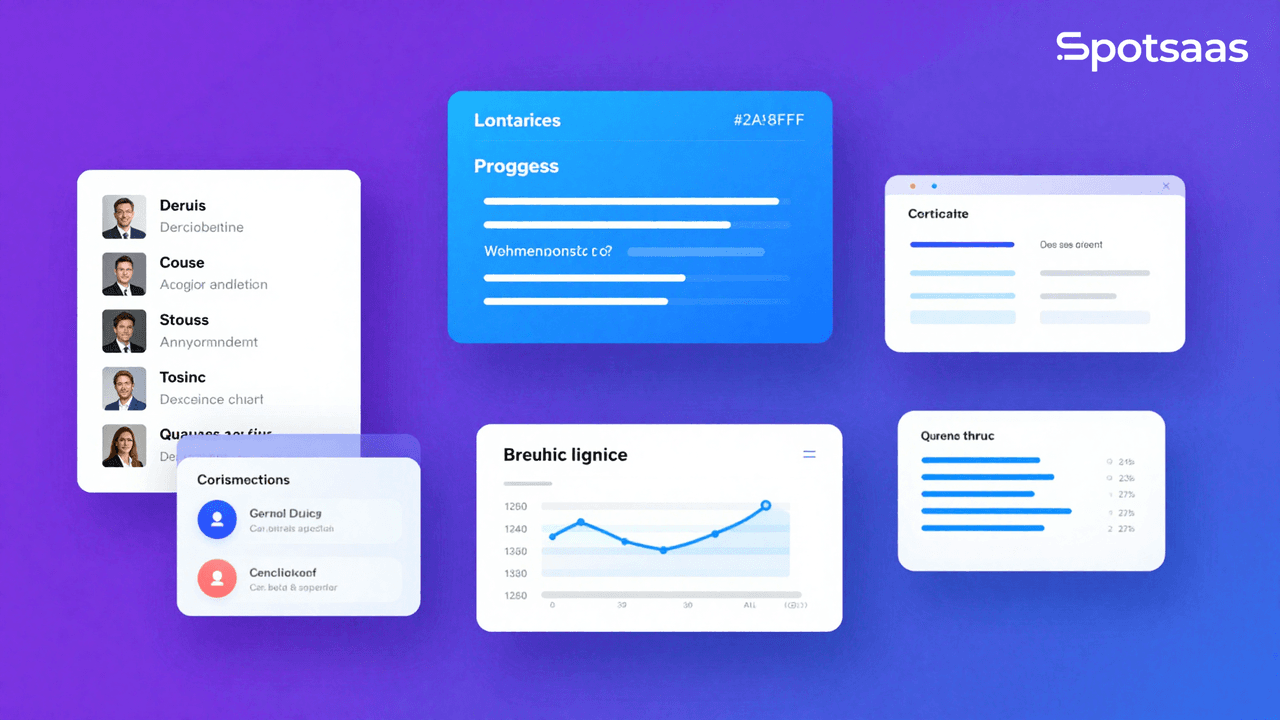
What is the best Learning Management System (LMS) and how does it work?
A Learning Management System is a software learning platform that supports developing, distributing, managing, and tracking educational content and training programs.
In short, a well-organized learning management system is a centralized system that allows faculty to host e-learning courses, monitor their students’ progress, and conduct certification processes, whether in school, university, or business. Learning management systems with enhanced multimedia features such as quizzes, discussions, and gamification, combined with newer technology, can help promote student involvement.
The term “LMS” covers a wide range of products, from lightweight tools built for a single team’s onboarding to enterprise-grade systems running training for tens of thousands of employees across multiple countries. What they all share is the same basic job: take scattered training content and turn it into something structured, trackable, and repeatable. The right choice depends less on which platform has the longest feature list and more on how closely those features map to what your organization actually needs to accomplish.
Why should you use the best LMS software in 2026?
Creating a centralized space for learning
An LMS platform combines all training and educational materials in one location, making them easily accessible to learners and administrators. Administrators no longer have to enter courses into multiple systems, and learners have all the documents, videos, and assessments they need in one place. That centralization keeps the system secure and consistently up to date with the latest materials.
Boosting learner engagement through interactivity
The best LMS platforms use multimedia content, game-like elements such as badges and leaderboards, and real-time discussion forums alongside standard course materials. These features make learning more enjoyable and pull in learners who might otherwise disengage, which drives better participation overall.
Simplifying admin tasks for educators
LMS software, sometimes called eLearning management software, is effective largely because it automates administrative work such as enrollment, progress tracking, and certification. Training teams can manage programs far more efficiently, saving considerable time thanks to pre-built templates and automated workflows.
Enhancing compliance and course oversight
An LMS’s built-in analytics and data-tracking features help pinpoint learner performance and how effective a course actually is. The instructor can review activity across the board, identify where learners are struggling, and adjust the content accordingly. For instance, when many learners fail a specific quiz, that section can be revised and improved.
Scaling LMS for growing organizations
LMS platforms are built with scalability in mind. It doesn’t matter whether you’re running an office of 10 employees or a large, multi-site operation — the system should scale up smoothly alongside you. Features like cloud hosting and multi-language support make it easier to accommodate growth in your business or institution over time.
What are the key benefits of the best Learning Management System software?
Keeping learning materials in one central place
Instead of scattering training content across a mix of tools, an LMS pulls everything — content, data, and course materials — into one place that learners can check and administrators can manage from a single system. The payoff is more consistent delivery and the ability to upgrade the whole learning process cost-effectively, since everything runs through one centralized platform instead of several disconnected ones.
Providing flexible, accessible learning options
A Learning Management System is mobile-friendly and accessible anytime through a laptop, tablet, or smartphone, so learners can access training on whatever device suits them. Mobile learning with offline access has become especially valuable for remote employees and staff at multinational companies, and busy professionals benefit from it too.
Making learning more engaging and enjoyable
Gamification, multimedia content, and interactive tools help learners stay motivated and involved. Learners who are engaged in more active strategies tend to retain more of what they learn, which shows up as higher completion rates and better training results overall.
Tracking learner performance with better insights
Analytical tools built into a Learning Management System let you monitor learners’ progress, completion rates, and assessment scores. Administrators can use that data to evaluate programs critically, spot issues that need addressing, and put fixes in place.
Reducing training costs for organizations
Costs drop significantly because organizations running LMS programs do not have to spend money on face-to-face training, travel, and physical teaching materials. Digital learning scales without those fixed costs, giving organizations of all sizes a budget-friendly way to maximize their return while still delivering quality education or training.
What are the must-have LMS features?
Managing course content with ease
The most important part of a Learning Management System is course management: the tools needed to create, organize, and deliver learning content successfully. Drag-and-drop course creation, learning paths, and module organization let administrators build a focused program aimed at particular objectives — a process that benefits both teachers and students.
Measuring learning progress with assessments
Assessment tools let organizations measure learners’ performance through quizzes, assignments, and tests. Automatic grading, immediate feedback, and deeper analytics help identify knowledge gaps so educators can adjust content and get better results. These tools are fundamental for grading and qualifying learners against their objectives.
Monitoring learners with tracking and reporting
Tracking and reporting functions give teachers real-time insight into student progress, completion rates, and engagement levels. Administrators can generate reports that analyze trends and measure how training programs are performing over time. This data-driven approach supports continuous improvement and helps identify trainees who need extra assistance.
Accessing learning on the go with mobile features
Mobile accessibility lets students access courses wherever they have a smartphone or tablet. LMS platforms with responsive designs let mobile devices handle tasks on the move, or offer dedicated apps so learning can happen anywhere. Offline access extends that flexibility further — materials and assignments can be downloaded and completed even without an internet connection.
Managing certifications and ensuring compliance
Automating certification and compliance management removes a lot of manual busywork: certificates get issued and mandatory training gets tracked without constant administrator intervention. This matters most for regulated industries, where it keeps learners compliant and reduces the teacher’s workload. Timely renewal alerts help keep certifications current without anyone having to track expiration dates by hand.
What are the different types of LMS platforms available?
Cloud-based LMS platforms for fast deployment
Cloud-based Learning Management Systems are hosted on the vendor’s servers, giving you access over the internet without needing to install or maintain complex IT infrastructure. These systems suit organizations that want a fast setup without ongoing maintenance demands.
The vendor handles backups, security, and updates, so the software stays current without added effort on your end. This model is particularly useful for companies or institutions with little or no dedicated IT budget, and for those that want scalability and remote access built in.
On-premise LMS options for complete control
On-premise Learning Management System platforms are installed and managed on the organization’s own internal servers, which gives it full control over data, customization, and security.
This approach works best for organizations that prioritize data privacy or need highly specific configurations. On-premise solutions give you more authority, but installation, maintenance, and repairs require real effort — which makes them viable mostly for larger enterprises or organizations with strong technical teams.
Open-source LMS tools for flexibility and cost savings
Open-source Learning Management System platforms offer a cost-effective, flexible option for technically capable teams. These systems are free to use, but skilled staff still need to install, configure, and maintain them.
They tend to be the right call when the technology budget is limited and you need features that off-the-shelf solutions don’t offer. Open-source platforms often have active community support too, which can make it easier to find plugins, extensions, and updates built by other users.
Industry-specific LMS solutions for targeted training
Industry-specific Learning Management System platforms are built to fit the particular needs of sectors such as healthcare, manufacturing, retail, or K-12 education.
For instance, a healthcare-centered Learning Management System may include tools for certification tracking, regulatory compliance, and role-based training modules.
These solutions come with purpose-built templates and analytics that keep training aligned with industry standards and the guidelines set by the relevant bodies. They tend to be the best choice for organizations that need niche functionality to hit specific training goals.
Enterprise LMS platforms built for scale
Enterprise Learning Management System platforms are designed for the training needs of large organizations with complex requirements. These platforms support department-level structuring, plus advanced analytics and integration with existing enterprise software like HR and ERP systems. They’re built to handle large numbers of users while offering strong scalability and detailed reporting.
Multiple language options, role-based permissions, and cross-department interaction capabilities make these systems a good fit for international organizations and conglomerates with project teams spread across different regions.
The trade-off with enterprise platforms is usually cost and implementation time. They tend to require a longer rollout, more configuration work from IT, and a higher price point than the cloud-based or open-source options described above. For an organization actually operating at that scale, though, the reporting depth and integration options typically pay for themselves by removing the manual reconciliation work that smaller tools would otherwise leave to HR and training teams.
How Do the Top LMS Software Platforms Compare?
The best learning platform for you depends on your organization’s training needs and how much flexibility you require.
The table below compares LMS platforms by their key features, pricing, and best-fit use cases. Use it as a starting point to narrow down the list of possible software for your educational and training programs.
| Software Name | Features | Pricing | Use Case | Why Choose It? |
|---|---|---|---|---|
| TalentLMS | Easy course creation, gamification, integrations with Zoom | Starts at $59/month | Small to medium businesses | Ideal for straightforward employee training |
| Moodle | Open-source, highly customizable, extensive plugins | Free (self-hosted) | Schools and universities | Best for organizations needing flexibility |
| Adobe Captivate Prime | AI-based analytics, mobile learning, extensive integrations | Starts at $4/user/month | Enterprises | Excellent for large-scale corporate training |
| Blackboard Learn | Advanced collaboration tools, mobile-friendly, cloud hosting | Custom pricing | Higher education institutions | Perfect for academic learning environments |
| Docebo | AI-driven personalization, robust analytics, multi-language support | Starts at $230/month | Global enterprises | Best for businesses needing advanced features and scalability |
How Do You Choose the Right Learning Management System Software?
Why Should You Start by Defining Your LMS Goals?
Start by establishing what you primarily expect from the LMS software. Are you trying to onboard new hires, teach students academic subjects, or train customers on your product?
A company focused on employee onboarding will want features like compliance tracking and role-based courses, while a school might prioritize collaborative, grading-based tools instead. Defining your primary purpose clearly up front will make it much easier to pick a solution that actually matches your goals.
How Important Is Ease of Use in an LMS?
An intuitive, user-friendly workspace matters for both administrators and learners. Administrators should be able to build courses, oversee students, and produce reports without needing technical expertise. Learners should find the interface a direct path to the content and assignments, not an obstacle.
A clunky or outdated system discourages participation, and your learning environment won’t deliver the results you’re expecting. Look for tools with an uncluttered interface, drag-and-drop functionality, and a solid user guide.
How Does Scalability Affect LMS Selection?
Pick a scalable Learning Management System that matches your organization’s growth trajectory. A start-up or a small school might only need a few features in the early stage, but as your number of users and course offerings grows, the platform needs to keep up with that higher demand.
Features like cloud hosting, ample storage, and multi-user support help an LMS stay functional as your requirements increase. That’s why organizations planning to use the platform for a long stretch, or planning a global rollout, should pay special attention to scalability up front.
What Customization Options Should an LMS Offer?
Customization is what lets you sync the LMS with your branding and training requirements. Look for platforms that offer real flexibility to insert logos, adjust the color palette, and shape a personalized user experience.
Beyond that, the ability to customize courses and evaluations means the content can be adapted to your learners’ specific needs. A cloud-based customer training LMS, for example, can carry branded courses that reinforce a company’s tone and message while keeping the learning experience consistent.
How Can Integration Improve Your LMS Strategy?
Check that the Learning Management System connects with the tools you already use.
Examples include HR systems, CRMs, or video conferencing platforms. Integrating these systems gives you smooth data flow between them, which cuts down on manual data entry.
A concrete example is connecting an LMS to an HR tool, which lets new employees be automatically enrolled in onboarding courses. Organizations can similarly align customer training with sales processes. Connections to tools like Zoom or Microsoft Teams add real momentum to hybrid and remote learning as well.
What Cost Factors Should You Consider in LMS Selection?
Pricing structures for Learning Management Systems vary widely, so compare setup fees and licensing costs, and watch for hidden charges like extra storage or premium support.
For instance, one platform might charge based on the number of users, while another offers unlimited-user plans. Factor in your budget and the number of learners you expect to enroll to find the most cost-efficient option that still covers the features you need.
Look for free trials and demos so you can test the software before subscribing.
Why Is Support and Training Essential in an LMS?
Comprehensive support and training materials, especially during implementation and onboarding, are a major factor in whether an LMS rollout succeeds. Look for LMS providers that offer fast customer support by chat, email, or phone when you need it.
Access to training content, tutorials, and live onboarding sessions helps your team get past the initial learning curve faster. Some vendors also provide dedicated account managers or community portals to help out if setup runs into trouble.
Final Thoughts On Choosing a Learning Management System (LMS)
Choosing the right LMS comes down to understanding your organization’s goals and priorities first. Whether you care most about integrating with your existing systems, getting deeper analytics, or finding a cost-effective option, the decision should be based on what actually serves your organization’s needs.
For instance, a small business that only needs basic, affordable tools can go with a standalone platform. A large enterprise, on the other hand, typically needs an all-in-one system with deep reporting and multiple communication channels built in.
Picking the right software is only part of the job. Training your team, setting up automated workflows, and actually acting on the data the system produces matter just as much as the initial selection.
Used well, a Learning Management System becomes a long-term asset: it centralizes training, surfaces where learners are struggling, and helps build a culture where employees or students stay engaged. That combination of efficiency and engagement is what turns an LMS purchase into a lasting advantage for the organization.
Before you commit, it’s worth running a short pilot with two or three finalist platforms rather than deciding from feature lists and pricing pages alone. Load in a real course, have a small group of actual learners and administrators work through it, and pay attention to where they get stuck. A platform that looks strong on paper can still fall short in day-to-day use, and a short pilot is usually enough to surface that before you’ve signed a multi-year contract.

- Independent picks for exactly what you just read about
- Matched to your team size & needs
- Vendors don't pay for placement
Step 1 of 4
How big is your team?
We tailor recommendations to companies your size.















Related Articles
Best Tools
SaveFrom.Net Review (2026): Is It Safe, Legal & Worth Using?
Continue reading →
Buyers guide
How to Choose Healthcare Software: A Complete Buyer’s Guide (2026)
Continue reading →

Buyers guide
How to Automate HR Processes: A Practical Guide for 2026
Continue reading →

Applicant Tracking Software
How to Set Up an ATS: Step-by-Step Implementation Guide (2026)
Continue reading →