

Making good art usually takes years of practice or a lot of natural talent, which puts it out of reach for many people. DiffusionBee changes that math. It lets digital artists and hobbyists produce images from text on their own Mac, with no drawing skill required, so the barrier is a written description rather than technique.
This review covers how the tool turns simple text prompts into finished artwork. It looks at what the tool does, how it runs on your machine, and how it connects what you can imagine with what you can actually put on screen.
Key Takeaways
- DiffusionBee is a free AI art tool that runs offline, so Mac users can create images without an internet connection.
- It uses Stable Diffusion algorithms to turn text prompts into images, and because everything runs on your machine, your work stays private through local processing.
- It runs on macOS 12.5.1 or higher and performs best on machines with Apple silicon, where it can produce high-resolution images.
- An active community backs DiffusionBee, giving users a place to share work, trade tips, and try different artistic styles.
- Users can use the images they generate for any purpose, because the tool follows the CreativeML Open RAIL-M license, which sets rules for ethical AI use.
DiffusionBee AI: How AI Art Generation Works
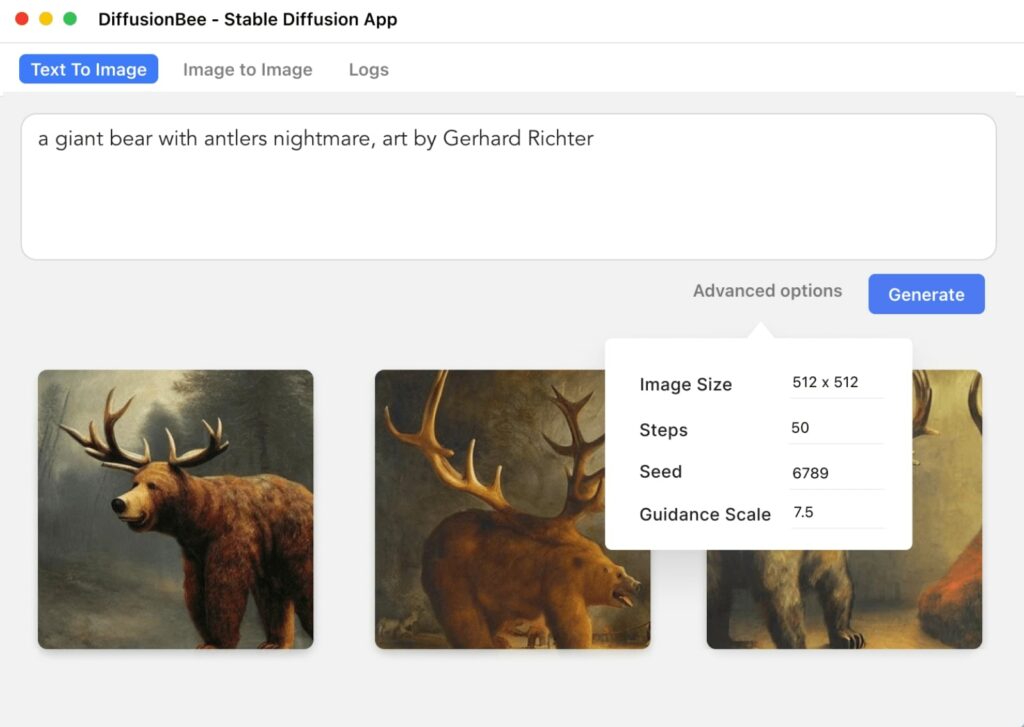
DiffusionBee builds an image from a few words of description. You type a prompt and the tool generates art in a few seconds, with no manual editing involved. That lets artists and creators take an idea they have in their head and turn it into a finished visual quickly.
It runs on Stable Diffusion algorithms, one of the main model families behind artificial intelligence in art generation. That model is what turns your written text into a picture, and it is the same core technology used across many AI image tools.
The app works only on Mac computers, and it does its processing locally. Every image is created directly on your own device, with no internet connection needed to run the model, which is unusual for a tool of this kind.
Local processing keeps your prompts and images private, and it lets you generate as many images as you want without usage caps. The tool is open-source and Mac-native, and it pairs advanced AI technology with a straightforward interface and community support, so it stays approachable for people who are not technical.
Whether you want to alter an existing image or build a new one from a written description, DiffusionBee gives you a set of features for putting an idea onto a digital canvas. Both paths start from the same place: you describe what you want, and the tool works from there.
Main Features of DiffusionBee AI
DiffusionBee is a free AI art tool with solid image-generation features. It runs offline on Mac and ships with technical specs that suit both artists and hobbyists, which makes it a flexible option for a range of users and skill levels.
Free and Offline AI Art Tool
You can make digital art without paying anything or connecting to the internet. DiffusionBee is completely free and runs entirely offline, and it works only on Mac computers.
Because every image is generated on your own machine, your prompts and results never leave your device. That gives you privacy and keeps you in full control over the whole creative process, from the first prompt to the saved file.
The tool needs macOS 12.5.1 or higher and is tuned to run best on machines with Apple silicon, though Apple silicon is not strictly required to use it.
DiffusionBee follows the CreativeML Open RAIL-M license, which sets terms for ethical AI use. You can generate as many images as you like at home, whether you are building detailed digital pieces or just running quick experiments, and you can use the results however you want with no added conditions attached.
AI Image-Generation Capabilities
On top of being free and offline, DiffusionBee handles the actual AI image generation well. It turns short text prompts into detailed images using generative models, so the output has depth and variety rather than looking templated.
You can work across many styles, from photorealistic shots to abstract compositions, and the model reads your written description closely enough to match what you asked for with good accuracy.
With local image processing, you never need internet access or a cloud account, so your work stays on your machine and stays private throughout. The tool uses Apple silicon optimization to return results quickly while keeping the output at high resolution, so speed does not come at the cost of quality.
Every image you generate falls under the CreativeML Open RAIL-M license, so you are free to use the AI-generated results however you choose. Whether you are adding to a portfolio or testing new ideas, these features let you produce detailed artwork without much effort.
Compatibility and Technical Specifications
DiffusionBee runs on macOS 12.5.1 or higher and delivers its best performance on machines with Apple silicon. It also runs on Intel-based Macs, but without a dedicated graphics chip, image generation tasks run noticeably slower on those systems.
All image processing happens entirely locally, with no cap and no reliance on cloud-based communication, which keeps the tool fast and keeps your data on your own device where you control it.
These system requirements are what let DiffusionBee run its AI features. Because it processes locally and is tuned for Apple silicon machines, you can expect quick, high-quality image generation from the setup.
Generating AI Art with DiffusionBee
Use DiffusionBee’s Stable Diffusion engine to create AI art from text prompts or to edit photos you already have. The sections below cover its output range and its community.
Stable Diffusion Technology
Stable Diffusion gives Mac users consistent, repeatable image generation. Because the model runs locally, you can generate art without cloud processing and without hitting the communication limits that come with cloud-based tools.
DiffusionBee follows the CreativeML Open RAIL-M license, so you decide how to use the images you make once they are generated.
With Stable Diffusion at its core, DiffusionBee is a secure, efficient way to make art through AI image generation. Local processing keeps you in control of the work and keeps you inside the license terms while you try out different ideas and styles.
Creating Images from Text Prompts
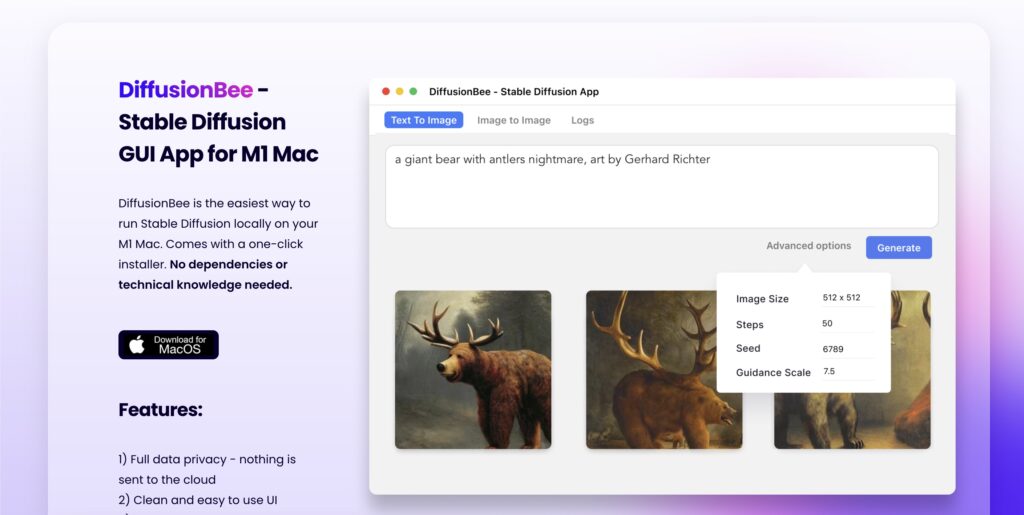
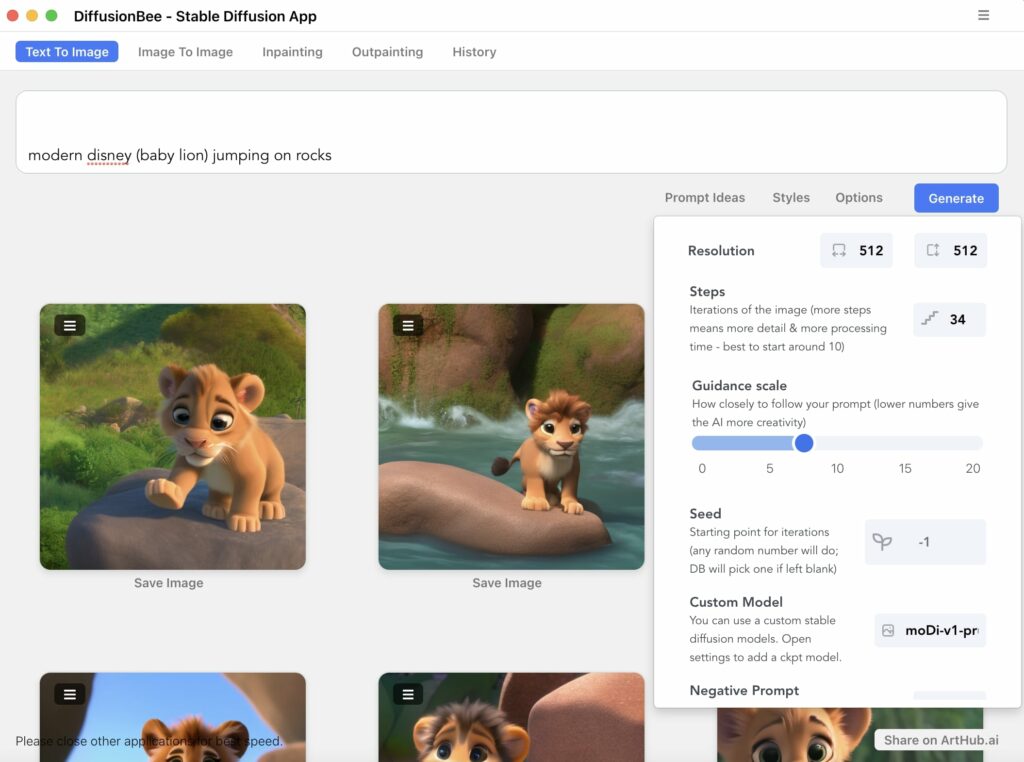
DiffusionBee lets you make art by generating images from text prompts. You write a description and the tool turns it into a picture, which is a direct and simple way to work through an idea and see it rendered.
Because it builds images locally without any cloud connection, you can keep experimenting freely without running into usage caps or waiting on a remote server to respond.
The Text to Image feature is easy to pick up, which makes it practical for both beginners who are new to AI art and experienced artists who want a fast tool.
Modifying Existing Images
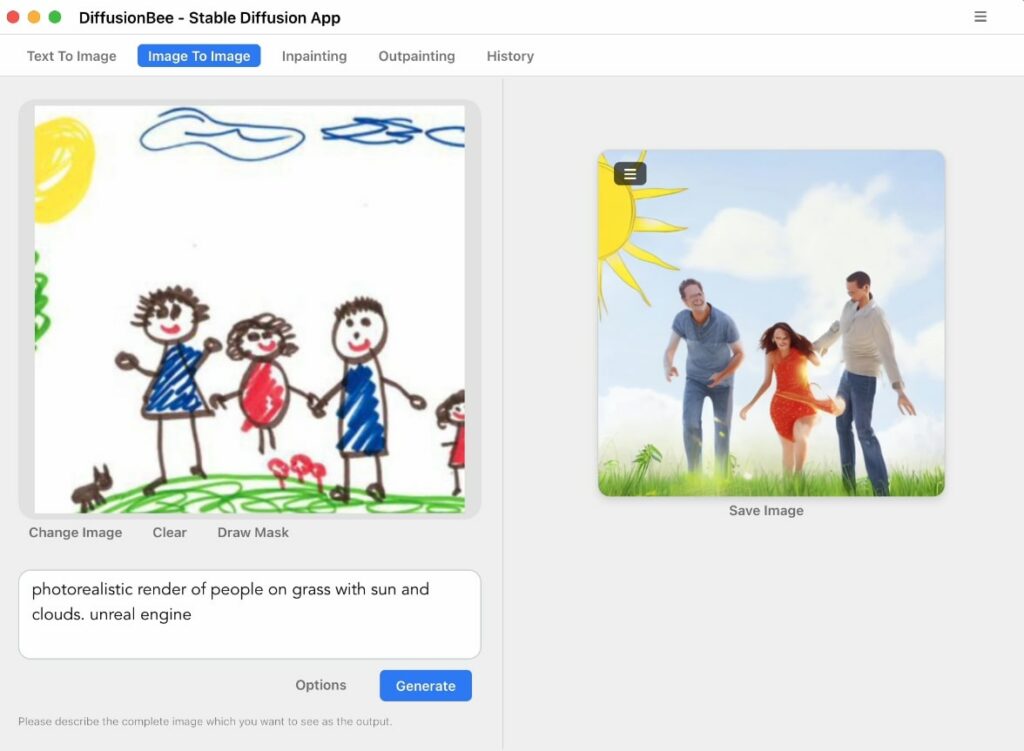
DiffusionBee can also edit images you already have. You can modify existing images to apply visual effects and make custom, personalized changes to a photo you bring in.
From shifting color tones to adding new artistic elements, the tool hands you full control over the editing process from start to finish.
You can edit photos locally on your Mac with no cloud step involved at any point. Stable Diffusion drives the process, giving you precise, flexible control when you rework an existing photo and bring out more of its detail.
Read more Use Upscayl AI to Magically Transform Photos into HD Masterpieces
The Community and Range of DiffusionBee
DiffusionBee has an active community where users post their creations and help each other out. Its wide output range covers many styles and applications, which makes it useful across different kinds of creative work and different disciplines.
Active Community
DiffusionBee has an active community on Discord where users connect and talk through their work with one another. Members answer each other’s questions and share what they have learned, which keeps the space collaborative and useful for newcomers who are just getting started.
That community is a good place to find help and resources, especially for artists looking for inspiration or wanting guidance on getting more out of the tool for their own art generation.
Versatile Output
DiffusionBee’s output covers a wide spread of styles. Its image-generation features let you produce varied results, so you have plenty of room to try different directions and options with your art.
You are free to work across many artistic styles, which means there is always another approach to test and a fresh set of possibilities to explore.
Because the tool generates images from text prompts, you can steer it toward whatever you have in mind and match your own vision. That range gives you real creative control over the kind of AI art you make.
Other Tools Similar to DiffusionBee
Tools that do similar work include Maze, TensorPlay, DALL-E, Midjourney, and Extrapolate. Each one has its own features and capabilities, and each fits a different set of creative needs and preferences in AI-based art production.
Maze
Maze is another option worth checking for AI image generation, and it stands out as a compelling tool similar to DiffusionBee. It offers a diverse range of features, with AI-powered image creation and collaborative art platforms built in.
It has an active community and varied output, which gives users room to experiment with different kinds of creative media and share the results.
It is worth a look if you want to see how a different tool handles the same kind of image-generation work.
TensorPlay
TensorPlay is a free art creation app designed for mobile devices that lets users make AI art from text prompts. Its simple, user-friendly interface lets artists try AI-generated visuals without paying for a subscription to cover basic use, so there is no cost to get started.
With plain, clear text prompts, users can generate art on their phone, which makes it a handy and accessible option for anyone who wants to experiment with AI art on the go.
Because it works from text-based prompts, TensorPlay lets users create finished, eye-catching pieces from a mobile device and gives them a straightforward, inspiring setup for making original work anywhere they happen to be.
DALL-E
DALL-E is an AI art tool that generates images from text prompts and edits existing photos with good accuracy. Built on Stable Diffusion technology, it comes with advanced options and an active community.
Running on macOS 12.5.1 or higher, DALL-E supports custom models for making AI art on your own computer, so you keep ownership and control of what you produce.
The CreativeML Open RAIL-M license lets users use DALL-E’s images for both personal and commercial work. Its clear interface and strong image-generation features make the process quick to learn.
Midjourney
Midjourney gives artists customizable image creation and HD images across an endless set of styles. Its features include photorealistic image generation, room to test different creative mediums, collaborative art creation, and image editing that does not require prior expertise.
Midjourney’s pricing varies, with free, paid, and subscription options depending on how you use it. The tool was manually vetted by the editorial team and has an active community on Discord where creators share support and suggestions with each other.
It gives artists another route to making AI art with ease and shows what the technology can do for image generation.
Extrapolate
Extrapolate by DiffusionBee is an AI art generation tool that takes a different, unique approach to image creation. Its diverse set of features gives users more ways to make and shape their work and to push their ideas further.
The community behind Extrapolate offers support and gives creators a place to test ideas, experiment, and work together with like-minded people. Its fit across different industries makes it a flexible choice for anyone who wants a supportive, dynamic space for AI-assisted art.
The range of options in Extrapolate lets users create images tailored to their own needs or to specific prompts. It runs on a stable technical foundation that supports different artistic goals while encouraging collaboration among users.
Conclusion
DiffusionBee makes AI art generation practical for Mac users. With Stable Diffusion behind it, creating original AI-generated art from text prompts is now within reach.
Its active community support and its use of the CreativeML Open RAIL-M license make it a solid, reliable platform for making art and for trying out new artistic ideas.
Because DiffusionBee follows the CreativeML Open RAIL-M license, you get full freedom to use the images you generate. If you want to compare options, there are 410 alternatives to DiffusionBee for image generation, each with its own features, pricing, and user ratings.
Those alternatives cover a mix of needs, including photorealistic image generation, simple and user-friendly photo editing, and custom, customizable creations for artists. DiffusionBee itself gives you open, unrestricted access to Stable Diffusion tools and an open license for the images you make.
The tool supports a wide range of AI image generation across different industries. Under the CreativeML Open RAIL-M license, the images you create are yours to use for personal and commercial work, with no restrictions and no extra cost.
(Image Credit: DiffusionBee)

- Independent picks for exactly what you just read about
- Matched to your team size & needs
- Vendors don't pay for placement
Step 1 of 4
How big is your team?
We tailor recommendations to companies your size.















Related Articles
AI Software
How Can SaaS Companies Use Legal AI to Move Enterprise Deals Forward?
Continue reading →
AI Software
Fireflies vs Otter 2026: Pricing, Limits and Which to Pick
Continue reading →
AI Software
AI in Finance: 12 Use Cases for Corporate Finance Teams in 2026
Continue reading →
AI Software
Copilot vs ChatGPT for Business (2026): Price, Security and Use Cases
Continue reading →